

- All +10 AI tools
- Edits & restyles included
- Nearly 3× the photos
- More photos. Same low rate.
- Watermark-free downloads
- Unused photos roll over
- 6-month image backup
- Priority support
- REST API, webhooks & MCP
- SSO & sub-accounts
Trusted by 100,000+ real estate professionals
Simple. Flexible. Affordable.
Start free No card 7-day refund Cancel anytime
Virtual staging plans and pricing

- All +10 AI tools
- Edits & restyles included
- Nearly 3× the photos
- More photos. Same low rate.
- Watermark-free downloads
- Unused photos roll over
- 12-month image backup
- Priority support
- REST API, webhooks & MCP
- SSO & sub-accounts

Enterprise
✧ BEST VALUE $49.00/mo
$49.00/mo if billed yearly
Get Enterprise $0.24/photo ↓ 61% less than Pro
- All +10 AI tools
- Edits & restyles included
- Nearly 3× the photos
- More photos. Same low rate.
- Watermark-free downloads
- Unused photos roll over
- Unlimited image backup
- Priority support
- REST API, webhooks & MCP
- SSO & sub-accounts
Over 10,000 photos/month? Talk to our team. Available in USD, GBP, EUR & CAD. Applicable taxes are calculated at checkout based on your billing country.
Nothing to lose on the way in
Try it before you pay, and get your money back if the first week doesn't convince you.
Try free without a card
Create an account and generate your first photos free. No card, no commitment, no sales call.
Full refund within 7 days
First-time subscribers can request a full refund within 7 days on monthly and yearly plans, as long as 3 or fewer generations were used.
Cancel in two clicks
Go to Billing and turn off Auto-Renewal. No phone call, no retention offer, no notice period.
Used by agents at















100,000+ professionals 4.9★ average rating 500+ enterprise teams
HOW OUR PRICING WORKS
You pay for the photo, not the attempt.
Most AI tools charge for every new generation. If you change the furniture, try another style or create a twilight version, each attempt can add to the cost. That makes the final price of a listing harder to predict.
AI HomeDesign counts photos instead. Once a photo uses a credit, you can keep working on it. Restyle it, clear the clutter, repaint the walls or move it to dusk. It all stays within the same credit.
-
Upload a photo
A credit is used the first time you run a tool on it.
-
Keep refining it
Use all +10 tools, room types and styles on the same credit.
-
Download watermark-free
MLS-ready output on every paid plan, ready in seconds.
What one credit covers
From your first edit to your final download, everything you do to the same photo stays within one credit.
The photo, start to finish
One credit covers the same photo from the first tool you run to the version you publish. Staging, decluttering, enhancement and renovation all stay within that credit.
The looks you try along the way
Try different furniture, colours, styles or a dusk version. Exploring another direction on the same photo does not use another credit.
The file you hand over
Every paid plan includes full-resolution, watermark-free, MLS-ready downloads. Your images stay in your account for your plan's backup period.
All available AI tools included on every paid plan
All +10 tools use the same photo allowance. This includes staging, item removal, enhancement, day to dusk and all seven renovation tools. There are no per-tool multipliers or separate credit pools.
A new image starts a new credit. Plans are sized for the listings a person or a team actually works on, under normal use of the app as set out in our Terms & Conditions ; automated, resold or bulk generation is priced separately on Enterprise, where capacity is agreed up front. Unused photo rollover applies to yearly billing.COMPARE THE PLANS
Compare the plans
Every plan gets the same AI quality. The difference is how many photos you need, how long they stay backed up, and the advanced features included.
| FEATURE |  PRO$19/moBilled yearly PRO$19/moBilled yearly |  PRO PLUS$29/moBilled yearly PRO PLUS$29/moBilled yearly |  ENTERPRISE$49/moBilled yearly ENTERPRISE$49/moBilled yearly |
|---|---|---|---|
| Photos per month | 30 | 80 | 200 – 10,000 |
| Yearly price | $19/mo | $29/mo | from $49/mo |
| Monthly price | $35/mo | $59/mo | from $99/mo |
| Cost per photo | $0.63 | $0.36 | $0.24 |
| All AI tools | Included | Included | Included |
| Edits & revisions | Yes | Yes | Yes |
| Unused photo rollover | Yearly plans only | Yes | Yes |
| Image backup | 6 months | 12 months | Unlimited |
| Support | Standard | Standard | Priority |
| REST API, webhooks & MCP | No | No | Yes |
| SSO & sub-accounts | No | No | Yes |
| White-label output | No | No | On request |
| 7-day guarantee | Yes | Yes | Yes |
Scale with Enterprise — volume pricing, priority support, and unlimited backup.
Choose EnterpriseAll AI tools. On every plan.
Pro gets the same AI quality and tools as Enterprise. Higher plans simply add more volume and business features.
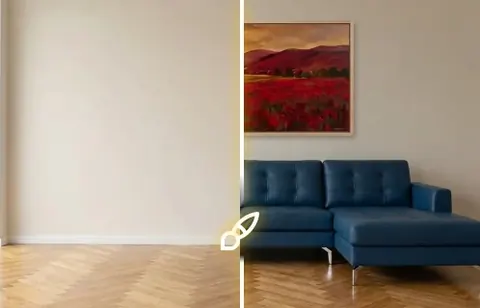
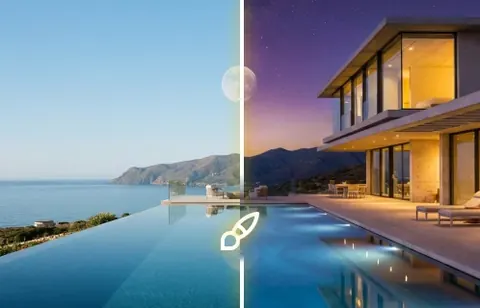
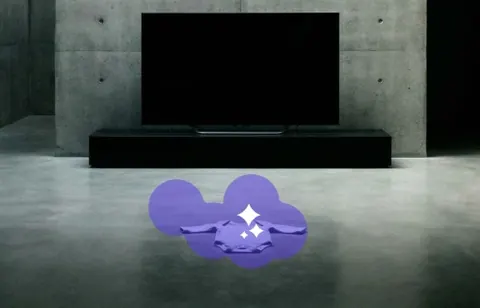
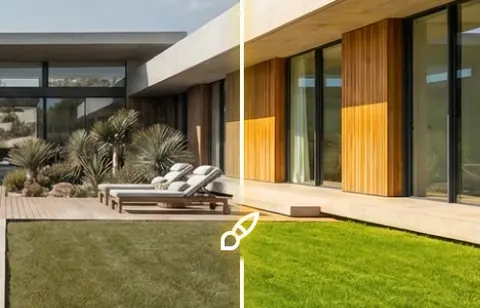
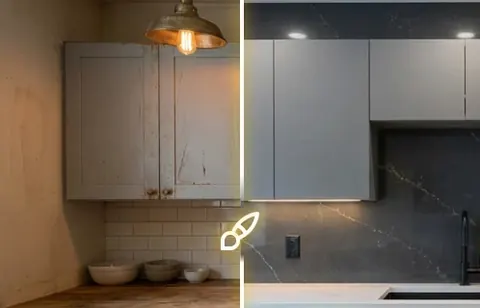
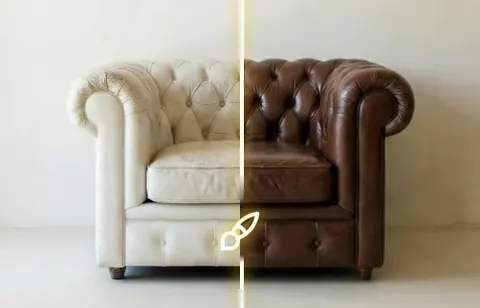
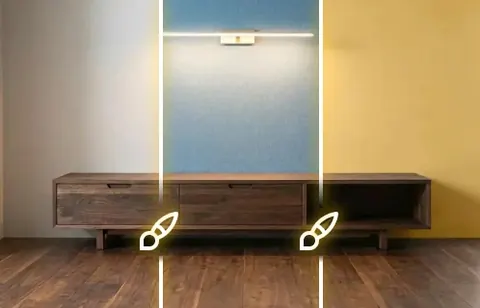
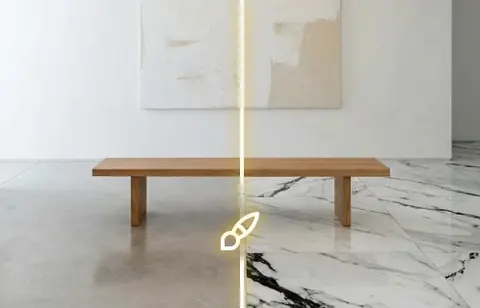
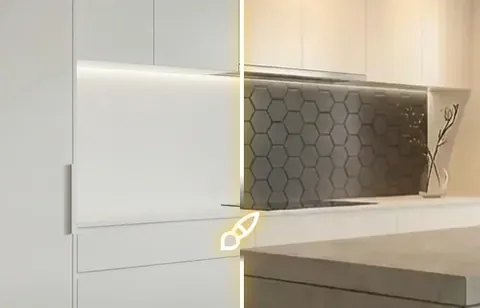

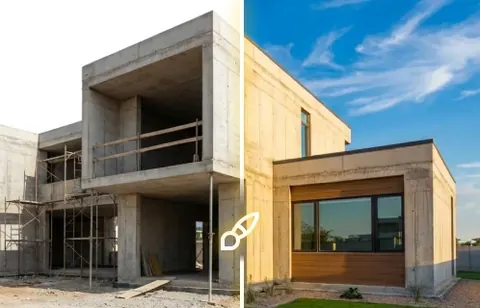

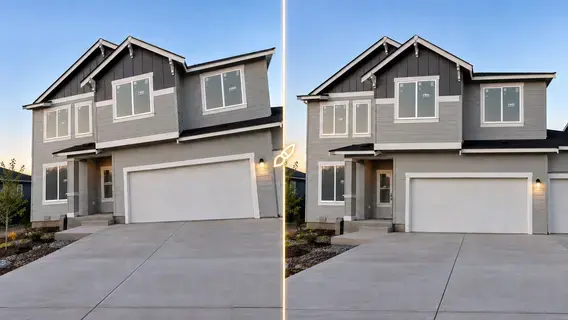
All room types & stylesRestyles includedNo watermarkMLS-ready outputResults in seconds
What it costs at your volume
Select your monthly photo volume to see the best-fit plan and price.
Pick the role that fits you best
Tap any card to see your personalised pricing belowCounts assume you spend a credit only on the photos you actually edit — a listing shot of 25 images rarely needs all 25 touched. Pick the closest one, or move the slider yourself.
Fine-tune with the slider
Your estimate
Tell us how many photos you edit each month and we’ll show the recommended plan, your monthly price, and the per-photo package rate.
Recommended plan
Pro Plus
You pay
$29.00/mo
Billed yearly
Per photo
$0.36
vs ~$24 traditional
Choose the recommended planSee the full breakdown
| Photos / month | Best plan | You pay (billed yearly) | Per photo | Same volume, traditional editing house |
|---|---|---|---|---|
| Up to 30 | Pro | $19/mo | $0.63 | ~$900 |
| 30 – 80 | Pro Plus | $29/mo | $0.36 | ~$2,400 |
| 80 – 200 | Enterprise | $49/mo | $0.24 | ~$6,000 |
| 200 – 10,000 | Enterprise volume | Fixed capacity tiers | Varies by actual usage | — |
| More than 10,000 | Talk to our team | Custom | Custom | — |
Traditional-editing comparison uses BoxBrownie’s published $24 per staged image on its US page, and assumes one service per photo. Real-world costs there are usually higher, because enhancement, day to dusk and staging are billed separately on the same image.
How we compare
Pricing and plan details are based on each provider's published information.
| AI HomeDesign | Virtual Staging AI | Collov AI | Human services | |
|---|---|---|---|---|
| Lowest cost / photo | $0.24 | $0.53 | $0.24 | $24–$49 |
| Additional edits & variations | Included with the photo | Unlimited revisions per photo | Unlimited regeneration | Charged per service |
| Unused allowance rolls over | Yes | Not stated | No, resets monthly | — |
| Refund window | 7 days | Not stated | Not stated | Not stated |
| Start free without a card | Yes | Limited | Watermarked | No |
| Turnaround time | Seconds | ~10 seconds | ~10 seconds | 24–48 hours |
| Entry-plan tools | All available tools | Virtual staging only | Limited | Pay per service |
Last reviewed 20 October 2026. Pricing may change. Where a provider does not publish a detail, we show "Not stated" rather than make an assumption. BoxBrownie currently lists US$24 per staged image and roOomy lists $49 for virtual staging without rework. Collov photo credits reset monthly; video and 360° outputs may have different usage requirements. Check each provider for current terms.
For teams and platforms
Real estate photo AI at volume, connected to your systems
Enterprise starts at 200 photos/month and scales to 10,000 at the same $0.24/photo on yearly billing. Need more? We'll build a volume plan with you.

REST API & webhooks
Run staging, item removal, day to dusk, enhancement and renovation directly from your listing system or photo pipeline.
Read the API docs →
MCP server
Connect AI HomeDesign to AI assistants and agent workflows, so your team can trigger edits from the tools they already use.
Connect to MCP server →
White-label output
Deliver finished images under your own brand. Available to B2B accounts on request.

SSO & sub-accounts
Manage teams, delegate admin access and keep billing centralized across agents and editors.
What happens if you change your mind
The key terms are right here on the page, not buried in the fine print.
-
Day 0
You subscribe
All AI tools unlock straight away. No onboarding call, setup fee or waiting for an account manager.
-
Days 1–7
Full refund within 7 days
First-time subscribers can request a full refund within 7 days on monthly or yearly plans, as long as 3 or fewer generations were used while testing. Email support@aihomedesign.com. Eligible refunds are processed within 7 days.
-
Any time
Cancel in two clicks
Go to Billing → Cancel Auto-Renewal. No calls, no retention process and no notice period. Your plan stays active until the end of your current billing period.
What the refund policy does not cover. Input packs are non-refundable. The 7-day refund applies to your first subscription only. Renewals and repeat purchases are not eligible.
Full termsRefund Policy · Terms & Conditions
Frequently asked questions
Everything people ask us before they subscribe — answered in full.
Showing 9 questions about pricing & billing
How much does AI HomeDesign cost?Pricing & billing
Plans start at $19 per month billed yearly for 30 photos. Pro Plus is $29 per month for 80 photos, and Enterprise starts at $49 per month for 200 photos, which works out to $0.24 per photo. On monthly billing the same plans are $35, $59 and $99.
What counts as one photo?Pricing & billing
One uploaded image uses one credit, no matter how many times you edit it afterwards. Once that credit is spent you can stage it, restage it in another style, remove items, repaint the walls, change the flooring and convert it to dusk without spending anything more.
Do you charge per photo or per edit?Pricing & billing
Per photo. This is the main difference between AI HomeDesign and most AI editing tools, which spend a credit every time the model runs. With us the second, tenth and fiftieth edit of the same image are all free.
How does unused photo rollover work?Pricing & billing
Unused photos roll over on yearly plans. On monthly billing, unused photos roll over on Enterprise only; Pro and Pro Plus monthly plans do not include rollover. Rollover continues while an eligible subscription stays active.
What happens if I run out of photos?Pricing & billing
If you run out of photos, check your account for available credit packs or plan upgrades. Availability and upgrade timing depend on your current subscription.
Monthly vs yearly billing?Pricing & billing
Yearly billing is discounted compared with paying monthly. The number of included photos depends on the plan, not just the billing cycle. Select Monthly or Yearly in the pricing cards above to see the current amounts and rollover benefits.
Can I upgrade or change plans?Pricing & billing
Yes. Upgrades take effect immediately — the new photo allowance is available in your account as soon as the upgrade goes through, without waiting for the next billing cycle.
Which currencies can I pay in?Pricing & billing
USD, GBP, EUR and CAD. Prices are shown in the currency you select and charged in that currency at checkout.
Is VAT or sales tax included?Pricing & billing
Prices are shown before tax. Any VAT or sales tax that applies in your country is calculated from your billing address and shown on the checkout page before you confirm, so you always see the final amount before paying.
Do you offer refunds?Refunds & cancellation
Yes. AI HomeDesign offers a 7-day money-back guarantee to first-time subscribers on monthly and yearly plans, provided you have used 3 or fewer generations. Email support@aihomedesign.com within 7 days of purchase.
Who qualifies for the 7-day money-back guarantee?Refunds & cancellation
First-time subscribers who request a refund within 7 days of purchase and have used 3 or fewer generations while testing the service. It covers monthly and yearly plans equally.
What is not refundable?Refunds & cancellation
Input packs are non-refundable. The guarantee also does not apply to renewals, or to a second subscription on the same account.
How do I request a refund?Refunds & cancellation
Email support@aihomedesign.com with your account email and your refund request. You can request cancellation and a refund in the same message.
How long does a refund take?Refunds & cancellation
Refund requests are processed within one week of us receiving them.
Can I get a refund on a yearly plan?Refunds & cancellation
Yes, under exactly the same conditions as a monthly plan: first subscription, requested within 7 days, and 3 or fewer generations used.
Can I cancel at any time?Refunds & cancellation
Yes. Cancel from Billing in your account and your plan runs to the end of the period you have already paid for. There is no cancellation fee and no minimum term beyond the billing cycle you chose.
How do I cancel my subscription?Refunds & cancellation
Click the three dots next to your username, open Billing, then click Cancel Auto-Renewal. It takes two clicks and does not require contacting support.
Which tools are included in every plan?What's included
All available AI tools are included in every paid plan. This page showcases 13, including Virtual Staging, Day to Dusk, Item Removal, Image Enhancement, Interior Design, Furniture Restyle, Wall Change, Floor Change, Backsplash Change, Ceiling Change, AI Under Construction, HDR and Image Alignment. The dashboard may offer additional tools as the catalog evolves.
Are all room types and design styles included?What's included
Yes, on every plan. Interior and exterior, every supported room type and the full style library are available from Pro upward, with no per-style charges.
Do the images have a watermark?What's included
Paid plans download watermark-free on every tier. Free trial images carry a watermark, which is removed as soon as you subscribe to any plan.
Is there a free trial, and how many photos do I get?What's included
Yes, and no credit card is needed. The number of free photos varies by country and averages around three. Trial images include a watermark; subscribing to any plan removes it.
How many revisions or regenerations do I get?What's included
You are charged for the photo, not for the attempts. Once an image has used its credit, trying it in a different style, with different furniture or with a different finish does not cost another one, so a normal round of revisions never eats into next month’s allowance.
How long does it take to process a photo?What's included
Seconds. Results appear in the same session, so you can iterate on a listing while you are still working on it instead of waiting a day for a human editing service.
How long do you store my images?What's included
Image retention varies by plan. Check the current backup period in the pricing cards above and the terms of your subscription.
Do you have an API?What's included
Yes, on Enterprise plans. AI HomeDesign provides a REST API with webhooks, plus an MCP server for connecting the platform to AI assistants and agent workflows. Full documentation is at doc.aihomedesign.com.
Do you offer white-label output?What's included
Yes, for B2B accounts. Output can be delivered under your own brand rather than ours. Contact our team to set it up.
Which plan is right for me?Choosing a plan
Choose based on how many photos your workflow uses per month and which team features you need. The volume calculator on this page shows the lowest-priced listed package that covers your selected number of photos; review the plan details before subscribing.
What is the difference between Pro, Pro Plus and Enterprise?Choosing a plan
The plans share AI tools, while the included photo capacities, retention, support and business capabilities differ. Check the plan comparison and the current pricing cards above for the latest details on API access, SSO and sub-accounts.
Does the cost per photo drop further at very high volume?Choosing a plan
Enterprise packages are sold in fixed capacity tiers. Your effective cost per photo depends on the tier you buy and the number of photos you use, so it can be higher than the advertised per-capacity rate. For more than the largest published tier, contact our team.
Is AI editing cheaper than a traditional editing service?Choosing a plan
AI editing can be considerably cheaper than traditional services, which commonly charge per photo and separately for different editing tasks. Your effective AI HomeDesign cost depends on the package purchased and how much of its photo allowance you use.
Is virtual staging cheaper than physically staging a home?Choosing a plan
Virtual staging is usually less expensive than physically staging a property, which can require furniture rental, transport and installation. Compare the current subscription prices above with the staging needs of your listings.
Do I need professional photography to get good results?Choosing a plan
No, but the input matters. Well-lit, straight-on photos give the cleanest results. If your source photos are dark or badly exposed, run Image Enhancement first — it costs nothing extra on a photo you have already spent a credit on.
No questions foundTry another keyword or browse all questions below.ask us directly
Still have a question?
Email us and a person will help with billing, refunds or how a tool handles a tricky photo.
support@aihomedesign.com →
Buying for a team?
Volume pricing, API access, SSO and white-label output for brokerages, teams and studios.
Talk to our team →
Want to see it first?
See how the dashboard works before you use a credit, or browse the guides.
View dashboard guide →

Try it on your own listing photo
Generate your first photos free. No card, no sales call. If the first week of a paid plan doesn't convince you, you can request a refund within 7 days.
7-day refundCancel anytimePlans from $0.24 per photo