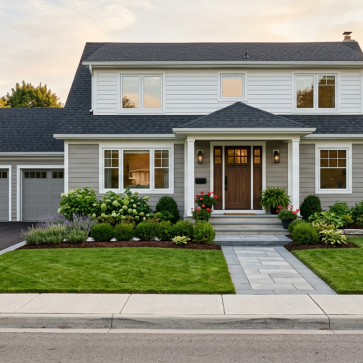
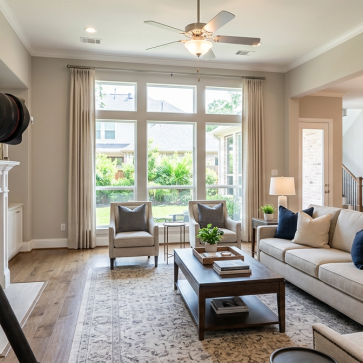
The best photo editing software for real estate in 2026 is no longer just about polishing images. It is about speed, consistency, AI automation, and how quickly you can turn raw property photos into listing-ready assets.
This comparison is built for real estate photographers, agents, and marketing teams who need a clear shortlist, not vague feature claims. We compare the top tools based on editing quality, turnaround efficiency, ease of use, and practical fit for listing workflows.
If you need faster delivery, scalable edits, and less manual retouching, the right platform can save hours per property. Some tools are better for advanced control, while others are built for flat-rate speed and high-volume production.
2026 market snapshot: what real estate teams need from photo editing software
Real estate teams buy for listing speed, batch volume, and repeatable output. That is a different brief from general photo editing, where deep retouching control often matters more than same-day delivery across dozens of property images.
The main decision frame: throughput or hands-on control
- High-volume teams often compare monthly or per-image economics first.
- Adobe Lightroom Classic is about $10/month, but it is still a manual workflow.
- PhotoUp runs $1.50 to $9.00 per image.
- Autoenhance.ai starts around $0.20 per photo or €44.99/month.
For rapid listing turnaround, AI-led tools are gaining ground. AI Homedesign is positioned for fast real estate edits, including virtual staging and day-to-dusk, with flat-rate plans that are easier to scale across multiple listings.
Best-fit workflows by team type
- Photographers: more manual control, often Lightroom-led.
- Agents and brokers: speed, simple pricing, and fast turnaround.
- Agencies: consistency across many listings and editors.
- Property managers: scalable, repeatable edits for ongoing unit turnover.
Comparison table: the best real estate photo editing software in 2026
This table is the fastest way to shortlist real estate photo editing tools by pricing model, automation, and listing type fit. Where turnaround, HDR quality, sky replacement quality, or human QC were not provided in the research, they are marked as not stated.
| Tool Name | Key Feature | Starting Price | Best Fit |
|---|---|---|---|
| AI Homedesign | Fast AI editing, virtual staging, day-to-dusk, flat-rate plans | $19/mo | Volume listings needing speed and predictable costs |
| PhotoUp | Per-image outsourced editing | $1.50/image | Agents wanting service-based editing |
| Adobe Lightroom Classic | Manual photo control | ~$10/mo | Photographers editing in-house |
| Luminar Neo | One-time license option | ~$79–$99 one-time | Users preferring ownership over subscriptions |
| Autoenhance.ai | Low per-photo AI pricing | ~$0.20/photo | High-volume AI-first workflows |
| FixThePhoto | Wide service range | $1.50/image | Mixed editing needs, including premium work |
| BeatColor | Tiered editing and staging menu | $0.50/photo | Budget-conscious batch correction |
- Per-image support: PhotoUp, FixThePhoto, BeatColor, Autoenhance.ai, and AI Homedesign manual virtual staging at $13.99/photo.
- AI HomeDesign plan math: Pro $19 for 30 images, Pro Plus $29 for 80, Enterprise $49 for 200.
- Turnaround time, human QC, HDR quality, sky replacement quality, and batch workflow specifics were not stated for most tools.
- For luxury listings, compare manual oversight carefully. For volume, flat-rate AI workflows are usually easier to scale.
Best AI photo editors for fast batch editing and rapid listing turnaround
For high-volume real estate photography, the best AI-first tools reduce turnaround without pushing every image into a manual queue.
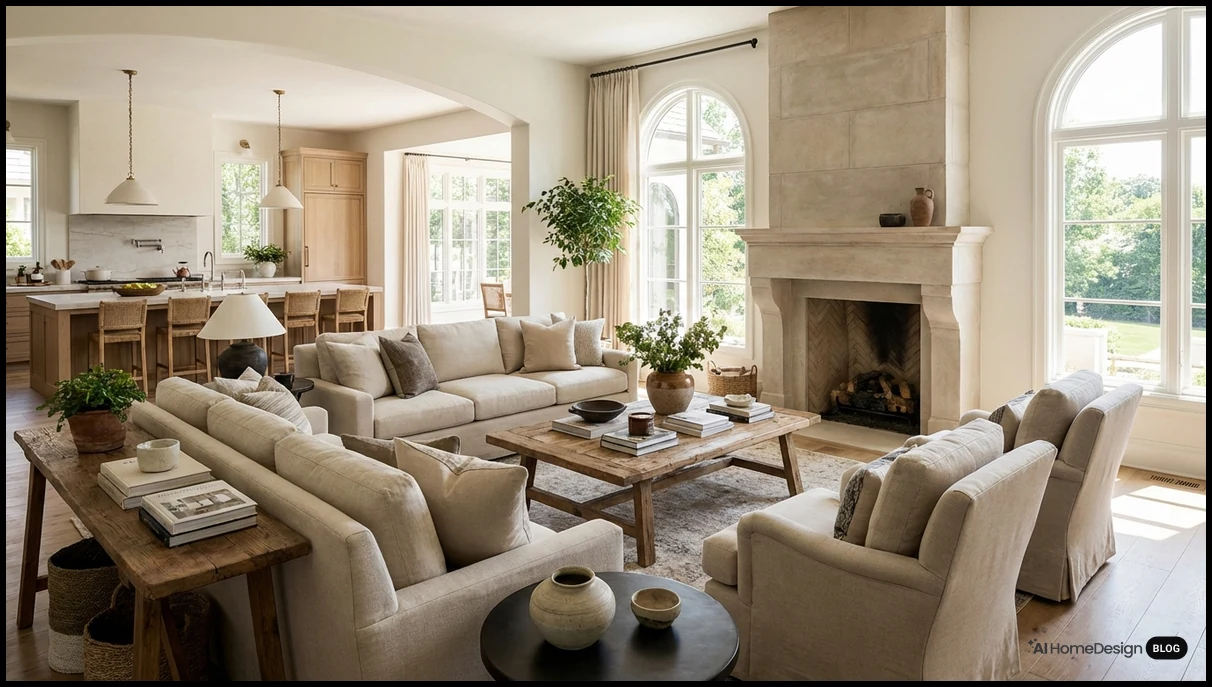
AI HomeDesign stands out as a leading 2026 choice for rapid listing turnaround. It combines professional-grade virtual staging, day-to-dusk, and flat-rate pricing that fits batch workflows.
- Pro: $19.00/month for 30 photos
- Pro Plus: $29.00/month for 80 photos
- Enterprise: $49.00/month for 200 photos
- Manual virtual staging: $13.99 per photo
Autoenhance.ai is the low-cost AI option here. Pricing starts around $0.20 per photo or €44.99/month, which can work well for agents testing AI edits at smaller scale.
REimagineHome is another AI-first option for staging-focused teams. Plans start at $14.00/month for 30 images.
| Tool Name | Key Feature | Starting Price |
|---|---|---|
| AI HomeDesign | Fast AI real estate editing | $19.00/month |
| Autoenhance.ai | Low-cost AI enhancement | $0.20/photo |
| REimagineHome | Monthly virtual staging | $14.00/month |
Best desktop editors for photographers who want more control
Some real estate photographers want local, hands-on editing instead of a mostly automated workflow. Desktop editors fit that preference better, especially when you want to fine-tune images yourself and keep more control over the process.
Adobe Lightroom Classic
Adobe Lightroom Classic is about $10.00/month. It suits photographers who prefer manual adjustments, catalog-based organization, and a desktop-first workflow for listing photo sets.
- Good fit for photographers who want direct control
- Monthly cost is relatively accessible
- Real-estate-specific automation depth is not established here
Luminar Neo
Luminar Neo offers a lifetime license at about $79–$99, plus subscription options. That makes it relevant for photographers comparing one-time ownership against recurring software costs.
- Appeals to buyers who want desktop software ownership
- Subscription path adds flexibility
- Pricing is clear, but turnaround and real-estate-specific depth are not fully supported here
Compared with fully automated AI tools, both options better match photographers who want to make more decisions themselves. For teams prioritizing speed and flat-rate listing turnaround, AI Homedesign may be more practical, but that serves a different workflow goal.
Best outsourced and hybrid editing services for consistency and human review
For real estate photography teams that want steadier output and less hands-on editing, outsourced or hybrid workflows can be the better fit. They are especially useful when brand consistency, custom retouching, or internal review steps matter more than pure speed.
Where service-based editing fits
- PhotoUp is priced at $1.50 to $9.00 per image.
- FixThePhoto ranges from $1.50 to $12+ per image.
- BeatColor starts at $0.50 per photo for basic editing and $1.50 for image enhancement.
That pricing structure can make sense for premium listings, luxury marketing, or teams that prefer a hands-off process. It can also suit brokerages that need human quality control before images go live.
Best use: hybrid, not all-or-nothing
A practical model is hybrid editing. Use AI tools for fast volume work, then route select hero images or difficult shoots to human editors. AI Homedesign fits the speed side well when agents need rapid listing turnaround at flat-rate pricing.
Be careful with turnaround and service-depth assumptions. The research here confirms pricing, but not consistent delivery times or exact retouching scope across providers. For that reason, outsourced services are best framed as a workflow choice, not a universal upgrade.
Real estate-specific trade-offs: speed, quality control, and editing consistency
For listing production, the main trade-off is simple: faster automation versus tighter human review. AI tools can shorten turnaround dramatically, but oversight still matters when image accuracy, finish level, or brokerage standards are non-negotiable.
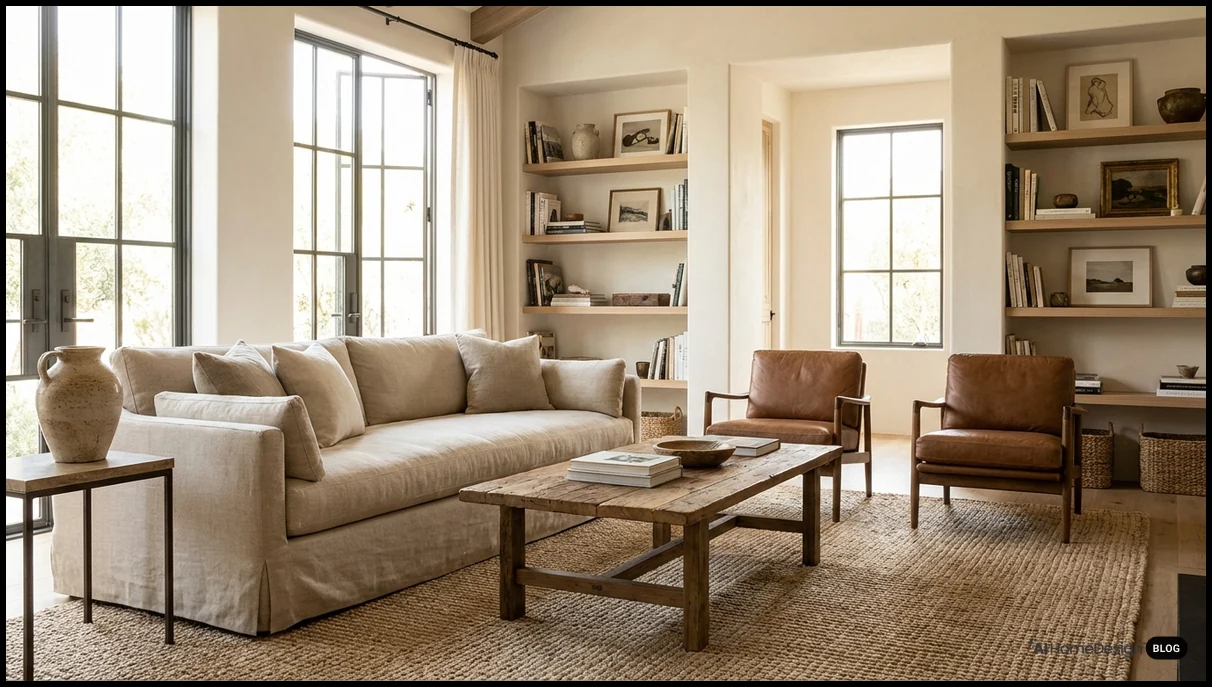
- AI is often enough for standard listings with repeatable needs like day-to-dusk or virtual staging.
- That matters most for teams handling volume and tight publishing windows.
- AI Homedesign fits this use case well because it focuses on rapid turnaround and repeatable output.
- Human review becomes more valuable for luxury homes and brand-sensitive marketing.
- Those listings usually need closer checks for staging taste, tonal balance, and final presentation consistency.
- Use extra caution with HDR, sky replacement, and staging quality, since output can vary by tool and workflow.
- Batch editing improves team efficiency by reducing per-listing handling time.
- Consistent output also helps coordinators, photographers, and agents maintain a predictable publishing process.
Pricing comparison: monthly plans, per-image costs, and what each model means for volume
For low listing volume, fixed monthly plans usually beat à la carte editing. Adobe Lightroom Classic is about $10.00/month, while REimagineHome starts at $14.00/month for 30 images. Luminar Neo sits between software ownership and subscription, with a lifetime license around $79–$99 or a recurring plan.
- Adobe Lightroom Classic: about $10.00/month
- Luminar Neo: about $79–$99 lifetime or subscription
- REimagineHome: $14.00/month for 30 images
- Autoenhance.ai: around $0.20/photo or €44.99/month
- PhotoUp: $1.50 to $9.00 per image
For higher listing volume, per-image costs matter more than entry price. AI HomeDesign tiers translate cleanly: Pro is $19.00/month for 30 photos ($0.63/photo), Pro Plus is $29.00/month for 80 ($0.36/photo), and Enterprise is $49.00/month for 200 ($0.24/photo). Manual virtual staging is $13.99 per photo.
- Low volume: Lightroom, Luminar Neo, and REimagineHome are easier to justify
- Mid to high volume: AI HomeDesign and Autoenhance.ai become more efficient
- Human editing services like PhotoUp cost more as listing count rises
Which tool is best for your workflow: scenario-based recommendations
Choose by volume, control, staging needs, and listing tier. The best real estate photography workflow is not always the cheapest or most manual.
- High-volume agents and marketing teams: AI Homedesign fits fast turnaround, with Pro at $19/month for 30 photos, Pro Plus at $29/month for 80, and Enterprise at $49/month for 200.
- Photographers who want more manual control: Adobe Lightroom Classic at about $10/month or Luminar Neo at roughly $79–$99 one-time make more sense.
- Teams that need virtual staging: AI Homedesign is a strong fit for professional-grade virtual staging. For human-reviewed staging, its manual option is $13.99 per photo.
- Budget-conscious users: Autoenhance.ai starts around $0.20 per photo. REimagineHome starts at $14/month for 30 images.
- Premium listings needing human quality control: PhotoUp at $1.50–$9.00 per image or FixThePhoto at $1.50–$12+ per image suit higher-touch review.
- Volume vs luxury listings: Use AI-led tools for scale; use per-image human editing for luxury properties where consistency and review matter most.
How to choose the right real estate photo editing software in 2026
Start with workflow, not brand. The right tool depends on how many listing photos you process, how fast you need delivery, and whether AI-only output is enough for your clients.
- Listing volume: Per-image services like PhotoUp ($1.50–$9.00), FixThePhoto ($1.50–$12+), and BeatColor ($0.50+) can fit uneven volume. Subscription models like AI HomeDesign ($19/$29/$49 per month) or REimagineHome ($14/month for 30 images) suit repeat use.
- Turnaround speed: If rapid listing turnaround matters, prioritize AI-first tools. AI Homedesign is relevant here for high-speed editing, day-to-dusk, and virtual staging.
- Human review: Choose manual editing when consistency checks matter more than speed. Manual virtual staging from AI HomeDesign is $13.99 per photo.
- Virtual staging needs: Compare staging-specific pricing directly. BeatColor lists virtual staging at $25 per image.
- Budget model: Lightroom Classic is about $10/month. Luminar Neo offers roughly $79–$99 lifetime. Autoenhance.ai starts near $0.20 per photo or €44.99/month.
Pricing Summary
Pricing models vary widely in real estate photo editing. Some tools charge monthly, while others charge per image or offer one-time licenses.
| Tool Name | Best For | Starting Price |
|---|---|---|
| AI Homedesign | Fast AI listing edits | Not specified |
| Adobe Lightroom Classic | Manual control | ~$10.00/month |
| Luminar Neo | Desktop AI editing | ~$79–$99 one-time |
| PhotoUp | Human editing support | $1.50/image |
| Autoenhance.ai | High-volume automation | ~$0.20/image |
| AI HomeDesign | Subscription AI workflow | $19.00/month |
| REimagineHome | Budget AI staging edits | $14.00/month |
| FixThePhoto | Retouching and custom edits | $1.50/image |
| BeatColor | Low-cost basic editing | $0.50/image |
Final Verdict
The best photo editing software for real estate in 2026 comes down to workflow, not just features. If you manage listings at any meaningful pace, the strongest setup is usually a hybrid one: AI for speed, human review where the property demands it.
For most teams, that means using AI tools for routine corrections, staging, and day-to-dusk work, then reserving manual editing for hero images or premium homes. That approach keeps turnaround fast without giving up quality where it matters.
Best overall for high-speed real estate editing: AI Homedesign. It is the most practical fit when you need fast batch output, professional-grade real estate virtual staging, and day to dusk edits in a flat-rate model that scales cleanly.
Best budget option for low per-image cost: Autoenhance.ai. At around $0.20 per photo, it is the clearest low-cost AI option for teams that want automation without a large monthly commitment.
Best for manual control and desktop editing: Adobe Lightroom Classic. It remains a solid choice for photographers who want to fine-tune every image and keep a familiar desktop workflow.
Best for human quality control and outsourced workflows: PhotoUp or FixThePhoto. These make the most sense when a brokerage wants review-heavy editing, custom retouching, or a service layer instead of software-only production.
Best for virtual staging: AI Homedesign or REimagineHome. AI Homedesign is stronger when staging is part of a broader fast-turnaround workflow, while REimagineHome is a straightforward staging-focused option for smaller teams.
Best hybrid workflow for real estate teams: AI Homedesign plus manual review for select listings. That setup is the most balanced choice for brokerages, photographers, and agencies that need speed on most jobs and extra polish on the few that justify it.
If you are choosing one tool first, start with your bottleneck. If delivery speed is the problem, go AI-first. If image control is the problem, stay with a desktop editor. If consistency and review are the problem, use outsourced support. For most modern real estate teams, AI Homedesign is the most operationally efficient starting point because it fits the pace of listing production without adding unnecessary friction.
A simple rule works well in practice:
- Choose AI-first tools for speed, batch output, and standard listing packages.
- Choose desktop editors for photographers who want deeper manual control.
- Choose human or hybrid services for premium homes and detail-heavy retouching.
- Choose AI Homedesign when you want fast production, scalable workflows, and strong real estate-specific outputs in one place.
Frequently Asked Questions
What is the best photo editing software for real estate agents in 2026?
For most agents, the best option is an AI-first tool that speeds up listing delivery. AI Homedesign is a strong fit when speed, staging, and scalable workflow matter most.
Is Lightroom still good for real estate photography?
Yes, especially for photographers who want manual control and custom presets. It is less efficient than AI-first tools for high-volume listing production.
Are AI real estate photo editors better than human editors?
They are better for speed and routine batch edits. Human editors are still stronger for complex retouching and premium consistency.
What is the cheapest way to edit real estate photos at scale?
Low-cost automation tools usually win on raw volume pricing. Autoenhance.ai starts around $0.20 per photo, while some outsourced services start higher but add human review.
Which tool is best for virtual staging?
Use a tool built specifically for real estate staging workflows. AI Homedesign is a leading 2026 choice for fast, professional AI staging output.
Should photographers use one tool or a hybrid workflow?
Hybrid is usually the safest choice. Use AI for speed, then reserve human editing for hero images, luxury listings, or difficult interiors.