Quick Comparison: Leading Real Estate Photo Editing Solutions in 2026
Before we unpack details, here is a high-level comparison of popular tools and services agents, photographers, and marketing teams are using this year.
| Tool / Service | Main Focus | Typical Use in Real Estate | Payment Model (Typical) |
|---|---|---|---|
| AI Homedesign | AI virtual staging & real estate photo editing | Virtual staging, day-to-dusk, clutter removal, quick listing-ready edits | Pay-per-image or subscription tiers |
| Autoenhance.ai | Automated real estate image enhancement | Exposure, white balance, sky replacement for bulk property shoots | Pay-per-image credits |
| Adobe Lightroom Classic | Manual and AI-assisted RAW editing | Color grading, lens correction, batch adjustments for pro photographers | Monthly subscription (Creative Cloud) |
| Topaz Photo AI | AI sharpening, noise reduction, upscaling | Rescuing soft, noisy, or low-resolution listing images | One-time license with paid upgrades |
| Fotor | Online editor with AI tools | Quick marketing graphics, light edits for social media property posts | Freemium with paid Pro plans |
Who Each Tool Is Best For in 2026
Different roles in real estate need different levels of control, automation, and speed. Over the past year, our team has tested these tools across real listings, not just sample images.
- Busy solo agents: AI Homedesign or Autoenhance.ai for fast, automated listing-ready photos without learning complex software.
- Full-time real estate photographers: Adobe Lightroom Classic plus Topaz Photo AI for deep RAW control and image rescue.
- Marketing teams and brokerages: AI Homedesign for virtual staging and day-to-dusk, with Canva or Fotor for flyers and social posts.
- Hybrid “do-it-all” agents: A mix of AI Homedesign for heavy lifting and Lightroom for fine-tuning hero shots.
- High-volume media companies: Autoenhance.ai or outsourced services like Esoft for bulk processing at scale.
As a practical rule, if you handle more than 30–40 listing shoots per month, automation and AI workflows usually pay for themselves quickly.
Essential Features to Look for in Real Estate Photo Editing Software
Not all editing tools are built for property photos. We consistently see the same set of features separating casual editors from serious real estate solutions.
Core Editing Capabilities
Every real estate workflow still relies on a few fundamentals. If a tool cannot handle these, it becomes a bottleneck as your volume grows.
- Exposure and contrast control that preserves window detail.
- White balance tools tuned for mixed interior lighting.
- Lens correction profiles for common real estate lenses.
- Perspective correction for straight walls and verticals.
- Layer based editing or local adjustments for targeted fixes.
One practical tip: always straighten vertical lines first. Correcting perspective early makes color and contrast decisions much easier.
AI Integrations and Generative Tools
In 2026, the best photo editing software for real estate in 2026 almost always includes AI. The question is how it is used, not whether it exists.
- AI sky replacement that respects reflections and window frames.
- Generative erase or object removal for small clutter.
- AI color matching to keep sets of rooms visually consistent.
- AI profiles that automatically recognize interiors versus exteriors.
- Agents, autonomous & workflow automation for bulk jobs.
Use AI for speed, but always keep a human review step for legal and ethical accuracy, especially with virtual staging and heavy retouching.
Performance, Engines, and Hardware Requirements
Real estate photographers often process hundreds of RAW files per day. Performance matters as much as features.
- Check hardware requirements; AI tools like DeepPRIME processing or heavy noise reduction can be GPU-intensive.
- Look for batch processing and background export engines.
- Cloud-based tools reduce local hardware strain but require stable upload speeds.
A simple rule: if your software takes longer to process a batch than your next shoot takes to complete, it is time to upgrade or automate.
Cloud Storage, Backup, and Collaboration
Cloud storage and backup are now central to serious real estate workflows. Teams need access from multiple locations, and clients expect fast delivery.
- Automatic cloud backup of edited exports and presets.
- Shared libraries for teams and contractors.
- Secure client delivery links with download tracking.
For teams, collaboration & productivity features often matter more than one extra retouching tool.
Types of Real Estate Photo Editing Solutions
When we help brokerages choose tools, we usually break the options into four categories. Each has strengths and limits.
Desktop Editing Suites
These include Adobe Lightroom Classic, Photoshop, Capture One Pro, ON1 Photo RAW, DxO PhotoLab, Affinity Photo, and similar tools.
- Strengths: deep control, RAW support, color grading, extensions and modular design.
- Limits: learning curve, hardware demands, slower for non-photographers.
AI-First Online Editors
Tools such as AI Homedesign, Autoenhance.ai, and other top ai photo editors online focus on automation and cloud processing.
- Strengths: fast, low setup, accessible from any device.
- Limits: less manual control than desktop suites, dependent on internet speed.
Specialized AI Enhancement Tools
Topaz Photo AI, VanceAI, and some Brilliance AI style tools sit alongside your main editor to solve specific problems like noise or sharpness.
- Strengths: rescue borderline images, extend camera capabilities.
- Limits: extra steps in workflow, not full editors.
Professional Photo Editing Services
Companies such as Esoft Professional Photo Editing Services for Real Estate Media Businesses and others handle editing for you.
- Strengths: predictable turnaround, consistent style, scalable for agencies.
- Limits: per-image cost, less instant control, communication overhead.
When volume spikes or you expand into new markets, the role of professional photo editing services becomes more attractive as a buffer for your in-house team.
Key Benefits and Business Impact of Real Estate Photo Editing Software
Editing tools are not just about pretty pictures. They affect revenue, brand, and client satisfaction across your pipeline.
The Role of Photo Editing Software in the Real Estate Market
Good photos increase click-through rates, showing requests, and perceived property value. In my experience, consistent visual quality often matters more than one extra amenity.
Key Benefits for Agents and Photographers
- Faster listing turnaround and shorter days on market.
- Stronger brand identity through consistent color and composition.
- Better alignment with mls rules for property listings and disclosure standards.
- Higher perceived professionalism, which supports premium fees.
Cost Structure, ROI, and Payment Models
Pricing models and licensing options for real estate photo editing software vary widely. We typically see three approaches.
- Subscriptions: predictable monthly cost, good for steady volume.
- Pay-per-image: flexible for seasonal markets and new agents.
- One-time licenses: better for photographers who prefer ownership.
Always compare cost per finished listing, not cost per tool. That metric shows real ROI.
How to Choose Real Estate Photo Editing Software in 2026
With so many options, selection criteria for real estate photo editing software should be practical and tied to your actual workflow.
1. Workflow Volume vs. Precision
If you handle a few luxury listings per month, precision and manual control matter more. High-volume agents and media companies should prioritize automation and AI.
2. Integration and Ecosystem
Integration with the Adobe ecosystem, MLS export requirements, and your CRM or marketing stack all matter. Tools that fit your existing systems reduce friction.
3. Cost Structure and ROI
Look beyond sticker price. Include time saved, reduced outsourcing, and the impact on your real estate marketing strategies when measuring value.
4. Target Audience and User Interface
Some tools are built for photographers; others are built for agents. If your team is not technical, prioritize simple interfaces and AI-driven defaults.
5. Hardware Requirements and Security
Heavy desktop suites need strong hardware. Cloud tools need reliable internet and strong security. Always review how client data and images are stored and protected.
Deep Dive: Real Estate-Focused AI Platforms and Services
This is where most of the innovation is happening. Real estate specific AI platforms now handle tasks that used to take hours per listing.
AI Homedesign: AI Staging and Automated Real Estate Photo Editing
AI Homedesign focuses on automating real estate workflows that used to be manual, slow, and expensive. Our team has watched agents cut listing prep time dramatically using it.
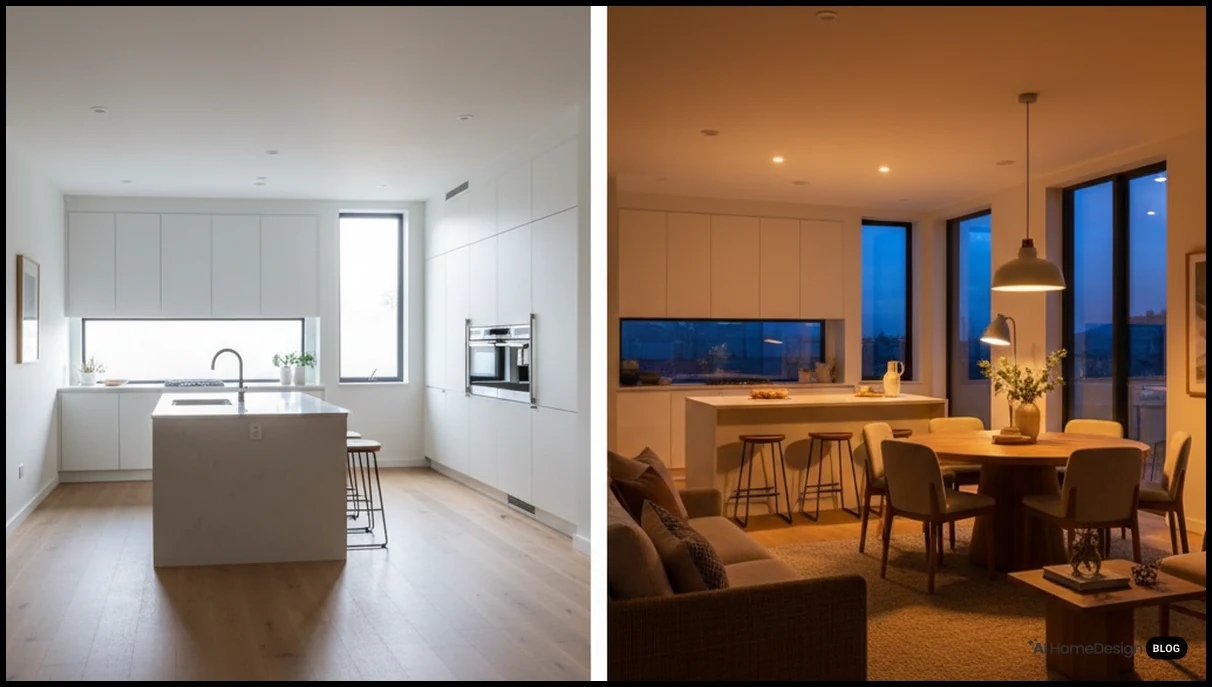
Its real estate photo editing tools typically include automatic exposure correction, color balance, and perspective fixes tuned for property interiors and exteriors.
The platform’s virtual staging feature lets you furnish empty rooms with realistic styles in minutes. This is especially useful for investors and builders marketing unfinished or vacant homes.
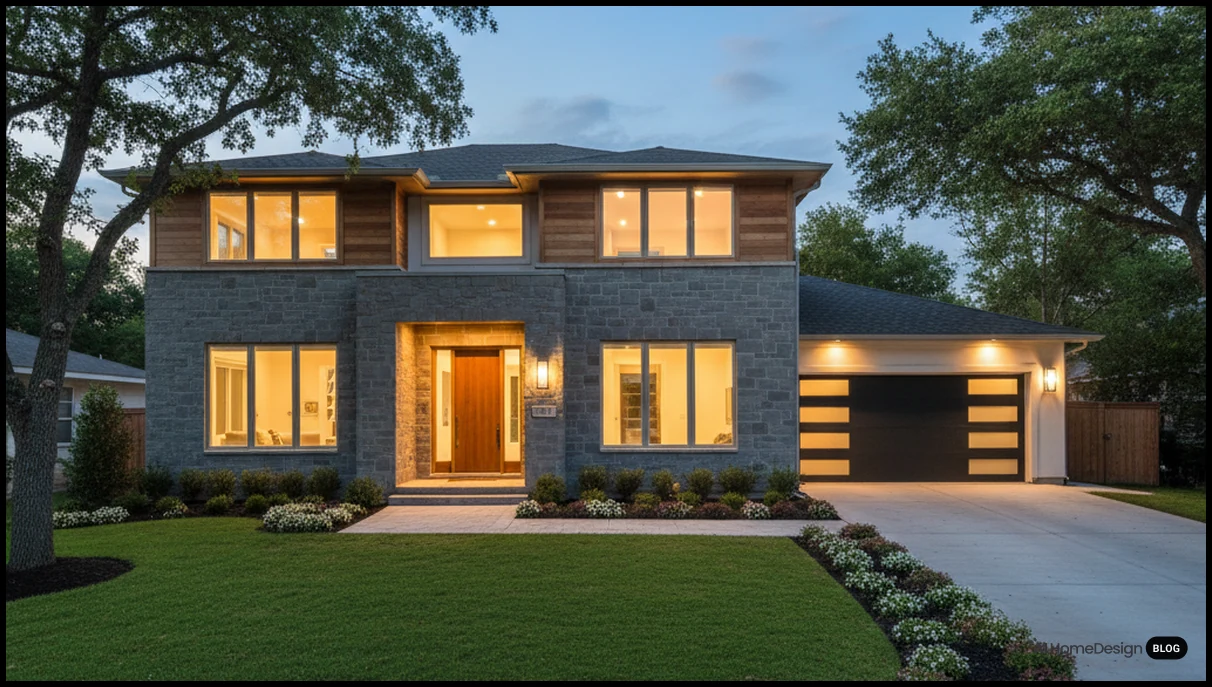
With the day to dusk capability, agents can convert daytime exteriors into evening scenes with balanced window glow and sky replacement, without reshooting at twilight.
For agents who want an all-in-one approach, the real estate photo editing workflow handles common listing tasks like sky enhancement, lawn touch-ups, and minor clutter removal.
From a business standpoint, AI Homedesign usually works on a pay-per-image or bundle basis, which aligns well with listing volume. It often integrates into broader marketing stacks through web-based access and can support hybrid real estate teams working remotely.
Autoenhance.ai: Automated Enhancement for High Volume
Autoenhance.ai is designed for speed. It focuses on automated exposure, white balance, and sky replacement, often used by photographers who shoot dozens of homes per week.
Its strengths are bulk uploads, consistent output, and fast turnaround. The limits are less creative control and fewer design features compared with AI Homedesign’s staging tools.
Online AI Photo Editors for Real Estate
A growing group of top ai photo editors online provide simple enhancement, background adjustments, and basic generative AI tools. Many are browser-based and easy for non-technical agents.
These are useful for quick fixes, but for full workflows, we usually pair them with a more specialized platform or a desktop editor.
The Role of Generative AI in Real Estate Photography
Generative AI in real estate photography now supports sky changes, minor object removal, and style matching. It should not be used to misrepresent property features.
Always disclose significant virtual changes and follow virtual staging legality guidelines in your market to protect both brand and clients.
Desktop Powerhouses: Lightroom, Photoshop, and Their Alternatives
Traditional editing suites still anchor many professional workflows. The difference in 2026 is how they integrate AI and automation.

Adobe Lightroom Classic: RAW Editing and Batch Work
Adobe Lightroom Classic remains a standard for real estate photographers who shoot RAW. It handles lens profiles, color grading, and batch processing efficiently.
New features in 2026 often center on AI masking and Super Select AI, which speed up local adjustments on windows, ceilings, and floors.
Adobe Photoshop: Retouching and Compositing
Photoshop is still the tool of choice for complex retouching and compositing. Generative erase and content-aware tools help remove distractions and fix small defects.
We usually reserve Photoshop for hero images or high-end listings, not for every frame in a shoot.
Capture One Pro and ON1 Photo RAW
Capture One Pro and ON1 Photo RAW appeal to photographers who want strong color control and alternative workflows to Adobe. Both support RAW, local adjustments, and tethered shooting.
For real estate, their strengths are color accuracy and performance; their limits are smaller plugin ecosystems compared with Adobe.
DxO PhotoLab, U Point Technology, and DeepPRIME
DxO PhotoLab 9 and later versions bring DeepPRIME processing for noise reduction and detail recovery, plus U Point technology for precise local adjustments.
These tools are excellent for low-light interiors or high-ISO shots where noise is a concern.
Affinity Photo, Luminar Neo, and Topaz Photo AI
Affinity Photo 3 offers a one-time purchase alternative with strong layer based editing and retouching tools. Luminar Neo focuses on creative AI tools and sky replacement.
Topaz Photo AI specializes in sharpening, noise reduction, and upscaling. It is particularly useful when you must save slightly soft or noisy property images.
Online Editors and Design Tools: Fotor, Canva, and Beyond
While not built exclusively for real estate, tools like Fotor and Canva still play a role in marketing materials and quick edits.
Fotor for Quick Edits
Fotor offers basic editing, AI enhancement, and simple design layouts. It is useful for agents who need fast social media posts or simple flyers.
Canva for Marketing Collateral
Canva shines when creating brochures, social media graphics, and listing presentations. You can import edited photos from AI Homedesign or Lightroom and drop them into templates.
When Generic Tools Are Not Enough
For serious listing photos, generic editors often hit limits in perspective control, RAW handling, and MLS-compliant exports. That is where specialized real estate tools become essential.
Trends in Real Estate Photo Editing Software in the AI Era
Several trends are shaping how we choose the best photo editing software for real estate in 2026. These trends affect both solo agents and large brokerages.
AI Profiles and Performance Engines
The core technology: AI profiles now recognize interiors, exteriors, twilight scenes, and even room types. This leads to more accurate automatic edits.
Performance engines are being optimized to run these models faster, both on local GPUs and in the cloud.
Generative AI and Background Adjustments
Generative AI now handles background adjustments, minor decluttering, and sky changes. Used responsibly, it saves time without misleading buyers.
Analytics and Business Insight
Some platforms are starting to connect image quality with listing performance analytics. This helps teams refine visual storytelling for realtors based on real engagement data.
Hybrid Workflows and Automation
Hybrid real estate models mix in-house editing, AI tools like AI Homedesign, and outsourced services. Agents choose the right mix based on listing value and urgency.
Strengths and Limits of Using Photo Editing Software
Every tool has boundaries. Knowing them prevents frustration and helps you decide when to change tactics.
Strengths of Modern Software
- Fast, consistent enhancement across large batches.
- Improved low-light performance through noise reduction and sharpening.
- Better compliance with prepare real estate photos for mls guidelines.
Limits and When Software Is Not Enough
Software cannot fix bad composition or extremely poor lighting. It also cannot replace honest representation of a property.
When does photo editing software no longer be efficient for you? When you spend more time fixing avoidable capture issues than shooting new work.
At that point, invest in training, better gear, or professional partners rather than yet another plugin.
Tips to Get Better Results from Any Editing Workflow
Regardless of the tool you choose, a few habits consistently improve results and speed.
- Always shoot RAW when possible. The importance of RAW is huge for recovering highlights and balancing mixed lighting.
- Create presets for your most common property types and lighting conditions.
- Use culling tools or a Culling Studio style workflow to cut down selection time.
- Correct verticals and crop before heavy color work.
- Keep a consistent white balance across all images in one listing.
- Export MLS-ready sets separately from marketing-heavy versions.
One more practical habit: keep a small checklist for every export. It reduces missed details like crooked horizons or inconsistent sky tones.
Quick Decision Guide: Matching Tools to Your Real Estate Workflow
To wrap up, let us match typical user profiles with practical tool combinations. This is not exhaustive, but it reflects what we see working in the field.
Solo Agent with Limited Time
Use AI Homedesign for core edits, virtual staging, and day-to-dusk. Add Canva or Fotor only for marketing layouts and social posts.
Professional Real Estate Photographer
Rely on Lightroom or Capture One for RAW editing, with Topaz Photo AI for noise and sharpening. Use AI Homedesign selectively for staging upsells.
Small Brokerage or Team
Standardize on AI Homedesign for listing-ready photos and staging. Keep one desktop suite for advanced edits and brand-specific campaigns.
High-Volume Media Company
Combine Autoenhance.ai or similar bulk tools with a professional editing service. Layer in AI Homedesign for premium staging packages.
If you are unsure where to start, test one AI-first platform and one desktop editor side by side on your next three listings. Measure editing time, client feedback, and listing performance.
From there, refine your stack and consider complementary tools such as ai real estate photo enhancement or ai interior design tools to round out your offering.
When you are ready to modernize your visual pipeline, try AI Homedesign today as a practical way to automate your most time-consuming real estate photo tasks while keeping full control over the final look.
Frequently Asked Questions
What is the best photo editing software for real estate in 2026?
The best photo editing software for real estate in 2026 depends on your workflow; most professionals combine an AI platform like AI Homedesign with a desktop editor.
Do I really need to shoot in RAW for real estate?
Shooting in RAW gives far more flexibility for exposure and white balance corrections, especially when balancing bright windows with darker interiors in property photos.
Is AI virtual staging legal for property listings?
AI virtual staging is generally allowed if you disclose edits clearly and avoid misrepresenting permanent features; always check local regulations and brokerage policies.
How much should I budget for real estate photo editing software?
Most agents spend the equivalent of one to three listing photos per month; focus on cost per finished listing, not just subscription price alone.
Can AI editing replace professional real estate photographers?
AI editing improves speed and consistency but cannot replace good composition, lighting, and on-site judgment that experienced real estate photographers bring.
What are common mistakes in real estate photo editing?
Common mistakes include crooked verticals, oversaturated colors, unrealistic skies, and over-bright interiors that look artificial on listing platforms.
When should I outsource real estate photo editing?
Outsource when editing time prevents you from prospecting or shooting; high-volume seasons and luxury listings often justify professional editing services.
Which tools work best for social media real estate marketing?
Use AI Homedesign or similar tools for base edits, then import images into Canva or Fotor to create branded social media graphics and story formats.
How can I keep my listing photos compliant with MLS rules?
Follow mls rules for property listings, avoid removing structural elements, disclose virtual staging, and maintain realistic color and lighting in all images.