Coohom vs AI HomeDesign Real Estate Staging Comparison
Coohom vs AI HomeDesign for real estate staging: compare 3D rendering vs photo-based AI virtual staging, MLS disclosure needs, speed, and cost per image.
Search traffic for “coohom” often comes from agents trying to solve a simple problem: listing photos need staging fast, and the calendar has no slack. The confusion starts because “staging” can mean two different workflows that barely overlap.
Coohom and AI HomeDesign both create attractive interiors, but they do it in opposite directions. One starts from a blank 3D scene. The other starts from a real room photo. This comparison stays tight to the real estate staging use case, including speed, disclosure, and price-per-image math.
For agents weighing more options beyond these two, the broader AI HomeDesign alternatives guide adds more head-to-head tests.
At a glance
coohom vs Photo-Based Staging: The Workflow Split

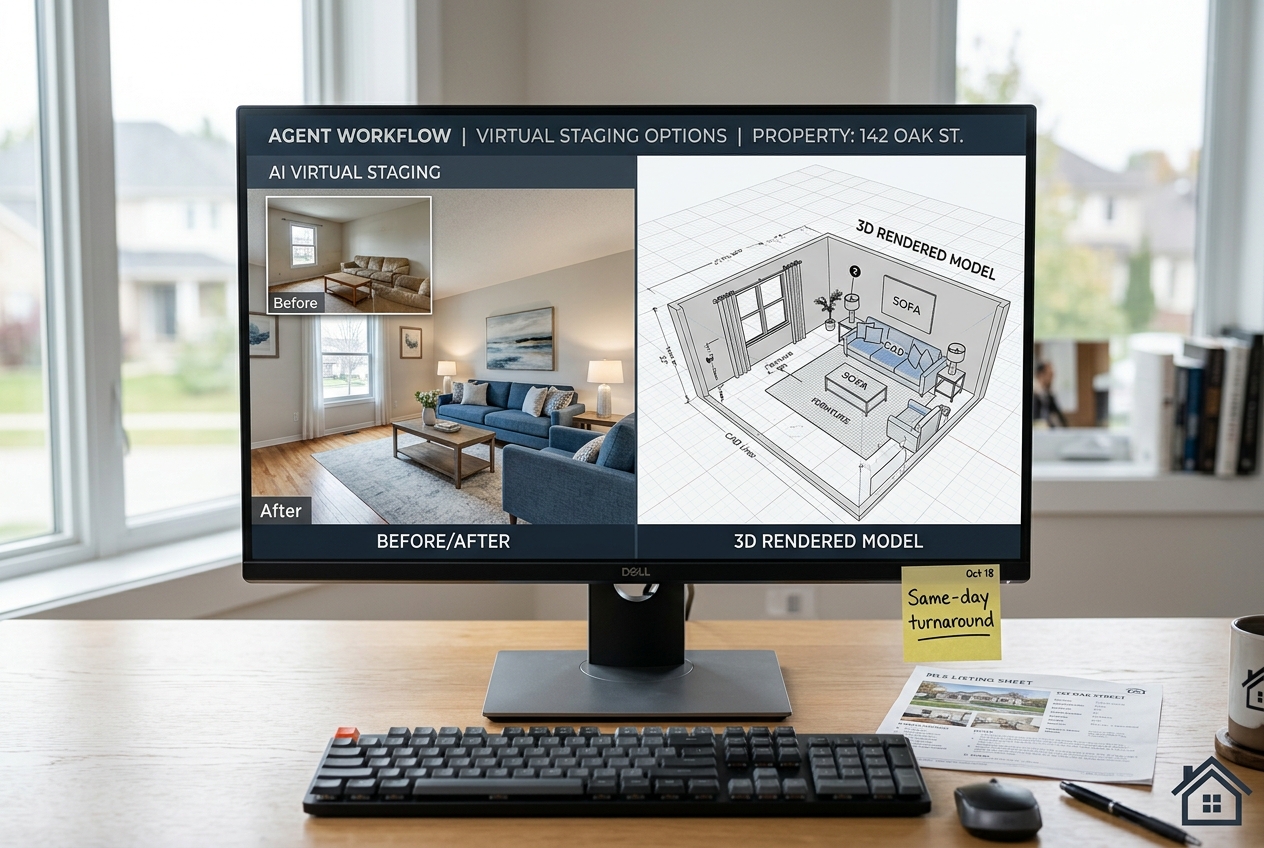
A lot of “Coohom for staging” conversations skip the key point: Coohom is a 3D interior design and rendering platform. It creates photorealistic renders after someone builds a room in 3D. That makes sense for planned spaces, renovations, and off-plan marketing.
AI HomeDesign is a photo-based AI tool. It stages an existing listing photo by adding furniture and decor while keeping the room’s structure intact. That difference matters because MLS photos come from a camera, not a 3D model.
Coohom’s workflow starts with dimensions, a floor plan, or a modeled shell. Teams then place items from an asset library, adjust materials and lighting, and render the scene. Coohom’s own positioning highlights its 2D and 3D planning and large model library, which fits design-first work, not photo editing of an actual room shot, as described in its product overview on checkthat.ai.
For design-first alternatives that still sit closer to real estate marketing than pure visualization, Homestyler vs AI HomeDesign gives a similar workflow reality check.
Head-to-Head on Listing Photo Output
Agents rarely need “a beautiful room.” Agents need “this exact room, from this exact camera angle,” staged in a way that stays believable across the whole photo set. That requirement drives most of the practical differences.
AI HomeDesign starts with the listing photo, so it naturally matches windows, ceiling lines, built-ins, and lighting direction. The core action is simple: upload, choose a style, download. The product workflow sits under AI virtual staging, which is built around listing photos rather than 3D scene construction.
Coohom can produce polished imagery, but it produces a render, not an edited version of the actual listing photo. That makes it hard to use Coohom as a direct replacement for photo-based virtual staging, especially when the goal is MLS-ready images that align with what buyers will see on a showing.
Time-to-First-Image, Learning Curve, and Delivery Targets

The fastest tool is the one that produces a usable first image without retraining the operator. That is why the “time-to-first-image” question matters more than final render resolution for most listing teams.
Coohom asks for design decisions up front. Even with drag-and-drop assets, a new user still has to define the room, set the camera, and build a believable layout. The first few attempts often turn into experimentation, which can be fine for design work and frustrating for a listing deadline.
AI HomeDesign minimizes the setup step. A staged image can be generated quickly because the photo already contains the room geometry, perspective, and most lighting cues. The operator’s main job becomes style selection and light quality control.
A practical delivery target for real estate staging is one day from the photography appointment to an MLS-ready media package. That window gives time for initial edits, a quick review for odd artifacts, and a final Disclosure check before syndication. For agents comparing other tool classes in the same time-pressure bucket, Planner 5D vs AI HomeDesign for Real Estate Listings shows how 3D-first tools affect production time.
Occupied Listings: Item Removal and Decluttering
Occupied listings create the hardest staging problem: furniture exists, personal items exist, and the “after” has to look like the same room, not a different property. That is where photo-based editing beats a 3D build.
AI HomeDesign includes Item Removal, so a cluttered photo can become a clean base before staging. This can solve common agent pain points like removing toy piles, clearing a desk, or reducing bulky furniture that shrinks the room on camera.
Coohom does not operate as a furniture-removal photo editor. A Coohom workflow replaces the real photo with a designed render. That can work for pre-construction marketing or renovation visualization, but it does not solve the day-to-day occupied listing problem of “keep the room, remove the mess.”
Occupied listings also introduce risk. A team can over-clean a room digitally and cross into misrepresentation. A safer approach keeps changes cosmetic: remove clutter, reduce furniture count, and avoid edits that imply fixed defects or upgraded materials. For a broader comparison against another fast, inspiration-first tool, RoomGPT vs AI HomeDesign covers where quick concepts stop being listing-ready.
Pricing Compared and Cost per Staged Image
Price comparisons break down when one product prices access to a design platform and the other prices listing-photo outputs. Agents get a clearer answer by converting everything to “cost per staged image” and matching it to monthly volume.
AI HomeDesign uses a credit-based model that maps cleanly to real estate production. The three paid tiers price at $19 per month for 30 photos, $29 per month for 80 photos, and $49 per month for 200 photos when billed yearly. That works out to about $0.63, $0.36, and $0.24 per photo.
Coohom’s pricing is freemium, with a professional tier starting at $9.90 per month. That subscription buys 3D design capability. It does not directly translate into “staged listing photos per month,” because output volume depends on how long the 3D build takes and how many views per room the workflow requires.
For market pricing context among photo-based tools, the plan ranges cited in HousingWire’s virtual staging apps roundup show that subscription pricing and per-image economics vary widely across vendors.
MLS Rules, Disclosure, and Decision Matrix
Decision matrix for choosing the right workflow

The compliance question is not optional. MLS Rules vary by board, but Disclosure expectations land in the same place: buyers should understand what changed. A clean, consistent labeling policy also protects sellers from the “bait-and-switch” accusation.
Teams can treat disclosure as part of the deliverable, not a last-second caption. A simple practice is to keep the original photo, the staged photo, and a note on what changed in the same folder. That package belongs in the deliverable. Detailed design rationale and pricing narratives belong in the in-person conversation, not inside a media folder that can get forwarded.
A practical Disclosure line that fits many MLS policies reads: Virtually staged. Digitally altered. Some MLSs prefer a Virtually Staged Watermark on the image itself. Others accept a caption in the MLS photo remarks. Local MLS Rules control the exact format.
Standard virtual staging also has exceptions where a lighter touch wins:
- Distressed sales or hoarder-level clutter: teams may need disclosure plus fewer edits to avoid misrepresentation claims.
- Tenant-occupied listings: consent and privacy concerns can override the desire to “clean” a photo.
- Historic homes with built-ins and unusual proportions: heavy staging can look fake and reduce trust.
- New construction or major renovation: a 3D render can be clearer than staging a messy jobsite photo.
Commission or fee figures do not belong inside staged-image deliverables. Those numbers invite confusion when files get shared. Agents can keep compensation discussions in the listing agreement and presentation documents instead.
The clear pick
Choose AI HomeDesign when
AI HomeDesign fits agents and listing teams that need MLS-ready staged photos from real room images, fast.
Choose Coohom when
Coohom fits design-forward teams that want to build and render interiors from scratch, especially for planned spaces.
Frequently Asked Questions
Can Coohom stage an existing room photo for a real estate listing?
Coohom is built for 3D interior design and rendering, so it creates a new scene rather than editing a real listing photo. That makes it a poor fit for photo-based virtual staging, where the output needs to match the actual room and camera angle. A photo-first workflow is usually the better match for MLS listing photos.
How long does it take to get a staged image from Coohom versus AI HomeDesign?
Coohom requires time to build a 3D room before any render is usable, so the first image often depends on modeling and layout work. AI HomeDesign can generate a staged result quickly because it starts from a real photo and applies a style on top. The bigger gap shows up when staging multiple rooms for one listing.
Does Coohom remove furniture from photos of occupied listings?
Coohom does not work as a furniture-removal editor for existing photos. Its workflow focuses on placing objects into a designed 3D scene and rendering it. For occupied listings, teams typically need photo-based item removal or decluttering first, then staging, so the final set still looks like the real property.
Do MLS rules require disclosure for AI-staged listing photos?
Many MLS systems expect Disclosure that photos are virtually staged or digitally altered. Some boards prefer a Virtually Staged Watermark on the image, while others accept a clear caption in the remarks. Rules vary by MLS, so the safest process keeps the original photos archived and applies consistent labeling on every edited image.
What should be included in a virtual staging deliverable for a listing?
A clean deliverable typically includes the original photos, the staged versions, and a simple disclosure note that describes the edits. That makes review and compliance easier across the team. Detailed discussions, like why a specific style was chosen or how pricing strategy will be positioned, usually belong in a listing appointment conversation.
How should cost per staged image be compared across tools?
Cost comparisons work best when teams translate pricing into an effective per-image cost at the expected monthly volume. Subscription tools may look inexpensive until labor time is counted, especially for 3D build workflows. Photo-based tools map more directly to per-image economics, while 3D platforms often price platform access rather than output.