California MLS Rules for Photos: CRMLS and State Law
California listing photos sit under two separate compliance layers: statewide advertising law for licensees, and the MLS rulebook that governs the listing input system. The fastest safe workflow starts with identifying the correct MLS for the address, then applying the statewide “digitally altered image” disclosure duty, and then following the MLS’s upload mechanics for labels and ordering.
This page intentionally stops at what is on record in the official packet: California Business and Professions Code section 10140.8 and CRMLS Rule 11.5.2 FAQ guidance. Where a question depends on another MLS handbook, the practical path is to pull that MLS’s current rules and locate its photo-text and altered-image sections before the listing goes live.
Find other states and their official sources in the MLS directory.
In this article
Start with the statewide requirements
Statewide requirements and local MLS rules are separate layers. Start with the provisions below, then check the organization receiving your listing.
When you control the website
If a broker/salesperson (or someone acting on their behalf) uses a digitally altered image in an advertisement or promotional material for sale of real property, the ad must conspicuously disclose the alteration and provide a link/URL/QR code to the original image(s). If the ad is posted on a website they control, they must include the unaltered images (or a link to them) in the posting.[1]
Applicability and scope
Applicability: a “real estate broker or salesperson, or person acting on their behalf,” who includes a digitally altered image in an advertisement or other promotional material for the sale of real property.
Scope and exceptions: Where compliance is via a link to the unaltered images, the required statement must indicate the unaltered images can be accessed on the linked website/URL/QR code.
The statewide requirement
California defines “digitally altered image” as an image created by or at the direction of the broker/salesperson (or someone acting on their behalf) that is altered via photo editing software or artificial intelligence to add, remove, or change elements in the image (including property and outside-visible elements). It excludes changes limited to common adjustments that do not change the representation of the real property (e.g., lighting, cropping, exposure).[1]
Applicability and scope
Applicability: the meaning of “digitally altered image” for Business and Professions Code Section 10140.8.
Scope and exceptions: Excludes images where only common adjustments are made that do not change the representation of the real property (lighting, sharpening, white balance, etc.).
How the rules work in practice
The context below separates statewide requirements, MLS instructions and the decisions involved in publishing a listing.
State law layer: what section 10140.8 controls
California’s definition of a digitally altered image includes changes made with photo editing software or artificial intelligence that add, remove, or change elements in the image. It also draws a line around common adjustments that do not change representation, such as lighting, cropping, and exposure. When an altered image appears in advertising or promotional material for the sale of real property, the law requires a conspicuous disclosure and access to the original unaltered image or images.
This layer applies even when a third party created the images on the licensee’s behalf. MLS policies can add extra upload mechanics, but they do not replace the statewide duty.
MLS layer: CRMLS altered-image mechanics on record
CRMLS Rule 11.5.2 guidance describes concrete upload mechanics for a digitally altered image. The packet states that CRMLS requires the original unaltered image to be submitted with the altered image, the original to appear immediately before or after the altered image, and the altered photo to be labeled in the photo text field using wording such as “Digitally Altered,” “Virtually Staged,” or “AI Altered.”
The same CRMLS material also points to restrictions tied to truth in advertising: altered images that modify real property elements like flooring, walls, or landscaping are disallowed unless the property will be improved to match at close as part of the listed price, and elements outside of or visible from the property like views and neighboring properties are addressed as prohibited alterations.
Repeatable verification workflow for other California MLSs
When a listing is entered outside CRMLS, the MLS-specific mechanics must come from that MLS’s current rules and regulations and any listing-input or photo policy. A repeatable workflow is to confirm which MLS login is used for the address, pull the latest handbook from the member portal, and locate the altered-image section and the rules for photo text fields and ordering.
When a requirement is ambiguous, keeping the MLS support answer in writing creates a clean audit trail for the listing file.
Pre-upload checklist: what to keep and how to label
A safe upload packet keeps originals and altered exports tied together. For any virtually staged or otherwise altered photo, store the unaltered original, upload it alongside the altered image where the MLS requires, keep the required ordering, and place the label in the MLS photo text field when required.
For edits limited to lighting, cropping, or exposure that do not change the representation of the property, both the statewide definition and the CRMLS definition exclude them. For edits that change real property elements or outside-visible elements, the CRMLS restriction language is materially tighter and should be treated as the boundary for CRMLS listings.
Check the MLS receiving your listing
Choose the organization receiving your listing. Each record below keeps its own requirements, scope and official sources.
California MLS source examples
Not an MLS service-area map.
CRMLS (California Regional Multiple Listing Service)
Applies to this MLS's participants and listings; this is not a statewide coverage claim.
- Originals and labels
- If you submit a Digitally Altered Image to CRMLS, you must also submit the original unaltered image, display the original immediately before or after the altered image, and label the altered photo (e.g., “Digitally Altered,” “Virtually Staged,” “AI Altered”) in the photo text field.[2]
- Basic enhancements
- CRMLS defines “Digitally Altered Image” (for Rule 11.5.2) as an image altered using photo editing software or AI to add, remove, or change elements related to furniture or appliances, and excludes images with only slight enhancements (lighting, cropping, exposure, etc.) that do not change the representation of the real property.[2]
- Alteration limits
- Under CRMLS truth-in-advertising-related rules referenced in the document, subscribers may not add an image altered to add/remove/modify real property elements (e.g., flooring, walls, landscaping) unless the listed property will be improved to match the altered photo at close as part of the listed price; and may not alter elements outside of or visible from the property (e.g., streetlights, views, neighboring properties).[2]
Apply the rules to your photos
Review the situations covered by the selected MLS’s sources. These examples follow the same MLS selection as the directory above.
CRMLS (California Regional Multiple Listing Service)
Virtual staging an empty room in CRMLS
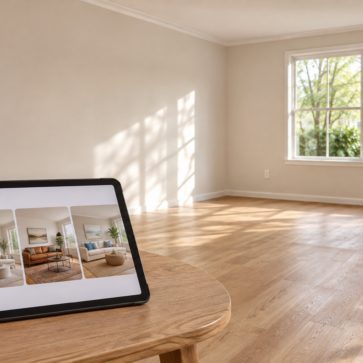
If you upload a virtually staged or otherwise digitally altered photo, you must also upload the original unaltered photo, place it immediately before/after the altered one, and label the altered photo in the photo text field (e.g., “Virtually Staged” or “AI Altered”).[2]
Before you publish: I want to virtually stage an empty living room photo for a CRMLS listing. What must I upload and how should it be labeled/ordered?
Changing cabinets, flooring, landscaping, or other real property elements in listing photos
Do not upload photos altered to add/remove/modify real property elements (e.g., flooring, walls, cabinets, paint color, landscaping), unless the property will be improved to match the altered photo by close as part of the listed price.[2]
Before you publish: Can I upload an AI-edited photo that changes the kitchen cabinet color or replaces flooring for a CRMLS listing?
No source-backed workflow example is included for this MLS. Use its official sources for the full requirements.
Before the listing goes live

Work through these checks before sending the listing and its images to the MLS or publishing them in marketing.
Pre-publish checklist
0 of 4 done

Stage your first listing in under 5 seconds
15 space types, 10 styles, MLS-compliant by default. 10+ tools, including social pack. Free trial credits, no credit card.
Start staging freeOfficial sources
Open the underlying documents when you need the full wording, scope or exceptions behind a summary.
Frequently asked questions
Does California law require disclosure for a virtually staged listing photo?
Yes. Business and Professions Code section 10140.8 requires a conspicuous disclosure and access to the original unaltered images when a digitally altered image appears in real property advertising or promotional material. Adding furniture changes elements in the image and is not the same category as routine lighting, cropping, or exposure adjustment.[1]
What does CRMLS require for altered images?
CRMLS requires the original unaltered image to be submitted alongside the altered image, the original to be displayed immediately before or after the altered image, and the altered image to be labeled in the photo text field with wording such as “Digitally Altered,” “Virtually Staged,” or “AI Altered.”[2]
Can a CRMLS listing include images that change flooring or landscaping?
CRMLS restriction language states that subscribers may not add an image altered to add, remove, or modify real property elements like flooring, walls, or landscaping unless the property will be improved to match the altered photo at close as part of the listed price.[2]