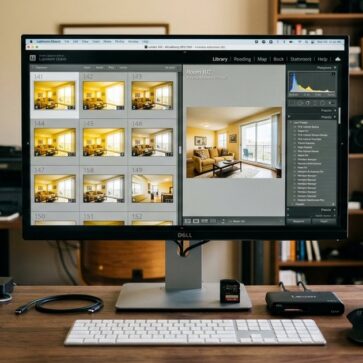
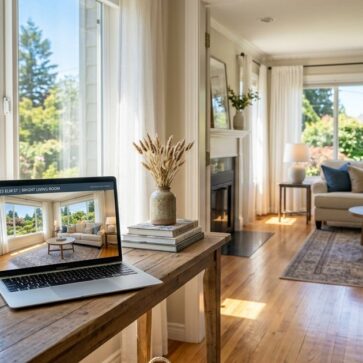
Real estate photographers use HDR because it records both bright window light and darker interior areas in the same photo, so listing images look balanced and details stay visible. Without HDR, a single exposure often forces a compromise: windows turn white, and interior corners lose texture.
Real estate interiors often present difficult lighting conditions. A room may look balanced to the human eye, but a camera sensor often struggles to record bright and dark areas at the same time. Windows may appear completely white while darker corners lose detail.
Many photographers choose HDR real estate photography when standard exposures fail to show both interior surfaces and window views clearly. This method combines several exposures of the same scene and produces a single image that preserves detail across a wider range of light levels. The final image presents both shadow areas and bright highlights clearly.
What Is HDR in Real Estate Photography?
HDR real estate photography involves recording multiple photos of the same scene at different exposure levels. These exposures usually include an underexposed frame, a standard exposure, and an overexposed frame. Editing software merges these frames to produce a single photo that contains detail from each exposure.
This method preserves information in bright highlights and dark shadow areas at the same time. Sunlight through windows stays visible while furniture, floors, and architectural features retain their detail.
A camera often cannot capture clear detail in both bright window light and darker interior areas in a single exposure. HDR solves this by combining exposures so the final image retains detail in both highlights and shadows, producing a result closer to how the room appears to the human eye.
When to Use HDR in Real Estate Photography
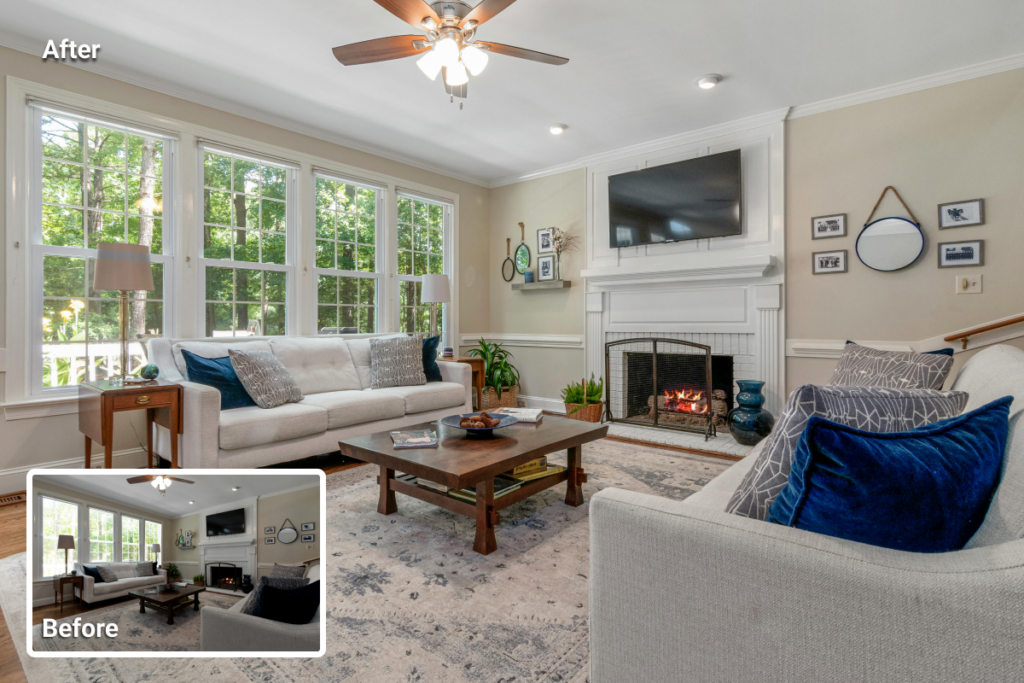
Certain lighting conditions make HDR real estate photography especially useful in property interiors. Real estate photos often include a strong contrast between bright light sources and darker areas within the same frame.
A single exposure may either preserve window views while leaving interior areas too dark, or brighten the room while washing out exterior detail. HDR helps balance these differences by combining several exposures so details remain visible across the entire scene.
The cases below illustrate the most common situations where HDR photography is essential.
Interiors with Bright Windows
Rooms with large windows often create exposure imbalance. Interior surfaces may appear correct only when the camera reduces brightness outside the windows. HDR combines exposures and keeps both interior surfaces and outdoor views visible.
Rooms with Mixed Lighting
Interior lighting often mixes natural light with ceiling fixtures or lamps. Each source produces different brightness levels and color tones. Multiple exposures help balance these variations and maintain consistent detail across the room.
Spaces with Strong Contrast
Large living rooms, kitchens, and open-plan layouts may contain both bright and dim areas. HDR records detail across the entire space and prevents deep shadow areas or blown highlights.
Rooms with Exterior Views
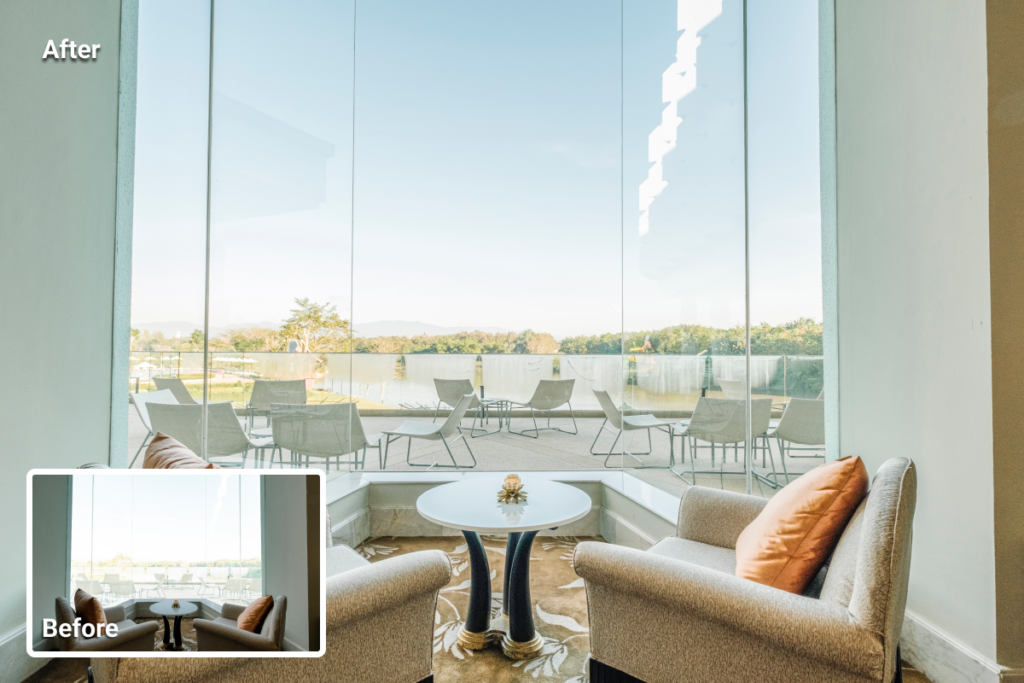
Some properties include attractive scenery outside the window. HDR keeps that view visible while maintaining balanced interior brightness.
Standard Exposure vs HDR: A Quick Comparison
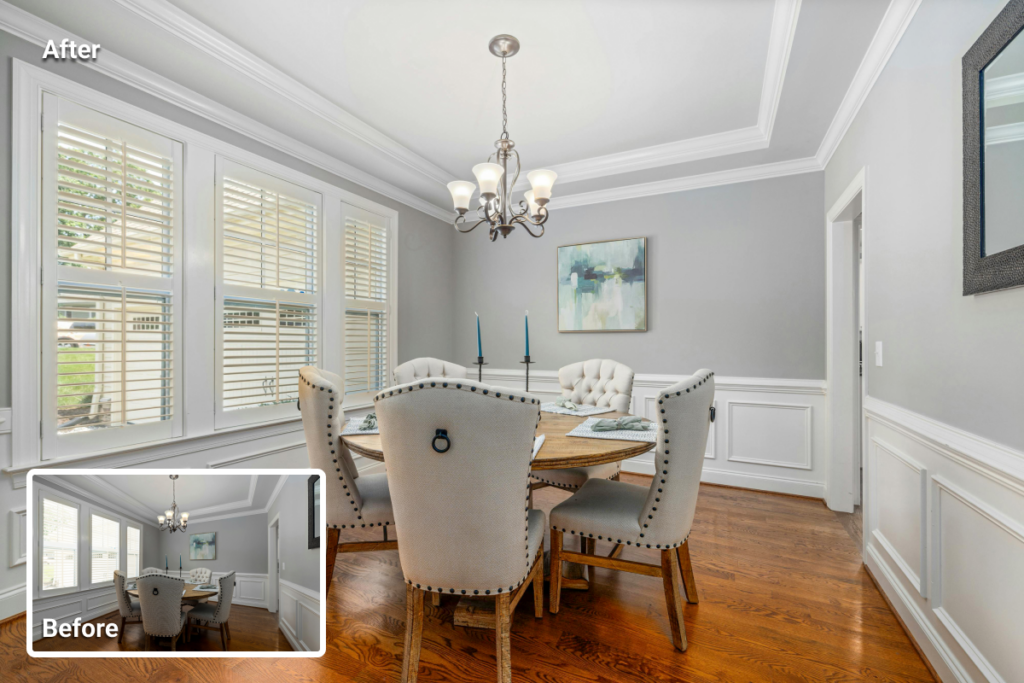
A single exposure forces a compromise between highlights and shadows. If the camera exposes the interior, window areas may lose detail and turn into bright white patches. If the camera exposes the window light, the room may look darker than it appears in person, and fine details in shadow areas may disappear. HDR combines multiple exposures so both areas remain clearly visible in one final image.
Standard exposure
- Window areas may appear completely white
- Dark corners lose texture
- Interior brightness may look uneven
HDR image
- Window views remain visible
- Shadow areas retain detail
- Bright and dark areas appear balanced
How to Shoot HDR Real Estate Photos (Step-by-Step)
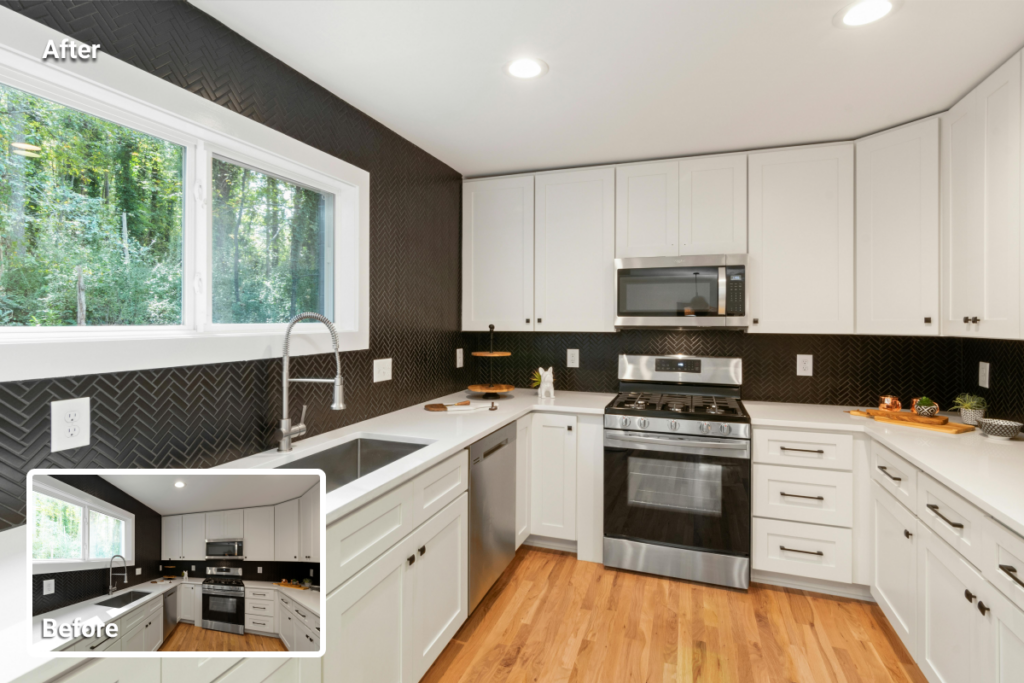
The basic workflow for HDR real estate photography follows the steps below. Several steps overlap with general real estate photography tips, while others apply specifically to HDR capture.
1. Mount the Camera on a Tripod
HDR requires several exposures of the same composition. Camera movement between shots creates alignment problems during editing. A tripod keeps the camera steady and maintains identical framing across exposures.
2. Enable Exposure Bracketing
Exposure refers to the brightness level of an image. Many cameras include an automatic bracketing feature that records several exposures with different brightness values.
A typical bracket sequence includes one darker frame, one standard exposure, and one brighter frame. Manual adjustment can also work when automatic bracketing is not available.
3. Record Multiple Exposures
A sequence of three to five exposures usually covers the brightness range of most interiors. Each frame records different lighting information. Editing software later merges these exposures into a single HDR image.
4. Shoot in RAW Format
RAW files store more image information than compressed formats. This additional data improves flexibility during editing and helps maintain detail when multiple exposures are merged.
5. Merge the Photos Using HDR Software
Editing software aligns the exposures and merges them into one image. Several programs offer HDR merging tools, including:
- Adobe Lightroom
- Adobe Photoshop
- Luminar Neo
Using dedicated real estate photo editing software, it is then possible to combine brightness information from each exposure and produce a balanced image.
6. Adjust Tone for Natural Brightness
Tone adjustments refine the final image after merging. Brightness and contrast corrections help maintain natural lighting balance. Interior surfaces, furniture, and window views should appear balanced rather than overly bright or excessively dark.
7. Review Small Details Before Export
HDR merging sometimes introduces minor artifacts. Noise, uneven brightness, or small inconsistencies may appear in certain areas. Careful inspection and targeted corrections produce a clean final image suitable for property listings.
Common HDR Mistakes in Real Estate Photography
HDR real estate photography improves exposure balance, but incorrect processing can make listing photos appear unnatural. When exposure merging or tone adjustments become too aggressive, visual artifacts may appear that distract from the property itself.
Halos around windows
Strong highlight recovery can create bright outlines around window frames or architectural edges. These halos often appear when contrast adjustments push bright areas too far during HDR merging.
Unrealistic brightness
Excessive shadow lifting removes natural depth in a room. When darker areas become too bright, surfaces may appear flat, and the image loses the natural lighting contrast present in the space.
Ghosting artifacts
HDR merging sometimes struggles with movement between exposures. Curtains, ceiling fans, trees outside windows, or people moving through the frame may produce faint duplicate shapes known as ghosting.
Overprocessed interiors
Heavy HDR processing can exaggerate colors, contrast, and sharpness. Walls may appear overly textured, and lighting may look artificial rather than natural.
Balanced exposure bracketing and moderate tone adjustments help maintain realistic results. When applied carefully, HDR real estate photography preserves detail while keeping interiors natural and visually accurate for property listings.
Final Thought
HDR in real estate photography helps address uneven lighting common in property interiors. Multiple exposures combined into one image preserve detail across both bright and dark areas.
Interior spaces with strong contrast often benefit most from this technique. Stable shooting, exposure bracketing, and careful editing help produce balanced listing photos that present rooms clearly and accurately.
HDR real estate photography is a technique that combines several photos of the same scene taken at different exposure levels. Editing software merges these exposures into one image that preserves detail in both bright highlights and darker shadow areas.
Property interiors often contain strong lighting contrast, especially near windows. HDR real estate photography enables the capture of both interior surfaces and bright exterior light in the same image, ensuring that important details remain visible throughout the scene.
Most photographers capture three to five exposures for HDR real estate photography. These usually include a darker exposure, a standard exposure, and a brighter exposure to cover the full range of light in the room.
Several editing programs can merge bracketed exposures, including Adobe Lightroom, Adobe Photoshop, and Luminar Neo. These tools align the images and combine the brightness information from each exposure.
HDR real estate photography works best in interiors with strong contrast between bright and dark areas. Common examples include rooms with large windows, mixed lighting sources, or spaces where outdoor views should remain visible.