The Rise of AI Photo Editing in Real Estate
AI real estate photo editing uses artificial intelligence to automatically enhance property images by correcting exposure, removing unwanted objects, and transforming daylight scenes into twilight views, all in seconds and at a fraction of the cost of manual editing.
High-quality photos have always been central to real estate marketing, but AI has significantly changed how professionals create them. With today’s AI-powered photo editing tools, agents and photographers can deliver studio-level results faster, more affordably, and with far less effort.
This guide explains how AI photo editing works, its key benefits, and how you can use it to produce listing photos that attract more clicks, inquiries, and offers.
Why Use AI for Real Estate Photo Editing?
Photos create the first impression, often before anyone sets foot in a property. Listings appear side by side on property portals, and even minor visual problems like poor lighting, clutter, or washed-out colors can make buyers scroll right past.
Traditional editing takes time and depends on manual work, which slows down listings and drives up costs. AI photo editing solves this problem by handling complicated fixes automatically. It adjusts lighting balance, replaces skies, and removes unwanted objects so every image looks professional in minutes.
This gives real estate agents and photographers a clear competitive advantage. They can get listings ready faster, maintain consistent quality across all photos, and keep buyers more engaged. Here are the top three real estate photo editing services that agents and photographers regularly use.
AI Real Estate Image Enhancement
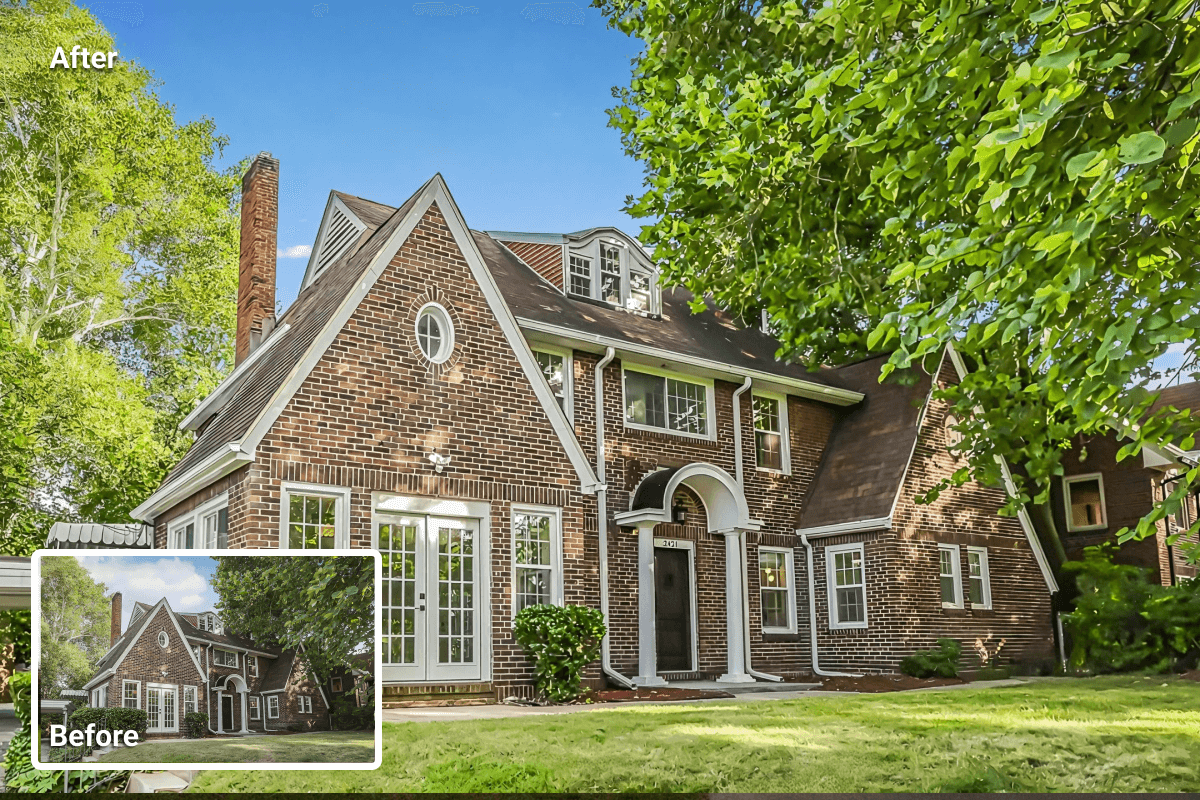
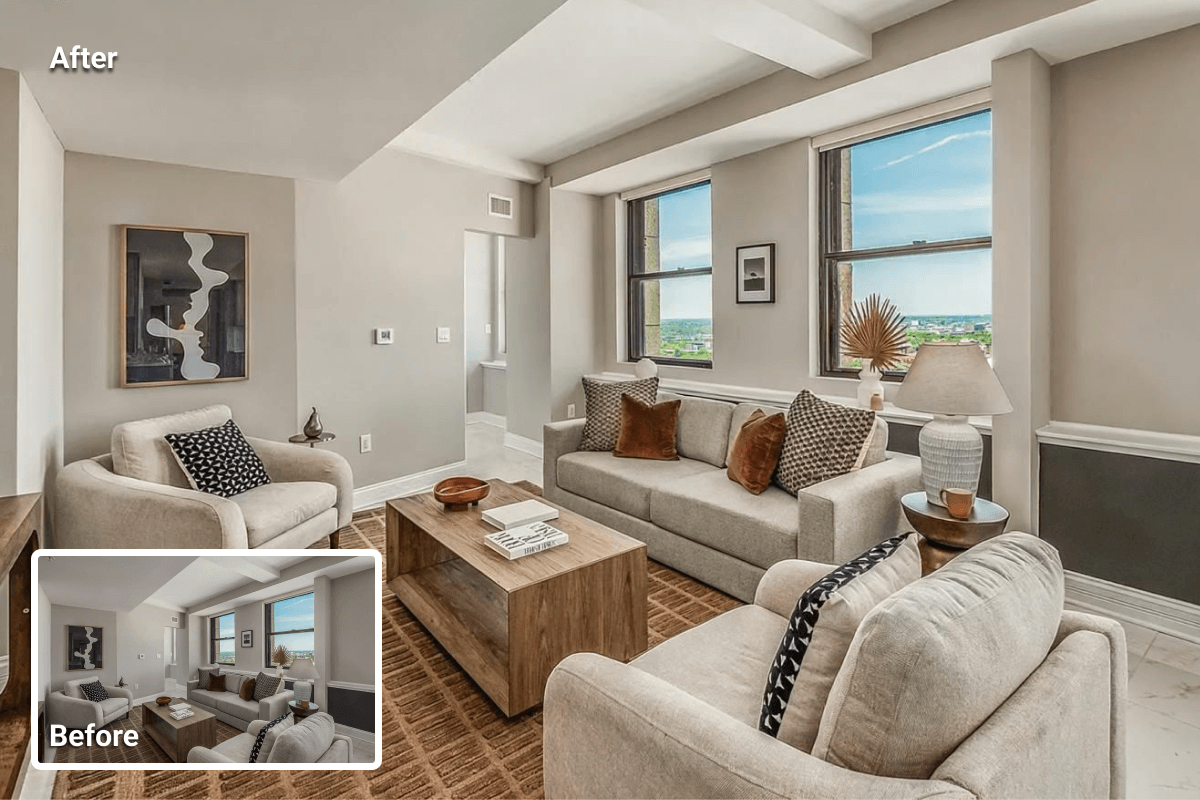
AI image enhancement automatically corrects exposure, white balance, contrast, and noise. It refines sharpness and color tones so property photos look clear, bright, and consistent across a listing.
What improvements can I expect from AI real estate image enhancement?
- Balanced lighting and true-to-life colors
- Better clarity and straight lines (perspective fixes)
- Reduced noise and artifacts in low-light shots
- Subtle tone mapping to avoid overprocessed looks
When is AI image enhancement most useful?
- Dim interiors, mixed lighting, or heavy window glare
- Wide-angle shots that need perspective correction
- Batch edits for large sets under time pressure
How does AI image enhancement help agents and photographers?
It shortens edit time, keeps a consistent visual standard across all photos, and readies images for MLS and portals without back-and-forth revisions.
The good news is that AI enhancement requires no special expertise. With most tools, you simply upload your photo, select the enhancement options you want, and let the software do the rest.
AI Real Estate Item Removal
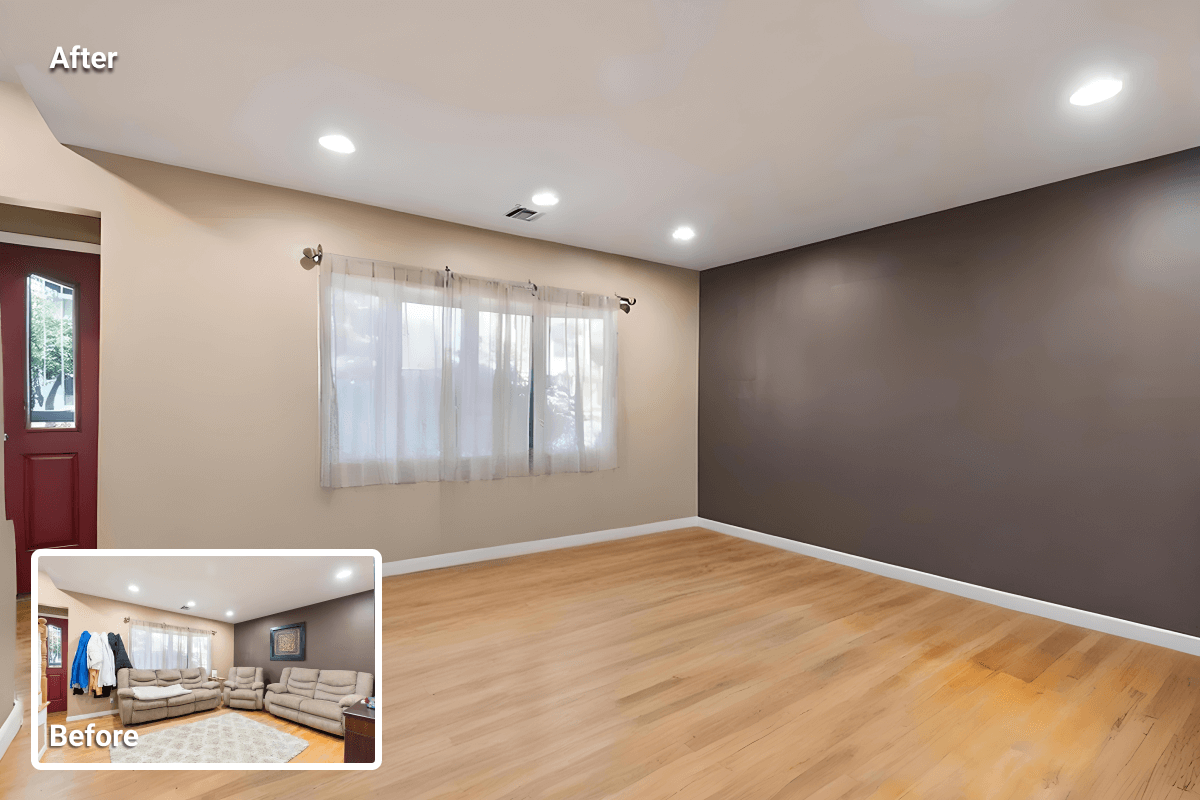
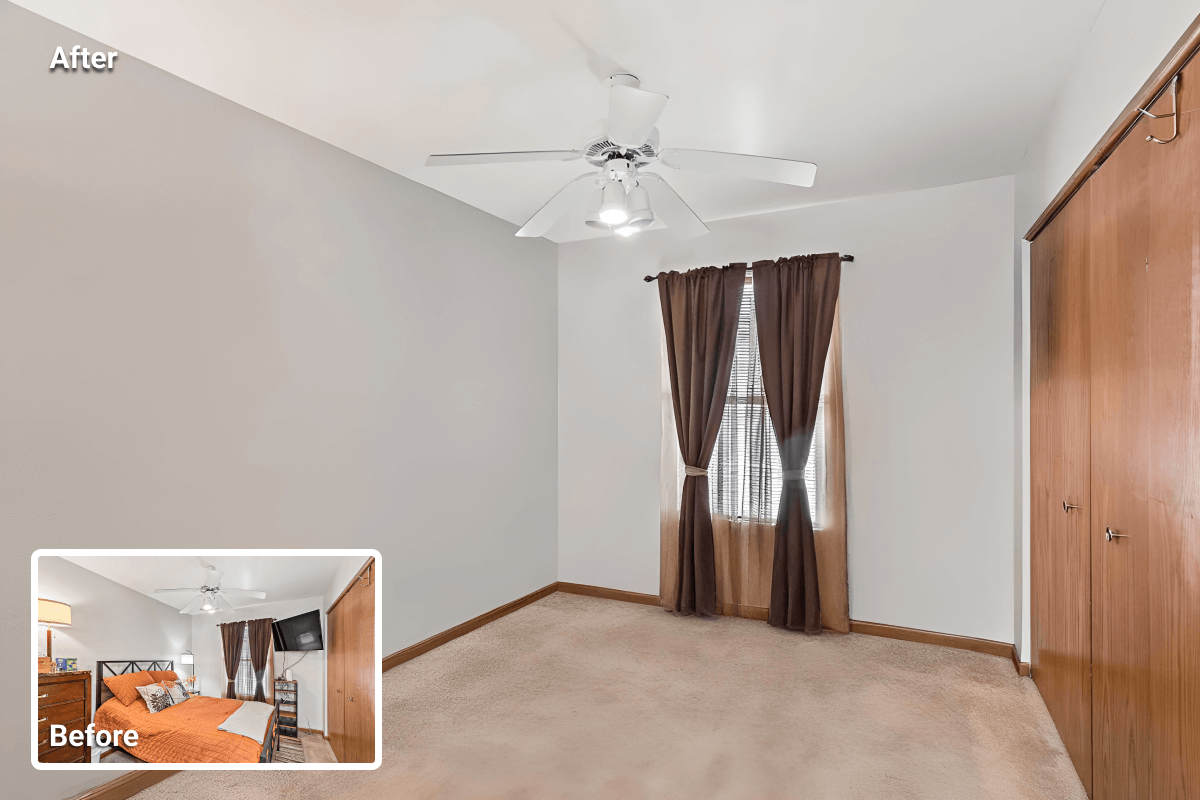
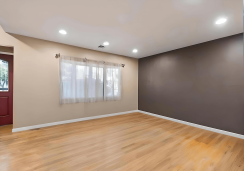
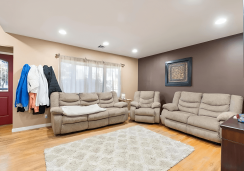
AI item removal refers to the automated deletion of removable objects, like clutter, boxes, outdated décor, cords, and signage. The tool reconstructs the background to make the space look clean and sale-ready
What objects can I remove using a good AI item removal service?
You can remove non-fixed items such as furniture, décor, small appliances, vehicles, and trash bins. However, avoid removing or altering fixed elements, like walls, windows, fireplaces, and built-ins. This keeps edits MLS-compliant and truthful.
When is AI item removal most useful?
- Tenant-occupied or storage-heavy rooms
- Short-notice listings with no time for physical decluttering
- Preparing photos for virtual staging after clearing visual noise
How does AI item removal help agents and photographers?
By removing objects from your real estate photos, you reduce preparation time, prevent the need for reshooting, and produce neutral, distraction-free images that effectively highlight the layout and lighting. Those are the features buyers truly evaluate.
AI Day-to-Dusk Conversion (Virtual Twilight)
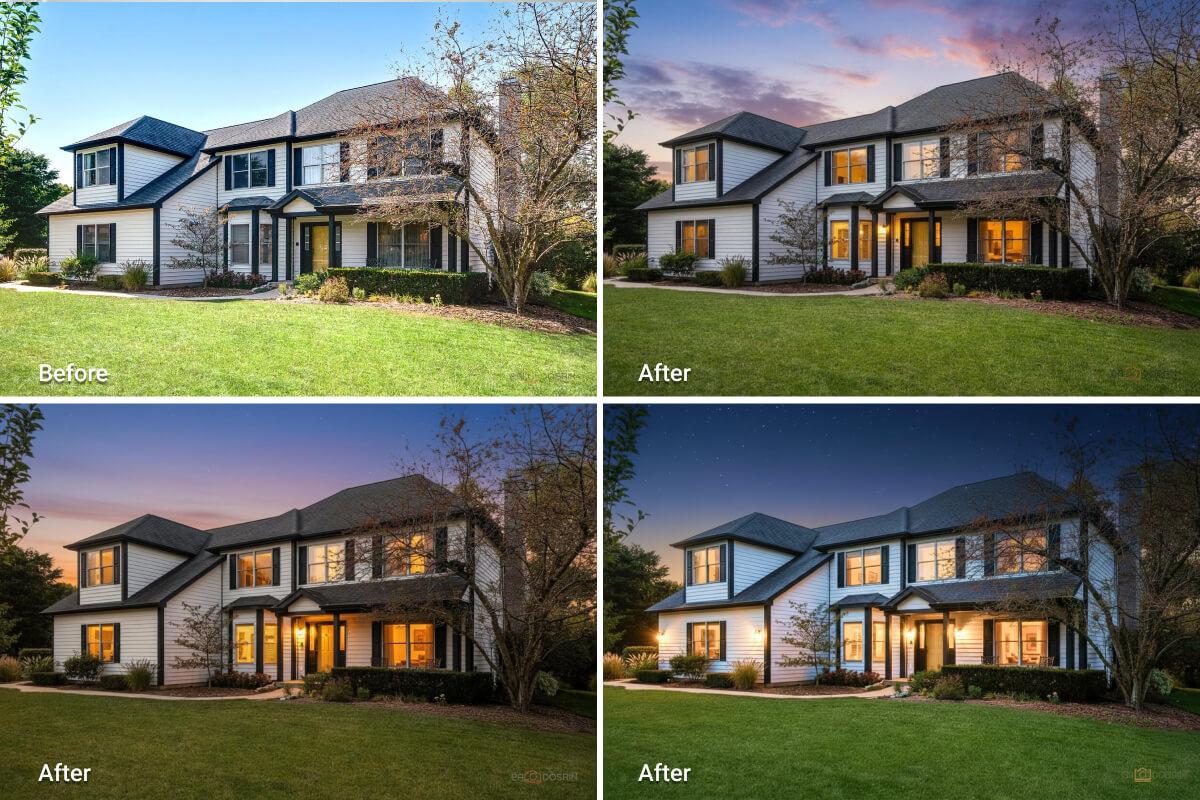
AI Day-to-dusk converts a daylight exterior photo into an evening scene. The tool simulates a warm sky, balanced ambient light, and realistic window glow to create a more beautiful view of the property. However, the property’s true structure and materials stay the same.
Why use day-to-dusk for listings?
Creating day-to-dusk visuals makes façades easier to see. They draw attention to landscaping and exterior lighting. They also create a calm, inviting mood that performs well on MLS and portals when done accurately.
When is day-to-dusk conversion most appropriate?
- Solid daytime exposures where the house is obvious
- Exteriors with visible landscaping, path lights, or pool lighting
- Interior shots that include windows with a clear outdoor view


Other AI Photo Editors Agents Use
Real estate agents can utilize additional AI online editors for tasks beyond the ones discussed above. These tools handle related jobs that often arise when preparing marketing assets for MLS, brochures, and social channels. They don’t replace core listing edits, but they’re useful additions for day-to-day production work.
- Background removal & cutouts:
Isolate objects or people for brochures, thumbnails, and marketplace uploads (transparent PNGs with clean white backgrounds). - Sky swaps & weather fixes:
Apply a neutral blue sky and even lighting when a full twilight treatment isn’t required. - Lens & perspective correction:
Straighten verticals, reduce barrel distortion, and align horizons in wide-angle interiors. - Batch exposure/white-balance normalization:
Match sets shot across different days or cameras to a consistent look. - Text/graphics overlays:
Add badges, captions, or branding for flyers and social posts without desktop software. - Light floor-plan cleanups:
Tidy scanned sketches and add simple annotations before sending to a drafting service.
How to Improve Real Estate Photos with AI (Step-by-Step Guide)
To help you better understand how to use AI real estate photo editing services, we’ve created a step-by-step guide to using AI HomeDesign’s editing tools. Though other platforms may not operate the same way, the general process and principles apply across most tools.
Step 1: Upload your photos
For the best result, use high-resolution JPGs. Keep vertical lines as straight as possible to minimize geometry corrections later.
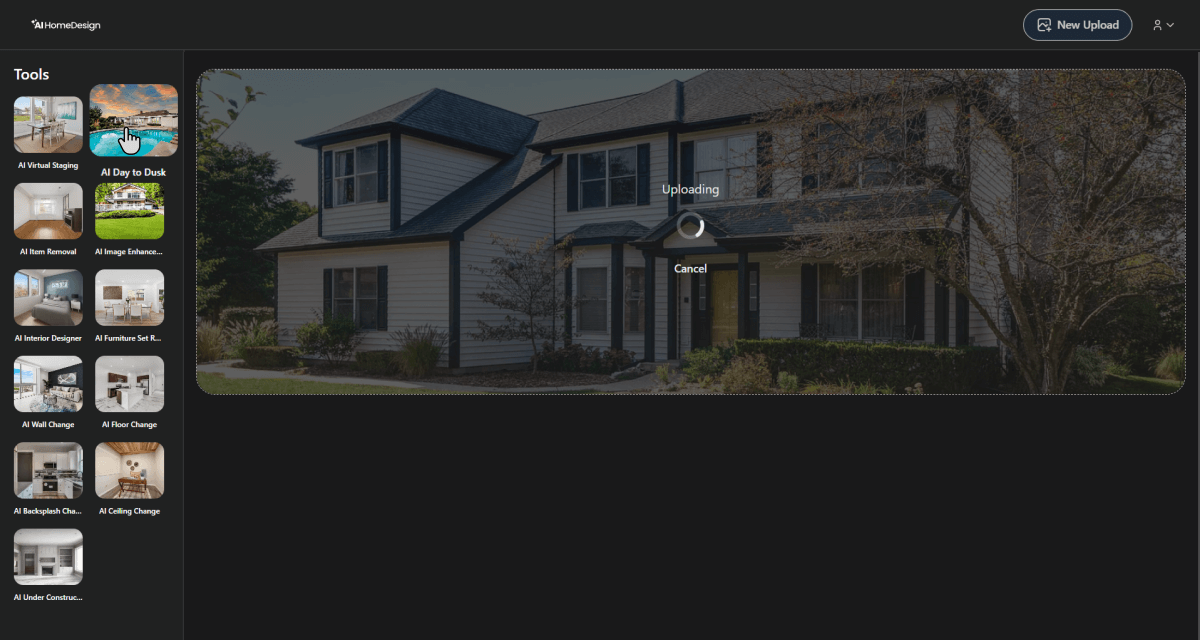
Step 2: Choose the task
Depending on your needs, you might apply one or more edits to the same image, such as:
- Enhancement for exposure, color, and clarity
- Item removal to clear clutter before staging
- Day-to-dusk for exteriors needing evening appeal
Step 3: Adjust and preview
Review the first render. If needed, run a quick regeneration for tricky areas like windows, shadows, or reflections.
Step 4: Run quality checks
Make sure fixed elements (walls, windows, fireplaces) remain untouched for MLS compliance. If you removed objects, confirm that the background textures look natural.
Step 5: Download and publish
Export MLS-friendly sizes, add your logo if needed, and upload the images to portals, brochures, or social channels.
Conclusion
Modern real estate photo editing services give agents and photographers a practical way to handle the essentials: image improvement, item removal, and day-to-dusk. They work quickly and at predictable costs, while human finishing still matters for complex frames and final hero shots.
Perhaps the most noticeable advantage of AI real estate photo editing services over manual solutions is their lower costs and faster outcomes. Yet, the need for manual edits by human experts is still in play. The smart approach isn’t choosing one over the other permanently. It’s making the right call each time you need photo retouching.