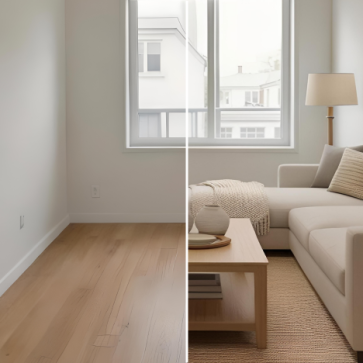
Why Item Removal Matters in Real Estate
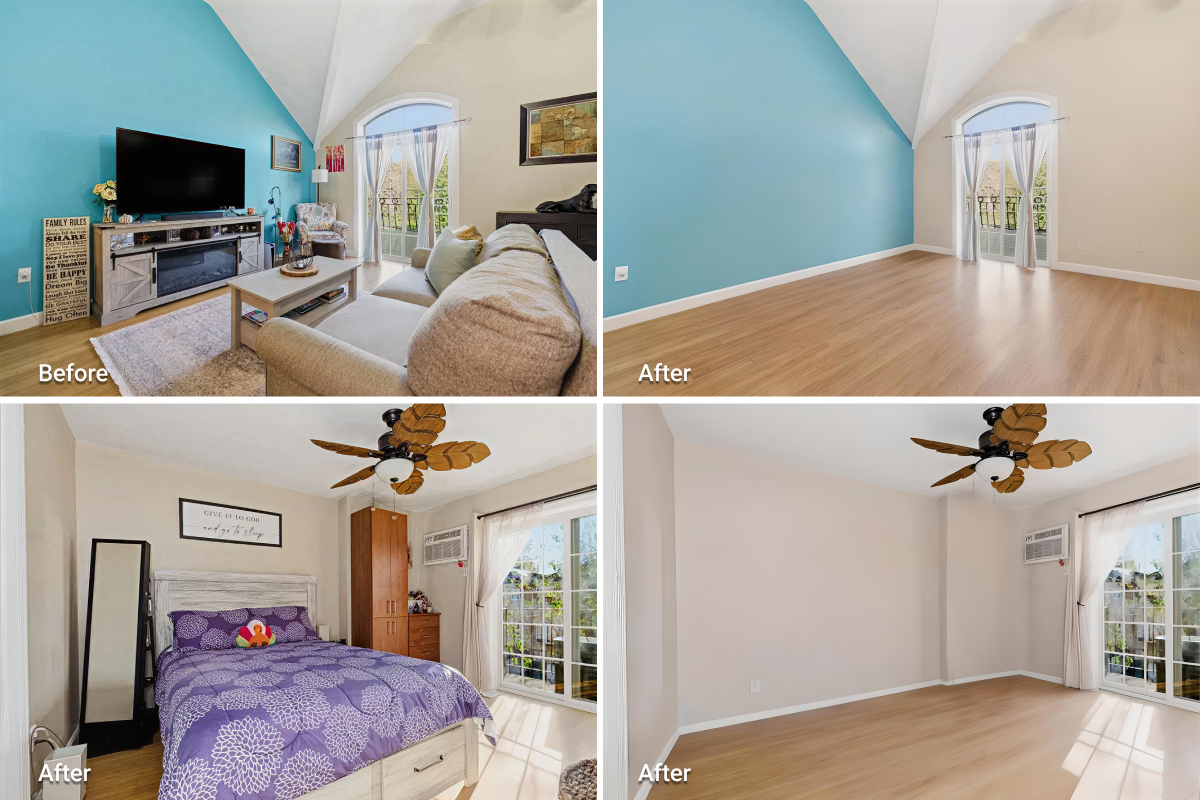
Property photos often create the first impression for buyers. Even well-designed interiors can feel smaller or less appealing when clutter, loose cables, or personal belongings remain visible. Item removal solves this by reducing visual noise and helping the space read clearly. Clean photos highlight structure, lighting, and proportions; the details that most influence buyer perception.
Because of this, AI photo editing tools have become standard practice for realtors and photographers who want listings to appear polished and distraction-free. For example, removing visible cables near a TV or clearing personal items from kitchen countertops can make a space feel open, neutral, and move-in ready.
From Manual Editing to AI-Powered Removal
Before AI entered real estate photo editing, removing unwanted objects from property photos was a slow, manual process. Editors had to outline each object, rebuild the background by hand, and retouch fine details to keep textures consistent. The process required both time and advanced technical skill.
With AI tools, these steps now happen automatically. Models trained on large image datasets can detect furniture, clutter, and other visual distractions, then reconstruct the missing areas using realistic textures. This approach gives real estate professionals a faster, simpler, and more consistent way to prepare listing photos.
How AI Real Estate Item Removal Works
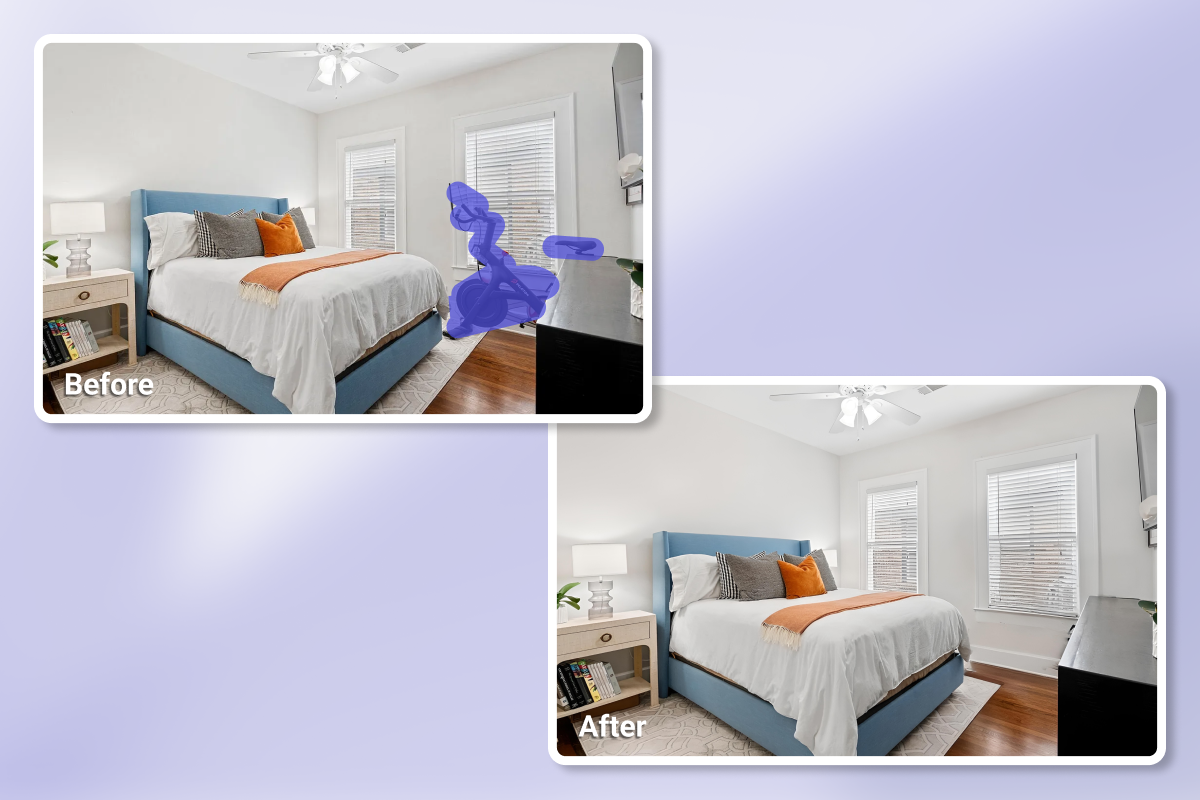
AI real estate item removal relies on image recognition and inpainting technology to edit property photos efficiently. After an image is uploaded, the system analyzes visual components to distinguish permanent scene elements from removable objects. Most tools allow users to mark items with a brush or simple selection tool.
Once selected, the system reconstructs the missing area using surrounding pixels and texture patterns. The result maintains natural lighting, material consistency, and spatial depth without visible editing traces. Modern machine learning models train on large datasets of interior and exterior property images. Because of this, the system recognizes surface continuity, color transitions, and perspective relationships. In practice, this allows agents and photographers to remove furniture, cables, clutter, or small distractions while preserving realistic room details and proportions.
AI HomeDesign’s Item Removal Service
Among the tools designed for AI real estate item removal, AI HomeDesign provides a practical and controlled solution for listing-ready property photos. The service supports two distinct editing modes, depending on how much cleanup the image requires.
Holistic removal
This option works best when a room contains general clutter rather than a few specific items.
How it works:
- Upload your photo
- Select Holistic removal
- Click Generate to remove visible clutter in a single pass
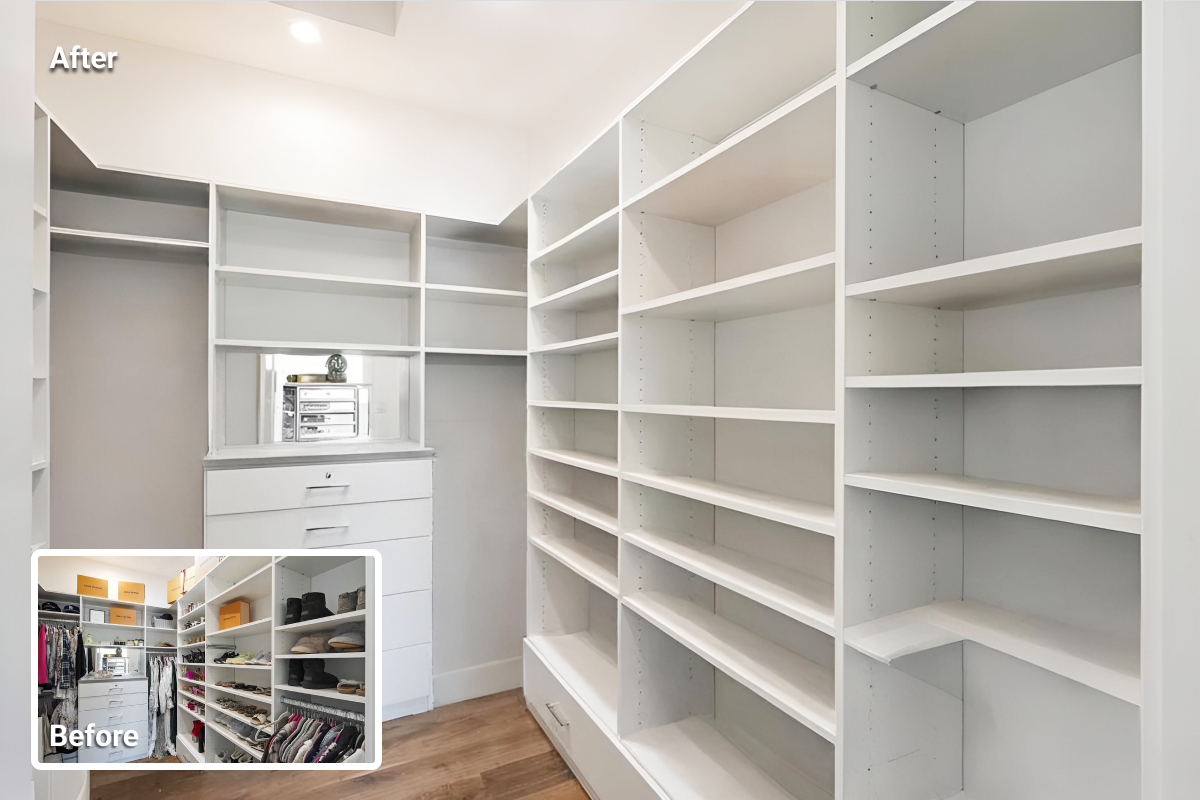
Both methods rely on advanced AI algorithms that reconstruct cleared areas with consistent lighting, depth, and surface texture. The result preserves a natural look without visible patching or distortion.
This dual-mode setup allows agents and photographers to handle everything from light decluttering to full room cleanups efficiently, while keeping images realistic and suitable for MLS and property portals.
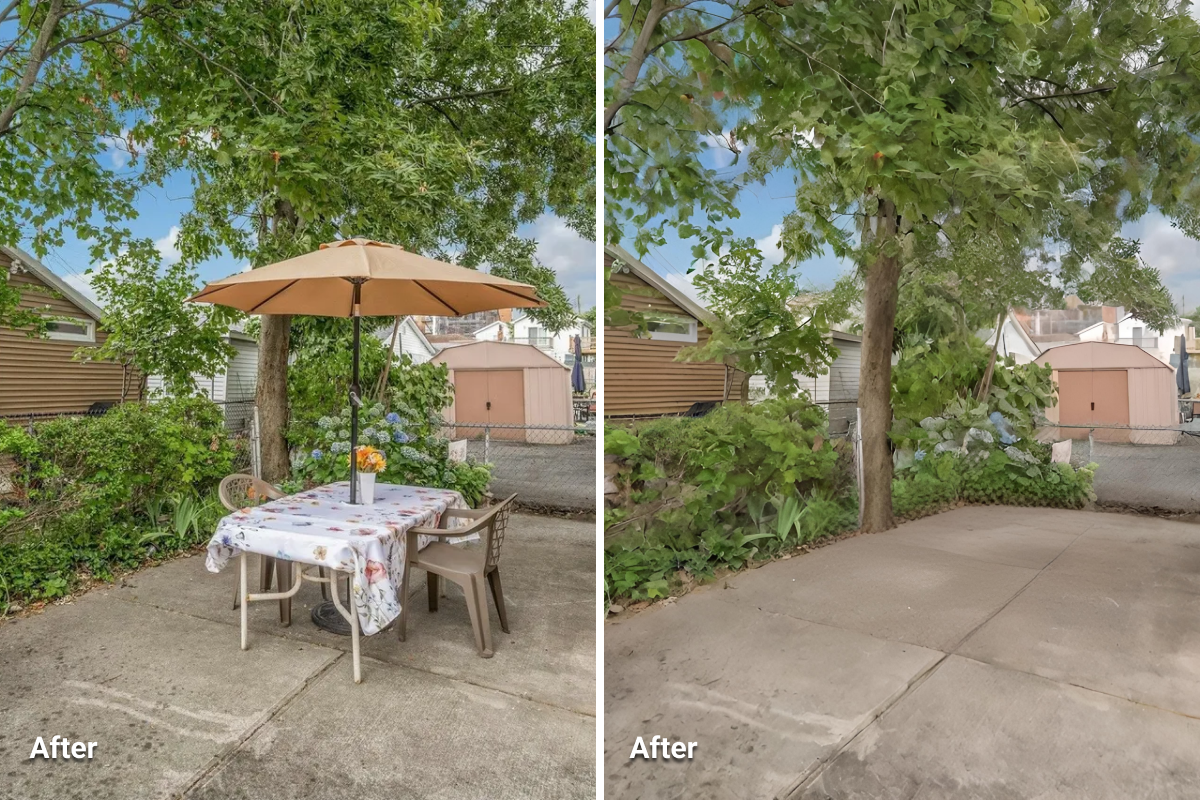
Before proceeding, review a few AI item removal samples created with AI HomeDesign. Each example shows a “Before” photo with visible clutter and an “After” version where AI HomeDesign removes unwanted items while preserving lighting, textures, and depth.
Advantages of Using AI HomeDesign
AI HomeDesign’s item removal service helps real estate professionals prepare clean, listing-ready property images with minimal effort and consistent quality. The main benefits center on speed, flexibility, and accuracy.
- Fast results: Most photos process in under 30 seconds, allowing agents to prepare listings without long editing delays.
- Reliable accuracy: The AI identifies and removes both small distraction and large objects while keeping surfaces, shadows, and lighting consistent.
- Full-room or selective removal: Users can clear an entire room in one step or remove specific elements such as cables, décor, or surface clutters.
- Consistent results across listings: Texture reconstruction and color balance remain uniform across rooms and property sets, preventing uneven edits.
- Simple workflow: No professional editing software is required. Everything runs directly in the browser.
Together, these advantages make AI HomeDesign’s item removal a practical step in modern real estate photography. Agents can move from photo capture to listing publication on the same day without relying on external editors.
Best Practices in Real Estate Item Removal
Removing items from property photos is not only about clearing clutter. It’s also about presenting spaces in a way that helps buyers understand their potential. The following practices help maintain clean, balanced, and credible results.
- Decide what to remove: Take out elements that distract from the space, such as cables, personal belongings, or cleaning supplies. Keep items that provide context, like furniture that shows scale or layout.
- Avoid over-editing: Removing too much can make a room look flat or artificial. If the photo starts to lose its depth, keep some natural details visible.
- Watch for inconsistencies: After each edit, check lighting, reflections, and shadows. Mismatched tones or missing reflections can make an image feel unnatural.
- Keep a backup: Save the original file before editing. If something goes wrong, you can revert and try again.
- Adapt to your audience: Each property should communicate a clear visual tone. For family homes, maintain a warm and open look. For luxury properties, keep the focus on structure, materials, and finishes.
- Avoid removing structural defects: Do not erase cracks, water damage, or permanent fixtures. Many MLS platforms consider this misleading, and it may violate local regulations.
When applied carefully, AI real estate item removal helps photos look clean and professional while preserving authenticity.
AI Item Removal as Part of Real Estate Photo Editing
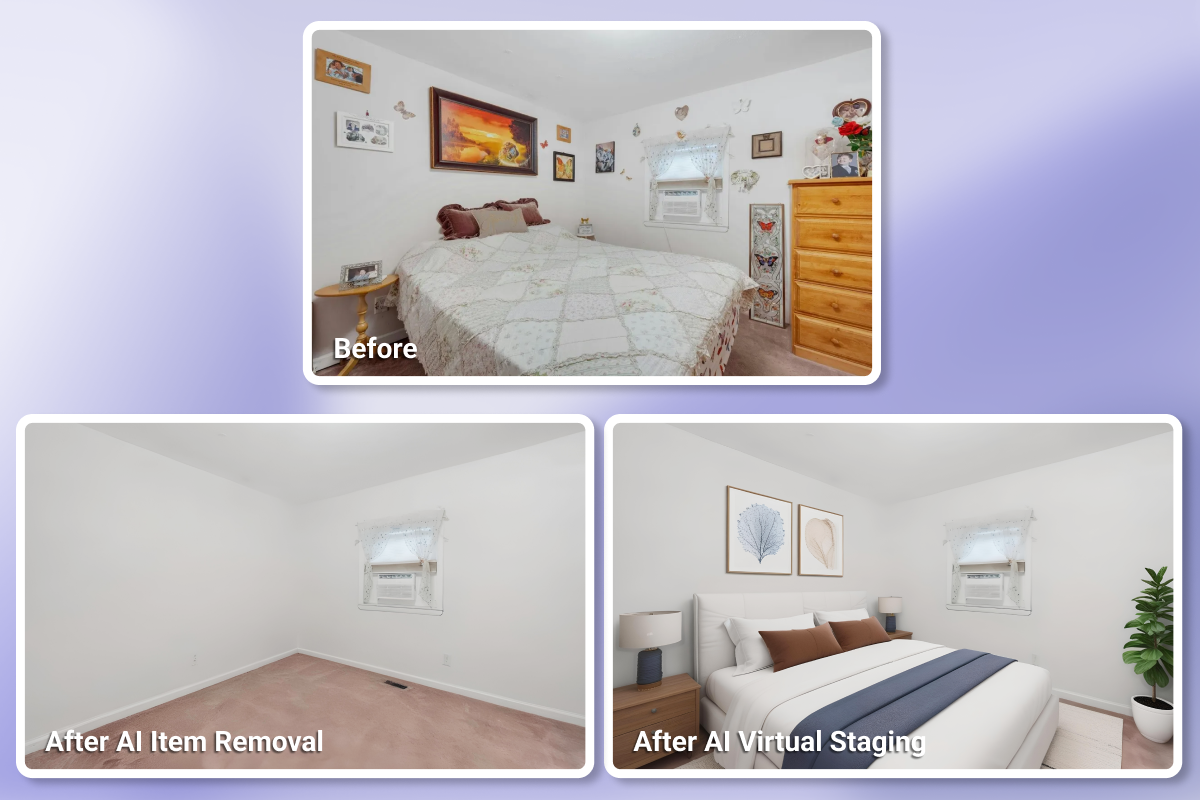
In practice, real estate agents often rely on several types of AI photo editing within the same project. One listing may only need object removal, while another may require enhancement, item removal, and day-to-dusk edits to look complete. Each service improves a different aspect of visual presentation, from lighting and color to composition and atmosphere.
AI HomeDesign is one of the few platforms that deliver all three services in one place. This allows agents and photographers to manage full photo workflows inside a single system while keeping costs predictable.
Final Thoughts
AI real estate item removal is now a practical part of presenting properties with clarity and accuracy. It allows agents, photographers, and homeowners to show the true layout and quality of a space without visual distractions. By cleaning images digitally instead of rearranging the actual scene, teams save time while keeping the visual message consistent.
AI HomeDesign’s item removal service makes this workflow accessible. The tool works quickly, supports both full-space and selective editing, and maintains the natural appearance of each image. With free trial credits available for new users, it offers a simple way to test how clean, well-prepared photos can improve a property presentation.