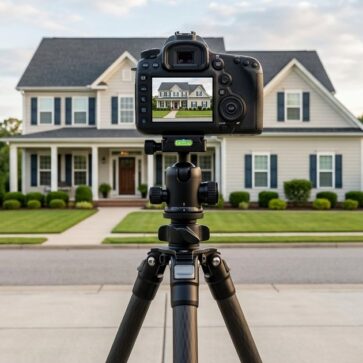
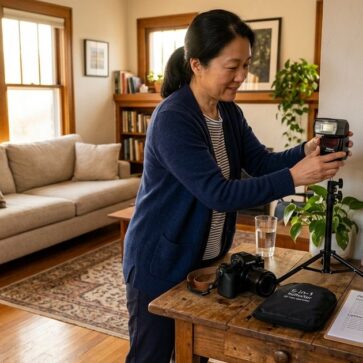
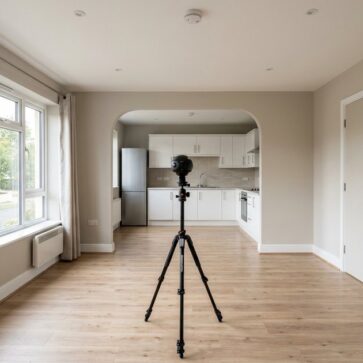
Real estate photo editing tips for rental vs. for-sale listings start with one simple idea: rental photos and sale photos serve different people making different decisions. Prospective tenants want accuracy and speed. Buyers need enough visual appeal to imagine the property as a future home.
The editing choices that support one goal can weaken the other. This comparison shows where those differences matter, so photographers and agents can make smarter choices before opening a single editing panel.
Quick Verdict on Rental vs. For-Sale Photo Editing
Rental editing should be fast, accurate, and restrained. The goal is to show the unit clearly, reduce confusion, and help tenants decide whether it fits their needs. Clean exposure, accurate color, straight vertical lines, and fast turnaround matter more than dramatic enhancement.
For-sale editing can usually support a more polished presentation. Buyers often respond to atmosphere, layout, and visual appeal, so techniques such as HDR blending, perspective correction, image enhancement, and virtual staging may play a larger role. The key is to improve presentation without changing the property’s physical reality.
Using the same workflow for both listing types can create problems. Over-editing rental photos may damage trust when the unit looks different in person. Under-editing for-sale photos may make a home feel less competitive online, especially when nearby listings have stronger visuals.
The tool choice should follow the goal. Lightroom can handle fast batch corrections for rental sets. Photoshop, Luminar Neo, or professional editing services may suit more detailed for-sale edits. Both listing types benefit from disciplined editing, but the strategy behind each edit should not be identical.
Core Editing Philosophy: Accuracy vs. Aspiration
A rental photo that looks much better than the actual unit creates a trust problem the moment a tenant visits or moves in. Rental editing should focus on clear exposure, accurate color, straight vertical lines, and light cleanup. The goal is to make the unit easy to evaluate, not to make it look like a different property.
For-sale editing has a different job. Buyers usually need both information and emotional connection. Techniques such as HDR blending, image enhancement, day-to-dusk conversion, and virtual staging can help a property feel more polished online, as long as they do not misrepresent its condition, layout, or permanent features.
Why the Stakes Differ
A renter needs accurate information to decide quickly and avoid wasted time. A buyer may spend more time comparing lifestyle fit, long-term value, and emotional appeal. That difference changes the editing strategy.
Over-editing a rental listing can weaken trust if the unit feels different in person. Under-editing a for-sale listing can make a home look less competitive in search results. Matching the editing approach to the transaction type is not just a style choice. It affects how people judge the property before they ever visit.
Rental and for-sale photo editing follow different priorities. Rental listings need clear, accurate images that help tenants decide quickly. For-sale listings can support more polished editing because buyers often compare homes through visual appeal, layout clarity, and emotional fit.
| Dimension | Rental Listings | For-Sale Listings |
|---|---|---|
| Editing goal | Accuracy, clarity, and renter trust | Stronger presentation and buyer interest |
| Editing intensity | Light corrections and cleanup | More detailed enhancement and retouching |
| Virtual staging style | Functional, minimal, clearly disclosed | Lifestyle-focused, polished, clearly disclosed |
| Turnaround speed | Fast batch workflow | More careful review and refinement |
| Success metric | Fewer wasted showings, faster leasing, clearer expectations | More qualified interest, stronger listing presentation, better showing readiness |
| Recommended workflow | AI-assisted batch editing | AI-assisted editing plus manual review when needed |
The main difference is intent. Rental editing should help people understand the unit accurately and quickly. For-sale editing can invest more in atmosphere, polish, and visual storytelling because the listing photo often carries more weight in the buyer’s first impression.
Photo Editing Techniques for Rental Listings: Clean, Fast, and Honest
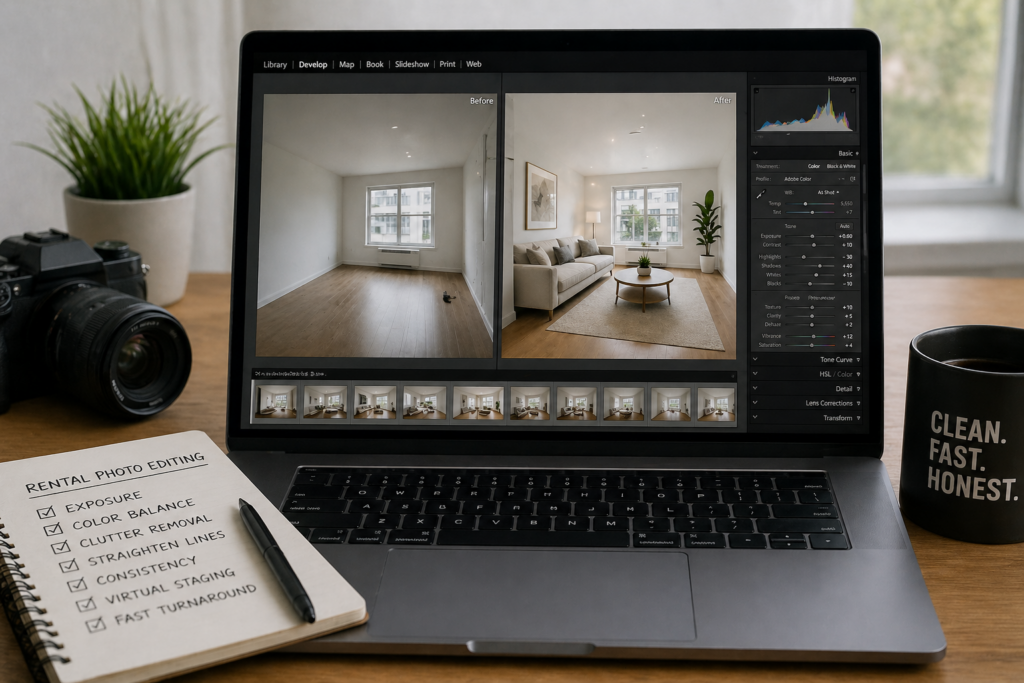
Rental photo editing needs to balance speed, accuracy, and restraint. A vacant unit should move quickly, but the images still need to match what tenants will see in person. The goal is not to create a dream version of the unit. The goal is to make the space clear, bright, and easy to evaluate.
Exposure, Color, and Clutter: The Core Three
Exposure correction should brighten dark rooms without blowing out windows or hiding flaws. Aim for clean daylight accuracy, not a warm showroom effect. Neutral whites, realistic wall colors, and balanced contrast help tenants understand the unit before booking a showing.
Light cleanup is usually appropriate. Cords, personal items, temporary clutter, and staging debris can distract from the room. Removing them helps the space read more clearly. But permanent fixtures, room dimensions, flooring condition, hallway width, and existing damage should not be digitally changed. That line matters because rental decisions depend heavily on accuracy.
Consistency, Speed, and the Cost of Over-Editing
Batch editing tools such as Lightroom presets can help rental sets stay consistent across rooms. This matters when large image sets need quick turnaround without tonal shifts from one room to the next.
Over-editing rental photos can backfire. If the unit looks noticeably different in person, tenants may lose trust before the application stage. Subtle corrections, such as lens correction, noise reduction, sharpening, and straightened vertical lines, are usually enough.
Virtual Staging and Same-Day Turnaround
Vacant rentals can benefit from virtual staging, but the style should stay functional and realistic. Use practical furniture, simple layouts, and clear scale cues. Avoid luxury upgrades that make the unit feel more expensive or renovated than it is.
Staged rental images should be clearly disclosed wherever local rules, listing platforms, or brokerage policy require it. Even when disclosure rules are less explicit, transparency protects renter trust.
Fast turnaround is also valuable in rental markets. Images processed and published soon after the shoot can help the listing reach tenants while demand is active. Speed matters, but accuracy should still set the limit.
Photo Editing Techniques for-Sale Listings: Aspirational, Advanced, Emotional
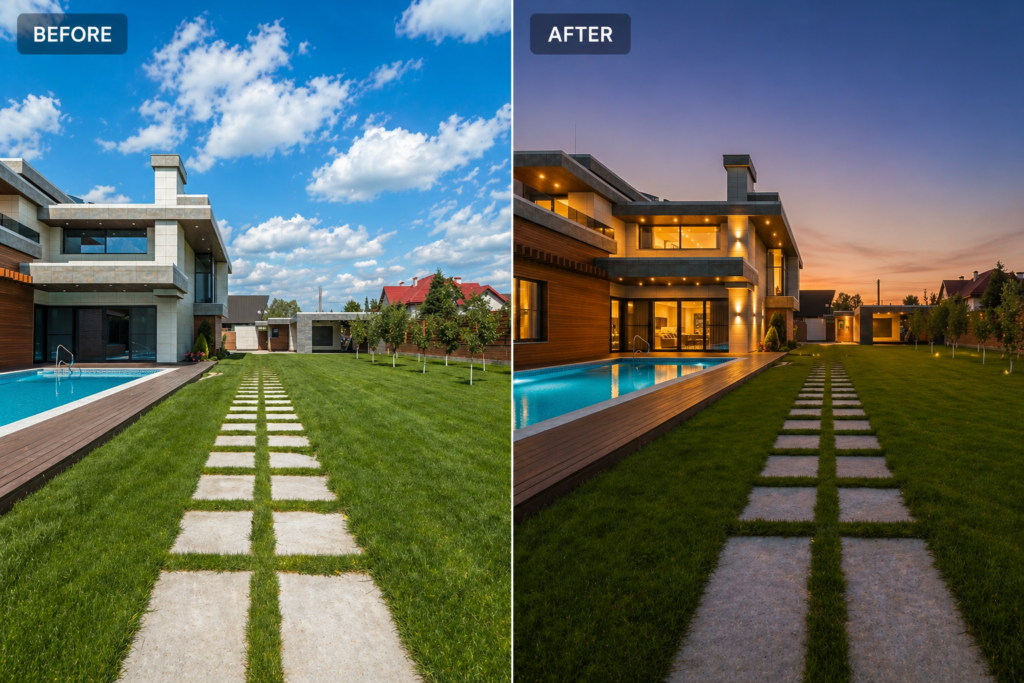
For-sale photo editing can support a more polished and aspirational presentation than rental editing. Buyers still need accuracy, but listing photos also need to communicate atmosphere, layout, and lifestyle appeal. The goal is to improve the image without changing the property’s physical reality.
Exposure and Light Control
Flambient photography combines flash and ambient exposures to show cleaner interiors, more accurate color, and better window detail. When handled well, it helps a room look closer to how it feels in person.
Window pulls should preserve the actual exterior view. The technique can balance bright windows with interior exposure, but it should not replace a blocked, unattractive, or different view with something the property does not have.
Exterior Transformations
Exterior edits should improve presentation without changing location facts. Basic sky enhancement, color correction, lawn cleanup, and lens correction can make an exterior look clearer and more inviting.
Day-to-dusk conversion can create a stronger hero image for listing pages, ads, or social posts. It works best when the edit keeps the property structure, surroundings, and permanent features intact.
Staging and Interior Mood
Virtual staging can help buyers understand scale, layout, and room function without the logistics of physical staging. For-sale listings may support a more lifestyle-forward look than rentals, but the furniture, lighting, and decor should still match the property’s actual style and price point.
Color grading should also stay believable. Warmth can make living spaces feel more inviting, but heavy filters can distort wall colors, flooring, or finishes.
Object removal should stay limited to temporary distractions, such as trash bins, loose cords, personal items, or staging equipment. Removing permanent features, visible defects, neighboring structures, power lines, or view obstructions can cross into misrepresentation.
The Disclosure Line
Virtual staging and material digital alterations should be disclosed according to local law, MLS rules, platform policies, and brokerage guidelines. A “virtually staged” label is often used, but disclosure requirements vary.
The safest approach is to label staged images clearly and provide original versions when required. Strong editing can improve presentation, but transparency protects buyer trust.
Best Tools for Rental Listing Editing Workflows
The right rental editing tool depends on image volume, turnaround needs, budget, and whether the unit is vacant or furnished. Rental workflows usually need speed, consistency, and simple corrections more than heavy retouching.
| Tool | Best Use | Pricing Model | Best Fit |
|---|---|---|---|
| Adobe Lightroom Classic | Batch editing large photo sets | Subscription | Property managers and photographers handling many units |
| AI HomeDesign | Virtual staging for vacant rentals | Credit-based | Agents or landlords who need furnished visuals quickly |
| ON1 Photo RAW | Basic editing without a subscription | One-time or upgrade-based | Budget-conscious users who prefer desktop software |
| Luminar Neo | Quick lighting and enhancement fixes | Subscription or one-time options | Interiors with uneven lighting or mixed light sources |
Lightroom Classic and Batch Processing
Adobe Lightroom Classic works well for rental sets with many similar images. Presets can keep exposure, color, and contrast consistent across bedrooms, kitchens, bathrooms, and shared spaces. That consistency matters when managing several units or updating a rental portfolio.
Virtual Staging and Budget Options
Vacant rentals can benefit from virtual staging when the goal is to show room function and scale. AI HomeDesign can be a practical option for creating furnished visuals quickly, especially when physical staging is not realistic for the budget or timeline.
ON1 Photo RAW may suit landlords or small operators who prefer desktop editing without relying only on subscriptions. Luminar Neo can help with uneven indoor lighting, but edits should still stay natural so the unit looks the same in person.
Best Tools for-Sale Listing Editing Workflows
For-sale editing often needs a more detailed workflow than rental editing. The right tool depends on the listing value, image quality, turnaround needs, and how much manual control the edit requires.
| Tool | Key Role | Best For | Pricing Model |
|---|---|---|---|
| Adobe Photoshop | Detailed retouching, flambient blending, window pulls | High-end listings and complex edits | Subscription |
| Lightroom Classic | Batch color correction and image consistency | Most for-sale workflows | Subscription |
| Luminar Neo | AI lighting correction, sky enhancement, quick improvements | Agents or editors who need faster advanced edits | Subscription or one-time options |
| AI HomeDesign | Virtual staging for vacant or under-furnished properties | Listings that need furnished visuals quickly | Credit-based pricing |
| PhotoUp | Outsourced real estate photo editing | High-volume agents, photographers, or complex edit queues | Per-image pricing |
Photoshop and Lightroom for Manual Control
Adobe Photoshop is useful for detailed retouching, flambient blending, window pulls, and complex corrections that need pixel-level control. It works best when the listing requires careful editing rather than quick enhancement.
Lightroom Classic usually supports the earlier stage of the workflow. It helps with culling, exposure correction, color consistency, lens correction, and batch adjustments before selected images move into Photoshop or an outsourced editing queue.
Luminar Neo and Faster Enhancement Workflows
Luminar Neo can help agents and editors who want stronger results without building a full Photoshop workflow. Tools such as lighting correction, sky enhancement, and AI-assisted adjustments can speed up common real estate edits.
The same caution still applies: edits should improve the image without changing the property’s condition, surroundings, or permanent features.
Virtual Staging and Outsourcing
Physical staging can become expensive, especially when a property needs multiple rooms prepared before listing. Credit-based virtual staging platforms, including AI HomeDesign, can help agents present vacant or under-furnished rooms without moving physical furniture.
Outsourcing to services such as PhotoUp can also make sense when the image volume is high or the edits require more time than the agent or photographer can manage in-house. Many workflows still begin with Lightroom for basic corrections before more complex images move to Photoshop, virtual staging, or an editing service.
Virtual Staging Strategy: How Rental and For-Sale Listings Should Differ
Staging a rental the same way as a for-sale listing can create the wrong expectation. Rental staging should use functional furniture, neutral palettes, and realistic scale. The goal is to help prospective tenants understand daily use, not impress them with aspirational decor.
For-sale listings work differently. Buyers often respond to atmosphere, lifestyle fit, and perceived value, so staging can feel more polished and aspirational. The style still needs to match the property’s architecture, condition, and price point. Staging that feels too expensive, too generic, or visually mismatched can weaken credibility.
Speed, Cost, and the Furnished-Unit Exception
Physical staging can add cost and coordination, especially when several rooms need furniture, styling, delivery, and removal. NAR’s 2025 Profile of Home Staging supports the broader value of staging: 83% of buyers’ agents said staging made it easier for buyers to envision the property as a future home, and 49% of sellers’ agents said staging reduced time on market.
AI virtual staging can make furnished-looking visuals more practical for vacant rentals and for-sale listings. For rental portfolios with frequent turnover, speed matters because images need to go live while demand is active.
Furnished rentals need extra caution. If the unit is rented with existing furniture, photos should represent that furniture accurately. Virtual staging may still help with empty or partially furnished rooms, but digitally replacing included furniture can mislead tenants unless the image is clearly disclosed and the actual furnished condition is also shown.
Staged images should be labeled clearly wherever local law, MLS rules, platform policy, or brokerage guidance requires it. Even when rules are less explicit, transparency helps protect renter and buyer trust.
Who Should Use Which Approach: Scenario Matrix
The right editing workflow depends on listing type, volume, budget, and buyer or tenant expectations. Rental listings usually need speed, consistency, and accuracy. For-sale listings can support more polish, but the edit still has to match the property’s real condition.
| User Type | Editing Approach | Recommended Tools | Key Priority |
|---|---|---|---|
| DIY landlord | Rental accuracy editing | ON1 Photo RAW, basic AI staging for vacant rooms | Honest representation and low cost |
| Property manager | Rental batch editing | Lightroom Classic presets, AI staging for vacant units | Speed and consistency |
| Mid-market agent | Polished for-sale editing | Lightroom, Luminar Neo, AI virtual staging | Stronger presentation within budget |
| Luxury agent | Advanced for-sale workflow | Photoshop, outsourced editing, careful virtual staging | Detail, realism, and premium presentation |
| Real estate photographer | Separate rental and sale workflows | Separate presets and staging guides | Avoid applying one workflow to all clients |
| FSBO seller | Simple for-sale enhancement | AI staging tools, basic editing apps | Better visuals without complex software |
| Short-term rental host | Accurate lifestyle editing | Lightroom, natural lifestyle composition | Accuracy, warmth, and guest trust |
DIY Landlords and Property Managers
DIY landlords usually need simple, accurate edits. Basic exposure correction, straight vertical lines, realistic colors, and light cleanup are enough for most rental listings. ON1 Photo RAW can work for users who prefer a one-time purchase, while AI virtual staging may help vacant rooms feel easier to understand.
Property managers need consistency across larger image sets. Lightroom Classic presets can help keep exposure, color, and contrast aligned across multiple units. The goal is speed with control, not dramatic retouching.
Agents, Photographers, and FSBO Sellers
Mid-market agents often need a more polished for-sale workflow. Lightroom can handle the base edit, while tools like Luminar Neo or AI virtual staging can support lighting fixes and furnished room presentation.
xury agents and photographers need a higher quality ceiling. Photoshop, flambient blending, outsourced editing, and carefully reviewed virtual staging may be useful when the property needs more detailed visual control.
Photographers serving both rental and for-sale clients should keep the workflows separate. Rental edits should prioritize accuracy. For-sale edits can support more atmosphere and polish. Using one preset library for both can create inconsistent results.
FSBO sellers do not need a complex professional setup to improve listing photos. Clean lighting, accurate color, straight lines, and realistic staging can raise the baseline. Agents preparing real estate photos for MLS can follow the same logic: match the tool and edit depth to the listing type.
Edge Cases Where Neither Standard Approach Wins
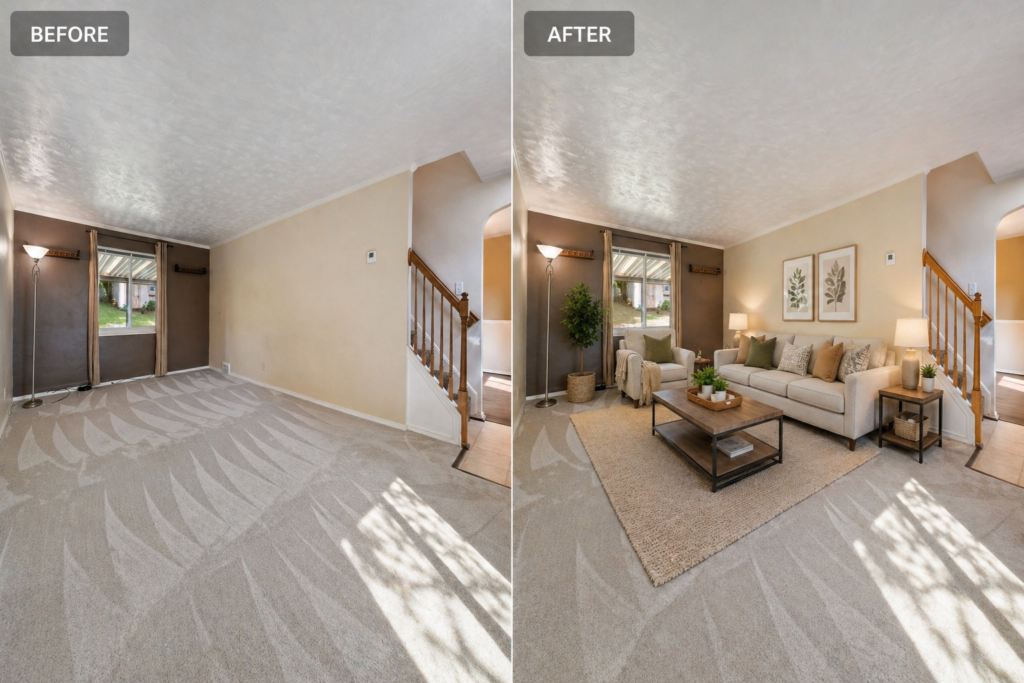
Some listings do not fit neatly into a rental or for-sale editing workflow. A luxury short-term rental, for example, may need more visual appeal than a standard rental because guests respond to atmosphere and lifestyle. Accuracy still matters, though. If the property feels different in person, guest trust can suffer.
These cases need a hybrid approach. The edit can be more polished than a long-term rental, but it should still avoid changing the property’s condition, layout, view, or included features.
Occupied, Distressed, and Investment Properties
Tenant-occupied for-sale listings usually need restraint. Heavy virtual staging can be difficult when furniture already fills the frame. Digitally replacing existing furniture may also confuse buyers unless the original condition is shown clearly. In most cases, accurate editing with light cleanup is the safer choice.
Distressed or as-is properties also need accuracy-first editing. Enhancements should not hide structural problems, visible damage, or repair needs. Even in a for-sale context, the edit should support clear evaluation rather than make the property look renovated.
New construction and pre-sale properties are different. Renderings, virtual staging, and design previews can help buyers understand the finished space. These images should be clearly labeled as renderings, concepts, or virtually staged visuals where required.
Multi-family investment listings are another exception. Buyers are often evaluating income potential, unit condition, and operating assumptions, not only lifestyle appeal. Rental-style accuracy may work better than highly aspirational editing.
Agents should also check MLS rules, brokerage policies, and local requirements before using sky replacement, object removal, or virtual staging. Rules vary, and the same edit may be acceptable in one market but restricted in another.
Final Thought
Rental and for-sale listings need different editing workflows. Rental photos should build trust through accuracy, speed, and consistency. For-sale photos can support more polish because buyers often respond to layout, atmosphere, and first impression.
For rentals, a fast batch workflow is usually enough. Lightroom Classic can handle exposure, color, lens correction, and consistency across a full image set. Heavy sky replacement, strong filters, or dramatic compositing can create a gap between the photo and the actual unit.
For-sale listings can justify more detailed editing. HDR blending, day-to-dusk conversion, image enhancement, and virtual staging can improve presentation when used carefully. The edit should make the property easier to understand and more appealing without changing its real condition.
Outsourcing may also make sense for high-volume or complex for-sale workflows. Services such as PhotoUp can reduce post-processing time, while agents and photographers focus on shooting, listing strategy, and client communication.
The source photo still matters. Better capture means less correction work later, which is why resources such as real estate photography tips fit naturally into the workflow conversation.
The practical next step is simple: audit the current editing workflow by listing type. If the same preset, staging style, or retouching standard is applied to rentals and for-sale listings, that is the first thing to change.
FAQs
Can agents use the same Lightroom preset for both rental and for-sale listings?
A single base preset can work as a starting point, but separate preset groups are better. Rental presets should keep colors neutral and accurate. For-sale presets can allow more warmth, contrast, and polish. Separate presets help keep the editing style aligned with the listing goal.
Is day-to-dusk conversion ever appropriate for a rental listing?
Usually, no. Day-to-dusk edits create a more aspirational mood, which can feel mismatched for standard long-term rentals. Short-term or luxury rentals may be an exception when atmosphere supports bookings. For most long-term rentals, accurate daylight exteriors are safer.
Does virtual staging on a rental require disclosure on every platform?
Disclosure rules vary by platform, MLS, brokerage policy, and local law. The safest approach is to label every virtually staged image clearly, even when the rule is not explicit. A simple “virtually staged” note in the image caption or listing copy helps protect tenant trust.
Does the rental vs. for-sale distinction apply to off-market or pocket listings?
Yes. Distribution does not change the editing goal. Off-market for-sale listings can still benefit from polished, aspirational visuals. Off-market rentals still need accurate images that match the unit in person. The audience may be smaller, but the trust issue remains the same.
Should old rental photos be re-edited when a property switches to a for-sale listing?
Usually, yes. Rental photos often look more neutral and functional, which may underserve a buyer audience. A fresh shoot is best when possible. If not, existing images can be re-edited with stronger lighting, better contrast, cleaner perspective, and careful virtual staging where appropriate.