Best Virtual Staging Software for Agents in 2026
Vacant rooms slow down showings, and cluttered rooms confuse buyers. The best virtual staging software fixes that fast, but only when the tool matches the listing tier and the launch timeline.
Virtual staging has split into two lanes in 2026. AI tools deliver listing-ready images in minutes. Human-designed services still win for high-stakes rooms, premium materials, and select 3D tour projects. A wrong pick wastes budget or creates credibility risk.
This guide ranks the top options and shows how to choose based on speed, price model, and MLS Rules, with the wider stack covered in best real estate tools for agents in 2026 and context from real estate trends in 2026.
Our pick for most agents is AI HomeDesign — the fastest listing-ready staging here, a furnished room in under 5 seconds, with staging, editing, and renovation on one account from $0.24 a photo, and MLS-compliant by default.
What Virtual Staging Is and Why It Matters in 2026
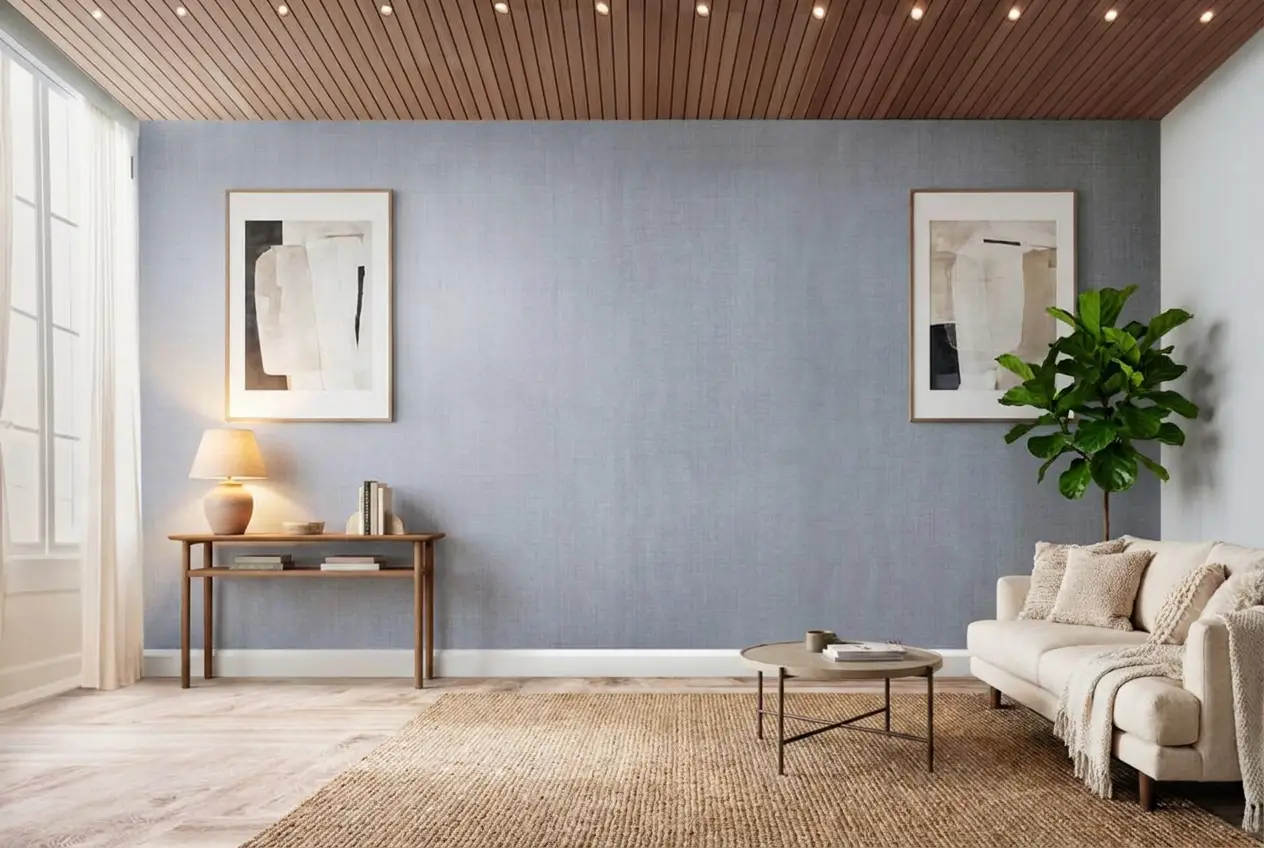
Virtual staging means adding furniture and decor to a real listing photo. The photo stays the base layer. A tool then places digital items that fit the room’s perspective and lighting. That output supports listing pages, social posts, and buyer follow-up.
Speed drives the shift. AI virtual staging now works as part of listing prep, not a separate project. Agents can shoot a vacant condo in the morning and publish the listing the same day. That matters most in tight launch windows.
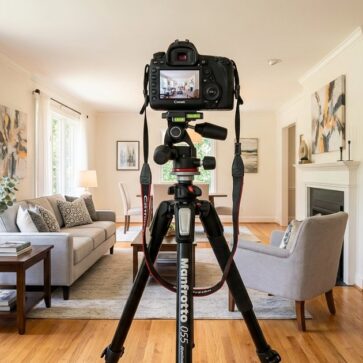
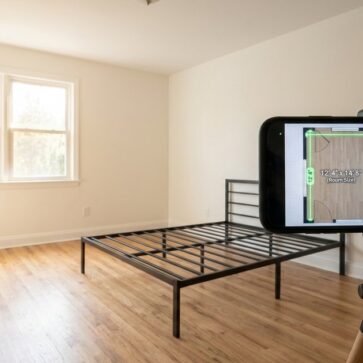
Quality still starts with the original photo. Straight vertical lines, even exposure, and a clean room make every tool look better. A strong capture also lowers the risk of odd shadows or floating furniture.
Before you stage: five minutes of photo prep
Every tool on this list has the same failure mode, and it is almost always the input photo. These checks take longer to read than to do, and they remove most reruns.
- Shoot the whole floor line. AI places furniture against the floor plane. If the bottom of the wall is cropped out, sofas and rugs float.
- Keep verticals straight. Tilt the camera and the perspective math drifts, which is where warped table legs come from.
- Light it evenly. Blown-out windows and deep shadow corners give the model nothing to match, so added furniture reads as pasted on.
- Clear the room first. Staging over existing furniture is harder than staging an empty room. Run item removal or decluttering as a separate pass, then stage the clean plate.
- Upload full resolution. Most tools cap output at the input size, and MLS systems reject soft images. Check each tool’s file size and format limits before a bulk upload.
AI Virtual Staging vs. Human Virtual Staging for Listings
Agents rarely need a single “best” tool. The real decision sits between AI speed and human design control.
AI staging fits volume work. It works best when the goal is fast visualization. Mid-market listings, rental turnovers, and price-sensitive sellers usually benefit most. AI also helps occupied listings through item removal and decluttering features.
Human-designed staging fits high scrutiny. Luxury listings, developer inventory, and select Matterport projects often need a designer’s eye. Human services also help when a room has tricky architecture, unusual ceiling lines, or mixed light sources.
Turnaround expectations should be explicit. AI tools can deliver in minutes. Human-designed services usually need 1 to 3 days. That window protects quality checks and revision cycles.
How These Tools Were Evaluated
A tool can look great on a homepage and fail inside a real listing workflow. This roundup focuses on decision points that show up during production.
Evaluation criteria included pricing and billing model, speed or turnaround time, feature coverage, and revision policy. Feature checks also covered furniture removal, decluttering, renovation edits, and 3D tour support. Pricing and feature claims were checked against each vendor’s published pricing and product pages in July 2026, and the workflow steps below were recorded from each tool’s live interface.
Compliance matters as much as image quality. MLS Rules vary by board, but disclosure is a constant risk area. This guide also flags whether a tool claims MLS-compliant behavior, such as not altering room layout.
What we excluded, and why
General photo editors such as Adobe Photoshop, Lightroom, and Blender can stage a room. They are not virtual staging software. They serve much broader purposes, and they require training most agents do not have time for, so they are out of scope here.
We also left out apps like Live Home 3D, Planner 5D, Homestyler, and IKEA Place. Those focus on interior design, floor plans, and room sketches rather than photo-based staging of an actual listing image. If the output is a model of a room instead of your photo of that room, it does not solve the listing problem.
One naming note. Most tools in this guide are not literally installed software. They run in the browser with no download, installation, or update cycle. They are included because they do the job agents mean when they search for virtual staging software.
Pricing verified July 2026. Vendors change plans often. Confirm current tiers on each provider’s page before committing to an annual plan.
Where each tool sits
Cost per listing against real turnaround time, at eight photos per listing. Bottom-left is cheap and fast, top-right is pricey and slower.
The tools in detail
AI HomeDesignTop pick
AI HomeDesign virtual staging is the fastest listing-ready option in this guide, and the broadest. AI Virtual Staging returns a furnished room in under 5 seconds, with the full editing workflow finishing in about 30 seconds. It covers 15 room types and 8 design styles, and every plan includes the whole toolbox — 11 AI tools across three hubs: virtual staging, photo editing (AI Item Removal, AI Image Enhancement, and the signature AI Day to Dusk), and a seven-tool renovation set for walls, floors, ceilings, backsplashes, furniture restyling, interior design, and construction completion.
Pricing starts at $0.24 per photo on the Enterprise annual plan, with three tiers billed yearly — Pro $19 for 30 photos, Pro Plus $29 for 80, and Enterprise $49+ for 200 to 10,000 photos (monthly billing is $35, $59, and $99). Every plan includes unlimited free regenerations, and unused credits roll over on Pro Plus and Enterprise. The free trial gives you credits with no card required.
The credit model is the part worth understanding, because it changes the real cost. One credit stages one photo. Every further edit on that same image — item removal, day to dusk, enhancement, a renovation pass, or another style entirely — costs nothing extra. Tools that price per generation charge again for each of those steps, so a headline per-image rate can land well above the sticker once a listing needs more than one pass.
It reaches agents four ways from one account: a web app, a white-label B2B solution with single sign-on, a REST API with webhooks handling up to 10,000 photos a month, and an MCP server callable from Claude, ChatGPT, and Gemini. Output is MLS-compliant by default, preserving the room’s real fixtures and structure. Used by teams at Century 21, Keller Williams, Compass, eXp, and RE/MAX, and featured by the National Association of REALTORS and RISMedia.
How to stage a photo
- Upload your room photo.
- Select the room type.
- Pick one of the eight design styles.
- Click Generate and wait about five seconds.
- Download, or regenerate as many times as you want at no extra cost.
Limitations: no 360-degree staging and no native Matterport hotspot staging. For hotspot-based 3D tours, pair it with a Matterport specialist such as Styldod or RoOomy.
View AI HomeDesign →REimagineHome
REimagineHome covers a wide range of AI edits and adds workflow features that matter to teams. Pricing lists $19 per month for 30 images, up to $119 per month for 1,200 images, with a free trial on watermarked images. Speed is described as instant, under one minute.
The feature list includes AI virtual staging, furniture removal, decluttering, and AI landscaping. It offers API access, shareable before-and-after sliders for seller updates, and both AI and human-assisted paths. Best for teams, photographers, and brokerages that want AI staging plus API access.
How to stage a photo
- Upload your photo.
- Choose your preferred style.
- Describe what you want in the chat box, so the tool has more to work from.
- Choose “Yes, continue” to generate.
Limitations: the free trial watermarks output, and regenerations consume credits rather than being unlimited. MLS caption templates and revision limits are not publicly listed, so confirm both before a team rollout.
Visit REimagineHome →Collov AI
Collov AI is built for volume. Pricing lists $19 per month for 60 images, about $0.32 per image, with higher tiers at $39 (150 images) and $225 (1,000 images), plus a free trial on watermarked images. Output is instant, under one minute.
Beyond staging, it includes selective furniture removal and surface swaps for walls, floors, cabinets, and countertops, and lists 10 free revisions per photo. CRM integrations and white-label controls are not publicly listed, so brokerages should validate those needs. Best for high-volume teams that want predictable per-image costs.
How to stage a photo
- Upload your photo.
- Choose a design style.
- Select or clear “Remove existing furniture.”
- Click Generate.
Limitations: revisions are capped at 10 per photo rather than unlimited, the trial watermarks output, and renovation edits are limited to surface swaps. No 3D tour support is listed.
Visit Collov AI →Virtual Staging AI
Virtual Staging AI focuses on speed and iteration. Pricing starts at $16 per month for 6 images, about $1 per image at higher volumes, with a free trial that needs no sign-up or credit card. Speed is listed at about 15 seconds per image.
Key features include one-click staging, furniture removal and replacement, and unlimited regenerations at no extra cost. It claims MLS-compliant staging that does not alter room layout. Best for agents who want a fast, no-signup way to test one-click staging.
How to stage a photo
- Upload a room photo.
- Choose a staging style.
- Click “Process Photo.”
Limitations: the $16 entry tier covers only 6 images, less than a single eight-photo listing, so the real monthly cost sits well above the headline for anyone working steadily. No renovation tools and no 3D tour support. Team permissions and white-labeling are not publicly listed.
Visit Virtual Staging AI →Styldod
Styldod sits on the human-designed side, with extra support for 3D tours. Pricing lists virtual staging from $16 per image, commercial staging from $24 per image, and Matterport staging from $25 per hotspot. Turnaround is 12 to 48 hours, which fits a next-day launch for many listings.
It includes furniture removal, decluttering, and a wide variety of room and decor styles, and has operated since 2015. Best for agents and developers that need human design and Matterport staging.
Limitations: no free trial and no self-serve interface, so there is no way to test output before paying. The human workflow misses same-day launch windows, and at eight photos a listing runs about $128, roughly 25 times an entry AI subscription.
Visit Styldod →Apply Design
Apply Design offers an AI path plus a DIY editor. The DIY option lists $7 per photo, AI staging $10.50 per photo, and 360-degree staging from $14 to $25 per photo. Processing time runs over 10 minutes per image, which can slow a same-day workflow.
It lists unlimited free revisions, plus furniture removal, decluttering, and virtual renovation edits, with strong drag-and-drop control and 360-degree support. Best for agents and photographers that want hands-on control, even if it takes longer.
How to stage a photo
- Upload your photo.
- Select the room type.
- Choose a style.
- Choose the individual items you want in the room.
- Click Done.
Limitations: the $7 headline is per photo, not per month, so a normal eight-photo listing costs about $56 — the most expensive AI option here. Charges apply per generation rather than per photo, only the first photo is free, and 10-plus minutes per image rules out same-day turnarounds at volume.
Visit Apply Design →BoxBrownie
BoxBrownie remains a popular human-powered option for agents who want a service layer. Pricing lists virtual staging from $24 per image, with turnaround at 24 to 48 hours.
It offers a wider menu beyond staging, including photo editing, day-to-dusk conversion, and floor plan redraws, which can reduce vendor juggling. Best for agents that prefer a service workflow and also need other photo edits.
Limitations: no free trial and no instant preview. At $24 an image, an eight-photo listing runs about $192, and the 24 to 48 hour timeline rules out same-day listing launches.
Visit BoxBrownie →RoOomy
RoOomy targets bespoke, designer-led output. Pricing lists virtual staging from $49 per image and Matterport virtual staging from $434 for a 700 sq ft space, and it is an official Matterport partner. Turnaround runs several days.
Key features include a designer consultation before each project and shoppable furniture from brands such as Pottery Barn, Wayfair, and Crate & Barrel. Best for luxury listings, new developments, and high-touch 3D tour staging.
Limitations: the most expensive option here by a wide margin, at roughly $392 for an eight-photo listing, with no free trial and a multi-day turnaround. Not viable for daily volume or same-day launches.
Visit RoOomy →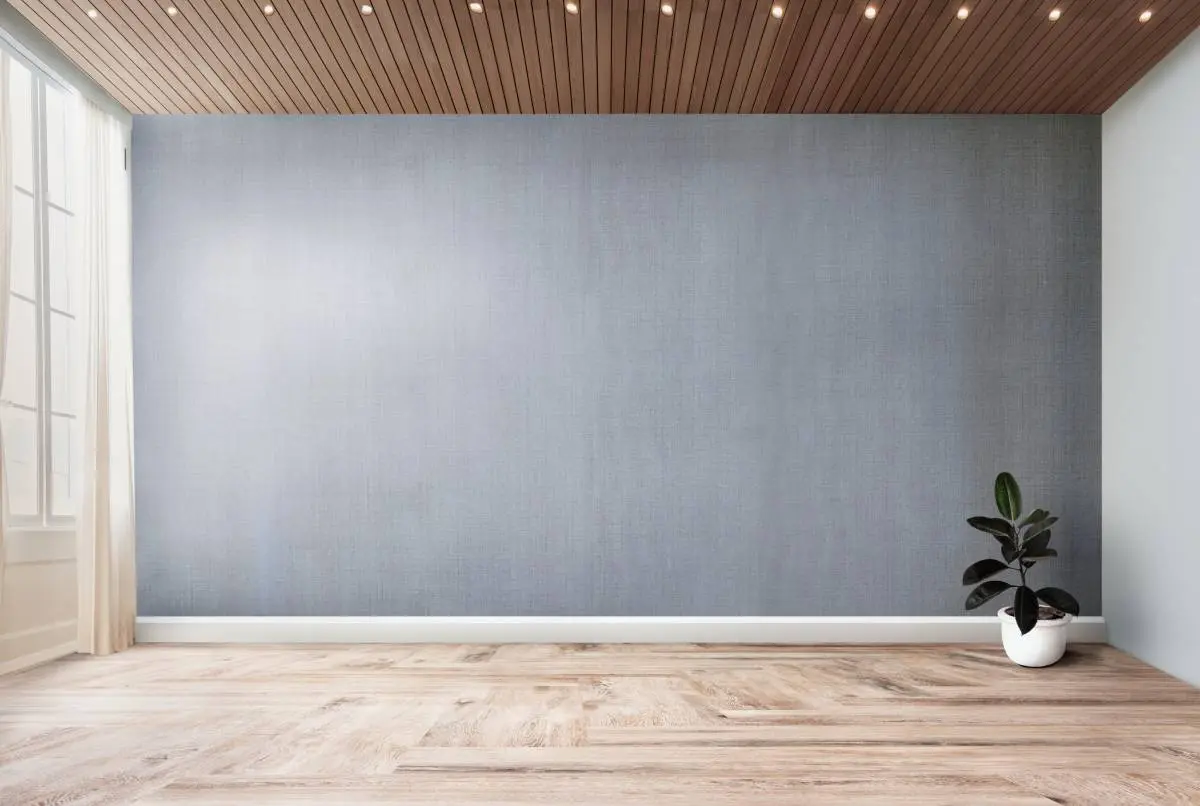
Stage your first listing in under 5 seconds
15 space types, 10 styles, MLS-compliant by default. All 11 tools on one account. Free trial credits, no credit card.
Start staging freeWhat it really costs per listing
Headline prices hide the real number, because some tools bill monthly and others bill per photo. Set your volume and compare like for like.
Headline prices are not comparable across billing models. A $7 per-photo tool costs more per listing than a $19 monthly plan the moment you stage more than three photos. Subscription tools here are billed at the listed tier, rounded up to whole tiers; per-image services are billed for every photo staged.
What Most Roundups Leave Out
Most comparisons stop at price and turnaround. The issues that actually derail adoption show up somewhere else.
Mobile usability matters because staging often happens between appointments. If mobile staging is a must-have, a short test on the phone should happen before any annual commitment.
White-label and API options change the business model for photographers and brokerages. REimagineHome lists API access, and AI HomeDesign offers a REST API for B2B workflows with white-label outputs, single sign-on, and volume up to 10,000 photos a month. Those options can turn staging into a packaged service.
Matterport and 3D tour staging remains a separate lane. Styldod lists Matterport staging priced by hotspot, and RoOomy is an official Matterport partner. Many AI-first tools, AI HomeDesign included, do not offer hotspot-based 3D staging.
Revision policy is the cost multiplier nobody prices in. A tool that charges per generation rather than per photo can double or triple its own headline rate on a single tricky room. Check whether regenerations are unlimited, capped, or billed before you compare per-image numbers at all.
How to Choose the Best Virtual Staging Software
A strong choice starts with a workflow rule, not a brand preference. The key inputs are volume, listing tier, and the launch clock. Same-day launches point toward AI-first tools. High volume points toward subscriptions with predictable image buckets. Luxury launches point toward human-designed staging for the rooms that anchor the price story.
Quick picks by scenario.
Best overall and fastest
AI HomeDesign, because it stages in under 5 seconds and bundles AI Virtual Staging with AI Item Removal, AI Day to Dusk, Image Enhancement, and a seven-tool renovation hub on one account.
Lowest per-image price
Collov AI, at about $0.32 an image on its $19 entry tier and about $0.23 at 1,000 images. AI HomeDesign sits just above it at $0.24 per photo on the Enterprise annual plan.
Lowest cost per finished photo
AI HomeDesign, because one credit covers staging plus every later edit on that image and unlimited regenerations. A room that needs decluttering, a dusk conversion, and three style passes still costs one credit, so the sticker price and the finished-photo cost are the same number.
Best no-signup trial
Virtual Staging AI, because you can test one-click staging with no sign-up or credit card. Its $16 tier covers only 6 images, so it is a trial path more than a volume plan.
Best for API-led teams
REimagineHome or AI HomeDesign, since both list API access and AI HomeDesign adds white-label output and single sign-on.
Best for Matterport-specific staging
Styldod or RoOomy, since both list Matterport staging and the AI-first tools do not.
MLS compliance, disclosure, and what to verify
MLS compliance is not optional. Many boards require clear disclosure for virtually staged photos. A safe disclosure line avoids debate: virtually staged, furniture and decor added digitally, room dimensions and layout unchanged.
Disclosure is also moving from board policy into state law. In California, Business and Professions Code section 10140.8 took effect on January 1, 2026 and requires disclosure when listing images have been digitally altered. Other states are reviewing similar language, so treat clear labeling as the default rather than the exception.
Agents should check local MLS Rules and brokerage policy before publishing, and confirm revision rules, team permissions, output rights, and whether the tool preserves the room structure. Renovation-style edits that change finishes carry more disclosure risk than furniture placement, so label those separately.
Find your pick
Tap your situation for a quick recommendation.
Frequently asked questions
Virtual staging adds furniture and decor to an existing room photo. Virtual renovation changes finishes, such as floors, walls, cabinets, or countertops. Renovation edits carry higher disclosure risk because they can change buyer expectations. Many teams use staging for most rooms and reserve renovation edits for clear, well-labeled marketing alternates.
Many MLS systems allow virtually staged photos, but most require clear disclosure in the photo caption or agent remarks. Local MLS Rules can add extra limits, such as prohibiting edits that change a room's structure, and California now requires disclosure of digitally altered listing images by statute. Brokerages often add a policy layer on top. When rules feel unclear, conservative labeling reduces compliance risk.
At eight photos a listing, AI subscriptions land between about $2.50 and $5 per listing, while per-image AI tools such as Apply Design run about $56 and human-designed services run from roughly $128 to $392. The headline price is misleading on its own, because a $7 per-photo tool costs more than a $19 monthly plan as soon as you stage more than three photos. Compare cost per listing, not cost per image.
AI HomeDesign is the fastest, staging a room in under 5 seconds, with the full editing workflow finishing in about 30 seconds. Virtual Staging AI is next at about 15 seconds per image. Both target same-day launches. Real-world speed still depends on input photo quality and how many regenerations a team runs before export.
Several tools list free trials with labeled images, which still work for internal review and seller presentations. AI HomeDesign gives free trial credits with no card required, and Virtual Staging AI lists a trial that requires no sign-up or credit card. REimagineHome and Collov AI watermark their trial output. Labeled trials help compare realism, shadows, and scale before a paid plan. For MLS publishing, most teams move to paid exports to remove the label.
Yes, many AI-first tools include furniture removal or decluttering features. That matters most for occupied listings with dated furniture, crowded rooms, or visible personal items. A clean base photo improves staging realism after removal. Teams should still confirm that removal does not accidentally delete fixed features such as vents, outlets, or built-ins.
Yes, as long as the photo is sharp, well lit, and shows the floor line where the walls meet the floor. Phone cameras handle most mid-market listings fine. Keep verticals straight, avoid heavy zoom, and shoot at full resolution rather than a shared or compressed copy. Poor input is the most common cause of warped furniture and floating objects, regardless of which tool you use.
Styldod and RoOomy list Matterport virtual staging services. RoOomy positions as an official Matterport partner, while Styldod lists pricing by hotspot. The AI-first tools in this guide, including AI HomeDesign, stage still images rather than 3D tour hotspots. Matterport workflows often follow a different pricing model, so confirm deliverables, such as which hotspots get staged and how revisions work, before committing.