Edensign vs AI HomeDesign: Better Listing Visuals?
Edensign vs AI HomeDesign: compare staging realism, multi-angle consistency, workflow, plan gates, and per-photo cost to pick the better listing visuals tool.
A listing photo set rarely fails on one hero image. It fails across the full MLS gallery, where lighting shifts, angles repeat, and one odd artifact makes the whole property feel “off.” That is why edensign vs ai homedesign debates should focus on gallery-level consistency, not a single best render.
This review frames “better listing visuals” as two different problems. One problem is keeping furniture consistent when the same room appears in several angles. The other is getting an entire listing to MLS-ready, including staging, decluttering, enhancement, exteriors, and renovation concepts.
This head-to-head sits inside a larger set of tools, so the best baseline is the broader AI HomeDesign alternatives landscape. From there, the choice gets simpler.
At a glance
What Better Listing Visuals Means at Full Resolution
Phone thumbnails hide the problems buyers notice later. The practical way to judge output is at full resolution, at 100% zoom, across multiple photos from the same property.
A repeatable rubric keeps the judgment honest. It also makes it easier to compare tools without pretending a subjective style preference is a quality score.
Items like mirrors, window views, and floor continuity are per-photo failures. Set-level consistency is what breaks on a full MLS gallery. Multi-angle staging addresses that specific problem, but many listings still use one hero angle per room.
To compare broader tools, the decision criteria in this AI virtual staging alternatives guide translate well: coverage of adjacent editing jobs, the cost of iteration, and how the workflow fits a real listing deadline.
Edensign Workflow and Plan Gates
Edensign runs in the browser, and the workflow stays focused: upload, optionally turn on Declutter, pick room type and furniture style, then generate. The manual describes about fifteen seconds per staging run, and each run returns four variations while spending one credit.
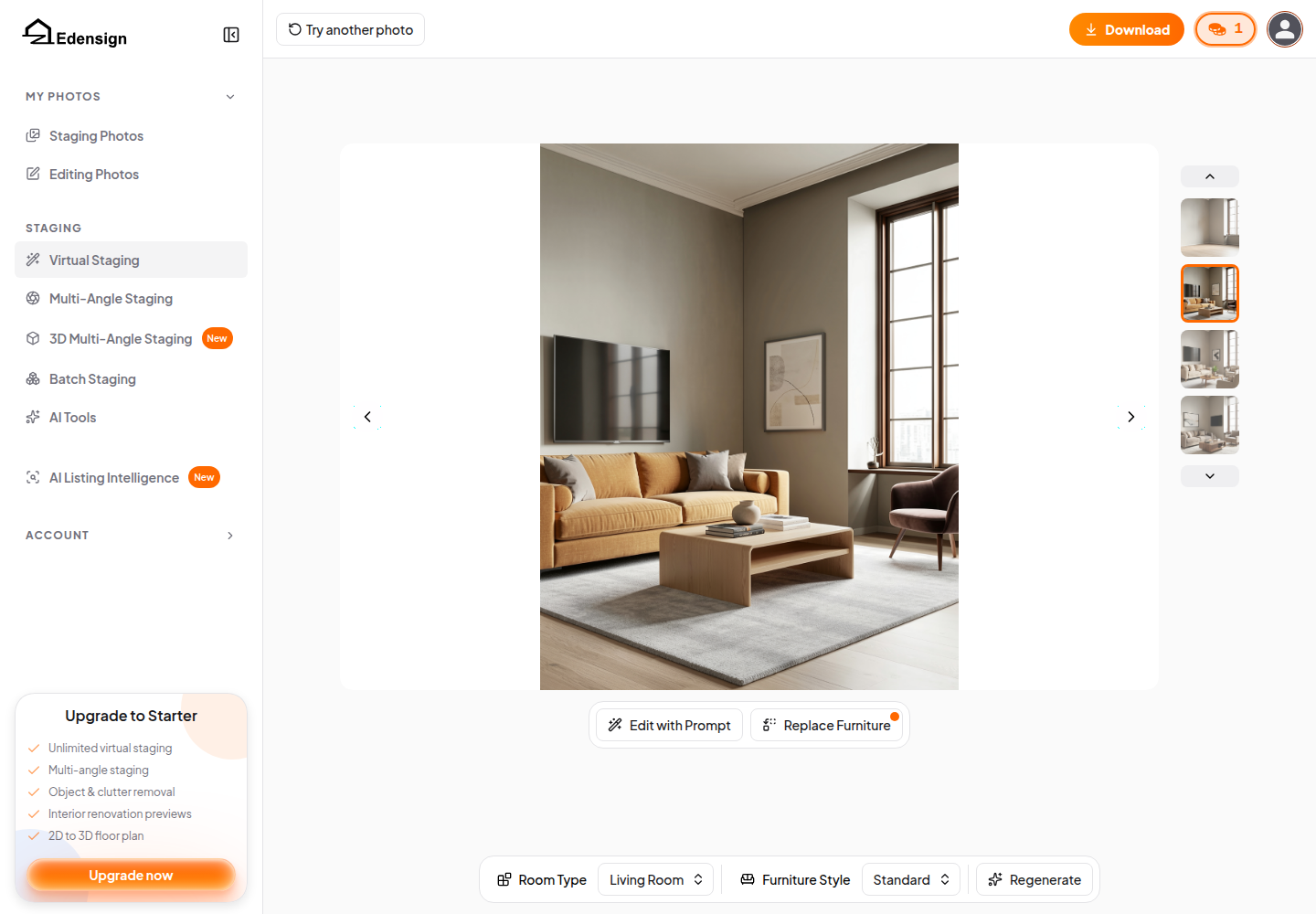
The result screen is where Edensign feels production-oriented. The four-variation strip makes selection quick, and the edit actions stay in place. Edit with Prompt and Replace Furniture keep the agent in the same context, instead of forcing a re-upload loop.
Edensign’s clear lead is multi-angle consistency. Multi-Angle Staging takes several angles of the same room so the furniture matches across views. The 3D Multi-Angle Staging mode adds a 3D-consistent model of the room and starts at Premium. For photographers delivering multiple angles of the same room, that is a real differentiator.
For whole-set throughput, Batch Staging processes up to thirty photos in one pass, and the app says it sorts and organizes rooms automatically. That solves a problem many teams face: getting a full listing’s staging done without babysitting each frame.
Plan gates matter because listing photo sets mix jobs. Edensign places tools like Day to Dusk, Photo Enhancement, Sky Replacement, and Lawn Replacement on Pro and up, while AI Listing Intelligence and 3D staging sit on Premium.
AI HomeDesign Workflow Across Staging, Editing, and Renovation
AI HomeDesign’s advantage shows up when a listing needs more than staging. The platform groups work into three hubs, with eleven tools across virtual staging, photo editing, and renovation. Those tools run on the same account and the same credit pool across the web app, B2B Solution, REST API, and an MCP server.
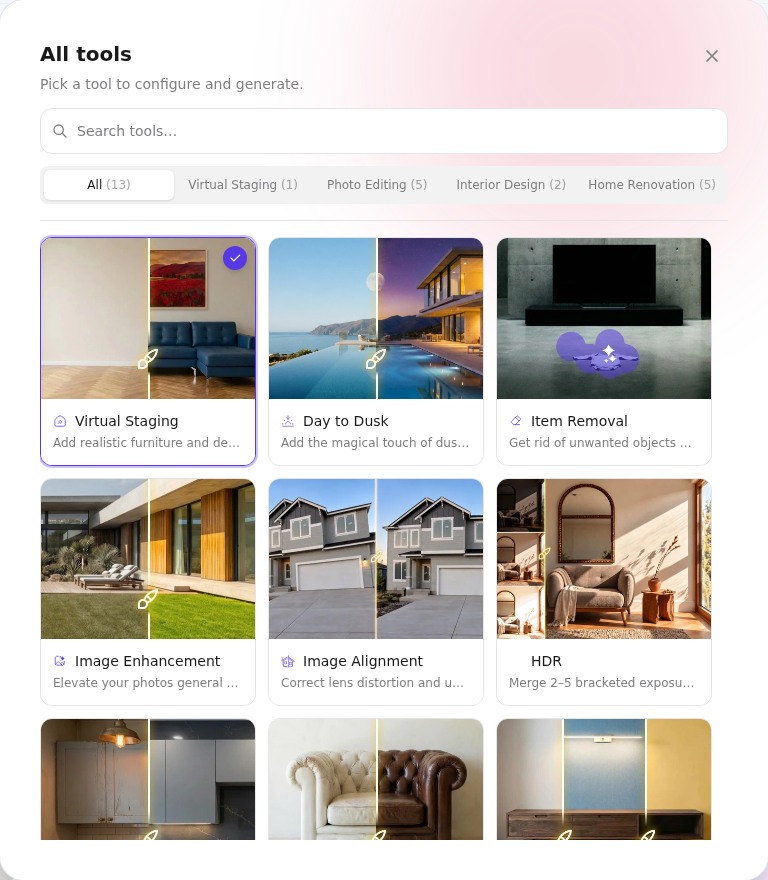
The interface also stays consistent. Each tool uses the same right-side option panel, and “Space” comes first. That design choice is practical. Space drives scale, then unlocks style and material controls.
The result screen is the core workflow feature. After a staging run, the selected render can flow into AI Item Removal, AI Image Enhancement, AI Day to Dusk, or AI Furniture Restyle without re-uploading. That chaining matters on real listings, where the same image often needs declutter plus enhancement plus staging.
Renovation depth is the second differentiator. Alongside staging and photo editing, AI HomeDesign includes tools for finish swaps and concept visuals, including wall, floor, ceiling, and backsplash changes plus an under-construction completion view.
A deeper walkthrough with the full tool list and plan details lives in the full AI HomeDesign review. For teams thinking beyond a single listing, the broader workflow context in how AI is changing real estate workflows helps frame where AI fits and where human capture work still matters.
The Rounds That Decide the Better Photo Set
A single best render does not win the comparison. The winning platform is the one that produces a cleaner, more consistent full set, on schedule, at a predictable cost.
The rounds below name a winner per decision point. They also concede where a listing team may rationally choose the other platform.
Round 1: single-room realism
Both platforms spend one credit for one generation and return four outputs. Both support text-driven refinement on the results screen. Published facts do not support a blanket quality claim for one over the other, so the rubric above should drive the call.
Round 2: multi-angle consistency
Edensign wins. Multi-Angle Staging exists specifically to keep furniture consistent across several angles of the same room, with a 3D mode on Premium. AI HomeDesign does not list a multi-angle or 3D-consistent staging mode.
Round 3: full-set throughput
Edensign wins on pure throughput because Batch Staging can process a whole set in one pass. AI HomeDesign supports batch upload, then teams work through photos one at a time inside Projects.
Round 4: how many listing jobs one subscription covers
AI HomeDesign wins for “one subscription finishes the listing.” Staging, AI Item Removal, AI Image Enhancement, AI Day to Dusk, and renovation tools live in one place on paid plans. Edensign covers many of those jobs too, but plan gates decide whether they are available on the entry tier.
Round 5: cost per photo at real volume
AI HomeDesign wins at volume, based on published per-photo pricing across its yearly plans. Teams that dislike subscriptions may prefer the per-image framing discussed in SofaBrain’s per-image pricing model.
Round 6: what a miss costs
AI HomeDesign wins when a workflow needs many retries because it states free regenerations and chaining without re-uploading. Edensign makes iteration convenient on the result screen with Regenerate and prompt edits, but credit policy still matters at scale.
Round 7: who else solves the same job differently
For a narrower staging-only alternative, Collov AI vs AI HomeDesign covers a speed-focused approach. For another agent-oriented workflow comparison, Spacely AI vs AI HomeDesign shows a different tradeoff between control and simplicity.
Operationally, many teams benefit from a clear delivery target: two days from photo capture to an MLS-ready gallery. That window gives time for one revision cycle, while still matching common listing timelines.
A practical deliverable split also avoids confusion. The delivered package can include the final images, a file naming scheme that matches the MLS order, and a simple edit log noting “virtually staged” or “virtual renovation concept” where used. Agents can save pricing strategy, negotiation positioning, and commission or fee figures for the in-person seller conversation, where context matters.
Disclosure still applies on both platforms. Label virtually staged images as “virtually staged,” never present a virtual renovation as existing condition, and keep an unedited original of every altered photo. Edge cases also change the playbook, including distressed sales, tenant-occupied homes with privacy needs, rural or agricultural properties where accuracy matters more than decor, and ultra-luxury listings where buyers scrutinize every reflection.
When renders fail, a simple rule prevents time sinks: re-run once with a changed setting, switch to a targeted editing tool, then reshoot if the base photo causes the artifact. Better source photos reduce failure rates, so guidance on shooting listing photos that stage cleanly helps. For listings where capture quality is the bottleneck, teams can still hire a real estate photographer and use AI for the finishing work.
Pricing compared
The clear pick
Choose AI HomeDesign when
AI HomeDesign fits agents, photographers, and teams that need staging plus editing plus renovation visuals on one account and one credit pool at a lower per-photo cost.
Choose Edensign when
Edensign fits photographers and teams that need consistent furniture across several angles of the same room and want batch staging throughput for full listing sets.
Frequently Asked Questions
Is Edensign or AI HomeDesign better for virtual staging?
Edensign is the stronger fit when a listing needs the same room staged across multiple angles, since multi-angle and 3D multi-angle staging target that consistency problem. AI HomeDesign is the stronger fit when the listing needs staging plus item removal, image enhancement, day-to-dusk, and renovation-style visuals in one workflow with one credit pool.
How much does Edensign cost?
Edensign pricing is published as Starter, Pro, Premium, and Enterprise tiers. Starter is listed at $20 per month billed yearly with an annual photo allowance, Pro at $45 per month billed yearly, and Premium at $117 per month billed yearly. Enterprise is custom pricing and is described as unlimited volume.
Do both platforms have a free trial?
Both offer a free start, but the shape differs. Edensign starts new accounts with two free credits, described as enough to stage two rooms, and it does not require a credit card. AI HomeDesign starts new accounts on a Free Plan with a small number of credits, but free-plan exports carry a watermark.
Do re-renders cost extra credits on Edensign or AI HomeDesign?
AI HomeDesign states free regenerations, which lowers the cost of iteration when a render misses. Edensign supports in-place changes on the result screen, including prompt edits and regenerate actions, and its plans advertise unlimited edits and downloads within the annual allowance. Credit spend rules still matter, so checkout terms should confirm how reruns are billed.
Do virtually staged photos need MLS disclosure?
Yes. Virtually staged images should be labeled as “virtually staged” according to local MLS and brokerage rules. Virtual renovation images should be labeled as concepts and never presented as existing condition. A clean workflow also keeps an unedited original of every photo that was altered, so the team can document what changed if questions come up.