Why Real Estate Photo Editing Matters More Than Ever in 2026
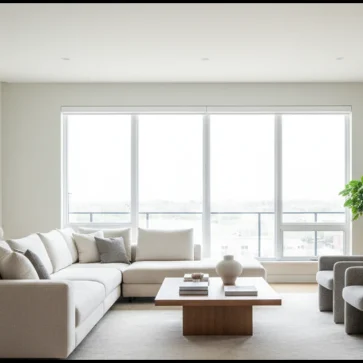
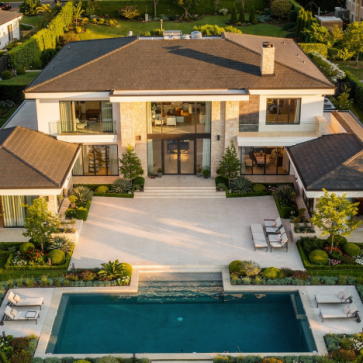
Property photos are often the first and strongest impression buyers have of a listing. In a crowded online marketplace, well-edited images do more than look attractive; they guide the eye, clarify layout, and highlight value. With most buyers starting their search on mobile devices, images must be bright, sharp, and fast-loading, while still looking natural. AI-assisted editing now makes this level of quality achievable even for smaller teams, allowing consistent results across dozens of listings each month.
At the same time, ethical and legal standards for real estate marketing are tightening. Images must be truthful while still presenting a property in its best light. The best photo editing software for real estate in 2026 focuses on realistic enhancement: correcting exposure, color, and distortion; removing minor distractions; and supporting compliant virtual staging and day-to-dusk conversions. Tools that respect MLS rules and local regulations help agents avoid misrepresentation while still standing out online.
Editing also plays a role in communicating architectural intent. Correct verticals help buyers understand ceiling height and window proportions, while careful color work preserves the designer’s palette in kitchens, bathrooms, and built-ins. In markets where buyers compare dozens of similar floor plans, subtle improvements—cleaner baseboards, clearer tile patterns, or more legible window mullions—can make one property feel more thoughtfully designed than the next.
Core Features to Look For in Real Estate Photo Editing Software
Before comparing specific tools, it helps to understand the capabilities that matter most for real estate. Not every photographer needs every feature, but knowing the landscape makes it easier to build a workflow that fits your portfolio size, budget, and technical comfort level.
Essential Technical Editing Capabilities
At a minimum, real estate photo editors should handle exposure, white balance, and perspective correction with precision. Wide-angle lenses can distort vertical lines, so look for tools with lens profiles and geometry controls. Batch processing is equally important; editing 40–100 images per listing one by one is rarely practical. Non-destructive editing, RAW file support, and robust export options (including custom sizes and compression for MLS) round out the technical foundation.
For interiors, localized tools such as gradient filters and radial masks are especially valuable. They let you subtly brighten circulation paths, emphasize focal points like fireplaces or kitchen islands, and tame hotspots from recessed lighting. Noise reduction and sharpening should be tuned for architectural detail, preserving grout lines, wood grain, and window frames instead of smoothing them away, which can make spaces feel artificial or “plastic.”
AI-Powered Real Estate–Specific Tools
AI is most useful when it automates repetitive, rule-based tasks. In 2026, many platforms can automatically enhance brightness, contrast, and color, detect and correct converging verticals, and even replace dull skies with realistic alternatives. Some solutions, including platforms like AI Homedesign, also offer AI-based virtual staging, decluttering, and day to dusk conversions tailored to real estate needs. The key is control: you should be able to refine or override AI decisions, not be locked into a single automated look.
Look for AI tools that expose their logic in adjustable sliders or layers. For example, a sky-replacement feature that separates sky, foliage, and rooflines into editable masks gives you more control than a single “dramatic sky” button. Similarly, AI that can recognize architectural elements—doors, windows, countertops—allows targeted adjustments that support design clarity, such as brightening circulation zones while keeping perimeter walls neutral and calm.
Compliance, Transparency, and MLS Readiness
MLS rules and advertising regulations typically allow enhancement but prohibit misleading alterations. Software that supports side-by-side comparisons, clear labeling of virtually staged images, and easy export to MLS-compliant resolutions makes compliance easier. For more detail on listing standards, resources on how to prepare real estate photos for mls can help you align your editing workflow with platform requirements.
Some platforms now include audit trails that log major transformations, which can be useful if a buyer or regulator questions an image. Features like watermarking for “conceptual rendering” or “virtually staged” overlays help maintain transparency while still allowing you to showcase potential renovations or furnishing schemes. Building these compliance steps into your presets reduces the risk of human error when deadlines are tight.
Top Categories of Real Estate Photo Editing Software in 2026
Instead of chasing a single “best” tool, think in categories. Most real estate professionals benefit from combining at least two types of software: a primary editor for global adjustments and a specialized tool for AI automation or advanced retouching. Below is a practical way to group your options.
1. Professional Desktop Suites
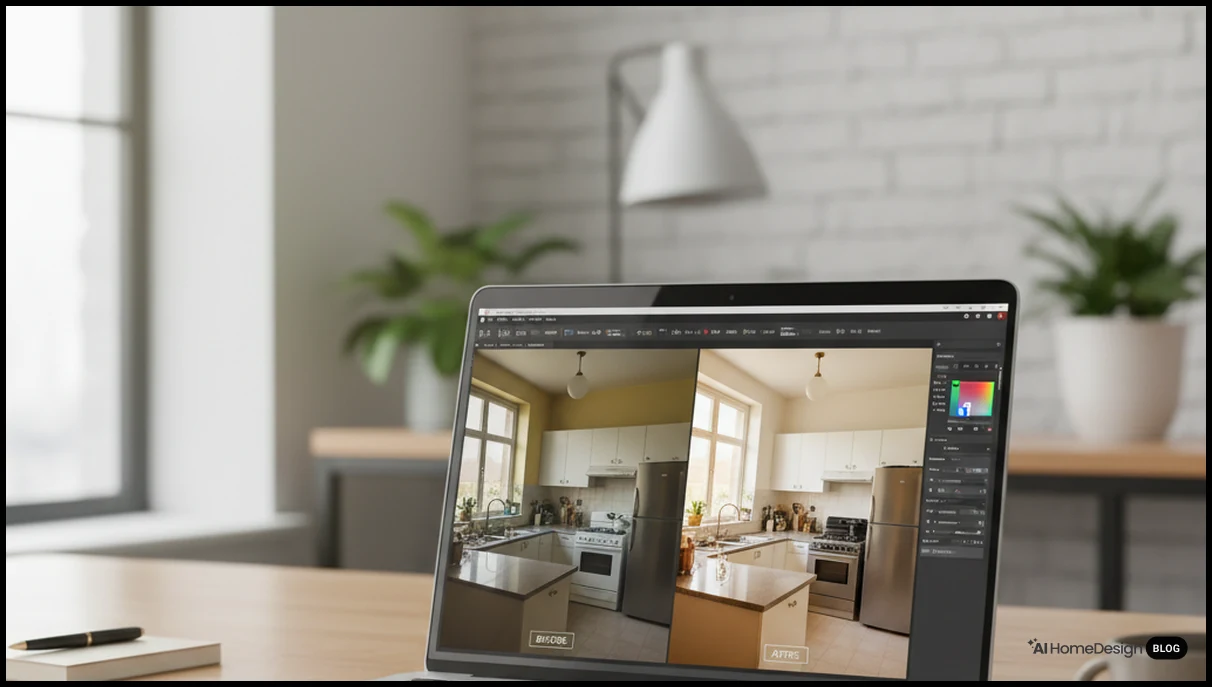
Desktop suites remain the backbone for many photographers. They offer deep control, color management, and reliable performance with large RAW files. Tools in this category often include cataloging, tethered capture, and advanced masking. They suit photographers who shoot high volumes and want consistent, repeatable edits across entire portfolios. Integration with plugins and external AI tools also makes them flexible hubs for a hybrid workflow.
For architectural and design-focused listings, desktop suites also support calibrated monitors and soft-proofing, ensuring that subtle finishes—brushed brass, honed stone, or matte paint—reproduce accurately online. Keyboard shortcuts, custom workspaces, and synchronized presets can cut minutes from each image, which compounds significantly across multi-building developments or new-construction communities with dozens of similar units.
2. Cloud-Based and Browser Editors
Cloud tools appeal to agents and teams who value collaboration and access from any device. These platforms typically emphasize simplicity, preset-driven editing, and quick sharing. While they may not match desktop suites for pixel-level control, they shine for social media content, quick listing updates, and team workflows where multiple people need to review and approve images. Many now include AI-powered auto-enhancement and sky replacement as standard features.
Because cloud editors centralize assets, they are well suited to brokerages that maintain strict brand standards. Shared style presets—such as a signature contrast curve or vignette strength—help keep franchise offices aligned. Version history and commenting tools also streamline feedback between marketing coordinators, photographers, and agents, reducing the back-and-forth that can delay going live with a listing.
3. Specialized AI Real Estate Photo Editors
Specialized AI editors focus on real estate–specific tasks: vertical correction, window view balancing, object removal, and virtual staging. Some platforms such as real estate photo editing services use AI to automate enhancement, declutter rooms, or virtually furnish vacant spaces. These tools are especially valuable for agents who do not have in-house photographers but still need professional-looking visuals on tight timelines.
In competitive urban markets, these AI tools can also help you quickly generate alternative narratives for the same space: a home office layout for remote workers, a nursery for young families, or an entertainment-focused living room. Because the underlying geometry stays constant, buyers still understand the true proportions, while the styling speaks directly to their lifestyle priorities.
4. Mobile Apps for On-the-Go Editing
Mobile apps have matured significantly. While they may not replace full desktop workflows, they are ideal for quick fixes: straightening, cropping, basic color correction, and exporting for social media. In 2026, many phones already capture high-quality HDR images, and apps can apply AI-based adjustments to optimize interior shots. For a deeper look at capturing strong images in the first place, resources on best cameras for real estate photography can help you pair hardware and software effectively.
Mobile tools are particularly useful for documenting construction progress or capturing amenity spaces that change frequently, such as co-working lounges or rooftop terraces. Lightweight edits done on-site can feed social stories and email campaigns quickly, while final, fully polished images for MLS can still run through your primary desktop or AI workflow later.
Comparing Key Feature Sets for Real Estate Editing
When evaluating options, it helps to compare how different tools handle the tasks that matter most for property marketing. The table below outlines common capabilities and where they typically appear across software categories.
| Feature | Desktop Suites | Cloud / Browser | AI Real Estate Tools |
|---|---|---|---|
| Batch Exposure & Color | Robust, fine control | Good, preset driven | Automated, real estate tuned |
| Lens & Perspective Correction | Advanced profiles | Basic to moderate | Automatic verticals & geometry |
| Virtual Staging & Decluttering | Via plugins or manual | Limited, app-specific | Core capability in many tools |
| Day-to-Dusk Conversion | Manual compositing | Template-based | One-click AI transformations |
| Team Collaboration | Local catalogs, exports | Built-in sharing & comments | Project-based dashboards |
Use this comparison as a checklist. If you shoot luxury properties with complex lighting, advanced perspective and color tools may matter more. If you manage dozens of mid-range listings, AI automation and batch processing might deliver greater value. Many teams combine a desktop suite for capture and color with a specialized AI platform for virtual staging and automated enhancements.
As you test software, run a small pilot: process the same listing through two or three workflows and compare not just aesthetics, but also time spent and file sizes. Note how each tool handles challenging areas such as staircases, glass railings, or glossy cabinetry. These architectural details often reveal whether an engine is tuned for portraits and landscapes or truly optimized for built environments.
How to Build a 2026-Ready Real Estate Photo Editing Workflow
The best photo editing software for real estate in 2026 is only as effective as the workflow around it. A structured process reduces turnaround times, keeps quality consistent, and makes it easier to scale as your listing volume grows.
Step-by-Step Workflow for Real Estate Photo Editing
- Capture with editing in mind. Use a tripod, low ISO, and bracketed exposures when possible. Compose to minimize clutter and leave space for cropping.
- Ingest and organize files. Import into your catalog or cloud folder, apply naming conventions, and group by property and room type.
- Cull efficiently. Use star ratings or flags to select only the strongest angles. AI-assisted culling tools can help identify sharp, well-composed frames.
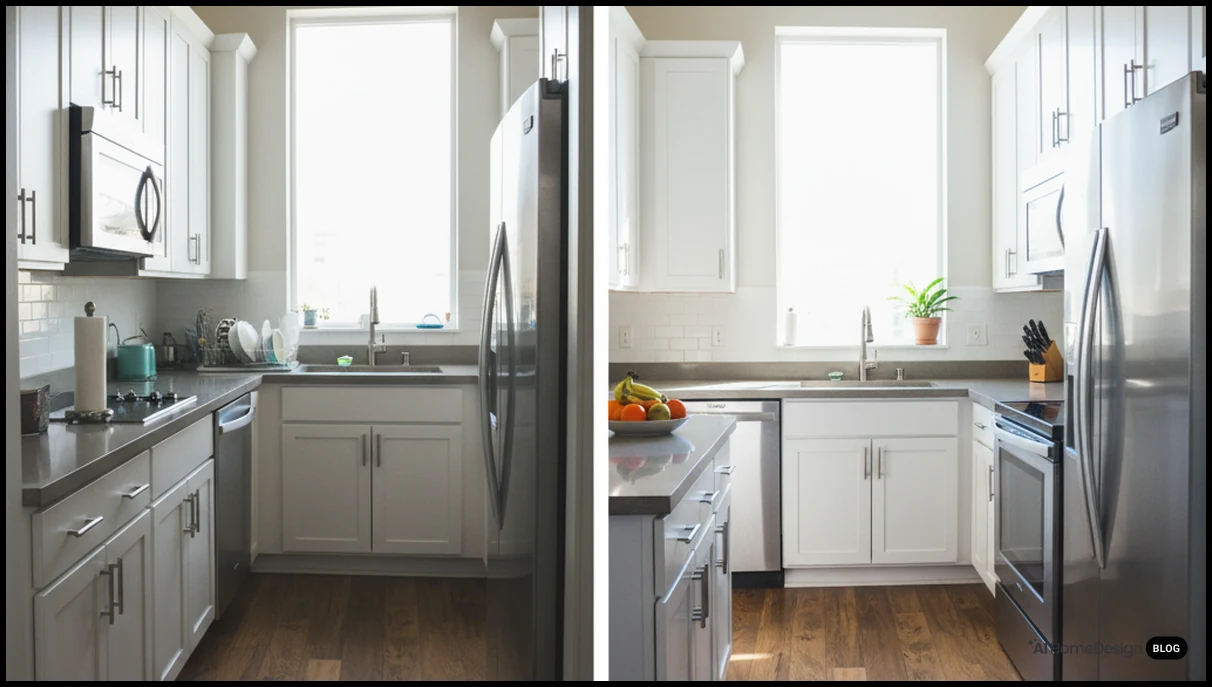
- Apply global corrections. Adjust white balance, exposure, contrast, and lens corrections in bulk. Sync settings across similar shots to save time.
- Refine key hero images. For main listing photos, fine-tune local adjustments, window highlights, and vertical lines for a polished look.
- Use AI for staging and enhancement. Platforms such as AI Homedesign or similar tools can handle virtual staging, decluttering, and automated enhancements when needed.
- Export for each channel. Create presets for MLS, social media, and print, adjusting resolution and compression accordingly.
- Archive and document. Store final JPEGs and editable files with clear folder structures and note which presets or AI tools were used. This makes it easier to replicate a successful look when the seller requests updates or when you relist a property after a seasonal pause.
Practical Tips to Speed Up Editing Without Losing Quality
Build reusable presets for common property types: bright condos, warm family homes, or modern minimal spaces. Use synchronized edits for sequences shot from the same angle. Reserve detailed local adjustments for a handful of hero images. Finally, document your workflow so assistants or collaborators can follow the same steps, ensuring consistent results across your brand.
Consider creating a “launch-ready” checklist that pairs editing milestones with marketing tasks: once hero images are exported, your team can draft listing copy, schedule social posts, and update email templates. Treating edited photos as a trigger for downstream activities helps you measure how editing speed influences days-on-market and overall campaign timing.
AI-Powered Enhancements: Virtual Staging, Decluttering, and Day-to-Dusk
AI has moved beyond simple auto-enhance buttons. In real estate, its most impactful uses are visual transformations that would be time-consuming or expensive to perform manually, yet still remain truthful to the property’s potential when disclosed correctly.
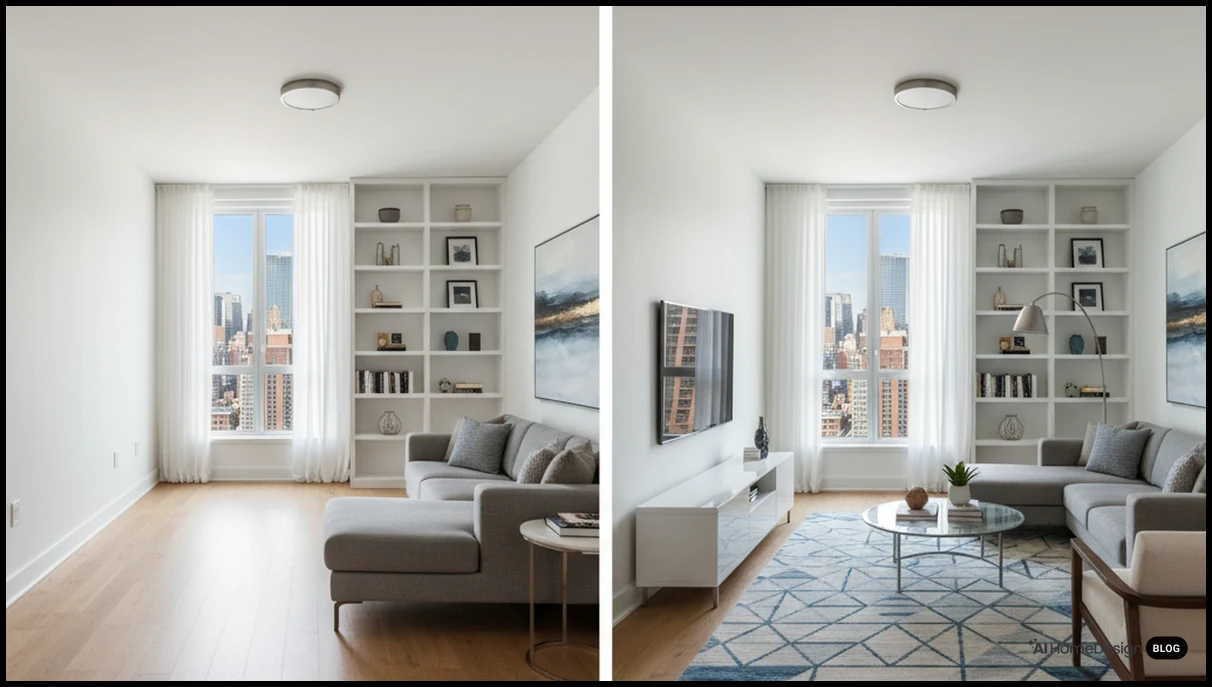
Virtual Staging and Style Exploration
Virtual staging lets you furnish vacant rooms or restyle outdated interiors digitally. AI-based platforms can recognize walls, floors, and existing furniture, then insert realistic sofas, beds, or decor in chosen styles. Some tools, including real estate virtual staging services, allow you to experiment with multiple looks—modern, farmhouse, or luxury—without reshooting. Always label virtually staged images and keep layouts faithful to the real room dimensions.
In design-conscious markets, you can use virtual staging to echo local architectural vernacular: mid-century pieces in postwar bungalows, clean-lined furniture in glass-walled condos, or layered textures in historic brownstones. Matching furniture scale to window height, door width, and ceiling lines keeps the illusion believable and helps buyers mentally place their own belongings in the space.
AI Decluttering and Object Removal
Minor distractions—cords, small items on counters, or a trash bin—can pull attention away from a room’s strengths. AI decluttering tools can remove or soften these elements while preserving textures and lighting. However, avoid removing permanent features like power lines or structural elements, as this can cross into misrepresentation. When in doubt, align your edits with local guidelines and brokerage policies.
Use decluttering strategically to emphasize architectural rhythm. Clearing busy refrigerator doors reveals clean cabinet lines; removing small rugs can show off continuous hardwood flooring; hiding countertop appliances can make backsplashes and stone patterns more legible. The goal is not to erase reality, but to reduce noise so the underlying design reads clearly at thumbnail size.
Day-to-Dusk and Sky Replacement
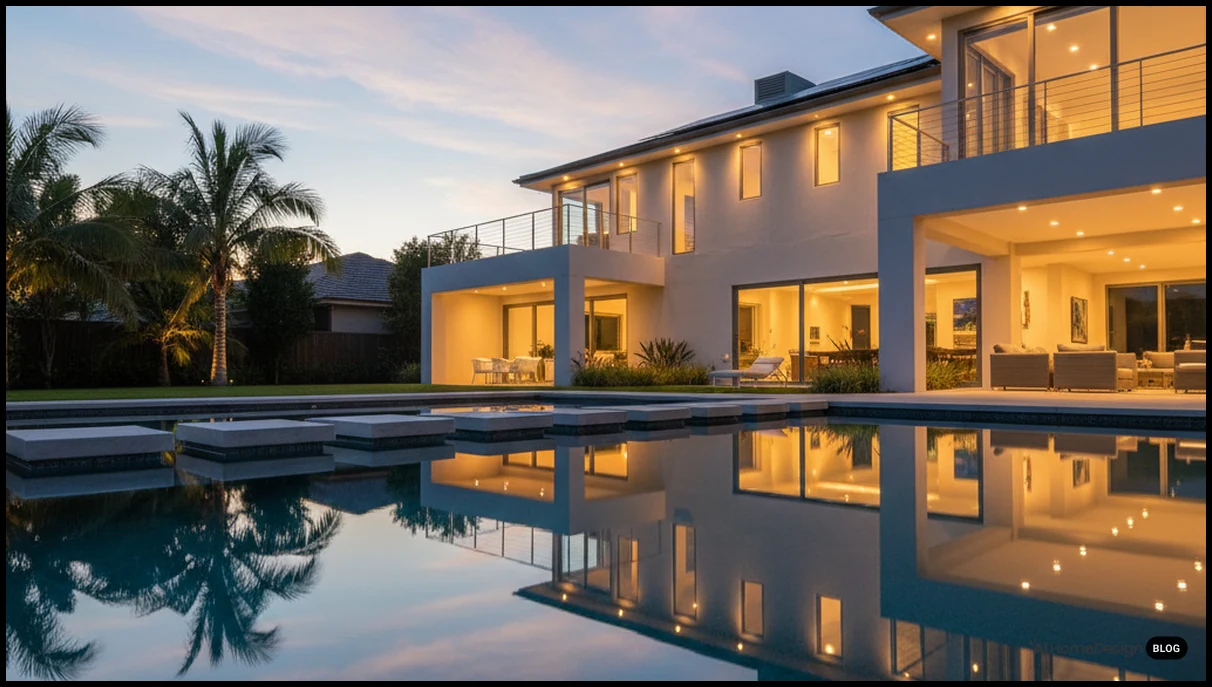
Day-to-dusk transformations convert a daytime exterior into a twilight scene, often with warm interior lighting and a dramatic sky. AI tools can automate this by detecting windows, roofs, and sky regions, then blending new lighting while maintaining realistic shadows. Used sparingly and labeled appropriately, these images can add emotional impact to key hero shots, especially for luxury listings or properties with strong outdoor lighting.
When applying these effects, pay attention to architectural lighting logic. Exterior sconces, landscape uplights, and pool lights should correspond to visible fixtures; reflections in glazing and water should echo the new sky color. Consistent color temperature between interior and exterior light sources helps avoid the “cut-out” look that can make edited images feel untrustworthy.
Balancing Quality, Cost, and Turnaround Time
Choosing the best photo editing software for real estate in 2026 is ultimately a business decision. The right mix of tools should support your pricing, listing volume, and brand positioning. A solo agent with a handful of listings per month may prioritize simplicity and low subscription costs, while a high-volume team might invest in automation and collaboration features.
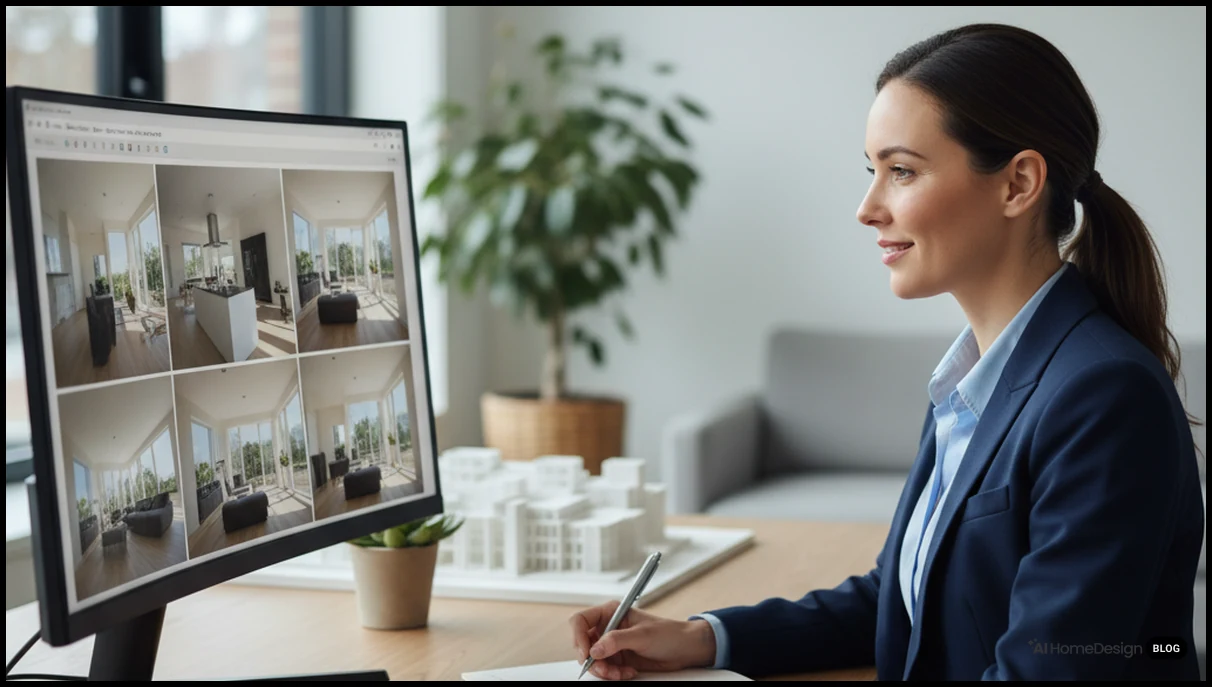
Cost Structures You Will Encounter
Most tools follow one of three models: one-time licenses, subscriptions, or pay-per-image services. Subscriptions are common for desktop and cloud suites, offering frequent updates and cloud storage. Pay-per-image models are typical for outsourced editing and AI staging platforms, where you upload photos and pay per processed file or room. Combining a modest subscription editor with selective outsourced tasks can keep overall costs predictable.
When comparing prices, factor in hidden costs such as training time, hardware upgrades, and the opportunity cost of slower turnaround. A slightly more expensive tool that cuts 10 minutes per listing can pay for itself quickly in high-volume markets. Track your average editing time per property before and after adopting new software to quantify these gains rather than relying on impressions.
When to Outsource vs. Edit In-House
If you handle only a few listings, learning a streamlined in-house workflow may be sufficient. As volume grows, outsourcing complex tasks—like window pulls, advanced retouching, or large-scale virtual staging—can free your time for client work. Some platforms, such as AI Homedesign and similar services, let you mix self-service AI tools with on-demand human editing, offering flexibility as your needs change.
Market conditions should also inform your decision. In fast-moving seller’s markets, speed may matter more than marginal improvements in polish, making automated tools attractive. In slower or luxury segments, where buyers scrutinize every detail, investing in higher-end manual retouching and design-driven staging can justify premium commissions and support stronger brand positioning.
Measuring ROI on Photo Editing Investments
Evaluate return on investment by tracking metrics such as time-on-market, showing volume, and online engagement before and after upgrading your visuals. While it is difficult to isolate photography from other factors, consistent improvements in click-through rates and buyer inquiries usually signal that your images are resonating. For broader strategies that combine visuals with copywriting and distribution, resources on real estate marketing strategies can help you integrate editing choices into a larger plan.
Consider segmenting your analytics by property type and price band. You may find that enhanced twilight exteriors move luxury homes faster, while improved kitchen and home-office imagery has more impact in mid-market suburbs. These insights can guide where you deploy your most time-intensive editing techniques for maximum financial effect.
Advanced Techniques for Standout Real Estate Images
Once you have a solid basic workflow, advanced techniques can help your listings stand out in competitive markets. These methods require more skill or specialized tools but can significantly elevate the perceived quality of a property.
Window Pulls and Interior-Exterior Balance
One of the toughest challenges in real estate photography is balancing bright windows with darker interiors. Techniques like exposure bracketing and manual blending can preserve both interior detail and exterior views. Some AI tools now assist by detecting windows and selectively adjusting highlights. Use these features to keep views realistic—especially when selling city or waterfront properties where the outside scenery is part of the value proposition.
For architecturally significant homes, consider creating a consistent window treatment strategy across the set: similar brightness levels, color temperature, and contrast for all exterior views. This continuity makes the floor plan feel coherent and helps buyers mentally connect rooms to the surrounding landscape or streetscape.
Color Consistency Across Entire Listings
Buyers often view all photos of a property in a single scrolling session. Inconsistent color temperature—warm in one room, cool in another—can subconsciously signal poor quality. Use global white balance adjustments and reference points (such as neutral walls) to harmonize tones. Save presets for each property so you can reapply the same look if you add photos later. This consistency supports stronger visual storytelling for realtors across marketing channels.
Pay attention to how edited colors represent materiality. Over-saturating accent walls or landscaping can make them look cheaper than they are, while slightly lifting midtones and clarity can help premium finishes read as crisp and intentional. When in doubt, compare your edits to architectural or interior design photography references rather than lifestyle or fashion images.
Composing for Mobile and Social Media
Many buyers first encounter your listing on mobile apps or social feeds. Crop key images to work well at smaller sizes, emphasizing clear lines and strong focal points. Avoid overly wide compositions that make details unreadable on phones. Some editors allow you to preview images in common aspect ratios and resolutions, helping you tailor exports for MLS, Instagram, and property websites without re-editing from scratch.
Think of your image sequence as a narrative: lead with a strong exterior or main living area, then alternate between wide establishing shots and tighter vignettes that highlight craftsmanship—tile patterns, stair details, or custom millwork. Editing software that supports virtual albums or storyboards can help you test different orders and see how they influence perceived flow and value.
Frequently Asked Questions
What makes software “best” for real estate photo editing in 2026?
The best tools combine batch editing, perspective correction, and AI automation while keeping images realistic and compliant with MLS and advertising guidelines for your region.
Do I need expensive software to edit real estate photos professionally?
No, but you do need tools with lens correction, batch adjustments, and reliable exports; many affordable options now include these essentials and basic AI enhancements.
How much time should I spend editing each listing?
With a streamlined workflow, expect 20–45 minutes per listing, focusing detailed attention on 5–10 hero images that drive most buyer engagement.
Is AI-based virtual staging allowed on MLS listings?
Often yes, if clearly labeled and not misleading; always check your MLS rules and brokerage policies before uploading virtually staged images to public platforms.
Can AI editing replace hiring a professional real estate photographer?
AI improves average photos but cannot fix poor composition or lighting; strong results still start with thoughtful shooting, equipment choice, and room preparation.
What file format should I use when exporting edited real estate photos?
High-quality JPEG is usually preferred for MLS, with moderate compression and sRGB color space to ensure consistent display across devices and listing platforms.
How do I avoid over-editing my property photos?
Compare edits to the real space, watch for unnatural colors or halos, and maintain visible texture in walls, floors, and skies to keep images believable.
Are mobile apps enough for professional real estate photo editing?
They can handle quick fixes and social media posts, but complex tasks like window pulls or precise perspective correction work better on desktop or web platforms.
How can I keep my editing style consistent across multiple photographers?
Create shared presets, document your workflow, and run sample images through the same software; periodic reviews help maintain a cohesive visual brand.
Conclusion: Choosing Your Best Photo Editing Stack for 2026
The best photo editing software for real estate in 2026 is rarely a single app. Instead, it is a stack: a reliable editor for global adjustments, specialized AI tools for staging and enhancement, and a workflow that respects both buyer expectations and legal standards. Start by clarifying your volume, budget, and technical comfort, then test a few combinations on an upcoming listing. As you refine your process, consider exploring ai homedesign and similar platforms as part of a flexible toolkit. Thoughtful software choices today can turn every property photo into a more persuasive, trustworthy invitation to visit in person.