Why Empty Commercial Spaces Are Harder to Interpret Than Homes
In residential listings, most viewers already understand what they are seeing. Even without furniture, a bedroom or living room is easy to recognize and mentally complete. The function is familiar, so interpretation requires little effort. In commercial real estate, this is where virtual staging for commercial real estate becomes relevant, as empty spaces are often harder to interpret.
Commercial properties work differently. An empty office looks open and flexible, but it often creates uncertainty instead of clarity. Where do teams sit? Is there space for meetings? Can the layout support both collaboration and privacy?
When listings fail to answer those questions quickly, potential tenants do not spend time figuring it out. They move on to listings that are easier to understand.
Virtual staging addresses this gap, but only when it is used to clarify function, not when it is treated as decoration. In commercial real estate, its role is not to make a space look better, but to make it easier to interpret. By showing layout, function, and possible use, it helps viewers understand how a space can work for their business before visiting in person.
What Is Virtual Staging in Commercial Real Estate?

Commercial real estate virtual staging digitally adds functional elements such as desks, shelving, display fixtures, and circulation paths to listing photos to make the space easier to understand.
This approach has become more important as commercial property searches increasingly start online. Tenants rely on listing images before visiting a space
However, a staged layout shows how the space can be used. Virtual staging reduces the uncertainty that comes with large, undefined areas.
These benefits of virtual staging become especially clear in commercial listings, where layout and function are harder to interpret.
How Commercial Virtual Staging Differs from Residential Staging
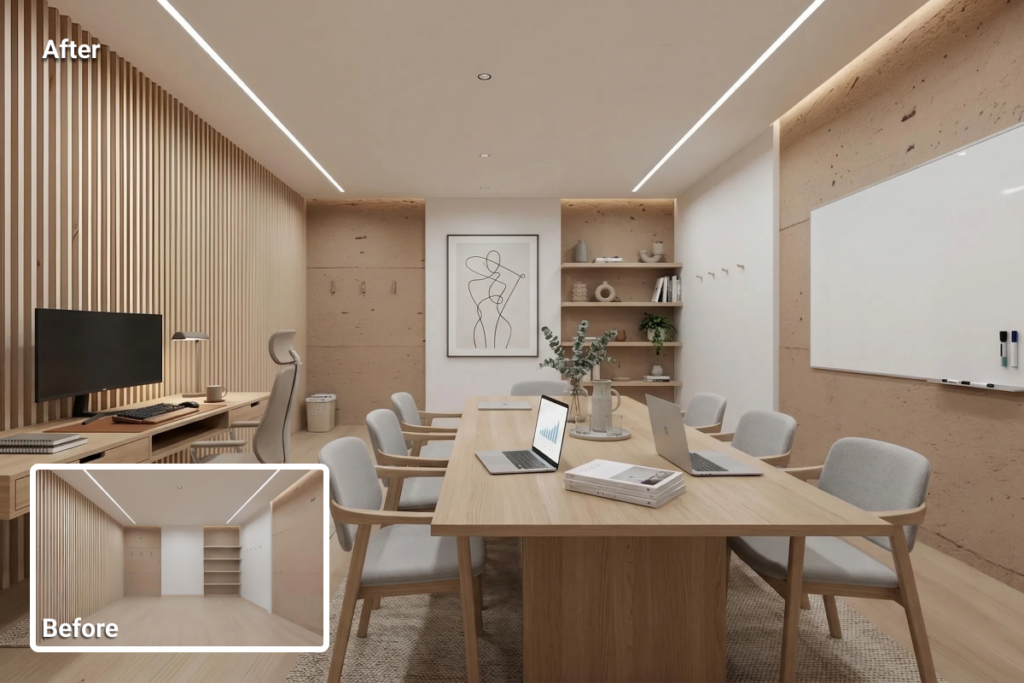
The difference between commercial and residential staging starts with the viewer and what they need to understand from a listing.
In residential real estate, staging focuses on personal preference. It creates atmosphere, suggests a lifestyle, and helps buyers imagine what living in the space could feel like. The response is emotional because the decision is personal.
Commercial real estate works differently. A tenant or investor is not trying to picture themselves in the space. They are evaluating whether it can support a business, accommodate a team, or generate a return. The decision is operational from the start, and the visuals need to support that.
This shift changes what staging is meant to achieve. Residential staging highlights comfort and style. Commercial staging prioritizes layout, capacity, and flow. In commercial listings, staging is not about aesthetics alone. Its purpose is to make the space legible, so viewers can quickly understand how it works.
Office Virtual Staging: Clarifying Layout and Function
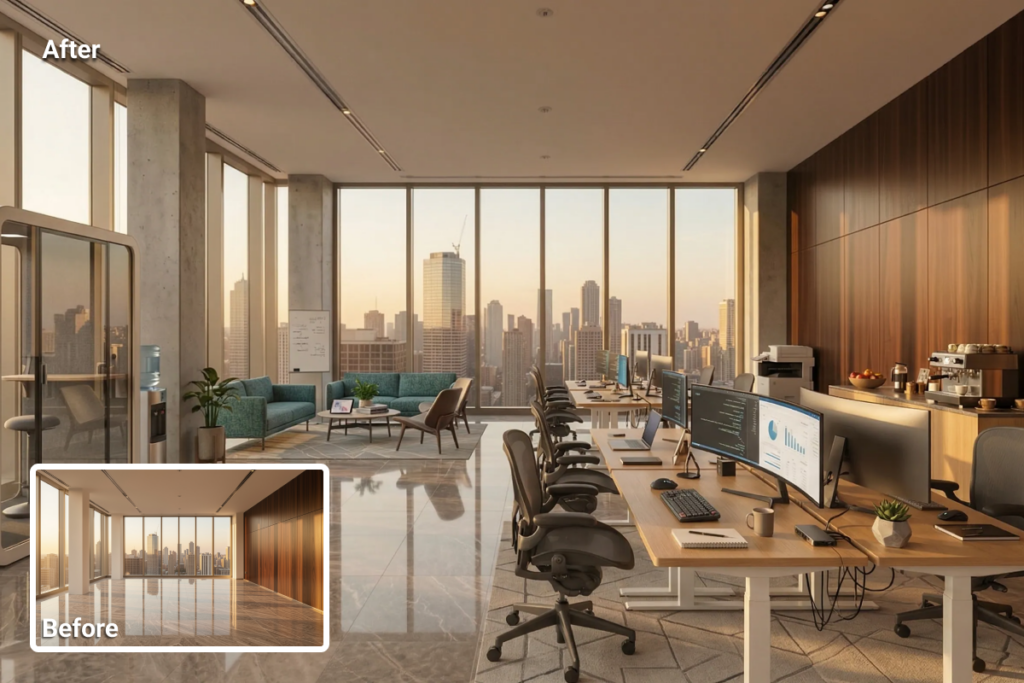
Office virtual staging is one of the most common applications of commercial staging. A large open-plan floor may appear spacious, but that alone does not help viewers understand how it would function in practice. Without context, it is difficult to estimate desk capacity, define work zones, or identify areas for meetings and quiet work.
When the same space is staged, it can show workstation arrangements, meeting areas, and circulation paths. Using tools such as AI virtual staging, these layouts can be visualized and adjusted to reflect different tenant needs. This is especially valuable when a property could serve multiple types of tenants, each with distinct operational requirements.
Retail Space Virtual Staging: Visualizing Business Potential

Retail spaces introduce a different kind of uncertainty. Without context, an empty unit may appear neutral but offers little insight into how it can actually function.
While size and condition are visible, key factors such as customer flow, product placement, and interaction points remain unclear. Viewers will not interpret it on their own.
In many cases, the challenge is not the space itself, but the lack of visual guidance. When that guidance is missing, even well-located properties can appear generic.
Commercial virtual staging clarifies these elements by making them visible. A staged retail space can define display zones, customer pathways, and service areas, showing how visitors might move from entrance to browsing to checkout. These visual cues turn a vacant unit into a space that can be evaluated in terms of usability and commercial potential.
How Virtual Staging Helps Commercial Listings Perform Better
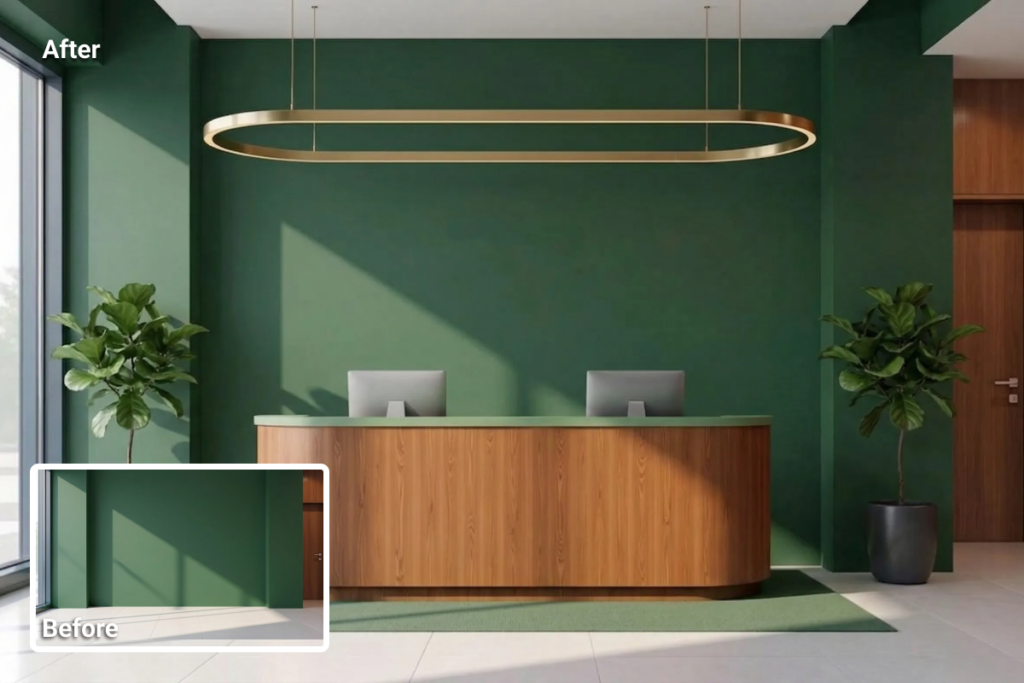
Tenants and investors evaluate commercial real estate listings with a practical mindset. They need to understand how a space works, not just how it looks. As a result, listing visuals must support quick and confident evaluation.
This is where real estate marketing strategies play a role. Effective listings answer key questions early, especially around layout, usability, and business fit. Many listings still rely on empty visuals, assuming space will “sell itself.” In practice, that assumption often slows down decision-making.
Listings that present layout and function clearly attract more relevant inquiries and reduce time spent explaining basic details during early conversations.
This reduces uncertainty and enables conversations to move forward with better context.
Where Virtual Staging Fits in the Commercial Listing Workflow
Virtual staging works best when teams treat it as part of a structured listing workflow, not as a final adjustment. In commercial real estate, listing preparation typically moves from photography to editing, then staging, before teams publish the final materials.
Strong commercial real estate photography provides the foundation, but raw images often require refinement. Adjustments such as image enhancement and other corrections help improve clarity, balance lighting, and prepare the visuals for staging. In some cases, teams rely on real estate photo editing services to handle these steps at scale.
Once teams prepare the images, commercial staging adds functional context. It shows how the space can be used, allowing viewers to evaluate layout, flow, and suitability for their business needs.
Examples of Commercial Virtual Staging in Action
Looking at virtual staging examples reveals how staging changes not just the appearance of a space, but how easily viewers understand it.
In an empty office, the viewer sees walls, windows, and open floor area, but no clear structure. Staging introduces defined zones in the same space: reception near the entrance, workstations grouped for teams, and meeting areas positioned for accessibility. Rather than an undefined layout, the viewer can follow how the space is organized and used.
Retail spaces show a similar shift. An empty unit may reveal size and condition, but it does not guide interpretation. A staged version introduces display areas, directs customer movement from entrance to browsing to checkout, and highlights key interaction points. The space becomes easier to read, not just easier to see.
The property does not change, but how quickly viewers understand it does.
When to Use Virtual Staging for Commercial Properties
Virtual staging for commercial properties becomes most valuable when a space lacks a clear, usable structure. Common scenarios include vacant offices, retail shells, newly developed properties, and spaces being repositioned for a different use.
These situations require listings to communicate function quickly, especially in online-first evaluation environments.
When time and coordination are limited, virtual staging becomes especially useful. With tools such as virtual staging software, teams can prepare and update listing visuals efficiently without waiting for physical setup or reshoots.
In commercial listings, staging is not just an enhancement. It becomes necessary when the space does not explain itself on its own.
Final Thought
Commercial properties often reach the market before teams fully define their intended use. In these cases, virtual staging helps translate an empty space into something viewers can understand and assess.
Commercial decisions begin with questions about function. When visuals answer those questions early, buyers assess listings more easily, and conversations move forward with clearer expectations.
For this reason, virtual staging has become part of the commercial listing workflow rather than an optional addition. It gives brokers and marketers a clearer way to present space, and it gives tenants and investors a more reliable basis for deciding whether to engage.
The space does not change. The clarity does.
FAQs
Costs vary based on the provider and the complexity of the project, but virtual staging is generally more affordable than physical staging. Most services charge between $1 and $20 per image, with AI-based platforms typically offering lower-cost, faster turnaround options.
Yes. As long as the structure of the space is visible, virtual staging can be applied. It is commonly used for unfinished offices, retail shells, and newly delivered units to illustrate how the space could function after fit-out.
Spaces that lack clear visual context are the strongest candidates. Vacant units, undefined layouts, and properties with flexible or changing use benefit most, as staging helps make layout and function easier to interpret.