What Is AI Real Estate Image Enhancement?
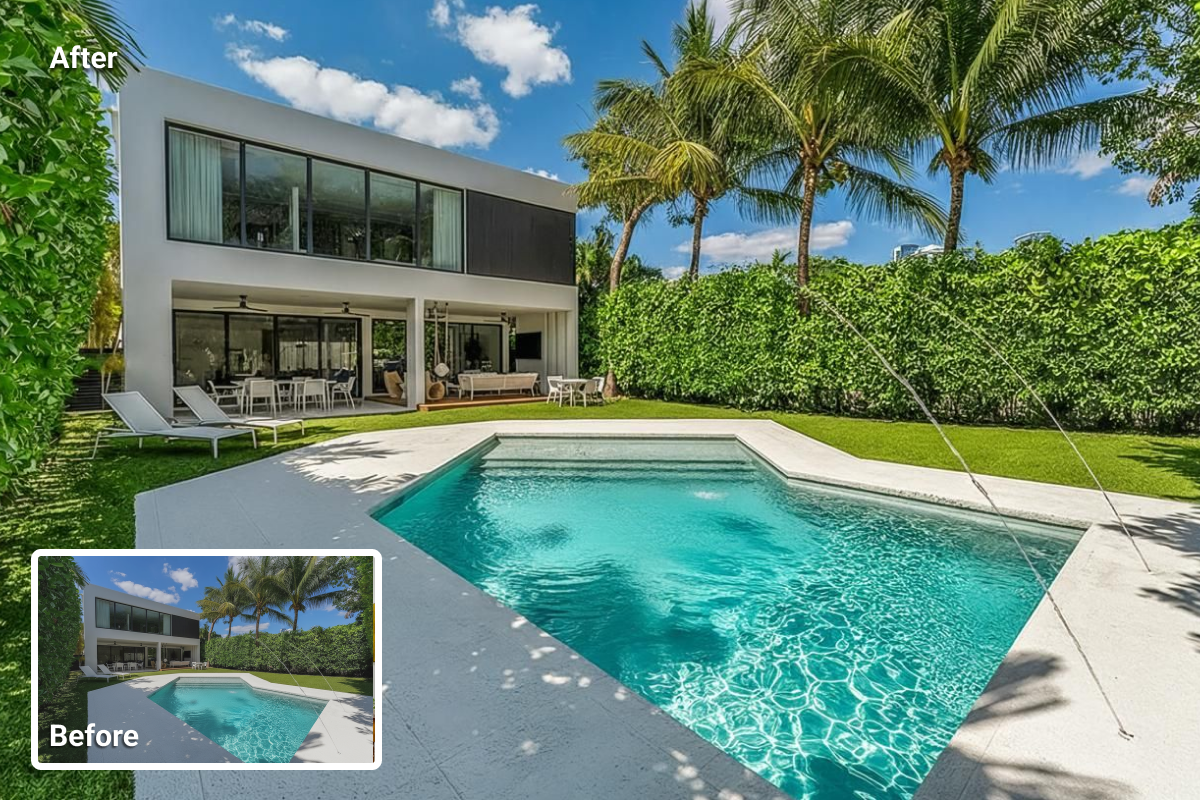
AI real estate image enhancement uses artificial intelligence to automatically correct lighting, color, and sharpness in property photos. Instead of manually adjusting exposure or color curves, AI models learn from thousands of professional real estate images to understand what a well-balanced photo should look like.
When a new image is uploaded, the system detects issues such as poor lighting, uneven tone, or color casts and corrects them instantly. This is especially useful for properties photographed under mixed or low-light conditions.
In traditional workflow, real estate photographers typically relied on Photoshop layers or Lightroom presets to achieve consistent results. With AI, the process is data-driven rather than subjective.
As a result, AI enhancement is particularly useful for listings photographed under complex lighting conditions, such as rooms that combine daylight with warm artificial lighting.
How AI Improves Real Estate Photos
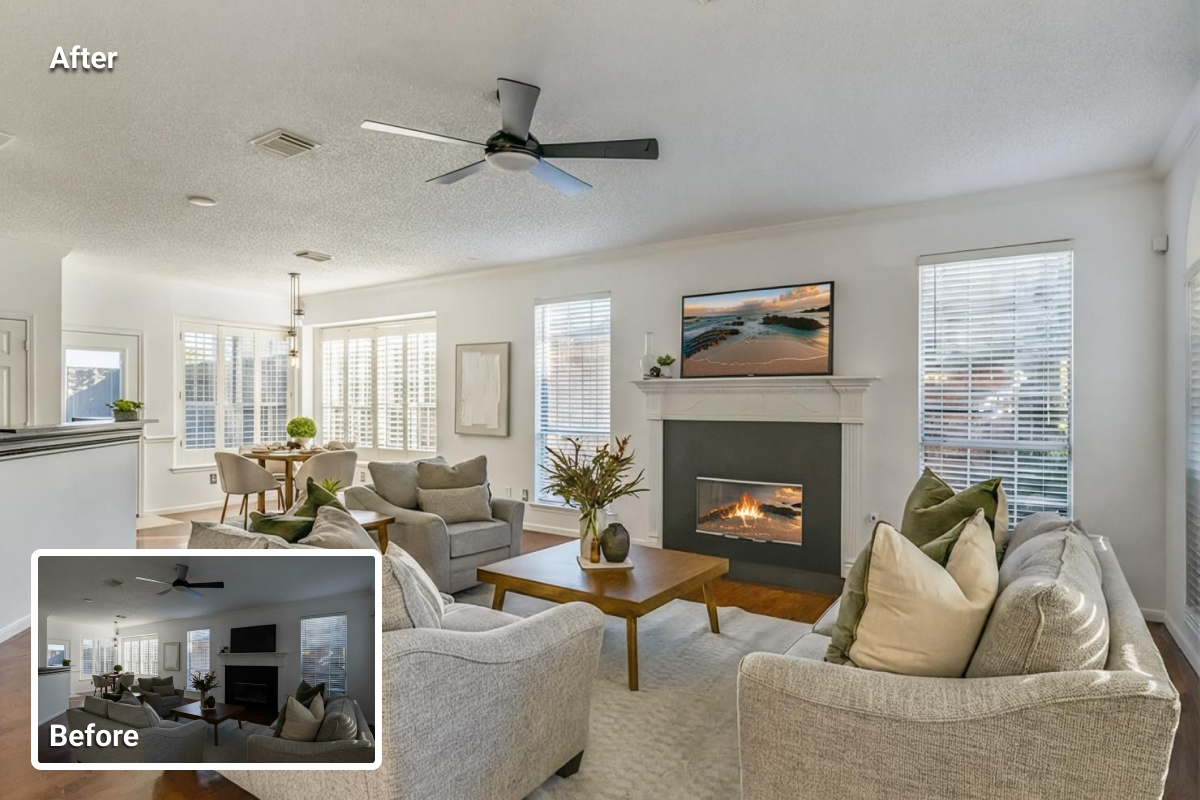
AI can enhance real estate photos in several ways, from correcting exposure problems to improving texture and tone. It detects issues the human eye might miss and corrects them automatically. Below are the most common applications of AI real estate image enhancement.
Lighting correction
Lighting issues are among the most common problems in property photography. AI real estate image enhancement analyzes brightness across the entire frame to balance shadows and highlights. Instead of brightening the whole image, it adjusts each zone separately, restoring detail in windows and darker corners while keeping the scene natural.
Color and tone balance
Mixed lighting often causes color shifts that make photos look inaccurate. Real estate image enhancement, powered by AI, automatically identifies and corrects color temperature. Whites appear neutral, wall tones remain realistic, and materials like wood or marble retain their natural shades. This makes each photo more faithful to the real property.
Clarity and sharpness
AI detects structural lines, furniture edges, and fine textures that may appear blurred or flat in the original photo. Through AI real estate photo enhancement, these details gain clarity without the artificial look that over-sharpening tools can create. The result is a clearer image that buyers can interpret more easily.
Consistency across a set
Most listings include several photos taken under different lighting or camera settings. AI applies consistent correction rules across all images, so tone, contrast, and clarity remain aligned. This gives the entire listing a polished, reliable appearance.
How to Enhance Real Estate Photos with AI HomeDesign
The process of AI real estate image enhancement on AI platforms is quite straightforward. To learn how such platforms perform real estate image enhancement, let’s walk through a practical example using AI HomeDesign’s enhancement tool. The steps below outline how a property photo moves from its original form to an improved version ready for publication.
Step 1: Open the Image Enhancement Tool
Go to AI HomeDesign and open the Image Enhancement section. The interface loads directly in the browser, so no installation or setup is required.
Step 2: Upload Your Photo
Select the image you want to refine. The system accepts both interior and exterior shots in common formats such as JPG, HEIC, PNG, JPEG, or WEBP.
Step 3: Select the Space Type and Optional Edits
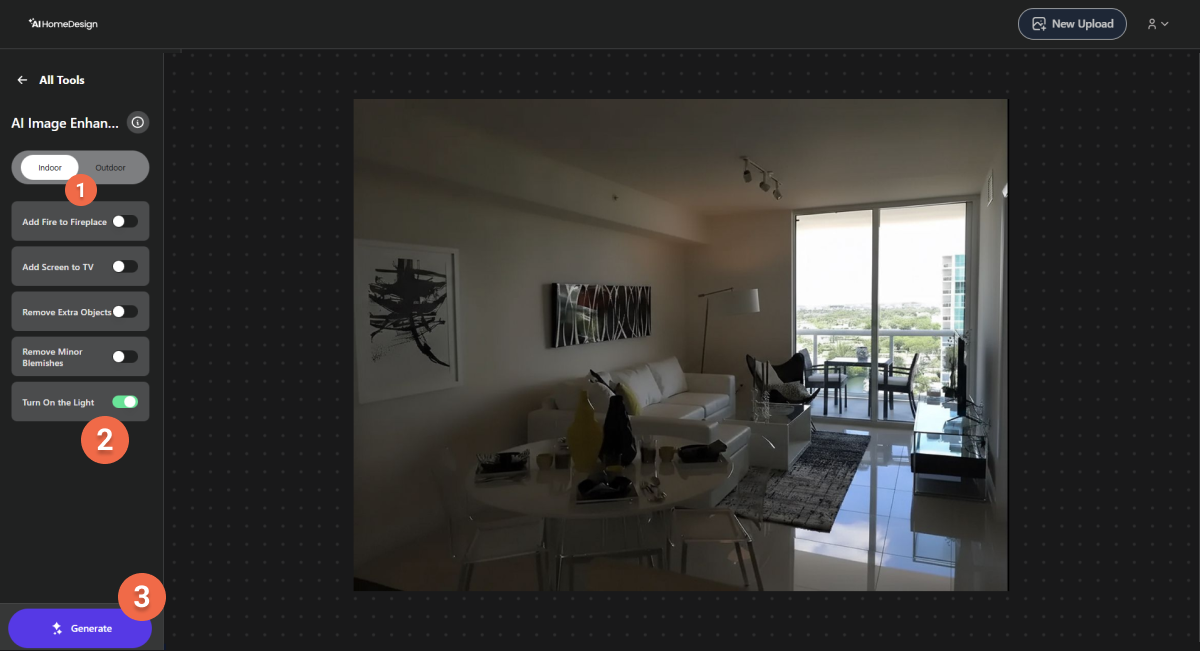
After uploading the photo, the next step is to tell the system whether the image shows an interior or an exterior space. Once that is set, AI HomeDesign offers several optional edits you can apply to improve the result. You can choose to:
- Add fire to fireplace
- Add a TV screen
- Remove extra objects or blemishes
- Turn on the light
Step 4: Generate the Enhanced Version
When your selections are ready, click Generate. Within about twenty seconds, the enhanced version of your photo will appear on the screen. The tool performs exposure balancing, color correction, and sharpness adjustments based on the scene content.
Step 5: Compare Before & After
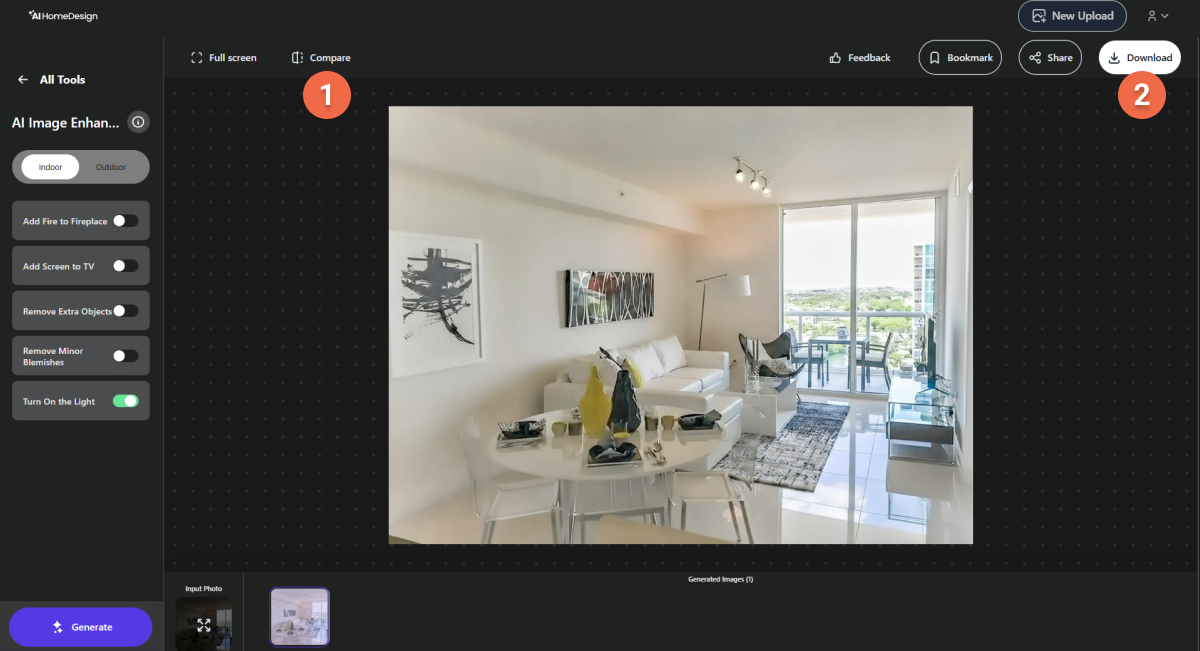
Once processing is complete, use the comparison slider located at the top left of the screen to view the original photo beside the enhanced version. This allows you to clearly see how the AI adjustments have improved lighting, color, and clarity.
If you are not satisfied with the result, you can toggle the options on the left side of the screen and generate a new version.
Step 6: Download the Final Image
After reviewing, click Download at the top right to save the final image. You can then upload it directly to MLS listings, websites, or brochures.