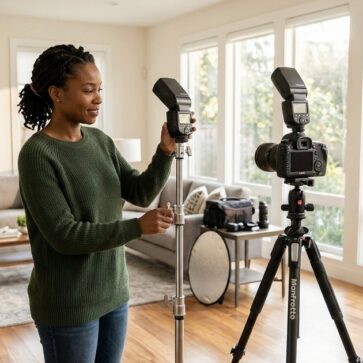
Real Estate Photo Editing Software Alternatives for 2026
A typical listing set is not one hero image. It is a repeatable production job, often 25 to 50 frames, delivered on a same-day or next-day promise, and consistent from room to room. That is why real estate photo editing software choices now hinge on throughput as much as control.
Photoshop still sets the ceiling for pixel-level fixes, but many listing-photo jobs now finish faster in AI. This guide separates what AI can handle cleanly from what still belongs in Photoshop, then compares practical tool stacks that keep delivery times tight. The broader landscape also sits inside AI home design and virtual staging alternatives, which helps teams map adjacent tools without adding extra vendors.
Why Photoshop Still Earns a Seat
Photoshop does not lose because it cannot edit real estate photos. The pain point is time. Manual masking, custom compositing, and one-off fixes scale poorly across a full listing set.
Listing work repeats the same edits across every address. Vertical lines need straightening. Windows need believable views. White balance needs consistency from room to room. Those repetitive passes fit automation well, because the edits follow predictable patterns.
Photoshop still matters when the photo stops being predictable. Dense tree lines against sky, rooflines with antennas, and reflective surfaces often need manual choices. Severe wide-angle distortion also benefits from careful perspective work, because one global correction can bend cabinets and door frames.
A practical split keeps both speed and control. Automation can carry the full set, then Photoshop can handle the two or three frames per shoot that fight back. That approach protects delivery time without giving up quality on the hard images.
The Five Listing-Photo Jobs That AI Can Finish
The fastest way to compare Photoshop alternatives is to think in jobs, not brands. A listing set usually needs five distinct outputs, and most tools cover only one of them.
Photo enhancement sits at the center. That job includes HDR blending, window pulls, color correction, and vertical correction. It also includes set-wide consistency, because buyers notice when the kitchen looks warm and the living room looks cool.
Day to dusk is a separate job, even when it uses the same exterior photo. Agents often want a twilight hero image for marketing, but a photographer does not want to rebuild the entire edit stack for one frame. Tools that convert day to dusk quickly can save time late in the delivery cycle.
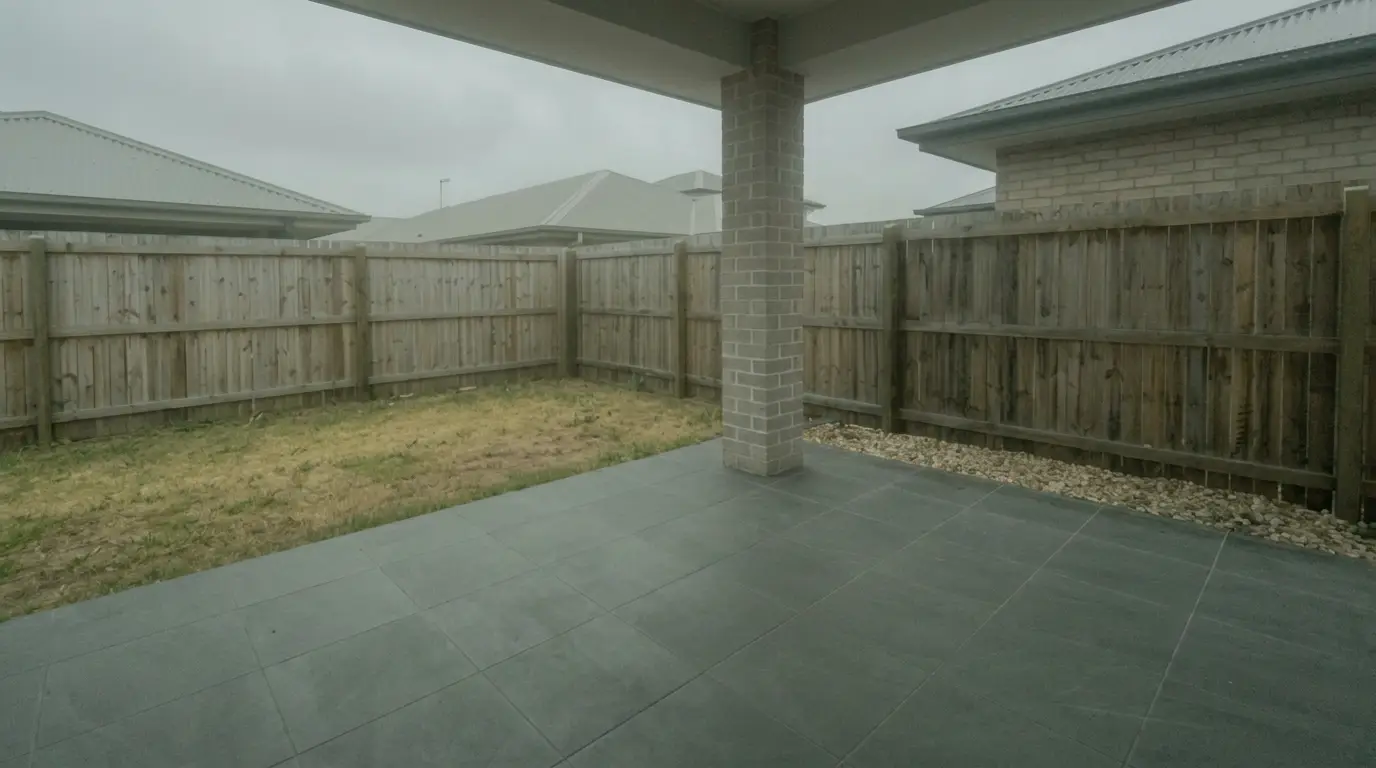
Item removal covers declutter, small object cleanup, and distraction removal. The key boundary is permanence. Removing temporary clutter often reads as standard cleanup. Removing a permanent fixture changes the property and raises compliance risk.
Virtual staging and virtual renovation sit on the generative side. Virtual staging adds furniture to help buyers read scale and function. Virtual renovation shows finishes that do not exist yet, which can help explain a plan, but it needs clear labeling. For the staging job specifically, this guide uses the same definition as virtual staging.
AI-First Editors for Repeatable Listing Edits
Fast delivery starts with the jobs that eat most of the clock every week. Enhancement, day to dusk, item removal, and staging tend to show up across many listings, so a single workflow that covers several of them reduces vendor switching and reduces revision friction.
Consistency matters as much as speed. A tool that makes one image look great but shifts color room to room creates more work in Lightroom and more questions from agents. The best AI workflows aim for repeatable settings across a full set.
Revision cost also changes the math. Some tools treat a re-run like a new job. Others allow free regenerations or inexpensive rerenders. That difference decides whether “seconds per photo” stays cheap on the second pass.
Delivery promises should match the stack. AI tools that return edits in seconds support a same-day promise for most shoots, while outsourced work often pushes delivery to the next day. A tight promise also forces cleaner capture, because the edit has less time for rescue work.
Where each tool sits
Price against speed. Bottom-left is cheap and fast, top-right is pricey and slower.
The tools in detail

AI HomeDesignTop pick
AI HomeDesign targets the real estate workflow where one listing needs multiple visual jobs, not only enhancement. The platform groups work into three hubs, virtual staging, photo editing, and renovation, and keeps them on one account and one credit pool.
Pricing runs credit-based, with published per-photo costs that step down by tier, and free regenerations that help teams iterate without paying twice for the same frame. AI HomeDesign also positions output as MLS-compliant by default, meaning the tool preserves original fixtures and structure.
What the photo editing hub actually covers: four core tools on every plan, and the depth matters more than the count on a full listing set.
- Image Enhancement: 11 enhancement modes, 5 indoor and 6 outdoor, covering sky replacement, interior lighting and lawn replacement, plus blemish removal and fireplace styling.
- Item Removal: whole-room declutter in a single step, a brush mode for targeted objects, and chat-based refinement until the frame is MLS-ready.
- Day to Dusk: 30+ twilight sky styles that swap without re-rendering, windows, lamps and pool lights lit automatically, and a darkness slider with unlimited free regenerations.
- Virtual Staging: 15 room types across 10 design styles, so 150 combinations, with free regeneration and AI chat edits.
Past those four the toolbox runs to 10+ tools, adding Interior Designer, Furniture Restyle, wall, floor, ceiling and backsplash changes, and Construction Completion for unfinished builds. Every tier also carries 8 extra AI tools that spend no credits, watermark-free downloads and unlimited storage, and unused credits roll over on Pro Plus and Enterprise.
Best for: photographers and marketing teams that want enhancement, day to dusk, item removal, staging, and renovation under one login instead of separate invoices.
Pricing: three tiers billed yearly, Pro at $19/mo, Pro Plus at $29/mo and Enterprise at $49/mo, with the per-photo cost stepping from $0.63 down to $0.24 at Enterprise volume. The free trial gives credits with no card, and free results are watermarked.
Pros:
- covers multiple listing-photo jobs in one place
- fast turnaround for listing deadlines
- unlimited free regenerations for variations
Cons:
- teams that only need catalog management still need a DAM tool
Skip it if: the workflow only needs Lightroom cataloging and no generative edits.
Tool link: AI real estate photo editing
View AI HomeDesign photo editing →
Roomagen Image Enhancement (Roomagen)
Roomagen Image Enhancement focuses on very fast, per-photo automation for common listing edits. The vendor describes turnaround as under 10 seconds per photo, with HDR and window pull actions cited in the 5 to 15 second range.
Pricing mixes per-image billing with plan-based tiers, and the vendor also lists a free tier. That shape suits photographers who want quick edits without building a manual masking workflow in Photoshop for each frame.
Best for: fast enhancement work with occasional day to dusk, especially when a full set needs consistent output quickly.
Pricing: paid entry tier at $12 per month, plus published per-image costs such as $0.29 per image on plan-based pricing.
Pros:
- very fast per-photo processing for enhancement
- HDR blending and window pull automation
- day-to-dusk conversion included in its scope
Cons:
- job coverage centers on enhancement, not a full listing workflow
Skip it if: a single subscription needs staging and renovation views for the same listing.
Sources: Roomagen AI vs Photoshop notes and Roomagen pricing details
View Roomagen Image Enhancement (Roomagen) →
CubiCasa AI Photo Editing
CubiCasa AI Photo Editing positions itself as a real-estate-trained, order-based workflow. The vendor describes automatic HDR blending and window pulls as included with every order, plus AI sky replacement and grass enhancement.
The tool also emphasizes an in-app review step after delivery, including fine-tuning. That model suits photographers who want automation plus a review layer before exporting a full set.
Best for: photographers who want a real-estate-specific order flow with a review step before delivery.
Pricing: priced per order, with pricing not publicly listed in the captured material for photo editing.
Pros:
- HDR blending and window pulls included with the order flow
- in-app review and fine-tuning after delivery
- designed around real estate editing tasks
Cons:
- pricing for photo editing was not published in the cited capture
Skip it if: the workflow requires a known per-image cost up front for quoting.
Source: CubiCasa AI photo editing overview
View CubiCasa AI Photo Editing →
Adobe Lightroom Classic
Adobe Lightroom Classic remains the workhorse for ingest and batch edits across 30 to 50 photos. It also functions as a catalog and DAM layer, which matters when a photographer edits multiple shoots per week and needs reliable retrieval.
Some real estate workflows cite 15 to 20 minutes per listing for Lightroom-based enhancement work, depending on the shoot and the preset setup. Even when AI does most pixel changes, Lightroom still helps with lens corrections, ordering, and consistent export.
Best for: high-volume photographers who need catalog control and fast batch adjustments before or after AI.
Pricing: Lightroom Classic is included in the Lightroom plan at US$11.99 per month, or in the Photography plan at US$19.99 per month, which adds Photoshop. Both are annual plans billed monthly. The US$9.99 Photography tier closed to new subscribers in January 2025.
Pros:
- fast batch processing and non-destructive edits
- catalog organization for multi-listing workflows
- easy re-import and re-export when revisions arrive late
Cons:
- does not cover staging or renovation renders
Skip it if: the workflow has no need for cataloging and relies on single-use folders only.
Workflow source: Lightroom and Photoshop workflow notes
Plan source: Adobe plans and pricing page
View Adobe Lightroom Classic →
Adobe Photoshop
- Best-in-class object removal with Content-Aware Fill
- Most capable sky replacement around complex tree lines/rooflines
- Advanced compositing for difficult real-estate fixes
- Fast AI selections (e.g., Select Subject) for masking workflows
- Handles severe perspective and multi-exposure blends

BoxBrownie
BoxBrownie represents the outsourced baseline. The offering spans image enhancement, day to dusk, virtual staging, and item removal as distinct services, billed per image rather than by subscription.
The biggest planning factor is timing. The vendor lists turnaround in the 24 to 48 hour range, which can create stress for short MLS deadlines and weekend listing schedules. That said, per-image billing fits teams that do not want another monthly subscription.
Best for: hands-off editing when predictable per-image billing matters more than same-day delivery.
Pricing: the vendor publishes per-service rates, such as image enhancement at US$1.60 per image and day to dusk at US$4.00.
Pros:
- outsourced workflow that reduces in-house editing time
- multiple services available, including staging and item removal
- per-image pricing can be easier to pass through to clients
Cons:
- outsourced turnaround can conflict with tight delivery promises
Skip it if: listings need same-day delivery as a standard promise.
Helpful next read: BoxBrownie alternatives for agents and photographers
View BoxBrownie →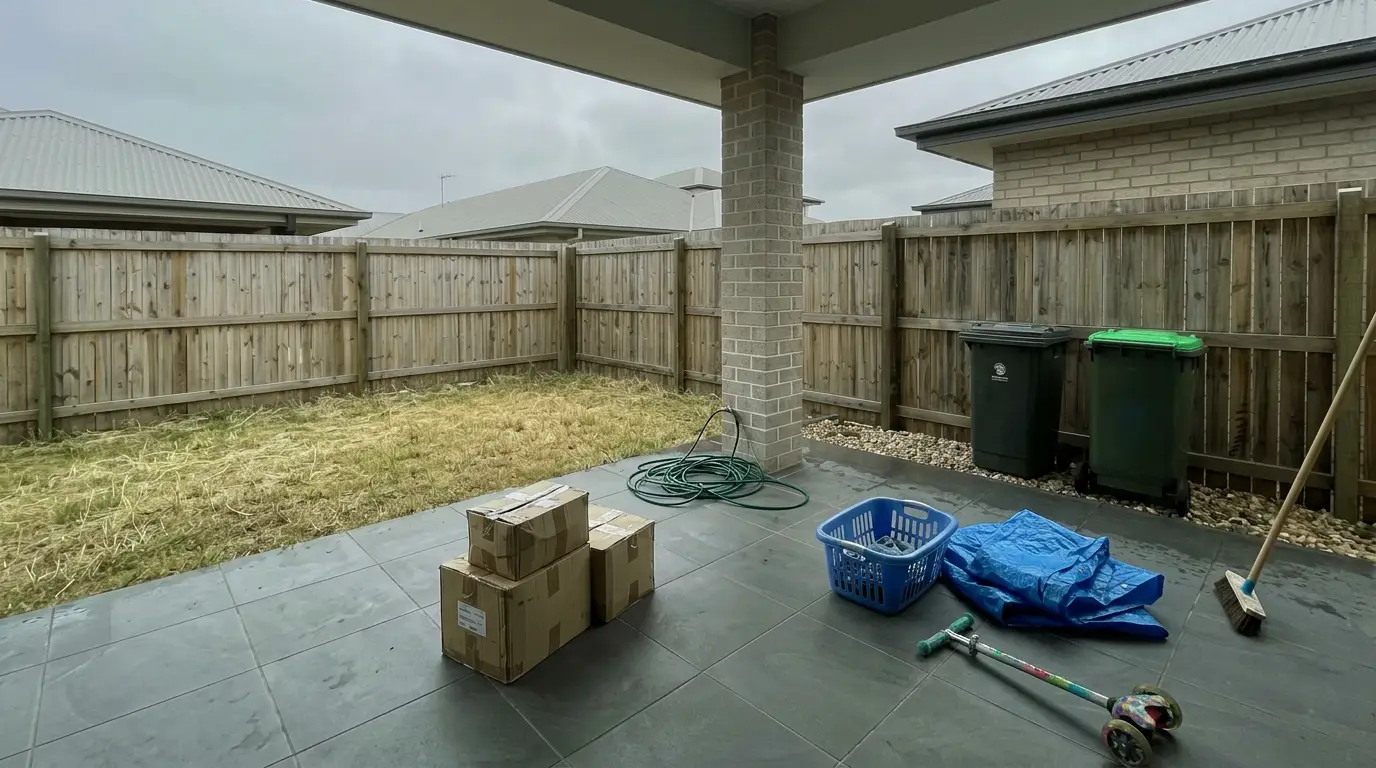

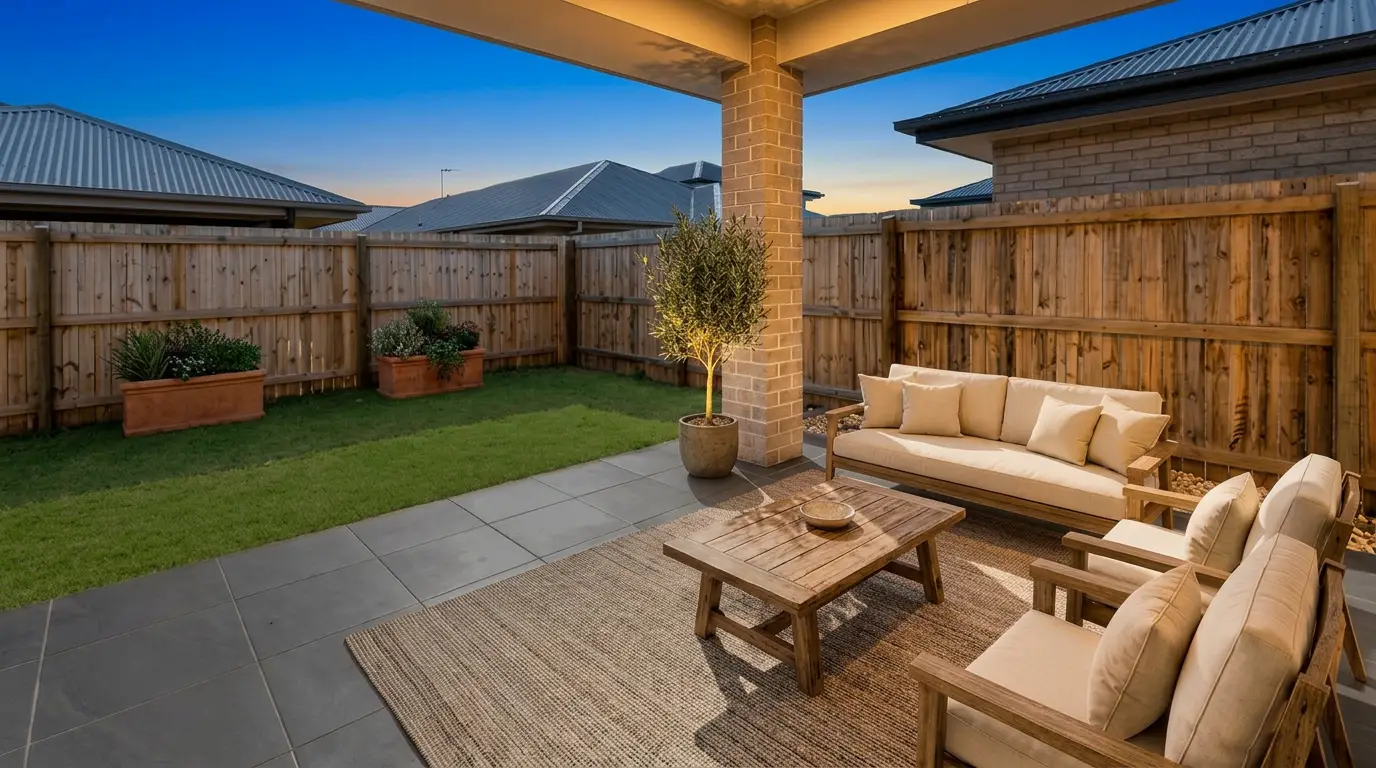
Get listing-ready photos in seconds
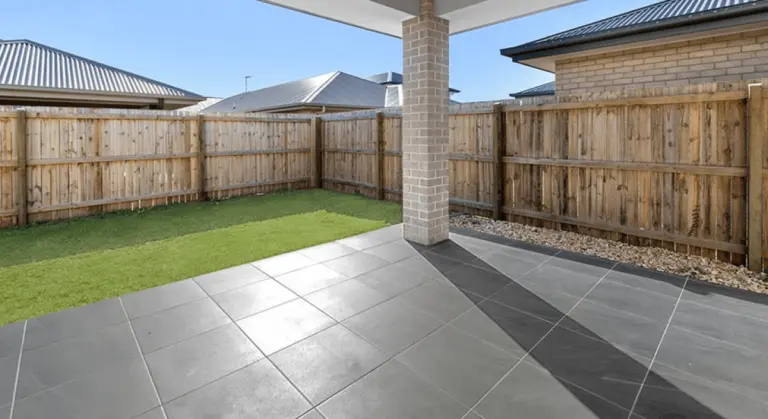
Clutter, exposure and twilight handled in one pass. All 11 tools on one account. Free trial credits, no credit card.
Start editing freeWhat it really costs per listing
Pick a tool, set how many listings you do a month, and see the real per-listing cost. Only the 4 tools that publish a monthly price are listed.
Order-Based Editing and Outsourced Turnaround
Some photographers prefer an order flow instead of per-photo clicking. Others prefer fully outsourced editing, especially when shooting volume climbs and nightly editing becomes the bottleneck.
Order-based tools can blend HDR, pull windows, and apply sky and grass enhancement without hands-on masking. That works well when the set needs a consistent baseline, then a human reviews the result and makes targeted changes.
Outsourced teams still earn their place as a baseline for consistency. The trade-off shows up in turnaround. A photographer who shoots on a Friday afternoon often feels a 24 to 48 hour window more than a per-image price difference.
A safe expectation for listing delivery is simple. AI-first editing supports delivery within 1 day for most shoots. Outsourced editing fits better with a 2 day delivery promise, because weekend timing and queue load can stretch timelines.
Catalog and Batch Foundations
Even in an AI-first stack, file handling still decides whether delivery feels smooth. Photographers still need ingest, naming, ordering, and export consistency across a listing set.
That work does not look like a “fix this image” task. It looks like the boring parts that protect delivery, like consistent filenames, a stable sort order, and a single place where originals live. Teams also need a simple way to re-import edited finals without losing metadata and shoot organization.
This is also where many free Photoshop alternative searches land in real estate. A tool can replace a masking workflow and still fail the production job if it cannot keep a catalog clean. Many teams keep Lightroom Classic for exactly that reason.
A clean foundation also reduces compliance headaches. Teams can preserve original files, keep an audit trail of edits, and export a final set that stays consistent in color and verticals.
How to Choose Real Estate Photo Editing Software in 2026

The buying decision looks simple until cost gets computed per listing. A tool that looks cheap per image can become expensive once day to dusk, staging, and item removal get split across vendors.
A practical benchmark uses a 25-photo listing. Outsourced enhancement at US$1.60 per image lands at US$40 for that set. Per-image AI priced from US$0.24 to US$0.29 lands around US$6 to US$7.25 for the same 25 images. Adobe’s Photography plan lists at US$19.99 per month, then labor becomes the real cost line.
Turnaround should be stated in days, not adjectives. A one-day delivery promise fits AI-first editing and in-house review. A two-day promise fits outsourced editing and weekend queue uncertainty. Tight promises also reduce the temptation to over-process a set at midnight.
Three questions sort most Photoshop alternatives quickly. How many of the five jobs live on one subscription. What happens when a revision is needed. And whether unused credits expire or roll over. Retention also matters, because plans vary on how long output stays available, so teams should check storage and backup policies before uploading client work.
For teams comparing more tools in this lane, the fastest shortcut is to scan other AI photo editing tools built for listings and then test with a full set from one shoot.
Shoot and File Workflow That Keeps a Set Consistent
A fast editor cannot fix a messy capture workflow. Consistency starts in-camera, then flows through export and re-import steps.
Bracketed sets still earn their place for interiors with bright windows. Brackets give an editor real highlight data for window pulls instead of asking software to invent the view. Single frames can work for rooms with modest dynamic range, but window-heavy interiors often look more believable when brackets exist.
RAW handling also affects consistency. Many AI workflows run best on a consistent JPG export set, with the same white balance baseline and the same lens profile applied. That protects set-wide color and reduces the risk that one room shifts warm while the next shifts cool.
After the edits return, teams should re-import finals into the same catalog or folder structure. That keeps naming and sort order intact, and it avoids delivery errors. A consistent delivery package contains finals, a simple change log, and disclosure notes for staged or renovated images. Teams should keep commission or fee figures out of that deliverable, because pricing belongs in a client conversation, not attached to photo files.
Capture matters more than any editor, so a refresher on how the photos are shot in the first place can save hours downstream.
Pre-MLS Quality Check for AI-Edited Photos

Speed creates a new risk. A fast stack can ship a set before anyone notices a crooked vertical or an unrealistic window view. A short quality pass prevents most issues.
Checklist
0 of 6 doneDisclosure protects both the agent and the photographer. Virtual staging and virtual renovation should carry clear Disclosure text such as “virtually staged” or “virtually renovated,” either as a Virtually Staged Watermark on the image or in the MLS remarks tied to that media. MLS Rules vary, so teams should confirm local requirements before publishing.
A final operational rule reduces risk. Keep the unedited originals locally for the file, and store the delivered finals with the same filenames. If the listing later faces questions, that archive makes it easy to show what was changed.
Many listings also ship a tour link alongside photos. If a package includes that step, virtual tour software helps teams choose a tool that matches the same delivery timeline.
Find your pick
Tap your situation for a quick recommendation.
Frequently asked questions
AI can replace most repeatable listing work, like exposure and color correction, HDR blending, window pulls, day to dusk, and small-item cleanup. Photoshop still earns its place for complex tree-line sky masks, severe perspective distortion, reflections, and bespoke compositing. Many photographers keep Photoshop for a small number of hard frames per shoot, not for the whole set.
A realistic benchmark is one day for an AI-first workflow that includes a quick human review, and two days for outsourced editing. That difference matters most on Friday shoots, weekend listing schedules, and rush price changes. A delivery promise should also match the capture method, since bracketed interiors take longer to process than simple single frames.
Disclosure most clearly applies to virtual staging and virtual renovation, since those images depict furniture or finishes that do not exist in the property. Teams can use simple labels like “virtually staged” or “virtually renovated” in a watermark or caption. Standard enhancement edits, like exposure correction, usually track as normal processing, but MLS Rules vary by market.
Some free Photoshop alternative options can handle basic crops, simple color tweaks, and minor object cleanup. They often fall short on high-volume needs, like consistent batch processing, lens corrections, and fast window work across a full listing set. Many teams use a free editor for occasional fixes, then rely on an AI tool or Lightroom for production speed.
Brackets still help in most interiors with bright windows, because they provide real highlight detail for the window view and reduce the need for aggressive tone mapping. Single-shot enhancement can work for rooms with modest dynamic range, especially on overcast days. Photographers who deliver consistent window pulls usually keep bracketing as the default.
A deliverable should contain the final JPG set, consistent filenames, and any needed disclosure notes for staged or renovated images. Business terms, like commission splits, internal vendor costs, or pricing negotiations, should stay out of file folders and embedded notes. That separation keeps the package professional and reduces the chance that sensitive details get forwarded.