Best BoxBrownie Alternatives for Agents and Photographers
The tool you’re replacing
BoxBrownie alternatives usually come up on deadline days, not budget days. A listing gets shot Tuesday afternoon, the seller wants it live Wednesday morning, and a 24 to 48 hour editing queue forces a later launch.
BoxBrownie.com remains a strong option for many teams. It is human-edited, revision-friendly, and built around clear ordering. The friction is the model: agents and photographers buy separate jobs, per image, then wait for delivery.
This guide focuses on alternatives that change either the unit of cost, the unit of time, or both. It also treats human editing and AI generation as different tools that often belong in the same monthly workflow.
BoxBrownie Alternatives: A Decision Framework

A switching decision gets simpler when the work gets named. Most listing photo sets need a base enhancement pass on every image, plus targeted work on a smaller group of “attention” photos.
A practical way to sort options is by three models. Model one is a human editing desk sold per task. Model two is instant AI generation and editing, with pricing that looks like a subscription or a credit pool. Model three is hybrid, where automation handles the volume and humans handle the complex or high-stakes frames.
Hybrid often fits real production better than “all human” or “all AI.” Agents may need same-day changes on staging style. Photographers may need consistent color and verticals across hundreds of delivered images.
For broader context on what platforms cover which jobs, agents can use the wider set of AI home design and virtual staging options as a quick map of categories.
What to Look for in a BoxBrownie Alternative
A tool only replaces BoxBrownie if it replaces the whole order pattern. That starts with job coverage across five common listing-photo tasks: photo enhancement, day to dusk, virtual staging, item removal, and virtual renovation. A staging-only subscription can still leave teams paying a second vendor for the rest of the set.
Cost also needs a per-listing view. BoxBrownie publishes pay-as-you-go rates for image enhancement at US$1.60, day to dusk at US$4.00, virtual staging at US$24.00 per image, item removal at US$4.00 to US$8.00, and virtual renovation from US$24.00 to US$176.00. Those numbers help teams price a typical listing plan, not just a single hero image.
Turnaround has to match the listing calendar. Many teams set a one business day target for enhancement so the gallery can go live the next morning. For staging and renovation work, the right target depends on how often sellers request changes late in the cycle.
Revision policy becomes a hidden cost. Human desks often make revisions easy because an editor reads notes and adjusts. AI workflows can make revisions fast because regenerations happen immediately, but teams need to confirm whether a re-render spends another credit.
Finally, consistency matters more than a single image. Agents notice when one room looks warm and another looks gray. Photographers notice when a staged style shifts from room to room. A useful deeper read on coverage and pricing trade-offs lives in how virtual staging platforms compare on coverage and cost.
These options suit agents who need immediate control and photographers who prefer self-serve iteration. The trade-off is that the user takes on more decisions that a human editor would normally handle.
Some alternatives stay closer to the “desk” model. Others sit between desk and AI by focusing on batch consistency, which photographers often value more than single-image control.
How These Alternatives Feel in Day-to-Day Production
A switching choice often fails on workflow details, not on feature lists. Upload-and-wait ordering creates a clean paper trail and a clear revision loop, but it builds time into the calendar. In-session generation creates speed, but it shifts decisions to the agent or photographer.
Consistency shows up first in the “base pass.” Batch enhancement tools can apply a repeatable look across a full gallery, which helps photographers deliver a cohesive set to agent clients. Staging tools behave differently because each room becomes a design decision. Teams can reduce room-to-room drift by standardizing a small set of styles per neighborhood tier and reusing them across the same listing.
Revision economics matter most when the seller changes direction late. BoxBrownie’s model supports unlimited changes on a paid order, which can lower stress when a client requests another furniture style. Credit-based AI models can make revisions faster through regenerations, but teams need to confirm whether a new render consumes more credits.
The cleanest way to reduce downstream work still starts at the shoot. Straight verticals, consistent white balance, and controlled window light reduce correction needs and protect gallery consistency. Photographers can borrow practical capture habits from shooting practices that reduce editing work later.
What BoxBrownie.com does well, and where it stops
What it does well
- Wide range of real-estate editing services in one place (enhancement, staging, dusk, removal, floor plans, etc.)
- No subscriptions (pay only for what you use)
- Unlimited changes / satisfaction guarantee
- 24/7 customer support (live chat/phone/email)
- A free tier you can test before paying anything
Where people outgrow it
- Renders run 24-48 hours, slower than the alternatives here across a full photo set
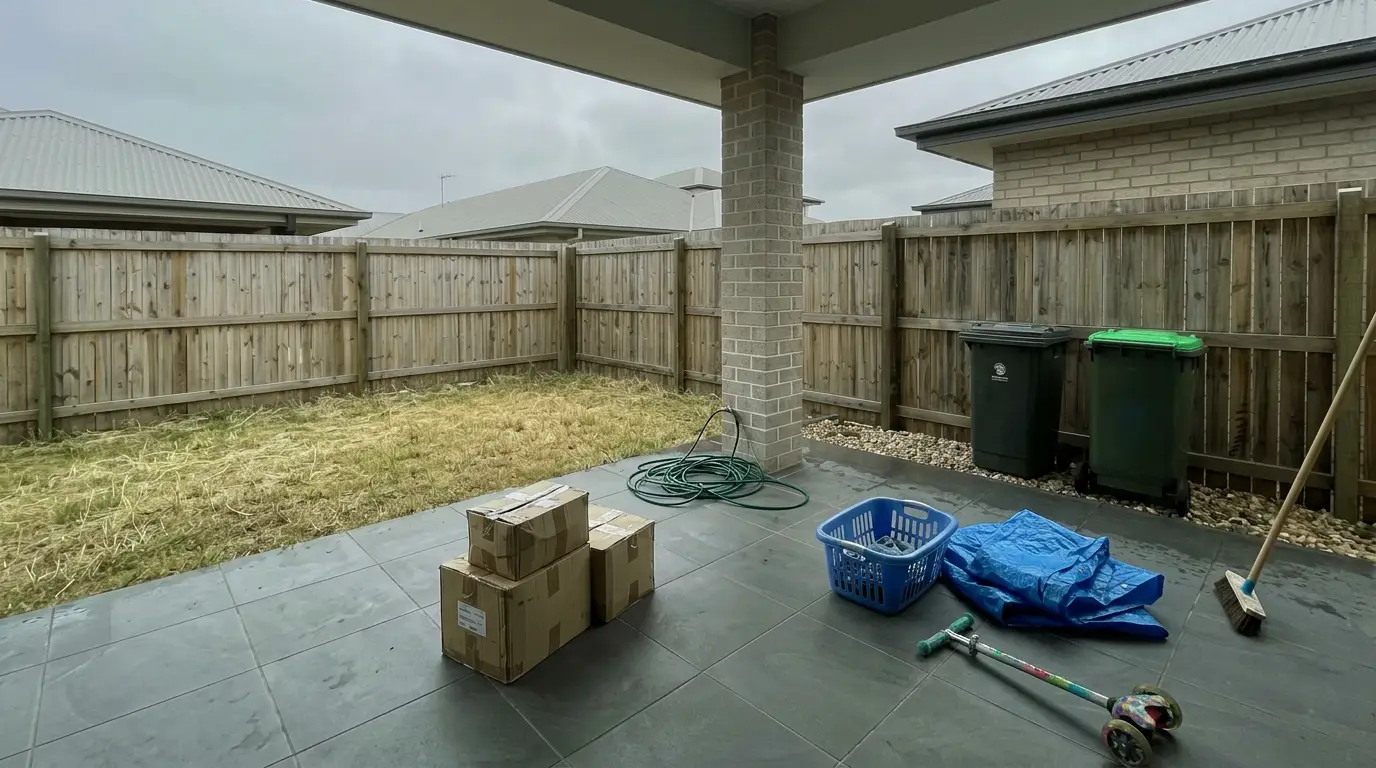
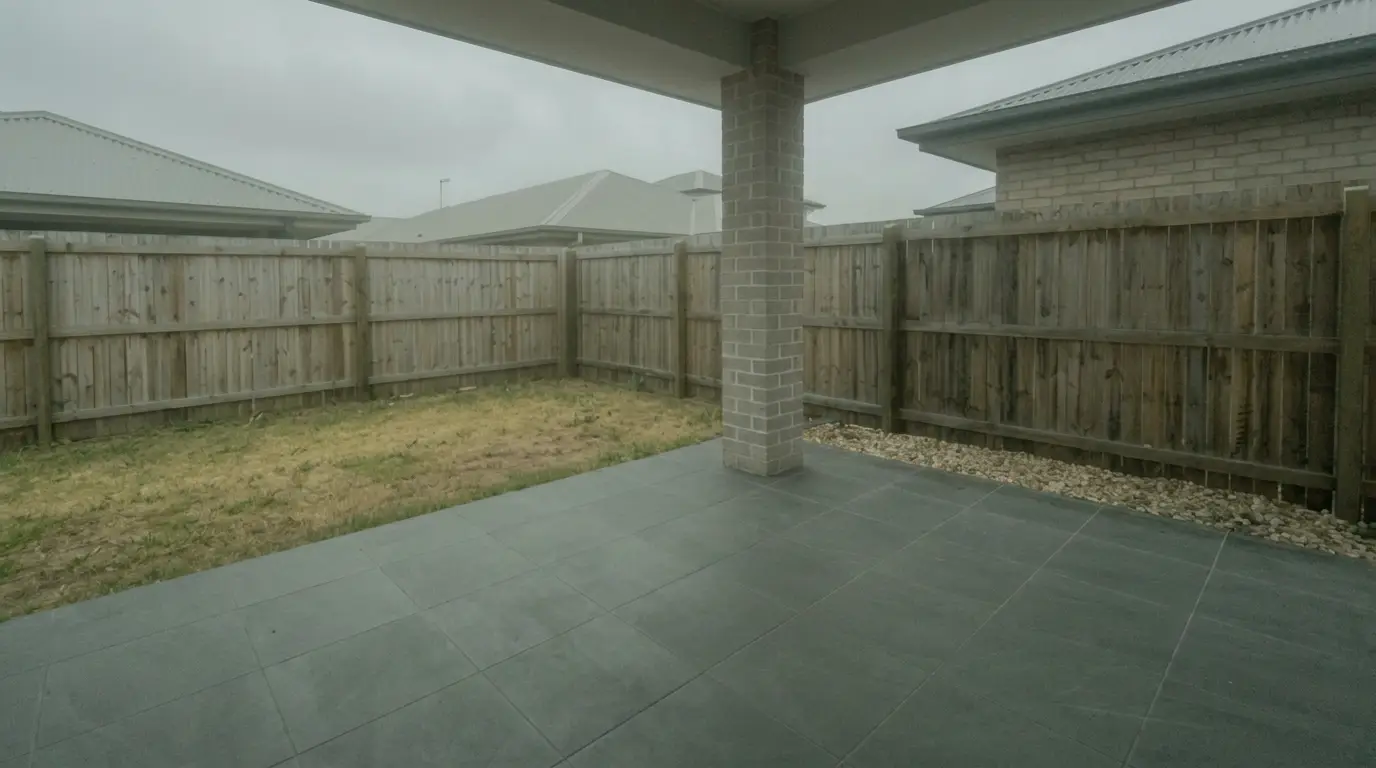
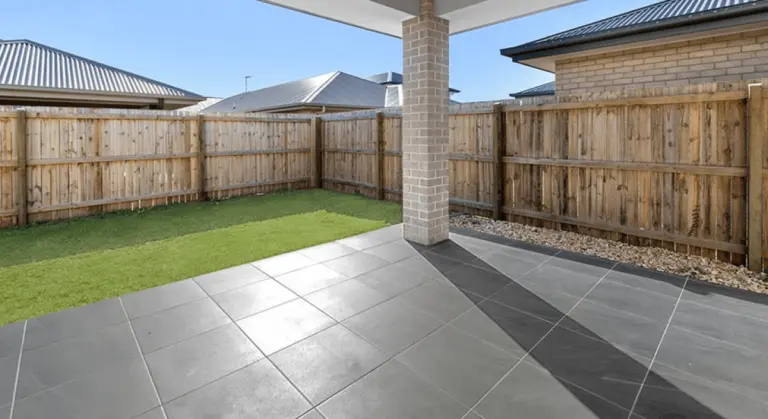


Get listing-ready photos in seconds
Clutter, exposure and twilight handled in one pass. All 11 tools on one account. Free trial credits, no credit card.
Start editing freeThe tools in detail

AI HomeDesignTop pick
vs BoxBrownie.com: AI HomeDesign shifts the workflow from ordered jobs to instant generation and editing inside one credit pool.
AI HomeDesign groups virtual staging, photo editing, and renovation into three hubs, delivered through a web app, B2B workflows, a REST API, and an MCP server. It includes AI Virtual Staging, AI Day to Dusk, AI Item Removal, and Image Enhancement on every plan, plus renovation tools such as wall, floor, ceiling, and backsplash changes.
Pricing runs on credits, with per-photo costs that drop by tier. Plans publish an annual-billing range from $0.63 per photo down to $0.24 per photo, with virtual staging generation happening in seconds and stated staging speed under five seconds.
Revisions work differently than a human desk. The platform supports variations per room plus free regenerations, so agents can iterate on furniture style without opening a new “order.” An editor does not read notes and make manual adjustments, so teams that rely on written briefs for complex retouching may keep a human service for those edge cases.
For details on workflow scope and boundaries, teams can reference an honest look at what AI HomeDesign does and does not do. For a direct entry point into the editing hub, AI real estate photo editing outlines the photo-side tools.
View AI HomeDesign →Imagen

vs BoxBrownie.com: Imagen emphasizes gallery-level consistency and batch handling, which suits photographers delivering high volume.
Imagen describes a browser-based workflow with batch color correction, per-photo fixes, and support for tasks like HDR merge, perspective correction, sky replacement, and object removal. Its materials also describe three human revisions per listing inside the app and a first batch processed in under 10 minutes.
Pricing includes a free trial and pay-as-you-go per photo, which can help teams match spend to volume when monthly output swings. The listed starting terms appear on Imagen.
This option tends to fit photographer operations that need repeatable color and exposure across many shoots. It can also fit teams that want a lighter-weight alternative to per-job ordering without moving fully into staging-first tools.
View Imagen →
AI Smart Decor
vs BoxBrownie.com: AI Smart Decor targets virtual staging speed and monthly volume, but it does not replace multi-job ordering.
AI Smart Decor positions itself as staging-first. Its materials describe roughly 30-second staging turnaround and a style library aimed at quick interior swaps, with real-time editing on eligible plans.
Pricing follows a subscription model, including a free allowance and paid plans that start with From $9/mo. That structure can fit teams that stage frequently and prefer predictable monthly billing.
The main constraint is scope. A staging-only tool still leaves enhancement, day to dusk, item removal, and renovation visuals to other workflows. That is not a deal-breaker, but it changes budgeting because the team buys a second service for the rest of the gallery.
View AI Smart Decor →
Maggi Homes
vs BoxBrownie.com: Maggi Homes adds marketing outputs such as listing-to-video, which changes the deliverable beyond still images.
Maggi Homes frames itself as an all-in-one AI platform that covers photo editing and virtual staging, with instant processing described in seconds. It also positions video creation and a template library as part of the same workflow.
Pricing is subscription-based, with plans starting at From $29/month. That can appeal to agent teams that want one subscription to support both images and listing video.
Coverage still matters. This option focuses on enhancement and staging. A team that needs day to dusk, detailed item removal, or renovation renders may still keep a separate tool or a human service for those tasks.
View Maggi Homes →
Stuccco.com
vs BoxBrownie.com: Stuccco.com stays closer to a human-powered ordering model, which can suit complex requests that need written direction.
Stuccco.com is described as human-powered with credit-based per-image pricing and batch upload support. It also lists standard enhancements plus basic object removal and virtual staging.
Pricing is published as pay-as-you-go, including US$35 per photo. Turnaround for complex requests is described in the 24 to 48 hour range.
This alternative often makes sense when the goal is not instant iteration, but a familiar request-and-deliver flow. Teams comparing only on price still need to map the same listing plan across both vendors to avoid false savings.
View Stuccco.com →What it really costs per listing
Set your listing volume to see what each tool works out to per listing rather than per month. Only the 3 tools listed here publish a flat monthly price, and BoxBrownie.com is not one of them; the rest quote per photo or on request, so a monthly figure would be invented rather than compared.
Moving off BoxBrownie
A migration plan needs to treat BoxBrownie as a workflow, not an account. The core assets carry over. The same RAW or JPEG set works, and the same room-by-room brief still helps, even if the new tool expresses that brief as a preset or prompt.
The operational changes sit in three areas: naming and delivery, disclosure handling, and client expectation. Teams often rebuild folder naming so “final,” “virtually staged,” and “day to dusk” outputs stay separated for MLS compliance. Photographers often rebuild client delivery templates and rebill line items so agent invoices remain clean.
A parallel test lowers risk. Running one live listing through a new option and the old workflow in the same week allows a true gallery comparison. The decision should come from the full set, since mixed lighting and inconsistent style shows up across 25 images faster than it shows up in one hero shot.
A practical switch checklist looks like this:
The Industry Reality Behind Edited Listing Photos
Disclosure obligations follow the image, not the vendor. Virtual staging and material edits can change buyer expectations, so many MLSs and brokerages expect clear labeling when images change more than light and color. Rules vary by market, so agents should follow local MLS Rules and brokerage guidance for exact placement and wording.
A safe baseline many teams adopt uses plain labels rather than marketing language. Common examples include: “Virtually staged,” “Digitally enhanced,” and “Virtual renovation rendering.” Many MLSs also allow disclosure in public remarks or private agent notes, but the right approach depends on local policy.
Human editing still holds a real place in the stack. Complex renovation visuals often require an editor who can interpret written notes, preserve intended finishes, and manage tricky scenes like heavy clutter. Human desks also help when a listing needs a very specific look that has to match prior marketing.
Turnaround pressure makes these choices feel urgent. Same-day launches, last-minute style changes, and weekend listing schedules punish workflows that require a back-and-forth cycle. AI tooling changes that clock for many tasks, and it is one reason where AI is actually changing real estate workflows has become a practical topic for agents and photographers, not a tech trend.
Find your pick
Tap your situation for a quick recommendation.
Frequently asked questions
BoxBrownie lists virtual staging at US$24.00 per image on a pay-as-you-go basis. Several alternatives price differently, often through subscriptions or credits. AI Smart Decor starts with a monthly plan, Maggi Homes lists a subscription starting point, and AI HomeDesign publishes per-photo costs that drop by tier. A fair comparison prices a full listing plan, not one room.
BoxBrownie states a 24 hour turnaround, with 48 hours for virtual staging. Several alternatives describe near-instant processing for AI tasks, which can support same-day listing launches. Imagen’s materials describe a first batch processed in under 10 minutes. Stuccco.com stays closer to a human-powered model and lists multi-day timing for complex work.
BoxBrownie covers photo enhancement, day to dusk, virtual staging, item removal, and virtual renovation. Alternatives vary by scope. AI Smart Decor focuses on virtual staging. Maggi Homes lists enhancement and staging, plus video creation. Imagen lists several editing tasks and staging. AI HomeDesign groups virtual staging, photo editing, and renovation tools into one account and credit pool.
Most teams treat disclosure as a non-negotiable, because the label protects consumer trust and reduces MLS issues. The exact wording and placement varies by MLS and brokerage policy. A plain label like “Virtually staged” often reads cleanly in a gallery, while some MLSs prefer disclosure in remarks. Local rules should govern the final approach.
Revision economics vary by model. BoxBrownie advertises unlimited changes with a satisfaction guarantee on paid orders, which can reduce friction with seller feedback. Imagen’s materials describe three human revisions per listing. AI HomeDesign includes free regenerations within its credit model. Other tools may treat a rerun as another credit or image allowance, so terms matter.
Agents often need a few edits fast so a listing can go live on schedule, which can favor instant generation and quick restyles. Photographers often need batch throughput and a consistent look across many delivered images, which can favor batch enhancement and repeatable presets. Many teams run a hybrid workflow: automation for volume and a human desk for complex frames.