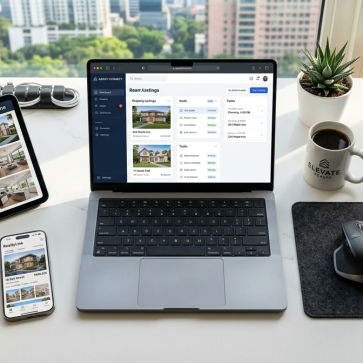
This guide walks through the best photo editing software for real estate in 2026, from classic editors like Lightroom to real estate specific AI tools such as AI Homedesign. We will focus on cost, workflow, AI capabilities, and where each tool fits in a modern real estate marketing stack.
Best Photo Editing Software for Real Estate at a Glance
Before we break down each platform, here is a quick comparison table of leading options, including traditional editors and real estate focused AI tools.
| Tool | Primary Role | Typical Use Case | Payment Model (2026) |
|---|---|---|---|
| AI Homedesign | AI real estate photo editing & virtual staging | Fast virtual staging, day-to-dusk, and real estate photo editing for agents and photographers | Usually credit-based or subscription; pay per image volume |
| Adobe Lightroom Classic | Core RAW editor and batch processor | Color, exposure, HDR blending, and cataloging large shoots | Adobe Creative Cloud subscription; monthly fee |
| Adobe Photoshop | Advanced retouching and compositing | Object removal, sky replacement, complex layer-based editing | Adobe Creative Cloud subscription; monthly fee |
| Luminar Neo | AI-assisted creative and real estate-friendly editing | Sky swap, structure, noise reduction, and quick presets | License plus optional subscription for extensions and updates |
| ON1 Photo RAW | All-in-one editor with strong AI ecosystem | RAW editing, culling, noise, and portrait retouching in one app | Perpetual license with optional upgrades or subscription |
| Autoenhance.ai | Real estate AI editing service | Automatic corrections, sky replacement, and perspective fixes | Pay per image; volume discounts common |
“Best For” Summary: Matching Software to Your Real Estate Workflow
Different roles in real estate need different tools. A solo agent with an iPhone has different requirements than a high-volume photography studio or a brokerage marketing team.
Here is how we typically match tools to scenarios in 2026:
- High-volume listing teams: Lightroom Classic + AI Homedesign for automated virtual staging and day-to-dusk, plus Autoenhance.ai for batch corrections.
- Professional photographers: Lightroom Classic or Capture One for RAW, Photoshop for fine retouching, and a real estate AI editor for speed.
- Solo agents / small teams: AI Homedesign or similar AI tools for top ai photo editors online, plus a lightweight editor like Photomator or Polarr.
- Apple-first users: Photomator on Mac and iPad, synced with cloud storage, then AI Homedesign for virtual staging and sky swaps.
- Budget-focused users: RawTherapee or Polarr for core edits, then pay-per-image AI services when needed.
As a rule of thumb, we recommend one core RAW editor plus one AI real estate platform. That combination covers 95% of real-world listing needs.
Key Factors When Choosing Real Estate Photo Editing Software
1. Workflow Volume vs. Precision
Real estate teams usually sit somewhere on a spectrum. On one end, you have high-volume workflows where speed and consistency matter more than micro-level precision. On the other, boutique photographers who sell a premium look.
For high-volume work, batch processing and automation are critical. Tools like Lightroom Classic, Autoenhance.ai, and AI Homedesign handle hundreds of images per day without burning out your editors.
For precision-focused studios, layer-based editing in Photoshop or Capture One, plus manual dodging and burning, still matters. Here, AI is a helper, not the driver.
2. Batch Processing: Edit Smarter, Not Harder
Batch editing is where time is won or lost. In our experience, the biggest gains come from:
- Applying a base preset to all images in a shoot.
- Syncing white balance and exposure across similar rooms.
- Using AI tools that process dozens of photos in one upload.
Lightroom Classic, ON1 Photo RAW, and Autoenhance.ai all support strong batch workflows. AI Homedesign also lets you process multiple images for virtual staging or day-to-dusk in one go, which is crucial when you manage several listings per week.
3. Cost Structure and ROI
Cost is not just subscription price. It is how much time you save per listing and how that translates into faster sales or higher commissions.
When comparing tools, we usually look at:
- Subscription vs. pay-per-image vs. one-time license.
- How many listings you handle monthly.
- Whether you can reduce outsourced editing costs.
If an AI editor cuts your editing time from 45 minutes per listing to 10 minutes, it often pays for itself within a few weeks, even if the subscription looks high at first glance.
4. Integration and Ecosystem
Real estate teams benefit when tools talk to each other. Integration with cloud storage, MLS export presets, and marketing platforms can save hours.
Lightroom’s integration with the Adobe ecosystem is still strong in 2026. You can move from Lightroom to Photoshop, then export for web, print, or social with consistent color management.
Real estate specific tools like AI Homedesign increasingly integrate with CRM and brokerage dashboards. For example, the ai homedesign realsmart integration lets agents trigger virtual staging from within their existing workflow instead of juggling multiple logins.
5. Hardware Requirements and Performance
Heavy RAW editors and AI engines can strain older machines. If you are editing on a laptop, performance matters as much as features.
Lightroom, Photoshop, and ON1 Photo RAW benefit from a dedicated GPU and at least 16 GB of RAM. Cloud-based AI tools like AI Homedesign or Autoenhance.ai offload processing to servers, which is helpful if your hardware is modest.
One practical tip: keep your catalog and cache on a fast SSD. It often improves performance more than upgrading your CPU alone.
AI Homedesign: Real Estate Focused AI Editing, Virtual Staging, and Day-to-Dusk
AI Homedesign is built specifically for real estate professionals. Instead of acting as a generic photo editor, it focuses on automating the tasks that usually slow down listing preparation.
Core Real Estate Workflows
In my experience, the strength of AI Homedesign lies in how it automates three core workflows:
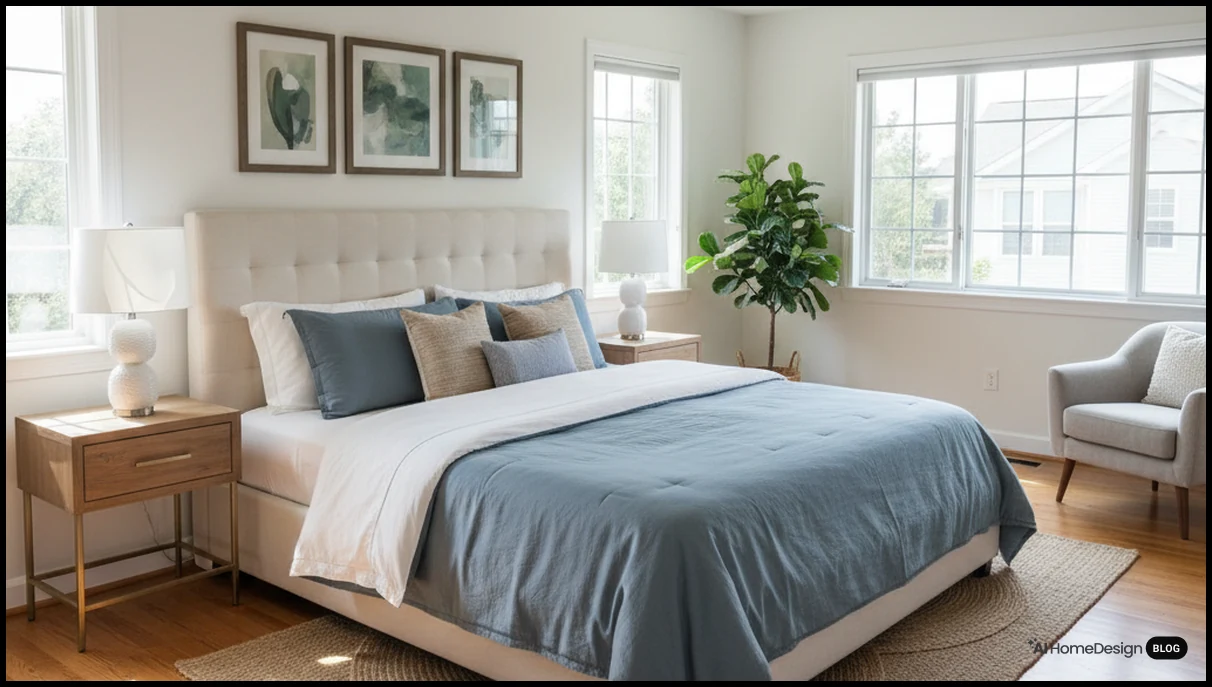
- Virtual staging: Turn empty rooms into fully furnished spaces in minutes using virtual staging ai instead of physical staging.
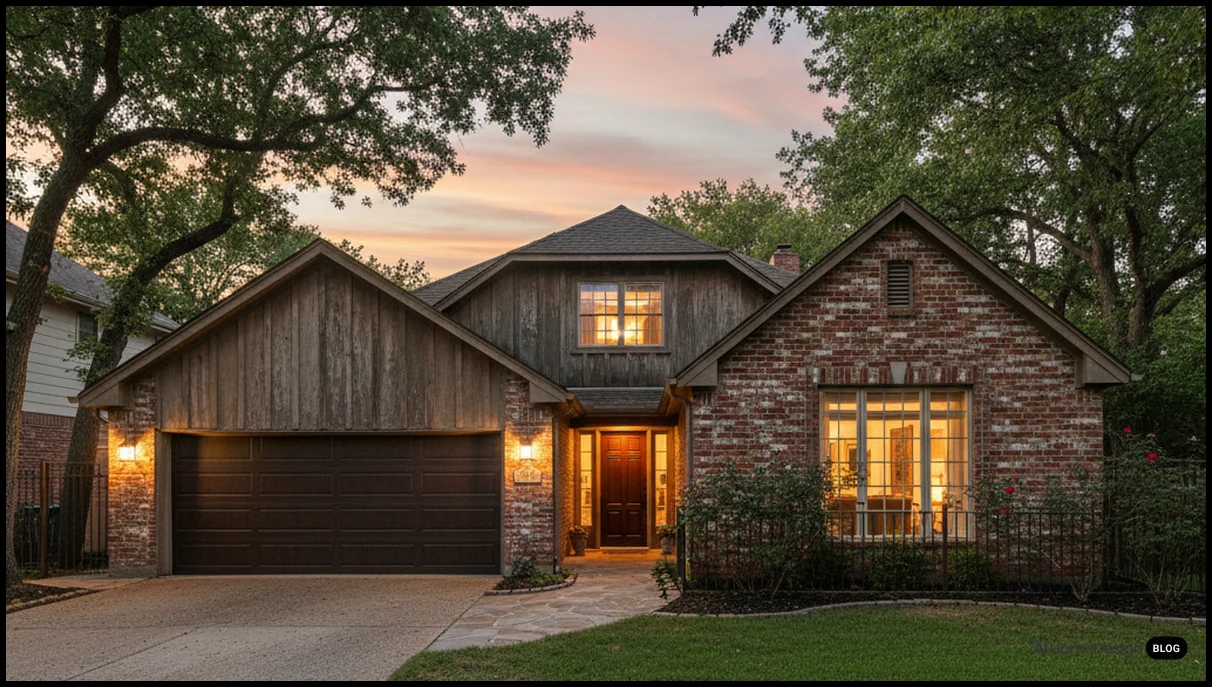
- Day-to-dusk conversions: Convert daytime exteriors into twilight scenes using the dedicated day to dusk workflow.
- Photo enhancement: Correct lighting, colors, and minor distractions through its real estate photo editing tools.
Compared to manual tools, these workflows are significantly faster. A job that might take 30–40 minutes in Photoshop can often be completed in a few minutes with AI Homedesign, especially when processing multiple images at once.
Pricing and Cost Structure
AI Homedesign typically uses a credit-based or subscription model. You usually pay per image or per batch, with lower rates at higher volumes.
For agents who list several properties per month, the ROI often comes from reduced staging costs and faster listing turnaround. When you compare the price of physical staging or outsourced editing, AI-based virtual staging and enhancement can be cost-effective.
Workflow and Integrations
Most users upload photos directly to the web platform. Some brokerage tools integrate AI Homedesign inside their dashboards, reducing context switching.
We have seen teams pair AI Homedesign with Lightroom: they do basic RAW adjustments first, then send JPEG exports for virtual staging and day-to-dusk. This keeps color consistent while still taking advantage of AI automation.
If you are exploring broader AI usage, the company’s content on generative ai in real estate photography and ai real estate photo enhancement is useful background reading.
Limitations and Considerations
Like any AI tool, AI Homedesign has boundaries. It is not meant to replace a full RAW editor. Instead, it complements your existing workflow.
Complex compositing, graphic design, or extremely niche retouching still belong in Photoshop or similar tools. Also, as with all virtual staging, you must follow virtual staging legality guidelines and disclose alterations where required by MLS rules or local regulations.
Other Real Estate Focused AI Photo Editors and Services
AI Homedesign is not the only real estate specific platform. Several other tools focus on automated enhancement, sky replacement, and outsourced editing.
Autoenhance.ai: Automated Corrections and Sky Swap
Autoenhance.ai is a cloud-based AI editor aimed squarely at property photos. You upload images, and the system handles exposure, white balance, and perspective corrections.
Typical features include:
- Automatic sky replacement for dull exteriors.
- Vertical and horizontal perspective correction.
- Interior brightness and color balancing.
Payment is usually per image, with volume discounts. It is a good fit for photographers who want to keep RAW control but outsource the first pass of editing.
Photo Editing Services: PhotoUp, BeatColor, and Others
Traditional photo editing services still play a role in 2026, especially for teams that prefer human editors.
Companies like PhotoUp, BeatColor, and FixThePhoto typically offer:
- Manual exposure and color correction.
- Object removal and lawn enhancement.
- Virtual staging and twilight conversions done by editors.
Cost is often per image or per package. Turnaround times range from a few hours to 24 hours or more. For very high-end listings, a mix of AI and human editing can give you both speed and a polished final look.
Virtual Staging Specialists
Alongside AI Homedesign, platforms such as virtualstagingai.app, styldod.com, virtualstaging.com, and others focus heavily on staging.
Some use AI, others rely on human designers. When comparing them, we usually look at:
- Furniture realism and style variety.
- Turnaround time and batch pricing.
- MLS compliance and clear disclosure options.
If you are still deciding between DIY AI staging and outsourcing, the guide on diy virtual staging with ai is a helpful starting point.
Classic Editors: Lightroom, Photoshop, and Capture One in Real Estate Workflows
Adobe Lightroom Classic: Core Engine for Real Estate Editing
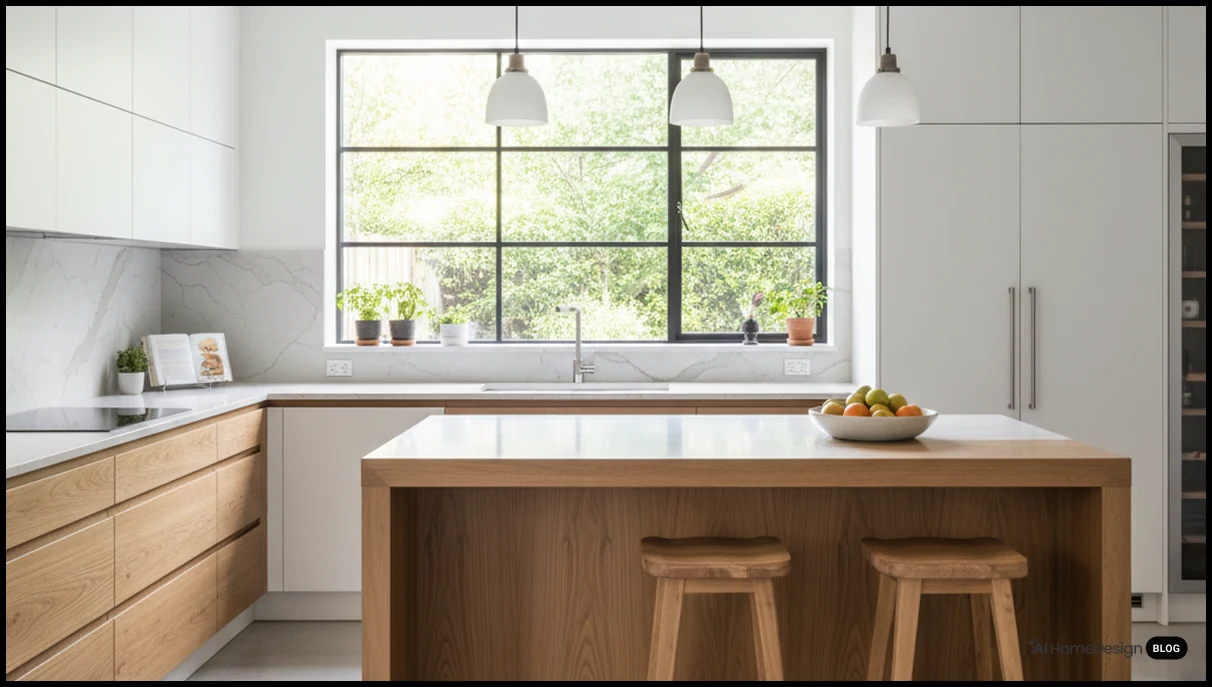
Lightroom Classic remains the backbone of many real estate photography workflows. It combines cataloging, RAW editing, and batch processing in one interface.
Key strengths for property work include:
- HDR blending: Merge bracketed exposures to show interior and window detail.
- Local adjustments: Brush, gradient, and radial tools to brighten rooms selectively.
- Custom presets: Save a consistent “signature look” for your brand.
How much does Lightroom cost in 2026? Pricing typically falls under Adobe’s Photography Plan subscription, which usually includes Lightroom and Photoshop for a monthly fee.
Lightroom also benefits from integration with the Adobe ecosystem. You can start in Lightroom, then send a file to Photoshop for advanced retouching, and return the result to your catalog without breaking the workflow.
Photoshop: Layer-Based Editing and Content-Aware Retouching
Photoshop is still the tool of choice when you need precise control. For real estate, we mainly use it for:
- Content-aware retouching to remove cords, small objects, or wall marks.
- Advanced sky replacement and compositing.
- Graphic design for brochures, social posts, and listing flyers.
Layer-based editing is essential when you want to stack adjustments, masks, and elements while keeping everything editable. It is more time-consuming than AI tools but offers unmatched control.
Capture One Pro: Precision and Tethered Shooting
Capture One Pro is popular among studio and commercial photographers. In real estate, it appeals to those who prioritize color accuracy and tethered shooting.
Typical advantages include:
- Strong tethering for on-site laptop workflows.
- Fine-grained color tools and local adjustments.
- Robust performance with large catalogs.
How much does Capture One cost? In 2026, it usually offers a subscription and sometimes a perpetual license, with pricing higher than entry-level editors but justified for teams that need its precision tools.
Modern AI Editors: Luminar Neo, ON1 Photo RAW, Photomator, and More
Luminar Neo: AI Tools for Real Estate-Friendly Enhancements
Luminar Neo has grown into a strong AI-assisted editor by 2026. For real estate, its strengths are practical rather than purely artistic.
Useful features for property photos include:
- Sky replacement and enhancement for dull exteriors.
- Structure and detail tools that keep interiors crisp without looking artificial.
- Noise reduction for low-light interior shots.
How much does Luminar Neo cost? Typically, you buy a license and optionally pay for an extensions pack or subscription for ongoing updates. For many real estate photographers, it sits alongside Lightroom rather than replacing it.
ON1 Photo RAW: A Cohesive AI Ecosystem
ON1 Photo RAW positions itself as an all-in-one alternative to Lightroom and Photoshop, with a strong AI ecosystem.
New features in ON1 Photo RAW 2026 often focus on:
- Improved AI noise reduction and sharpening.
- Better masking tools for local adjustments.
- Integrated cataloging and cloud sync options.
How much does ON1 Photo RAW cost? Typically, you can choose between a perpetual license and a subscription. For real estate teams that want to avoid Adobe subscriptions, it is a credible option.
Photomator: Apple-Centric Editing with iPad Integration
Photomator (formerly Pixelmator Photo) is attractive for Apple users who edit on Mac, iPad, and sometimes iPhone.
Key strengths for real estate include:
- Solid RAW support with a clean interface.
- iPad integration for on-the-go edits after shoots.
- Cloud sync through iCloud or other storage providers.
How much does Photomator cost? Pricing is usually a one-time purchase or a modest subscription on the App Store, making it budget-friendly for solo agents and small teams.
Polarr and RawTherapee: Budget-Friendly Options
Polarr and RawTherapee serve as entry-level or budget-conscious tools.
Polarr is a lightweight editor with filters and basic adjustments. How much does Polarr cost? It often offers a free tier with optional paid upgrades.
RawTherapee is a free, open-source RAW editor. It is powerful but less polished than commercial tools. How much does RawTherapee cost? It is free, which makes it appealing for new photographers learning the craft.
AI-Powered Real Estate Editing: Strengths, Limitations, and Data Security
Role of AI in Real Estate Photo Editing
AI now handles many repetitive tasks: noise reduction, sky replacement, object removal, and even style matching. For real estate, this means faster listing preparation and more consistent results.
We typically use AI for:
- First-pass corrections on large batches.
- Virtual staging and day-to-dusk conversions.
- Automated HDR merging and tone mapping.
AI does not replace a photographer’s eye. It accelerates the technical side so you can focus on composition and storytelling.
Limitations of Real Estate AI Photo Editor Tools
AI tools are powerful but not magic. Common limitations include:
- Occasional artifacts around windows, light fixtures, or fine details.
- Inconsistent results on extremely cluttered or dark rooms.
- Limited control compared to manual layer-based editing.
One practical tip: always review AI outputs at 100% zoom before delivering to clients or uploading to MLS. A quick quality check prevents embarrassment later.
Data Security and Privacy
When you upload property photos to cloud-based AI services, you are trusting them with client data. In 2026, most reputable platforms publish clear privacy policies and data handling practices.
We suggest you:
- Check whether images are used to train models by default.
- Confirm how long images are stored and how they are deleted.
- Ensure compliance with brokerage and client confidentiality policies.
For sensitive properties, you may prefer local tools like Lightroom or ON1, or choose AI services that offer strict data isolation.
Cloud Storage, Backup Hygiene, and Performance
With high-volume real estate work, storage and backup are as important as editing tools. Losing a shoot because of a failed drive can cost you a listing.
We recommend:
- Using at least two backup locations (local and cloud).
- Keeping active catalogs on SSDs for speed.
- Archiving completed projects to slower, cheaper storage.
Cloud storage also simplifies collaboration between photographers, editors, and marketing teams, especially when combined with AI tools that accept direct cloud imports.
Practical Tips for a Smooth Real Estate Photo Editing Workflow
Over time, we have seen a few simple habits consistently improve results and reduce stress.
- Shoot for editing: Slightly underexpose to protect highlights, then lift shadows in post.
- Bracket smartly: Three to five exposures usually suffice for interiors; more can slow down HDR processing.
- Standardize presets: Build one base preset per property type (condo, luxury, rental) to keep your brand consistent.
- Use culling tools: Spend time selecting only the best frames; editing fewer but stronger images saves hours.
- Respect MLS rules: Read resources on how to prepare real estate photos for mls so your edits stay compliant.
For broader marketing context, the guide on visual storytelling for realtors shows how edited photos fit into a complete listing strategy.
Quick Decision Guide: Which Real Estate Photo Editor Should You Choose?
If you are still unsure, use this simple framework.
1. Define Your Primary Role
If you are a photographer handling dozens of shoots per month, prioritize RAW performance and batch tools (Lightroom, Capture One, ON1). If you are an agent, prioritize AI automation and ease of use (AI Homedesign, Autoenhance.ai, Photomator).
2. Map Your Typical Use Cases
List your top five tasks: HDR blending, virtual staging, day-to-dusk, object removal, social media graphics, etc. Then choose one core editor and one AI tool that cover those tasks with minimal overlap.
3. Balance Cost with Time Saved
Estimate how many hours you spend per listing on editing. If a subscription saves you even one hour per listing, compare that to your hourly rate. Often, the math favors paying for a reliable tool.
4. Start Simple, Then Add Tools
Begin with a solid base: Lightroom Classic plus AI Homedesign, or Photomator plus an AI service. As your volume grows, add specialized tools like Photoshop or ON1 only when you truly need them.
Remember, the best photo editing software for real estate in 2026 is the one that fits your workflow, not just the one with the longest feature list.
Frequently Asked Questions
Is AI editing enough, or do I still need Lightroom or Photoshop?
AI editing handles bulk corrections and staging, but a RAW editor like Lightroom or Capture One still gives better control over exposure, color, and consistent cataloging.
How much should I budget monthly for real estate photo editing software?
Most small teams spend the equivalent of one to three billable hours per month; calculate your time savings to decide whether subscriptions justify the cost.
Can I use virtual staging on every listing?
You can, but always disclose staged images and follow local MLS rules; transparency builds trust and avoids compliance issues with buyers and regulators.
What is the fastest way to edit a large batch of listing photos?
Use batch presets in Lightroom or ON1, then send exports to an AI service like AI Homedesign for staging and day-to-dusk in grouped uploads.
Do I need a powerful computer for AI real estate editing?
Cloud-based AI tools work well on modest hardware, but local RAW editors benefit from 16 GB RAM, SSD storage, and a midrange GPU for smooth performance.
How do I keep my real estate photos MLS compliant when using AI?
Avoid misrepresenting property structure, disclose virtual staging, and review MLS guidelines; subtle enhancements are fine, structural changes are usually not.
Are mobile-only workflows viable for real estate photography in 2026?
Yes for basic listings; combine a modern phone camera with apps like Photomator and AI Homedesign, but use dedicated cameras for premium properties.
What is the benefit of using presets in real estate photo editing?
Presets create a consistent look across listings, speed up batch edits, and reduce decision fatigue, especially when you handle multiple shoots weekly.
How often should I update or change my editing style?
Review your style yearly; keep it clean and timeless, but adjust subtly as buyer expectations, screen technology, and local market preferences evolve.
Final Thoughts and Next Steps
Real estate in 2026 rewards teams that combine strong photography with smart editing workflows. Whether you lean on Lightroom and Photoshop or embrace AI-first tools, the goal is the same: clear, honest, and inviting images that help buyers imagine living in the space.
If you want to test how AI can shorten your editing queue while adding virtual staging and twilight exteriors, try AI Homedesign today and compare the time saved on your next few listings.