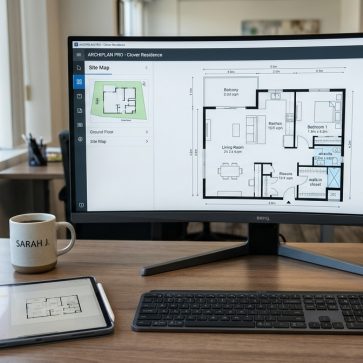
Buyers scroll fast, and listing media has to answer questions without a showing. That shift is why floor plan makers moved from “nice extra” to “expected asset” for many listings in 2026.
Most roundups rank tools by feature lists. Real agents need a different lens: speed to publish, export formats that pass MLS Rules, and a workflow that keeps per-listing cost predictable. A broader stack matters too, which is why this guide sits alongside best real estate tools for agents in 2026 and the bigger shifts covered in real estate trends in 2026.
The rankings below focus on what ships a listing on time, with fewer surprises.
How to Choose Floor Plan Makers for Real Estate in 2026

A floor plan tool fails in real estate for one simple reason: it makes a clean layout, but it cannot ship a listing package. Agents need exports that work everywhere, fast production, and repeatability across a photo set.
MLS-ready matters more than “pretty.” A floor plan usually needs a print-to-scale PDF or a clean image export, with measurements and labels that stay readable after compression. Some teams also want embeddable links for websites and listing pages. Those features sit above rendering style for most day-to-day listings.
Speed comes next, but “fast” means different things. Drag-and-drop editors can produce a plan instantly once measurements exist. Reality capture tools can take longer to deliver a schematic floor plan, but they reduce measurement risk. That trade-off shows up most on larger homes, complex layouts, and any property where accuracy protects trust.
The final filter is workflow fit, not raw capability. A tool that supports 2D only can still win when the goal is an MLS attachment and a flyer. A tool that supports 3D can help on higher-end listings, but only if the time cost stays predictable. The rest of this guide uses those filters to rank tools and explain the real per-listing economics.
At a Glance: Top Tools by Use Case and Starting Price
Skimmers can use this table to narrow to two candidates fast. Starting price reflects the lowest paid entry point stated on each pricing page, not add-ons.
| Tool | Best for | Starting price | Free tier |
|---|---|---|---|
| Matterport | scan-to-floor-plan accuracy and virtual tours | $0 plan available, paid plans vary | yes |
| RoomSketcher | agent-friendly 2D and 3D plans with branding | from $12/month billed annually | yes |
| Planner 5D | AI-assisted layout generation and fast 3D | from $4.99/month billed annually | yes |
| Homestyler | free-first 3D planning with AI suggestions | $0 basic, paid from $6.8/month | yes |
| Floorplanner | fast browser-based plans and embeddable links | paid plans from $5/month | yes |
| Cedreo | client-ready presentations and photorealistic renders | per-project or subscription plans | yes |
| SketchUp | power users needing technical import and export | from $129/year | limited |
How the Ranking Was Built for Real Listings
Tool rankings often reward the deepest feature set. That approach misses the daily reality of listing operations. A tool earns a high rank here when it reduces delays between photo day and go-live day.
First, the list favors predictable production. “Instant” tools can still create delays if exports require credits, extra purchases, or workflow steps that teams forget. A plan that takes longer but removes rework can still save time at the listing level.
Second, export and distribution matter. An agent may need a clean PDF for the MLS, a JPEG or PNG for flyers, and an embeddable link for a brokerage site. A tool that supports only one format can still work, but it narrows how a marketing coordinator packages assets.
Third, the scoring prioritizes real estate marketing output over design exploration. Many tools shine for remodel or architecture. This guide weights what supports real estate marketing strategies and listing conversion assets, not what supports long design projects.
Last, cost is evaluated as “cost per listing,” not “cost per month.” A low monthly plan can cost more once a team pays per-export or per-render. The cost section later breaks down how to think about those hidden multipliers.
Matterport
Matterport wins when accuracy matters more than manual drafting speed. It creates a digital twin from a scan session, then produces schematic floor plans from real capture.
A key distinction separates Matterport from every other tool in this roundup. It does not start from manual measurement or an imported drawing. It starts from reality capture using a phone, tablet, or a supported camera, then creates a dimensionally accurate model that supports measurements.
Pricing has moving parts, so teams should read the fine print. Matterport lists a free plan, plus tiered paid plans based on active spaces, and notes that schematic floor plans and technical files are add-ons with additional charges. The Pro3 camera hardware also carries a listed purchase price. Details live on the Matterport plans page.
Best for: agents and media teams that want scan-to-floor-plan accuracy, especially for larger homes or complex layouts.
Key features:
- Reality capture that supports dimensionally accurate floor plans
- Digital twin tours from a single scan session
- AI Defurnish tool for furniture removal
- Publishing options to major platforms listed on the pricing page
Speed: schematic floor plans have stated delivery windows, including a standard business-day window and faster options on higher tiers.
Agent verdict: Matterport fits when the listing needs accuracy, measurable assets, and a repeatable capture process.
RoomSketcher
RoomSketcher ranks high for agents because it stays practical. It supports fast 2D output, optional 3D, and branding that looks like a brokerage deliverable instead of a design draft.
The core value sits in flexibility. An agent can create a plan in the editor, then produce print-to-scale floor plans with measurements. Teams that want to avoid manual drafting can use the professional redraw service and keep internal time focused on listing coordination.
RoomSketcher publishes clear plan-level pricing, including a free tier, paid plans, and the redraw add-on priced per floor. The same page also describes what the free tier includes, such as limited furniture and the ability to order floor plans per level. Full details sit on the RoomSketcher pricing page.
Best for: agents who want a reliable all-around tool for real estate floor plans, with an option to outsource drafting.
Key features:
- Drag-and-drop 2D and 3D floor plan editor
- Live 3D interactive walkthroughs
- Custom branding and company logo on plans
- Professional redraw service
Speed: instant for self-created plans, and a stated next-business-day window for redraw.
Agent verdict: RoomSketcher fits agents who want consistent output without a steep learning curve.
Planner 5D
Planner 5D leads the AI-assisted segment. It helps non-designers create usable layouts faster, then switch into 3D views for marketing visuals.
The AI Design Generator changes the starting point. Instead of drawing every wall from scratch, the tool supports AI-based layout creation and conversion from a floor plan upload into a 3D project. That approach aligns with how AI is transforming real estate media workflows more broadly.
Planner 5D lists a free tier and two paid tiers with annual and monthly billing, plus an enterprise tier with custom pricing. The same page also describes which advanced exports and render options sit in the Professional tier. Pricing and plan inclusions appear on the Planner 5D pricing page.
Best for: teams that want an AI floor plan generator real estate workflow for quick concept layouts and 3D visuals.
Key features:
- AI Design Generator for prompt-based layouts
- Upload a floor plan and convert to 3D
- Cross-platform access across web and mobile
- CAD export listed for the Professional plan
Speed: instant generation and editing, since it is self-serve software.
Agent verdict: Planner 5D fits agents who need faster creation and can accept a more “design” oriented interface.
For broader AI context, see how AI is transforming real estate.
Homestyler
Homestyler stands out for a free-first approach that still feels usable. It combines 3D planning with an AI assistant, then lets teams pay for higher-quality output when it matters.
The free Basic plan includes a cloud-based 3D floor planner, unlimited 1K rendering, and access to a large library of free models and materials. That makes it a realistic sandbox for agents testing whether 3D floor plans belong in the standard listing package.
Homestyler also lists paid individual plans and a team plan priced per seat, plus à la carte rendering purchases by resolution. Those details matter because output cost often drives per-listing spend more than the subscription itself. The pricing structure appears on the Homestyler pricing page.
Best for: solo agents and small teams that want to start free, then upgrade only when higher-end visuals are needed.
Key features:
- AI-powered Home Copilot for layout and suggestions
- Cloud-based 3D floor planner
- Rendering options across multiple output tiers
- Team collaboration options on team plans
Speed: instant plan creation and rendering requests, since it is software-based.
Agent verdict: Homestyler fits agents who want optionality and controlled spend per listing.
Floorplanner
Floorplanner works when speed and simplicity matter more than advanced drafting. It runs fully in the browser and supports embeddable interactive floor plans.
Browser-based access matters for busy teams. No install also helps when a marketing coordinator needs to jump in on a borrowed machine, or when a brokerage prefers tools that run inside locked-down IT environments.
Floorplanner lists a free Basic plan with unlimited projects and standard-definition exports that include a watermark. It also lists paid plans across a wide pricing range and describes one-time credit purchases for higher-resolution exports. Those credits often become the real cost driver for listing media. Details sit on the Floorplanner pricing page.
Best for: agents who want fast 2D and 3D plans, plus embeddable output for websites.
Key features:
- Fully browser-based workflow
- 2D and 3D floor plan views
- Large 3D model library
- Embeddable interactive floor plans
Speed: instant, with edits and exports completed in-session.
Agent verdict: Floorplanner fits when the goal is fast output and lightweight collaboration.
Cedreo
Cedreo fits a different job than most tools on this list. It aims at presentation-grade output, including photorealistic renderings, not just functional MLS attachments.
That focus can help on higher-end listings, builder marketing, or developer packages. A team can create a 2D plan, then produce a 3D furnished plan and renderings for client-ready documents. The tool also supports branded presentation documents, which can matter for builder proposals.
Cedreo lists a free tier with one project and a limited number of renderings, plus a per-project personal plan and subscription plans for ongoing use. The pricing page also notes the product runs in a browser but supports desktop only. Details appear on the Cedreo pricing page.
Best for: luxury listings, builders, and marketers who want photorealistic visuals and client presentations.
Key features:
- 2D drafting with drag-and-drop
- 3D furnished floor plans and photorealistic renderings
- Elevation and cross-section views
- Branded presentation documents
Speed: Cedreo describes a complete conceptual package as achievable within a couple of hours for self-created plans.
Agent verdict: Cedreo fits listings where marketing visuals carry more weight than pure speed.
SketchUp
SketchUp belongs at the end of an agent-first ranking for a reason. It can do almost anything, but it asks for serious time and skill up front.
For technical users, SketchUp supports a full modeling environment, a large extension ecosystem, and broad import and export options. Pro adds LayOut for 2D documentation, while Studio adds advanced workflows like point clouds and photorealistic rendering options.
SketchUp lists multiple paid plans priced annually, plus monthly options for some tiers, and a limited free web version. It also lists education options. Plan details sit on the SketchUp plans and pricing page.
Best for: architects, developers, and power users who need technical files and full control.
Key features:
- Full 3D modeling on desktop, web, and iPad
- 2D documentation via LayOut on paid tiers
- Extensive extensions and community model library
- Broad import and export support listed on the pricing page
Speed: the software is instant, but most agents face a steep learning curve.
Agent verdict: SketchUp fits specialized workflows, not typical listing timelines.
Head-to-Head Comparison Table: Floor Plan Software at a Glance
This table highlights what usually changes the decision: AI assistance, MLS-ready positioning, and platform fit. “Not publicly listed” means the pricing page did not clearly claim that item.
| Tool | Best for | Starting price | Billing model | Free tier | Turnaround | MLS-ready export |
|---|---|---|---|---|---|---|
| Matterport | reality capture and accuracy | free plan available | subscription by active spaces, add-ons | yes | schematic delivery windows listed | yes, property intelligence reports on Professional plan |
| RoomSketcher | agent-friendly 2D and 3D | from $12/month on annual billing | subscription, plus redraw add-on | yes | instant or next business day for redraw | print to scale with measurements |
| Planner 5D | AI-assisted layout and 3D | from $4.99/month on annual billing | subscription, enterprise custom | yes | instant | not publicly listed |
| Homestyler | free-first 3D planning | free basic plan | subscription, team per seat, à la carte renders | yes | instant | not publicly listed |
| Floorplanner | browser-based speed | from $5/month | subscription plus export credits | yes | instant | not publicly listed |
| Cedreo | photorealistic presentations | per project or subscription | per project or subscription | yes | described as fast for conceptual packages | scaled download listed |
| SketchUp | power users and technical exports | from $129/year | annual plans, some monthly | limited | instant, time investment upfront | not publicly listed |
True Cost Per Listing for Real Estate Floor Plans

Subscription pricing helps budgeting, but it does not tell the full story. Per-listing cost depends on how many listings run through the tool each month, whether exports require credits, and whether a team pays for redraw or rendering.
A simple budgeting rule keeps cost predictable: monthly cost divided by expected listings per month, then add any per-export, per-render, or per-floor services. A team that runs a low volume can spend less with per-project pricing. A team that runs high volume often wins with a subscription that includes unlimited exports.
RoomSketcher makes per-listing math straightforward because it publishes a redraw service priced per floor, plus a Pro plan and a Team plan. A low-volume agent can stay on a paid plan only when needed, then use redraw for speed on complex homes. Details and add-ons appear on the RoomSketcher pricing page.
Floorplanner and Homestyler often shift cost into output. Floorplanner ties higher-resolution exports to credits, and Homestyler sells renders both via plans and à la carte. That structure can look inexpensive until every listing needs a clean, unwatermarked export plus upgraded visuals. Pricing mechanics sit on the Floorplanner pricing page and the Homestyler pricing page.
Matterport adds another layer: add-ons. The subscription controls active spaces, while schematic floor plans and technical files carry additional charges. That fits teams who already want digital twins, but it can surprise teams buying it only for a PDF. Plan language sits on the Matterport plans page.
Cedreo and SketchUp skew toward pro workflows. Cedreo offers per-project pricing that can align with occasional luxury listings. SketchUp plans can look reasonable annually, but time spent learning and modeling becomes the hidden line item. Both are real costs, even when the invoice looks controlled.
The Power Combo: Virtual Staging and Floor Plan Workflow

Listings need two things online: spatial clarity and emotional pull. A floor plan provides layout clarity. Virtually staged photos provide a use-case story for each room. Together, they cover the two gaps that photos-only packages often leave.
This workflow also reduces rework. Teams that create the floor plan first can confirm room naming and flow before virtual staging starts. That consistency matters when a listing uses a mix of vacant photos, staged versions, and optional 3D assets.
Step one: Capture the layout in the fastest accurate way
Agents can scan with reality capture, draft from measurements, or outsource redraw. The action sets the base geometry. Accuracy here prevents later disputes about room sizes. The expected result is a clean 2D layout with room labels that match the listing description.
Step two: Choose the export format that matches MLS Rules
Agents should pick the output that the MLS accepts, usually a clean PDF or image file. That choice reduces upload friction and avoids last-minute compression issues. The expected result is an MLS-ready file plus a web-friendly version for social and email.
Step three: Lock a delivery window that protects the go-live date
Agents should set a clear internal deadline of one day for DIY plans and two business days for outsourced or schematic deliverables. That window protects photo editing and listing copy timelines. The expected result is a floor plan in hand before the listing launch checklist begins.
Step four: Create staged and unstaged photo sets with consistent room naming
Agents should group photos by room name, then keep the same room order across the set. That action prevents mismatches between the floor plan and the staged photos. The expected result is a tidy folder structure ready for AI Virtual Staging.
Step five: Apply AI Virtual Staging with required Disclosure language
Agents should add staging only to images that benefit from furniture context, then label every edited image. MLS Rules vary, so teams should use a conservative Disclosure: “Virtually staged.” A Virtually Staged Watermark should appear when the platform requires it. The expected result is a staged set that stays compliant and easy to explain.
Step six: Publish the package as one narrative across channels
Agents should place the floor plan adjacent to the photo gallery and highlight it in the listing remarks and email blasts. That action lets buyers self-qualify and book the right showings. The expected result is a listing page that answers layout questions without extra calls.
For tool options on the staging side, see best virtual staging software and the capture guidance in real estate photography tips.
Use-Case Picks for Agents, Teams, and High-Value Listings
A single “best” tool does not exist because listing pipelines differ. The right choice follows the constraints of time, accuracy, and who does the work.
Solo agents on a tight budget usually start with Homestyler or Floorplanner. Both allow real testing without a credit card. The trade-off shows up at export time. Watermarks, resolution limits, and credit purchases often push teams into a paid plan once floor plans become standard.
High-volume agents and small teams often land on RoomSketcher. The redraw service can act as a pressure valve during busy weeks. The Team plan can also help brokerages standardize branding and output across multiple agents.
Accuracy-first use cases point to Matterport. It fits tenant-occupied homes, complex layouts, and any listing where “close enough” becomes risky. Some agents use Matterport Capture Services rather than buying hardware, which can also pair well with a vetted local provider from the real estate photographers directory.
Luxury marketing pushes toward Cedreo when photorealistic presentation assets matter. Builder and developer packages also benefit from Cedreo’s presentation documents. SketchUp belongs with technical teams, not typical listing workflows.
Edge cases change the choice fast. Distressed sales often need speed and minimal editing. Tenant-occupied homes reward accurate capture and clear labeling. Rural and agricultural properties may need simpler plans that load well on slow connections. New construction can change between plan and photo day, which makes revision speed the priority. Ultra-custom homes often benefit from pro-grade output, but only if the time line stays tight.
Publishing Rules, Disclosure, and What to Keep Out of the Packet
Floor plans and staged photos create trust only when labeling stays clean. Teams should treat Disclosure as part of the asset, not as optional fine print. Every virtually staged image should carry clear labeling that a buyer sees without hunting.
A conservative baseline works across most MLS policies: label each edited image “Virtually staged,” and add “Digitally altered” when a tool changes lighting, removes items, or modifies surfaces. When a platform requires it, teams should add a Virtually Staged Watermark directly on the image. That practice avoids disputes and supports transparent showings.
Some information does not belong in a shareable media packet. Agents should keep commission splits, referral fees, and internal pricing notes out of any deliverable that can be forwarded. Those topics belong in private conversations and signed agreements, not in listing media folders.
A clean packet should include only what helps a buyer and supports marketing distribution. That means: floor plan exports, photo sets, staged versions, and a short note on what is virtually staged. Teams can then save pricing strategy, negotiation posture, and seller coaching for calls and meetings.
When staging enters the workflow, one tool worth noting is AI HomeDesign, since it pairs staging with common photo editing needs in the same workflow. For teams comparing staging options and trade-offs, AI HomeDesign alternatives provides a structured way to evaluate fit.
Frequently Asked Questions
What is the best free floor plan software for real estate agents?
Homestyler and Floorplanner offer free tiers that let agents test real estate floor plans without a contract. The key limitation usually shows up at export time, where watermarks or low resolution can limit MLS use. For consistent listing deliverables, most teams budget for a paid plan once floor plans become part of the standard package.
Which floor plan format is safest for MLS uploads?
A clean, print-to-scale PDF usually causes the fewest MLS issues, since it preserves readability after compression. A high-resolution JPEG or PNG can also work for flyers and social. Each MLS sets its own rules, so agents should confirm accepted formats and file size limits before standardizing a workflow.
How long should floor plans take from capture to publish?
A practical target is same-day for self-drafted plans, since delays often cascade into photo editing and listing copy. For outsourced redraw or schematic deliverables, a two-business-day target protects the go-live date without forcing rushed approvals. Teams should set the deadline before photo day so everyone plans to it.
Can a floor plan be created from a phone scan?
Yes. Matterport supports reality capture using a phone or tablet, then generates a schematic floor plan from that capture. This approach reduces manual measurement errors and can fit teams that already want a virtual tour. Agents should confirm which add-ons apply for schematic output on the selected plan tier.
Do listings perform better when they include floor plans?
Floor plans reduce uncertainty for buyers who cannot visit quickly. They also help buyers filter by layout, not just finishes, which can increase qualified inquiries. Floor plans typically work best when combined with strong photos and clear distribution across channels outlined in [real estate marketing strategies](https://aihomedesign.com/blog/real-estate/real-estate-marketing-strategies-2026/).
What is the simplest way to pair a floor plan with virtual staging?
The simplest approach is to finalize the 2D plan first, then stage only the key rooms shown in the photo set. Every staged image should include clear Disclosure labeling so buyers understand what changed. For tool selection and workflow options, [best virtual staging software](https://aihomedesign.com/blog/alternatives/best-virtual-staging-software/) helps teams match speed and output quality to listing volume.