A listing can look “priced right” on paper and still stall. Buyers scroll past photos that show worn countertops, dated tile, and tired landscaping. The issue is rarely logic. It is imagination, and ai home renovation visuals help close that gap.
AI virtual renovation gives buyers a clean, believable after picture using the home’s real listing photos. The strategy works best for dated and as-is homes where traditional staging cannot change the finishes buyers fixate on.
The sections below explain how AI virtual renovation works, when it beats virtual staging, how to use it for sellers and fix-and-flips, and how to disclose edits with confidence.
What AI Virtual Renovation Is and Is Not
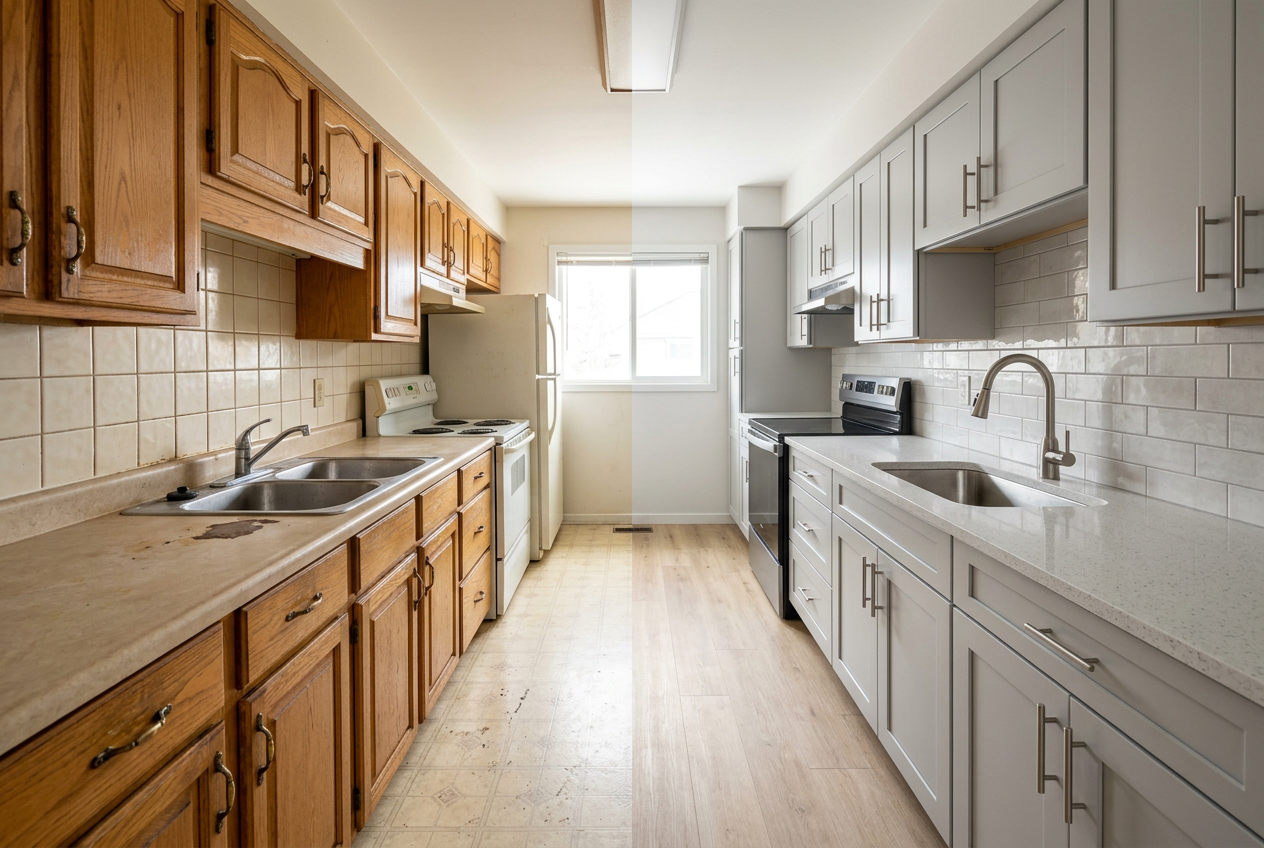
AI virtual renovation updates the surfaces that make buyers hesitate. It can swap cabinet styles, change countertop materials, refresh flooring, and modernize fixtures in an existing photo. The point is not decoration. The point is to show a credible renovation direction without touching a single wall.
Traditional virtual staging solves a different problem. It adds furniture and decor to a vacant room so buyers understand scale and function. That works when the bones look good but the room feels empty. In a tired property, staging often fails because buyers still fixate on the orange oak cabinets and the worn vinyl.
A practical way to separate the two is to ask one question: is the objection about layout and function, or is it about finishes and condition? Layout objections usually call for staging or better angles. Finish objections call for virtual renovation.
The workflow stays simple. An agent or seller uploads a clear listing photo, selects a renovation direction, and reviews the output for realism. Good results keep key lines intact, like window placement and cabinet runs. For a broader staging overview, the article on virtual staging vs. real staging helps frame where each approach fits.
The Buyer Imagination Gap That Kills Clicks
Buyers make fast decisions from photos, not from disclosure packets. Many shoppers cannot mentally replace pink tile with stone, or popcorn ceilings with smooth drywall. Dated photos trigger a shortcut in the brain: “too much work,” even when the work is mostly cosmetic.
That gap hits listings in two places. First, fewer people click into the full photo set. Second, the showing pool skews toward bargain hunters who price in risk. The property might still sell, but it often sells after extra price pressure and a longer marketing window.
Agents can treat the imagination gap like any other marketing problem. The listing needs a clearer story. A set of before-and-after visuals gives buyers an immediate “after” to compare against the “as-is.” That comparison helps buyers self-select. Serious buyers lean in. Buyers who want fully renovated homes can move on quickly.
AI also fits into a larger shift toward visual-first marketing in housing. The broader guide on home buyers and sellers shows how consumers rely on online information early in the process. AI virtual renovation turns that early browsing moment into a better chance at a showing request.
AI Home Renovation Before-and-After Listing Photos
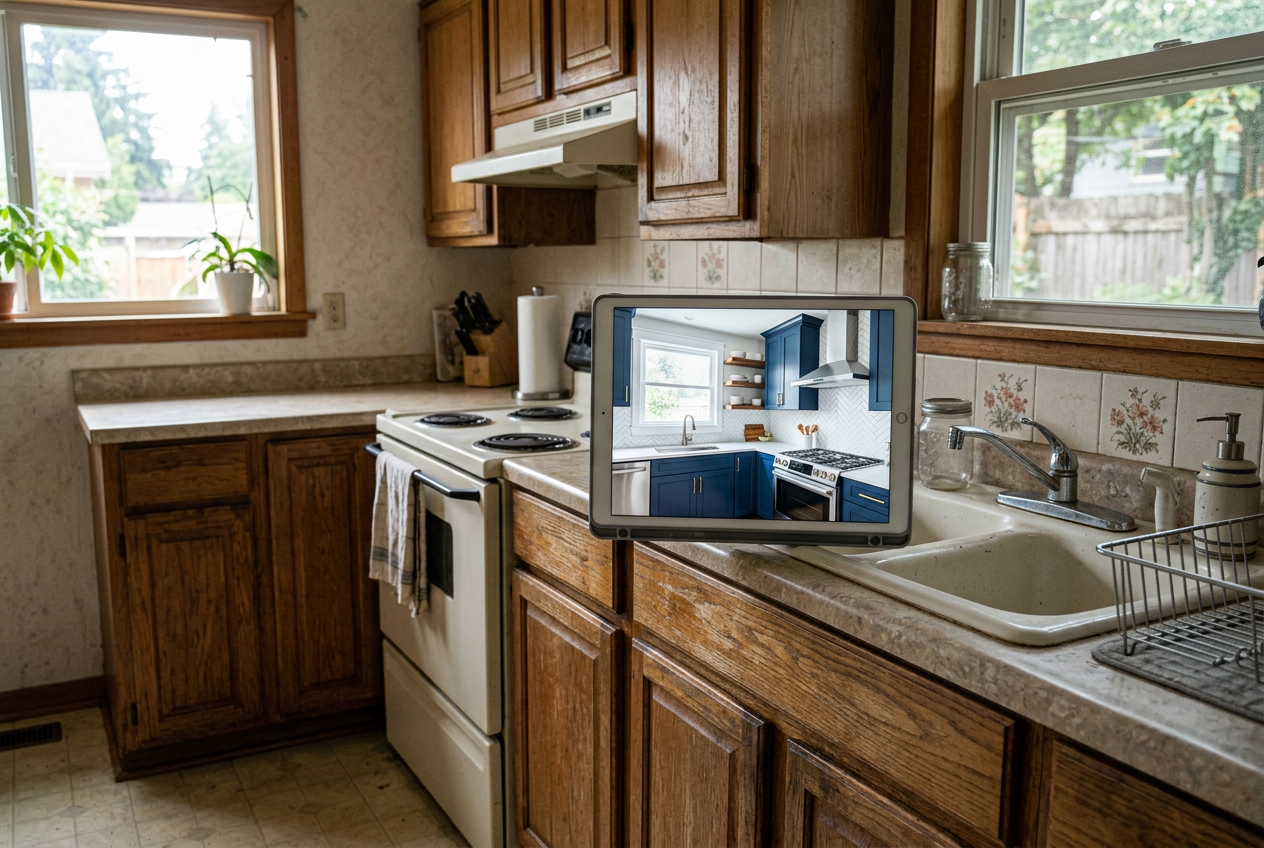 Buyers see past dated finishes instantly with a believable after image.
Room-by-room virtual renovation works because buyer objections cluster by room. Kitchens, baths, and exteriors carry the most emotional weight. Living spaces matter too, but they usually need less “renovation” and more clarity.
Kitchen: a dated kitchen photo often shows heavy wood cabinets, dark laminate, and a tired fluorescent box light. A virtual kitchen renovation AI pass can shift the palette to bright cabinetry, updated hardware, and a cleaner backsplash. The goal is not to promise a specific brand of appliance. The goal is to show a realistic level of finish so buyers can anchor expectations.
Bathroom: old baths create fear of hidden costs. A virtual bathroom renovation AI update can replace busy tile, brighten lighting, and show a simpler vanity style. This room benefits from restraint. Overly luxe finishes can clash with an as-is price and raise suspicion. A clean, neutral upgrade direction tends to read as believable.
Exterior: buyers decide whether a showing feels worth the drive before they read the remarks. AI exterior renovation real estate edits can refresh paint color, modernize a front door, and tidy landscaping in the photo. The best exterior edits keep the roofline and windows unchanged. Buyers should recognize the same home on arrival.
Living room: many living rooms do not need surface replacement. They need a visual cue that the space can feel current. Light wall color, updated flooring tone, and minor fixture changes can help. When the issue is emptiness, pairing renovation with staging often works better than renovation alone.
Before-and-after sets work best when the base photo looks professional. Strong lighting and straight lines reduce odd artifacts and keep results consistent across the photo set. The overview on AI in real estate photography explains why source images set the ceiling for any editing, including renovation.
Virtual Staging vs. Virtual Renovation for Real Estate
The fastest way to choose the right tool is to map the listing to the buyer’s likely objection. Vacant homes usually need furniture so buyers understand room purpose. Dated homes usually need finishes updated so buyers can stop worrying about condition.
Virtual staging works well when a room has clean walls and floors, but the photo feels cold or confusing. A dining room without furniture can look small. A bedroom with no bed can read as an office. Staging gives scale and fixes those interpretation problems.
AI virtual renovation works well when the surfaces create an instant “no.” Worn counters, stained carpet, old tile, and mismatched fixtures create that reaction. Renovation images change the conversation from “this is a project” to “this has a path.”
Both tools can work together, but only with discipline. Renovation should come first, then staging should add the minimum furniture needed to show function. Too many changes at once can make images look like fantasy. For agents who want a deeper baseline on staging, the AI virtual staging guide helps separate furniture decisions from renovation decisions.
Strategic Use Cases for Sellers, Agents, and Investors
AI virtual renovation creates leverage when the listing sits between “as-is” and “renovated.” Sellers often face a hard choice: spend money upfront, or take a discount. Renovation visuals offer a third option, which is to market the potential while still selling as-is.
For sellers, the cleanest approach is a dual-image set. The listing can show the current photo and a labeled renovated version side by side. That pairing explains pricing logic without a long defense in the remarks. The deliverable should stay visual. It should include the images, a short note on the assumed scope, and a reminder that the home sells as-is. Detailed budgets, contractor bids, and negotiation strategy belong in the in-person conversation.
For listing agents, the main value is differentiation. Many agents compete with the same photography, the same copy, and the same portal placement. Renovation visuals create a clearer hook for social posts, email blasts, and listing presentations. The long-term effect is brand position, not just one sale. The broader workflow fits naturally into AI real estate marketing strategies that focus on faster attention capture.
For fix-and-flip investors, virtual renovation helps communicate after-repair value without starting construction. Lenders and end buyers often struggle to picture the finished product from a stripped interior. A simple set of after images helps align expectations early. The investor can still market the home honestly as a project. The images just make the project legible.
Commission and fee figures do not belong in the deliverable images. Numbers in marketing assets distract buyers and create friction between seller and agent. Agents can handle compensation, credits, and repair allowances in private documents.
Disclosure, Ethics, and MLS Rules for AI Renovation Listing Photos
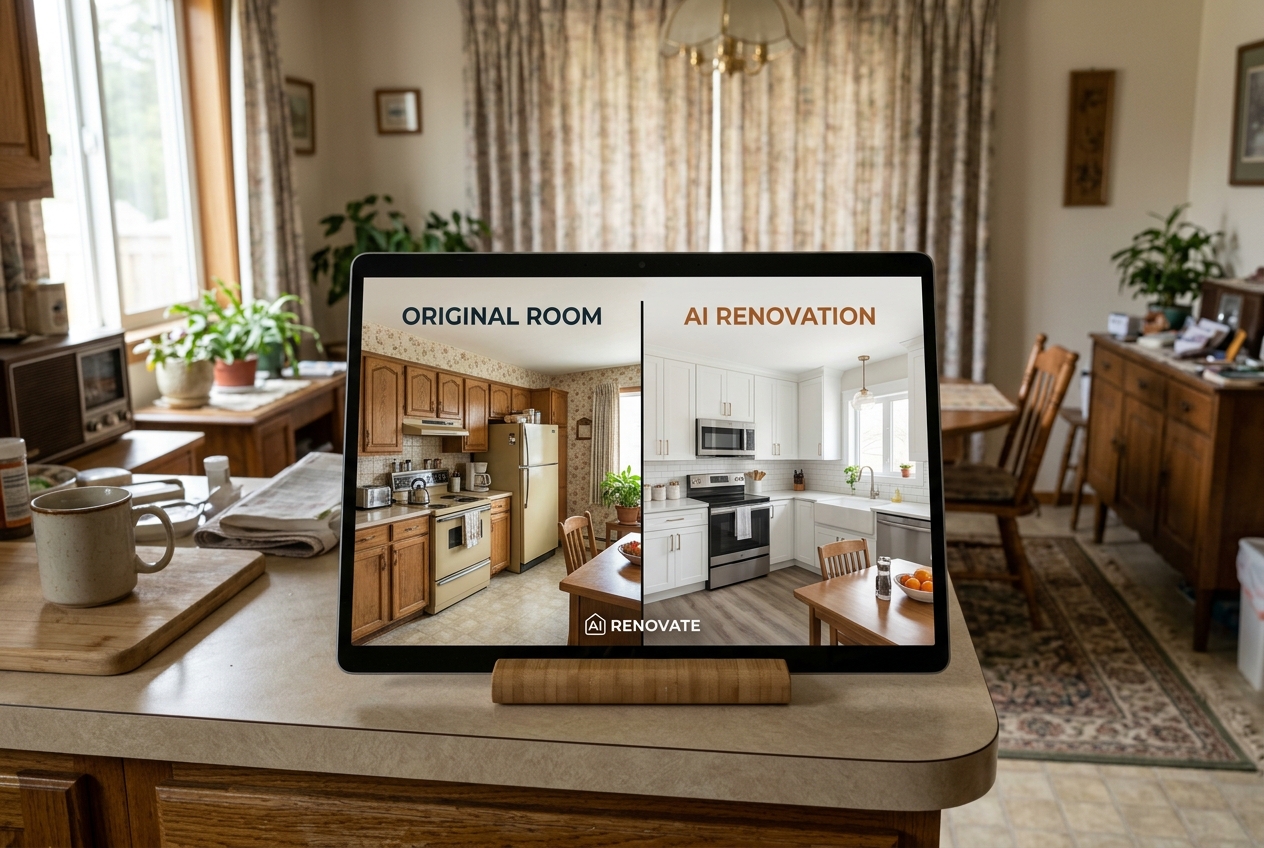
Disclosure protects trust, and it also protects deals. Buyers feel misled when an image hides defects or implies work that already happened. The fix is simple: label the edits, show the originals, and avoid structural misrepresentation.
A clear label works better than vague language. Use Disclosure text directly on the image or in the photo caption. One clean option is: “Virtually Renovated — For Illustrative Purposes Only.” Pair the renovated photo with the original photo so buyers can compare in seconds.
MLS Rules vary by market, but most share the same intent. Digital edits cannot misrepresent the property’s current condition. Cosmetic visualization can be acceptable when properly disclosed. Structural changes, like moving walls or adding windows, raise higher risk and often cross the line. If a renovation concept requires layout changes, the safer approach is to show a separate concept rendering and keep it out of the main photo set.
A few situations call for extra restraint. Distressed sales and estate properties often need sensitive buyer expectations, so heavy “dream” edits can backfire. Rural or agricultural listings can confuse buyers if the images over-polish outdoor realities. Historic homes can lose trust fast if AI removes defining character. Major foundation, roof, or water issues should stay visible. AI renovation should never cover safety or material condition problems.
How to Get Started With an AI Renovation Tool
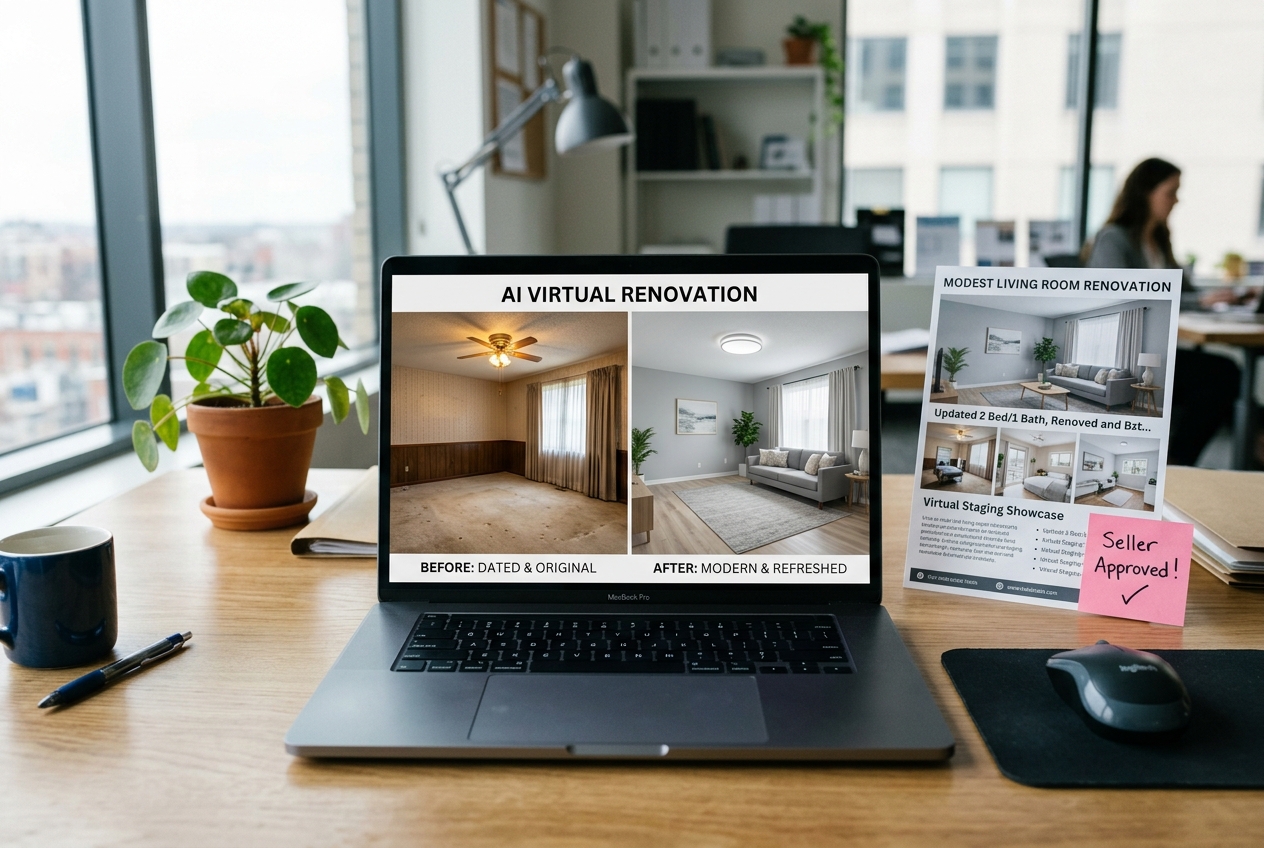
Speed matters, but control matters more. The cleanest workflow starts with good photos, then adds renovation visuals that match the list price and the neighborhood. Agents can publish the renovated set within two days of the photo shoot. That window keeps momentum, allows a quick seller approval, and avoids a mid-listing photo swap that confuses buyers.
Cost tends to stay low compared with physical renovation and with custom architectural rendering. The bigger “cost” is often decision time. A short creative brief prevents rework: target buyer profile, finish direction, and the renovation scope shown in photos. The deeper breakdown on virtual staging costs and ROI also helps frame how digital visuals fit into a listing budget.
A repeatable tool workflow also reduces risk. AI HomeDesign supports renovation-style edits through AI HomeDesign’s interior design tool, which keeps the process simple enough for day-to-day listing volume. The steps below outline a practical cadence that fits most teams.
Step one: Start with clean, consistent source photos
It’s better for the agents to use well-lit photos with straight vertical lines. Consistency across the set matters more than dramatic angles. The goal is reliable before-and-after comparison, not a single hero shot. A clean base photo reduces warped edges and keeps materials consistent.
Step two: Choose a renovation direction that matches the listing story
Picking a style and finish level that fits the neighborhood is a must for agents. A modest refresh reads as believable for many as-is homes. A high-end concept can work, but only when the price and comps support it. The result should feel like a likely buyer plan, not a fantasy flip.
Step three: Generate renovation images and check for structural fidelity
It’s best to review cabinet runs, window placements, appliance locations, and exterior lines. The renovated image should preserve the same layout cues as the original. Any artifact that changes the bones should trigger a regeneration. The expected result is a set of images that a buyer can recognize on arrival.
Step four: Build an as-is and renovated pairing for the photo set
The wise choice is to place the original and the renovated version close together in the gallery. That order helps buyers understand the gap quickly. The pairing also reduces buyer disappointment at the showing. The expected result is a photo sequence that supports the price narrative.
Step five: Add Disclosure language and confirm MLS Rules before publishing
Agents should label every edited image with clear Disclosure language and keep originals available in the listing. Local MLS Rules should guide placement, labeling, and whether certain edits belong in public remarks. The expected result is a marketing set that stays transparent, protects credibility, and keeps the transaction clean.
Virtually renovated images work best as part of a full listing plan, not as a patch after the listing stalls. When agents set expectations early and disclose clearly, buyers get what they need most: a credible vision of what the home can become.
Frequently Asked Questions
What is the difference between AI virtual renovation and virtual staging?
Virtual staging adds furniture and decor to show scale and function, mainly in vacant rooms. AI virtual renovation changes finishes and surfaces in the photo, like cabinets, counters, tile, flooring, and exterior paint. Staging helps a room feel livable. Renovation helps a dated room feel possible. Many as-is listings use both, but renovation should guide the story first.
Do AI renovation listing photos need a disclosure on the MLS?
Most MLS systems expect Disclosure for digitally altered images, and many require a clear label. A direct line such as “Virtually Renovated — For Illustrative Purposes Only” reduces confusion. Original photos should appear alongside the edited versions. Local MLS Rules vary, so broker compliance guidance should set the final standard for captions, remarks, and photo order.
Which rooms usually benefit most from AI virtual renovation?
Kitchens and bathrooms usually create the strongest buyer objections, so they often benefit first. Exteriors also matter because they drive the first click and the first showing decision. Living rooms can benefit when finishes feel tired or the space reads dark, but many living rooms need staging more than renovation. Priority should follow the listing’s biggest visual objection.
Can fix-and-flip investors use virtual renovation to support after-repair value?
Investors can use virtual renovation images to communicate a plausible end state to lenders and end buyers. The images work best when they match a realistic scope and keep structural elements intact. A short written scope note helps, but the main value comes from visual alignment. Buyers can see the plan without guessing, which reduces early confusion.