Virtual House Staging: 2026 Guide for AI Listings
Virtual house staging helps agents furnish empty listings fast. Compare 2026 costs, tools, ROI, MLS disclosure rules, and quality checks.
In short
- Cost drives adoption: virtual staging can cost cents to dollars per image, while physical staging often starts in the low thousands.
- Disclosure protects trust: every edited image needs clear labeling and a render that preserves fixtures and structure.
- Tool fit matters: instant AI works for volume, while manual services still suit hero shots, panoramas, and luxury listings.
An empty living room, photographed well, still reads as empty. Buyers scrolling a portal see square footage and no life, then keep scrolling. Virtual house staging solves that inside the photo itself, furnishing the room digitally before the listing goes live. The older argument of virtual staging vs physical staging is mostly settled on price, so the questions agents ask now are narrower: how does virtual staging work, and what does it actually cost?
In 2026 the answer is not one product. Staging now runs across a spectrum. Instant AI tools return a furnished room in seconds for pennies. Manual services hand the file to a designer and deliver in hours. Physical furniture still costs thousands and takes weeks to schedule.
This guide covers the process, published prices for the main tools, the failure modes no vendor advertises, MLS disclosure wording, and a framework for choosing per listing. Staging sits inside a wider shift toward AI in real estate, and it is the piece with the clearest payback.
What Is AI Virtual Staging?
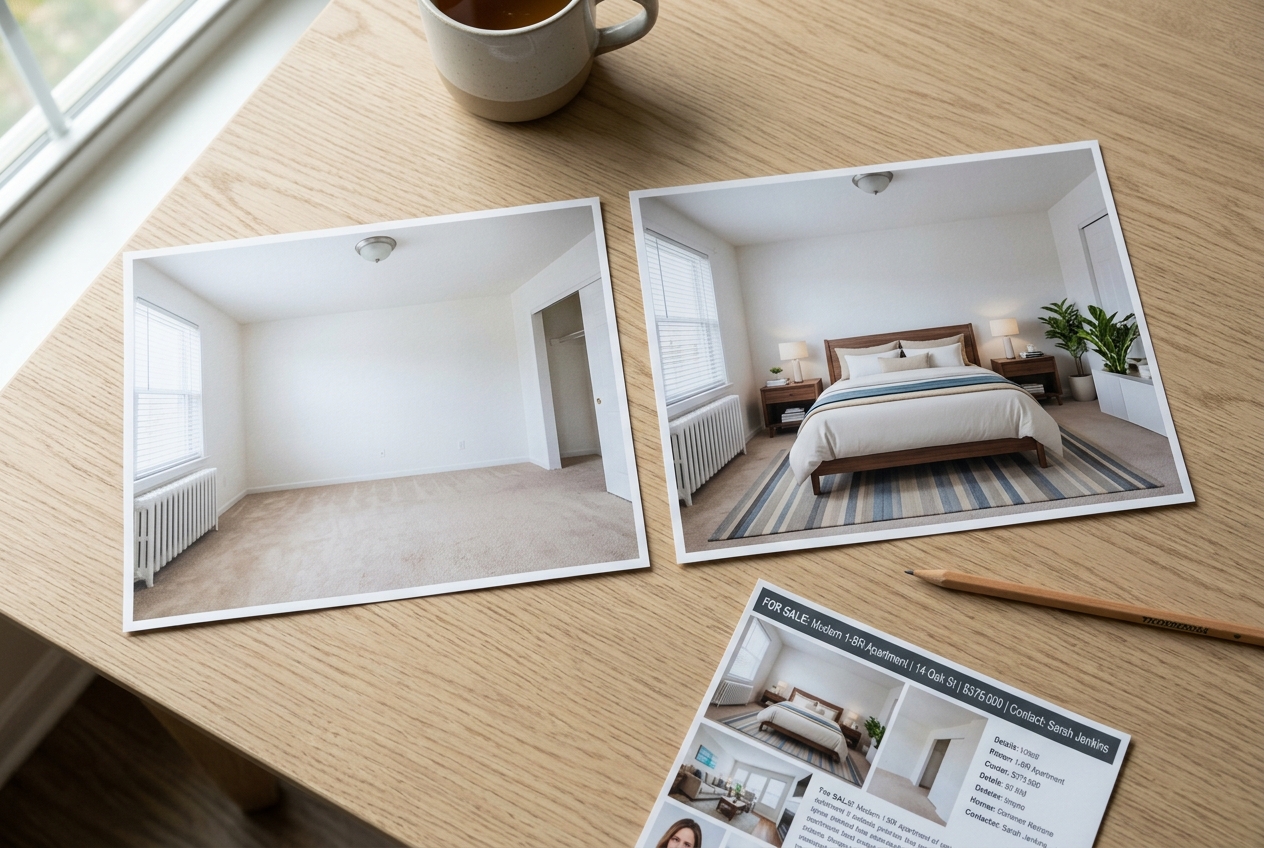
AI virtual staging is the process of digitally furnishing property photos with artificial intelligence. It turns empty or outdated rooms into fully furnished spaces in seconds, helping buyers imagine how a property could look once lived in.
Unlike traditional staging, which requires moving furniture into a home, AI staging is completely digital. Compared with earlier manual virtual staging, where designers placed furniture by hand in editing software, today’s AI tools automate the placement, cutting both cost and turnaround time.
Why the economics changed
Money explains most of the shift. NAR’s research on what sellers spend to stage a home shows the median swinging hard from one survey cycle to the next, landing near $1,500 in the most recent reading after dipping far lower mid-decade. That volatility makes physical staging hard to budget, especially on vacant listings where the seller has already moved out and is carrying two housing payments.
Digital staging removes that uncertainty. The price is known before the photographer leaves the property, the result arrives the same day, and a rejected style costs nothing to replace. For agents running several vacant listings at once, that predictability matters more than any single design choice.
How the process works
The process starts with an empty room photo uploaded to a staging platform. Software reads the layout, flooring, walls, and light direction, then works out the correct perspective for inserting furniture and decor.
Most staging problems start before the upload. A repeatable process starts with clean photography: mid-morning light, blinds open, lamps off, straight verticals, and the largest JPG or PNG file the camera produces. The guide on how to shoot property for virtual staging covers angle and exposure in detail.
After processing, the user receives a furnished version of the room that matches the original dimensions and camera angle. Reputable tools also let the user refine the result by replacing, removing, or adding items. That control matters on tenant-occupied listings and AI for rental property workflows, where item removal often comes before staging.
A first render rarely nails a room, and the ability to regenerate for free separates a usable tool from an expensive experiment.
Two of those steps take real time. The shoot and the review carry the quality, and rushing either one produces the results that give digital staging a bad name. Plan on roughly fifteen minutes of desk time for a four-room set on an instant tool, and the same fifteen minutes plus a half-day wait when the order goes to a manual service.
Skills and background
AI staging software is built for non-designers. In most cases the job is upload a photo, select a room type and style, and wait for the result.
Basic computer literacy covers it. Anyone comfortable with DIY virtual staging with AI already has the skills required, since knowing how to upload, select, and download images is the whole technical requirement. The judgment call sits elsewhere: knowing which render looks believable and which one needs another pass.
Virtual staging first appeared in the mid-2000s as a digital alternative to physical furniture. AI-powered tools became widely accessible later, and the biggest quality gains came as platforms improved depth reading, room labeling, and fixture preservation.
Virtual Staging vs Physical Staging Cost and Speed
Traditional home staging requires physically furnishing a property. AI virtual staging creates the interior inside the listing photo. Both help buyers visualize a home’s potential, and both work on the same psychology, but they differ sharply on cost, speed, and flexibility.
Physical staging commonly runs $1,500 to $4,000 or more per property. Vacant, luxury, and major-metro listings can climb far higher, often into the $5,000 to $10,000 range once delivery, rental, and removal costs enter the bill. Virtual house staging usually costs cents to a few dollars per image through AI tools, or about $24 per image through manual services.
Speed changes the listing calendar. Furniture delivery takes days to schedule, and sellers may wait for the right inventory. A digital render arrives in seconds to minutes on instant tools, while manual services usually quote hours. That difference can decide whether photos go live before a weekend showing window.
When each method fits
Occupancy shifts the answer as much as budget does. A furnished home that already shows well needs decluttering rather than staging. A vacant home carries the largest visual penalty and gains the most from either method, and sellers carrying two housing payments rarely have four figures left for furniture.
One difference cuts the other way. Physical furniture is there during the showing, and a buyer standing in a furnished room feels the scale in a way no photo delivers. For hero images on premium homes, Luxury Virtual Staging for High-End Real Estate Listings can help agents decide when to pay for extra review.
Agents can also use ChatGPT for realtors to draft seller-facing explanations, but the numbers belong in the listing plan and the negotiation belongs in person. Commission or fee figures should stay out of the staging deliverable, since the photo package exists to sell the property presentation, not the agent’s compensation.

Stage your first listing in under 5 seconds
15 space types, 10 styles, MLS-compliant by default. All 11 tools on one account. Free trial credits, no credit card.
Start staging freeVirtual House Staging Tools Compared
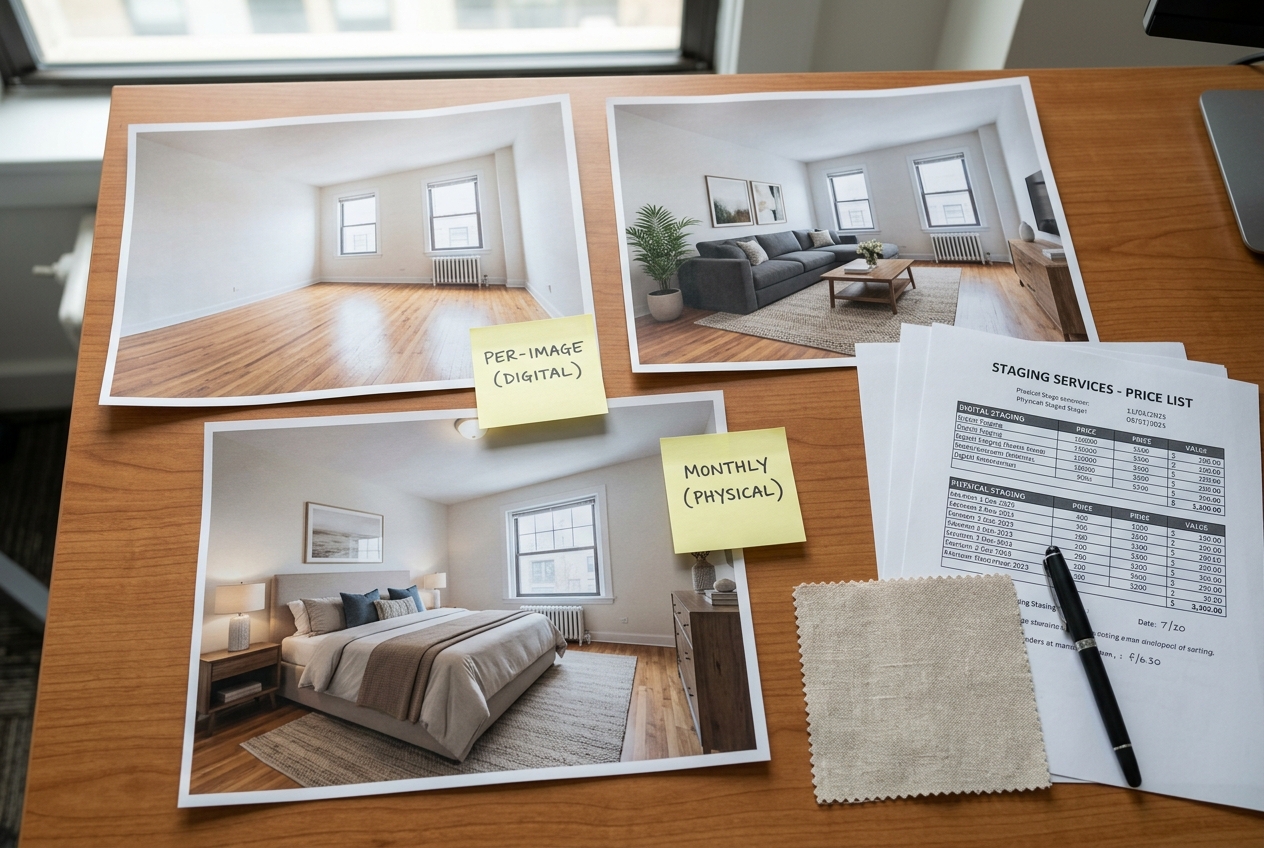
Virtual staging pricing splits into two models. Subscription tools sell monthly credits and deliver in seconds, while manual services bill per image and deliver in hours. The gap between them is wide enough to change how an agent budgets a listing.
Agents comparing tools should check cost, speed, revision terms, watermarks, and whether unused credits expire. The broader guide to the best virtual staging software for real estate covers category fit, while the table below keeps this page focused on published pricing.
AI HomeDesign
Starting price: $19/mo billed yearly
Typical cost signal: $0.24 per photo on Enterprise
Turnaround: Under 5 seconds
Best fit: Agents and teams needing staging plus photo editing
Virtual Staging AI
Starting price: $16/mo for 6 photos
Typical cost signal: About $2.67 on entry tier
Turnaround: 10 to 15 seconds
Best fit: Agents testing instant staging
Collov AI
Starting price: $19/mo for 60 credits
Typical cost signal: About $0.32 on entry tier
Turnaround: Under 15 seconds
Best fit: Teams needing staging and photo edits
REimagineHome
Starting price: $19/mo for 30 credits
Typical cost signal: $0.13 to $0.63 per credit
Turnaround: Standard, faster on higher plans
Best fit: Design-led staging and renovation views
ApplyDesign
Starting price: Coin packs
Typical cost signal: 1.5 coins per auto-staged 2D image
Turnaround: About 15 minutes
Best fit: Manual control and furniture choices
VirtualStaging.com
Starting price: $24/image
Typical cost signal: $19.20 per image in bulk
Turnaround: 4 to 8 business hours
Best fit: Human-reviewed listing photos
BoxBrownie
Starting price: €21 per staged image
Typical cost signal: Pay per image
Turnaround: 48 hours
Best fit: Photo editing and manual staging bundles
Published pricing and turnaround across virtual staging providers.
How to read the pricing
NAR's Profile of Home Staging shows why sellers still care about presentation even as the delivery method changes. The practical choice depends on listing volume. A one-off seller may prefer pay-per-image work. A team staging several vacant listings a month usually gets a lower per-photo cost through credits.
Credit terms matter more than the headline monthly price. Virtual Staging AI states that remaining monthly credits do not roll over, while AI HomeDesign rolls unused credits forward on Pro Plus and Enterprise tiers. AI HomeDesign also includes free regenerations, which matters when a first render misses the room scale.
Is Virtual Staging Worth It for Sellers?
Research consistently shows staged listings attract more attention online, and more attention produces more showings. Among surveyed agents, 29% reported a 1% to 10% increase in offer value on staged homes, while 17% reported a 1% to 5% lift. Those figures describe home staging broadly, not AI virtual staging specifically.
Cost is where the digital version separates itself. Consider a vacant three-bedroom that has sat unsold for months. Staging four rooms on a credit plan can cost a few dollars. The same four images through a manual service comes to under a hundred. Furnishing those rooms physically starts in the low thousands and adds monthly rental until closing.
Whether virtual staging is worth it stops being a hard question at that price. A handful of extra saved listings and one additional showing weekend can justify the spend, which is not true of a four-figure furniture bill on a property that may sit another quarter.
Honesty matters here too. Condition, location, price, and market conditions drive the timeline far more than photography does. Staging makes a listing competitive; it does not fix a price problem, and it works best as one piece of an AI in real estate workflow.
Industry summaries such as Home Staging Statistics in 2026 support the broader staging case, but agents should avoid promising a faster sale from AI staging alone. The safer claim is simpler: better listing presentation can increase buyer interest, and virtual house staging reduces the cost of getting that presentation online.
Is AI Virtual Staging Allowed on MLS Listings?
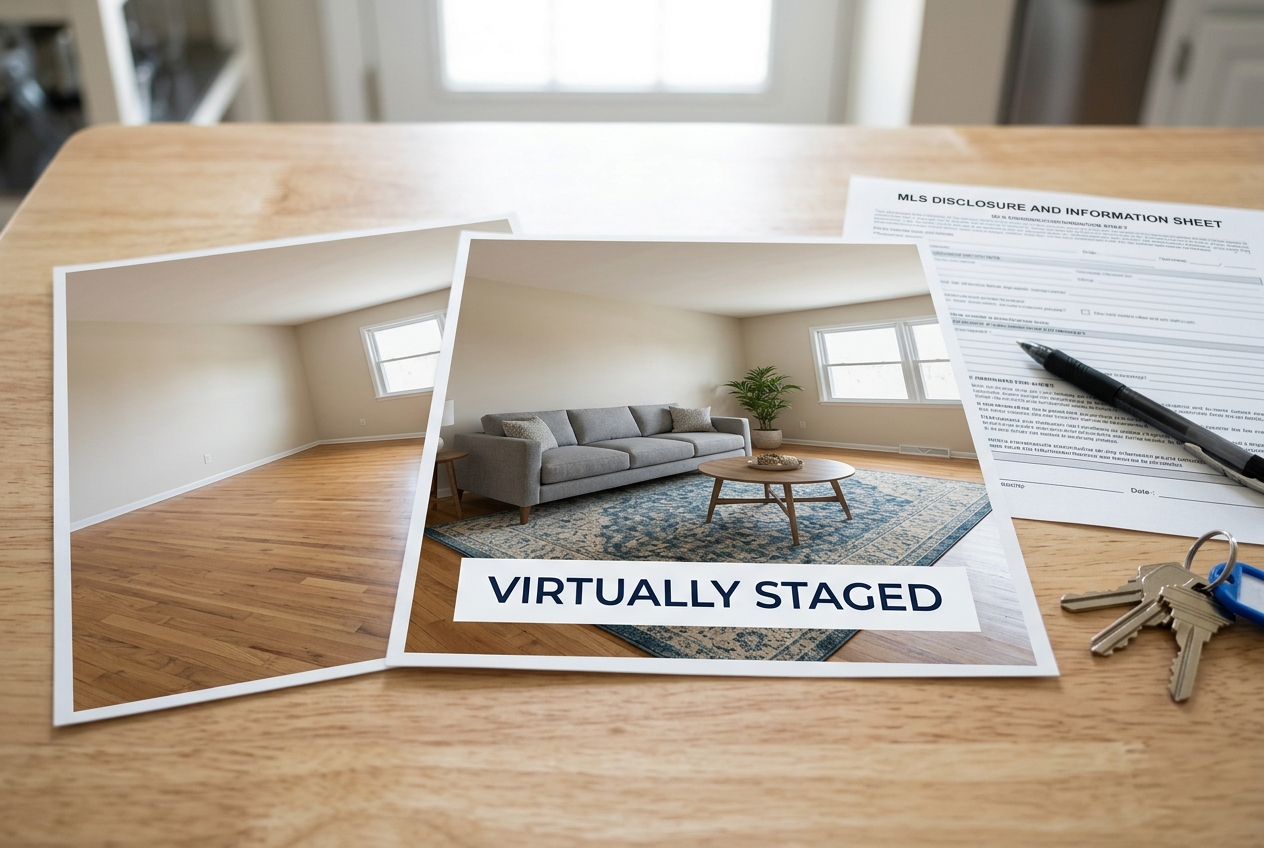
Yes, AI virtual staging can be used on MLS listings, provided the images are clearly labeled as virtually staged. The purpose of the rule is to stop buyers from being misled about what the property actually contains.
Requirements vary by market. NAR holds members to a truthful presentation of the property, and individual MLSs turn that principle into photo rules of their own. CRMLS, Bright MLS, HAR, and NWMLS each publish standards that decide the acceptable wording and where the label sits. Some accept a caption on the affected image, others want the note in public remarks, and several require the label inside the image itself. State advertising rules in California, Texas, and Florida rest on the same idea: a photo must not create a false impression. Rules also change between annual updates, so agents should confirm the current version with their own MLS, state licensing body, and brokerage before uploading.
Four lines cover most situations:
- Photo caption: "This image has been virtually staged."
- Public remarks: "Some photos in this listing have been virtually staged. Furnishings shown are not included in the sale."
- Removed furnishings: "This image has been digitally edited to remove existing furnishings."
- Renovation-style edits: "This image shows a proposed finish and does not reflect the current condition of the property."
Disclosure protects the agent more than the buyer. A labeled render sets expectations before the showing, and the transparency standard is one that reputable virtual staging companies build into their output by default.
Styles, Quality Checks, and Specialty Listings

Style libraries differ widely between platforms. AI HomeDesign offers eight design styles, covering Prime, modern, contemporary, Scandinavian, traditional, farmhouse, industrial, and Hampton. Virtual Staging AI advertises more than 50 styles across room types, ApplyDesign lists a catalog running past 18,000 furniture pieces, and REimagineHome renders shoppable products from several retailers.
More styles is not automatically better. A curated set that renders cleanly beats a long menu that produces inconsistent rooms. What matters on a listing is consistency: the living room and dining room should look like they belong to the same household.
Local taste should drive the choice. Coastal palettes read as natural in Florida, industrial finishes land well in converted urban lofts, and farmhouse styling suits much of the Midwest. Most tools apply the selection with one click, while more advanced ones allow adjustments to color palettes, furniture types, and layout.
What goes wrong and how to catch it
No vendor markets its failure modes, so agents learn them the expensive way. The most common is furniture that floats: a sofa leg that never quite meets the floor, or a rug that sits a few degrees off the plane of the room. Structural drift is the serious one. Weaker renders warp fireplaces, thicken window mullions, invent a doorway, or smooth away crown molding.
Three checks catch nearly every bad render, and they take under a minute per image. Open the before and after side by side at full size, then work down the list.
A simple checklist catches most problems before publishing:
Commercial and luxury listings
Yes, virtual staging can support commercial and luxury properties. Empty offices, retail units, and warehouse suites can be furnished with desks, seating, and layout ideas. Broader AI real estate marketing plans often pair those images with listing copy, email, and portal assets.
Luxury listings raise the bar. High-value buyers notice generic furniture quickly, so hero images often warrant refinement or a manual service. Broader Home Staging Statistics can support the seller conversation, but the render still has to pass a room-by-room credibility check.
Who Should Use Virtual House Staging?
Agents gain the most. Presenting a vacant listing well without a furniture invoice removes the awkward conversation with a seller who has already spent money on repairs and has none left for staging.
Photographers often attach staging to their shoot packages. It rounds out the deliverable, raises the value of a booking, and keeps the client from sending the same photos to a second vendor.
Homeowners selling without an agent use it to reach a professional standard on their own listing photos. Investors and property managers apply it to flips between renovation stages and to rental units sitting empty between tenants.
Builders form a smaller but growing group. Rendering an unfinished unit as a completed home lets a pre-sale campaign start before drywall goes up, which shortens the gap between construction and first offer.
Several factors should guide the decision. Output quality comes first, so agents should push a dark corner and an awkward galley kitchen through the free tier before committing. Structural fidelity comes next, since windows, fixtures, and flooring must return unchanged in every render.
Revision policy and credit terms decide the real cost. A regeneration that costs another credit changes the budget fast. Unused credits also matter for agents with uneven listing volume.
Three situations call for a different approach. Distressed sales may need sensitive seller conversations before any edited image appears. Off-market listings may not need a public-ready staged package at all. Rural or agricultural properties often need land, outbuildings, and utility details more than furnished bedrooms.
The method is not the decision. The listing is. Matching the tool to the property, then labeling the result clearly, gets the photo set live faster and keeps the marketing honest.
Frequently Asked Questions
How much does virtual house staging cost in 2026?
Per-image services often run about $16 to $24 per photo, while subscription and credit-based tools start around $16 to $19 per month. AI HomeDesign works out to $0.24 per photo on its Enterprise tier. Physical staging commonly costs $1,500 to $4,000 or more, with luxury and major-metro listings often costing far more.
How does virtual staging work?
A user uploads a photo of an empty or dated room, chooses a room type and style, and the software renders furnished versions while preserving the real fixtures and structure. Manual services may take hours. AI HomeDesign's virtual staging returns results in under 5 seconds, with three variations per room and free regenerations.
Is virtual staging worth it?
For most vacant listings, yes. NAR staging data covers home staging broadly, not AI staging alone, but it shows agents often report better buyer response and offer value after staging. Virtual staging captures much of that presentation benefit at a much lower cost, especially when physical furniture would strain the seller's budget.
Is virtual staging allowed on the MLS?
Yes, when the image preserves the property's actual structure and fixtures and the listing clearly discloses that the photo is virtually staged. Rules vary by MLS, portal, state, and brokerage. Agents should confirm the required wording before upload. AI HomeDesign markets its output as MLS-compliant because it preserves fixtures and structure.
Does virtual staging look realistic?
Modern AI renders can look realistic when the source photo is sharp, level, and evenly lit. Quality drops when rooms are dark, distorted, or cluttered. The safest workflow compares the original and staged photo at full size, checks light direction and furniture scale, then regenerates any image that feels off.