RoomGPT vs AI HomeDesign: Speed, Quality & Price
Compare RoomGPT and AI HomeDesign by room-design controls, listing-photo tasks, credit costs, subscription billing, and export options.
RoomGPT and AI HomeDesign both start with room imagery, but their workflows and payment models differ. RoomGPT offers room types, themes, and quality choices for redesign concepts. AI HomeDesign combines virtual staging with dedicated editing tools and monthly photo allowances.
The useful question is which tasks you need to complete. A homeowner exploring a different look may value a small credit purchase; an agent preparing a property may need furniture removal, staging, lighting edits, and export controls. Here is how their features, pricing, and workflows fit those different jobs.
At a glance
AI HomeDesign: staging and targeted photo edits
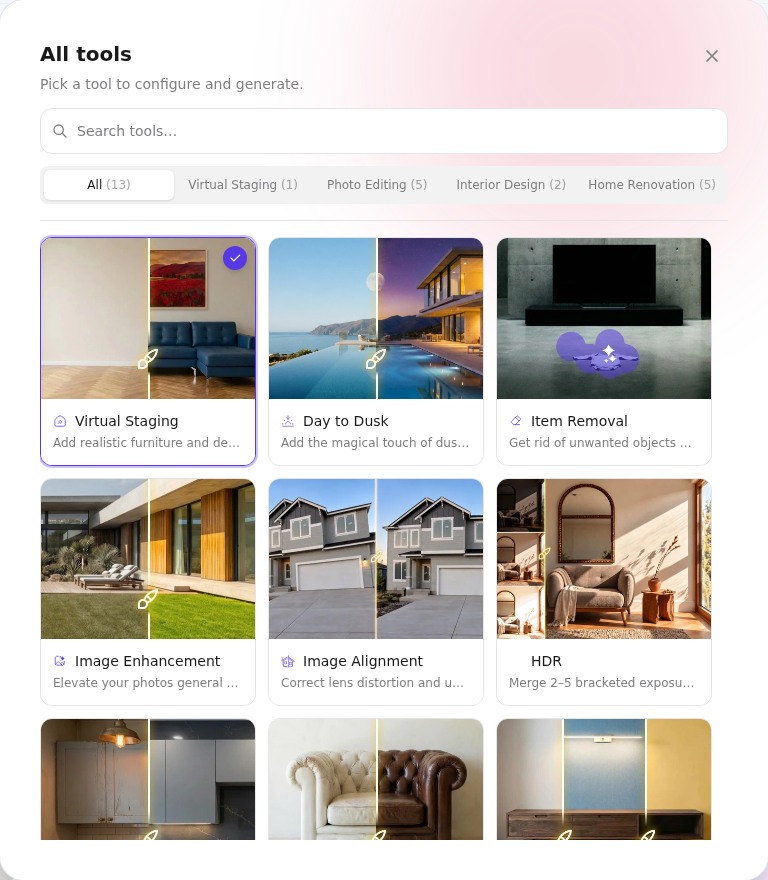
AI HomeDesign brings staging, photo editing, interior design, and renovation tools into one workspace. Its tool picker lists 13 services. Core tools include AI Virtual Staging, Day to Dusk, Item Removal, and Image Enhancement; targeted renovation tools cover walls, floors, ceilings, and backsplashes.
Virtual staging supports 15 spaces and 10 styles, with three variations per room and unlimited free regenerations. Interior Designer offers 10+ styles and 30+ color palettes.
That range makes AI HomeDesign a practical option when a listing needs several kinds of photo work. Select the appropriate edit for each image, then review the result against the original instead of assuming that every tool will preserve every detail.
RoomGPT: rooms, themes and quality settings
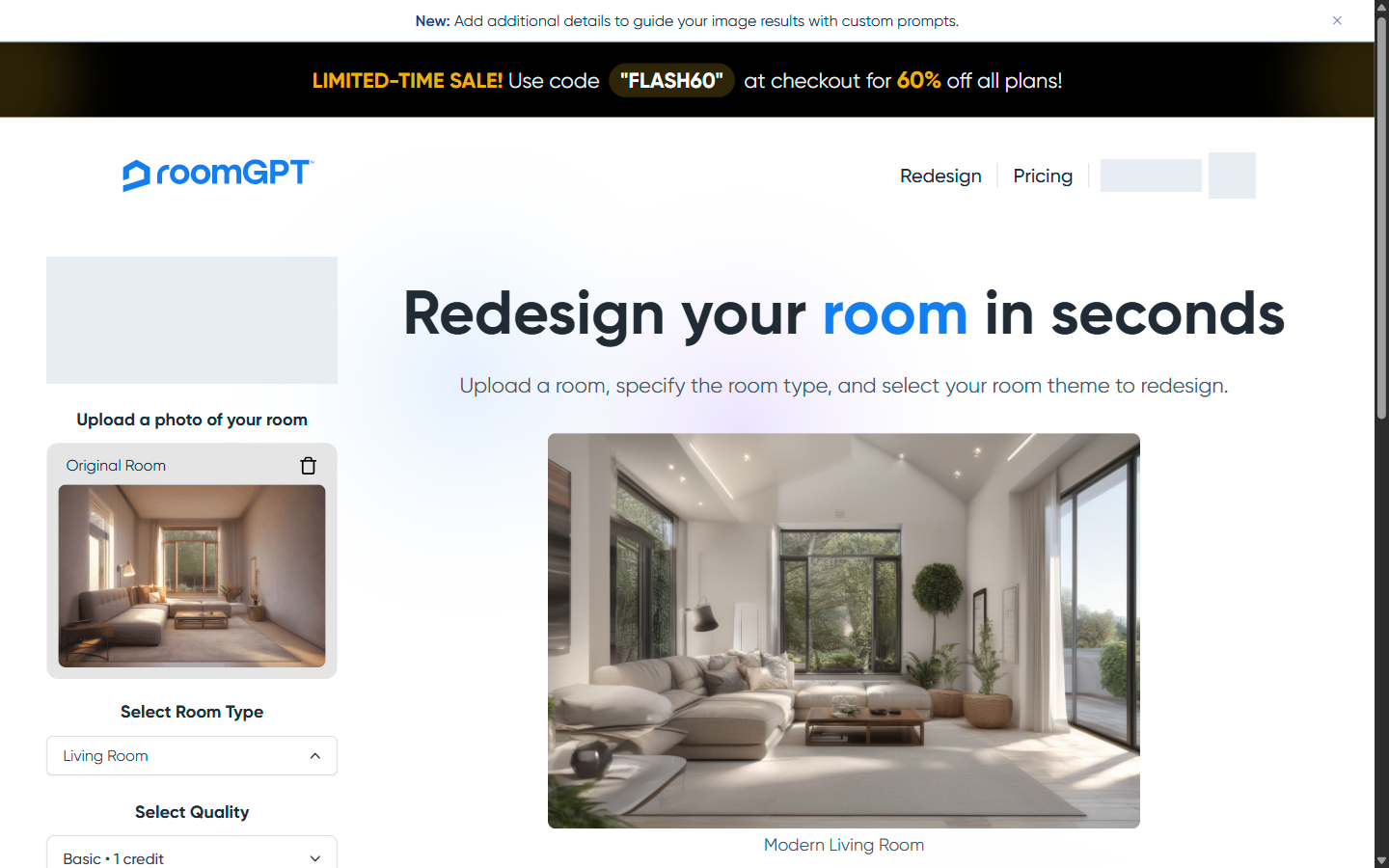
RoomGPT’s setup starts with a photo and a room type. The nine options are Living Room, Dining Room, Bedroom, Bathroom, Office, Kitchen, Basement, Outdoor Patio, and Gaming Room.
Its nine themes are Modern, Summer, Professional, Tropical, Coastal, Vintage, Industrial, Neoclassic, and Tribal. Up to four themes can be selected together. The interface also offers Basic Legacy, Pro Default, and Ultra quality, labeled at 1, 2, and 4 credits respectively.
The optional-details field has a 500-character limit and requires Pro or Ultra, plus sufficient credits. The completed example below used Basic with the Modern theme and no custom details.
Speed and image quality: choosing the right workflow
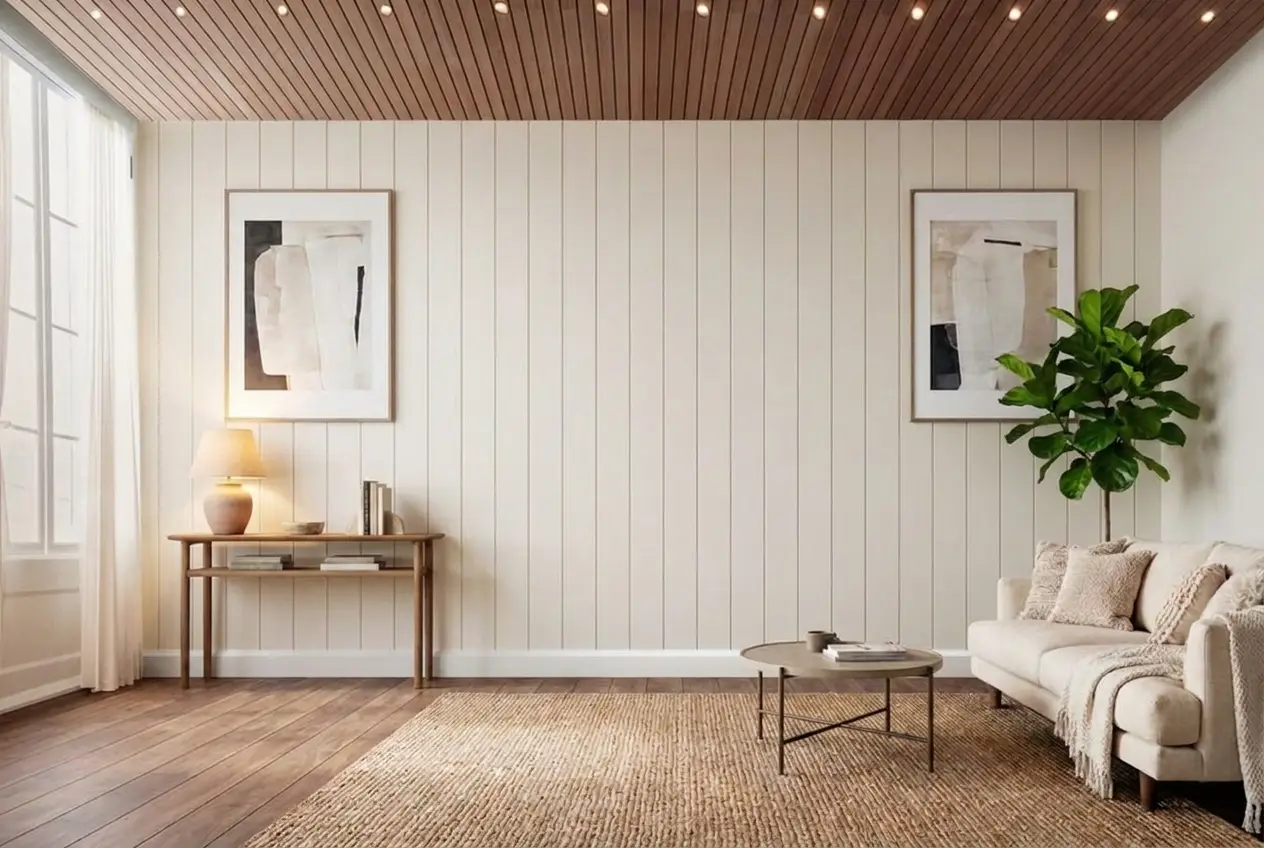
The Basic-quality Modern Living Room example shown above took about 14 seconds and used one credit. Getting the photo to upload took retries. Wait for the Original Room preview before rendering: an enabled Render designs button can still leave you without a result or an error message when no usable photo is loaded.
AI HomeDesign separates tasks such as staging, item removal, lighting edits, and enhancement into dedicated tools. Its staging options include three variations per room, Chat refinement, and unlimited free regenerations. That gives listing work a task-based starting point, while RoomGPT’s room and theme controls organize concept exploration.
AI HomeDesign stages rooms in five seconds. When planning a job, allow time to upload a photo, choose settings, review the result, and prepare the download. Generation is only one part of the workflow.
RoomGPT’s Basic example offers a visual direction for the room. Treat it as a design concept and review windows, doors, fixtures, perspective, and lighting against the original photo before using the output. This matters especially for a property listing, where a different look must not be mistaken for the existing space.
Pricing compared: annual plans and credit packs
AI HomeDesign offers subscriptions; RoomGPT sells one-time credits. The prices below are in US dollars. AI HomeDesign’s annual monthly equivalents require the full annual payment shown alongside them. Photo allowances remain monthly, and the Enterprise prices shown cover the 200-photo base tier.
Monthly equivalents · Billed annually
AI HomeDesign’s paid plans include watermark-free downloads and unlimited free regenerations. Pro Plus and Enterprise include unused-credit rollover. See AI HomeDesign’s pricing page for checkout terms and higher-volume options.
RoomGPT has no subscription or annual plan. Its fulfillment policy says unused credits remain valid indefinitely and are deducted on successful generation.
Every tool a listing needs, on one account
Free trial credits, no credit card. Staging, photo editing, and renovation on one account.
Try AI HomeDesign freeHow to compare the cost of a finished image
A credit is not a fixed promise of one downloaded image at any setting. RoomGPT’s quality menu lists Basic at 1 credit, Pro at 2, and Ultra at 4. Theme selection can increase the request total: selecting four themes with Basic sets the Cost preview to 4 credits.
The Basic/Modern example used one credit. Downloading and resetting that result used no more credits. Redesign new room cleared the result and themes, retained the original photo and Basic quality, and reset Cost to zero. Check the final Cost for each new request: the price of a credit is not a universal price per finished image across quality levels and themes.
For AI HomeDesign, start with the monthly photo allowance and the billing commitment you are comfortable making. Annual Pro is a $228 yearly purchase, even though its equivalent is $19 per month; month-to-month Pro is $35. Compare those commitments with the number of photos you expect to work on, rather than comparing a subscription’s monthly equivalent with a one-time pack total.
Downloads, saved work and listing review
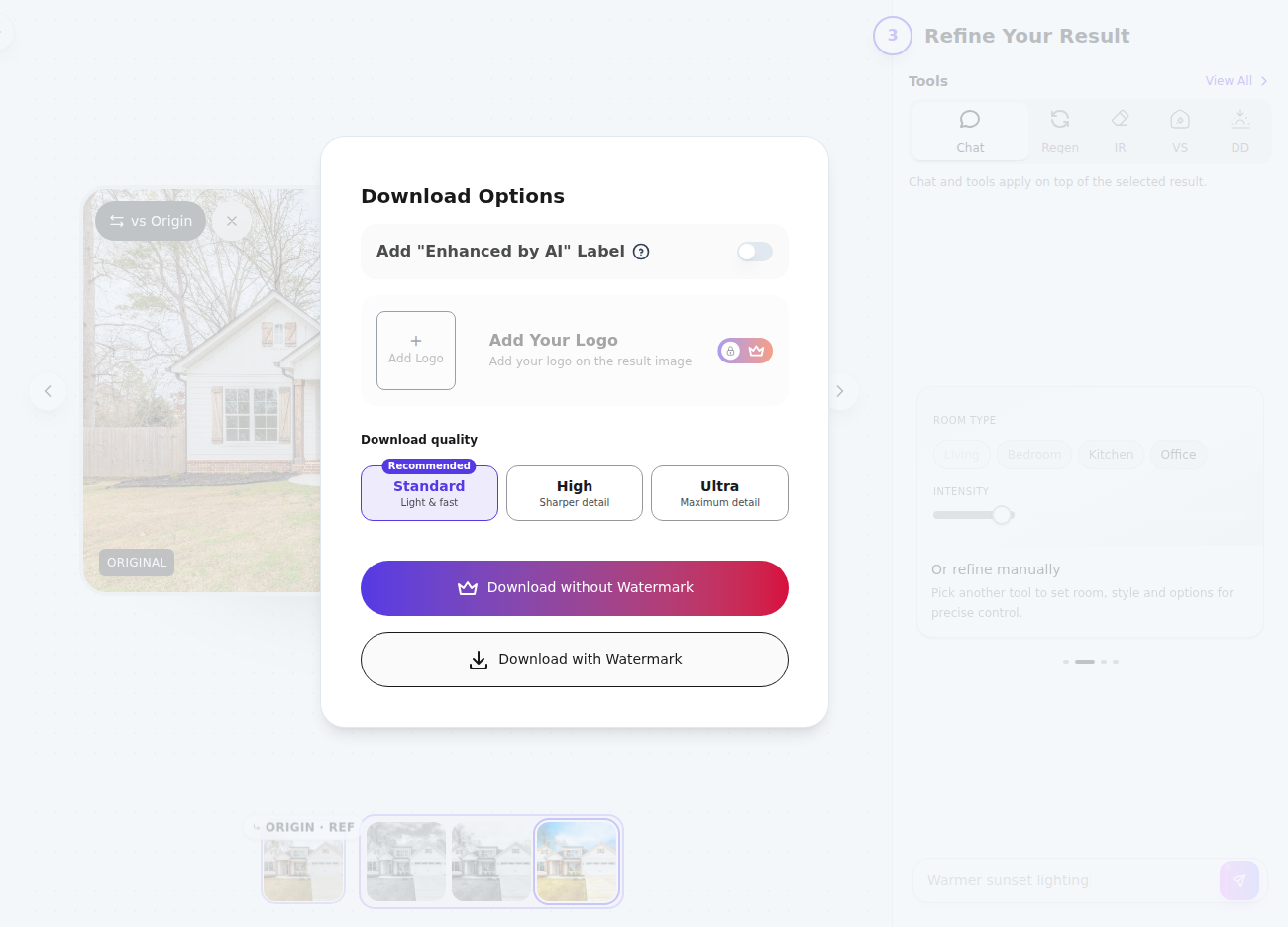
AI HomeDesign’s download panel offers Standard, High, and Ultra choices, plus labeling and watermark controls. Paid plans include watermark-free downloads. Choose the export settings that fit the destination where the image will be used.
The RoomGPT example downloaded as a 1216 × 832 PNG with no visible watermark. Its result view placed the redesign beside the original thumbnail, without a dedicated comparison slider or toggle. Dashboard room saving and premium room types/styles remain labeled “Coming Soon,” so keep a downloaded copy.
RoomGPT’s result preview appeared too tall and narrow at a 390 × 844 browser viewport, while the downloaded PNG retained its correct proportions. Review the saved image as well as the on-screen preview. For listing work, compare furniture edges, windows, doors, fixtures, and perspective with the original. Follow the destination platform’s disclosure requirements and clearly identify virtual staging or proposed renovation.
A practical checklist before choosing
Start with the work you need to deliver, then match the controls, billing model, and image requirements to that task.
The clear pick
Choose AI HomeDesign when
You need virtual staging alongside tasks such as item removal, lighting edits, and image enhancement, and a recurring photo allowance fits your workload. Select a plan around your monthly photo volume and preferred billing commitment.
Choose RoomGPT when
You want to explore preset room concepts without a subscription. Its room, theme, and quality controls offer a clear starting point, and one-time credit packs suit purchases around individual projects.
Frequently Asked Questions
Is RoomGPT free?
RoomGPT advertises one free generation at sign-in. Basic costs one credit, while the default Pro choice costs two; Ultra costs four. Check your account’s remaining allowance and the final Cost after choosing themes. The offer does not guarantee that an existing account still has an unused free generation.
How much does RoomGPT cost?
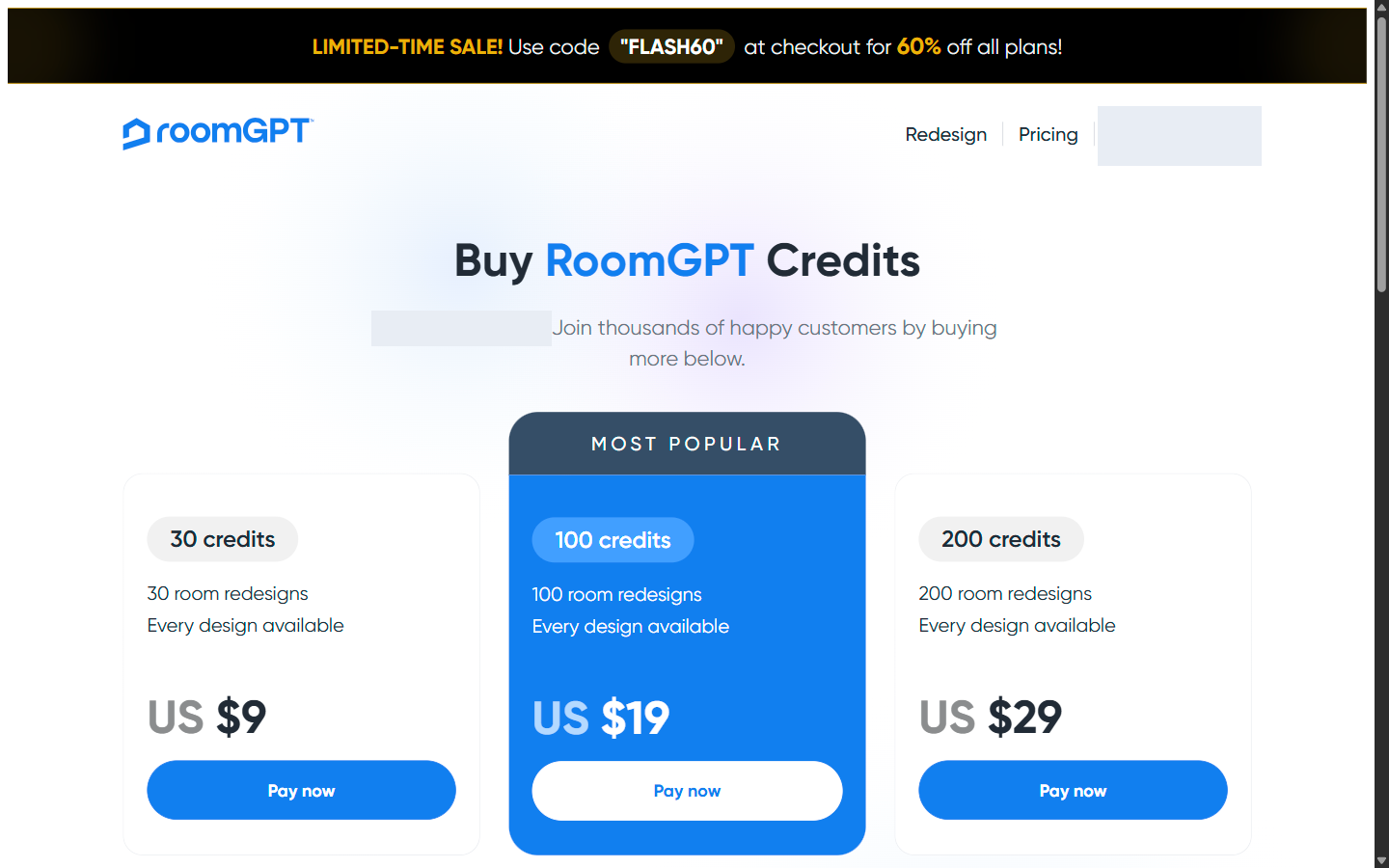
RoomGPT sells one-time packs of 30 credits for $9, 100 for $19, and 200 for $29, with no subscription. Basic, Pro, and Ultra quality are labeled at 1, 2, and 4 credits. Theme selection can change the request total, so check the final Cost.
What is the difference between AI HomeDesign’s annual and monthly prices?
Annual Pro, Pro Plus, and Enterprise cost $228, $348, and $588 per year, equivalent to $19, $29, and $49 per month. Monthly billing costs $35, $59, and $99 respectively. The corresponding allowances are 30, 80, and 200 photos per month; Enterprise figures are for its base tier.
How do the tools approach speed and image quality?
The RoomGPT Basic/Modern Living Room example shown here took about 14 seconds and downloaded as a 1216 × 832 PNG. That timing applies to this example, rather than every quality setting. AI HomeDesign stages rooms in five seconds. With either tool, allow time for upload, setup, review, and download, and compare the finished image with the original.
Which tool should I use for real estate listing photos?
AI HomeDesign’s dedicated staging and photo-editing tools make it the closer workflow match for listing preparation. RoomGPT’s preset redesign controls suit exploring room concepts. For either product, inspect structural details and exports, and follow the listing platform’s disclosure requirements.