PromeAI vs AI HomeDesign: Renders or Listing Photos?
PromeAI is built for concept rendering; AI HomeDesign preps listing photos. Compare coins vs per-photo pricing, batch speed, tools, and MLS disclosure.
PromeAI shows up in search results next to virtual staging tools, but the job often differs. PromeAI is a broad creative suite for generating concepts from prompts, sketches, and references, while AI HomeDesign focuses on editing real property photos into listing-ready images.
The fastest way to choose is to decide what the deliverable needs to be: a new idea that does not exist yet, or a faithful representation of a room that a buyer can walk into. The details in our full AI HomeDesign review help with the second job, while this page draws a clean line between the two.
The rest of this comparison sticks to the few criteria that change the decision in real work.
At a glance
PromeAI vs AI HomeDesign starts with the job
Concept rendering and listing-photo prep look similar on a feature list. The deliverables behave differently.
A concept render exists to sell a direction. It can start from a sketch, a rough plan, or a text prompt. It can change proportions, openings, materials, and even the implied floor plan. That flexibility is useful when the space does not exist yet.
A listing photo exists to represent a real property. Buyers will stand in the room. MLS standards often treat marketing photos as representations of the property and expect edits to stay within clear disclosure and accuracy boundaries, which is why many MLSs publish public guidance like the Bright MLS site.
A simple decision shortcut often works.
Use PromeAI if
the deliverable is a concept image or concept board, and creative reinvention is acceptable.
Use AI HomeDesign if
the deliverable is a batch of listing photos that need a repeatable look while preserving fixtures and structure.
What PromeAI is built to do
PromeAI is positioned as a wide creative workspace, not a single-purpose staging tool. One workflow starts in classic workbenches like Sketch Rendering and AI Image Generator. Another workflow uses Canvas projects, where text and image-reference nodes can stay attached to a project for later reuse.
That breadth matters for design work. PromeAI includes sketch-to-render and prompt generation, plus a large directory of editing and generation tools. The inspected tool families include Erase & Replace with modes like Replace, Remove, Retouch, Recolor, Insert Object, and ReTexture, and a Magic Editor entry for whole-image prompt edits. Video entries like Text to Video and Image to Video also appear as part of the suite.
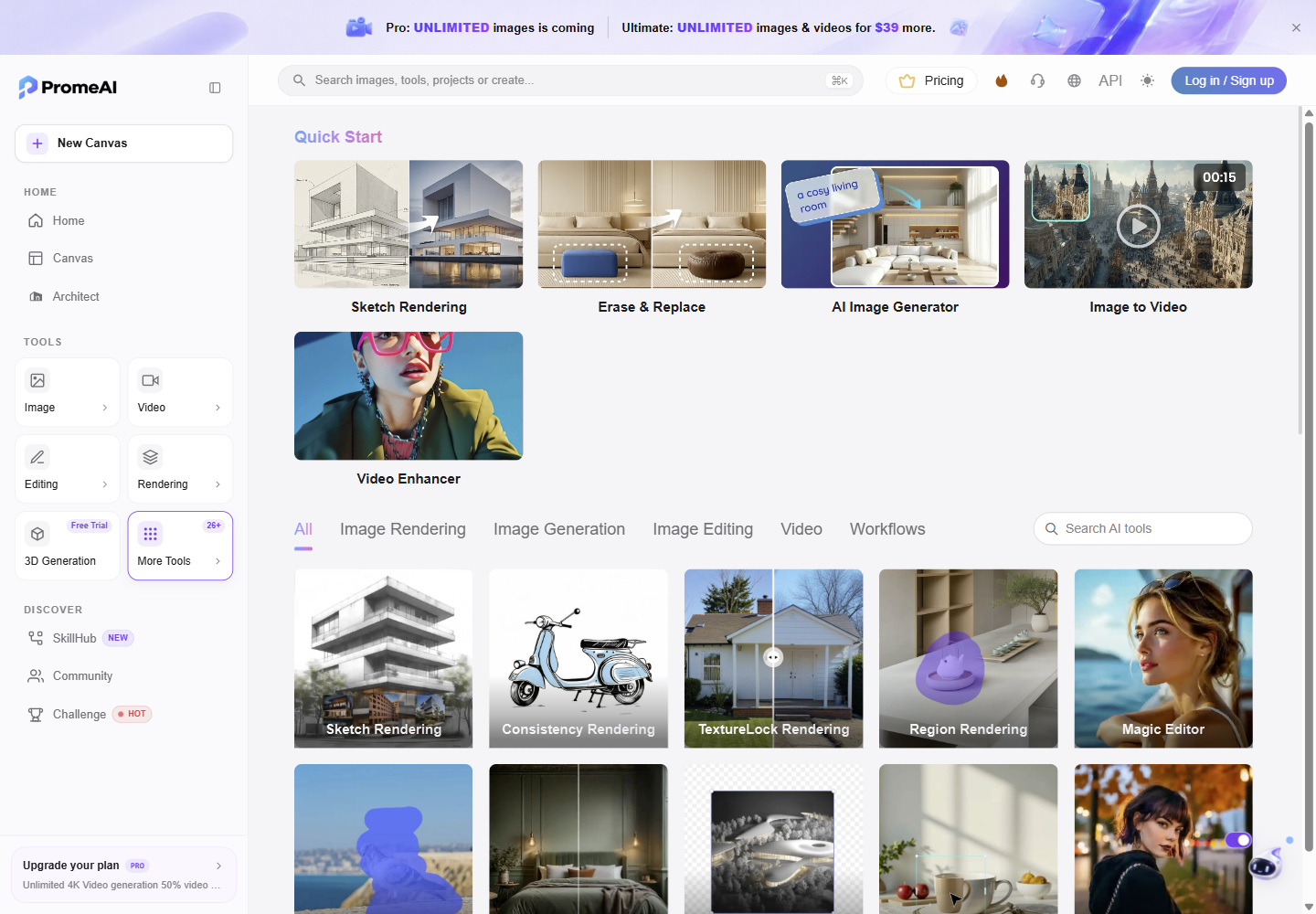
PromeAI prices work in coins. The interface shows an estimated coin cost before submitting a job, and the estimate can vary by model and settings. That makes PromeAI flexible for experiments, but it also means the “how many finished images per month” question depends on which models and quality settings a team uses.
What AI HomeDesign is built to do
AI HomeDesign is a listing-photo workflow. It starts from a photo of a real room and applies real-estate tasks that agents and photographers repeat across a full gallery.
Every plan includes AI Virtual Staging, AI Day to Dusk, AI Item Removal, and AI Image Enhancement. The wider toolbox includes Interior Designer, Furniture Restyle, Wall Change, Floor Change, Ceiling Change, Backsplash Change, Construction Completion, Image Alignment, HDR, and social pack templates for marketing handoff. Virtual staging is MLS-compliant virtual staging by default, preserving original fixtures and structure.
The controls also align with listing work. AI HomeDesign documents 15 staging room types and 10 design styles, returns 3 variations per room, and allows unlimited free regenerations. Item Removal supports whole-room declutter in one step plus a brush mode for targeted removals. Day to Dusk includes 30+ twilight sky styles that can swap without re-rendering, plus a darkness slider.
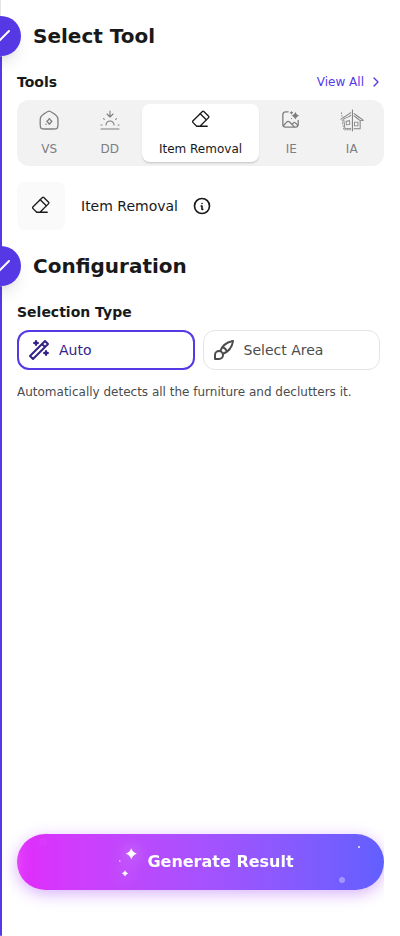
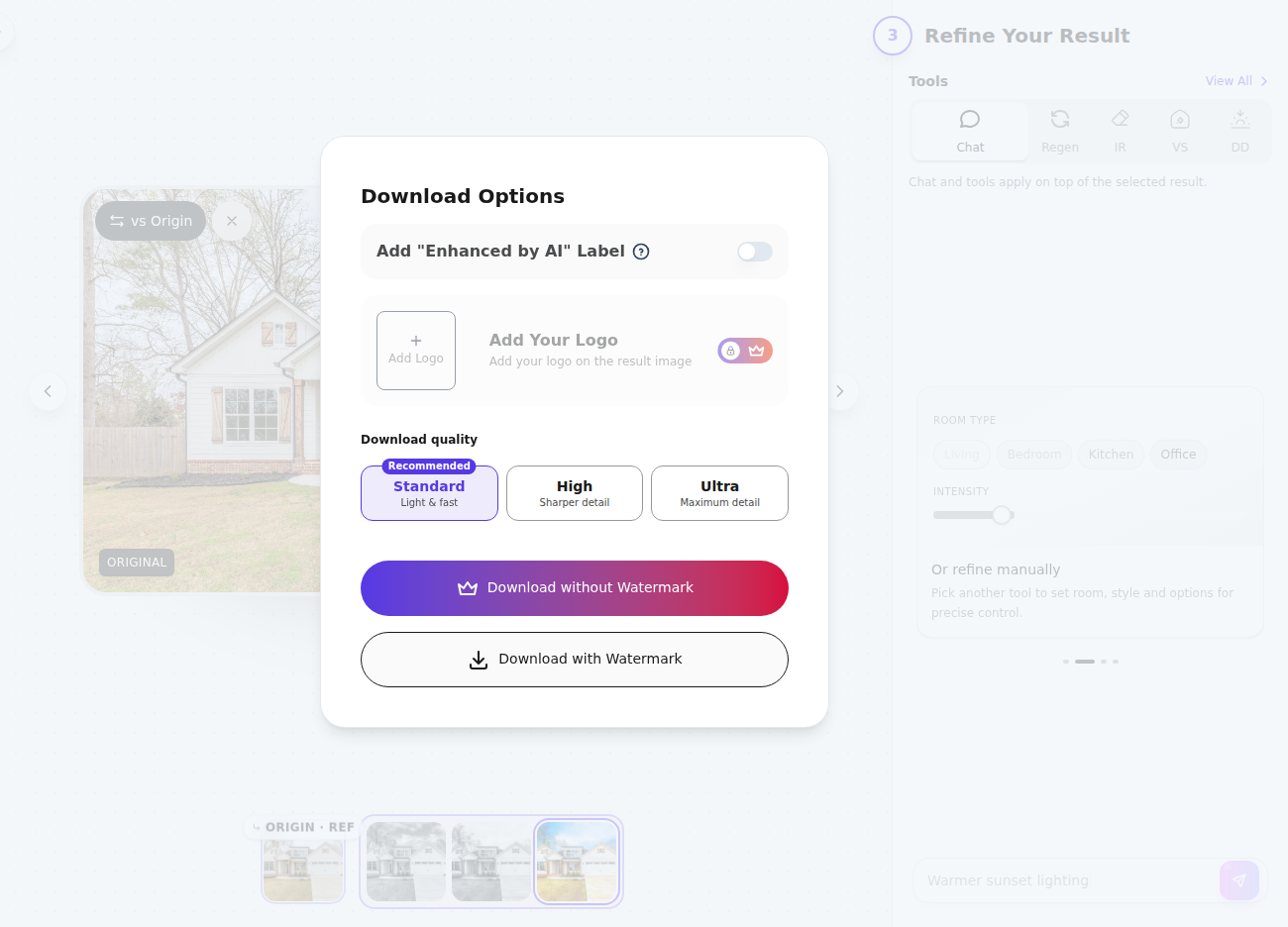
File handling is also published in real workflow terms: inputs accept JPG/JPEG, PNG, WEBP, and HEIC up to 50 MB per photo. Free trial results are watermarked, and paid plans include watermark-free downloads.
Where the workflows diverge for listing photos
A listing workflow punishes drift. A concept workflow rewards exploration. That split shows up in five practical ways.
Fidelity to the photographed room versus creative reinvention
PromeAI can produce strong concept imagery, but its tools can generate new geometry as part of the look. That can be perfect for a pitch deck, or for exploring a renovation direction.
AI HomeDesign frames the job differently. MLS-compliant by default means the workflow aims to keep the room’s permanent structure intact while changing staging, enhancement, twilight mood, or surfaces. That constraint maps to listing photos, where the room has to stay recognizable across the full set.
Prompt dependency versus panel-driven repeatability
PromeAI’s classic workbenches often rely on prompt and model decisions. Even when a user starts from a photo, the results depend on how consistently prompts, model choices, and settings get repeated across rooms.
AI HomeDesign uses room type, style, material, and palette panels that are designed for repeat use across a property. The workflow still allows chat-based refinement, with documented message limits per result by tier, but the base choices match how photographers actually batch decisions.
Listing tasks versus broad creative tasks
PromeAI’s suite includes broad tools like sketch-to-render, editing workbenches, and video entries. That is a strength for studios that produce more than still listing images.
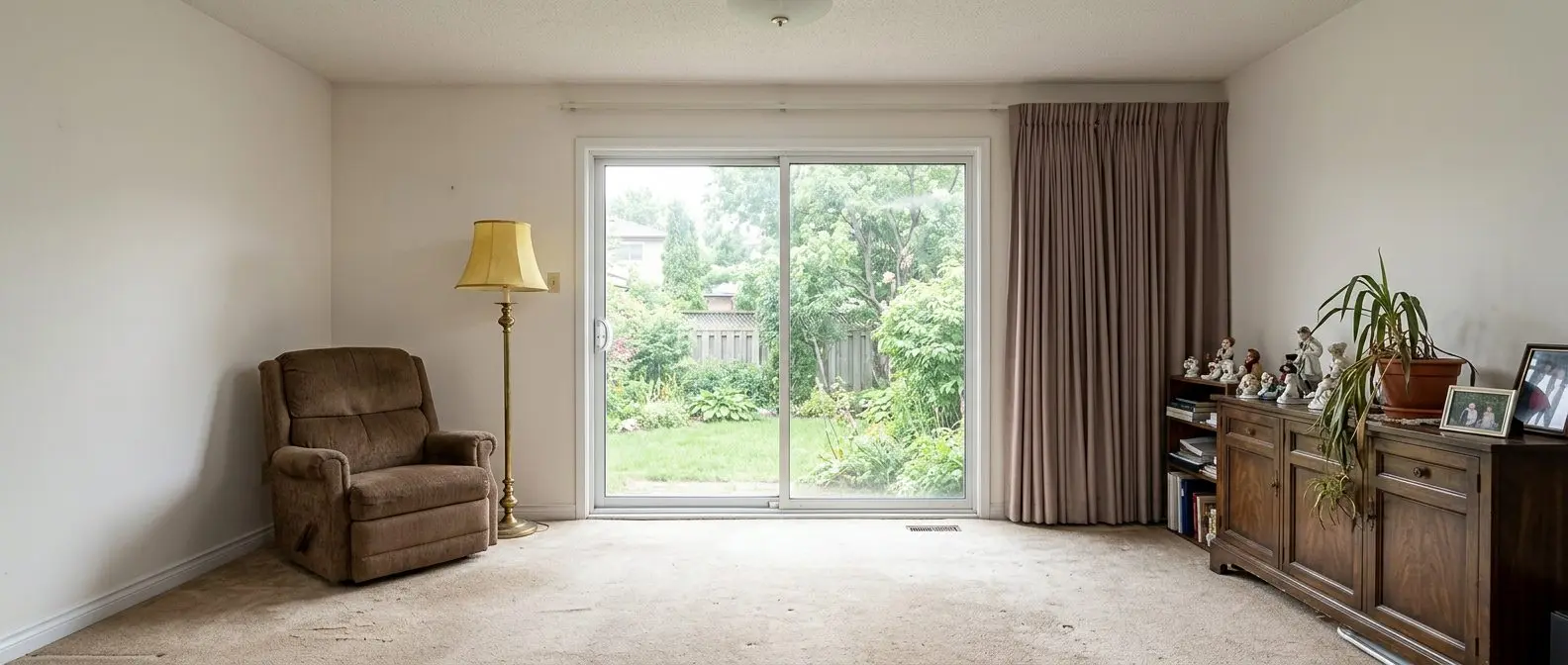
AI HomeDesign stays close to listing work. Day to dusk, declutter, and enhancement sit next to renovation visualizations like AI interior design and surface changes and exterior presentation changes like day-to-dusk exterior conversion.
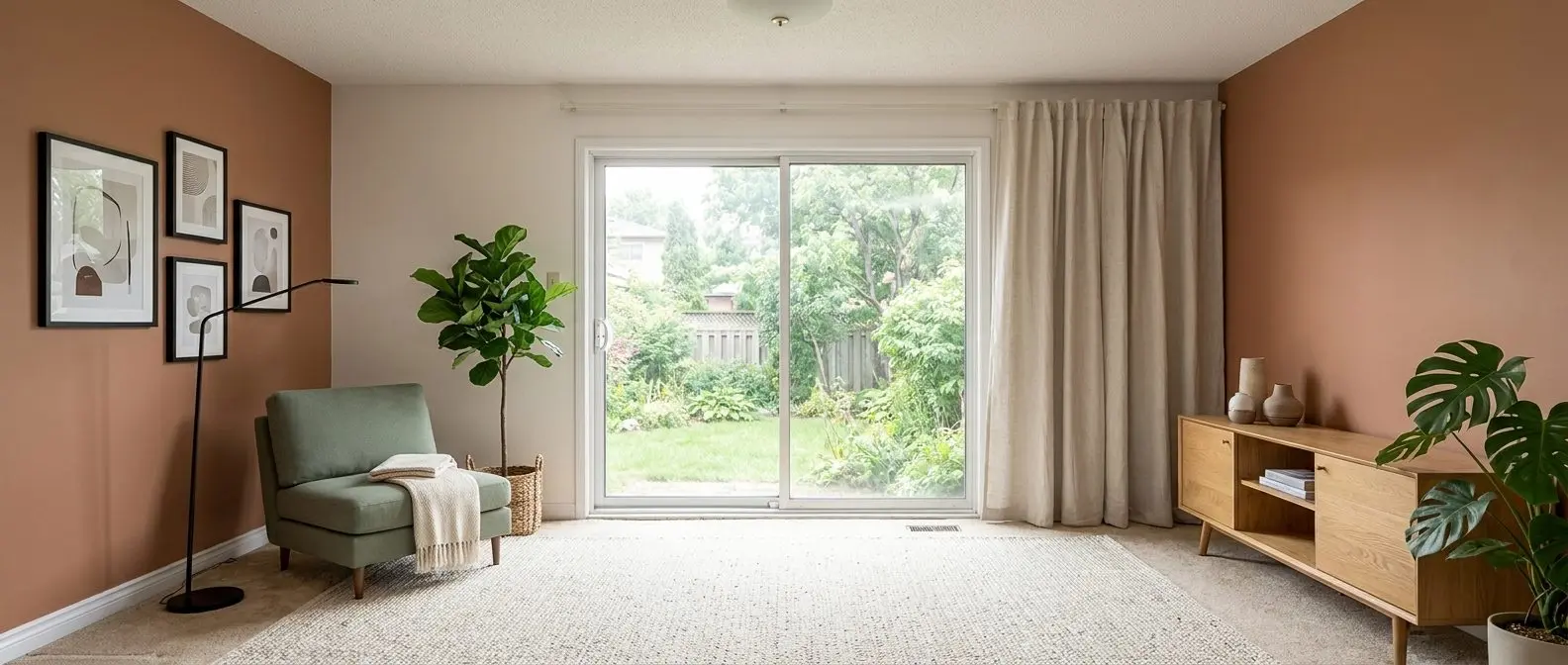
Redesign any room in a few clicks
10 styles and 30+ colour palettes, from one photo. 10+ tools, including social pack. Free trial credits, no credit card.
Start designing freePricing and credits compared
Monthly equivalents · Billed annually
Monthly equivalents · Billed annually
Annual billing makes the two models easier to compare because both tools publish yearly plans.
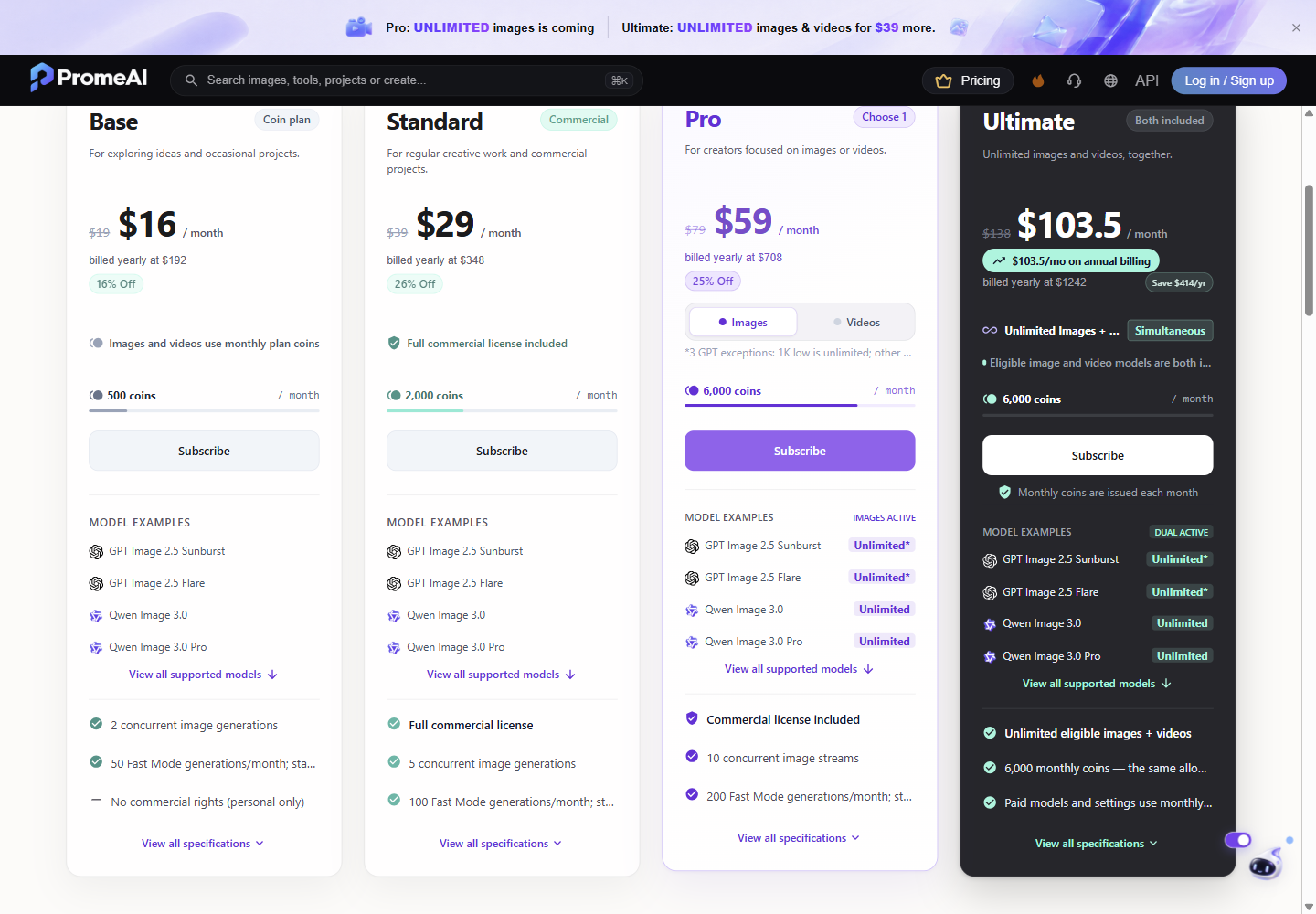
PromeAI sells coin allowances, billed yearly as prepaid totals with coins issued monthly. Base is $192/year, Standard is $348/year, Pro is $708/year, and Ultimate is $1,242/year, each shown with a monthly equivalent. PromeAI also distinguishes licensing: Base is listed as personal use only, while a commercial license starts on Standard. The published plan cards also include tier limits like concurrency and Fast Mode quotas on PromeAI’s member pricing page.
AI HomeDesign sells photos per month, with annual billing priced as a yearly total and shown with a monthly equivalent. Pro is $228/year at $19/mo equivalent, Pro Plus is $348/year at $29/mo equivalent, and Enterprise is $588/year at $49/mo equivalent. Published per-photo rates are $0.63, $0.36, and $0.24, and higher tiers also add operational entitlements like unused credit rollover on Pro Plus and Enterprise.
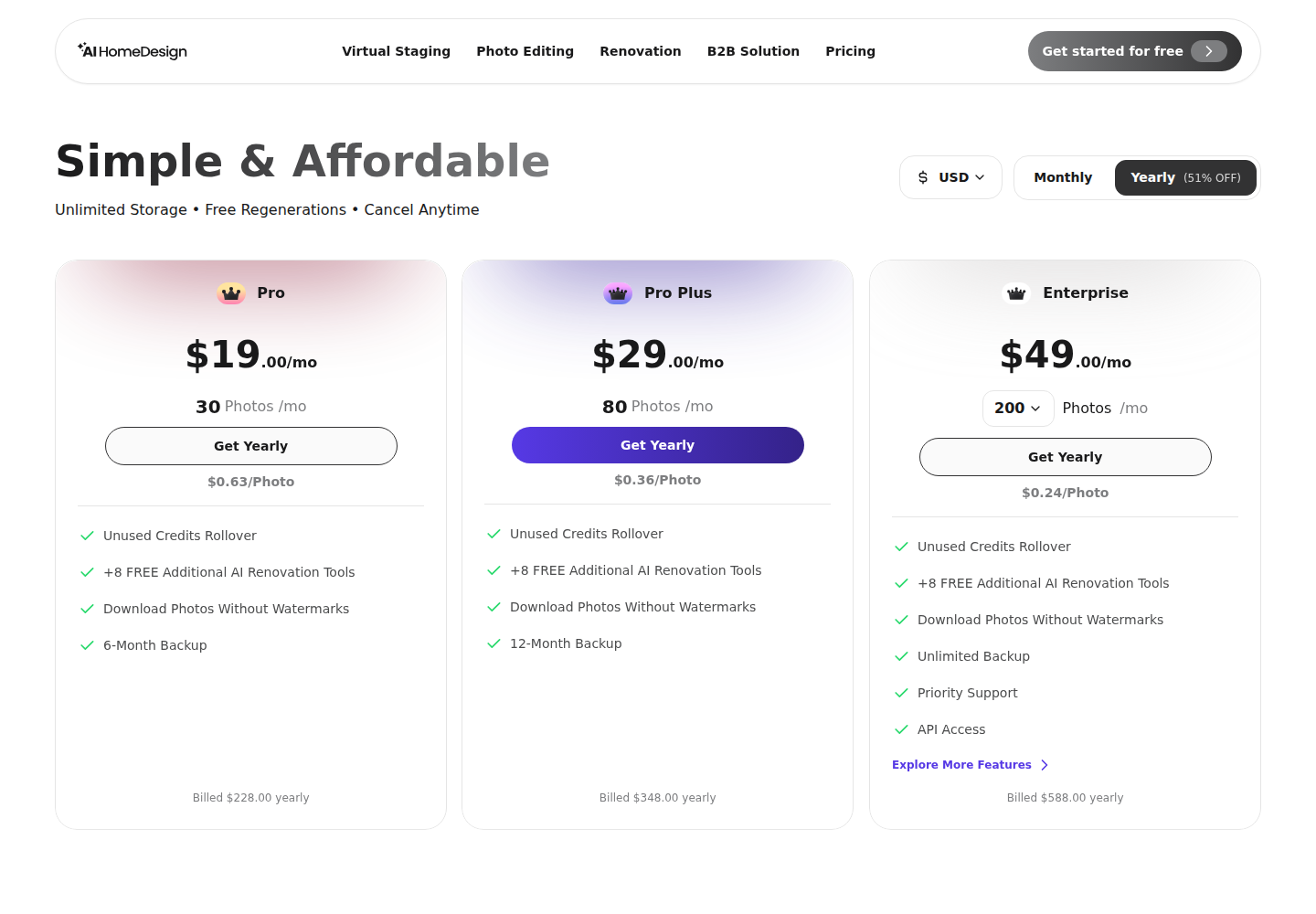
The practical difference is forecasting. A coin allowance can produce very different monthly output depending on model and settings, while a photos-per-month plan sets a clear ceiling for deliverables. Teams that need a predictable cost per finished listing image usually prefer the second unit.
Speed and batch size under listing deadlines
AI HomeDesign publishes turnaround in seconds and lists virtual staging as under 5 seconds. It also documents bulk editing limits of five photos on the free tier and 25 photos on paid plans, with one credit per bulk-edited photo.
PromeAI does not publish a per-render turnaround time. Its throughput signals come from published tier limits instead, like concurrency limits of 2, 5, and 10 concurrent image generations on Base, Standard, and Pro, plus monthly Fast Mode quotas of 50, 100, and 200.
Friday-afternoon listing work often needs consistency across a full set more than it needs a single perfect hero render. That is where a staging-first tool paired with listing photo enhancement tends to fit better than an experimentation-first coin workflow.
Other tools people compare in this space
Many teams end up with a split stack: one tool for concept-stage rendering and a different tool for listing photo preparation.
Concept-first tools can make sense when the input is a sketch, a massing study, or a renovation concept. That is also why comparisons like LookX AI for architectural renders often focus on rendering workflows more than listing-photo constraints.
Listing-photo workflows tend to reward repeatability and room fidelity over prompt artistry. For another example of that split, MNML AI compared for renders versus listing photos covers a similar decision boundary.
MLS rules and disclosure for altered listing photos
Disclosure practice exists because staging changes perception. The National Association of REALTORS has long treated staging as a marketing lever, and its Profile of Home Staging shows how much the industry values presentation.
The risk comes from what a buyer expects a listing photo to be. A concept render can be honest in a design context and still misrepresent the property in a listing context if it redraws windows, walls, or built-ins. That is why many brokerages label altered images clearly and keep the unedited original on file.
Clear labels reduce confusion. One common approach is plain language in the image caption, like “virtually staged” for AI Virtual Staging, and “digitally altered” for changes like item removal or day-to-dusk mood edits.
Provenance standards keep moving forward, and tools like the C2PA specification reflect the direction of travel toward better content authenticity signals. For real estate teams, that trend raises the bar on accurate representation and consistent disclosure, especially when a generator can invent details that were never in the room.
The clear pick
Choose AI HomeDesign when
AI HomeDesign is the default pick for agents and photographers who need MLS-compliant listing photos with predictable per-photo planning across a full gallery.
Choose PromeAI when
PromeAI fits designers and architects who need concept renders from sketches or prompts, plus a broad suite that can include video and Canvas-style ideation.
Frequently asked questions
Is PromeAI a good fit for real estate listing photos?
It can generate and edit interior images, but PromeAI is primarily a concept-creation suite that can redraw elements as part of the result. That works well for idea exploration and renovation concepts. For MLS listing photos, the safer workflow is a tool that edits a photographed room while keeping its permanent features consistent across the whole set, plus clear disclosure for any altered images.
How much does PromeAI cost on an annual plan?
PromeAI lists prepaid yearly plans with monthly-equivalent prices: Base $192/year, Standard $348/year, Pro $708/year, and Ultimate $1,242/year, with coins issued monthly. Base is listed as personal use only, while a commercial license starts on Standard. Monthly coin output depends on which models and settings get used because coin estimates vary by configuration.
How much does AI HomeDesign cost billed annually?
AI HomeDesign lists three annual-billed tiers: Pro $228/year at a $19/mo equivalent, Pro Plus $348/year at a $29/mo equivalent, and Enterprise $588/year at a $49/mo equivalent. The published per-photo rates are $0.63, $0.36, and $0.24. Enterprise pricing applies to the 200-photo base quantity, with higher volumes quoted separately.
Do PromeAI or AI HomeDesign watermark results?
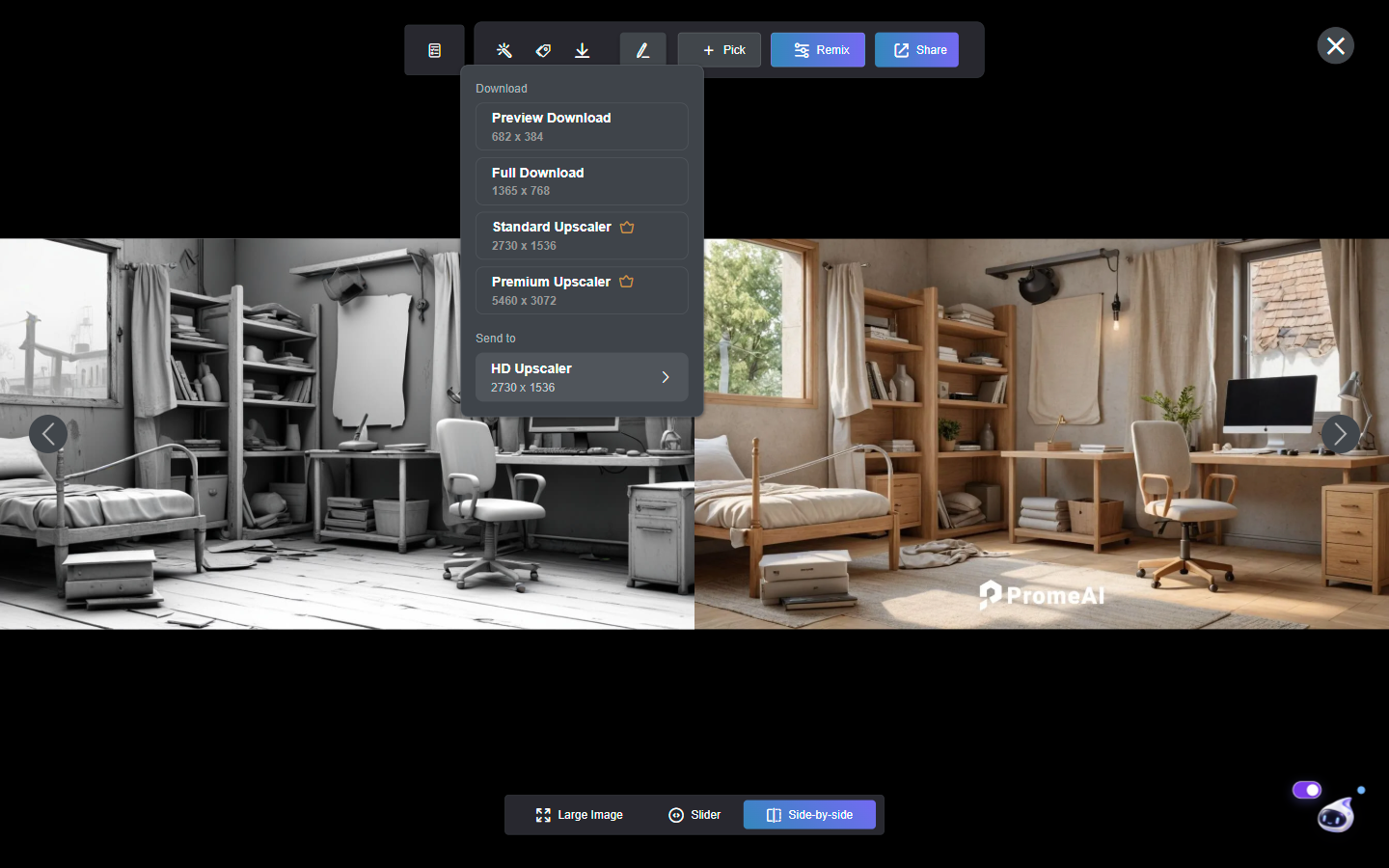
AI HomeDesign documents that free trial results are watermarked, while paid plans include watermark-free downloads. In a PromeAI session, the image viewer displayed a PromeAI mark as an on-screen overlay, while Preview Download JPEG exports showed no visible embedded watermark. Watermark behavior can vary by export option, so teams typically check the specific download path used in production.
How can coins be compared to photos per month?
Coins and photos per month answer different planning questions. A photos-per-month plan sets a clear ceiling on finished deliverables, which helps forecast cost per listing. A coin plan can produce very different monthly output depending on model choice, quality settings, and whether a tool is eligible for any unlimited benefit. That makes coin budgeting more flexible but harder to predict.
Do some studios use both PromeAI and AI HomeDesign?
Yes. PromeAI fits early-stage concept work, such as sketch-to-render exploration, mood boards, or marketing visuals that do not need to match a specific photographed room. AI HomeDesign fits the stage after photography, when a team needs listing-ready images like AI Virtual Staging, item removal, image enhancement, day-to-dusk, or surface changes while preserving fixtures and structure.