Palazzo Spaces Alternatives for AI Interior Design 2026
The tool you’re replacing
A single room render can look great, then the next one goes sideways. That is the moment most searches for Palazzo Spaces alternatives begin, especially after a tool reads everyday clutter as decor or delays long enough to miss a listing deadline.
Palazzo Spaces fits the photo-in, style-out mobile restyling job well. The friction starts when the work expands into staging, photo cleanup, and consistent results across a full shoot. Agents and designers also need predictable costs when a “quick test” becomes a full set of listing images.
For context on why these trade-offs show up across the category, the behaviors reported for Palazzo Spaces come from this Elle Decor overview. The broader landscape of options also sits inside this parent guide on AI home design and virtual staging alternatives, which helps frame the switch.
What to Look For in Palazzo Spaces Alternatives

Most readers compare tools on a single hero image. Listing work breaks that approach. One room often needs multiple angles, and one listing often needs a full set. That is where credit math and consistency matter more than a pretty one-off render.
Start with job coverage. Virtual renovation changes finishes, surfaces, and the overall look of a room that already exists. Virtual staging adds furniture and decor so an empty or under-furnished room sells. Many teams also need real estate photo editing, like object removal, day-to-dusk, and image enhancement. Paying for separate tools becomes the most common hidden cost.
Next, price the workload as photos, not renders. A typical listing set lands in the 15 to 30 image range, and that set often includes retries. The cost question becomes simple: does a re-render burn credits again, or do regenerations stay free. That one policy decides whether “try again” feels cheap or expensive.
Finally, test consistency across angles before trusting any app on a live listing. The same sofa, palette, and lighting should hold across several views of one room. Walls, windows, door frames, and ceiling lines should also stay fixed. For more context on where photo-based tools sit inside AI interior design, the key is separating inspiration renders from listing-safe deliverables.
A restyle app solves one job. A listing often needs several. One room might need staging, another needs item removal, and the kitchen might need a finish change to sell a renovation idea without a contractor quote.
A second difference shows up fast on deadline. If a tool makes each retry a paid event, teams hesitate to iterate. If regenerations stay free, teams can chase consistency across angles and across the full gallery without watching a credit balance on every adjustment.
Commercial use and disclosure also live in this section, because most alternatives now sit in real estate workflows. Tools that keep structure intact reduce the risk of “accidental remodeling,” like moved windows or shifted walls. That matters more than style variety.
The five tool cards below focus on scope, cost logic, and the practical trade-offs a team feels on a full photo set.
How These Alternatives Differ in Practice

Consistency across a set is the real test. A single living room render can hide problems that show up on the second, third, and fourth angle. A listing gallery needs the same furniture story and the same light story, not five unrelated “concepts.”
Structure preservation also changes how comfortable a team feels publishing results. Tools that explicitly lock layout reduce the chance of accidental architectural changes. Regardless of tool, every output needs a quick scan for windows, doors, ceiling lines, and built-in fixtures.
Cost differences show up as revision policy. Some tools treat each retry as another credit burn. Others allow free regenerations, which keeps iteration affordable when a room has clutter or tricky lighting. On a 15 to 30 photo set, that policy matters more than a small difference in monthly price.
Mobile-first restyling apps often feel fastest for inspiration, while listing teams often want repeatability across many images. Readers comparing mobile workflows may also want this related guide on InstantDeco alternatives for AI room staging, since that category tends to optimize for quick style exploration rather than multi-angle consistency.
What Palazzo Spaces does well, and where it stops
Checked against elledecor.com.
What it does well
- Photo-based AI room restyling with preset styles/palettes
- Mobile app experience with an in-app processing indicator
- Can misinterpret everyday clutter as furniture/decor
- Results can vary widely; glitches and error messages reported
- A free tier you can test before paying anything
Where people outgrow it
- No virtual staging, so empty rooms still go to another tool
- No photo enhancement, so listing photos still go elsewhere
- No day-to-dusk conversion for twilight shots
- No item removal for clutter in an occupied room
- Everyday clutter can be read as furniture or decor, so lived-in rooms need tidying before upload
- Turnaround is minutes but variable, with slowdowns, long waits and error messages reported
- Output varies run to run, which makes a consistent look across several angles of the same room harder
- Coverage is photo restyling (virtual renovation) – not listing-grade virtual staging or real estate photo editing
- Pricing and free-tier terms are not clearly published in the source we could verify
The tools in detail

AI HomeDesignTop pick
vs Palazzo Spaces: covers virtual staging plus listing photo editing and virtual renovation, rather than photo restyling alone.
AI HomeDesign runs as three hubs, virtual staging, photo editing, and renovation, across eleven specialized tools. The practical benefit is one shared credit pool across the set, so the same listing photos can move between staging, item removal, image enhancement, and renovation views without switching subscriptions.
Pricing starts from $0.24 a photo, and virtual staging returns in under five seconds. Unlimited free regenerations keep retries from turning into extra charges, which helps when a room needs the same look across multiple angles. The platform is MLS-compliant by default, so it preserves fixtures and structure. Tool link: virtual staging.
- Pros: one credit pool for staging, photo editing, and renovation jobs.
- Pros: free regenerations make consistency work feel practical on full sets.
- Cons: free trial output is watermarked, so trial files are for evaluation.

Spacely AI
vs Palazzo Spaces: adds virtual staging alongside photo restyling, with a large unwatermarked free tier.
Spacely AI publishes a starting price of $12.75 per month and a free tier that includes 40 credits with no watermark. That matters for real evaluation, since trial output can be shared in a draft listing packet or used in internal review.
Jobs covered include virtual staging and virtual renovation. The model uses credits for generation, so teams should expect retries to consume budget. This tool fits readers who want a usable free trial before paying, and who only need staging and restyling rather than a broader photo-editing toolkit.
- Pros: unwatermarked free credits allow realistic trial runs.
- Pros: supports both virtual staging and virtual renovation workflows.
- Cons: credit-based retries can add up on messy rooms.

REimagine Home
vs Palazzo Spaces: emphasizes structure preservation while adding both staging and renovation outputs.
REimagine Home lists a $14 per month starting price and includes 5 free designs. It positions structure preservation as a core goal, which matters for listings where walls, windows, and ceiling lines must stay anchored while style and finishes change.
Jobs covered include virtual staging and virtual renovation, and it also spans interior and exterior use cases in one tool. This option fits readers whose top concern is layout drift across renders, or who need exterior visuals alongside interior restyles. A deeper tool-by-tool breakdown sits in REimagineHome alternatives for real estate listings.
- Pros: structure preservation focus aligns with listing constraints.
- Pros: covers staging plus renovation views.
- Cons: turnaround time is not publicly listed in published sources.

Collov AI
vs Palazzo Spaces: aims at real estate staging workflows, but the trial output is watermarked.
Collov AI lists a $19 per month starting price and a free trial of 5 watermarked renders. The watermark detail matters, since agents can judge style and realism in the trial, but the file usually cannot ship as marketing.
Jobs covered include virtual staging and virtual renovation, with a real-estate-oriented positioning in published sources. This tool fits readers who prioritize staging as the main job and can justify paid access quickly, rather than relying on a usable free tier. More context on similar options lives in Collov AI alternatives for agents and stagers.
- Pros: staging-first workflow fit for listing work.
- Pros: covers both staging and renovation outputs.
- Cons: trial renders are watermarked.

RoomGPT
vs Palazzo Spaces: stays closest to pure photo restyling, with low-cost credits for quick style exploration.
RoomGPT lists pricing as $9 for 30 credits and includes a small free tier of about one credit. The workflow sits firmly on the virtual renovation side, which makes it closer in spirit to the photo-in restyling experience that Palazzo Spaces readers expect.
Jobs covered focus on virtual renovation rather than virtual staging. This tool fits homeowners and early design exploration, especially when the goal is testing many styles quickly. Listing teams that need furnished staging output usually outgrow this category fast. A longer comparison of similar tools appears in RoomGPT alternatives.
- Pros: low-cost credits support fast style exploration.
- Pros: simple restyling flow for quick iterations.
- Cons: does not cover virtual staging in the supplied scope.
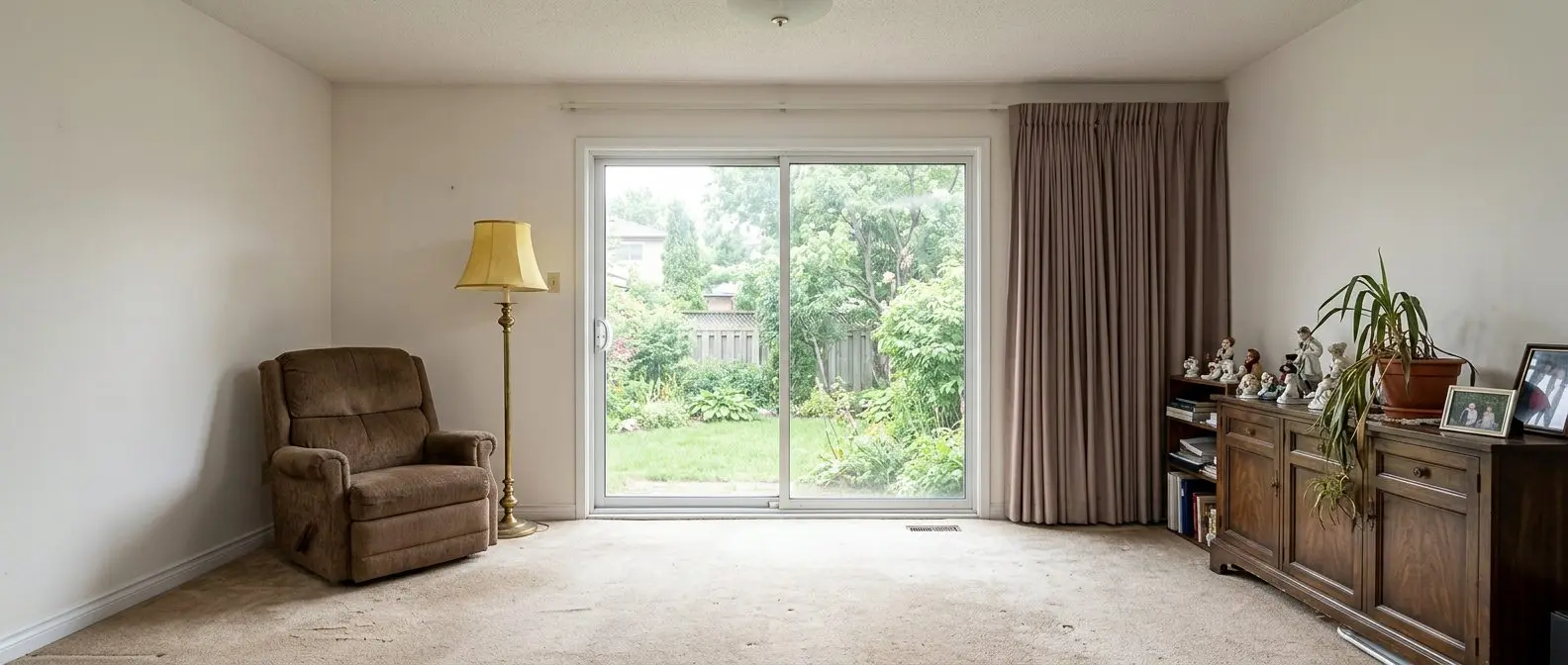
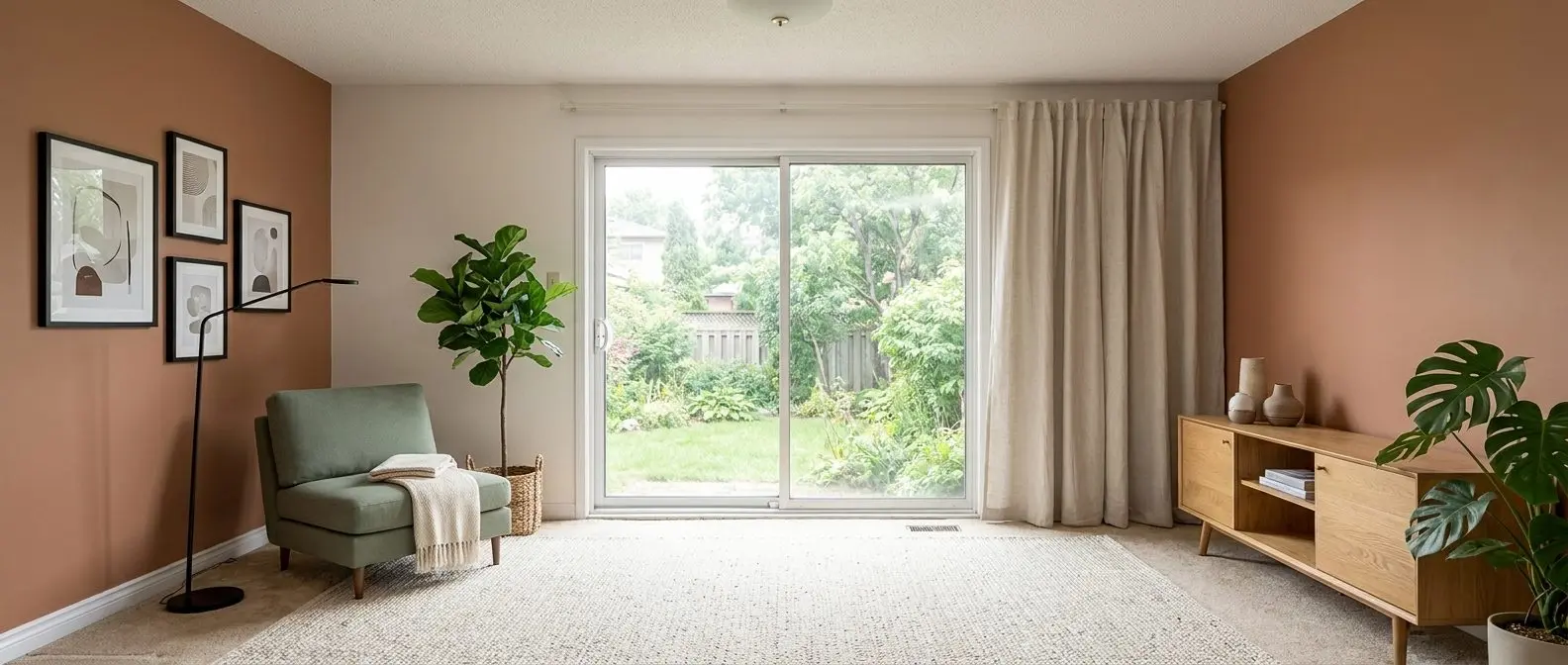
Redesign any room in a few clicks
10 styles and 30+ colour palettes, from one photo. All 11 tools on one account. Free trial credits, no credit card.
Start designing freeWhat it really costs per listing
Set your listing volume to see what each tool works out to per listing rather than per month. Only the 4 tools listed here publish a flat monthly price, and Palazzo Spaces is not one of them; the rest quote per photo or on request, so a monthly figure would be invented rather than compared.
Moving Off Palazzo Spaces
Switching tools rarely means starting from zero. The same photo set carries over, the same room list stays relevant, and the same deadline still exists. MLS and disclosure expectations also do not change just because a different model produced the image.
The rework usually comes from vocabulary and presets. A new tool often asks for a new style label, a new room type, and a new instruction set for what must stay. Teams also need to re-run the angles that already looked right, since the “keeper” from one model will not match another.
A clean switch comes from four checks. First, does one subscription cover all the jobs the workflow needs, including staging, renovation views, and listing photo editing. Second, do credits expire or roll over, since a slow month should not force waste. Third, is trial output watermarked or usable. Fourth, does a re-render cost again, or do regenerations stay free.
A low-risk sequence reduces guesswork. Run one real room photo through two trials, then run two angles of the same room to test consistency. Only after that, commit for a month and push a full listing set through the chosen workflow.
The Industry Reality Behind AI Interior Design and Staging

Disclosure rules shape what can go live. Staged and materially edited images often require labeling, and policies vary by MLS and jurisdiction. A simple, repeatable disclosure line keeps teams safe, such as: “virtually staged” or “AI-generated staging,” placed where the MLS and marketing guidelines expect it.
Structural changes and removed defects create the highest risk. A room that looks cleaner is usually fine when labeled, but removing a permanent issue without disclosure can mislead. Teams should also keep originals archived so edits remain auditable.
Human photo editors still win on a few high-value tasks. Mixed-light color correction, window pulls, tight-room perspective fixes, and reflection cleanup often need judgment, not a preset. That is why some teams separate restyling from true photo editing, and why guides like Pedra alternatives for real estate photo editing exist as a parallel category.
Turnaround is a scheduling problem as much as a quality problem. For listing work, teams should plan a 1 to 2 day buffer between a shoot and publish, even with instant AI tools. That window leaves time for retries, consistency checks across angles, and disclosure labeling before the listing goes live.
Find your pick
Tap your situation for a quick recommendation.
Frequently asked questions
RoomGPT stays closest to the photo-in, style-out restyling lane and prices access as $9 for 30 credits, with a very small free tier. It fits fast inspiration and finish exploration. For listing teams that need furniture added for marketing, tools that include virtual staging usually fit better than restyling-only apps.
In the supplied set, Spacely AI, REimagine Home, Collov AI, and AI HomeDesign all cover virtual staging as well as virtual renovation. That matters for empty rooms and for MLS marketing where “restyling” alone does not add furniture. RoomGPT stays in virtual renovation only, so it suits inspiration more than listing staging.
Spacely AI lists a free tier with 40 credits and no watermark, which makes its trial output usable. REimagine Home lists 5 free designs. Collov AI lists a free trial of 5 watermarked renders, which supports evaluation but usually not marketing reuse. AI HomeDesign offers free credits with watermarked trial results.
Photo-first models treat everything in frame as intentional, then restyle around it. A laundry basket can become an ottoman because the model tries to “make sense” of shapes. The fastest fix is a simple prep pass: clear floors, remove countertop items, and avoid partially open doors that create confusing lines.
Many MLS systems allow virtually staged or edited images if the changes are disclosed and the images do not mislead buyers. Rules vary, so teams should check local policy and follow required labels. A practical safeguard is to keep the original photo set, label edited images clearly, and avoid undisclosed defect removal.
A realistic budget uses photos per listing, not a single render. A set often lands in the 15 to 30 image range, and some rooms need retries. The key questions are whether credits roll over or expire, and whether regenerations cost another credit. Free regenerations reduce the cost of consistency work across angles.