AI Lease Agreement Generator Workflow for Landlords
In short
- Start with inputs: a complete worksheet prevents missing terms and invented numbers.
- Verify locally: confirm deposit, entry, notices, and disclosures from primary sources.
- QC before signing: catch contradictions, resolve placeholders, then store a clean executed packet.
Turnover moves fast. A tenant asks to sign, and the landlord opens an old lease that still lists the wrong deposit and utilities. An AI lease agreement generator can fix the drafting delay, but it cannot fix the inputs or local rules.
A practical workflow keeps the speed and removes most of the risk. This guide covers the worksheet to gather first, a copy-paste prompt, the must-verify checklist that AI cannot validate, and a quality-control pass that catches contradictions before signatures.
how AI is being used across real estate now includes leasing paperwork, but the same rule still applies: the human signs the document and owns the outcome.
Not legal advice: this is an operational drafting and review workflow. Local landlord-tenant rules change, and an attorney should review any reusable master lease template.
What an AI Lease Generator Does Well and Where It Falls Short
Typing a lease is no longer the hard part. The hard part is controlling what goes into the draft, then proving that the draft matches local requirements. That is the mindset shift that makes an AI draft usable.
An AI lease generator usually does a few things well. It assembles a standard residential lease structure, keeps defined terms consistent, and fills in the facts from a worksheet. Many tools also output a clean document that can be edited and then signed.
The same tools often miss the landlord jobs that carry real risk. They do not verify state deposit limits, local fee rules, or rent control notices. They also do not know which disclosures and addenda are required for a specific address.
Two patterns show up in most tools. Guided flows suit landlords building a lease from scratch. Prompt-based drafting suits landlords adapting a master lease, as long as the prompt forces the tool to leave placeholders instead of inventing numbers.
Security deposit handling
What changes by jurisdiction: caps, storage rules, return deadlines, itemization rules
Where to confirm it every time: state statute, state attorney general, local housing authority
Late fees and grace periods
What changes by jurisdiction: caps, notice requirements, when fees can start
Where to confirm it every time: state statute, local ordinances
Entry and access rules
What changes by jurisdiction: notice timing, permitted hours, emergency exceptions
Where to confirm it every time: state statute, local tenant resources
Termination and nonrenewal notices
What changes by jurisdiction: notice lengths, delivery methods, special cases
Where to confirm it every time: state statute, local housing authority
Required disclosures
What changes by jurisdiction: which forms, which pamphlets, who must sign
Where to confirm it every time: state statute, city or county housing department
Local registration and inspections
What changes by jurisdiction: license rules, inspection timing, penalty triggers
Where to confirm it every time: city or county housing department
High-risk lease variables landlords should verify from primary sources.
The Landlord Input Worksheet to Gather First
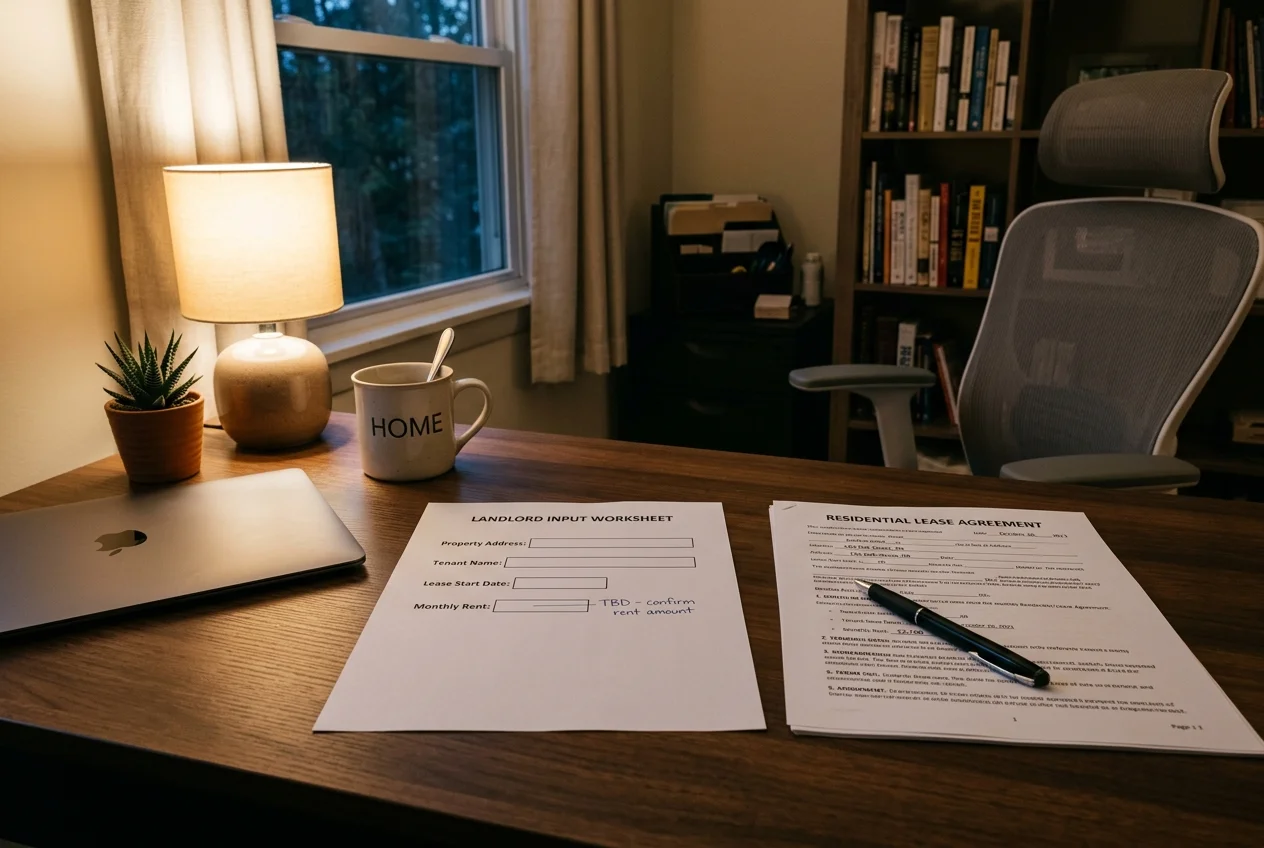
A lease generator moves at the speed of the worksheet. Every blank becomes a future disagreement, so the worksheet should hold real values or a clear placeholder that signals an unresolved decision.
The easiest guardrail is a consistent placeholder convention. Use [VERIFY] for any value that must be confirmed from a statute or local housing authority page. Use [DECIDE] for business decisions, like whether to allow pets or how showings work.
The worksheet also creates a repeatable master file. Landlords can reuse the same structure for renewals and new units, then change only the property facts and money mechanics.
Copy and paste this worksheet into a notes app, then fill it out before opening any generator.
Checklist
0 of 11 done[VERIFY] for all statutory requirements.[VERIFY].[VERIFY], emergency exception, and end-of-lease showing rules.Generate the Draft Using a Six-Step Workflow
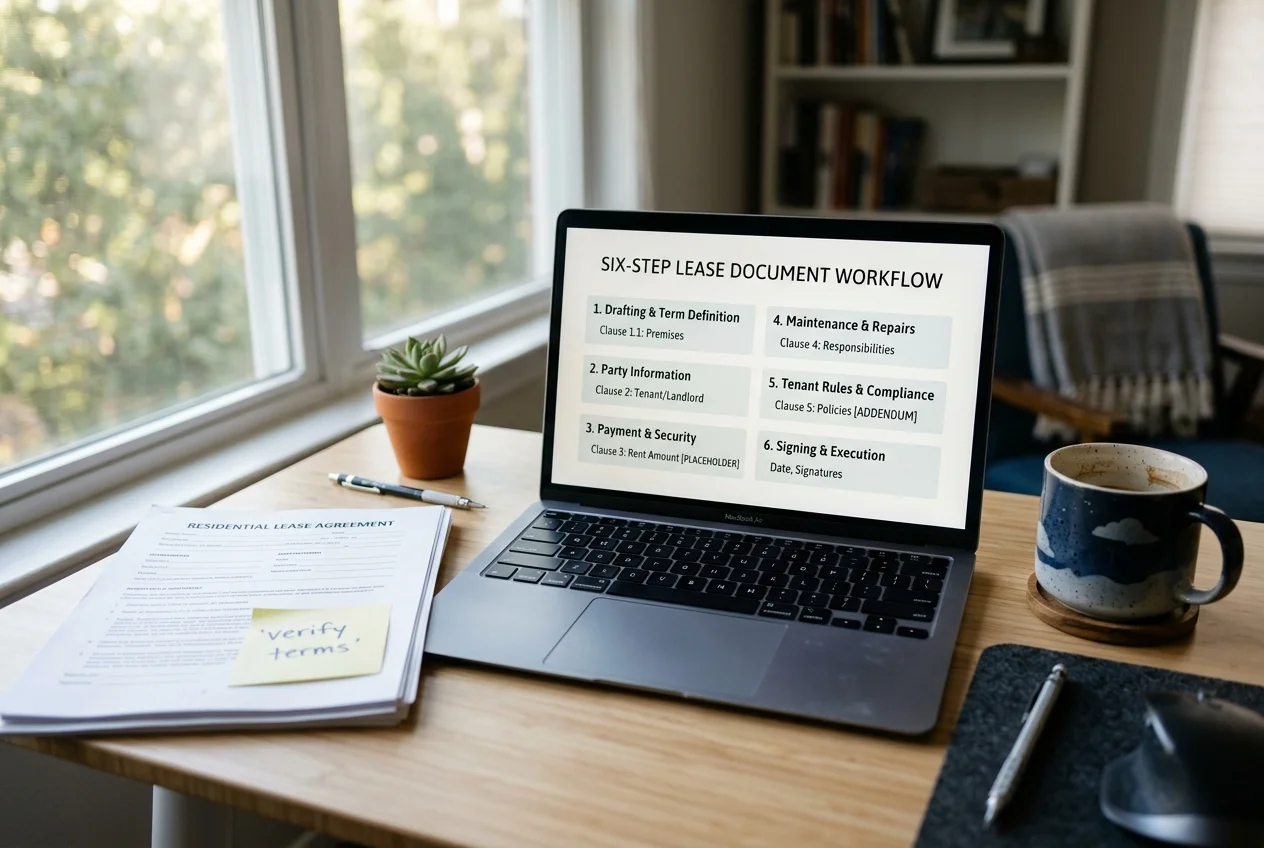
Speed is not the goal. Control is the goal. A disciplined sequence keeps the tool from inventing missing terms and keeps the landlord from sending a draft that is not ready.
A draft also changes from run to run, even with similar inputs. Once a clean master lease exists, landlords should lock that version and use it as the starting point for future tenants.
Run the workflow below from a blank page to a signable PDF. Stop at any [VERIFY] value and confirm it before a tenant sees the draft.
Choose guided flow or prompt drafting
Pick guided questions for a first lease. Pick prompt drafting for adapting an existing master lease.
Enter worksheet values without filling blanks
Paste facts from the worksheet and leave unknown fields as [VERIFY] or [DECIDE]. Reject any auto-filled number that did not come from the worksheet.
Name the jurisdiction and ask for flags
State the state and city in the input. Instruct the tool to flag every term that commonly has a legal limit.
Force a structured output
Request numbered sections, a fee schedule, and a signature block for every adult occupant. Ask for a named list of all addenda referenced in the draft.
Export an editable file and a signable file
Export DOCX for edits and a clean PDF for signature. Save both with a consistent file name tied to the unit.
Run the quality-control pass before sharing
Perform the QC checklist, then send the first tenant-facing version only after [VERIFY] placeholders are resolved.
A Copy-Paste Prompt Template That Stops Invented Terms
Prompt quality decides whether the draft is safe to review. The prompt should carry the worksheet in full, state the jurisdiction, and force the tool to leave [VERIFY] instead of making up rent, deposits, or notice periods.
This template works in general AI assistants and in tools that accept free-form instructions. For more depth on prompt structure, use these prompting techniques that work for real estate documents.
Draft a residential lease agreement for [STATE], [CITY/COUNTY].

Property:
- Address: [STREET ADDRESS], [UNIT]
- Parking/storage: [DETAILS]
- Included appliances/furnishings: [LIST]

Parties:
- Landlord legal name: [LANDLORD NAME]
- Tenant legal names (every adult occupant): [NAMES]
- Notice addresses and emails: [LANDLORD NOTICE INFO], [TENANT NOTICE INFO]

Term:
- Start date: [START DATE]
- End date: [END DATE]
- Renewal or month-to-month conversion: [TERMS]

Money:
- Rent: [RENT AMOUNT] due on [DUE DATE]
- Proration method for first month: [METHOD]
- Grace period: [VERIFY]
- Late fee: [LATE FEE STRUCTURE] and when it applies: [VERIFY]
- Returned payment fee: [VERIFY]
- Security deposit amount: [DEPOSIT AMOUNT] and handling rules: [VERIFY]
- Other fees: [LIST]

Utilities and services:
- Utilities paid by tenant: [LIST]
- Utilities paid by landlord: [LIST]
- Shared meter or allocation method: [DETAILS]

Rules:
- Occupancy limits: [DECIDE]
- Pets: [POLICY]
- Smoking: [POLICY]
- Guests and subletting: [POLICY]
- Quiet hours and nuisance: [POLICY]

Maintenance and repairs:
- How tenants report issues: [PROCESS]
- Emergency contact: [CONTACT]
- Tenant responsibilities: [LIST]

Entry and access:
- Standard notice for entry: [VERIFY]
- Emergency entry terms: [DECIDE]
- Showing rules near lease end: [DECIDE]

Disclosures and addenda:
- Attach and reference these addenda by name: [LIST]

Standing instructions:
- Return numbered sections and clear defined terms.
- List any clause where state or local law commonly imposes a limit so it can be verified.
- Do not invent missing figures. If a value is not supplied, leave [VERIFY] in the draft.
Two follow-ups make review faster. First, ask for a plain-language rewrite that keeps the same meaning and section numbering. Second, ask for a table listing every date, dollar amount, notice window, and fee trigger so contradictions appear in one place.
The Must-Verify Compliance Checklist
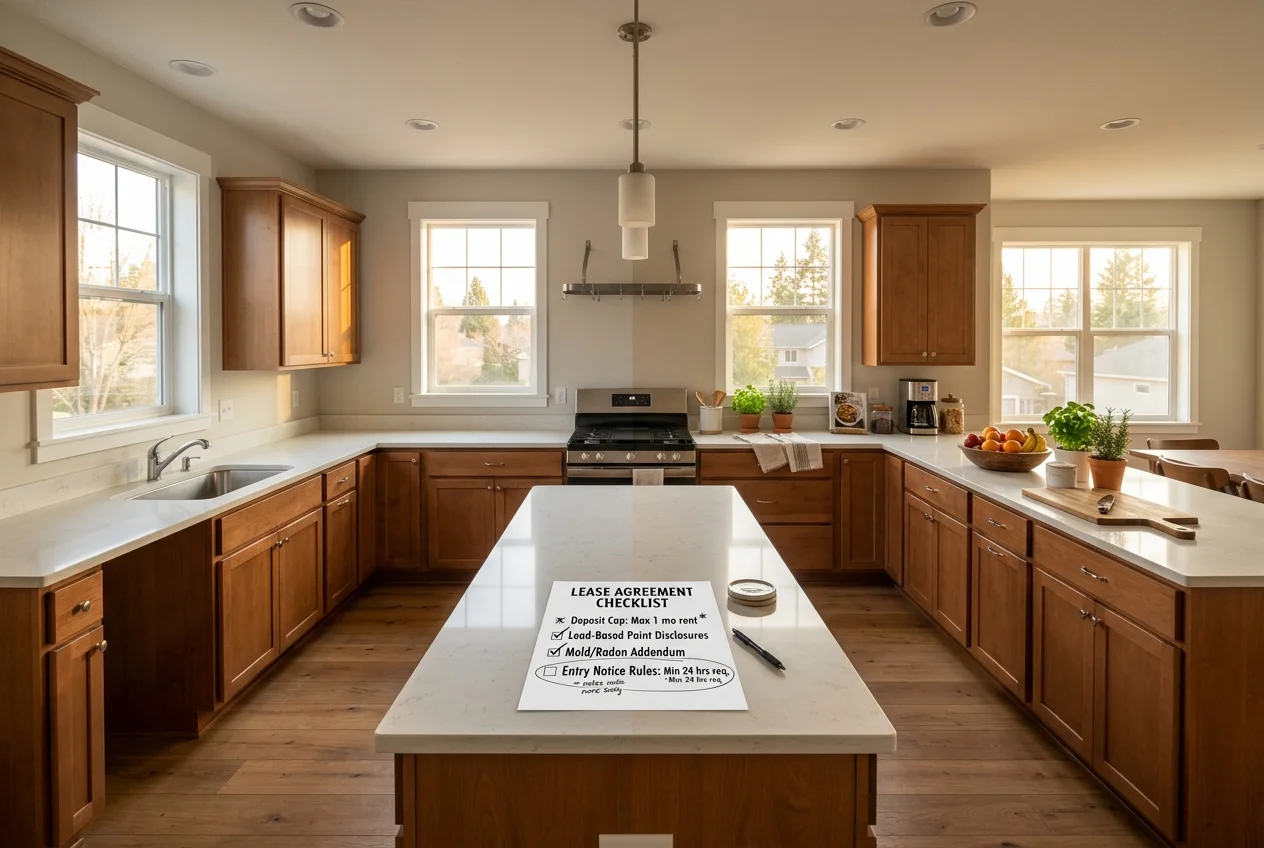
Local rules create the real work. A generator can draft a lease that reads well, while still violating a deposit cap, missing a required disclosure, or misstating entry notice rules.
Verification should use primary sources only, and the two starting points below are the ones landlords need on every lease. That usually means the state statute or the state attorney general page for baseline rules, plus the city or county housing authority page for local additions. Start the baseline check in a state-by-state statute and regulation finder, and confirm federal disclosure duties against the HUD lead-based paint disclosure rule (24 CFR part 35, subpart A), which covers most pre-1978 rentals. Vendor security badges and AI answers do not replace that check.
A simple control helps: stamp the file with the month and year that verification occurred. Repeat the check at least annually, and re-check anytime a property moves into a new city or county.
Use this checklist as the must-verify pass before removing [VERIFY] placeholders.
Checklist
0 of 9 done

Stage your first listing in under 5 seconds
15 space types, 10 styles, MLS-compliant by default. All 11 tools on one account. Free trial credits, no credit card.
Start staging freeResidential Lease Addenda That Usually Need Signatures
A lease clause and a signed addendum do different jobs. The lease sets the base rules. Addenda carry disclosures, building rules, and special terms that courts and tenants treat as separate signed documents.
Addenda also prevent a common drafting error. Landlords often paste disclosure text into the lease body and forget the required form or pamphlet. A generator cannot reliably select and attach those documents, so the workflow should treat addenda as a separate attachment packet.
One addendum is federally required everywhere in the US. For target housing built before 1978 (most pre-1978 residential rentals), federal law requires a signed lead-based paint disclosure attached to the lease: the Lead Warning Statement, disclosure of any known lead-based paint or lead-based paint hazards, any available reports or records, and delivery of the EPA-approved pamphlet “Protect Your Family From Lead in Your Home” before the tenant signs. Every adult tenant signs the acknowledgment, and the landlord keeps the signed disclosure on file for three years. No generator will add this attachment on its own, so it belongs in the addenda packet by name for any pre-1978 unit.
Common addenda triggers vary by state and city, but most landlords see the same buckets. A property with an association often needs an HOA rules addendum. A unit with pets needs a pet addendum that matches the fee schedule. Buildings with shared utilities often need a utility allocation disclosure.
Mechanics matter as much as content. Every addendum should be named inside the lease, dated the same day as the lease, signed or initialed by every adult occupant, and stored in the same folder as the executed lease.
Quality Control, Signatures, Storage, and Privacy
Plan for a three-day window from first draft to countersigned lease. The draft takes minutes, but verification and signatures take real calendar time. That window also protects against a rushed tenant-facing draft.
Quality control should treat the draft like an opposing party will read it. The goal is not prettier wording. The goal is eliminating contradictions, undefined terms, and missing process clauses that decide most disputes.
Use this QC pass before sending for signature.
Checklist
0 of 13 done[VERIFY] and bracketed placeholders are resolved or removed.After QC, send for eSignature and keep an audit trail. Store the executed PDF, every addendum, and the condition report in one folder per unit, with a consistent file naming pattern. Many teams centralize this inside AI property management tools, but the executed copy should also live in landlord-controlled storage.
Privacy rules belong inside the workflow, not after it. Never paste Social Security numbers, bank details, ID scans, or tenant screening reports into a consumer AI tool. Generate with placeholders, then enter sensitive identifiers only in the final signed document or in the platform that legally needs them.
Where Popular AI Lease Generators Differ
Tool choice matters less than the workflow, but a few differences affect day-to-day use. Some tools push a guided question flow. Others act like a template library with an AI rewrite layer.
These four examples show the range of patterns, based on their published product pages.
Guided generation and exports
DocDraft emphasizes a step-by-step process and multi-format downloads, with an optional attorney consult network. That suits landlords who want a reusable master lease and an external review option.
Lumin PDF highlights a lease generator that pairs with sending and signing through its own signing flow. That suits a PDF-first workflow where signing is part of the same tool chain.
Fast forms and template libraries
Makeform positions a free, no-signup form generator with customization and built-in digital signatures. That suits a one-off agreement where speed to a first draft matters more than deep clause design.
Legitt AI positions a template and clause-library approach plus a free trial. That suits landlords who prefer choosing from clause options before generating a tailored draft.
The workflow does not change across tools. The worksheet still comes first. The must-verify checklist still comes before signatures. The QC pass still catches contradictions that a generator will not catch.
| Tool | Pricing | Free tier | Time to first draft | What stands out |
|---|---|---|---|---|
| Lumin PDF | Free to try | Yes | In minutes | integrated eSign sending and lease coverage guidance |
| DocDraft | Free account to start; paid options not shown on the page | Yes | Immediate draft after guided questions | guided process, multi-format downloads, optional attorney consult network |
| Makeform | Free, no signup required | Yes | In seconds to generate, minutes to customize and e-sign | free form flow with digital signatures, plus claimed smart logic |
| Legitt AI | Free download; free trial | Yes | Start in about a minute | clause library approach and broader contract scope |
High-level tool differences landlords feel in a lease-drafting workflow.
After the Lease: Fill the Vacancy the Paperwork Waits On
A faster lease only helps after a qualified tenant shows up. Marketing still drives the timeline. Clear photos, a clean showing process, and an accurate description do more to reduce vacancy than a different document template.
Drafting support can also carry into operations. The same landlords who generate leases often automate follow-ups, maintenance triage, and screening steps inside AI tools for rental property owners.
Listing copy is another quick win. A structured prompt can turn the same worksheet facts into a straightforward description, with fair housing safe language and fewer omissions. The AI-written property descriptions workflow pairs well with a consistent lease template.
Photos decide who applies. AI virtual staging helps market an empty unit with staged visuals, and AI HomeDesign supports that visual workflow with virtual staging, photo editing, and renovation previews across multiple tools, with free regenerations and pricing from $0.24 a photo.
If staging is used in rental marketing, the same honesty rules that protect a lease also protect a listing. Always disclose what has been virtually staged or edited in the images, in clear plain language.
Frequently Asked Questions
Is an AI-generated lease agreement legally binding?
Yes, a lease can be legally binding based on the parties, the terms, and valid signatures, regardless of who drafted it. Enforceability depends on local landlord-tenant law and on required disclosures and addenda being correctly attached. AI drafting does not weaken a lease by itself, but unverified terms and missing attachments can.
Can AI replace a lawyer for a rental lease?
No. AI works well for first drafts and for rewriting clauses into clearer language, but it does not provide legal advice or jurisdiction-specific verification. A cost-effective approach is one attorney review of a reusable master lease template, then reuse that template for routine tenants. Use counsel for rent control, unusual guarantees, or disputes.
What should never be pasted into an AI lease generator?
Social Security numbers, dates of birth, ID scans, bank account details, tenant screening reports, and employment records should not go into a consumer AI tool. Use placeholders in the draft, then fill sensitive identifiers only in the final signed document or in the platform that must store them. Also check retention and model-training terms.
Are there free AI lease agreement generators?
Yes. Some tools offer free use, free templates, or free trials, and those options often cover drafting a first version quickly. Free access often limits advanced steps like signature volume, storage, or optional attorney review. Tool terms change, so landlords should confirm pricing and limits on the tool’s own page before relying on it.
Does an AI lease cover state and city rental laws?
Not reliably. Many generators can draft common lease language, but they do not consistently validate deposit rules, late-fee limits, notice periods, entry notice requirements, or required disclosures for a specific jurisdiction. Landlords should verify each variable against the state statute and the local housing authority, then replace placeholders only after confirmation.
How long does it take to generate a lease with AI?
The draft itself often takes seconds to a few minutes, depending on the tool and how complete the inputs are. For the full workflow, landlords should budget about one to one and a half hours for the worksheet, verification, QC review, and sending for signature. This guide is not legal advice, and local review still matters.