SofaBrain Alternatives for AI Virtual Staging in 2026
The tool you’re replacing
A photo set is already on the drive, the listing is close to going live, and the math suddenly matters. Most SofaBrain alternatives get evaluated on the monthly price, but the real cost shows up when a set needs staging plus item removal plus a dusk look, and the first result needs a second pass.
SofaBrain stays popular because it bundles staging with a listing video, and it offers a pay-once option. Its pricing page lists a $49 one-listing pack with 50 credits, a listing video at 30 credits, and photo edits at 1 credit.
This guide focuses on switching without wrecking a listing deadline, with an emphasis on jobs covered per subscription, what a re-render costs, and what can be published cleanly. The broader category context lives in AI home design and virtual staging alternatives.
What to look for in SofaBrain alternatives
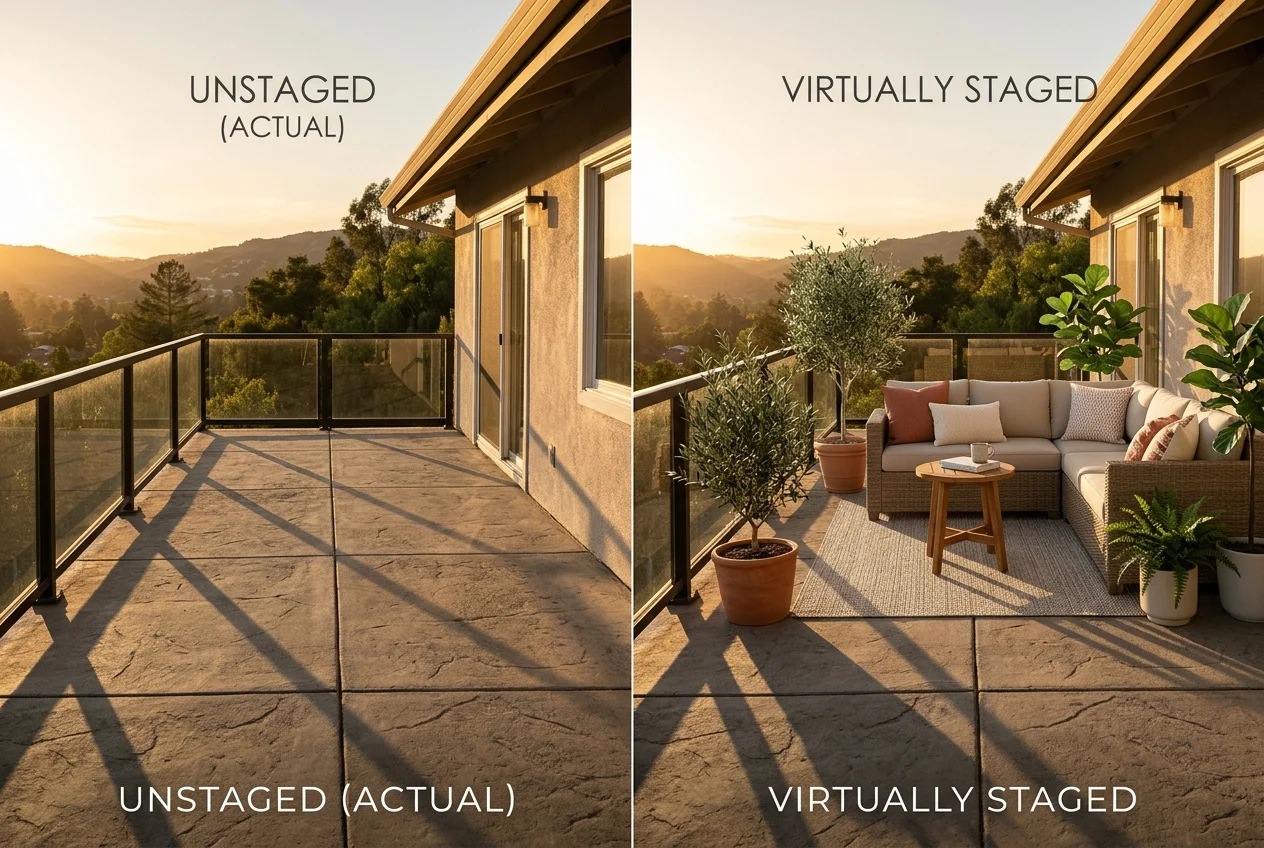
A SofaBrain switch usually comes down to one practical question: how many listing-photo jobs get finished inside one subscription. Staging rarely stands alone. A typical set needs a few staged rooms, a cleanup pass on an occupied bedroom, a day-to-dusk hero exterior, and basic enhancement.
Subscription scope decides the real cost. A staging-only plan can still be the right pick, but it forces a second tool for day to dusk photo editing, item removal, or renovation concepts. Two logins also add friction on listing day.
Pricing only becomes comparable after conversion into finished images. SofaBrain meters edits and video in credits, and the pay-once credits last 12 months. Other platforms meter by images per month, and some refill each billing month. Those units behave very differently for seasonal listing volume.
Revision policy is the hidden fee. A wide-angle living room with a doorway near the sofa often needs a second pass. One platform charges again, another offers unlimited re-renders, and a third offers a typed refinement flow.
Consistency across a full photo set decides whether the results look like one property. The biggest risk sits in multi-angle rooms. The same living room from three corners should read as the same furniture set and style, with windows, trim, and flooring unchanged.
Publishability matters as much as style. Trial images that carry a watermark can still work for proofing, but paid output should export cleanly. MLS virtual staging disclosure still lands on the agent, regardless of tool, so the workflow should make labeling easy. For human-edited workflows that solve different problems than automated passes, the switching logic in BoxBrownie alternatives for agents and photographers helps frame when a human editor earns the fee.
A switch goes smoothly when the proof run happens on neutral photos, not on a listing that is already scheduled. One empty room and one occupied room can surface most workflow surprises.
Use an empty living room first. Wide-angle lines and doorway edges expose whether the tool preserves structure. A clean result should keep window grids, baseboards, built-ins, and flooring patterns unchanged.
Run the occupied-room test next. Item removal should clear clutter without smearing rug edges or removing permanent features. The proof goal is not a perfect “final,” it is a read on how fast the revise loop runs and whether a second pass costs extra.
Finish with a consistency test. Upload three angles of the same room and lock one style choice across all three. A tool earns trust when the furniture set looks coherent across angles and the lighting direction feels consistent.
How these tools change a listing workflow
Most speed claims live in the seconds range, but listing-day pressure rarely comes from the raw render time. Uploading, reviewing, and fixing details usually takes longer. Revision policy and batch handling decide whether a set lands on time.
Photo teams tend to care about batching and exports. A workflow that supports running the same tool across several images and downloading a set in one pass changes an afternoon. The tool choice also affects the downstream editing stack, especially when one subscription can replace separate listing photo editing tools.
Media packaging can also influence the switch. Some plans treat video and 360° output as tier-dependent extras. When tours matter, a separate platform may still handle them better, and a quick scan of virtual tour software for real estate helps teams avoid paying for overlap.
The cleanest decision framework stays simple: count the jobs that must ship for the listing, then choose the tool that covers those jobs with the fewest paid revision steps.
What SofaBrain does well, and where it stops
Checked against sofabrain.com.
What it does well
- Listing video plus photo-edit toolkit priced in credits (listing video: 30 credits; photo edit: 1 credit)
- Pay-once packs: 1 listing ($49), 3 listings ($119), or 8 listings ($279); credits last 12 months
- Monthly plans: Studio ($59/month), Pro ($129/month), Business ($299/month) with monthly credits
- Photo edits include staging, day to dusk, cleanup, skies, and paint
- A free tier you can test before paying anything
Where people outgrow it
- No photo enhancement, so listing photos still go elsewhere
- No renovation views for before-and-after remodels
- Credits from the pay-once packs expire after 12 months, so a slow listing quarter can mean paying for credits that lapse unused
- One listing video costs 30 credits out of the 50 that come with the $49 single-listing pack, leaving 20 credits (20 photo edits) for the rest of the set
- The free tier is capped at one listing opening scene plus three photo edits, which is not enough to proof a full photo set before you commit
- Coverage spans staging, day to dusk and item removal, so virtual renovation and exterior redesign work sits outside the toolkit
The tools in detail

AI HomeDesignTop pick
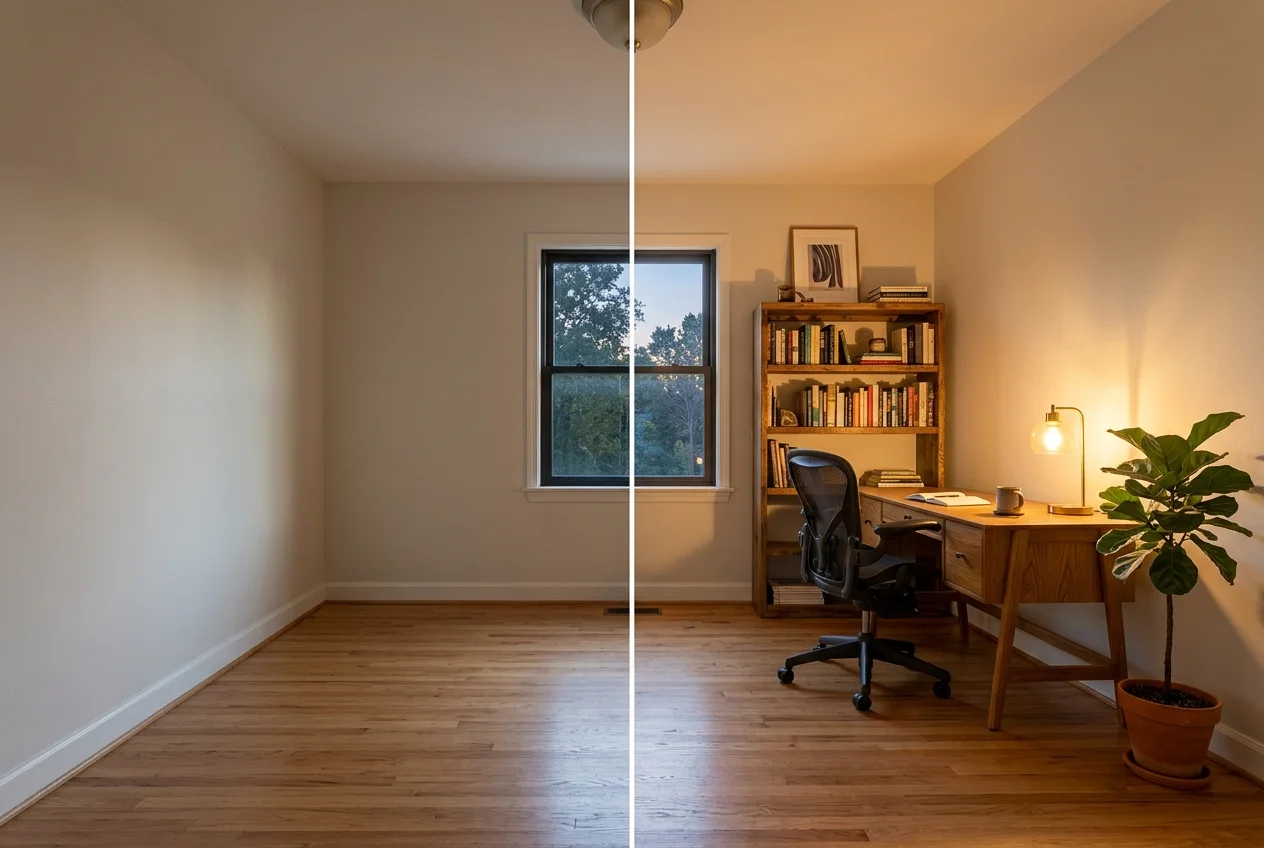
vs SofaBrain: AI HomeDesign uses credit-based pricing, with eight additional AI tools available without coins across all tiers.
AI HomeDesign combines virtual staging, photo editing, renovation tools, and social pack in one platform. Its 10+ tools include AI Virtual Staging, Day to Dusk, Item Removal, Image Enhancement, Image Alignment, HDR, and seven renovation tools. The social pack offers 20 templates for carousels, single-image posts, and stories.
Pricing uses annual-billed tiers: Pro $19/mo, Pro Plus $29/mo, and Enterprise $49/mo. The published cost per photo drops by tier: Pro $0.63, Pro Plus $0.36, and Enterprise $0.24. Free credits are available as a trial with no card, and free results are watermarked.
Pros:
- Covers AI Virtual Staging, Day to Dusk, Item Removal, and Image Enhancement on every paid tier.
- Includes unlimited free regenerations, which keeps revision loops from inflating the photo budget.
- MLS-compliant by default, with original fixtures and structure preserved.
Cons:
- The free trial output is watermarked, so it works best as a proofing run.

REimagineHome
vs SofaBrain: REimagineHome leans harder into exterior and landscaping renderings, instead of focusing on listing video inside the same credit model.
REimagineHome focuses on virtual staging plus removal and renovation-style concepts, including landscaping and exterior renderings. It also advertises compliance checks per photo.
HousingWire lists REimagineHome pricing as a monthly starter pack at $19 for 30 virtually staged images, scaling to $36 for 200, $59 for 500, and $119 for 1200. That plan grid appears in HousingWire’s overview of virtual staging companies and apps.
Pros:
- Adds exterior and landscaping renovation renderings alongside interior staging.
- Includes furniture removal and decluttering tools.
Cons:
- No turnaround figure is published in the available plan and feature summary.
Skip it if: the workload is mostly interior staging with no exterior or landscaping asks.
View REimagineHome →
Virtual Staging AI
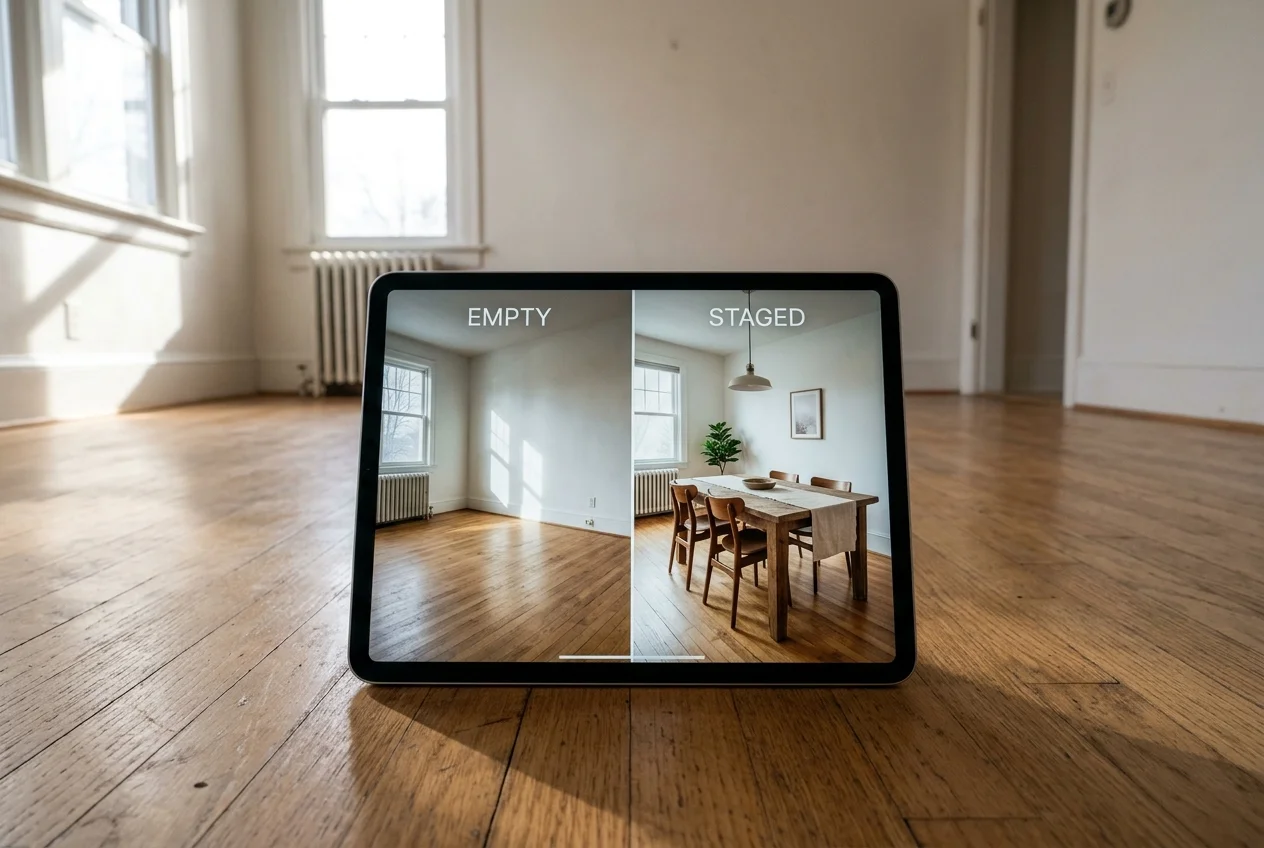
vs SofaBrain: Virtual Staging AI uses yearly-billed image allowances with unlimited re-renders, rather than expiring listing-pack credits.
Virtual Staging AI bundles virtual staging with furniture removal, day to dusk, and photo enhancement. The vendor also advertises unlimited re-renders and watermark-free paid output.
Pricing is billed yearly and expressed as photos per month: Basic $16/month for 6 photos, Standard $19/month for 20 photos, Professional $39/month for 60 photos, and Enterprise $79/month for 150 photos.
Pros:
- Advertises unlimited re-renders, which fits teams that iterate on the same room.
- Combines staging, item removal, day to dusk, and enhancement on one subscription.
Cons:
- The entry tier covers 6 photos per month, so many listings outgrow it fast.
Skip it if: annual billing does not fit the way listing volume comes in.
View Virtual Staging AI →
Collov AI
vs SofaBrain: Collov AI adds video and 360° tours on higher tiers, instead of centering on a listing-page video workflow.
Collov AI is a virtual staging platform that also includes enhancement and other listing edits. Upper tiers add videos and 360° tours. The vendor advertises a 10-second turnaround.
Pricing is billed yearly: Standard $19/month for 60 photo credits, Advanced $49/month for 150 photo credits, Premium $79/month for 263 photo credits, and Enterprise $127/month for 526 photo credits. The free trial is 5 watermarked images, so it is designed for proofing rather than publishing.
Pros:
- Keeps staging and photo enhancement in the same account.
- Adds video and 360° tours on higher plans, which can simplify media packaging.
Cons:
- The free trial outputs are watermarked.
Skip it if: a publishable, watermark-free trial is required before committing a listing.
For a deeper fit check against similar stacks, the breakdown in Collov AI alternatives for agents and stagers can help narrow the short list.
View Collov AI →
Roomagen
vs SofaBrain: Roomagen emphasizes batch processing and typed refinement, instead of per-listing credit packs and listing video.
Roomagen covers virtual staging, item removal, day to dusk, photo enhancement, and virtual renovation. Paid plans also support batching with ZIP download and a Refine tool that creates a new version from a typed correction.
Pricing is monthly: Starter $12/month for 30 images, Pro $29/month for 100 images, and Business $79/month for 350 images. The free tier includes 3 watermarked images from 6 one-time credits with no card. Roomagen describes turnaround as under a minute, with a median around 45 seconds.
Pros:
- Batch processing and ZIP download fit shoot-sized workflows.
- Refine prompts support tighter revisions than blind rerolls.
Cons:
- Free-tier output is watermarked, so it cannot ship as final media.
Skip it if: the workflow only needs a few occasional staged hero shots.
View Roomagen →

Stage your first listing in under 5 seconds
15 space types, 10 styles, MLS-compliant by default. 10+ tools, including social pack. Free trial credits, no credit card.
Start staging freeWhat it really costs per listing
Set your listing volume to see what each tool works out to per listing rather than per month. Only the 5 tools listed here publish a flat monthly price, and SofaBrain is not one of them; the rest quote per photo or on request, so a monthly figure would be invented rather than compared.
Moving off SofaBrain

A tool switch rarely changes the underlying assets. The same photos still drive the listing, the same MLS rules still apply, and the same style approvals still matter. The clock also stays the same.
Most work does get repeated. The new platform needs re-uploads, new style presets, and a fresh round of staged picks. Any saved listing page or video output built inside SofaBrain also has to be recreated in the new tool.
A simple afternoon checklist usually decides whether the move is worth it.
Checklist
0 of 5 doneTiming matters. A switch usually goes best between listings, not mid-listing. Teams that already bought a SofaBrain pack often keep it active until the 12-month credit window ends, then standardize on the next platform.
What the industry expects from edited listing photos
MLS rules and brokerage policy vary, but most teams treat two lines as non-negotiable: label virtually staged images clearly, and avoid changes to permanent features. Windows, floors, built-ins, and structural elements should stay true to the original photo.
A practical disclosure line that fits most listing workflows looks like this: “Virtually staged.” Some teams add “furniture and decor only” for clarity. Brokerages often place the label on the image and also in the MLS remarks.
Deliverables should stay clean and simple. The publishable package usually includes the final MLS-sized image set, a web-sized set, and a short note that lists which images are virtually staged. Negotiation details, commission splits, or pricing strategy belong in the listing conversation and email thread, not inside image filenames or embedded notes.
Edge cases can change the editing approach:
Checklist
0 of 5 doneA platform with built-in compliance checks can reduce risk, but the responsibility stays with the agent and brokerage that publishes the media.
Find your pick
Tap your situation for a quick recommendation.
Frequently asked questions
SofaBrain sells pay-once packs and monthly plans. The pay-once option starts at $49 for one listing with 50 credits, and those credits last 12 months. SofaBrain also prices a listing video at 30 credits and a photo edit at 1 credit, so video can consume most of a one-listing pack.
Roomagen has the lowest published entry price in this list at $12/month for 30 images. Virtual Staging AI starts at $16/month for 6 photos billed yearly, and Collov AI starts at $19/month for 60 photo credits billed yearly. REimagineHome pricing is listed by HousingWire from $19/month for 30 virtually staged images.
AI HomeDesign covers virtual staging, photo editing, renovation, and social pack. Its paid plans include AI Virtual Staging, Day to Dusk, Item Removal, and Image Enhancement, and its social pack offers 20 templates for carousels, single-image posts, and stories. Roomagen also covers a broad set: staging, item removal, day to dusk, photo enhancement, and virtual renovation, with batch processing on paid tiers.
Some plans make revisions cheaper than a credit-based pack. AI HomeDesign includes unlimited free regenerations, and Virtual Staging AI advertises unlimited re-renders on its plans. Roomagen’s Refine tool creates a new version from a typed correction. Collov AI and other credit-metered tools can still tie generations to credits.
Free trials often add a watermark, which blocks publishable use for many teams. Collov AI’s free trial is 5 watermarked images, and Roomagen’s free tier includes 3 watermarked images from 6 one-time credits with no card. AI HomeDesign also watermarks free-trial results, so trials work best for proofing.
Most teams label virtually staged images clearly and avoid edits to permanent features like windows, floors, and built-ins. A simple label such as “Virtually staged” fits many MLS workflows, but exact rules vary by MLS and brokerage policy. Some platforms offer compliance checks, but disclosure remains the agent’s responsibility.