AgentUp vs AI HomeDesign: Pricing and Workflow 2026
AgentUp pricing vs AI HomeDesign pricing for teams: see deliverables, turnaround, and real monthly costs when seats, active-property caps, and per-image fees stack up.
Pricing listing media often produces two very different receipts. AgentUp shows a listing plan and then line items like $0.75 per edited photo and $5 per staged image. AI HomeDesign prices the work from the other direction, with a monthly photo allowance and a published per-photo rate.
This guide treats the tools as two layers of one pipeline, not two versions of the same product. It breaks the decision into deliverables, turnaround, true team cost at common listing volumes, and MLS disclosure. For a broader view of what AI HomeDesign covers, see our full AI HomeDesign review.
The goal is a clean budget model that marketing managers can defend inside a team meeting.
At a glance
AgentUp deliverables vs AI HomeDesign outputs on a live listing
AgentUp centers work on a Property record. Websites, tours, flyers, and ordered media attach to that listing container. That structure suits teams that need a single place for a listing’s public presentation and the assets behind it.
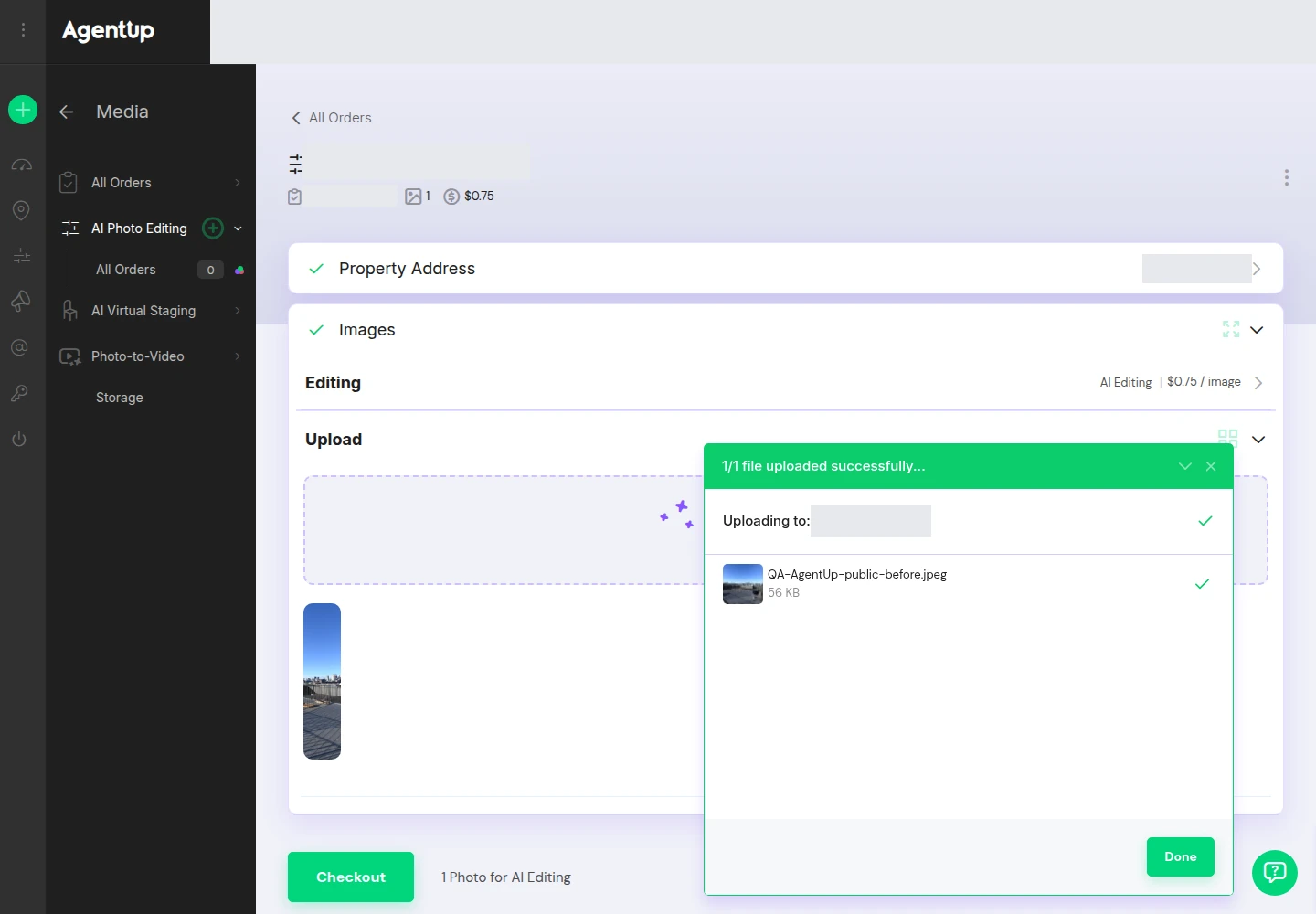
AgentUp also prices media as add-ons ordered per item. Its pricing page lists AI photo edits at $0.75 per image and AI staged images at $5 each, with three AI renders per staged image, alongside listing plans that include a set number of active properties and users.
AI HomeDesign sits on the production side of the same pipeline. It turns a source photo into a finished file that can be used anywhere, including inside a marketing hub. Its core tools on every plan include AI Virtual Staging, Day to Dusk, Item Removal, and Image Enhancement. The broader toolbox includes 10+ tools, plus a social pack for marketing handoff.
A useful way to think about AI HomeDesign deliverables is “finished images plus reuse rights inside the account.” Paid tiers include watermark-free downloads and unlimited storage, with backup retention that varies by plan.
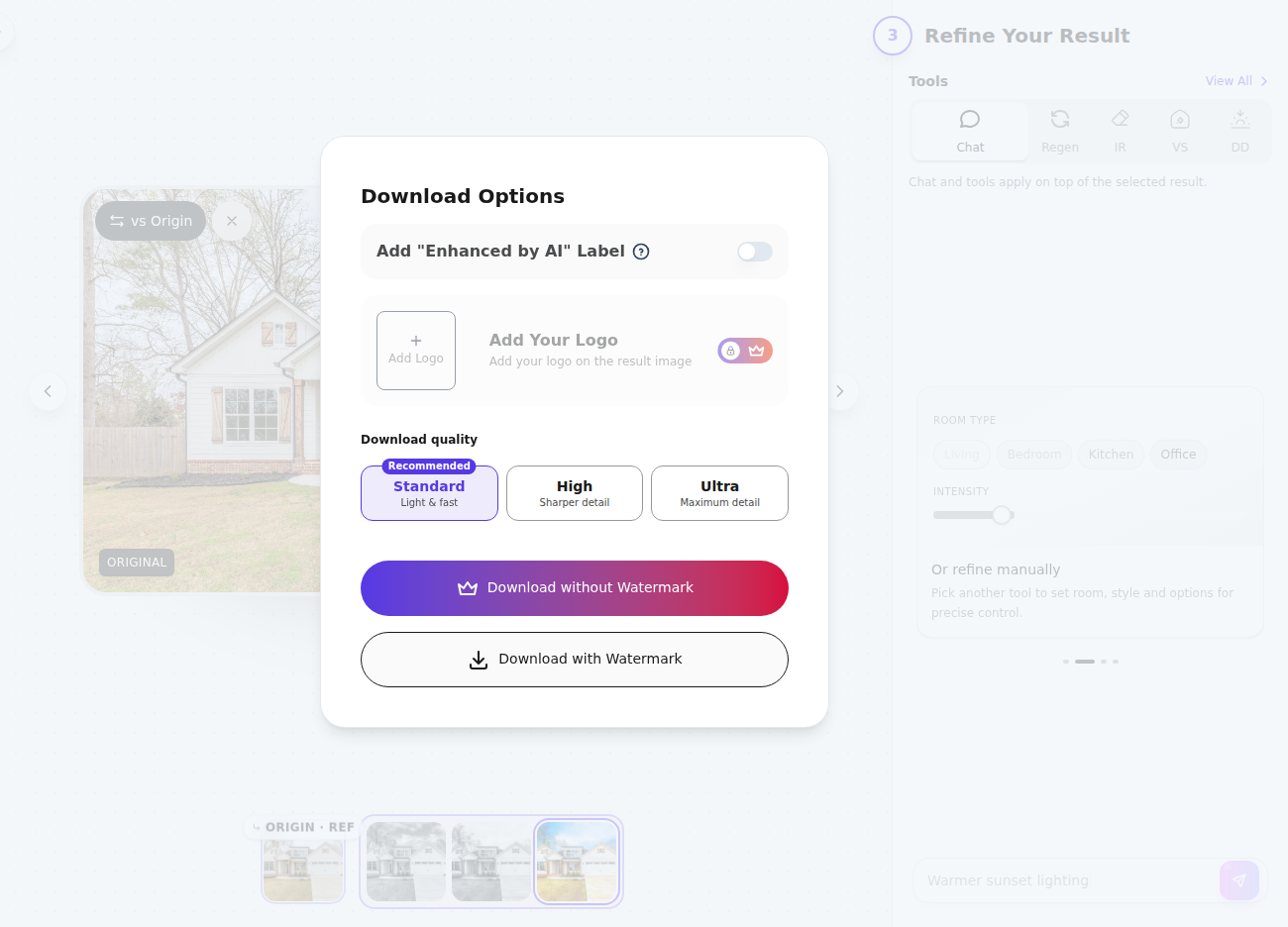
For teams that need staging specifically, AI HomeDesign’s AI virtual staging includes 15 documented room types and 10 design styles, with three variations per room and unlimited free regenerations.
Where the workflow splits on billing and ownership
One platform ties spending to listings, the other ties spending to images. That single choice drives the rest of the budgeting conversation.
AgentUp charges for a marketing workspace built around active properties, then adds per-item media fees. That model works well when listing volume is low or uneven, or when a team wants to buy marketing outputs and media ordering in one place.
AI HomeDesign bundles a photo allowance into each tier and publishes the per-photo rate. That makes the budget hinge on total monthly image volume across the team, not which listings happen to be live at the same time.
Ownership of the end product also differs. AgentUp’s core value is the listing’s presentation layer attached to a Property record. AI HomeDesign’s core value is finished image files that can be used across the stack, including day-to-dusk conversions for exterior hero shots.
Revision cost sits inside this same split. A per-item order model can treat a revision like a new line item. An allowance model can treat it as another click, if the plan includes regenerations.
Turnaround and who does the work
Listing timelines reward tools that fit a same-day workflow. In practice, teams usually need a path that returns an MLS-ready set within 1 day, plus a slower “polish lane” that can land in 1 to 2 days when a hand-finished result matters more than speed.
AI HomeDesign publishes turnaround in seconds, with virtual staging under 5 seconds. It also documents three variations per room and unlimited free regenerations. For teams that want a human-finished deliverable, AI HomeDesign also lists manual staging at $13.99 per image with 24–48h turnaround.
AgentUp advertises AI photo editing in seconds on its pricing page. It also describes its photo editing as completed by professional in-house photo editors. In the signed-in uploader, AgentUp shows a per-image quote before checkout and displays an AI estimate of 1–2 minutes per photo.
AI HomeDesign’s listing-photo workflow also includes dedicated listing photo editing tools, which is useful when a team wants one subscription to cover both staging and cleanup work.
Pricing and cost math for 10, 25, and 50 listings
Monthly equivalents · Billed annually
The cleanest model starts with assumptions that match real production habits, then treats the two tools as separate line items. A typical team month has two recurring buckets: edited photos and staged rooms. A simple planning assumption is 20 to 30 edited photos per listing and 3 to 6 staged rooms per listing, then adjust up for luxury and down for condos.
AgentUp’s cost has three moving parts: the listing plan, the per-item media fees, and any extra seats. On its pricing page, AgentUp lists a free plan, paid listing plans, AI photo edits at $0.75 per image, AI staged images at $5 each, and additional users at $15 per user per month.

A planning shorthand for the media portion is per listing: edited photos × $0.75, plus staged rooms × $5. Under the example assumption of 25 edited photos and 4 staged rooms, media fees alone equal $18.75 for edits and $20 for staging per listing before the listing-plan subscription and seats are added.
AI HomeDesign’s cost begins with the plan allowance and the billing basis. On annual billing, AI HomeDesign lists Pro at $19/mo billed annually at $228/yr for 30 photos per month at $0.63 per photo, Pro Plus at $29/mo billed annually at $348/yr for 80 photos per month at $0.36 per photo, and Enterprise at $49/mo billed annually at $588/yr for 200 photos per month at $0.24 per photo.
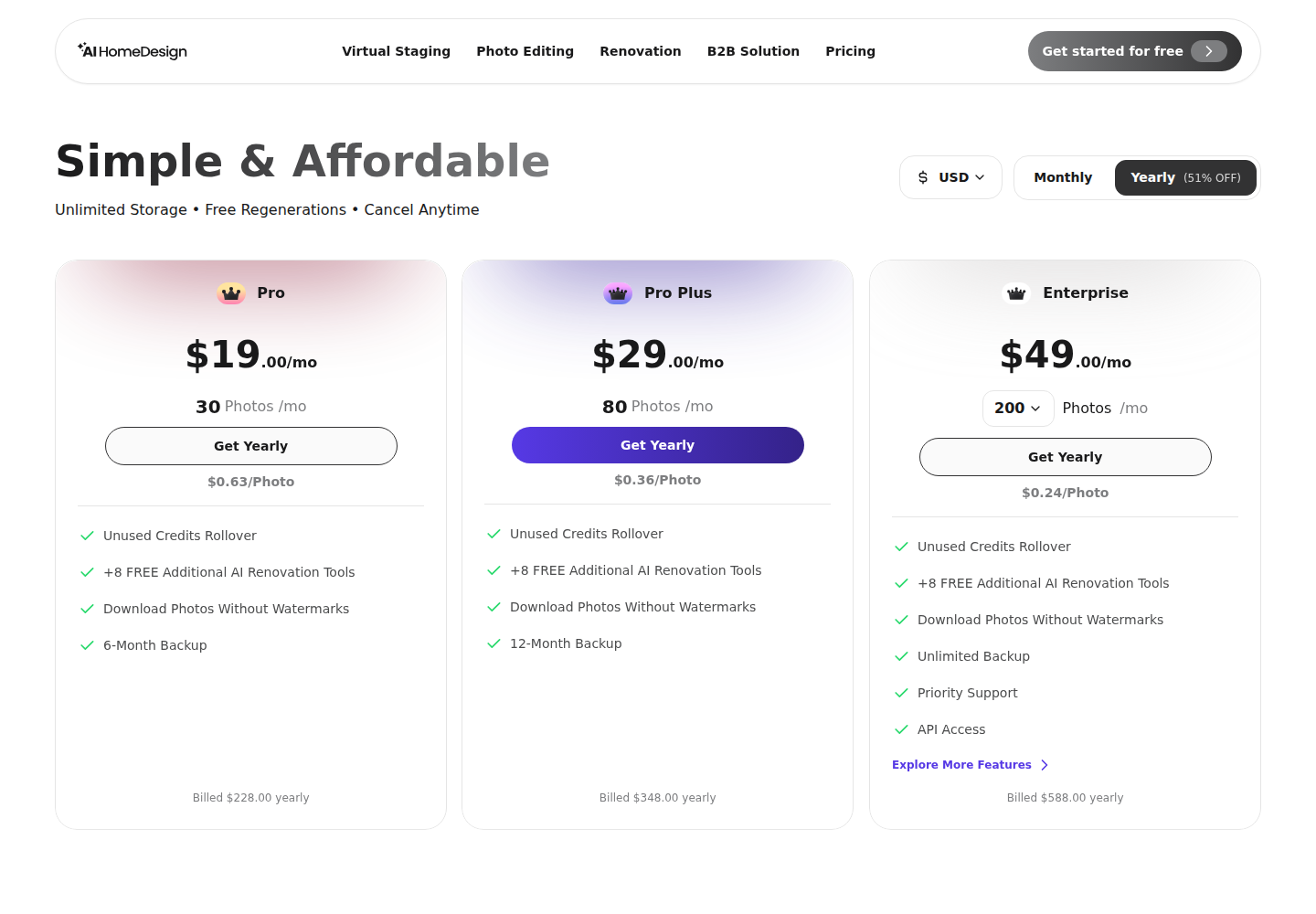
Those allowances map cleanly to listing volume when a team estimates monthly image demand. Using the same example assumption of 25 edited photos and 4 staged rooms per listing, a 10-listing month lands around 250 edited photos plus 40 staged images, and a 25-listing month lands around 625 edited photos plus 100 staged images. Those totals explain why per-item pricing can feel simple at low volume but gets expensive when the same team produces images every week.
A budgeting rule that holds up in practice is this: per-item ordering stays easy when staged rooms stay in the single digits for the month, while an allowance plan starts to matter once the team produces roughly a listing a week with consistent edits. Teams that want a benchmark for per-image service pricing can compare the same line items against how per-image editing services price the same work.
One seller-facing note matters here. Tool fees belong in internal budgeting, not in a listing presentation. Marketing plans can explain what gets produced and when, while software and production unit costs stay inside the team’s operating model.
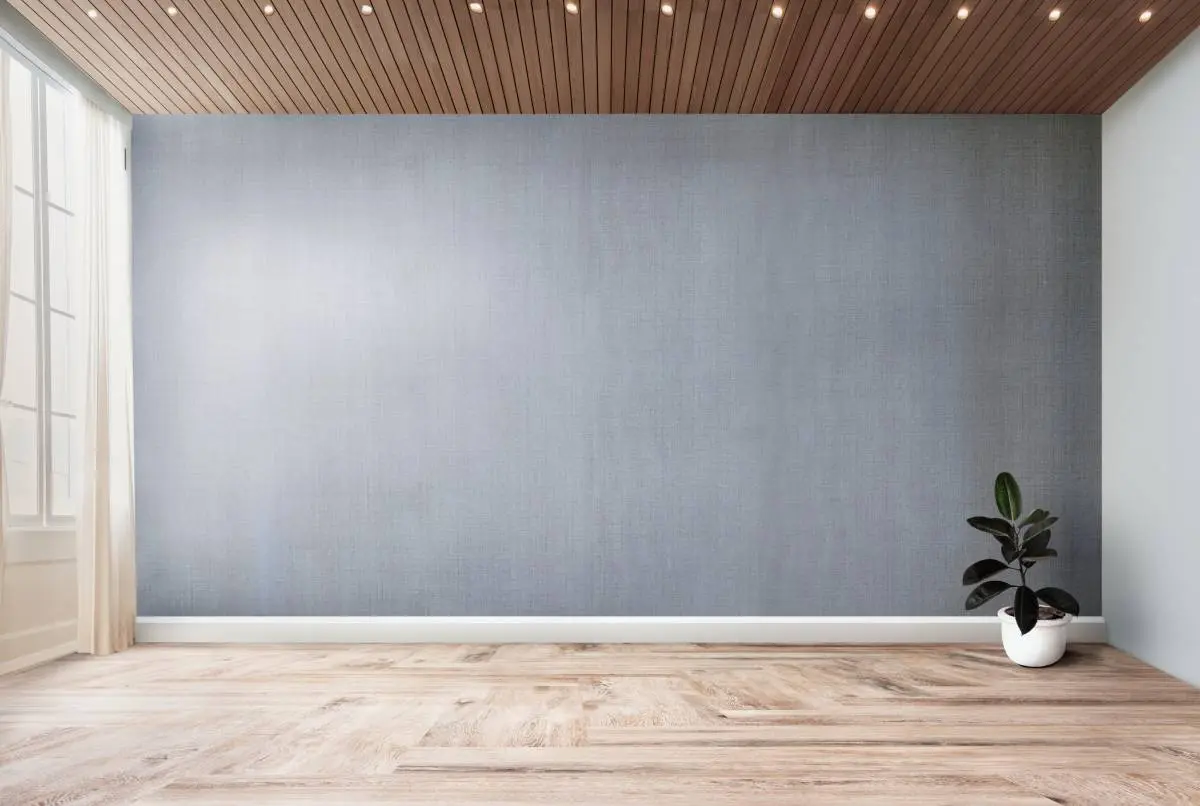
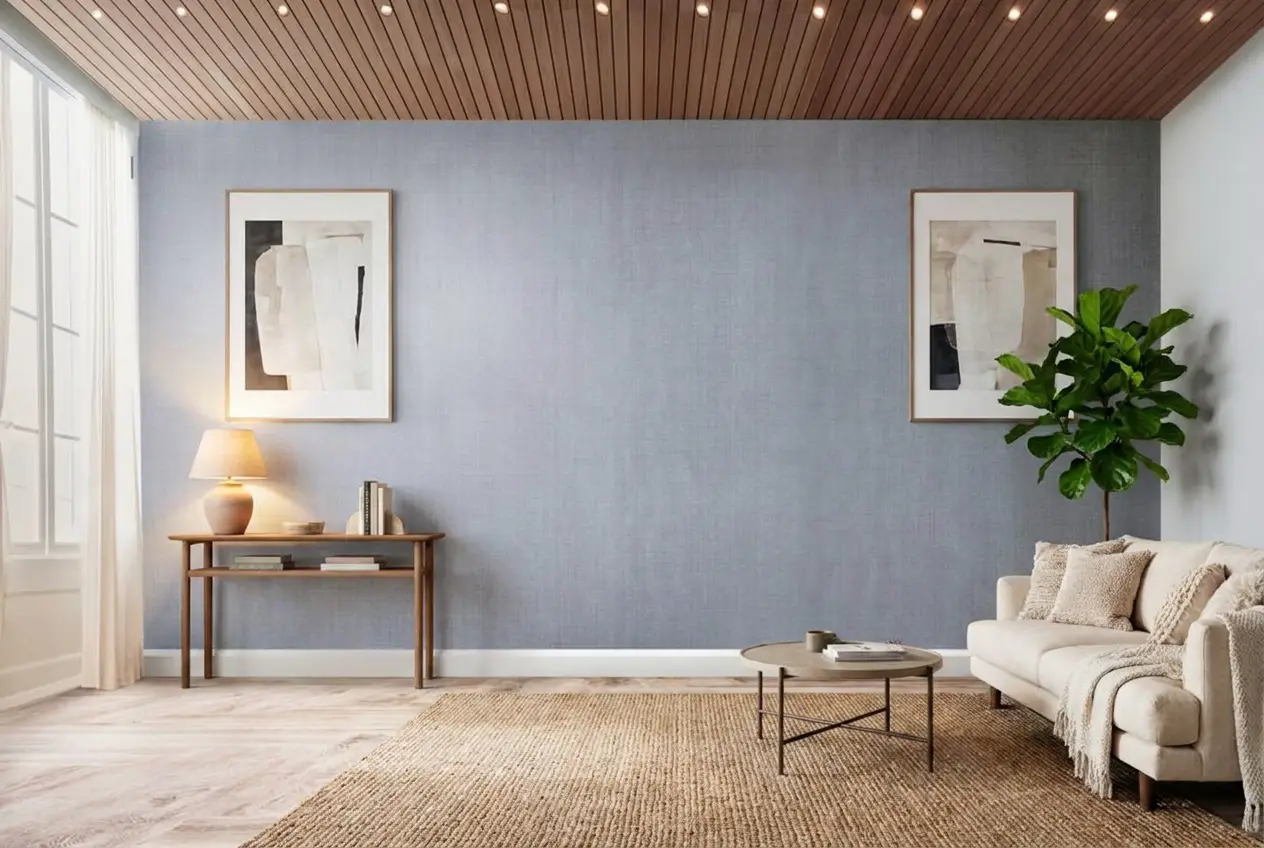
Stage your first listing in under 5 seconds
15 space types, 10 styles, MLS-compliant by default. 10+ tools, including social pack. Free trial credits, no credit card.
Start staging freeTeam setup, limits, and admin control
Team cost comes from the multiplier that limits work. In a listing-hub model, that multiplier is often active properties and seats. In an image-production model, the multiplier is monthly photo volume.
AgentUp’s plan comparison includes active-property caps that scale by tier and a user count that scales by tier. It also lists shared cloud storage ranges from 10GB to 500GB and additional users at $15 per user per month.
AI HomeDesign’s paid tiers include watermark-free downloads and unlimited storage. Backup retention varies by tier, and unused credits roll over on Pro Plus and Enterprise. AI HomeDesign also documents chat-edit limits per result by plan, and its Enterprise tier includes priority support and API access.
Shared access governance matters more than most teams expect. The team that publishes images should also keep originals and edited versions together, so the MLS set stays consistent and defensible if a question comes up later.
MLS rules, disclosure, and what AI should not change
AI editing creates two different compliance profiles. Cosmetic photo cleanup and lighting work usually stays inside normal photo standards. Furniture-only staging and decluttering adds a disclosure step. Edits that change condition, fixtures, or structure create a higher-risk representation problem.
Furniture-only staging is the low-risk default for MLS photo sets when the listing includes a clear disclosure. AI HomeDesign describes its virtual staging as MLS-compliant by default because it preserves the original fixtures and structure.
Renovation-style visuals still have a place, just not in the primary MLS photo set. Surface swaps, fixture changes, and “repair by removal” belong in clearly labeled buyer-facing concept material, not in the photos that represent present condition.
Industry guidance also tracks this split. The National Association of REALTORS has discussed how generative AI can support smart staging workflows alongside disclosure habits, and HousingWire’s roundup of virtual staging companies and apps shows how common staging has become across listing workflows.
A practical disclosure stack keeps teams consistent:
Checklist
0 of 4 doneUsing both platforms without paying twice
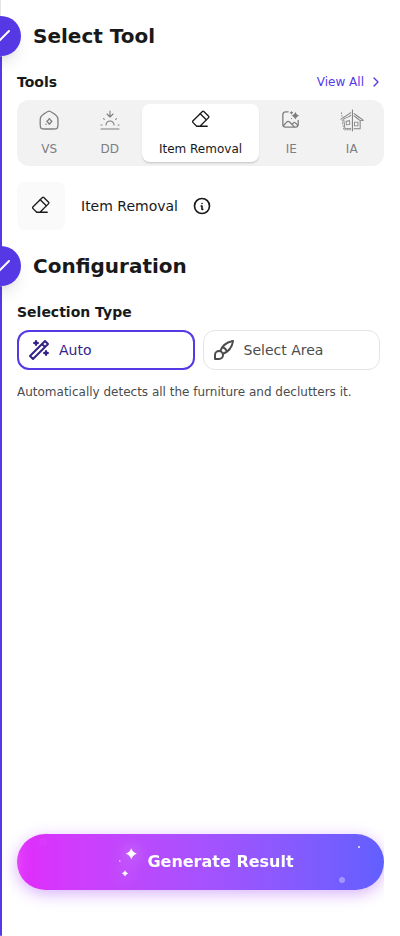
A clean architecture uses AgentUp for the presentation layer and AI HomeDesign for production. Photos come off the shoot, run through staging, item removal, enhancement, and day to dusk, then get loaded into the Property record that drives the listing website, tour, flyer, and QR code.
This split also keeps the deliverable clear. The deliverable for marketing is a finished, MLS-ready image set and the public listing assets. The internal record includes originals, edit history, and the budget model that explains why a given tier exists.
Solo agent checklist
Checklist
0 of 3 doneTeam checklist for 5 to 20 agents
Checklist
0 of 3 doneTeams comparing broader tooling choices can scan other AI staging and home design options and then place both tools inside a wider real estate tool stack.
The clear pick
Choose AI HomeDesign when
AI HomeDesign fits teams that produce listing photos every week and want a predictable photo allowance covering staging, item removal, day-to-dusk, and enhancement.
Choose AgentUp when
AgentUp fits teams that want a Property record to organize listing presentation assets and prefer ordering media as clear per-item line items on top of a listing plan.
Frequently asked questions
Is AgentUp a virtual staging tool or a listing marketing platform?
AgentUp is a listing marketing platform with per-item AI media add-ons. Listing plans cover marketing outputs tied to active properties, and media is priced separately, including $0.75 per AI photo edit and $5 per staged image. That design suits teams that want a Property record to organize websites, tours, and ordered media in one place.
Does AI HomeDesign charge per staged image like AgentUp?
AI HomeDesign prices work through monthly photo allowances on tiered subscriptions rather than per-order checkout pricing. On annual billing it publishes per-photo rates of $0.63 on Pro, $0.36 on Pro Plus, and $0.24 on Enterprise, tied to allowances of 30, 80, and 200 photos per month. Manual staging is a separate per-image option.
Do unused AI HomeDesign credits roll over for slower months?
Yes for the higher tiers. AI HomeDesign states that unused credits roll over on Pro Plus and Enterprise, which matters for teams with lumpy listing volume. Pro does not list rollover in the published plan facts, so Pro works best when monthly production stays close to the allowance.
What is a realistic turnaround window for listing photos with these tools?
Most teams can plan for a same-day to 1-day turnaround when using self-serve AI edits, then reserve 1 to 2 days for any hand-finished lane. AI HomeDesign publishes turnaround in seconds and also lists manual staging at 24–48h per image. AgentUp advertises AI photo editing in seconds and shows per-image quotes before checkout.
What disclosure language works for AI virtual staging on the MLS?
The simplest disclosure is plain and repeatable: “virtually staged” for furniture-only staging, and “digital rendering” or “concept rendering” for renovation visuals. Teams usually place the disclosure in agent remarks and in any marketing caption where the staged image appears. Keeping the original photo on file makes that disclosure easier to support.
Can the same staged images be reused across websites and social posts?
Yes when the workflow treats the output as a finished image file, not a one-off marketing asset. AI HomeDesign paid tiers include watermark-free downloads and unlimited storage, which supports reuse across listing pages, email, and social. AgentUp’s Property record also centralizes assets, which helps teams keep the published set consistent across channels.