LookX AI vs AI HomeDesign: Renders or Listing Photos
LookX AI vs AI HomeDesign: compare inputs, outputs, pricing logic, speed, realism, and MLS disclosure so teams choose concept renders or listing-ready photos.
Search intent usually looks simple: “LookX AI vs AI HomeDesign.” The actual decision is not about which tool makes prettier images. It is about what files exist on disk right now and what the finished asset is allowed to be used for.
One path starts from a prompt, a sketch, or a model view and ends in concept imagery meant to sell an idea. The other starts from a real listing photo and ends in an edited photo that still represents the property.
This guide frames the choice by workflow and publishability, then points to our full AI HomeDesign review for the deeper product walk-through.
At a glance
Two tools, two jobs in the same property chain
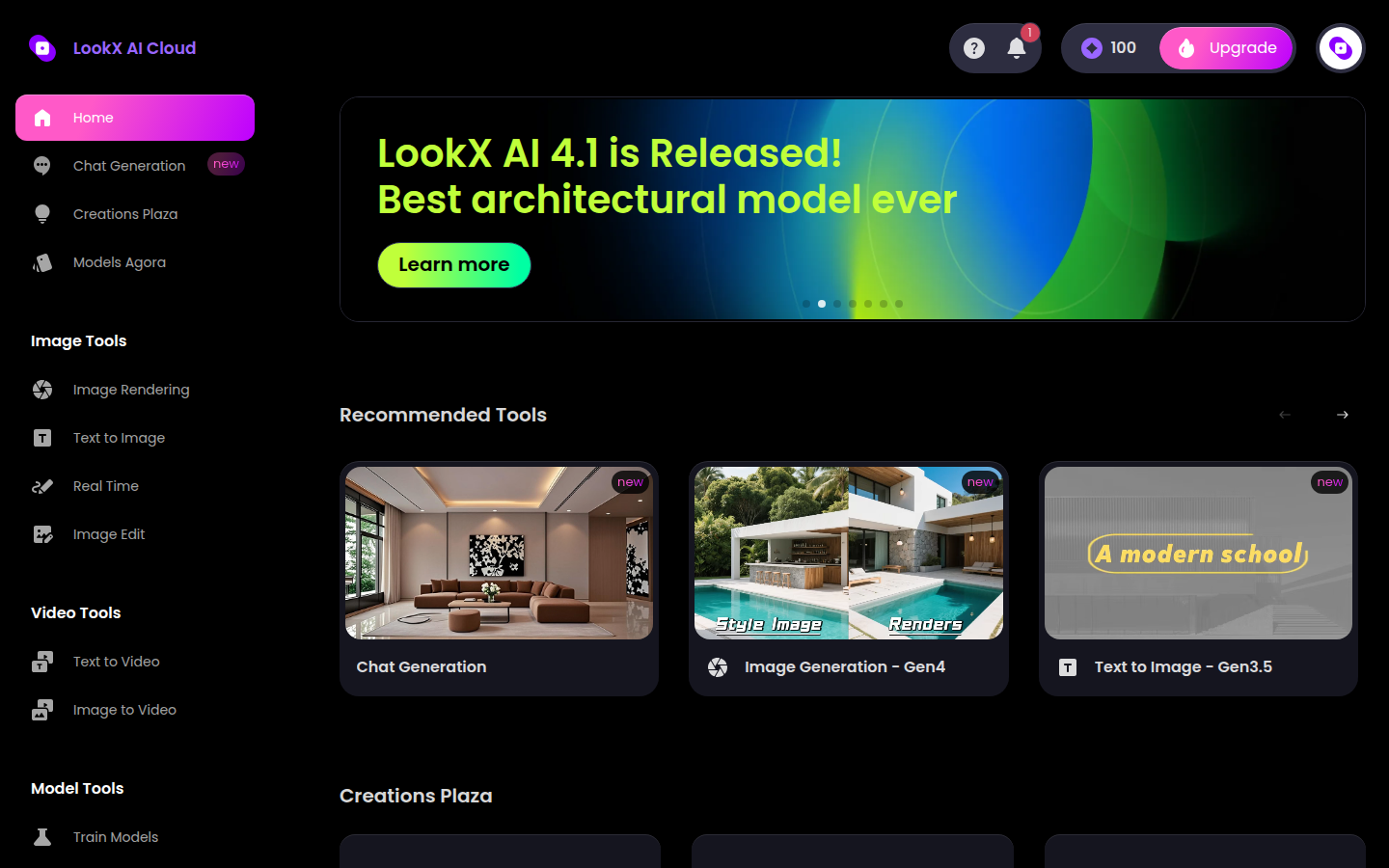
LookX AI and AI HomeDesign sit in the same broad category of “AI visuals,” but they solve different jobs. LookX AI markets itself as a next-generation AI platform for architects and designers, and the signed-in workspace reflects that. The left sidebar groups Image tools, Video tools, and Model tools, plus community surfaces for browsing and reusing styles.

That positioning matches the deliverables architects and design studios ship. A project might need ideation boards, style studies, client review images, or a short video clip for a pitch. In that lane, the tool has to accept imperfect “design intent” inputs and still produce something persuasive.
AI HomeDesign takes a different stance. It is a toolbox for property listing photos, so the system assumes a camera produced the base truth. The tool set clusters around listing work: AI Virtual Staging, AI Item Removal, Image Enhancement, AI Day to Dusk, and renovation visualizations that stay anchored to the photo.
The decision point comes early. LookX AI fits teams selling a design before it exists. AI HomeDesign fits teams selling a property as it exists, with edits that support marketing without changing structure.
LookX AI vs AI HomeDesign starts with the input
The fastest way to pick between these tools is to name the input format that drives the project. LookX AI starts tool-first. A team chooses Text to Image, Image Rendering, Real Time, or Image Edit, then feeds in a prompt, a sketch, or a model screenshot. The core workflow is “sketch to render,” where a rough base image turns into a polished concept render.
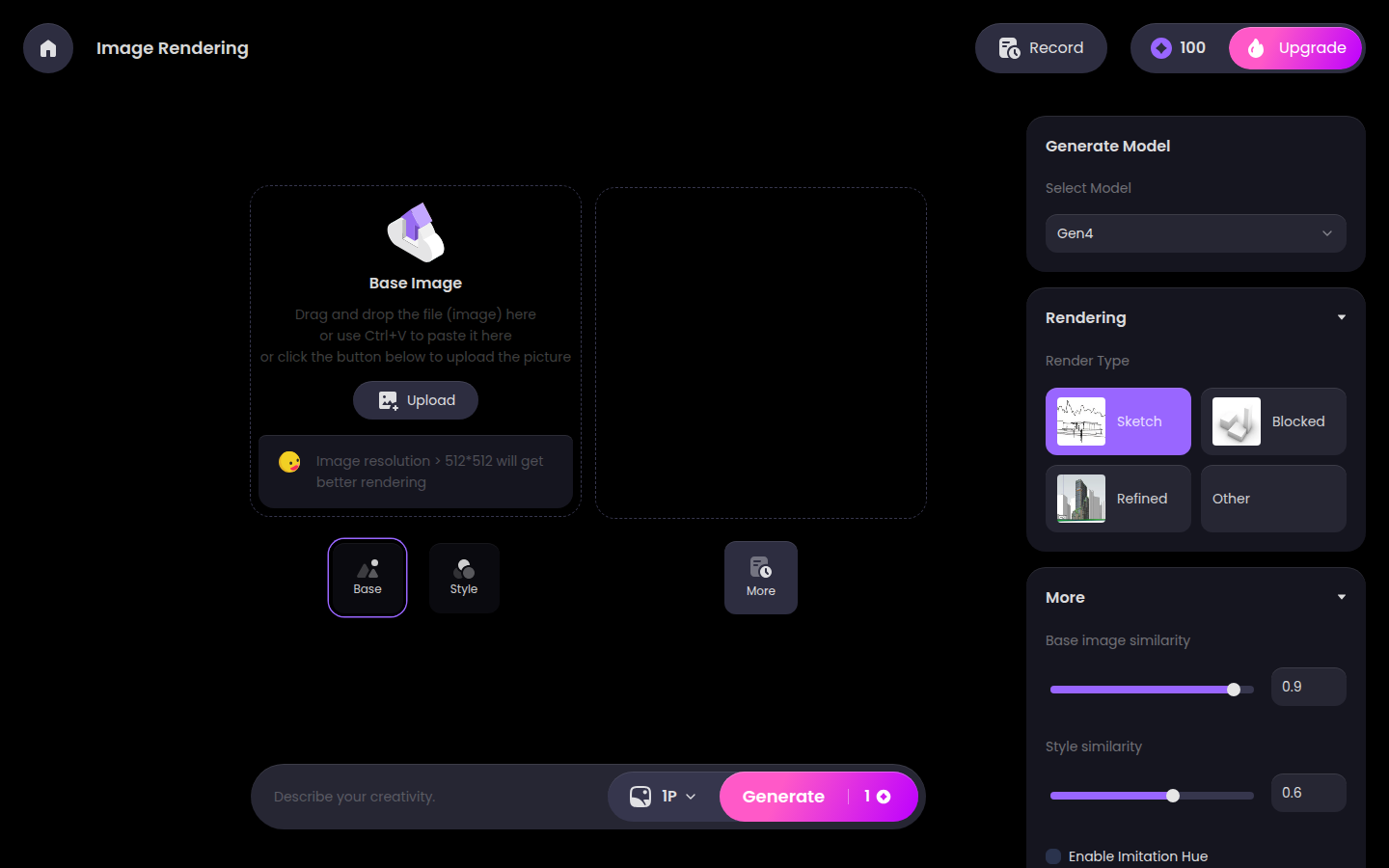
That input flexibility is the point. A design studio can treat a SketchUp or Rhino view like raw material, then explore lighting, material direction, and mood without rebuilding a full render setup. For early-stage work, that speed matters more than tight matching to an existing photographed room.
AI HomeDesign flips the order. The workflow starts with the listing photo and treats the photo as the constraint. Upload happens by drag and drop, Studio reuse, or a listing URL import, which keeps the job tied to a specific property.
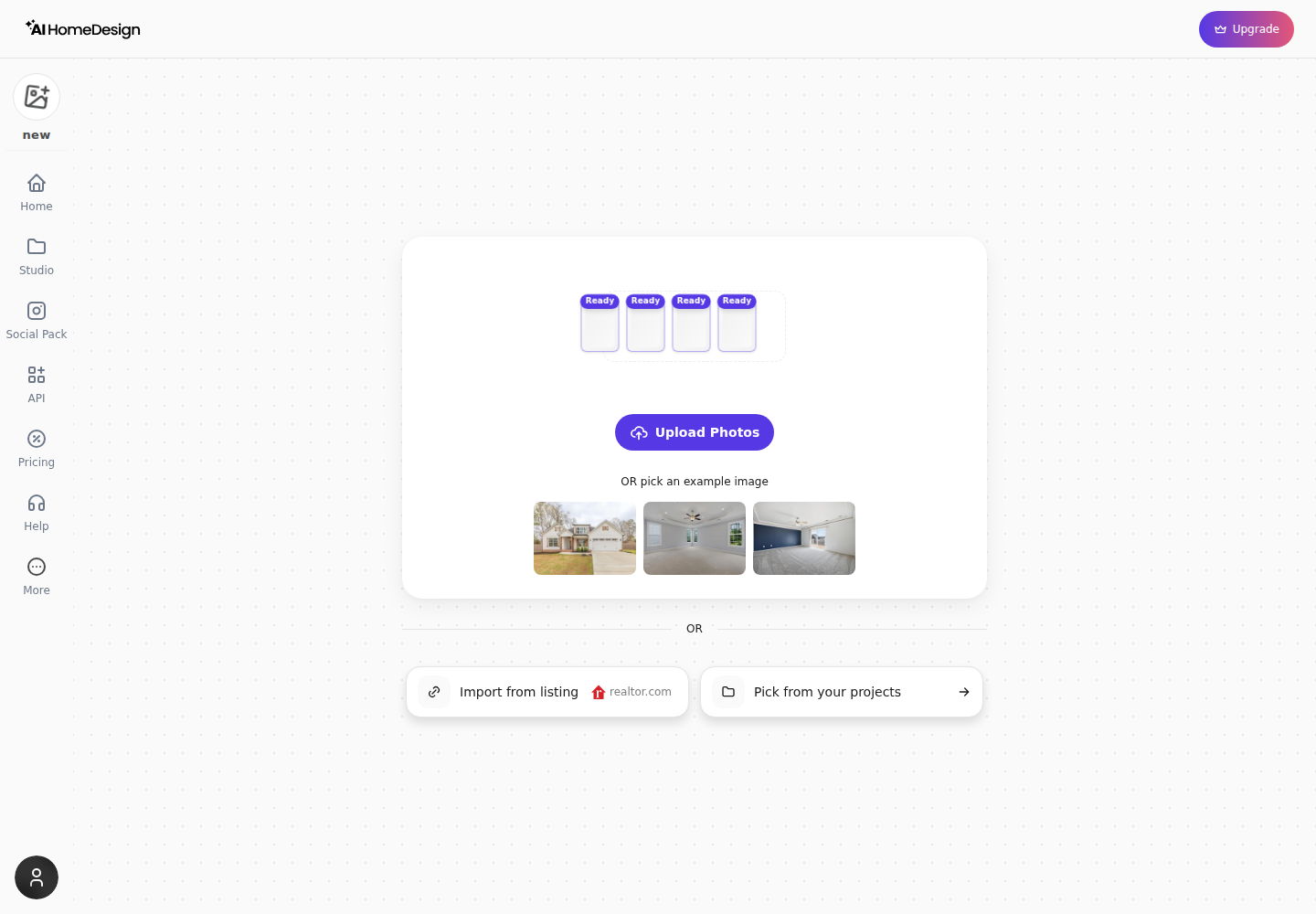
The option panel then forces a consistent sequence: Space first, then Style or Material. That order is not cosmetic. It helps teams keep furniture scale and edits consistent across the full gallery because the same room category drives the same set of choices. Photo quality still caps any listing edit, so teams benefit from shooting photos that edit cleanly and from understanding floor-plan software versus listing-photo tools before buying a renderer to solve a photography problem.
What comes out and what it is meant to be used for
Outputs look similar at a glance because both products can generate attractive interiors. The practical difference is the intended use on day one.
LookX AI produces concept-first assets. A prompt or sketch becomes a render that communicates style direction, material feel, and lighting intent. The platform also supports video generation and custom model training for teams that need a signature look across multiple proposals. Those outputs belong in pitch decks, design reviews, and pre-construction marketing where the goal is to sell an idea.
AI HomeDesign produces publishable listing visuals built from the photograph. Each generation returns multiple variations of the same photographed room, and the result view is designed for listing workflows, including Before and After review and tool chaining across common listing edits.
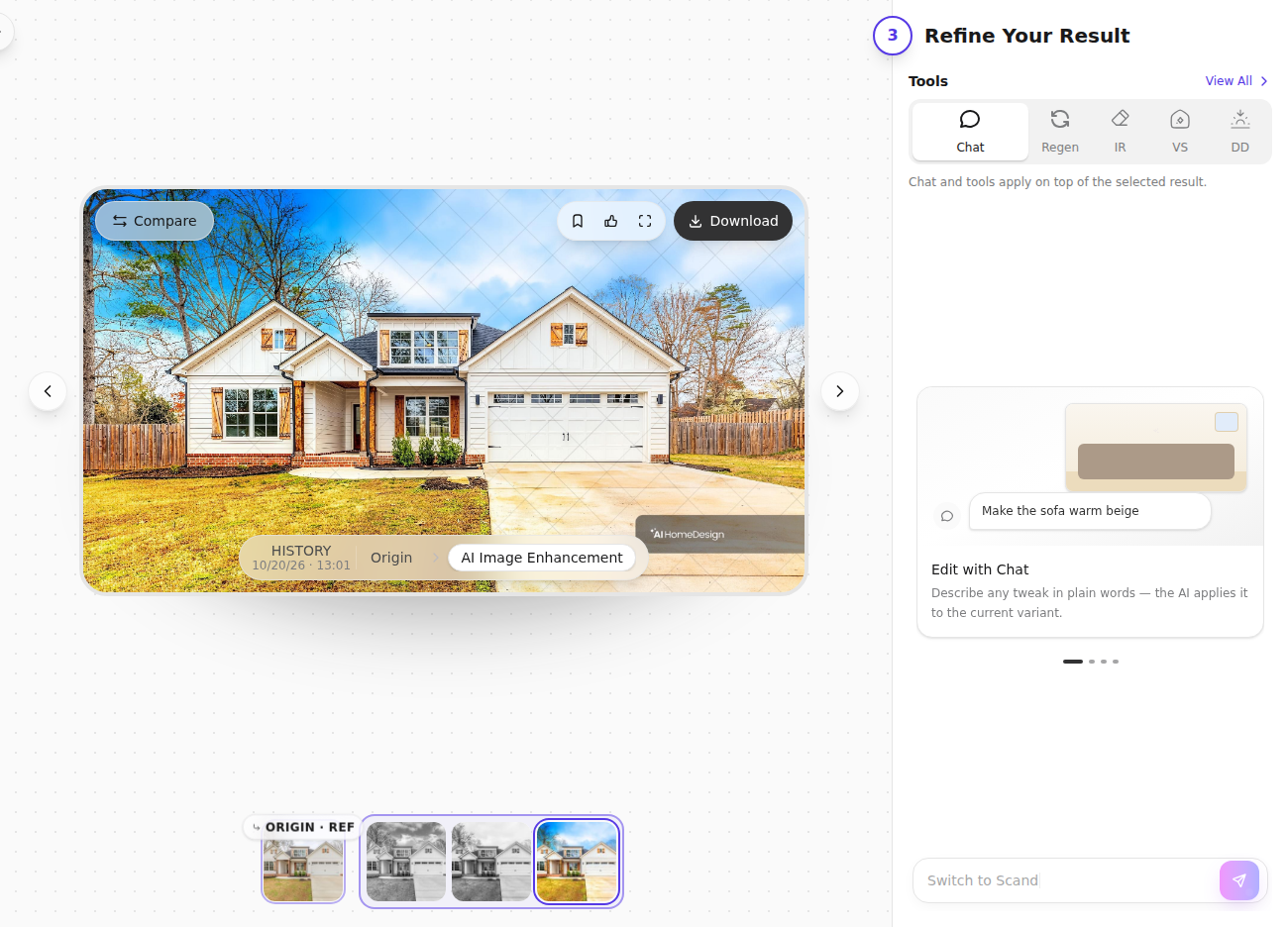
This difference matters for compliance and for trust. A concept render can be honest and still be the wrong asset in an MLS photo carousel if it depicts features that are not in the home. A photo-anchored edit is easier to defend because the walls, windows, and camera position start from the real photograph.
For teams that need both kinds of assets, the split is clean. Concept renders sell the future or the proposed finish. Listing edits sell the photographed property in the present.
Pricing and cost per usable asset
Pricing only makes sense after defining the usable asset. LookX AI sells speed for exploration. It publishes a free Basic option, then subscriptions that emphasize unlimited image generation, with X-credits reserved for advanced features like training and upscale. The numbers change over time, so pricing checks should start at LookX AI pricing.
That metering choice fits the architectural workflow. A studio might generate many images to arrive at one approved direction. In that context, “unlimited generations” can be the right economic unit because iteration is the work.
AI HomeDesign sells an output that maps to listing production. Pricing uses photo credits, and a single credit returns four renders of the same room. The published plans also state per-photo rates, which makes budgeting across a listing set straightforward. Current tiers and per-photo pricing live on AI HomeDesign pricing.
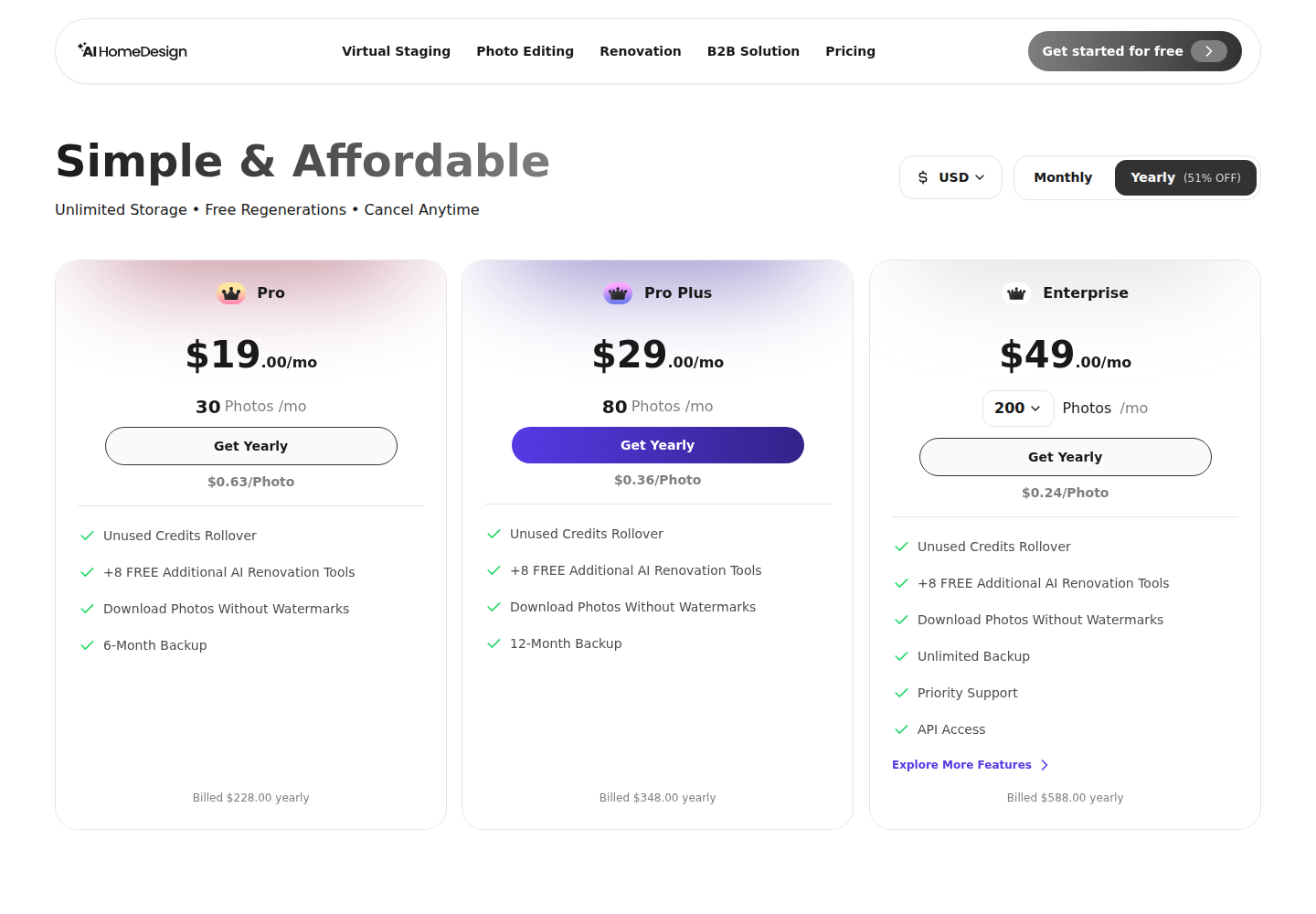
Cost comparisons should stay honest about deliverables. An unlimited-generation plan can look cheaper per image, but a listing team still has to ask whether each generated image represents the photographed room closely enough to publish with a Disclosure. A per-photo model looks more direct because it prices the actual output that gets uploaded to MLS and portals.
For teams that want a second opinion on how design-suite subscriptions stack up against per-photo pricing, the decision logic tracks closely to design-suite pricing against per-photo pricing.
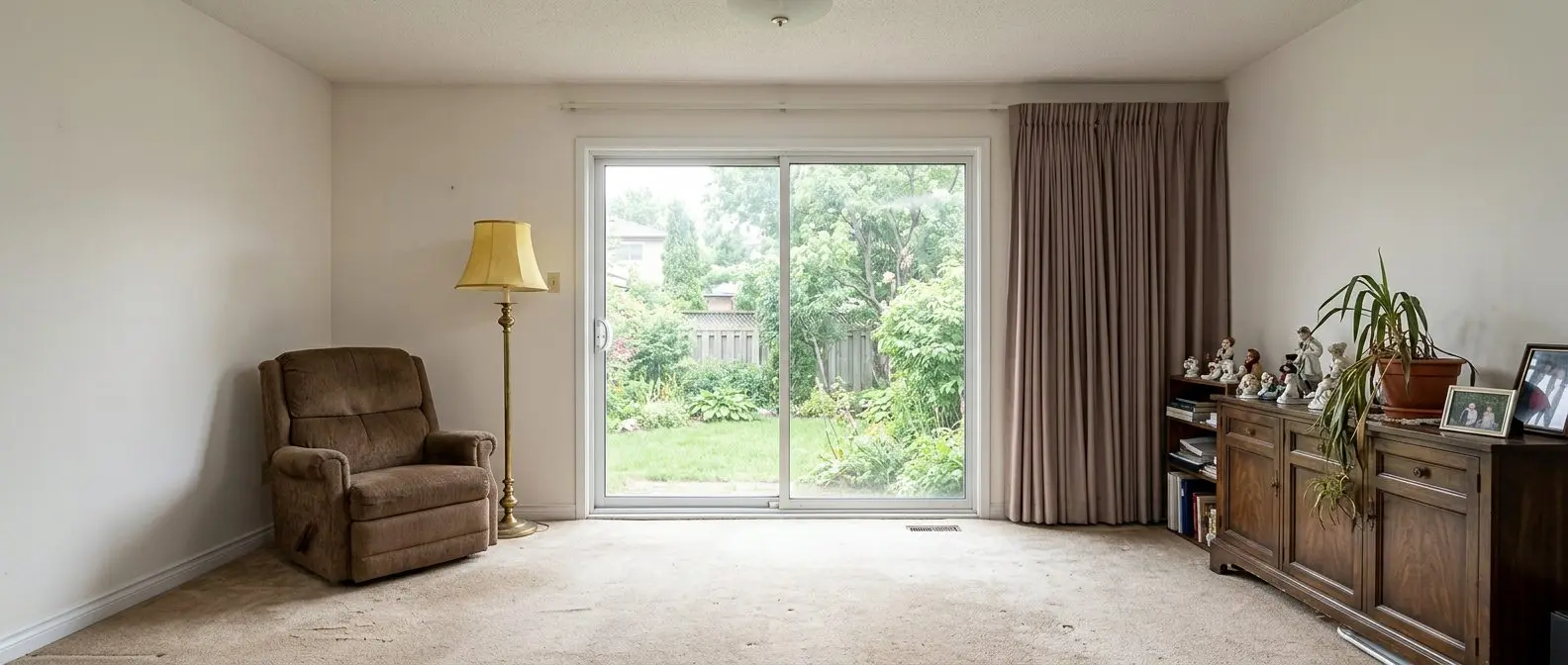
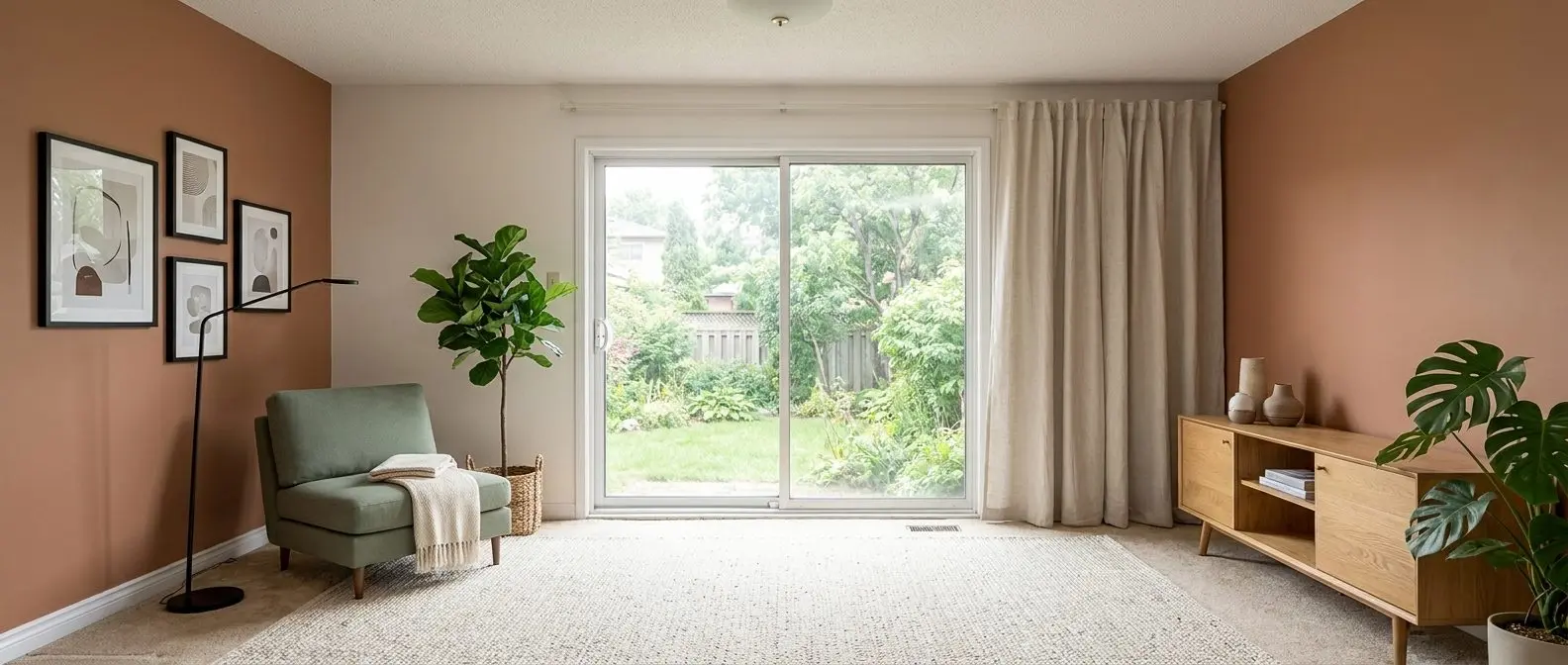
Redesign any room in a few clicks
10 styles and 30+ colour palettes, from one photo. All 11 tools on one account. Free trial credits, no credit card.
Start designing freeSpeed and iteration under real estate deadlines
In architecture workflows, speed means iteration velocity. LookX AI supports Real Time generation for fast ideation inside the canvas, and paid plans advertise priority lanes for tasks. That helps when a team needs many options quickly for a review or a client meeting.
Listing work has a different kind of deadline. Teams often need a full photo set edited and staged fast enough to publish while a listing still feels new. A practical delivery window for a listing photo set is one to two days, because agents still need time for remarks, disclosures, and syndication checks.
AI HomeDesign frames speed as throughput. It claims virtual staging runs in under five seconds per photo, and the UI reduces round trips by returning multiple variations per generation. The result screen also chains common edits without re-uploading, which matters when the same property needs staging, decluttering, enhancement, and a twilight exterior.
The key distinction is what iteration is for. LookX AI helps explore possibilities for a design narrative. AI HomeDesign helps ship a consistent set of listing images under a publish-by date, which sits inside broader operational shifts described in how AI is reshaping real estate workflows.
Realism, geometry, and MLS disclosure discipline
Realism is not only a quality question. It is a trust question.
A prompt-led concept render can drift from the exact geometry of the starting point, especially when the input is vague or when the team pushes for a strong style. That is not a defect, it is the nature of concept work. The safest check is simple: compare window placement, door swings, built-ins, and sightlines against the real conditions before any marketing team publishes the image.
AI HomeDesign’s workflow makes that check easier because edits stay anchored to the uploaded photo. The Space-first selection pattern exists to keep scale consistent across the gallery, and it provides a repeatable way to keep style choices coherent from room to room.
Disclosure should be treated as the default expectation for any materially edited or virtually staged image. MLS Rules and local association guidance vary, so teams should confirm wording with the local MLS. A safe baseline label is plain and visible: “Virtually staged” for staging edits, and “AI-enhanced photo” for lighting or object removal, alongside any required local Disclosure fields.
Clear operational boundaries prevent mistakes:
- Keep the deliverable clean. Listing photos should contain images and simple labels only, not commission or fee figures.
- Save sensitive persuasion for conversation. Pricing strategy, offer guidance, and seller psychology belong in the listing appointment, not embedded in image files.
- Treat these situations as exceptions where extra review is required: pre-construction marketing where nothing exists to photograph, tenant-occupied homes with privacy constraints, and properties with unusual layouts where style edits can be misread as structural change.
When both tools belong in the same project
Some teams sit across both worlds. A developer marketing a pre-construction project needs concept imagery to sell what is not built, and also needs listing-ready photos once a model unit is complete.
LookX AI fits the pre-build phase. Concept renders and short videos can support brochures, websites, and sales center screens, as long as the materials present them clearly as renderings. That keeps expectations aligned with what buyers will actually receive.
AI HomeDesign fits the listing phase after photography exists. A model unit photo set can run through AI Virtual Staging, AI Item Removal, Image Enhancement, and AI Day to Dusk without turning the gallery into a mix of real photos and invented rooms.
A final check keeps teams honest. If the folder contains model screenshots and sketches, a rendering suite belongs at the center. If the folder contains listing photos that must survive MLS review, a listing-photo tool belongs at the center, with other options explored through the wider field of AI home design and virtual staging tools only when they still protect publishability.
The clear pick
Choose AI HomeDesign when
AI HomeDesign fits agents, photographers, stagers, and marketing teams that need listing-photo edits that stay tied to the real room and can be disclosed under MLS Rules.
Choose LookX AI when
LookX AI fits architects and visualization studios that start from prompts, sketches, and model views and need fast concept renders, style exploration, and presentation assets.
Frequently asked questions
Can LookX AI be used for virtual staging on listing photos?
LookX AI can generate interior imagery and edit images, but its core workflow starts from prompts, sketches, and model views. That makes it strong for concept exploration. Listing workflows usually require edits anchored to a specific photograph so teams can disclose the change and still represent the real room. A listing-photo tool fits that requirement more directly.
What does LookX AI pricing include on paid plans?
LookX AI publishes paid subscriptions that emphasize unlimited image generation and a monthly X-credit allowance reserved for advanced actions like training and upscale. It also offers one-time top-up packs for extra X-credits. The most reliable place to confirm what is included, what is gated, and what renews monthly is the vendor pricing page.
How does AI HomeDesign price work for a listing team?
AI HomeDesign meters work as photo credits, and each generation returns multiple variations of the same room. That structure matches listing production because teams can budget by the photo set rather than by open-ended iteration. Paid plans also remove the watermark from downloads, which matters for MLS and portal publishing.
Are concept renders acceptable inside an MLS photo gallery?
Many MLS systems and broker compliance teams expect listing photos to represent the property as it exists, with clear Disclosure when images are virtually staged or materially edited. Concept renders can still be useful marketing assets, but teams should label them clearly and avoid placing them where buyers can confuse them for on-site photography. Local MLS Rules control the final call.
What disclosure text is safest for virtually staged or AI-edited photos?
A simple, plain label works best. “Virtually staged” fits images where furniture was added or restyled. “AI-enhanced photo” fits lighting cleanup, decluttering, or similar edits. Some MLS systems also require a Disclosure field or remarks entry. Teams should match the label to the edit and follow the local MLS Rules for placement.
Which tool fits a pre-construction developer marketing a new build?
Pre-construction marketing often needs both concept visuals and photo-based edits. A rendering suite helps create brochures and style direction before the space exists. Once a model unit or finished home is photographed, a listing-photo workflow can produce MLS-ready virtual staging, cleanup, and twilight conversions that stay tied to the real camera angles.