Best AI Room Design Tools in 2026, Ranked Guide

Table of Contents

Tool recommendation · updated 2026

Best AI Room Design Tools in 2026, Ranked Guide

Best overall
AI HomeDesign
Best value
Planner 5D
Best free
AI HomeDesign

AI tools now let teams preview a finished space from a single photo, which changes how people shop, renovate, and market homes. The hard part is choosing the right category, because most ai room design apps do very different jobs.

Some tools focus on homeowner style exploration. Others focus on real estate listing work, where photorealism, fast turnaround, and clean exports matter more than endless styles. This ranked guide compares options across those two lanes, then shows how to pick based on the job.

ai room design Tools That Fit the Job

Laptop showing AI room design software split-screen — supporting the Best AI Room Design Tools in 2026, Ranked guide
The right AI tool depends entirely on your specific use case.

A useful ranking starts by naming the main failure mode. People buy a “room redesign” tool, then try to use it for virtual staging. The output looks creative, but it can break room geometry, invent fixtures, or add artifacts that feel off in a listing photo.

In 2026, the market has split into two camps. Camp one focuses on fast, photo-based restyles for homeowners. Camp two focuses on real estate workflows like virtual staging, item removal, and day-to-dusk edits. The tools can overlap, but the defaults and export policies often differ.

This roundup uses six criteria that matter in real projects. Realism comes first, because the room must still look like the room. Speed matters next, because listing teams often need images the same day. Pricing comes down to cost per output, not the monthly fee.

Ease of use separates “upload and render” tools from manual room planners. Finally, workflow fit decides whether the tool supports listing needs, such as watermark-free downloads and consistent results across a full photo set. Those criteria drive the rankings below.

Where each tool sits

Price against speed. Bottom-left is cheap and fast, top-right is pricey and slower.

FasterSlowerPremiumBudgetAI HomeDesignREimagineHomeSpacely AIPlanner 5DRoomGPTDecor8 AIPaintit.ai
Has a free tierPaid onlyApproximate, by price and speed
Sort
Free tierMLS-compliant virtual stagingPhoto-first, listing-ready output
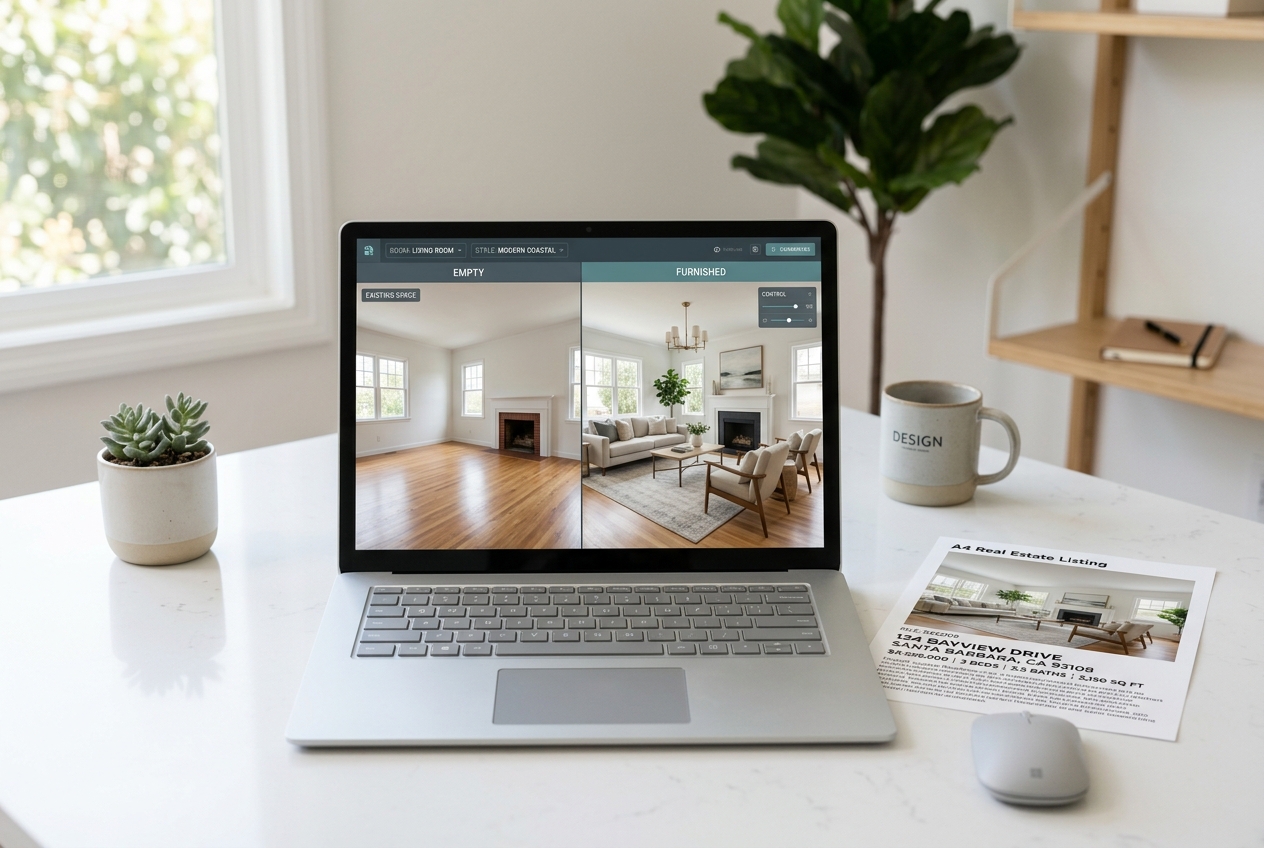
Laptop showing AI virtual staging software on a real estate desk — Best AI Room Design Tools in 2026, Ranked by use case
The right AI staging tool saves time and wins more listings.

Best for: real estate professionals who need virtual staging plus listing-ready edits in one place.

AI HomeDesign centers on the tasks that show up in listing production. The toolbox includes AI Virtual Staging, Day to Dusk, AI Item Removal, and Image Enhancement, plus redesign tools like Interior Designer and Furniture Restyle. For teams that stage many vacant rooms, speed and consistency matter more than novelty.

Pricing uses a credit model with three tiers. The Pro tier lists $0.63 per photo, Pro Plus lists $0.36 per photo, and Enterprise lists $0.24 per photo. All tiers include watermark-free downloads, unused credits rollover, and “cancel anytime,” which helps teams match spend to listing volume.

Speed is a differentiator for real estate workflows. AI HomeDesign lists virtual staging output under 8 seconds and a broader turnaround around 30 seconds, which supports same-day listing changes when photography arrives late.

For agents comparing broader stacks, the best real estate tools for agents guide helps map staging tools into a full marketing workflow.

Who should avoid it: teams that mainly need manual floor plan drafting or advanced CAD exports. A room planner fits that job better than a photo-based staging workflow.

Pricing: $19/mo

Speed: Under 8 seconds

View AI HomeDesign →
Free tierVirtual staging for empty roomsRedesign furnished rooms
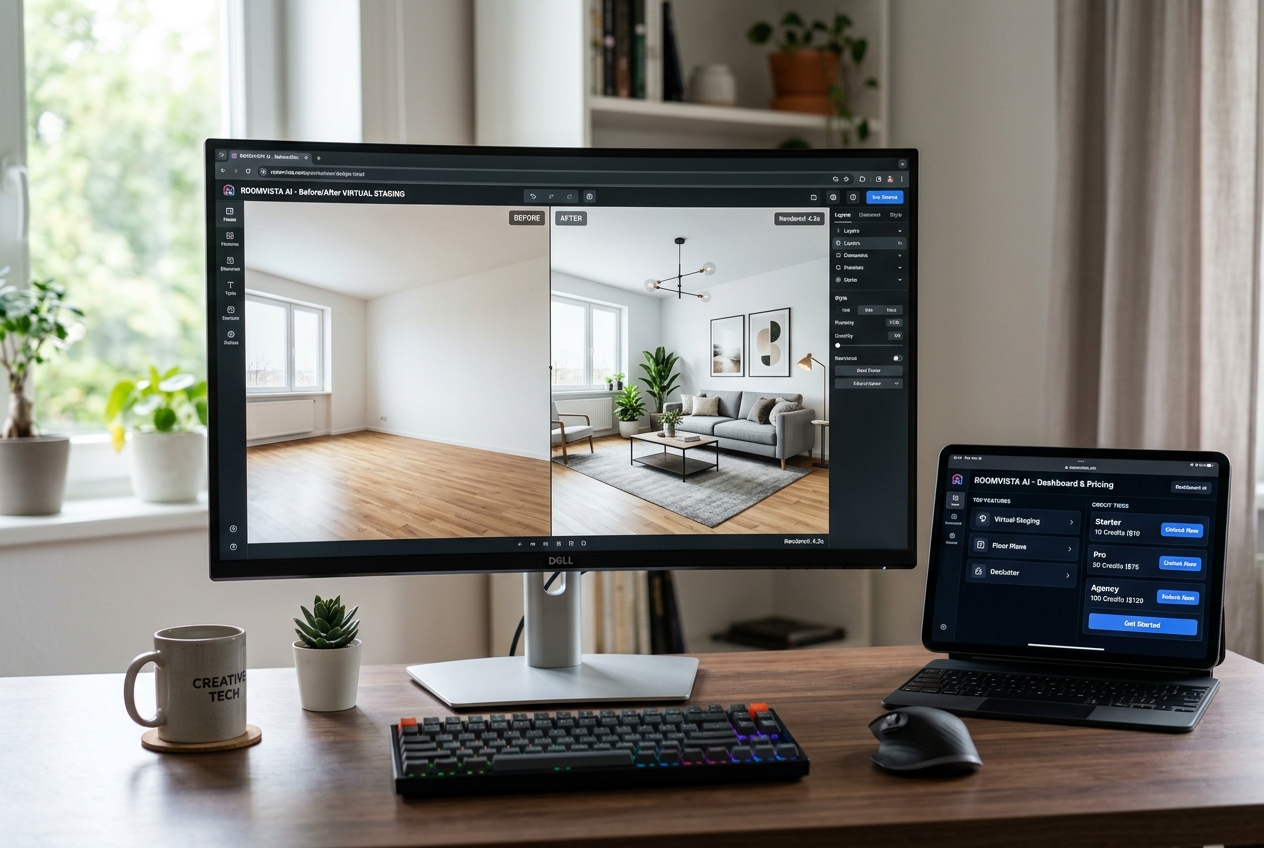
Monitor showing AI room design interface — Best AI Room Design Tools in 2026, Ranked by features and credits
The right AI room design tool depends on your listing team’s workflow.

Best for: listing teams that want an all-in-one edit set with clear tiered credits.

REimagineHome positions itself close to real estate use cases. It includes virtual staging for empty rooms, furnished-room redesign, landscaping and exterior rendering, object removal, sky replacement, and day-to-dusk conversion. That feature spread helps teams keep edits in one system instead of bouncing between tools.

The plan structure makes cost-per-output math straightforward. The Essential plan lists $14 per month for 30 credits, which works out to about $0.47 per credit. The Optimal plan lists $29 per month for 200 credits, and the per-credit cost drops sharply for higher volume.

REimagineHome also states watermark-free exports on paid plans, which matters for listing presentation. The free tier provides a small number of credits with no card required. That makes it useful for validating style and realism before a paid plan.

Plan details come from the published pricing page at REimagineHome.

Who should avoid it: teams that need a true room planner with manual control over measurements and layouts. Credit-based photo rendering solves a different problem than drafting.

Pricing: $14/month (Essential, 30 credits), $29/month (Optimal, 200 credits), $49/month (Advanced, 500 credits), $99/month (Agency, 1,200 credits)

Speed: Instant (AI-generated renders)

View REimagineHome →
Free tierCreative interior and exterior renderingAuto furnish rooms
  • Creative interior and exterior rendering
  • Auto furnish rooms
  • 4K download (Pro plans)
  • Multi-view render
  • Point-and-edit tool
  • Style transfer
  • Empty the room
  • Collage to render
  • Background generator and view extender
  • Private API key (Business plan)
  • SketchUp and 3D model workflow support

Pricing: $12.75/month (Starter, billed yearly; $15/month monthly) for 200 credits (~100 renders); $38.25/month (Studio, billed yearly; $45/month monthly) for 640 credits (~320 renders); $102/month (Business, billed yearly; $120/month monthly) for 1,800 credits (~900 renders)

Speed: Standard queue ~5 minutes (Starter); Priority under 3 minutes (Studio); Lightning under 1 minute (Business)

View Spacely AI →
Free tierAI Design Generator for automatic layoutsFloor plan upload and instant 3D conversion

Best for: users who want floor planning and manual 3D control.

Planner 5D plays a different role than photo-first redesign tools. It supports 2D and 3D room modeling, drag-and-drop furnishing, and features like floor plan upload with 3D conversion. For layout work, that manual control can beat an instant render.

The free plan lists unlimited projects, access to half of the furniture catalog, and watermarked renders. Paid plans add premium catalog access and higher-end rendering options, plus features like export to CAD and walkthrough formats on higher tiers.

Planner 5D lists pricing in both annual and monthly billing options. That matters for users who want a planning tool year-round instead of paying per output. It also makes it a fit for designers who need a reusable project space.

Plan details come from Planner 5D.

Who should avoid it: agents who need fast photo-based staging. Manual build tools can add time that listing schedules rarely allow.

Pricing: Free plan available; Premium from $4.99/month (billed annually at $59.99/year, or $19.99/month); Professional from $33.33/month (billed annually at $399.99/year, or $49.99/month)

Speed: Not publicly listed (manual drag-and-drop tool, not instant AI render)

View Planner 5D →
Free tierUpload a room photo and select a design styleInstant AI room transformation
  • Upload a room photo and select a design style
  • Instant AI room transformation
  • Multiple design style themes (modern, coastal, vintage, etc.)
  • No account required for free use
  • Used by over 4 million users

Pricing: Free tier available; paid plans exist (exact pricing not publicly listed on homepage; promotional code ‘FLASH60’ for 60% off referenced)

Speed: ~10 seconds per render

View RoomGPT →
Free tierUnlimited AI room redesigns on single plan56+ interior design styles

Best for: homeowners and design enthusiasts who want unlimited iterations.

Decor8 AI stands out because it sells an unlimited plan. That pricing model fits the “try ten directions, then narrow to one” workflow. It also supports virtual staging for empty rooms, plus paint and cabinet color visualization, and photo enhancement.

The key trade-off is pricing transparency by output. An unlimited plan makes cost per render depend entirely on usage volume. That can be ideal for a weekend sprint of redesign ideas, but it makes budgeting harder for teams that must forecast per-listing costs.

Decor8 AI lists availability on web, iOS, Android, and macOS, which helps users who want to iterate on mobile. It also lists API access priced per image for developers, which signals a path for higher-volume or embedded workflows.

Published plan details appear on Decor8 AI.

Who should avoid it: agents who need predictable “per listing” costs and a clear export policy. Unlimited plans can be great, but listing teams still need consistent output standards.

Pricing: $14.99/month (unlimited AI designs); API pricing at $0.20/image; Enterprise custom pricing

Speed: Instant (AI-generated renders)

View Decor8 AI →
Free tierCloud-based 3D floor planner100,000+ free 3D furniture models
  • Cloud-based 3D floor planner
  • 100,000+ free 3D furniture models
  • Unlimited 1K rendering on free plan
  • 4K and 8K/12K panorama rendering (paid plans)
  • AI Home Copilot assistant
  • Custom lighting and environment settings
  • 360° walkthrough and panorama
  • Export colored floor plans and construction drawings
  • Upload own 2D textures and 3D models
  • Team shared design space

Pricing: Free (Basic plan); Individual Pro+ from $6.80/month (billed annually); Individual Master+ from $11.80/month (billed annually); Team from $19.90/seat/month; Enterprise custom pricing

Speed: Not publicly listed (manual 3D design tool; AI render speed varies)

View Homestyler →
Free tierConversational AI that maintains context across editsUpload room photo and refine with natural language prompts
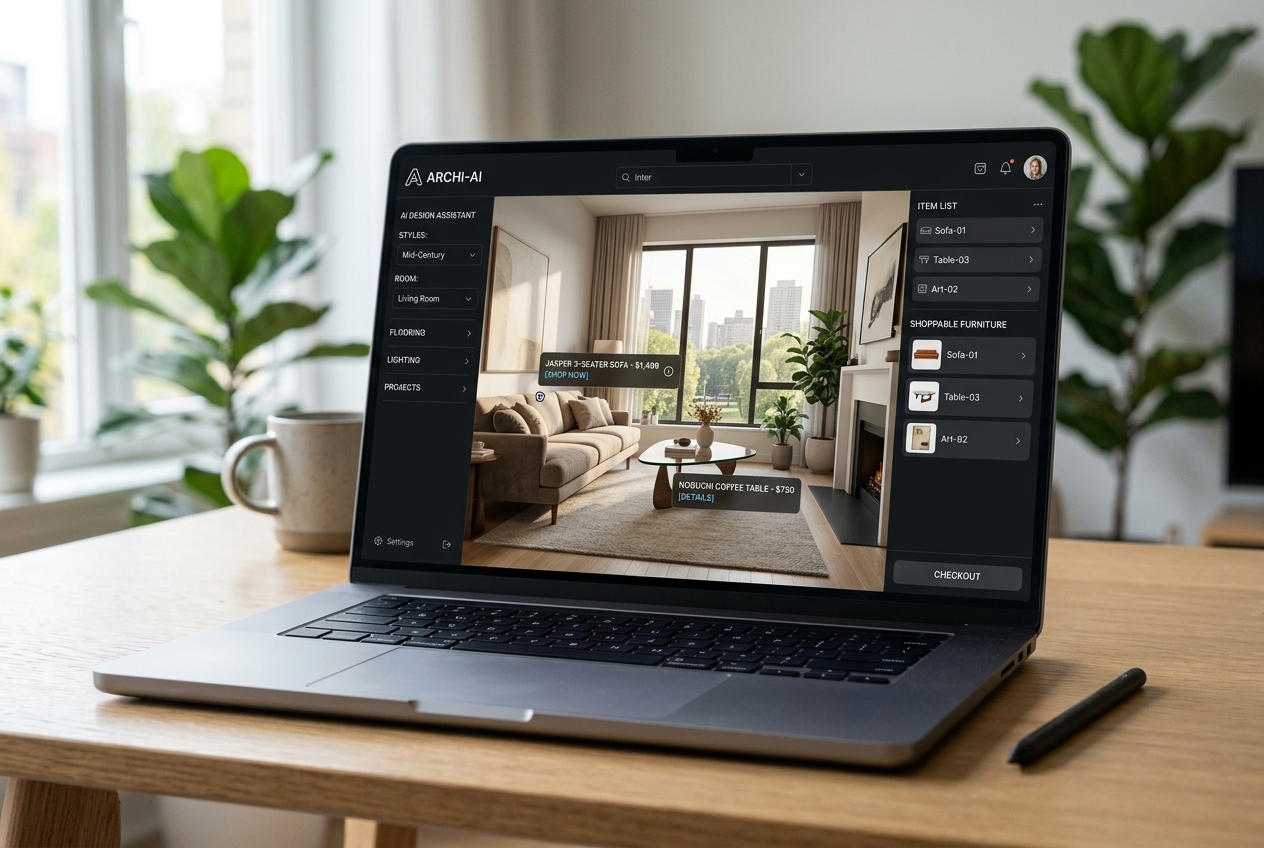
Laptop screen showing Best AI Room Design Tools in 2026, Ranked with shoppable furniture tags on a rendered living room.
Top AI design tools now link room visuals directly to shoppable products.

Best for: shoppers who want designs tied to real products.

Paintit.ai focuses on iterative edits with conversational prompts and maintains context across changes. That approach helps when a user wants to keep the same room structure while testing a narrow tweak, such as a different sofa profile or a calmer wall color.

Paintit.ai also lists shoppable product suggestions from retailers and Pinterest integration for style-matching. That feature set fits a homeowner workflow better than a listing workflow, because it supports the jump from concept to purchase.

The pricing structure supports cost-per-credit estimates. Starter lists $29.99 per month for 500 credits, which lands near six cents per credit. Higher tiers lower the effective credit cost further, which can matter for users who run many iterations.

Plan details come from Paintit.ai.

Who should avoid it: teams that need MLS-ready virtual staging as the primary job. Shopping integrations matter less than strict realism and disclosure discipline in listings.

Pricing: 30 free credits on sign-up; Starter $29.99/month for 500 credits; $59.99/month for 1,500 credits; $159.99/month for 4,500 credits

Speed: Instant (conversational AI with iterative edits)

View Paintit.ai →

How they compare

ToolPriceFreeSpeedBest at
1AI HomeDesign$19/moYesUnder 8 secondsMLS-compliant virtual staging
2REimagineHome$14/moYesInstant (AI-generated renders)Virtual staging for empty rooms
3Spacely AI$12.75/moYesStandard queue ~5 minutes (Starter); Priority under 3 minutes (Studio); Lightning under 1 minute (Business)Creative interior and exterior rendering
4Planner 5D$4.99/moYesNot publicly listed (manual drag-and-drop tool, not instant AI render)AI Design Generator for automatic layouts
5RoomGPT$60Yes~10 seconds per renderUpload a room photo and select a design style
6Decor8 AI$14.99/moYesInstant (AI-generated renders)Unlimited AI room redesigns on single plan
7Homestyler$6.8/moYesNot publicly listed (manual 3D design tool; AI render speed varies)Cloud-based 3D floor planner
8Paintit.ai$30/moYesInstant (conversational AI with iterative edits)Conversational AI that maintains context across edits

What it really costs per listing

Pick a tool, set how many listings you do a month, and see the real per-listing cost.

cost per listing
$0.00
Add any per-export or per-render fees on top.

Recommendations by Use Case and Workflow Constraints
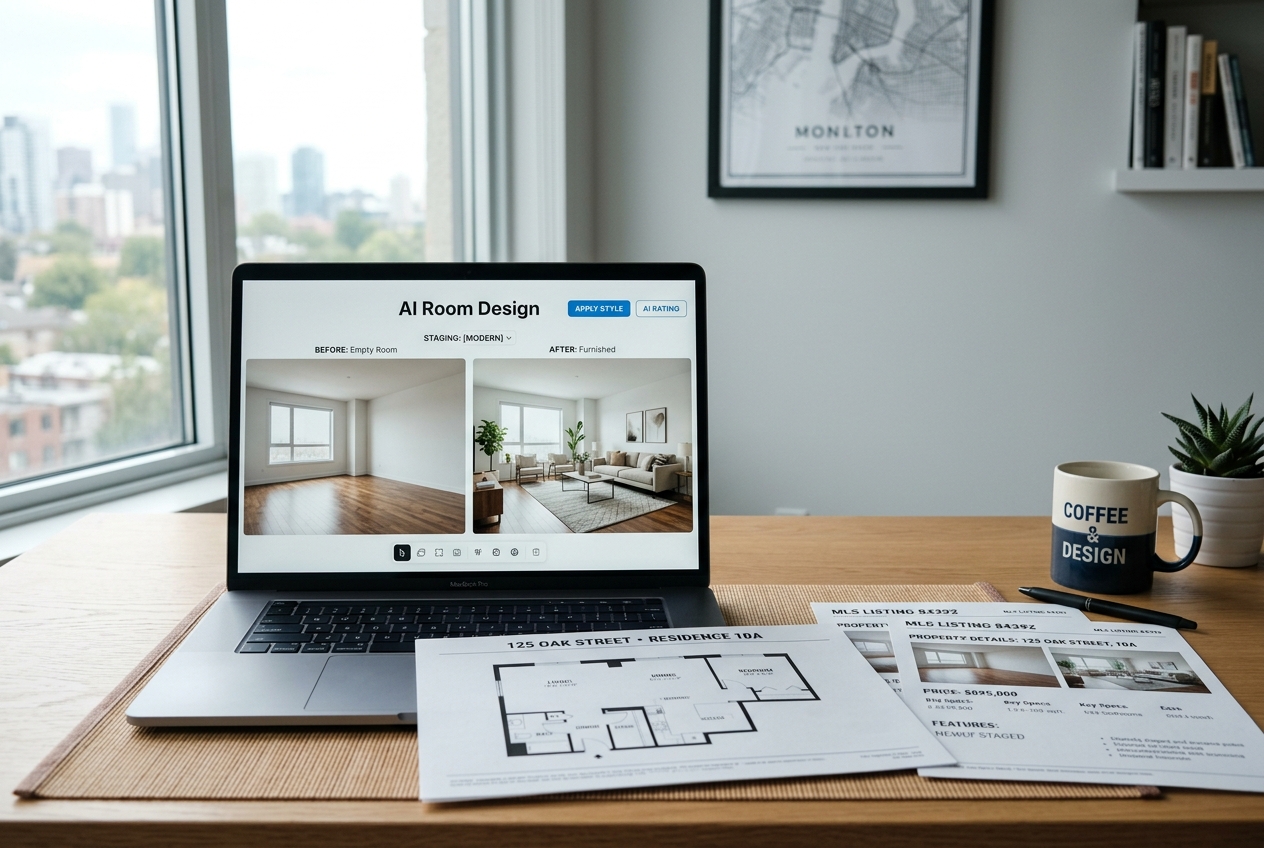
Laptop showing AI interface used by Best AI Room Design Tools in 2026, Ranked alongside floor plans and listing sheets.
The right AI tool depends on your room type and workflow needs.

The fastest way to choose is to start with the image type. Empty-room virtual staging requires a tool that furnishes a vacant space without bending the walls or inventing windows. Furnished-room redesign rewards tools that preserve the room while swapping surfaces and decor. Floor planning needs manual control more than instant rendering.

A practical turnaround target for listing edits is 0 to 1 days. Same-day output keeps a listing launch on schedule, and next-day coverage protects teams when photos arrive late. Photo-based tools can often support that window, while manual room planning tools often cannot.

Teams also need a simple rule for outputs versus internal notes. The deliverable can include the final exported images, plus the original photos for reference, and a clear label on every edited frame. Teams can save prompts, alternate styles, and “almost right” drafts for internal review, not for the seller-facing package.

Disclosure matters for every market. A clear, practical label that fits most platforms is: “Virtually staged.” For non-staging edits, a parallel label reads: “Digitally altered.” MLS Rules vary by area, so teams should confirm local requirements and apply a Virtually Staged Watermark when rules call for it.

Edge cases break the standard playbook. Luxury listings often need a more conservative style and fewer AI artifacts. Distressed sales may require sensitivity and fewer “aspirational” edits. New construction and unfinished builds can benefit from construction completion style renders, but teams should avoid implying finished materials that are not included.

Commission or fee figures rarely belong on the image deliverable itself. Sellers compare visuals emotionally first. Teams can cover fees in the listing agreement and in the in-person conversation, not on the marketing images.

For deeper staging-specific comparisons, the best virtual staging software guide narrows the field to tools built for listings.

Finally, a reality check protects trust. AI room visuals help people decide on a style direction and help buyers picture space. They do not replace measured plans or contractor-ready documents. For broader context on adoption and use cases, how AI is transforming real estate provides a wider industry view.

Open questions remain even with published pricing. Some tools do not publicly list watermark policy by tier, revision handling, or image resolution limits. A short test run with a real listing photo remains the safest proof point before committing to a workflow.

Frequently asked questions

The strongest “free” pick depends on the job. RoomGPT allows unlimited free renders with no account required, which fits casual style exploration. REimagineHome offers a small number of free credits on sign-up, which works better for testing listing-style edits. Free tiers often add watermarks, so clean export needs a paid plan in many cases.

AI room redesign restyles a room that already has furniture, changing finishes and decor while keeping the space “occupied.” Virtual staging AI furnishes an empty room, which matters for vacant listings and new builds. Some platforms offer both modes, but results and export rules can differ by mode and plan tier.

Most teams use simple, visible labeling on every edited image. A practical line that fits many portals is “Virtually staged” for furnished renders and “Digitally altered” for non-staging edits like item removal or sky changes. MLS Rules vary, so teams should verify local policy and follow any Virtually Staged Watermark guidance.

Planner 5D fits floor planning better than photo-first redesign tools because it supports 2D and 3D modeling, a furniture catalog, and plan-to-3D workflows. That manual control helps when layout decisions matter more than photorealistic marketing images. Photo-based staging tools can look realistic, but they do not replace a true room planner.

Listing work rewards tools that preserve structure, keep fixed fixtures consistent, and export without watermarks on the needed plan tier. Speed also matters when a listing needs updates the same day. A quick test on an empty-room photo usually reveals weaknesses fast, such as warped walls, shifted windows, or furniture that floats.

Try the Magic!

Sign up today and unlock your 3 free tires (with unlimited regenerations) of any service you want!

Read More