Real Estate Photography Scheduling Software: 2026 Picks
Real estate photography scheduling software only looks like a calendar choice. In practice, the tool decides how an agent places an order, how a crew gets dispatched, how files move to editing, how delivery links stay branded, and how money clears.
Most teams feel the pain first in the inbox. Agents text availability questions, a twilight request collides with a reshoot, and the editor gets files with no notes. A system that treats bookings as order fulfilment fixes those problems.
This guide sits inside the wider real estate software stack and focuses on real estate media workflows. It also matches expectations agents bring from how agents vet photographers in their market, where speed, consistency, and a clean delivery experience matter.
The five jobs real estate booking software has to do

Booking tools get marketed as calendars. Real estate media teams feel them as an order pipeline. A platform either carries an order from intake to payment, or it leaves gaps that create back-and-forth.
The five jobs below map to the real flow: an agent places an order, a shooter gets assigned, an editor receives the brief, a portal delivers final files, and payment lands. A tool that handles only the first job is still useful, but it is closer to a booking link than an operating system.
Square-footage pricing, drive-time buffers, and twilight windows show why generic studio tools struggle here. A listing has fixed daylight, fixed MLS requirements, and a client who expects speed.
A simple rule keeps evaluation honest. The closer the software gets to delivery and payment, the more it reduces operational work.
Public order form agents can finish without email
A real order form captures the property address as a required field. It also captures service mix. Photos, drone, floor plans, and a 3D tour products agents order alongside photos often sit on one invoice.
Pricing logic matters at intake. Square-footage tiers, travel fees by territory, and add-ons like twilight should price correctly without manual edits. That protects margin and keeps the calendar clean.
Scheduling and dispatch across drive times
Scheduling starts with service durations and lead times. The best systems handle drive-time buffers, twilight windows, and multi-shooter assignment.
Dispatch adds another layer. Teams need skills-based assignment, territory rules, and the ability to keep two photographers on one job when the service mix demands it.
Order to editor handoff
Editing starts with context. The editor needs the address, service list, notes, and any delivery deadline promised at checkout.
A strong handoff also reduces lost work. The platform keeps order status visible and makes it clear what is waiting on edits versus what is waiting on payment.
Branded delivery portal with MLS-ready sizes
Delivery portals solve two problems at once. They keep branding consistent, and they make downloads simple for agents under deadline.
MLS-ready sizing and clear file labeling matter here. If the platform does not handle sizing presets, the studio has to build that step into every editing pass.
Invoicing, deposits, and recurring agent billing
Payments should match how agents buy. Some teams want card-on-file billing. Others want invoices, deposits, or pay-on-delivery.
Download gating before delivery is the quiet cash-flow win. It collects money without a chase email and reduces the number of invoices that go stale.
How real estate photography scheduling software should be graded
Each platform below gets judged against the same five jobs. Then the verdict maps to operator reality: solo shooter, small team, or dispatch-heavy media company.
Grading stays strict on real-estate requirements: property address capture, pricing by home size, drive-time aware scheduling, delivery portals that feel branded, and payment controls that prevent unpaid downloads.
Pricing gets treated as operational risk, not marketing. This guide quotes only tiers that appear on a vendor pricing page or in the cited source. Prices checked October 2026, and vendors can change terms.
The key pricing choice is structural. Per-delivery pricing keeps overhead low early, while monthly subscriptions tend to win once orders repeat and the delivery portal becomes a core client touchpoint.
Tools that run the full order lifecycle

A quick skim helps narrow the list before the tool cards. The table focuses on the five jobs, not on generic “booking” features.
The tool cards below keep the same structure. Each includes: best fit, pricing that can be verified, how it covers the five jobs, and one honest “skip it if” line.
Where each tool sits
Monthly price against speed. Bottom-left is cheaper and faster, top-right is pricier and slower.
Monthly price unavailable or not comparable: HDPhotoHub.
The tools in detail
AryeoTop pick
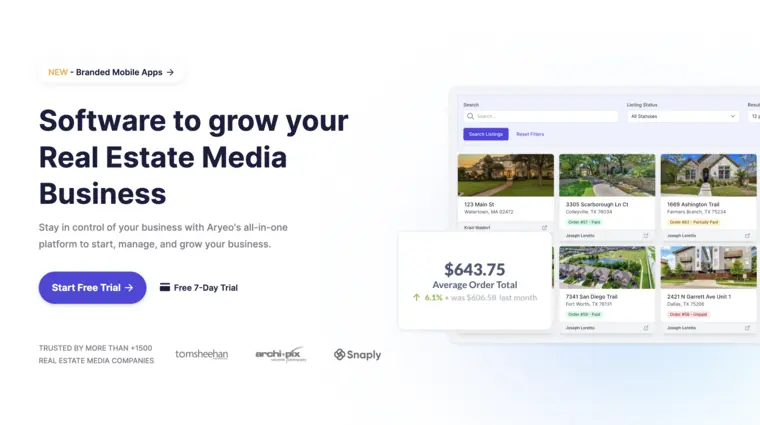
Aryeo pricing positions it as a delivery-first platform with a free Lite tier and paid tiers that start at $49 per month. Lite centers on branded delivery pages and content management, then the paid suite adds operational tools like advanced scheduling, invoicing, and payroll.
Best for: teams that want branded delivery to feel consistent from day one, then grow into a fuller back office without switching systems.
Pros: free starting point for branded delivery, delivery experience stays consistent as volume grows, paid tiers expand into scheduling and invoicing.
Cons: operational depth depends on paid tiers, so Lite users still handle more work outside the platform.
Skip it if the business only needs a simple order intake link and no delivery portal.
View Aryeo →
HDPhotoHub
A third-party roundup lists HDPhotoHub pricing as $5 per property delivery with no monthly fee. That structure can fit low volume, since costs rise only when deliveries happen.
Best for: solo shooters and small teams that want an order, scheduling, and delivery workflow without committing to a subscription early.
Coverage against the five jobs reads strong on paper. The same source describes smart scheduling that weighs drive time and shoot length, plus delivery pages with MLS-resized delivery. The $5 figure comes from a roundup, so the vendor should confirm it before a team locks in process.
Pros: per-delivery pricing aligns with early-stage volume, scheduling considers drive time, delivery pages are built into the workflow.
Cons: payment and invoicing details are not publicly listed.
Skip it if published, vendor-confirmed billing terms are a non-negotiable requirement.
View HDPhotoHub →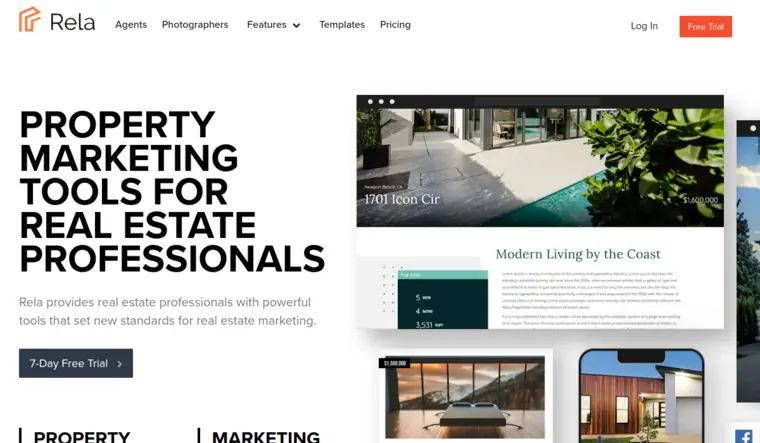
Rela Photographer Storefront
Rela sells a dedicated storefront for photographers at $25 per month. The product description emphasizes a white-labeled booking, payment, and media download flow that looks branded to agents.
Best for: a solo shooter who wants an order form, payment collection, and a clean delivery experience without building a custom portal.
The five jobs map well to a one-person studio. The storefront covers order intake, a real-time booking calendar with Google Calendar sync, invoicing with payment collection upfront or on delivery, automated reminders, and smart pricing rules by home size. The “lock media downloads until full payment is received” feature solves the cash-flow issue that usually shows up after the first busy month.
Pros: storefront unifies booking, payment, and downloads, pricing rules support home-size tiers, download gating protects cash flow.
Cons: dispatch features for multi-shooter routing are not listed.
Skip it if the business needs skills-based assignment across multiple shooters.
View Rela Photographer Storefront →
Check Cherry
Check Cherry publishes annual-billing pricing tiers on its pricing page, with Standard at $29 per month billed annually, Growth at $59 per month billed annually, and Unlimited at $139 per month billed annually. The same page lists card processing as 2.9% plus 30¢.
Best for: small teams that want a strong order form plus contracts and payment collection, with calendar rules that reduce reschedules.
The platform reads like an order-first system. It captures the property address, supports packages by square footage or room count, and supports add-ons like drone and twilight. Two-way calendar sync with buffers and lead-time controls reduces double-booking risk. Rush fees and volume discounts can be calculated automatically, which keeps quoting consistent across staff.
Pros: contracts and e-signatures live with the booking, calendar rules support buffers and lead times, pricing tiers align to booking volume.
Cons: delivery portal and MLS export details are not publicly listed.
Skip it if branded delivery pages and downloads are the main gap.
View Check Cherry →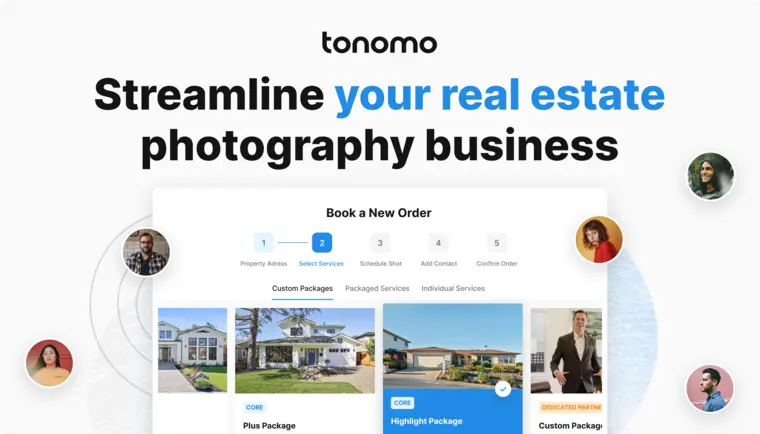
Tonomo
Tonomo lists a starting plan at $140 per month for 200 annual listings, booked via a demo. The same pricing page also lists a $250 per month plan for 425 annual listings with unlimited photographers and full white labeling.
Best for: multi-shooter media companies that need true dispatch logic, not only shared calendars.
The five jobs show up clearly in Tonomo’s positioning. It lists skills- and service-area-aware auto-assignment, drive-time calculation, travel fees, appointment duration that adjusts by services and property size, and twilight scheduling. Delivery includes pay-to-unlock files and MLS resizing. Those features justify the price when crew scheduling complexity drives real lost time.
Pros: dispatch engine supports territories and skills, travel fees and drive time are built in, delivery controls include pay-to-unlock.
Cons: demo-led pricing may slow evaluation for teams that want instant checkout.
Skip it if order volume stays far below the annual listing limits shown on the pricing page.
View Tonomo →


Every tool a listing needs, on one account
Free trial credits, no credit card. Staging, photo editing, and renovation on one account.
Try AI HomeDesign freeWhat it really costs per listing
Pick a tool, set how many listings you do a month, and see the real per-listing cost. Only the 4 tools that publish a monthly price are listed.
Real estate platforms vs studio CRMs vs booking links
Real estate-native platforms treat a listing like a repeatable production job. They model the property address, home size pricing, service add-ons, and delivery links as first-class workflow steps.
General photography studio CRMs often win on contracts, proposals, and lead handling. Many teams still use them successfully, but the fit changes when a platform treats a listing like a one-off event and leaves delivery, MLS sizing, and pay-to-unlock outside the core flow.
Booking links plus a payment processor solve only the first job. That setup can work for a true solo shooter who handles dispatch mentally and delivers through separate links. It rarely scales once a second shooter or a dedicated editor enters the workflow.
Agent relationship tracking sits slightly outside this category. When a team needs pipeline, follow-up, and broker-level visibility, the better fit is a CRM that tracks agent relationships paired with a media operations platform.
Which platform fits the operation
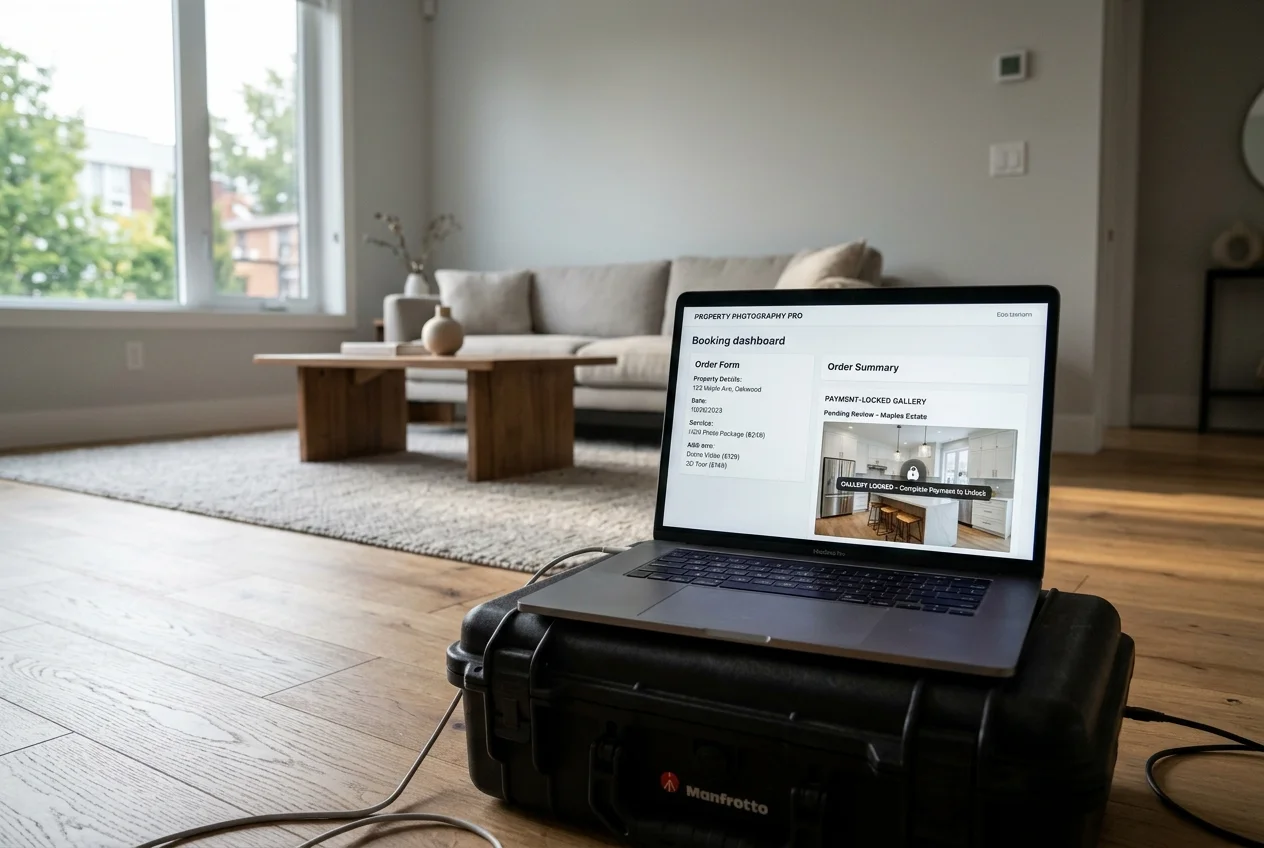
Solo shooters usually hit a cash-flow and context problem first. The fastest win is an order form that prices correctly and a portal that locks downloads until payment clears. A per-delivery model can also keep overhead low while volume stays uneven.
Small teams tend to hit scheduling conflict next. Two-way calendar sync, buffers, lead times, and shared visibility matter more than aesthetic booking pages. Contracts and payment collection also reduce back-and-forth with repeat agents.
Multi-shooter and multi-market operators face a dispatch problem. Territory rules, skills-based assignment, drive-time calculation, and travel fees stop being “nice to have” once multiple crews move at once.
Platform fit, by operator type:
- Solo shooter: HDPhotoHub or Rela Photographer Storefront.
- Small team: Check Cherry, and Aryeo once delivery and reporting need a dedicated portal.
- Multi-shooter company: Tonomo.
The real bottleneck is the edit queue, not the calendar

Booking software makes a promise. It sets service durations, confirms a shoot, and often implies next-morning delivery. Production is what keeps that promise.
Deadlines break for predictable reasons. A full set needs sky work, a twilight request lands late, and two vacant rooms need staging. A reshoot also steals capacity from the edit queue, even if the calendar looks organized.
Consistency across the full gallery matters more than a single hero image. Agents notice when the look shifts from room to room, since buyers swipe through the set quickly.
Triage the shoot before editing starts
Culling speed controls the first hour after upload. A fast pick list reduces time spent editing frames that will never ship.
Studios that want this step tighter often add dedicated tools and workflows like how studios cull a full shoot before editing starts, then push only selects into editing.
Same-day edits that protect the delivery promise
The delivery promise usually fails on add-on work. Virtual staging, item removal, and day-to-dusk requests stack on top of baseline color and window pulls.
AI HomeDesign fits as a production layer here, not as a booking tool. It covers three hubs, virtual staging, photo editing, and renovation, with 11 tools in one account and one credit pool, unlimited free regenerations, MLS-compliant defaults, and pricing from $0.24 a photo.
Disclosure still matters. Teams should label any virtually staged or AI-edited images clearly, and many MLS rules require a Virtually Staged Watermark or equivalent Disclosure text on the image.
Keep a consistent look across the full set
Speed helps, but consistency protects the brand. Editing decisions should stay stable across the whole delivery, especially when outsourcing.
A single workflow for listing photo editing supports that consistency by keeping enhancement choices and style decisions repeatable across the gallery.
What to migrate first when switching
Order form comes first, since clients touch it on every job. Packages, square-footage tiers, add-ons, and rush fees need to match how the business actually sells services.
Price rules come next. Travel fees, territory boundaries, and service durations should match the last quarter of invoices, not the idealized rate sheet.
Past client records should migrate early, so repeat agents can rebook without friction. Then the calendar sync, buffers, and lead-time rules can go live without breaking expectations.
Two traps cause most switch-week pain. Double-bookings happen when two systems stay live too long. Broken delivery links happen when old portals get turned off while listings still market.
Buying checklist before paying for a year
A fast checklist keeps vendor demos honest and keeps the decision tied to operations.
Checklist
0 of 10 doneFind your pick
Tap your situation for a quick recommendation.
Frequently asked questions
The lowest-cost entry point is a free tier that still supports branded delivery. Aryeo offers a Lite tier that is free forever, then paid tiers start at $49 per month. For a paid storefront built around payment and downloads, Rela Photographer Storefront lists $25 per month and a 7-day free trial with no card required.
Per-listing pricing can win at low volume because costs rise only when deliveries happen. A subscription can win once repeat agents book frequently and the delivery portal becomes part of the brand experience. In the verified data set, HDPhotoHub is listed at $5 per property delivery per a third-party source, while Rela lists $25 per month.
Some platforms reduce double-bookings by syncing calendars two ways and enforcing buffers and lead times. Check Cherry lists two-way calendar sync with Google, Outlook, and Apple plus buffer and lead-time controls. Tonomo lists two-way Google Calendar sync, real-time availability, and auto-assignment logic, which can reduce conflicts when multiple shooters run at once.
Look for download gating or pay-to-unlock delivery. Rela states that media downloads can be locked until full payment is received. Tonomo lists pay-to-unlock files and percentage-upfront payments at booking. Check Cherry lists automatic payment collection and publishes a card processing rate of 2.9% plus 30¢ on its pricing page.
Some do, but the capability is not universal. A third-party source claims HDPhotoHub provides MLS-resized delivery. Tonomo’s pricing page lists auto resizing print size to MLS dimensions. For tools that do not publish sizing details, MLS resizing becomes a manual step inside the editing workflow, which adds time under deadline.
Booking software reduces scheduling friction, but it does not create editing capacity. Faster turnaround depends on how quickly the studio culls, edits, and finishes add-ons like day-to-dusk, item removal, or virtual staging. A platform can help by organizing order notes and delivery deadlines, but production tools and staffing decide next-morning delivery.