Most real estate photos are not ready for a listing straight out of the camera. Real estate photo enhancement helps correct brightness, improve color, recover detail, and remove small distractions before the image is published.
Some edits fix technical issues caused by lighting, camera settings, or lens limitations. Others improve presentation by cleaning up minor distractions or refining the overall look of the space.
That distinction matters because not every photo needs the same treatment. A dark interior calls for different adjustments than an exterior shot with a flat sky.
Used well, these edits make listing photos clearer, more consistent, and easier to interpret. This guide breaks down the main types of real estate photo enhancement, what each one does, and where extra judgment is needed.
Why Photo Enhancement Matters in Listing Preparation
In real estate photography, the raw photo is rarely the final product. Even a well-composed image can fail to show the space clearly if the lighting feels uneven, the colors look off, or small distractions compete for attention.
That is why photo enhancement matters in listing preparation. As part of the broader real estate photo editing services workflow, this process helps turn raw captures into listing-ready images that are clearer, more balanced, and easier for buyers to interpret.
This clarity matters in a listing because buyers move quickly through photo galleries, and the images need to communicate the space without making them work too hard.
It also helps move photos from shoot to listing-ready use more smoothly. Clearer images make the property easier to interpret, while consistent editing across the full photo set makes the listing look more polished and reliable.
The point is to show the home clearly, not to make it look like something it is not. Strong listing photos help buyers focus on the space, not on flaws in the image.
What Real Estate Photo Enhancement Actually Includes
People often talk about photo editing as if it were one task, but real estate photo enhancement covers several kinds of edits, each serving a different purpose.
One group of edits focuses on correction. These edits address issues caused by lighting, camera settings, or lens distortion.
Exposure adjustment, white balance correction, contrast balancing, noise reduction, and perspective correction all fall into this group. Their purpose is to make the photo look more accurate and easier to read.
Another group deals with cleanup. These edits remove small distractions that pull attention away from the property. Dust, smudges, sensor spots, cords, and minor marks often fall into this group. The aim is to keep the viewer focused on the space rather than on avoidable visual noise.
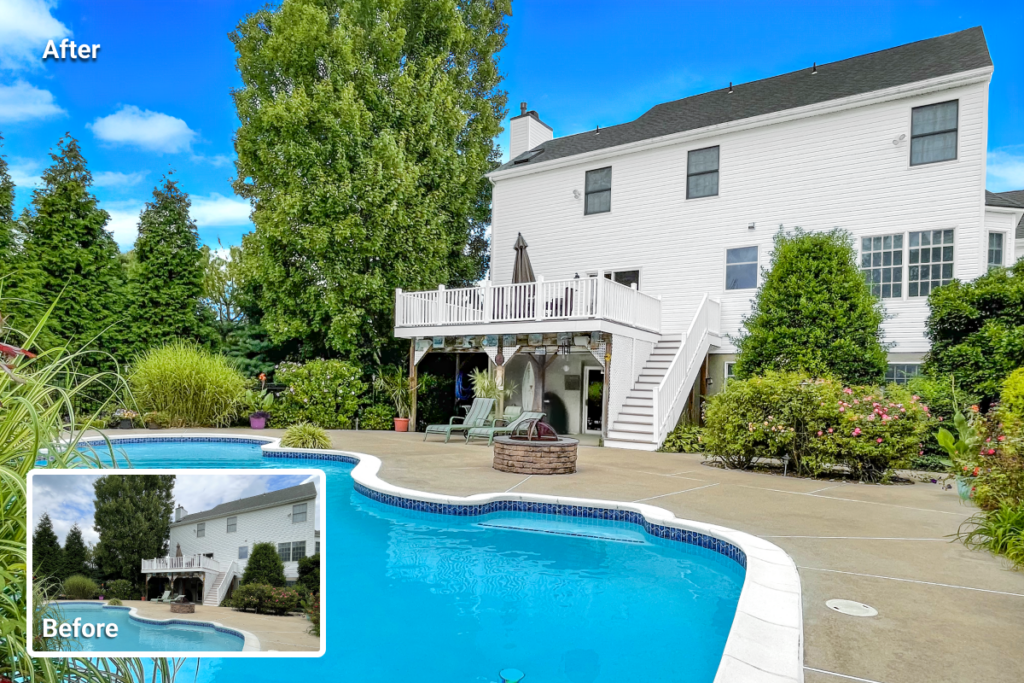
A third set of edits is more presentation-focused. These changes have a stronger effect on presentation and should be used with more care. Sky replacement, lawn improvement, virtual staging, and water enhancement belong here. They can improve the overall image, but they also require restraint to avoid pushing the photo too far from reality.
Core Edits That Improve Photo Quality
The first stage of real estate photo enhancement focuses on image quality. These edits correct issues caused by lighting, camera settings, or lens distortion before any cleanup or stronger visual adjustments begin.
These are also the kinds of corrections often handled through AI image enhancement for real estate workflows.
Light and Exposure Correction
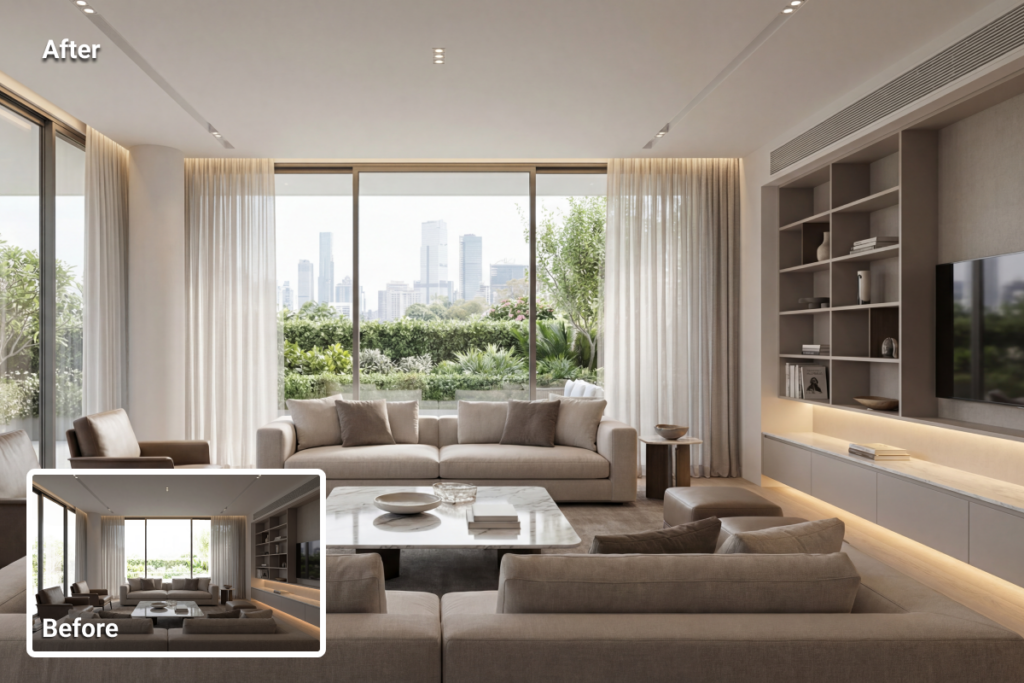
Interiors often appear darker in photos than they do in person, and bright windows can easily lose detail. Exposure correction helps the room look brighter, clearer, and easier to read without making the image look washed out.
Contrast Adjustment
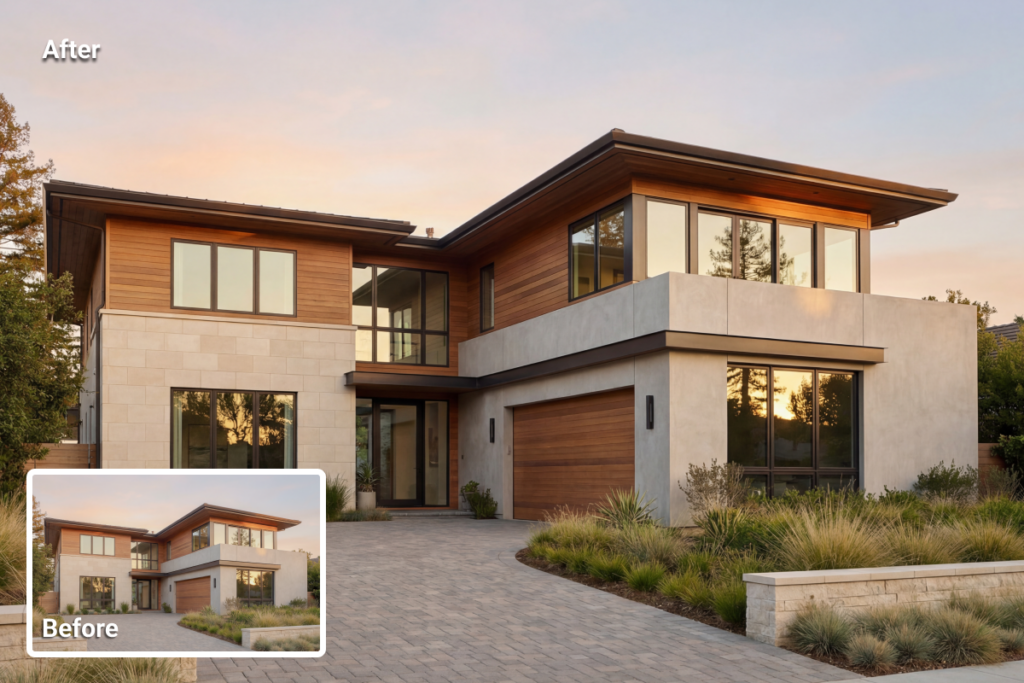
Too little contrast leaves a photo looking flat, while too much makes surfaces appear harsh and unnatural. A balanced contrast level adds depth without pushing the image too far.
Color Correction and White Balance
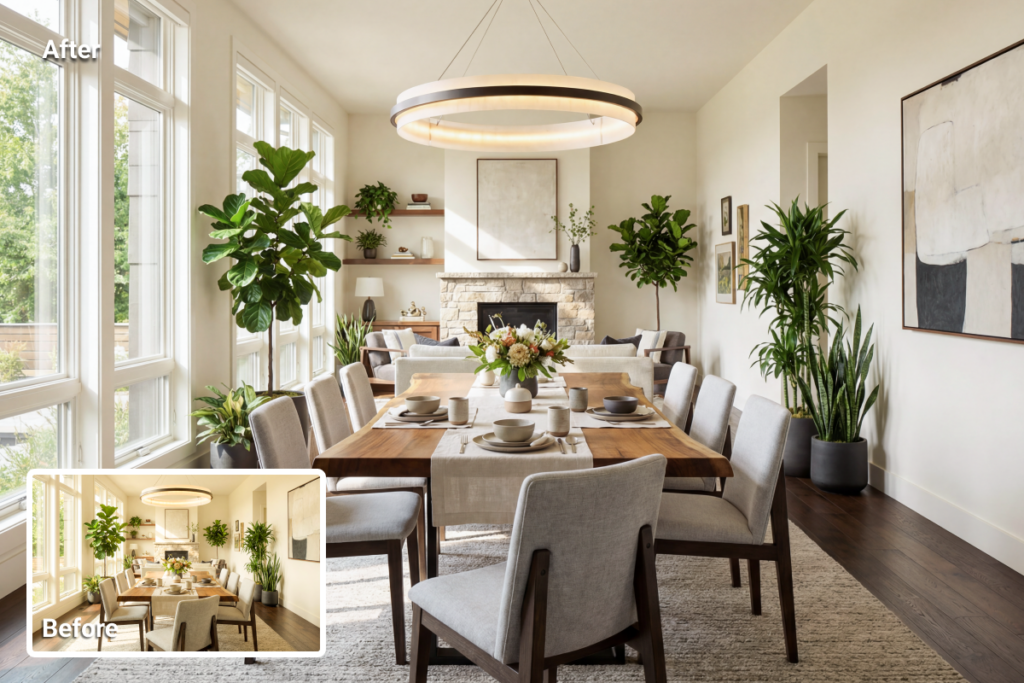
Mixed indoor lighting can shift walls, floors, and furniture toward yellow, blue, or green tones. Correcting those color casts makes the space look more natural and visually consistent.
Sharpening and Noise Reduction
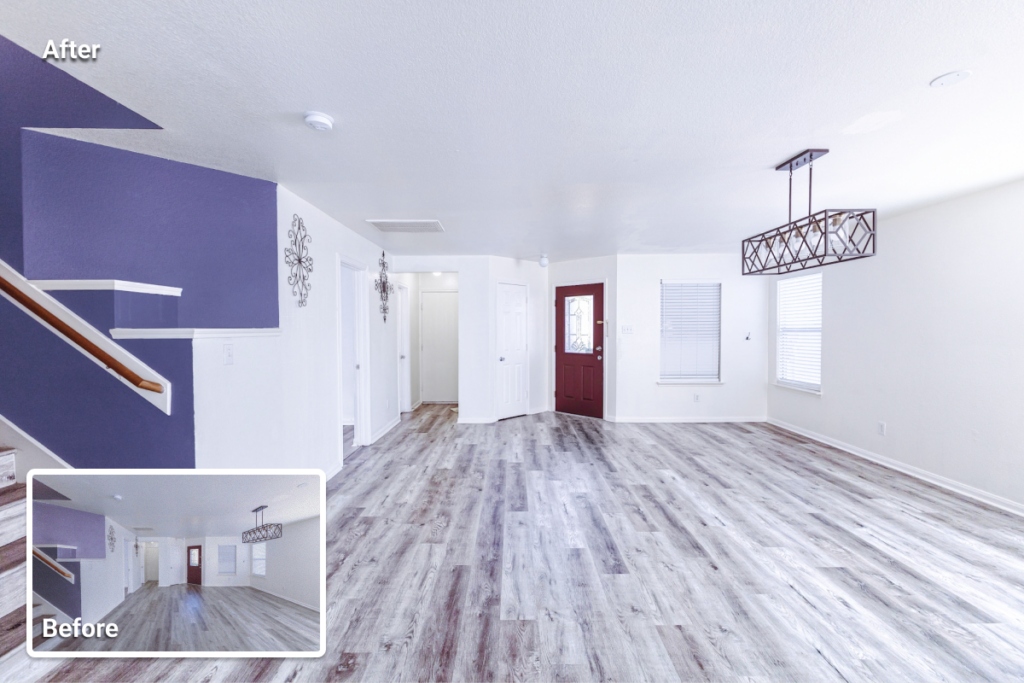
These two adjustments improve fine detail and overall clarity. Sharpening helps restore definition when an image looks slightly soft, while noise reduction reduces the grain that often appears in darker exposures or lower-quality files. Both need careful handling. Too much sharpening makes edges look brittle, while too much noise reduction can erase texture.
Lens and Perspective Correction
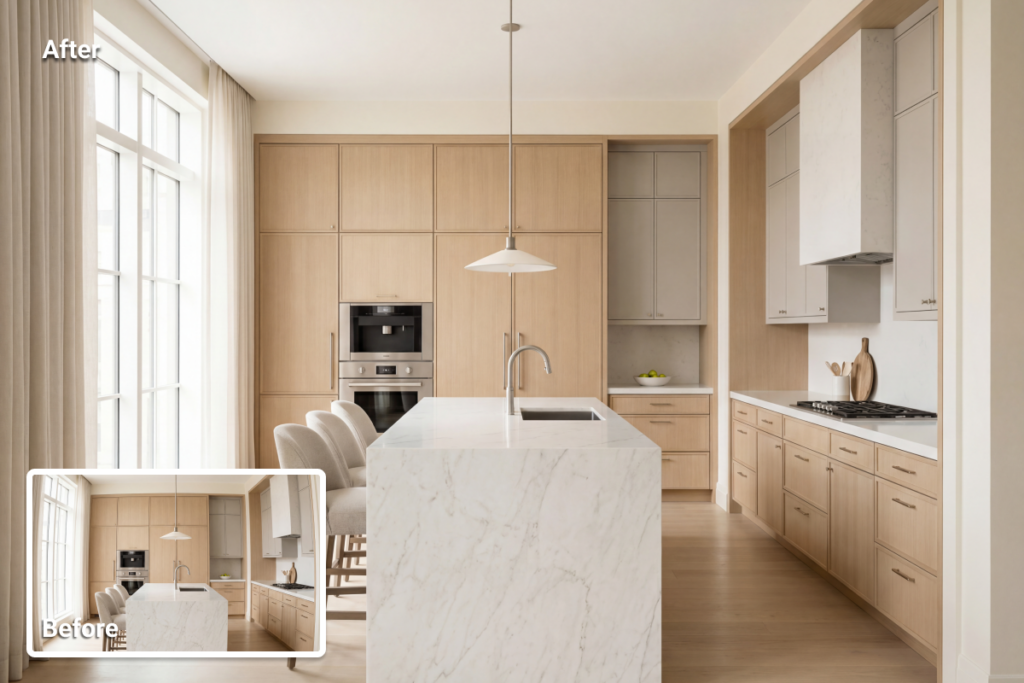
Wide-angle shots often bend vertical lines or make walls appear to lean. Correcting that distortion helps the space look more natural and easier to interpret.
Taken together, these edits create the technical foundation of the image. Before a photo is cleaned up or visually enhanced, it needs to look accurate, balanced, and believable.
Cleanup Edits That Remove Distractions
Not every part of real estate photo enhancement focuses on light, color, or technical correction. Some edits are meant to remove small distractions that take attention away from the property itself.
Common examples include dust, smudges, sensor spots, minor wall marks, cords, outlet covers, and similar details that stand out more in photos than they do in person. On screen, these elements create visual noise and pull the eye away from the space.
Cleanup edits still require judgment, especially in item removal in real estate photos, where the line between removing a distraction and changing the facts of the property can blur quickly. Cleaning up a small stain on the floor is one thing. Removing a permanent defect or hiding visible damage is another.
Cleanup works best when it stays subtle. The photo should look cleaner, not rewritten. Used carefully, these edits keep the viewer’s attention on the property for the right reasons.
Visual Enhancements Used for Listing Presentation
Some forms of real estate photo enhancement go beyond technical correction and cleanup. Their role is more about presentation, helping listing photos look more polished at first glance.
HDR blending, sky replacement, lawn improvement, and water enhancement are common examples, although they do not all affect the image in the same way. Some improve tonal balance and surface clarity, while others have a stronger effect on mood and presentation.
A brighter sky can lift an exterior shot, cleaner-looking pool water can make an outdoor area feel more inviting, and a greener lawn can make the property appear better maintained.
This is also the point where editing requires more restraint. Used carefully, these changes can strengthen the image. Pushed too far, they can make the photo feel more like promotional material than a faithful representation of the property.
These edits should improve the photo without changing the property into something it is not. The result can look polished, but it should still feel credible and true to the property being shown.
Which Edits Need Extra Caution
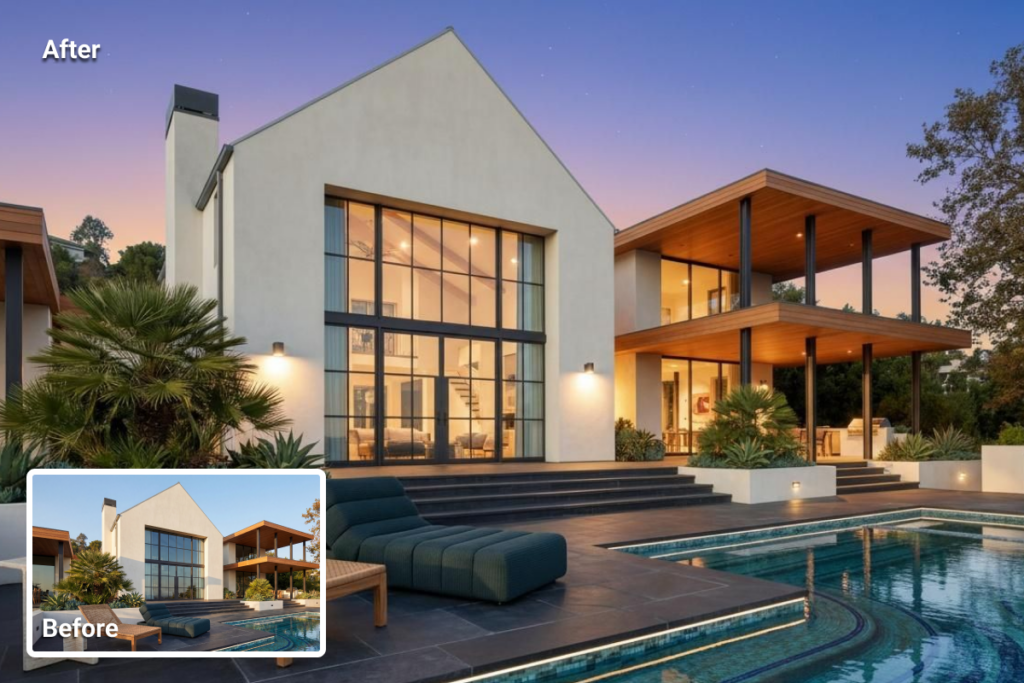
Some edits are low-risk, while others need much more care because they have a stronger effect on how the property appears in the image.
Exposure correction, white balance, contrast adjustment, noise reduction, and perspective correction are usually low-risk because they make the photo look more accurate and easier to read. These edits correct the way the camera captured the space.
Other forms of real estate photo enhancement require more caution. Sky replacement, lawn improvement, heavy object removal, and aggressive water edits can improve presentation, but they can also shift the image from refinement into misrepresentation.
That distinction matters even more in listing photography, where buyer trust carries real weight.
One rule is worth keeping in mind: correct what the camera got wrong and remove distractions that do not change the facts of the property. Do not hide permanent flaws, remove meaningful property details, or create a version of the home that a buyer would not actually encounter in person.
Manual Editing vs AI Photo Enhancement
Manual and AI editing are useful in different situations. One offers more control, while the other helps speed up repetitive work.
Manual editing is better suited to images that require close judgment. Complex lighting, difficult edges, reflective surfaces, and unusual room details often benefit from a more hands-on approach. In those cases, a professional editor can usually deliver a more controlled result.
AI editing works best when speed, consistency, and volume matter most. For many routine tasks, it can handle real estate photo enhancement much faster than a fully manual workflow. That makes it useful for agents, photographers, and teams managing a large number of listing photos.
Speed matters, but it should not decide the workflow on its own. Use AI when the edit is straightforward, and the result remains believable. Switch to manual editing when the image needs closer review or when the output starts to look artificial.
In practice, the choice is rarely either-or. An efficient workflow often starts with AI for routine corrections and leaves more difficult cases for manual editing.
How to Decide Which Enhancements a Photo Needs
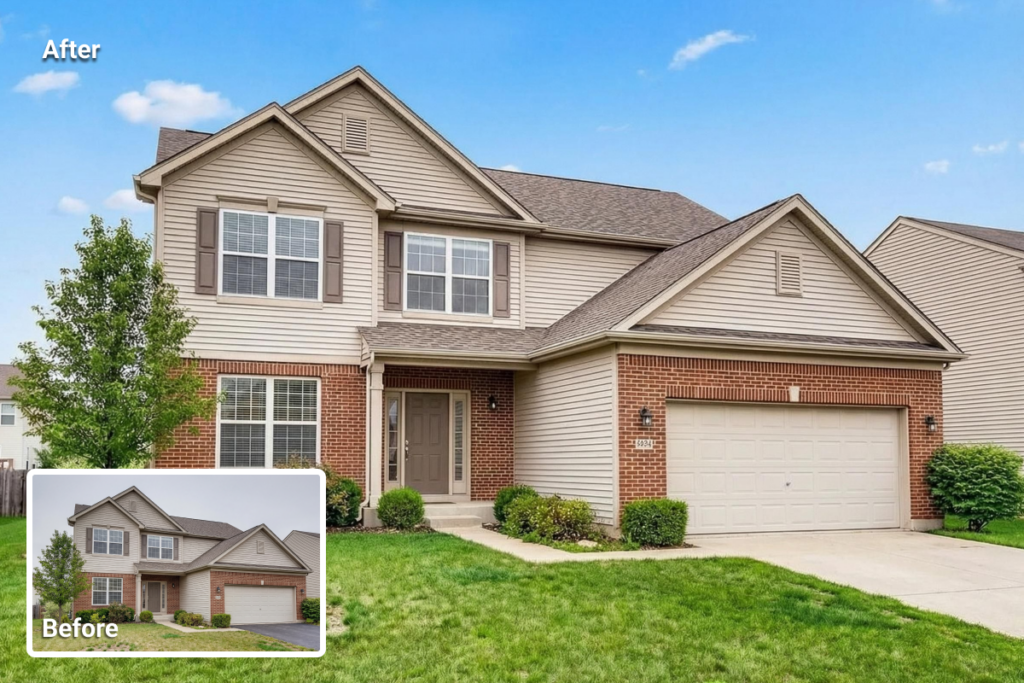
Not every image needs the full set of edits. The right choice depends on what is happening in the frame and how much correction the photo actually requires.
For interior photos, the first things to check are usually exposure, white balance, contrast, and perspective. If the room already looks clean, there is no reason to add cleanup edits for the sake of it.
For exterior photos, attention usually shifts to sky quality, lawn condition, shadows, and overall color balance. A front elevation shot with dull light or flat color often calls for a different approach than an interior image. Still, not every exterior needs stronger visual enhancement.
Some photos need only basic correction. Others benefit from cleanup, and a smaller number call for stronger presentation edits. The best starting point is the image itself. Start with the problem in the photo, then choose the edit that addresses it.
Final Thoughts
Real estate photo enhancement is not one kind of edit. Some adjustments correct technical flaws, some remove distractions, and some have a much stronger effect on presentation.
The strongest editing workflow starts with correction, adds cleanup only where needed, and uses stronger visual enhancements selectively.
Good editing makes listing photos cleaner, clearer, and easier to interpret without pulling them away from the property itself. A polished photo helps the listing. An overworked one makes buyers question what they are seeing.
FAQs
AI can handle many common edits, including light and color correction, image enhancement, item removal, sky edits, and day-to-dusk changes. It works best on routine edits and larger photo batches.
The best tools depend on the type of edit and the workflow behind it. Photoshop and Lightroom remain common choices for manual editing, while AI-powered platforms are often more practical for routine listing edits such as enhancement, cleanup, and presentation adjustments.
Real estate photo enhancement costs vary depending on the type of edit, turnaround time, and whether the work is AI-assisted or done manually. Basic corrections usually cost less, while more detailed presentation edits or manual retouching tend to cost more.