Real Estate Photography Packages: How to Price & Bundle
Real estate photography packages work best when priced from real costs. Build tiered bundles, add-ons, licensing, and turnaround rules that protect margin.
In short
- Start with costs: set a true floor price from time, travel, overhead, and taxes.
- Engineer the middle: design Premium to be the default fit, not an afterthought.
- Sell scope clarity: define revisions, licensing, and turnaround so add-ons stay profitable.
Pricing breaks when it starts with a competitor screenshot. Real estate photography packages look similar on the surface, but hidden costs vary by route, edit load, revision habits, and client expectations.
A better menu starts with cost, then uses tier design to guide the buying decision. This guide builds a package structure that protects margin, makes upgrades feel natural, and stays simple enough to send as a one-page PDF.
For broader shooting fundamentals that support the business side, start with this real estate photography guide, then return here to build the pricing sheet.
Real Estate Photography Packages That Protect Margins

Negotiation thrives in vague scopes. An agent hears “photos are X,” then asks for a few more angles, a faster delivery, and a quick fix on a neighbor’s trash can. Each request sounds small. The job quietly grows.
Packages reduce that drift by turning a custom quote into a simple choice. A named tier sets expectations on coverage, editing finish, turnaround, and what counts as an add-on. That clarity also makes the upsell feel like a normal selection, not a surprise fee.
Good-better-best works because agents compare options, not line items. The top tier makes the middle tier look reasonable. The middle tier, in turn, can include the highest-margin mix of deliverables for most listings.
Packages also protect the calendar. When the scope stays stable, time estimates stay stable. That makes it easier to book multiple shoots, hold turnaround promises, and stop treating every job like a one-off event.
Price From Costs First, Then Sanity-Check the Market

Market rates matter, but only as guardrails. A photographer who starts with “what others charge” often absorbs travel, admin time, and revision cycles. A cost-first method sets a real floor, then uses the market as a reality check.
A practical cost model splits work into billable units. Shoot time includes drive, setup, and on-site problem solving. Editing time includes base color work, window pulls or flambient blending, vertical correction, and export. Admin time includes scheduling, access notes, invoice, and delivery.
Overhead belongs in the math, even when it feels indirect. Insurance, subscriptions, gear replacement, marketing, and accounting still sit behind every job. Taxes also change the “feels good” price into a real take-home number.
After the internal floor is clear, compare it to the typical real estate photography cost to see how wide the range runs in different regions and service levels. Third-party price guides also show that the spread can be large even within one state, which helps frame why a local menu needs local logic, not copying a national average like the cost ranges described here.
Design Tiers So the Middle Option Wins
Anchoring works best when each tier changes the outcome, not just the photo count. A “Standard” tier can focus on clean coverage for MLS and major portals. A “Premium” tier can add services that change how the listing competes, like aerial context or a stronger editing finish.
Editing quality should read as a deliverable, not a behind-the-scenes detail. If the workflow includes HDR photo editing, call it out as part of the tier. Agents understand deliverables. They rarely price editing time correctly without a label.
Aerial also belongs as a tier feature, not a last-minute bolt-on. A tier that includes a small, consistent set of drone photography shots often outsells a cheaper base tier plus an awkward add-on conversation.
The simplest way to engineer the middle tier is to make it the default fit for the most common listing type in the service area. Then keep the top tier for properties that need a story: views, acreage, premium finishes, or a marketing-heavy agent.
| Tier | Best fit | What the agent gets | Turnaround | Scope guardrail |
|---|---|---|---|---|
| Standard | entry-level listings and rentals | full interior and exterior coverage, consistent color and verticals | next-day | one revision pass for color and crop only |
| Premium | most owner-occupied listings | stronger editing finish, a small aerial set, and a branded delivery page | next-day | defined add-ons for extra rooms, amenities, and rush |
| Luxury | high-end, design-forward homes | premium editing, aerial emphasis, and marketing extras that extend beyond MLS | scheduled | pre-approved shot list and a written revision cap |
Comparison of tier outcomes, deliverables, and scope boundaries.
Copy-Ready Package Menus by Property and Client

Menus sell faster when they match how agents think. Many agents sort listings into “simple,” “competitive,” and “showcase.” That map can translate cleanly into a condo menu, a typical single-family menu, and a luxury menu.
Client type also changes what “value” means. A solo agent wants speed and reliability. A team wants repeatability across many listings. A builder wants consistent angles across phases and a license that fits longer timelines.
The menus below avoid hard numbers on purpose. Photo needs shift with layout and furniture density. A better promise focuses on coverage, finish level, and turnaround, then uses a pre-shoot shot list to lock scope.
Bundling works best when it reduces decision fatigue. Include one obvious upgrade in the middle menu. Keep the highest tier as the showcase option, then let the middle tier look like the smart, safe choice.
| Menu | Property fit | Solo agent bundle | Team bundle | Builder bundle |
|---|---|---|---|---|
| Condo and small townhome | compact layouts, limited exteriors | interior and exterior coverage, fast delivery | same scope, plus a repeatable naming and folder standard | consistent angles per model, plus progress reshoots as add-ons |
| Typical single-family | the local “most common” listing | premium edit finish, plus optional marketing extras | a bundle that standardizes every listing package | a repeatable exterior set per elevation, plus site context |
| Luxury and estate | views, acreage, high-end finishes | showcase coverage and a tighter revision process | a flagship bundle for the team’s brand standard | an extended license and phased deliverables for long campaigns |
Menus aligned to property type and client buying behavior.
A “Luxury” menu can also carry deliverables that agents already understand as premium marketing. Many photographers place video and interactive tours here, then link it to a clear deliverable like a 3D tour / Matterport option or a listing video add-on.
Step-by-Step: Build a Pricing Sheet That Sells
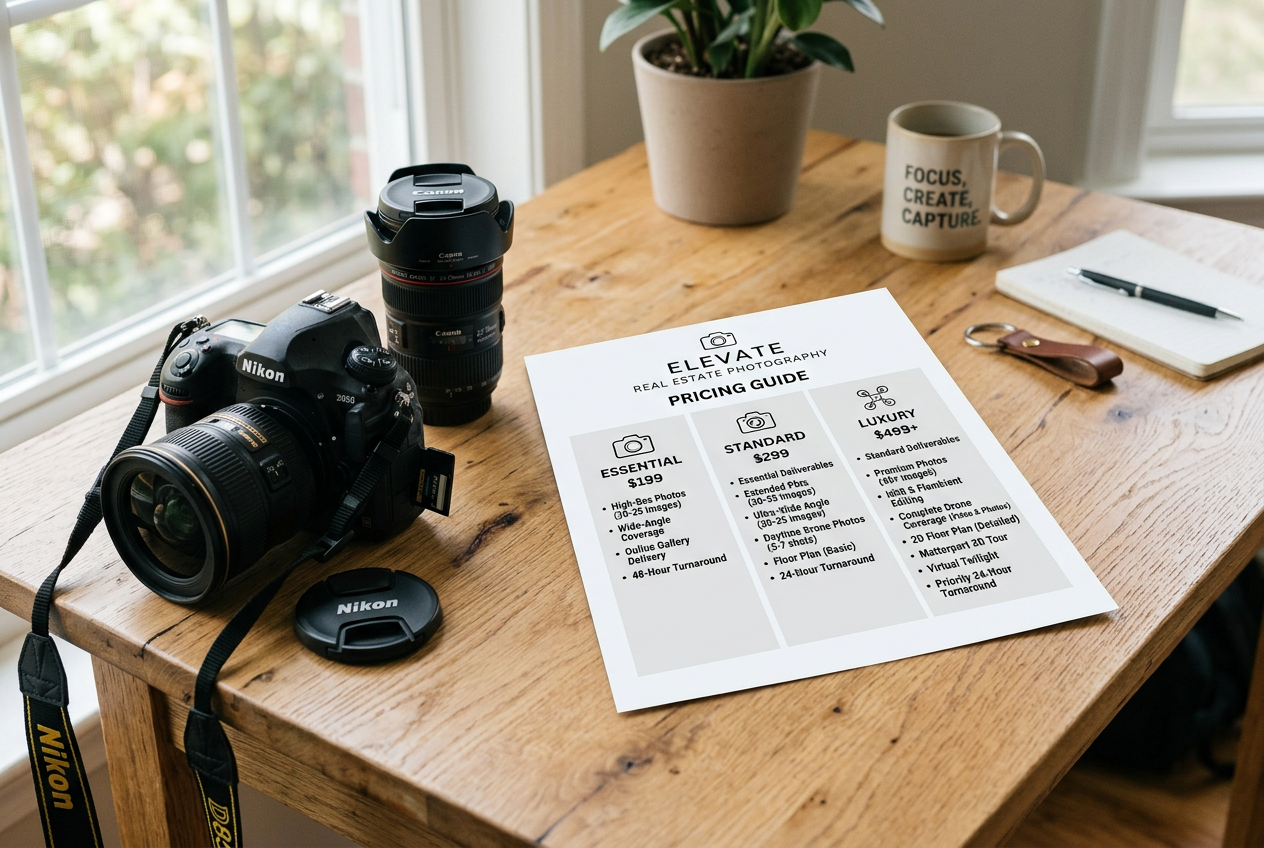
A pricing sheet is not a full business plan. It is a decision tool. The sheet works best when it stays short, names the tiers, lists what changes between tiers, and states turnaround and license terms in plain language.
Before building the sheet, define the deliverable line. The sheet should carry only what can be delivered consistently for every booking. Save custom strategy, seller communication, and edge-case handling for the phone call.
A practical workflow also reduces discount pressure. A clean menu makes it easy to offer value-based upgrades instead of price cuts. Volume clients can still receive custom terms, but the sheet should show the standard menu, not the negotiated exception.
Use the steps below to build the sheet once, then refine it after a few cycles.
Map the job cost categories
List shoot time, editing time, travel, admin, and overhead allocation. Treat revisions as a real cost, not a favor. Add a buffer for reschedules and access problems that happen in normal work.
Set a floor price and a target margin
Pick a minimum price that covers the cost model and leaves room for profit. Build tiers upward from that floor. Avoid setting the base tier so low that upgrades feel like a penalty.
Define tier boundaries in plain language
Write what changes between tiers: coverage depth, edit finish, add-on eligibility, and delivery method. Tie each boundary to a client outcome, like “more marketing reach” or “stronger first impression.”
Choose an editing pipeline that meets the SLA
Decide what stays in-house and what gets delegated. Many teams use an outsourced photo editing service during peak seasons to protect delivery promises and keep shoot days packed.
Add a revision rule that protects the calendar
State what counts as a standard revision and what counts as retouching. Cap free revisions to a single pass for color and crop. Price heavier work as an add-on.
Separate the sheet from the sales conversation
Keep the sheet to tiers, deliverables, turnaround, and the base license. Save listing-specific ROI talk, marketing plan advice, and exceptions for the call, where the agent can explain constraints and goals.
Add-Ons, Licensing, and Turnaround Rules
High-margin add-ons share one trait: they add value without adding much on-site time. Twilight is a classic example. A team can price a twilight photography add-on as a separate line, then include it only in the highest tier to protect the schedule.
Virtual services can also raise the average order value with no extra travel. Virtual staging, day-to-dusk conversion, and item removal work best when the base photo set is captured correctly. That starts with composition and clean lines. It also helps to shoot for virtual staging so the edits look realistic and consistent across a set.
Licensing needs a simple default. Many photographers set the base license as MLS and standard portal use for the duration of the listing. Expanded use, like builder marketing or brokerage ads, can carry an upgrade fee because it extends the life and value of the images.
Turnaround is part of the product. Next-day delivery, defined as one business day, sets a clear baseline. Same day real estate photo delivery can work as a paid rush option, but only when the calendar and editing pipeline can hit it without breaking promises to other clients.
Here is a practical scope-control checklist that keeps add-ons profitable:
For AI-driven add-ons, Disclosure should be explicit and consistent. A practical line many teams use is: “Disclosure: This image has been virtually staged.” When a Virtually Staged Watermark is required by a local MLS, add it at export time and keep the original photo archived alongside the edited version.
Frequently Asked Questions
How should real estate photography packages be priced without copying competitors?
Start with a cost model that includes shoot time, editing time, travel, admin, overhead, and taxes. Set a minimum price that covers that full cost, then build tiers upward around outcomes, not just deliverables. After that, compare against local ranges as a sanity check, then adjust for demand and service level.
What should go in a Standard vs Premium vs Luxury tier?
Standard works best as clean MLS-ready coverage with a simple revision rule. Premium can add a stronger editing finish and one obvious marketing upgrade, like a small aerial set. Luxury can add showcase coverage, stricter shot-list planning, and premium add-ons like twilight, video, or interactive tours that support high-effort marketing.
Should pricing be per photo, per square foot, or per package?
Packages fit most work because they simplify decisions and protect margin. Per-square-foot can help on unusually large, spread-out homes where coverage time scales fast. Per-photo can work for small condos or as an “extra images” add-on, but it often encourages negotiation unless a clear minimum scope still applies.
How can existing à la carte clients be moved to packages without losing them?
Present packages as a clearer buying experience, not a forced price jump. Keep a short transition period where legacy clients can choose the old method, then phase it out. Emphasize consistent turnaround, defined revisions, and easier booking. Offer value-based upgrades instead of discounts to keep the shift positive.
How should licensing be handled for MLS use vs expanded marketing?
Set a default license that covers MLS and major portals for the life of the listing. Define expanded use as anything beyond that window or beyond property marketing, such as builder campaigns, brokerage ads, or third-party reuse. Price the upgrade as a separate line so the client pays for the longer lifespan and broader reach.
What turnaround should be promised, and how should same-day be sold?
Next-day delivery, defined as one business day, is a clear baseline that most clients understand. Offer same-day delivery as a rush option with strict availability, since it can disrupt the rest of the production calendar. Protect the promise with a consistent editing pipeline and a written revision cap.