MNML AI vs AI HomeDesign: Renders vs Listing Photos
MNML AI vs AI HomeDesign: compare concept renders vs MLS-ready listing photos, inputs, credits, pricing, speed, and disclosure rules for virtually staged images.
Search results make MNML AI and AI HomeDesign look interchangeable, because both can “render” a room. The workflows are different. MNML AI is built for design concepts, while AI HomeDesign is built for listing photos that already exist.
This MNML AI vs AI HomeDesign comparison focuses on the deciding factor: the input. A sketch, model view, floor plan, or site plan points to MNML AI. A photograph from a real listing points to AI HomeDesign.
A deeper breakdown lives in our full AI HomeDesign review, but the practical split becomes clear once the jobs get named.
At a glance
MNML AI vs AI HomeDesign: two different briefs
MNML AI reads like an architectural studio in a browser. It offers quick tools for exteriors, interiors, floor plans, masterplans, landscape concepts, style transfer, render enhancement, upscaling, and walkthrough animation. It also includes Studio for iterative work with history, and Flow as a board for comparing alternatives.
That positioning fits teams that need to present options, not document reality. Many architectural workflows start before anything is built. A tool can and should reinterpret the brief. The goal is to explore possibilities and land on a direction.
AI HomeDesign sits on the listing side. It starts from photos of real spaces and returns MLS-ready virtual staging, decluttering, enhancement, day-to-dusk, and renovation visualizations. The toolbox spans three hubs, virtual staging, photo editing, and renovation, under one account with one credit pool.
A one-line decision rule stays steady. MNML AI fits a building that is still being designed. AI HomeDesign fits a property that needs to be marketed with photos that match what buyers will visit.
What each tool uses as input and output
MNML AI treats many inputs as first-class. Sketches, linework, model views, floor plan images, site plan images, and text prompts sit at the start of its workflow. Several tools exist specifically to translate drawings and plans into visuals, which matches how design work actually begins.
That input flexibility also changes what “accuracy” means. A concept render can stretch, simplify, or restyle elements to communicate intent. The output aims to sell a design idea. It does not have to match a photographed space down to every seam, because the photographed space often does not exist yet.
AI HomeDesign works the other direction. Every workflow starts from a photograph, either uploaded in a batch or pulled in through a listing URL import. The tool panel then guides the edit based on the space type first, which keeps scale and layout consistent across a gallery.
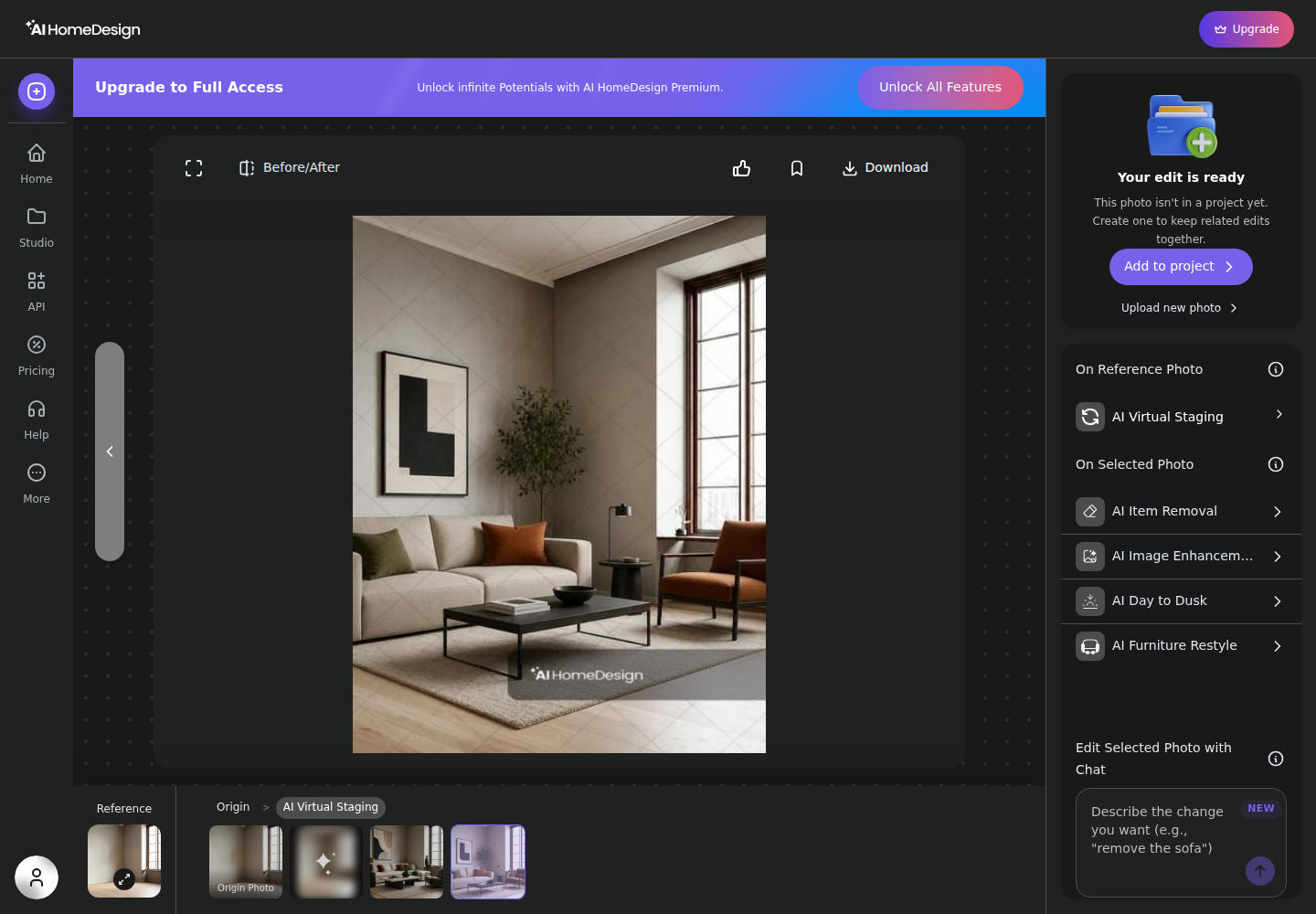
The output also behaves like listing production. Each generation spends one credit and returns four renders to choose from, then the selected result can move into the next listing job without re-uploading. That “chain the selected photo” flow is the heart of listing photo editing when a set needs consistent deliverables across multiple rooms.

Keeping the room buyers will actually walk into
Listing photos carry a constraint that design renders do not. The room has to remain the same room. Windows, door placement, ceiling height, flooring direction, and sightlines must survive the edit. Buyers can forgive a different sofa. They do not forgive a room that feels different at the showing.
AI HomeDesign is scoped around that constraint. The workflow asks for Space selection first, then limits edits to options that preserve the photographed structure. Item Removal focuses on taking objects out. Image Enhancement focuses on lighting and clean-up. Renovation tools focus on finishes, like walls and floors, rather than inventing new geometry.
MNML AI supports a different type of fidelity. Many of its controls exist to change the scene, because concept work needs exploration. Style Transfer includes Style strength and Structure sliders, which signals a willingness to push the look while still keeping some underlying form.
MNML AI also includes a Virtual Staging AI tool, so staging is not off-limits. The difference is the surrounding intent. When the job is marketing a real property photo set, AI virtual staging for listing photos stays aligned with MLS-ready output and a gallery workflow where the same room must stay recognizable across every image.
Which listing photo jobs each tool actually covers
A listing set rarely needs one edit. It usually needs a small bundle: stage the vacant rooms, remove clutter in lived-in shots, lift exposure and color, and create at least one twilight-style exterior when the daylight shot falls flat.
AI HomeDesign is built for that bundle. Virtual staging and photo editing live beside renovation visuals inside the same toolbox, so a team can move from declutter to staging to enhancement to day-to-dusk without changing products or credit systems. That “one account, one credit pool” structure matters more on deadline than another style slider.
MNML AI covers parts of the listing bundle, mostly where listing work overlaps with visualization. It has Virtual Staging AI, Render Enhancer, and an upscaler. Those are useful when the starting point is an architectural render, or when the deliverable is closer to a presentation than a listing gallery.
Day-to-dusk sits on the listing side as a specialized job tied to exterior photography. AI HomeDesign supports day-to-dusk exterior edits directly from a daytime exterior photo, which matches the way agents and photographers build the lead image for a listing without scheduling a second shoot.


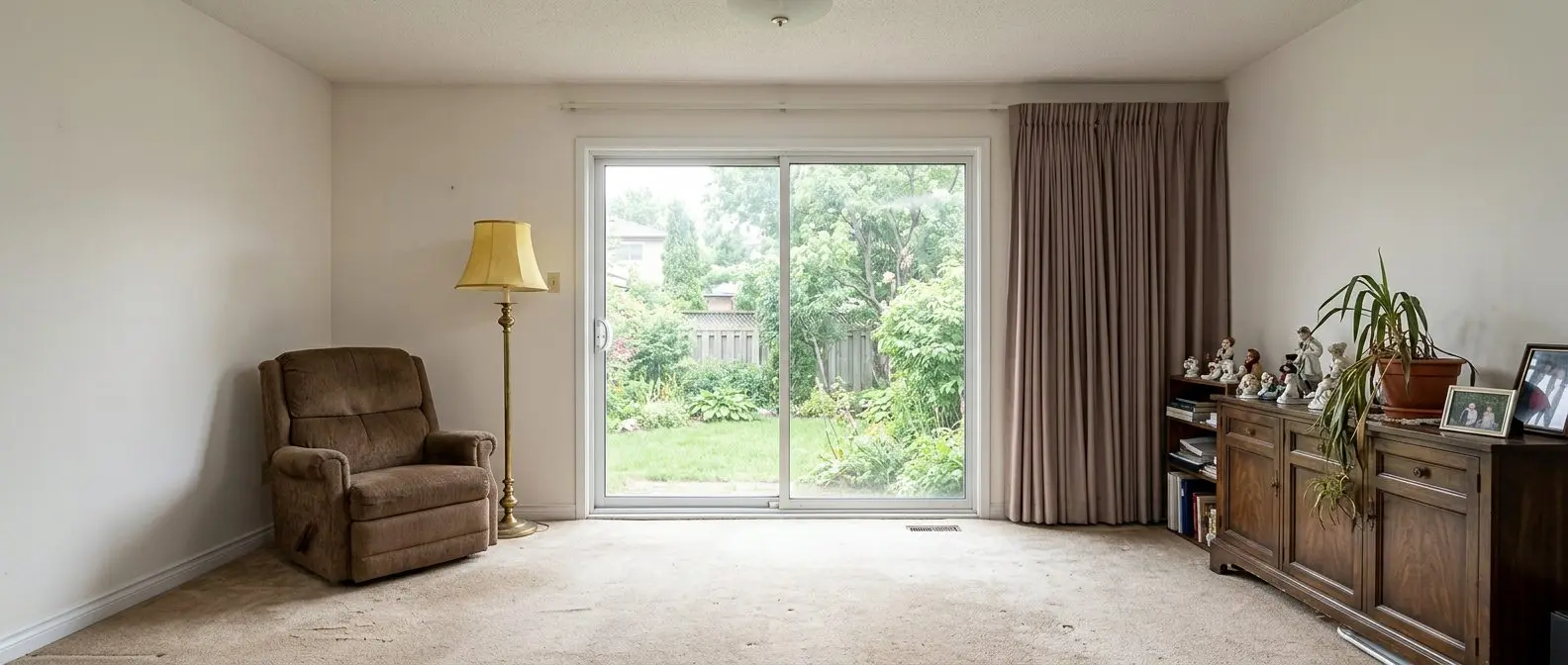
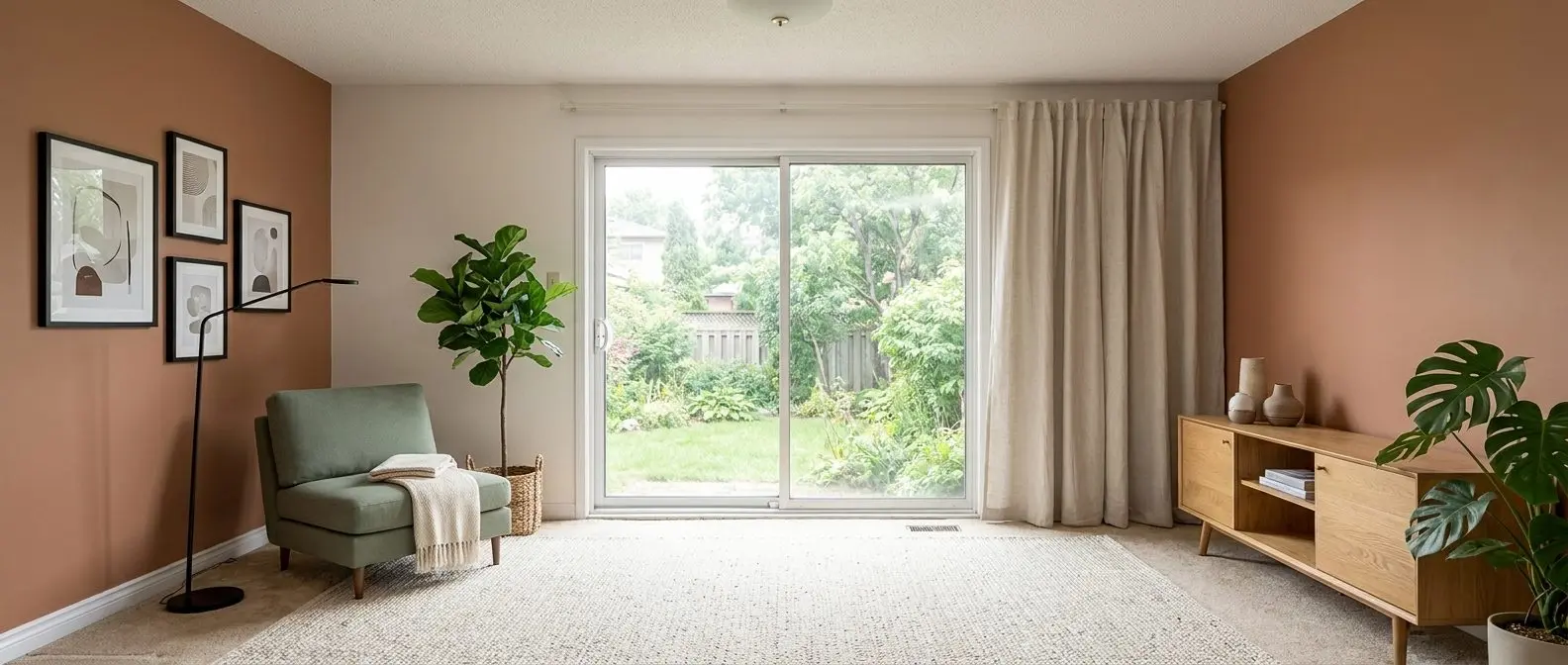
Redesign any room in a few clicks
10 styles and 30+ colour palettes, from one photo. All 11 tools on one account. Free trial credits, no credit card.
Start designing freeSpeed, throughput, and the listing deadline
A concept render workflow often values iteration controls over raw throughput. A listing workflow values throughput, because a set can include many photos that must ship together. The tools reflect that difference.
AI HomeDesign publishes a listing-oriented speed claim: MLS-ready images in under five seconds, with batch upload to start a project from a full set. Paid plans also include free regenerations, which changes the cost of refinement because a rerun does not require a new purchase decision.
MNML AI structures speed differently. It offers engine choices like Fast versus Ultra and allows parallel renders by plan, which supports exploration. MNML AI also includes video generation with an on-screen estimate shown in the interface for its default video configuration, but MNML AI does not publish a single universal render-time promise across tools.
Deadline fit becomes the deciding lens. A twenty-photo listing set is a pipeline problem, where each image needs consistent treatment and fast selection. A design presentation is a direction-setting problem, where variation, references, and alternatives matter more.
Pricing compared
Monthly equivalents · Billed annually
Monthly equivalents · Billed annually
Both cards compare annual subscriptions: the monthly equivalent appears first, followed by the full yearly payment and billing label. Credits are allocated monthly, so compare the included allowance with the images your team needs to deliver.
MNML AI’s annual plans cost $290/year for Lite, $490/year for Plus, and $1,190/year for Studio. Dividing those totals by twelve gives approximately $24.17, $40.83, and $99.17 per month, respectively. The pricing screenshot rounds those equivalents to $24, $41, and $99; the annual payment is the same. Lite includes 1,000 credits per month, Plus 3,000, and Studio 10,000. MNML AI also offers 100 free signup credits with no card and a $149 one-time pack of 10,000 credits valid for 12 months.
MNML AI then prices usage per engine. The UI shows credit cost on the button before a run. Captured initial settings show 25 credits for common still-image tools, 30 credits for Virtual Staging AI, 2 credits for the upscaler, and 100 credits for the default Video AI setup. MNML AI also caps subscription credit rollover at two months of allowance.
AI HomeDesign prices in photos, where one generation spends one credit and returns four renders. With annual billing, Pro costs $228/year ($19/month), Pro Plus $348/year ($29/month), and Enterprise $588/year ($49/month). Annual Enterprise pricing works out to $0.24 per photo, and paid plans include watermark-free downloads and free regenerations.


Where MNML AI is the better buy
MNML AI wins clearly when the building does not exist yet. Sketch-to-image ideation, text-to-render exploration, exterior concepts, elevation studies, masterplanning from a site plan image, and floor plan workflows all sit inside its tool set. Walkthrough animation also belongs here, because it supports presentation deliverables that listing tools do not target.
MNML AI also meets designers where the work happens. It publishes plugins for major modeling workflows like SketchUp, Revit, Rhino, and Grasshopper, and it frames the plugin route as using the same account and credits. That matters when the “source image” is really a current viewport that keeps changing.
Studio and Flow also fit that world. Studio is designed around iterative work with history and region edits, while Flow is built for comparing alternatives on a board. Those are design-review primitives, not listing-delivery primitives.
For readers comparing other “renders versus listing photos” splits, renders versus listing photos in LookX AI covers a similar mismatch. For readers whose real need is plans rather than photos, floor plan software compared with listing tools is often a better starting point than any staging discussion.
Disclosing virtually staged photos
A concept render presented as a design proposal is not a listing photo. That difference matters, because listing marketing attaches to a specific property and a specific set of buyer expectations.
Virtually staged photos still need clear Disclosure. Many MLS Rules require digital alterations to be identified, and the obligation follows the image rather than the software used to produce it. AI HomeDesign is MLS-compliant by default in the sense that it preserves fixtures and structure, but labeling remains part of the listing workflow.
A simple compliance checklist keeps teams consistent across agents, photographers, and coordinators.
Checklist
0 of 4 doneWhen neither tool fits the job cleanly, a broader shortlist helps. AI home design and virtual staging alternatives covers adjacent tools that sit between architectural visualization and listing photo production.
The clear pick
Choose AI HomeDesign when
AI HomeDesign suits agents, photographers, and marketing teams who need MLS-ready listing photos fast, with virtual staging plus photo editing and renovation visuals on one credit pool.
Choose MNML AI when
MNML AI suits architects and designers who work from sketches, plans, and model views and need concept rendering, planning visuals, and presentation workflows like Studio and Flow.
Frequently asked questions
Is MNML AI good for real estate listing photos?
MNML AI can stage a room photo using its Virtual Staging AI tool, with room type, room style, scenario, references, and seed controls. MNML AI is positioned as an architectural design and visualization studio, so several listing-specific deliverables, like a dedicated day-to-dusk workflow, are outside its named focus.
How much does MNML AI cost in 2026?
With annual billing, MNML AI Lite costs $290/year (about $24.17/month) for 1,000 credits per month, Plus costs $490/year (about $40.83/month) for 3,000 credits, and Studio costs $1,190/year (about $99.17/month) for 10,000 credits. Each plan is paid once yearly and credits arrive monthly. A $149 one-time pack provides 10,000 credits valid for 12 months; signup includes 100 free credits.
How many renders do MNML AI credits buy?
MNML AI prices each engine in credits and shows the credit cost before generation. Its pricing page reads 1,000 credits as roughly 100 Fast renders or about 33 Ultra renders. Captured initial tool costs include 25 credits for common still-image settings, 30 credits for Virtual Staging AI, 2 credits for the upscaler, and 100 credits for a default Video AI run.
What does one AI HomeDesign credit get?
AI HomeDesign uses a photo-based credit system. One generation spends one credit and returns four renders of that same photo, with a before-and-after view and a thumbnail strip for choosing the best option. The selected result can then be chained into other listing edits like item removal, image enhancement, day-to-dusk, or furniture restyle.
Can either tool work from a sketch or a 3D model?
MNML AI supports sketch-to-image and text-to-render workflows, and it also includes tools that start from floor plan images and site plan images. It publishes plugins for modeling workflows like SketchUp, Revit, Rhino, and Grasshopper. AI HomeDesign starts from photographs of spaces that already exist and is designed to keep the photographed structure consistent.
Do virtually staged listing photos need disclosure?
Treat the answer as yes for listing work. Many MLS policies require virtually staged or digitally altered photos to be identified in captions or remarks, and the obligation follows the image rather than the tool that created it. Clear disclosure also helps set buyer expectations, since the home will be viewed in person without the digital furnishings.