HomeDesigns AI vs AI HomeDesign: Listing Workflow Test
HomeDesigns AI vs AI HomeDesign: see what’s free, what’s locked, how credits work, and which tool finishes staging, cleanup, and dusk photos faster.
Two products with near-identical names can look interchangeable on a search results page. HomeDesigns AI vs AI HomeDesign is the most common mix-up, because both take one photo and return a redesign in seconds.
The difference shows up after the first render. One product aims at broad home-design visualization across interiors, exteriors, and gardens, then unlocks downloads after a subscription. The other is shaped around listing photos, where teams need staging, cleanup, enhancement, and dusk edits to ship as one consistent set. That same workflow focus is covered in our full AI HomeDesign review.
This guide separates the two tools using what the work actually requires, from free access and credits to disclosure and delivery.
At a glance
What each tool is actually built to do
HomeDesigns AI starts with a simple choice that sets the whole experience. The app asks for a Space first, then runs the same upload and customize loop across Interiors, Exteriors, and Gardens. That design-first framing fits concept exploration across a whole property, including outdoor spaces.
A quick look at the interface makes that positioning obvious. The three Space tabs sit at the top, and the rest of the options change based on the tab.
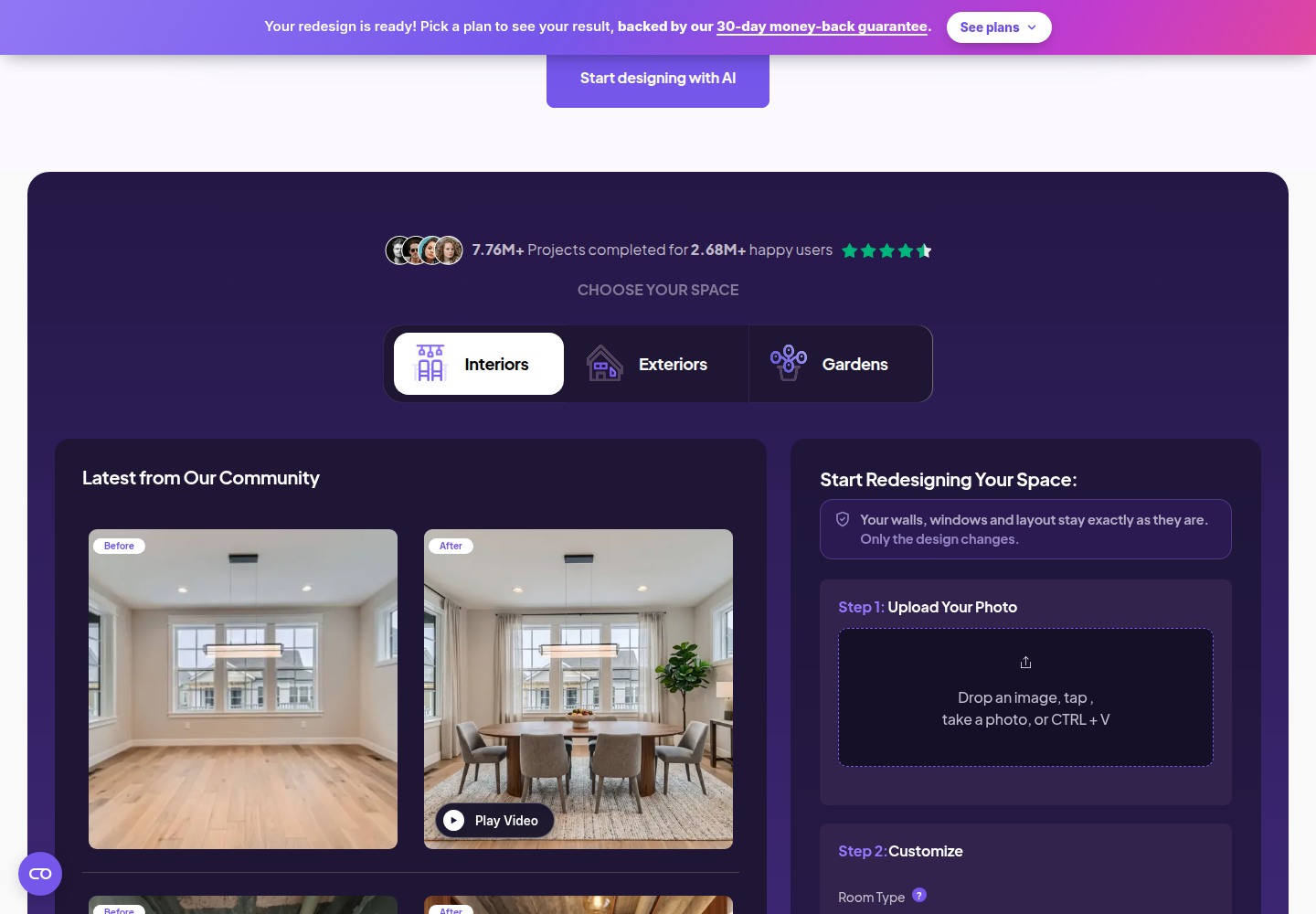
Inside each Space, HomeDesigns AI offers multiple modes. Interiors includes redesign, virtual staging, declutter, sketch to render, material swap, video walkthrough, and 2D-to-3D floor plan. Exteriors adds facade redesign plus sky and weather swap. Gardens adds garden redesign, sky and weather swap, and video walkthrough.
AI HomeDesign organizes the work around listing-photo jobs instead of Spaces. The toolbox groups tools into three hubs, virtual staging, photo editing, and renovation, so one photo can move through staging, AI Item Removal, Image Enhancement, and AI Day to Dusk without leaving the workflow. For teams that use AI for design visuals beyond listings, the same account also supports AI interior design outputs.
That purpose difference matters because a “redesign” means different deliverables. HomeDesigns AI leans toward concept options across a property, plus walkthrough clips and floor plans. AI HomeDesign leans toward market-ready listing images, where consistency, disclosure, and speed across a full set matter as much as a single hero render.
The free tier trap in homedesigns ai vs ai homedesign
HomeDesigns AI lets free users explore the full interface, but not the finished result in the main app. A free account can click through Spaces, room types, styles, and Custom AI Instructions, then hit the paywall at the moment results matter. The redesign panel appears blurred with a “Pick a plan to reveal it” prompt.
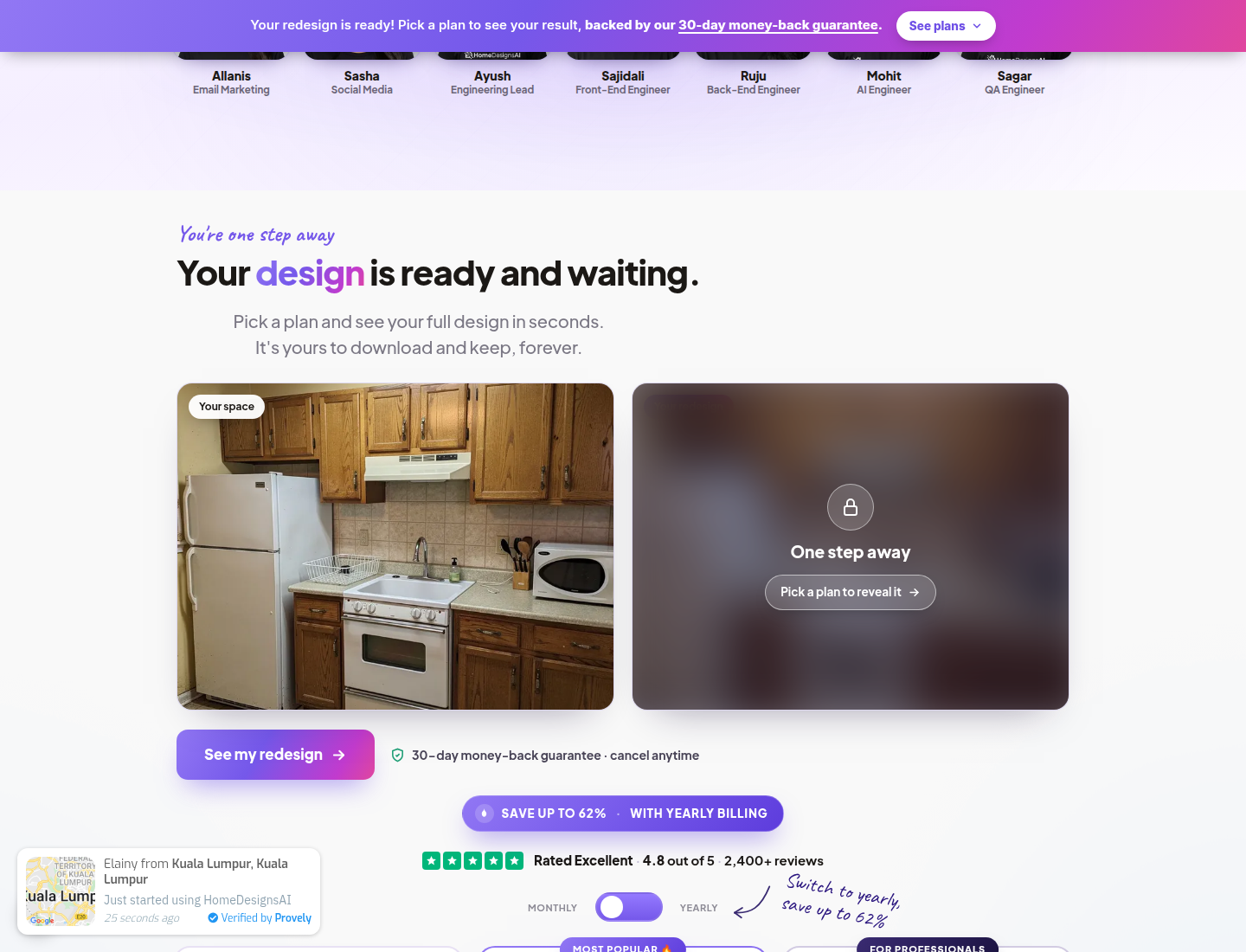
That does not mean HomeDesigns AI blocks free experimentation entirely. The product also publishes four separate tools at /free-ai-tools, described as 100% free with no subscription. Those tools cover interior design ideas, exterior ideas, landscape ideas, and virtual staging ideas, but they run through a different entry point than the main app.
AI HomeDesign uses the opposite trade-off. It allows free generation with no credit card and shows the results, so teams can judge whether a look fits a listing before paying. The gating shows up at download time instead, where free-plan downloads carry a watermark and paid plans download clean.
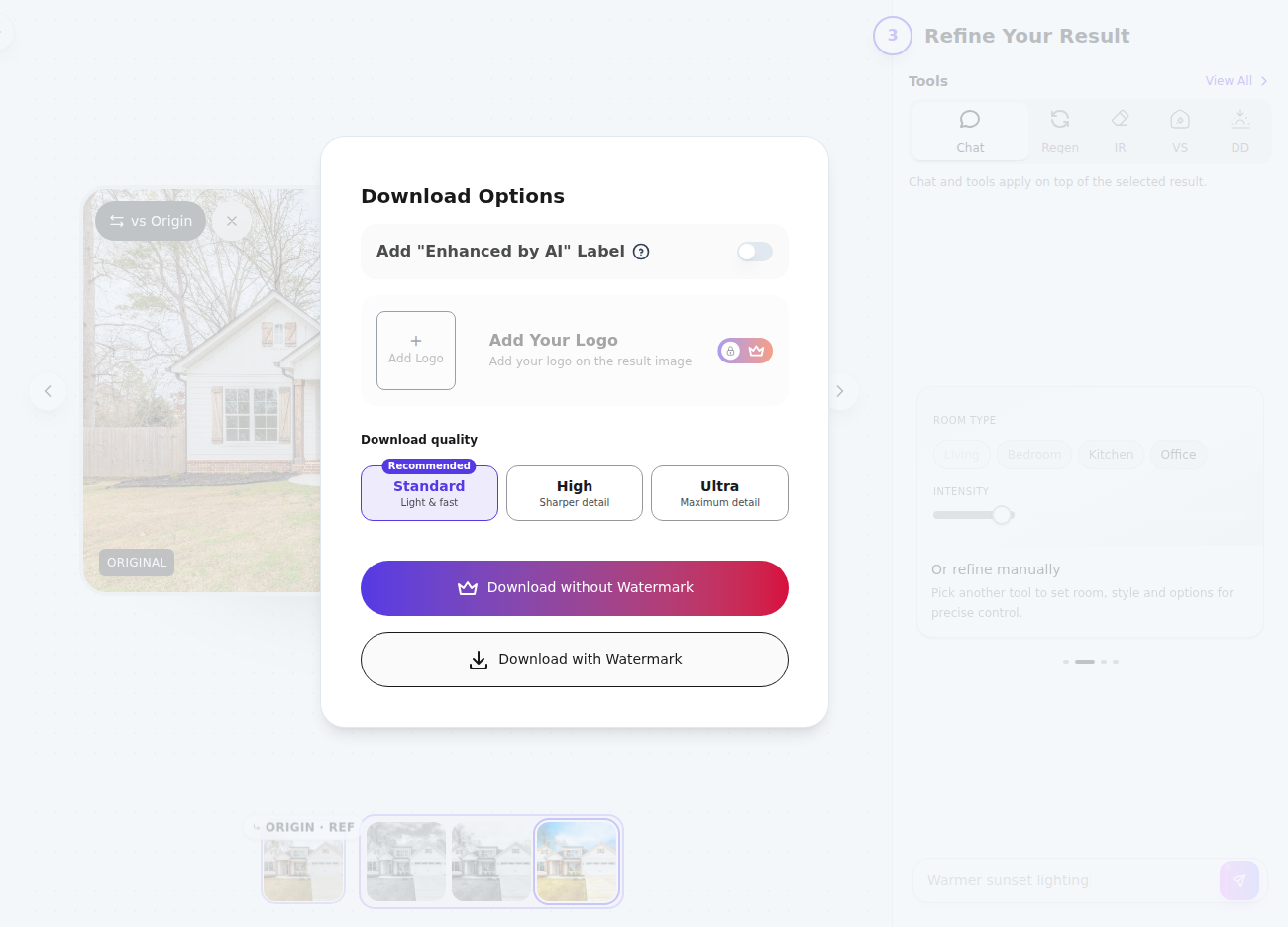
Those models answer different buyer questions. HomeDesigns AI helps shoppers browse options and modes first, then unlock files after a plan choice. AI HomeDesign helps shoppers see the actual render first, then decide whether a watermark-free export is worth paying for.
Workflow throughput and jobs coverage for listing photos
Seconds per render rarely decide a subscription on their own. HomeDesigns AI positions redesign as under about 30 seconds, while AI HomeDesign positions listing outputs as under 5 seconds and returns four renders per credit. A more useful throughput question is how many usable variations and follow-on fixes one run supports.
HomeDesigns AI spends design credits per generation. AI HomeDesign spends one credit shown as Photos per run and returns four renders, then paid plans add free regenerations. That difference changes how teams should compare “credits per month” claims, because design credits and Photos credits represent different bundles of outputs.
Coverage across listing-photo jobs is where the two tools separate more cleanly.
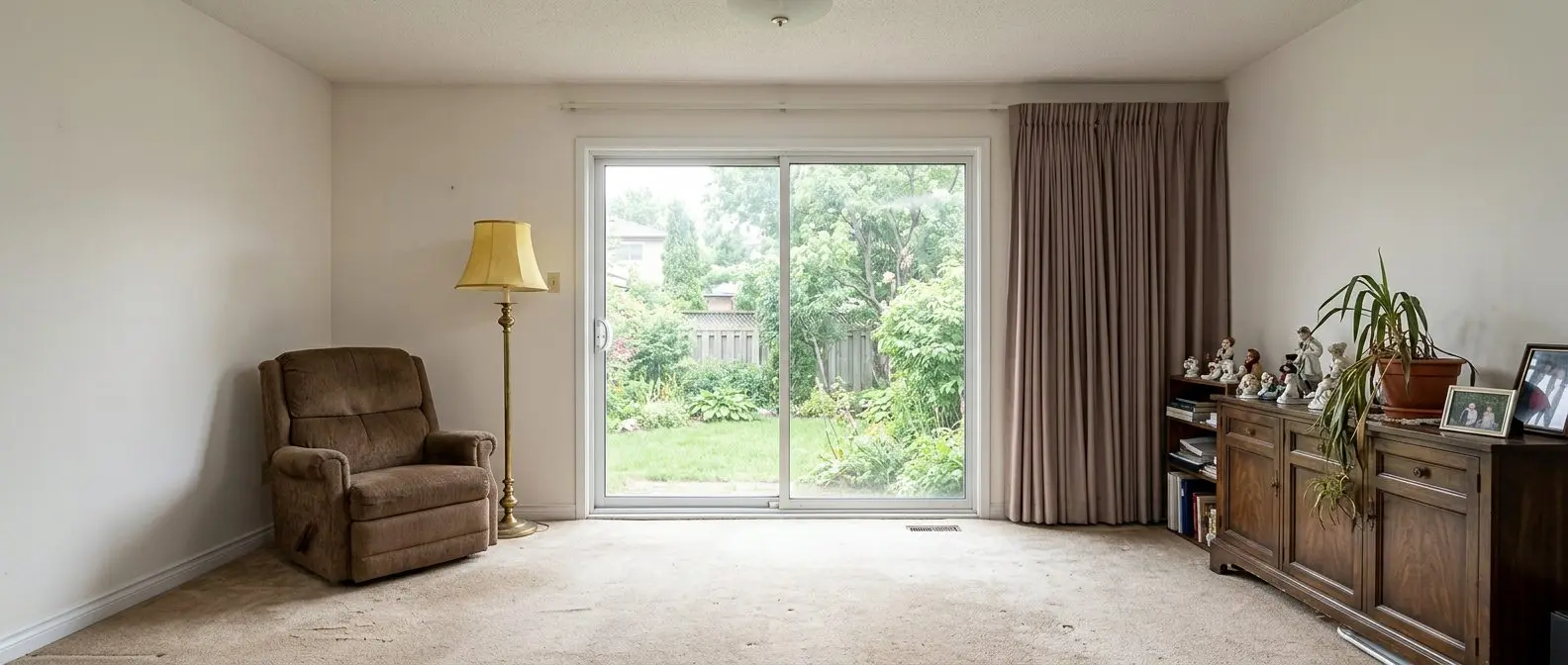
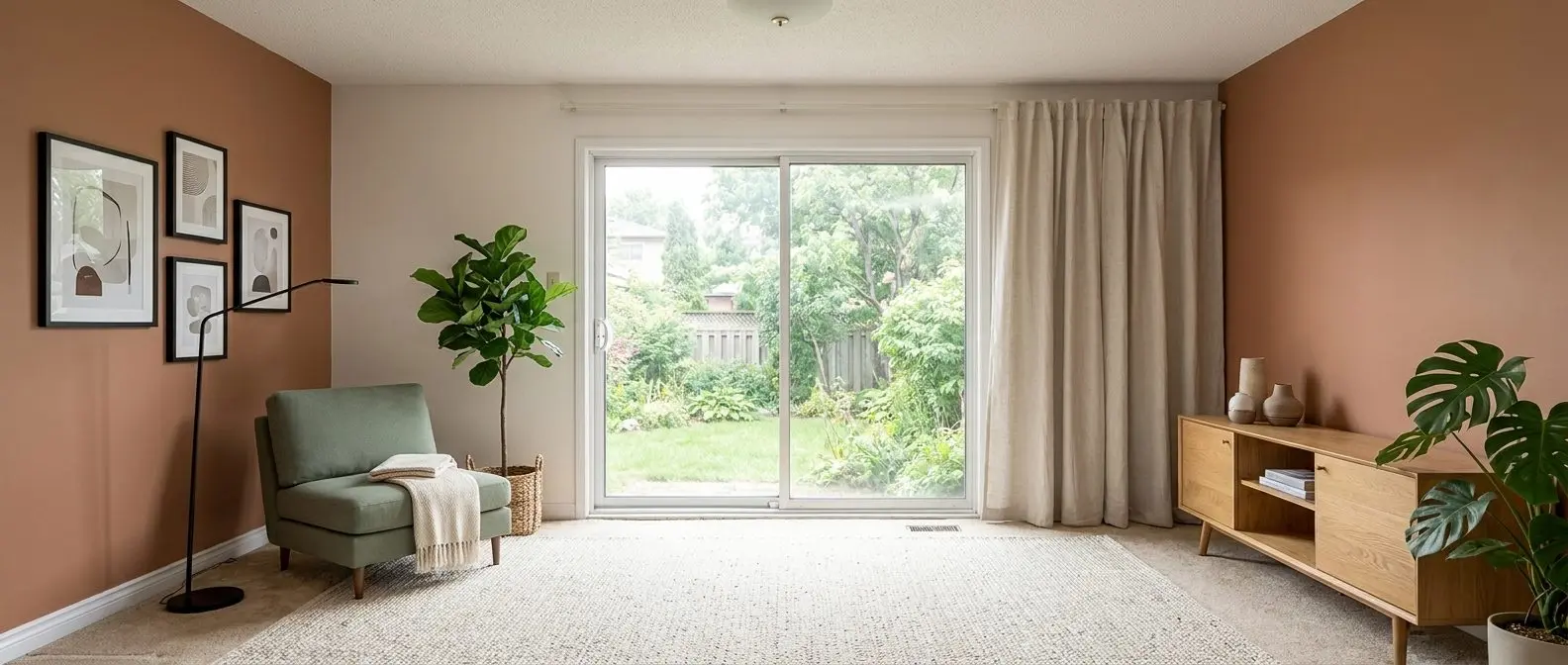
Virtual staging overlaps, but with different downstream paths. HomeDesigns AI offers virtual staging inside Interiors. AI HomeDesign runs staging as a dedicated tool, which pairs naturally with AI virtual staging for listing photos workflows where teams stage, then immediately clean, then enhance without re-uploading.
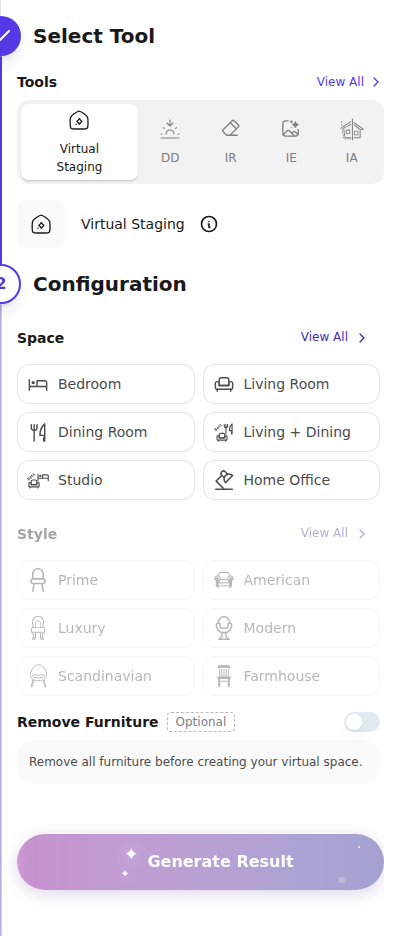
Decluttering and object removal also overlap at a category level. HomeDesigns AI provides a Declutter mode with options like removing furniture, clutter, people, or everything. AI HomeDesign provides AI Item Removal with Auto detection or a Select Area brush, then it can chain straight into Image Enhancement.
Exterior “twilight” is the common point of confusion. HomeDesigns AI offers sky and weather swap for exteriors and gardens. AI HomeDesign’s AI Day to Dusk targets listing twilight needs, with shadow removal and lawn touch-up toggles, which pairs with the cost and workflow logic in what day-to-dusk editing costs per photo.
Renovation visualization exists on both sides, but the shape differs. HomeDesigns AI leans on modes like Material Swap for a single surface and sketch to render. AI HomeDesign splits renovation into dedicated tools for walls, floors, ceilings, backsplash changes, furniture restyle, and unfinished spaces.
Redesign any room in a few clicks
10 styles and 30+ colour palettes, from one photo. All 11 tools on one account. Free trial credits, no credit card.
Start designing freePricing and credit math for a month of listings
Pricing clarity is harder here than it looks, because HomeDesigns AI publishes different numbers depending on where a buyer looks. The vendor flow shows region-localized yearly tiers around ~€9 to ~€13 per month for Standard, Pro, and Expert, while a third-party pricing write-up lists higher monthly USD tiers and frames the entry price as $9 per month. The clean takeaway is not one number, but a rule: confirm currency and billing term at checkout.
A credit also does not mean the same thing across the two tools. HomeDesigns AI plans describe credits per month, and each generation spends design credits. AI HomeDesign plans describe Photos per month, and one Photo credit returns four renders, so the effective pool of variations is larger than the credit count suggests.
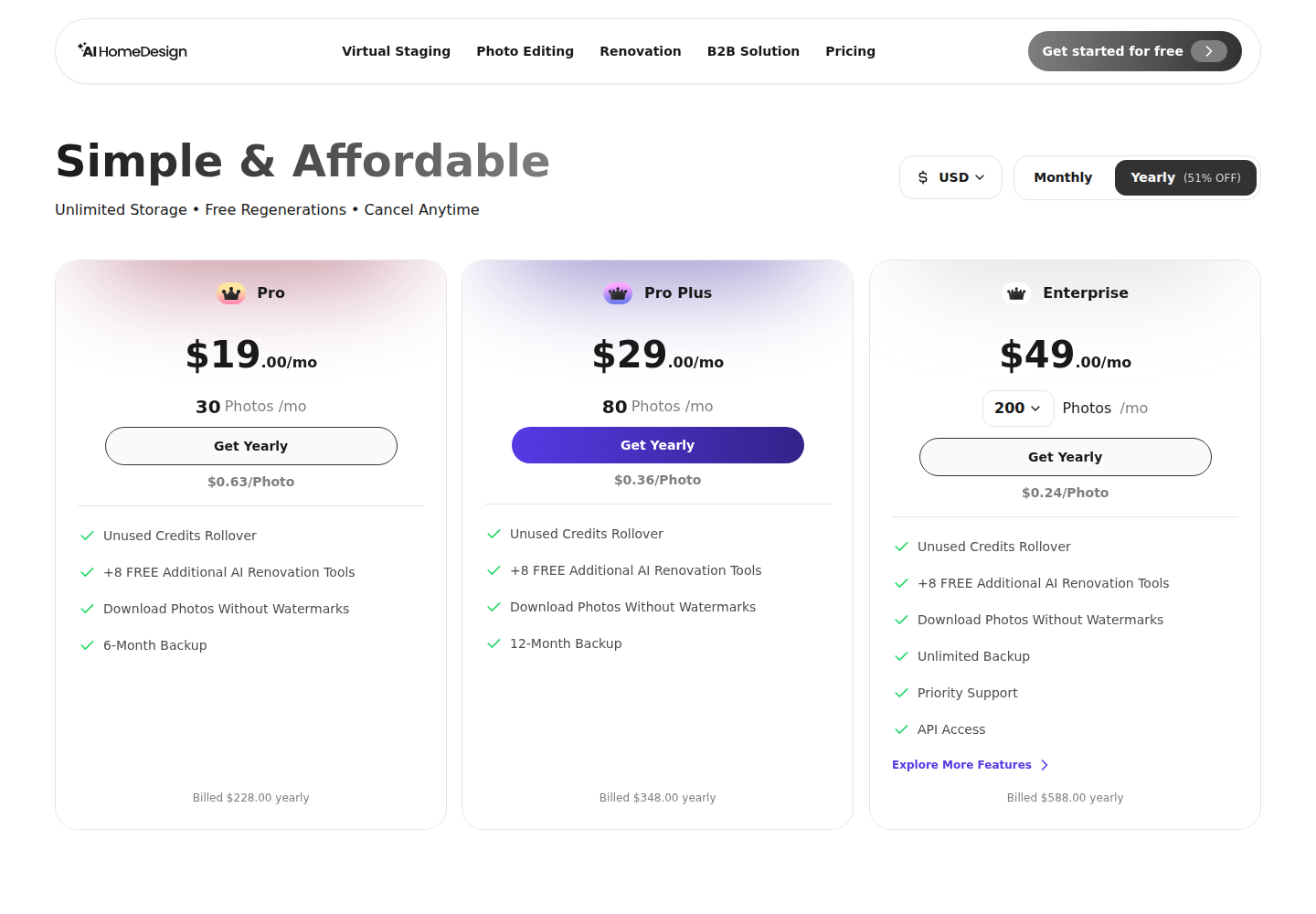
AI HomeDesign also publishes a straightforward plan ladder by monthly volume. The yearly-billed paid tiers list $19 per month for Pro, $29 per month for Pro Plus, and $49 per month for Enterprise, with per-photo pricing dropping as volume rises. Paid plans also add free regenerations and, on higher tiers, unused-credit rollover.
For a listing team, the real cost is the cost of finished, downloadable, watermark-free images across a full set. That “finished set” often includes at least one run of staging, one pass of AI Item Removal, and one pass of Image Enhancement, plus an exterior pass for dusk when the marketing plan calls for it. A subscription that covers all of those in one credit pool stays easier to budget than a tool that only produces redesigns.
Control, consistency, and finishing a listing
A single great render is easy. Consistency across a whole property is where teams feel the difference.
HomeDesigns AI gives control through Custom AI Instructions, plus a structure-lock promise that keeps walls, windows, and layout intact. That works well when the job is exploration, such as trying several finish directions on an exterior and then generating a walkthrough clip for a presentation.
AI HomeDesign’s control leans structured instead of prompt-heavy. Each tool uses a consistent right-hand panel where Space comes first, then Style or Material, which helps keep scale consistent across a gallery. The result screen also chains the selected render into AI Item Removal, Image Enhancement, AI Day to Dusk, or Furniture Restyle without a re-upload.
Operational reality matters as much as controls. Both tools depend on the same ceiling: bad framing and harsh lighting limit what any model can do. Teams that want predictable results still need to start with clean input, because the source photo you feed it sets the upper bound for every downstream edit.
Delivery expectations also shape tool choice. Listing teams usually need a finished set in 1 to 2 days, because marketing, disclosures, and syndication follow the photo package. That window stays realistic because both tools generate in seconds, and the real time goes to review, revision, and packaging.
A practical packaging rule helps keep work clean.
Checklist
0 of 4 doneSome situations also change the standard approach. Luxury listings may require human retouch and tighter art direction than an automated style grid. New construction pre-sales often benefit from “unfinished to finished” renovation visuals rather than staging. HOA-heavy communities sometimes need conservative exterior edits and careful Disclosure. Extremely cluttered occupied homes may need in-person prep before any AI pass.
For anyone weighing more options than these two, the wider field of AI home design and virtual staging tools includes other workflows, from design-first apps to listing-first suites.
The clear pick
Choose AI HomeDesign when
AI HomeDesign fits agents, photographers, and teams that need to finish a full listing set quickly, with staging, cleanup, enhancement, dusk, and renovation visuals all running on one credit pool.
Choose HomeDesigns AI when
HomeDesigns AI fits homeowners and designers who want broad interior, exterior, and garden concept exploration, plus walkthroughs and floor plans, and who are comfortable subscribing before downloading main-app results.
Frequently asked questions
Is HomeDesigns AI free to use?
HomeDesigns AI offers free access, but “free” routes users through different doors. The main app lets free users explore options, but it blurs results behind “Pick a plan to reveal it.” Separately, four tools at /free-ai-tools are described as 100% free with no subscription, covering interior, exterior, landscape, and virtual staging ideas.
Is AI HomeDesign free to use?
AI HomeDesign is free to start with no credit card. Accounts can generate and view results on the free plan, but downloads carry a watermark. Paid plans unlock watermark-free downloads and include plan features like free regenerations, with higher tiers designed for larger monthly photo volume.
What does a credit mean in each tool?
HomeDesigns AI uses design credits per generation, so one run consumes design credits from the monthly allotment. AI HomeDesign uses Photos credits per run and returns four renders for each credit, so a single credit produces multiple selectable options before any additional spend.
Which tool is faster for listing work?
Both tools generate fast enough that review and packaging usually become the real timeline driver. HomeDesigns AI describes redesigns in under about 30 seconds. AI HomeDesign describes listing-ready results in under 5 seconds and returns four renders per credit, which often reduces reruns across a full set.
Does either tool cover exteriors and twilight images?
HomeDesigns AI includes Exteriors and Gardens spaces with sky and weather swap options. AI HomeDesign includes AI Day to Dusk for exterior listing photos and also supports an Outdoor space inside its workflow. These overlap in appearance, but Day to Dusk targets twilight listing deliverables and includes shadow removal and lawn touch-up toggles.
Are AI-edited listing photos allowed on the MLS?
Many MLS rules focus on clear Disclosure, not on banning edits outright. A safe practice is to label each edited image “Virtually staged” or “AI edited,” keep original photos on file, and avoid edits that misrepresent fixed features. Local MLS rules vary, so brokerages should confirm requirements before publishing.