VisualStager Alternatives for DIY Virtual Staging in 2026
Dragging furniture into a listing photo works, until the clock runs out. The manual, place-it-yourself approach behind VisualStager alternatives gives full control over what lands in the room, even without a design background.
The friction usually starts with volume. A full listing needs more than staging. Photos also need cleanup, light fixes, and sometimes a twilight look, all on the same deadline. That is why many teams compare staging tools as part of a broader real estate software stack.
This guide breaks down the real DIY workflow, then compares five tools by cost model, revision rules, and what else they cover besides staging. It also includes a clear disclosure checklist, grounded in the NAR Profile of Home Staging.
The fastest way to narrow the list is to match the control model to the listing calendar. Drag-and-drop editors suit agents who want furniture placement control. One-click AI staging suits agents who need a staged set fast and then refine it.
How the tools were picked
DIY staging users usually care about one thing more than feature lists. They need predictable output across a full photo set, under a deadline.
This roundup prioritizes five criteria:
Checklist
0 of 5 doneFor teams comparing beyond this shortlist, the broader AI virtual staging alternatives guide maps tools by workflow type.
What DIY virtual staging actually asks of a listing
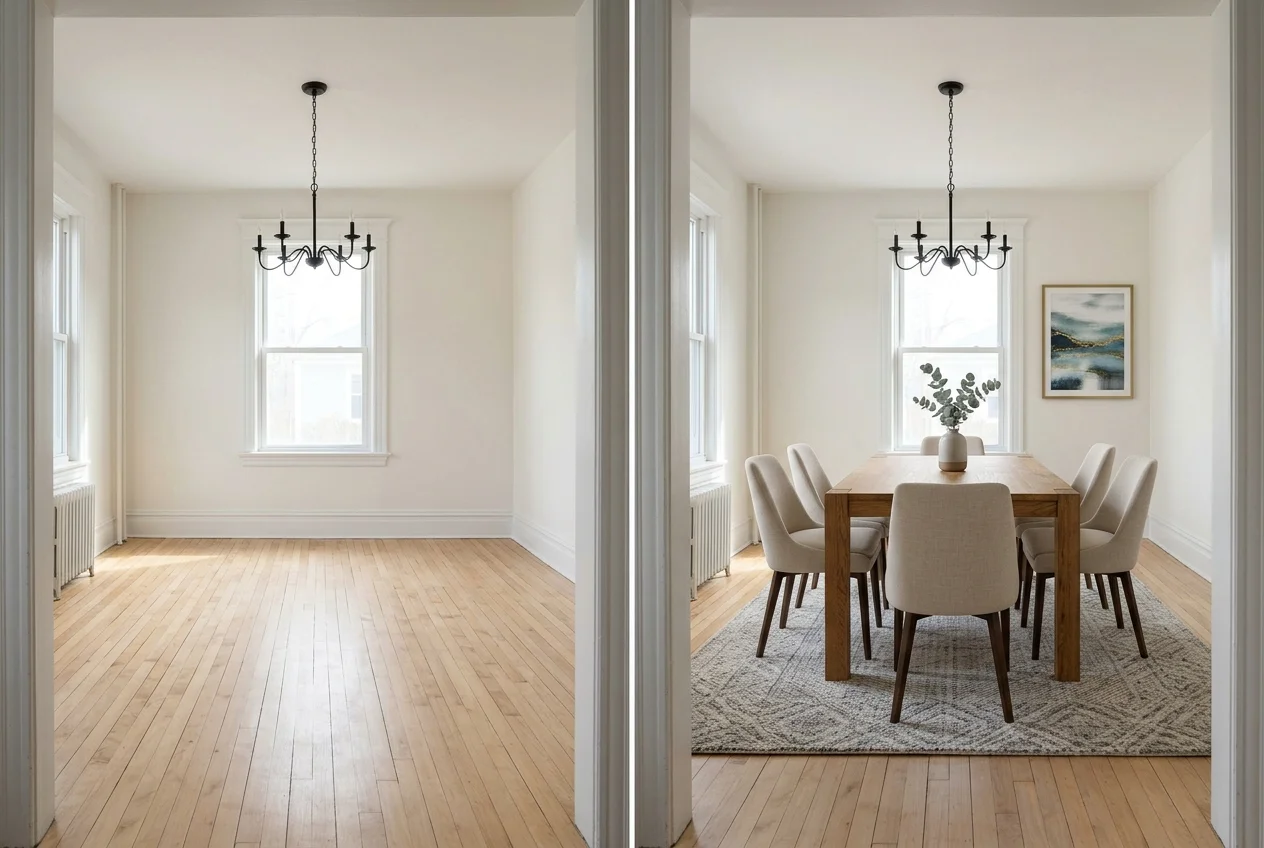
DIY virtual staging is rarely one click. It is a sequence that starts on site and ends inside the MLS.
A practical workflow has four moves: declutter, stage, refine, disclose. Declutter happens in the room first, then in software with item removal for what the camera caught. Staging comes next, either by manual placement or AI generation. Refinement includes lighting balance, scale checks, and quick re-renders until the set looks consistent across the room’s key angles.
A workable delivery window is one business day for AI-based DIY staging on a small set of photos. A human-delivered order usually needs two days, because a person sits in the loop.
Photo capture decides how hard the rest will feel. Agents get cleaner staging when they shoot straight-on, keep verticals straight, and avoid extreme ultra-wide distortion. A quick cull also matters, because only the best angles deserve time. Many teams use real estate photography tips and photo culling software to reduce wasted staging cycles.
What to look for in VisualStager alternatives
Sticker prices rarely answer the real question. The budget lives at the photo level, not the plan level.
Start with unit economics. A monthly plan only wins when the listing volume stays steady enough to use the image quota or credits. Pay-as-you-go wins when a team stages a handful of photos a few times a year.
Next, check job coverage. Some platforms only stage. Others also handle item removal, Image Enhancement, Day to Dusk, or renovation-style edits. When one subscription replaces separate purchases, the cost per finished photo drops even if the plan price looks higher. For a broader lens on cost and scope trade-offs, the virtual staging software comparison helps frame the decision.
Control model comes next. Manual placement works when furniture choice and exact positioning matter. One-click AI works when speed matters more than the exact sofa model. For furnished rooms that need a style shift rather than empty-room staging, the workflow often overlaps with AI room design tools.
Plan for difficult rooms
Edge cases also matter, because the standard DIY loop does not fit every listing:
Checklist
0 of 5 doneA clean rule for deliverables keeps DIY work from turning into a design presentation. The deliverable should include the final staged images and the disclosure text used wherever the images appear. Style rationale, alternate looks, and pricing talk fit better in a seller conversation.
Commission or fee figures do not belong inside the image set. Teams can keep unit cost notes in a separate internal sheet or invoice, not on marketing media.
Some teams want one login that handles the full “fix the photo” workflow. That usually means staging plus item removal, enhancement, and a twilight option.
Where each tool sits
Monthly price against speed. Bottom-left is cheaper and faster, top-right is pricier and slower.
Monthly price unavailable or not comparable: Apply Design. Speed not specified; shown at the center: IACrea, REimagineHome, Collov AI.
The tools in detail

AI HomeDesignTop pick
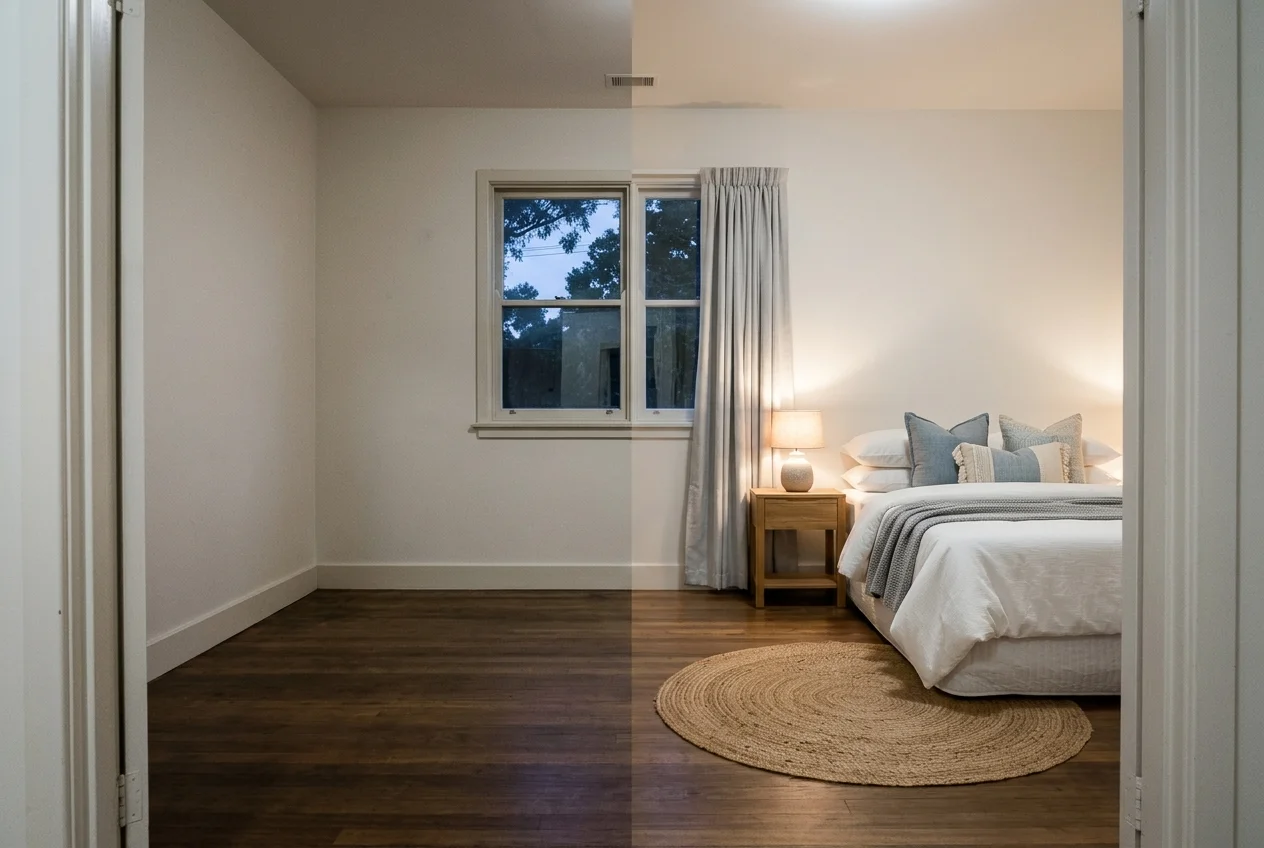
What it is: AI HomeDesign combines AI Virtual Staging with Item Removal, Image Enhancement, and AI Day to Dusk in the same subscription. It also includes renovation-style tools such as wall, floor, ceiling, and backsplash changes, plus a social pack for marketing handoff.
Best for: agents and photographers who want a single platform for staging, cleanup, lighting polish, and twilight conversions across a full gallery.
Pricing: Pro is $19/mo billed yearly, Pro Plus is $29/mo billed yearly, and Enterprise is $49/mo billed yearly. The published per-photo rates are $0.63, $0.36, and $0.24 per photo, respectively. Month-to-month pricing is $35/mo, $59/mo, and $99/mo. Paid plans include watermark-free downloads, unlimited storage, and cancel anytime. Pro Plus and Enterprise include unused credits rollover.
Workflow notes: AI HomeDesign returns 3 variations per room and supports unlimited free regenerations. It documents chat-based refinement limits per result by tier: Free 1, Pro 3, Pro Plus 5, Enterprise 7. Virtual staging runs under 5 seconds.
Pros:
- More than staging: includes Item Removal, Image Enhancement, and Day to Dusk in every plan.
- Fast iteration: 3 variations per room with unlimited free regenerations.
- MLS-compliant by default: preserves original fixtures and structure.
Cons:
- Chat caps by tier: the number of documented messages per result depends on plan.
Skip it if: a publishable, watermark-free trial output is required, since the free trial results are watermarked.
View AI HomeDesign →
IACrea
What it is: IACrea is a broader real estate marketing platform that includes AI virtual staging, furniture removal to empty a room, virtual renovation, exterior visuals like garden and facade, and AI photo editing tools.
Best for: agents who want staging plus other listing-photo work in one place, instead of stitching together separate tools.
Pricing: IACrea Solo costs $27.25/month excluding tax, billed monthly, with one user and 15 AI credits. The optional unlimited 2D floor-plan add-on costs another $10.90/month. Credits cover multiple platform features, so staging capacity depends on how those credits are used.
Pros:
- Wide scope: staging, item removal, virtual renovation, exterior work, and photo editing in one platform.
- Credit-based flexibility: credits can fund different photo jobs as needed.
Cons:
- Shared credits across tools: heavy use of non-staging edits can change the effective cost per staged image.
Skip it if: the workflow requires a fixed, staging-only price per image, with no shared credit pool.
View IACrea →
REimagineHome
What it is: REimagineHome offers AI virtual staging plus furniture removal and decluttering, with additional workflows for landscaping and exterior renovation renderings. It also advertises compliance checks for each photo.
Best for: agents who want staging plus exterior and landscaping visuals alongside the interiors.
Pricing: REimagineHome lists Essential at $19/month with 30 credits, Pro at $36/month with 200 credits, Advanced at $59/month with 400 credits, and Agency at $119/month with 900 credits. These are monthly credit allowances, not an unconditional number of finished photos.
Pros:
- Exterior coverage: landscaping and exterior renovation visuals sit beside interior staging.
- Published credit allowances: each tier states its monthly credits, while usage depends on the type of generation.
Cons:
- Credit planning matters: higher-credit workflows can use the allowance more quickly.
Skip it if: the monthly credit allowance is likely to run out before the listing photo set feels consistent.
View REimagineHome →
Collov AI
What it is: Collov AI offers AI virtual staging with furniture removal and decluttering, including selective removal. It also supports replacement edits like walls, floors, cabinets, and countertops.
Best for: DIY users who want to regenerate staged options and use selective furniture removal.
Pricing: Collov AI lists Standard at $19/mo as a monthly equivalent, billed $228 yearly, with 60 photo credits per month.
Pros:
- Regeneration allowance: the Standard AI Virtual Staging plan lists unlimited regeneration.
- Selective cleanup: supports furniture removal with selective removal.
Cons:
- Third-party realism note: HousingWire noted its results were slightly less realistic than roOomy in their testing.
Skip it if: a higher-touch, designer-led finish is the priority over a self-serve AI loop.
View Collov AI →
Apply Design

What it is: Apply Design includes a DIY drag-and-drop staging editor with unlimited DIY revisions, plus a one-click auto staging option with on-the-spot revisions. Item removal is included in both workflows.
Best for: agents who want hands-on placement control similar to a classic DIY editor, while still having a faster auto option when needed.
Pricing: Apply Design uses Apply Coins. DIY staging costs 1 coin for a 2D image and 2 coins for a 360 image. Auto staging costs 1.5 coins for a 2D image and 2.5 coins for a 360 image. The pricing page lists coin bundles at $10 per coin up to 9 coins, $8 per coin at 10–19 coins, and $7 per coin at 20+ coins.
Pros:
- Manual control: drag-and-drop placement with unlimited DIY revisions.
- Two modes: DIY editing plus an auto staging path with a stated 15-minute turnaround.
Cons:
- Up-front purchase model: there is no monthly plan listed, so coin packs fund each staged output.
Skip it if: a subscription model is required for ongoing monthly volume.
View Apply Design →

Stage your first listing in under 5 seconds
15 space types, 10 styles, MLS-compliant by default. 10+ tools, including social pack. Free trial credits, no credit card.
Start staging freeWhat it really costs per listing
Pick a tool, set how many listings you do a month, and see the real per-listing cost. Only the 4 tools that publish a monthly price are listed.
One-click staging tools trade manual placement for pace. They suit listing weeks where a team needs staged images fast, then uses revisions or follow-up edits to dial in the look.
Some DIY users want the editor feel, not the generator feel. That usually means drag-and-drop furniture placement, unlimited tweaking, and pricing that tracks photo count.
Disclosure rules for virtually staged photos
Virtually staged images need clear labeling wherever they appear. MLS and brokerage rules vary, so teams should treat disclosure as part of the deliverable, not an optional caption.
Bright MLS keeps current policy and guidance entry points on its Bright MLS site. Those published rules matter more than any tool feature list.
A practical disclosure standard keeps photos truthful while still marketable:
Checklist
0 of 3 doneExample disclosure text that fits most listing captions: “Virtually staged. Furniture added digitally.”
From there, the decision can stay simple:
- A steady monthly pipeline usually fits a subscription with known unit economics.
- A few staged photos per year usually fits prepaid, per-image pricing.
- A workflow that needs decluttering, Image Enhancement, and Day to Dusk on the same photos usually fits a multi-tool subscription.
- A marketing handoff benefits from a fast path into brochures and social graphics, such as a real estate flyer maker that can reuse the staged set.
Find your pick
Choose the situation closest to your work.
Frequently asked questions
For a small number of photos per year, prepaid pricing often avoids an unused subscription. Apply Design sells staging in Apply Coins, where a DIY 2D image costs 1 coin, and the coin price drops to $7 per coin when purchasing 20 or more. For steady monthly volume, subscription math can win, like AI HomeDesign’s Pro tier at $0.63 per photo.
Often, a trial output comes with a usage condition. AI HomeDesign’s free trial includes free credits with no card, but free results are watermarked. Published listings usually need watermark-free downloads, which come with paid plans. Any trial should be checked for watermark rules and commercial use terms before placing images in an MLS gallery.
Yes, several tools cover both steps, which matters for cluttered rooms. AI HomeDesign includes Item Removal, including whole-room declutter in one step plus a brush mode for targeted objects. REimagineHome lists furniture removal and decluttering. Collov AI supports furniture removal with selective removal. IACrea also supports removing furniture from a photo to empty a room.
Revision and regeneration allowances depend on the tool. AI HomeDesign returns 3 variations per room and allows unlimited free regenerations, with documented chat message limits per result by tier. Collov AI’s Standard AI Virtual Staging plan lists unlimited regeneration. Apply Design advertises unlimited DIY revisions inside its drag-and-drop editor and on-the-spot revisions in its auto staging workflow, with costs tracked through coins.
Yes, disclosure is the safest default for listing accuracy. A clear label like “Virtually staged” should appear with each edited image or caption, and it should remain attached when images syndicate. Structure and fixtures should stay unchanged so buyers do not confuse edits with permanent features. Bright MLS publishes MLS guidance entry points on its site.
AI tools can generate staged options in seconds, while manual placement usually takes longer per photo because each piece is placed and adjusted. AI HomeDesign lists virtual staging speed as under 5 seconds. Apply Design’s one-click auto staging advertises a 15-minute turnaround. Human-delivered services run on a different clock, such as AI HomeDesign manual staging at 24–48 hours per image.