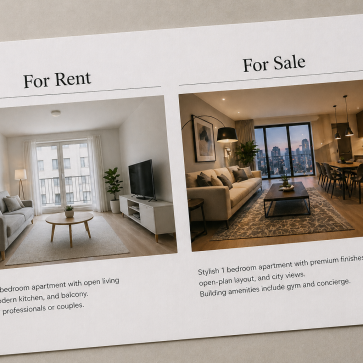
TL;DR: If you’re asking The Correct Order of Operations: Enhancement, Item Removal, or AI Virtual Staging First?, the answer is simple: enhance first, then remove clutter, then stage, then polish. Each step feeds the next. Skipping or reordering produces mismatched shadows, muddy fills, and furniture that looks pasted in.
Agents and photographers trip over this question more often than expected. Get the sequence wrong, and each step compounds the errors of the last. A poorly exposed base image produces muddy staged furniture. Clutter left in place before staging creates visual chaos that AI tools cannot resolve cleanly. The logic behind each stage is straightforward once it clicks.
Why Sequence Matters: How Each Step Depends on the One Before It
Jumping straight to virtual staging on an uncorrected photo is one of the most common and costly mistakes in AI real estate photo editing. Staging engines read the existing light, color temperature, and shadow direction in the image. When those elements are wrong, the staged furniture inherits those errors. Mismatched shadows and yellow-tinted walls look artificial even to an untrained eye.

Each step inherits the quality of the step before it. Correcting exposure, white balance, and perspective first creates a normalized baseline. AI item removal then performs more accurately because the fill algorithm matches colors and shadows to a clean, consistent image. Staging applied after removal benefits from a vacant, well-lit space, which is the condition where AI furniture scaling and shadow casting work best.
Treating these three tools as interchangeable compounds errors rather than correcting them. A color cast introduced at the enhancement stage does not disappear during removal. It deepens. By the time staging runs, the entire scene sits on a flawed foundation.
The sequence this article defends: enhancement first, then item removal, then virtual staging, then a final polish pass. That order reflects how each tool’s AI model depends on the output of the previous step. Enhance, remove, stage, polish.
Step 1: Global Image Enhancement Sets the Lighting and Geometry Baseline
Staged furniture that casts shadows in the wrong direction is one of the most common realism failures in AI-processed listing photos. It almost always traces back to the same root cause: the base image was never corrected before downstream tools touched it. Global enhancement covers exposure, white balance, perspective correction, and lens distortion. A normalized baseline gives every subsequent tool accurate color and shadow data.
Correcting lighting before any other edits prevents mismatched shadows and color casts from compounding through AI processing. When an AI removal tool fills a gap left by a deleted object, it samples surrounding pixels to reconstruct the background. If those pixels carry an uncorrected warm cast or uneven exposure, the fill looks patchy. A clean baseline eliminates that variable.
AI Batch Enhancement vs. Manual Photoshop for This Step
For standard residential shoots, AI batch enhancement handles the bulk of this phase at a fraction of the cost of manual editing. Manual Photoshop refinement remains the right call for luxury marketing, complex compositing, or day-to-dusk conversions that exceed current AI capabilities. The decision comes down to image complexity and the marketing tier of the listing.
A practical enhancement checklist for this phase covers four areas: exposure and contrast normalization, white balance correction, perspective and vertical line alignment, and lens distortion removal. Completing all four before staging or object removal keeps the workflow clean and prevents errors from stacking.
Step 2: AI Item Removal and Decluttering Clears the Canvas
A lighting-corrected image gives AI removal tools a normalized baseline. Because exposure and white balance are already consistent, the algorithm matches shadow direction and color temperature far more accurately when filling the space left behind. Skipping enhancement first often produces muddy fills or mismatched tones that look obviously edited.
The Ethical Boundary Every Editor Must Respect
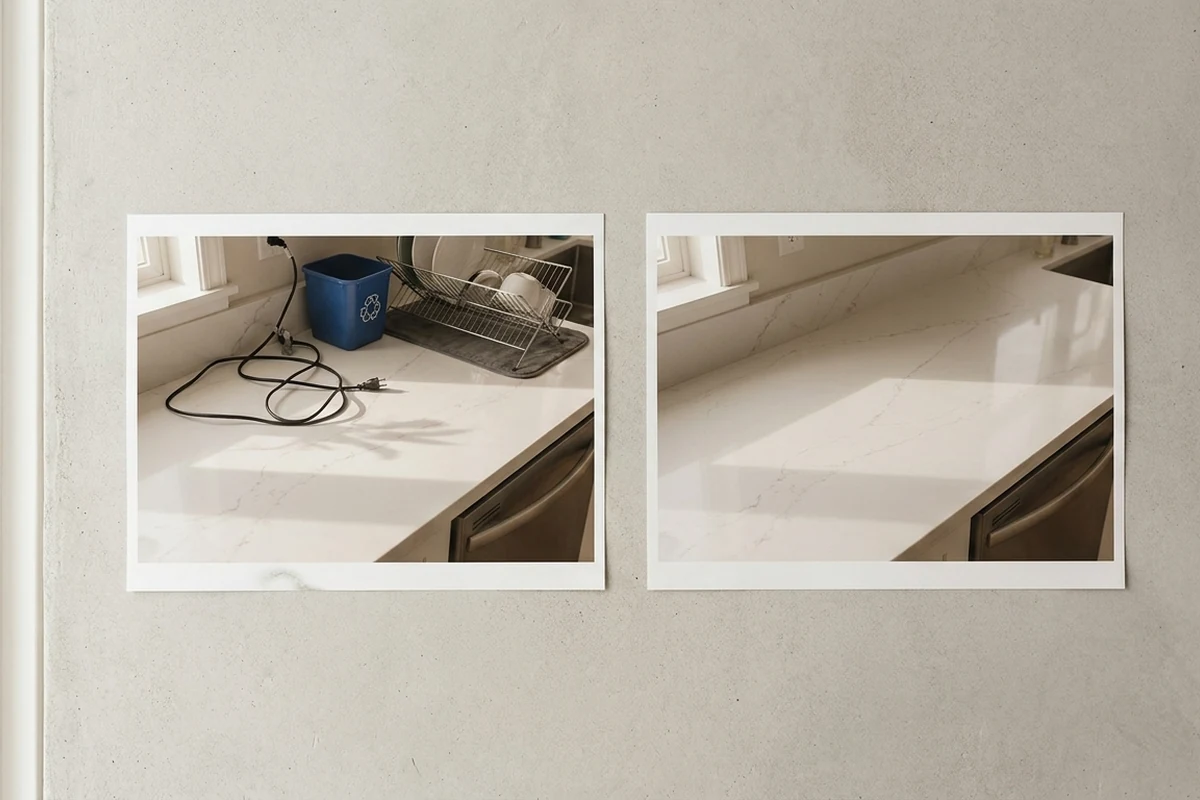
A clear line separates acceptable and misleading removal. Temporary objects, like power cords, recycling bins, dish racks, and personal items, are fair to remove. Permanent fixtures and structural flaws are not. Erasing a water-stained ceiling or a cracked baseboard crosses into misrepresentation and exposes agents to legal risk. Questions around virtual staging legality often trace back to this distinction.
A decluttered, vacant space is the ideal input for AI virtual staging. With distractions gone, the staging engine scales furniture accurately and casts shadows that align with the room’s actual light sources.
Step 3: AI Virtual Staging Furnishes a Corrected, Vacant Space
Furniture that floats above the floor, shadows pointing the wrong way, a sofa scaled for a gymnasium. These are the hallmarks of staging applied to an uncorrected image. The quality of steps one and two determines almost everything about staging realism. When exposure, white balance, and perspective are already normalized, the AI has accurate lighting data, and furniture scaling follows naturally.
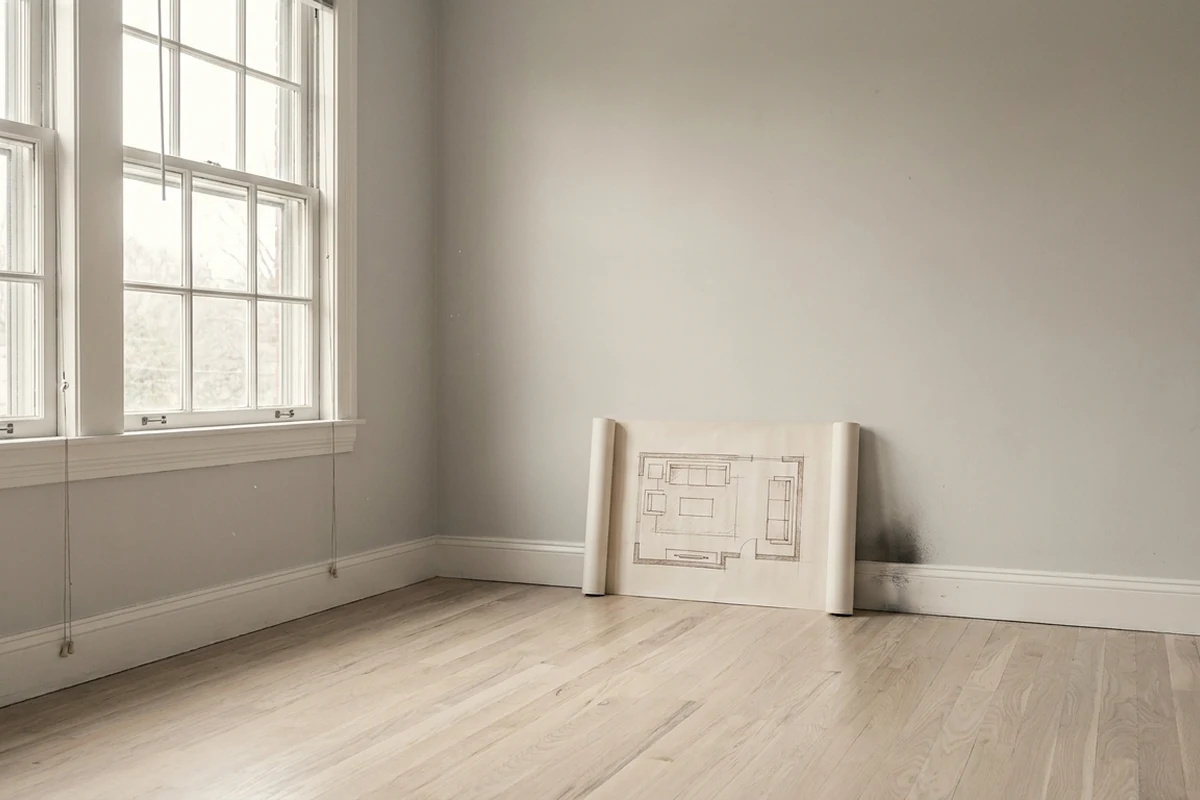
AI virtual staging performs best on vacant, well-lit, and decluttered spaces. A clean room gives the algorithm an unobstructed floor plane to measure and a consistent light source to replicate. Same-day staging platforms, AI HomeDesign and REimagineHome among them, use that corrected lighting data to place furniture and cast shadows matching the room’s actual light direction.
Current tools also reflect contemporary interior design trends rather than the artificially rendered outputs of earlier generations. Agents can run A/B tests across modern, traditional, and luxury styles for the same space, then select whichever narrative best fits the target buyer demographic. The speed advantage over traditional physical staging is large, with results delivered in seconds rather than days.
Step 4: Final Polish and Manual Refinement
Most edited listings never need a human to open Photoshop. AI editing tools handle the bulk of standard real estate photo editing tasks without manual intervention. The cases that genuinely require manual work are narrower than many agents assume.
Luxury marketing is the clearest threshold. Complex compositing, precise sky replacements, and day-to-dusk conversions that demand seamless blending still exceed what most AI pipelines reliably produce. For a multi-million-dollar listing, that extra layer of craft is worth the added cost and time.
Before any image goes live, reviewing the final edited version against the original photograph is a necessary quality control step. Mismatched shadows, floating furniture, or unnatural color casts are easiest to catch side by side. Catching these issues before the listing launches protects both the agent’s credibility and the buyer’s expectations.
The “Enhance First” Mental Model: A Decision Framework for Every Listing Type
Skipping steps feels harmless until the final image ships with mismatched shadows or a color cast that no amount of staging can hide. The root cause is almost always sequence. Agents and editors who internalize the Normalize, Clear, Furnish, Verify framework rarely face that problem, because each gate prepares the image for the next one rather than compounding earlier errors.
Inputs That Shape Each Gate
Applying the framework starts with understanding the listing’s inputs: price tier, vacancy status, timeline pressure, and target buyer demographic. A vacant entry-level condo and an occupied luxury townhouse both move through the same four gates. But the decisions at each gate differ. Knowing those inputs before touching the image separates a deliberate editing sequence from reactive guesswork.
Reordering any gate creates compounding problems downstream. Staging before clearing leaves clutter baked into the furnished render. Furnishing before normalizing produces furniture shadows that contradict the room’s actual light source. Verifying before furnishing means the quality check runs on an incomplete image. The framework works because each gate has one job, and that job feeds the next.
Dual-Use Design: Pre-Shoot and Post-Shoot
The same four gates function as both a pre-shoot checklist and a post-shoot editing sequence. Before the photographer arrives, the checklist asks: Is the space normalized, cleared, and ready to furnish digitally? After the shoot, the editing sequence asks the same questions in order. That dual-use design makes the framework practical across occupied listings, vacant spaces, and partially furnished rooms alike.
Speed, Cost, and Quality Trade-Offs: AI Workflow vs. Manual Photoshop
Most editing bottlenecks in real estate are about volume, not skill. When a brokerage needs dozens of listings processed in a single day, the gap between AI and manual Photoshop workflows becomes impossible to ignore. The difference reshapes how teams plan their entire listing pipeline.
Speed and Cost at Scale
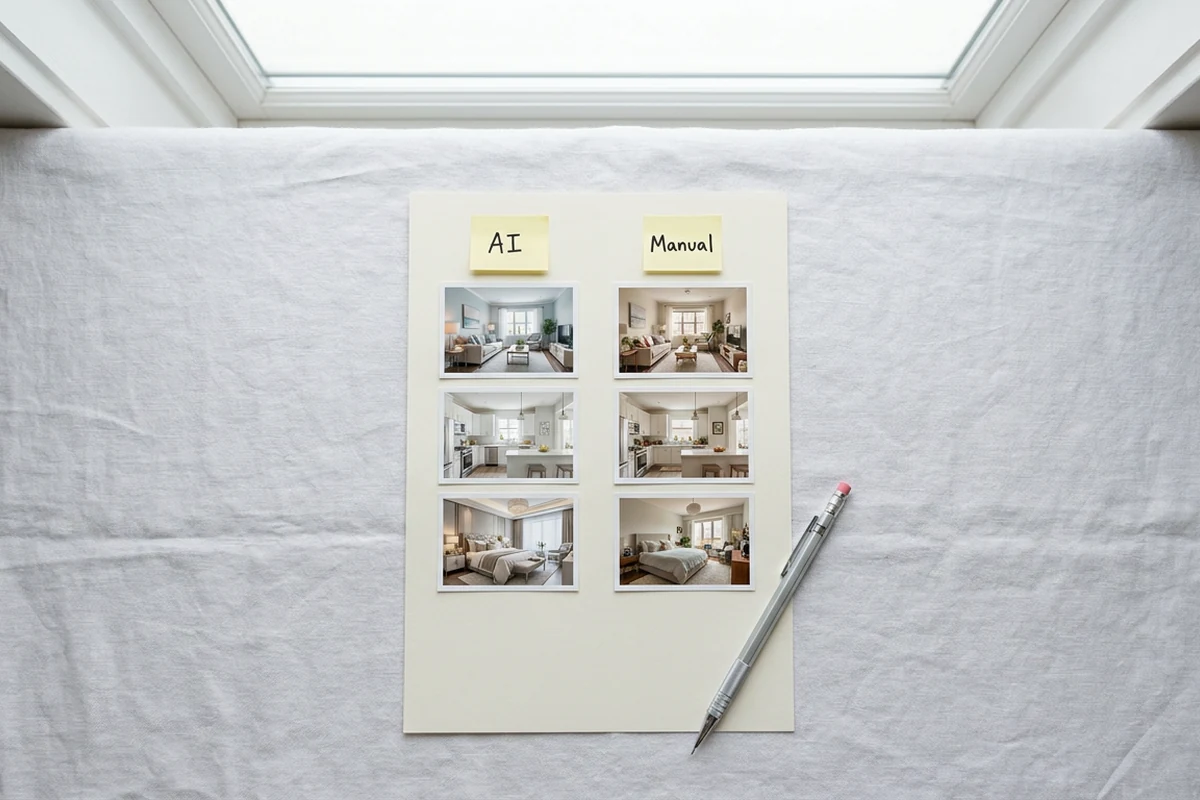
AI platforms deliver MLS-ready results in seconds per image. Manual Photoshop editing, by contrast, takes hours for the same output. On cost, the gap is equally stark: AI editing runs a fraction of what manual workflows charge per image. For high-volume brokerages, that difference compounds quickly across hundreds of monthly listings.
Where Each Approach Earns Its Place
AI handles the bulk of standard real estate photo editing without manual intervention. For typical listings, exposure correction, white balance, and decluttering produce output quality more than sufficient for MLS. Manual Photoshop refinement remains the stronger choice for luxury marketing, complex compositing, and day-to-dusk conversions that push beyond current AI capabilities.
The Hybrid Model and Platform Shift
A hybrid approach, AI batch processing for standard shots and selective manual refinement for premium assets, offers the best balance of speed and quality. Understanding virtual staging cost and roi helps teams decide where that manual investment is justified. The market is also shifting toward unified platforms that bundle enhancement, item removal, and staging under a single credit system, replacing the older model of single-purpose tools.
When the Standard Workflow Doesn’t Fit: Red Flags and Edge Cases
Some properties resist the standard four-step sequence. Occupied listings present an immediate problem. Removing a tenant’s furniture digitally raises ethical questions about misrepresenting the property’s actual condition. Temporary clutter is acceptable to remove, but permanent fixtures or structural flaws cannot be erased without misleading buyers.
Luxury properties introduce a different constraint. AI staging realism has improved considerably, but high-end marketing often demands manual compositing to meet brand standards. When virtual staging vs traditional staging comparisons arise at the luxury tier, the gap in perceived quality can affect how discerning buyers receive the listing.
Unique architecture and unusual lighting conditions can also exceed what current AI tools handle reliably. Curved walls, dramatic skylights, and non-standard room proportions tend to produce scaling errors or mismatched shadows. In those cases, abbreviated enhancement, focusing on exposure correction and perspective fixes, is more defensible than a rushed full workflow.
Applying the Workflow: A Practical Checklist for Agents and Photographers
Skipping a single gate in the editing sequence, say staging before correcting white balance, often produces mismatched shadows and color casts that require costly rework. A structured checklist prevents that. The four gates below map directly to the workflow phases covered earlier, giving agents and photographers a repeatable reference for every listing.
Pre-Shoot Gate
Before the photographer arrives, confirm vacancy status, assess natural light conditions, and complete a clutter walkthrough. Temporary objects like cords, bins, and personal items should be removed physically where possible. AI item removal works best on a normalized scene, not as a substitute for basic preparation.
Enhancement Gate
After import, correct exposure, white balance, and perspective before any other edits. This creates a realistic baseline. Subsequent AI processing, item removal and staging alike, matches colors and shadows to that normalized image. Skipping this step is the most common source of realism failures in MLS-ready listing photos.
Item Removal Gate
Identify each object flagged for removal as either temporary or permanent. Temporary items, staging props, cords, rubbish bins, are acceptable to remove digitally. Permanent fixtures and structural flaws are not. Removing them constitutes misleading buyer presentation and creates legal exposure for the listing agent.
Staging Gate
Confirm the space is vacant or near-vacant before applying virtual staging. Then select a design style matched to the target buyer demographic. Style selection is a strategic decision, not a default setting. Testing two or three style variants before committing to a final render is where agents doing diy virtual staging with ai gain the most value.
Polish Gate and Disclosure Reminder
Compare the final output directly against the original photograph. If furniture scale, shadow direction, or texture realism fails that comparison, escalate to manual refinement. Label all virtually staged images in the MLS listing per platform requirements. Disclosure is not optional. It protects both the agent and the buyer.
Final Verdict
The four-step sequence, enhance, remove, stage, polish, is not a stylistic preference. Each step depends on the one before it. Lighting corrections create the baseline that item removal needs. Item removal clears the canvas that staging requires. Skipping or reordering steps produces mismatched shadows, inaccurate fills, and staged furniture that looks pasted in rather than placed.
For most standard listings, a hybrid workflow makes practical sense. AI handles the bulk of enhancement, removal, and staging. Manual refinement is reserved for luxury properties, complex compositing, or day-to-dusk conversions where AI output falls short. This division keeps quality high without inflating per-image costs across a full portfolio.
Ethical discipline around item removal matters as much as technical sequence. Removing cords, bins, and temporary clutter is accepted practice. Removing permanent fixtures or hiding structural issues crosses into misleading buyer presentation. Teams that treat these as separate categories, temporary versus permanent, stay on the right side of MLS compliance and disclosure requirements.
When evaluating same-day staging platforms, the category that includes tools such as AI HomeDesign and REimagineHome, assess whether the platform handles all three core steps under one workflow or requires switching between tools. Unified platforms reduce handoff errors and keep the sequence intact. For high-volume teams, that consistency matters more than any single feature.
Anyone researching how these tools compare across price points and output quality will find virtual staging statistics and platform comparisons useful reference points when building or refining a team workflow.
Audit one recent listing against the four-step sequence and identify where the current workflow diverges from it. That gap is the fastest path to better output.
Frequently Asked Questions
Can AI virtual staging work on a room that still has some furniture, or does it need to be completely vacant?
AI staging tools can process partially furnished rooms, but results are less predictable. The AI may blend existing furniture with generated pieces in ways that look inconsistent. For best output, removing remaining furniture, physically or through AI item removal first, gives the staging engine a clean, normalized space to work with.
If a unified platform combines enhancement, removal, and staging, does the order still matter?
The order still matters, even inside a unified platform. Most unified tools process steps sequentially under the hood, but some allow users to skip steps or apply them out of order. Checking the platform’s processing logic, and not assuming the tool enforces the correct sequence automatically, helps avoid shadow mismatches and fill errors in the final output.
What is the safest workflow when a seller refuses to remove personal items before photography?
Photograph the space as-is, then use AI item removal only on temporary, movable objects like cords, bins, and personal decor. Avoid removing items that reveal the home’s actual condition. Documenting what was digitally removed, and disclosing it if required by the local MLS, protects the agent from compliance risk if a buyer raises concerns after viewing the listing.
Does virtually staging a property require specific disclosure language in MLS listings?
Disclosure requirements for virtual staging vary by MLS board and state real estate commission. Many boards require a label such as “virtually staged” in the photo caption or listing remarks. Agents should check their specific MLS rules before publishing staged images, since non-disclosure in markets with explicit requirements can result in listing violations or complaints.