DecorMatters vs AI HomeDesign: App or Listing Tool in 2026
DecorMatters vs AI HomeDesign: workflow, Dcoins and memberships vs per-photo credits, and which output fits mood boards or MLS-ready listing photos.
Someone has a room photo and two tabs open: DecorMatters on a phone, and a browser tool that promises MLS-ready staging in seconds. That moment looks like a simple choice, yet it usually hides a bigger one about the finish line.
In a true decormatters vs ai homedesign decision, the question is not which app feels more creative. The question is what needs to be handed over at the end: a shareable design and shopping list, or a listing photo that stays compliant under MLS rules. A deeper walkthrough lives in our full AI HomeDesign review.
The sections below break down workflow, pricing units, and publishing limits, so each reader can pick the tool that matches the deliverable.
At a glance
DecorMatters vs AI HomeDesign: Two Finish Lines
DecorMatters describes itself as a home design app and decorating game. The product centers on a drag-and-drop decorator, AI Studio tools, a community gallery, and design challenges with rewards. The natural output is a design shared to Explore with likes, comments, gifts, and votes.
AI HomeDesign is built around property listing photos. It groups eleven specialized AI tools across three hubs: virtual staging, photo editing, and renovation. The finish line is a downloadable listing image set that stays MLS-compliant by default.
The difference matters most because each tool “solves” a different job. A homeowner or host often wants ideas, a mood board, and real products to shop. An agent, photographer, or stager often needs a repeatable way to turn a folder of photos into consistent marketing assets.
For readers who want an app-like redesign workflow, both products can sit under the broader umbrella of AI interior design. Still, the pricing unit and the publishable output decide which one fits the week’s deadline.

Workflow Differences From First Photo to Final Deliverable
DecorMatters typically starts with a template, a challenge, or a real-room photo. Inside the editor, the work feels like a 2D collage: cut-out furniture and décor get placed, resized, rotated, and layered. Realism comes from manual tuning, like brightness and perspective, plus lighting overlays such as Moving Light or Sun Glare. The design then becomes a post inside Explore.

AI Studio in DecorMatters adds AI Room Designer, AI Edit, and AI Refine. The AI generate action shows a fixed cost of 1,000 Dcoins per generation. Publishing also has a hard gate: designs cannot be published while they include unpaid premium items.
AI HomeDesign follows a production workflow that starts with an upload. The Studio organizes work into projects per property, and the upload screen supports batches. It also supports importing from a listing link so the same workflow works when photos already live on a portal.
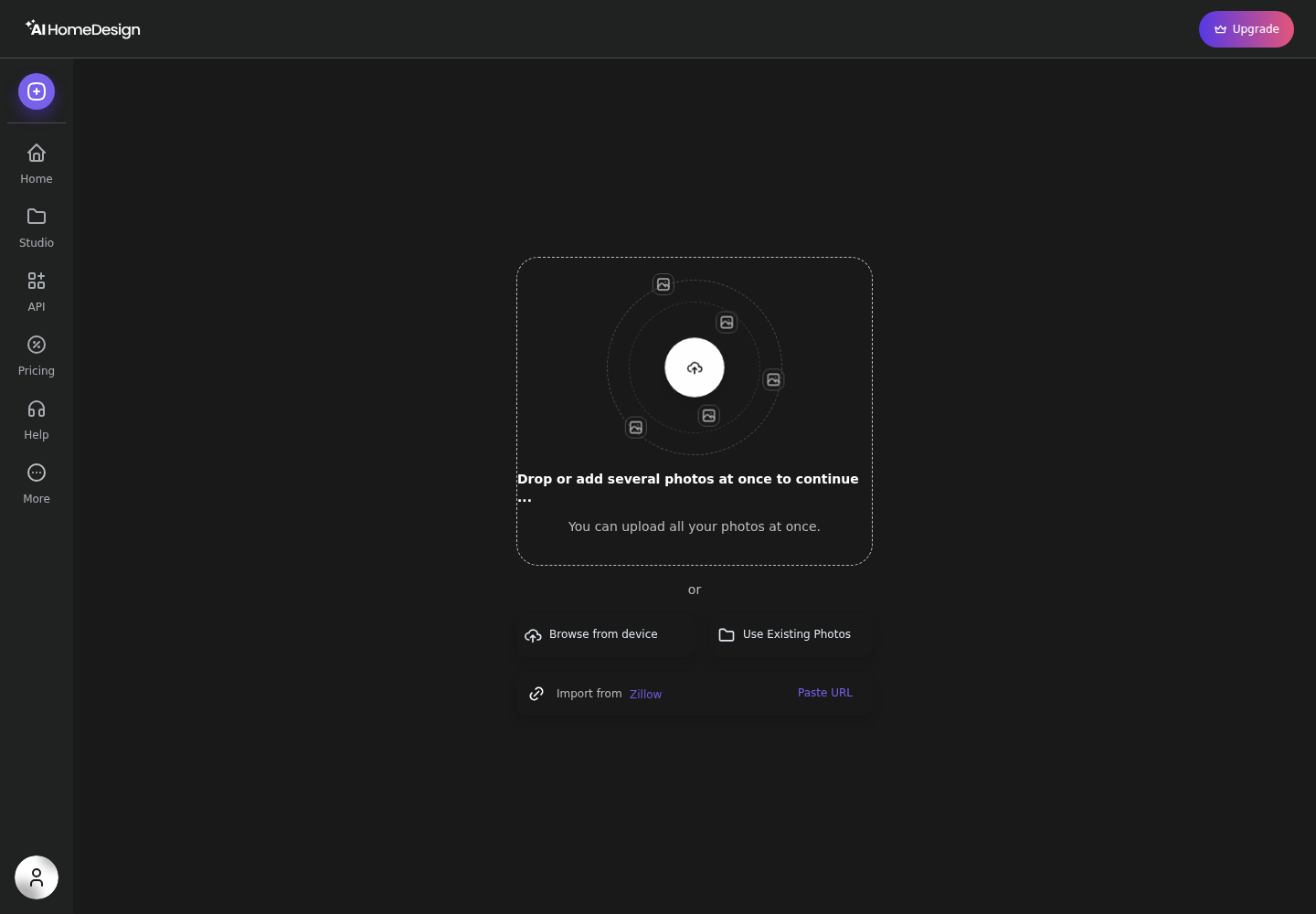
After upload, AI HomeDesign requires a Space selection first. Style and Material stay locked behind “Select Space First,” which keeps furniture scale consistent. One credit then generates four renders, shown on a result screen with Before and After and tool chaining.
The workflow split mirrors other consumer drag-and-drop tools like Homestyler’s drag-and-drop room designer and floor-plan-first apps like Planner 5D’s floor-plan approach. DecorMatters sits in that consumer design-app lane, while AI HomeDesign sits in listing-photo production.
Pricing and Cost Math That Matches the Unit
A clean comparison starts by naming the unit each product sells. DecorMatters sells membership access plus Dcoins, and the AI work uses Dcoins per generation. AI HomeDesign sells photo credits per month, and each credit returns four renders of a listing photo.
DecorMatters is free to download, and many templates and community features stay accessible without paying. Membership pricing is published as $9.99 per week, $19.99 per month, and $39.99 per year in-app, with a separate $79.99 per year price shown at web checkout. Membership unlocks premium items and templates, plus tools like keyword search, Remove BG, and Wishlist.
Dcoins sit beside membership rather than replacing it. AI generations cost 1,000 Dcoins each, and Dcoin packs publish as 2,000 Dcoins for $1.99, 11,000 Dcoins for $9.99, and 60,000 Dcoins for $49.99. The published terms also state memberships auto-renew until canceled, no refunds apply, and Dcoins and virtual items have no cash value.
AI HomeDesign starts free with no credit card, with free results watermarked. Paid plans remove the watermark and keep one credit pool across the full toolbox. Annual billing publishes these effective photo costs: Pro at $0.63 per photo, Pro Plus at $0.36 per photo, and Enterprise at $0.24 per photo.
A practical way to do the math is to count deliverables. A listing gallery needs a fixed number of staged, edited photos, so per-photo pricing stays predictable. A mood board session often needs multiple “tries” per room, and per-generation coins can make sense there.
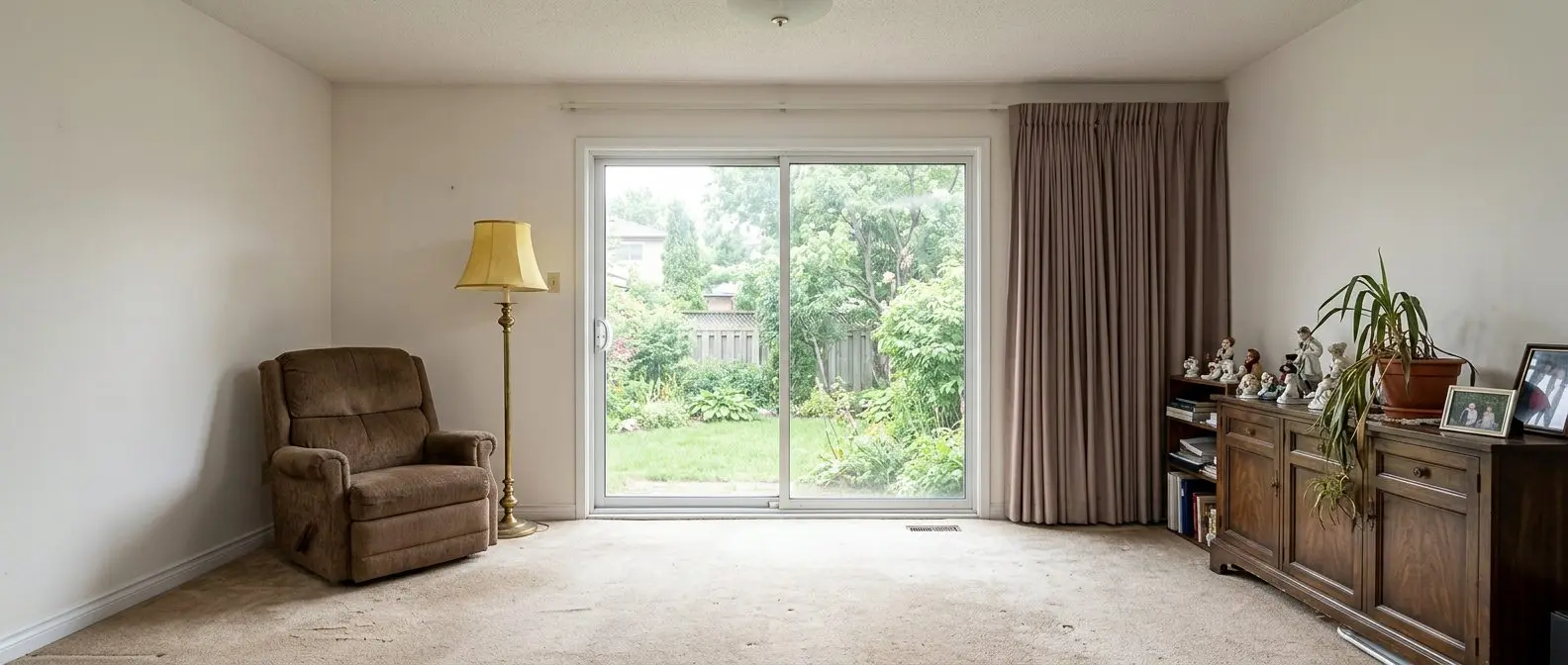
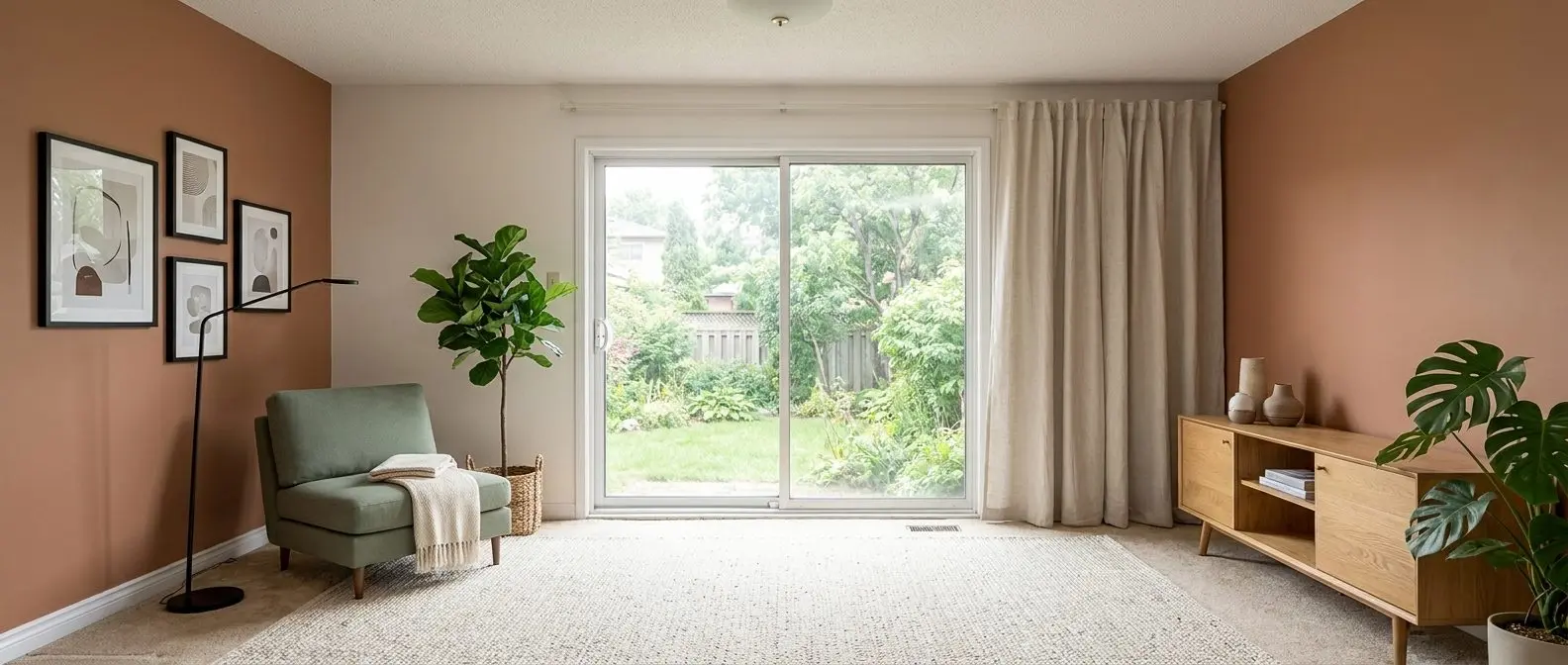
Redesign any room in a few clicks
10 styles and 30+ colour palettes, from one photo. All 11 tools on one account. Free trial credits, no credit card.
Start designing freeOutput Control, Consistency, and What the AI Actually Changes
DecorMatters offers hands-on placement control. The editor lets creators drag real items into a photo, swap angles, and adjust placement details until the design looks right. That matters for shoppers who care about a specific SKU, a specific price filter, or a specific furniture footprint.
AI HomeDesign trades manual placement for fast, repeatable generation. The core listing workflow is built around choosing a Space, choosing a Style, and generating multiple options at once. Because each run returns four renders, the first paid action already creates choice without extra setup.
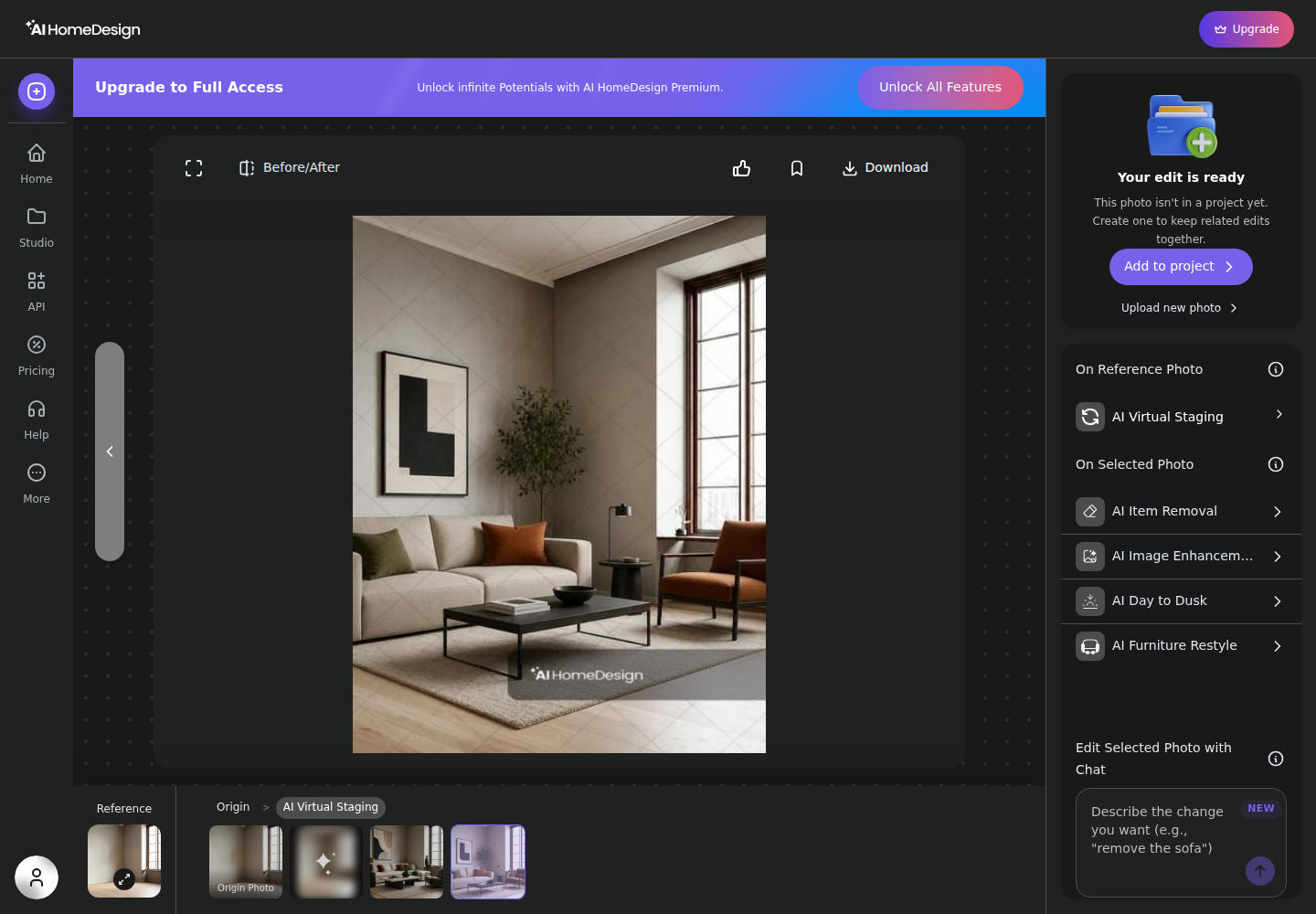
The other big difference is tool chaining. DecorMatters focuses on ideation and publishing within its community. AI HomeDesign bundles staging with adjacent listing-photo jobs, including AI Day to Dusk, AI Item Removal, and AI Image Enhancement, plus renovation visuals like wall, floor, ceiling, backsplash, and under-construction renders.
Some readers want a single-purpose redesign tool that produces fast inspiration from a photo. In that lane, single-purpose room redesign tools like RoomGPT can fit. Other readers want a credit system that rewards lots of variations, which is where Spacely AI's credit-based renders often comes up.
MLS Rules, Disclosure, and Listing Safety
MLS rules vary by market, but the underlying issue stays consistent: edited listing photos count as marketing material that can influence buyer expectations. Disclosures protect clients, agents, and photographers when furniture or finishes shown in the photos do not exist in the property.
The National Association of REALTORS has also documented how staging fits into agent and seller decisions in its Profile of Home Staging. That report does not act as an MLS rulebook, yet it helps frame why staging images often appear early in the marketing plan.
For listing work, a safe baseline is clear labeling. One practical disclosure line that fits many MLS remark fields is: “Virtually staged. AI-generated furniture added. Buyer to verify property features.” Some MLSs prefer a watermark on the image itself, while others prefer a remark-level Disclosure. The cleanest workflow keeps the original photo archived alongside the edited version.
DecorMatters is designed to publish designs inside its own community feed. Its publishing gates focus on premium-item payment status, not MLS compliance. AI HomeDesign is MLS-compliant by default, and paid downloads remove the watermark while free-plan output stays watermarked.
Edge cases change the choice. Luxury sellers often want strict consistency across a full photo set. Rural or highly unique properties can need a lighter touch that avoids heavy restyling. Occupied homes with personal items may need item removal and photo edits before any staging work.
How to Choose Based on the Deliverable
The cleanest decision rule is to name the file that must ship. DecorMatters works best when the deliverable is a design post, a shared concept, or a shopping shortlist. AI HomeDesign works best when the deliverable is a set of MLS-ready listing photos with consistent styling across the gallery.
Plan the timeline like a real listing task, not a hobby session. A realistic operational window for many teams is two days from photo capture to MLS upload: one day for the shoot and base edits, then one day for staging, day-to-dusk, approvals, and Disclosure text. That window shrinks further when the tool supports batch upload and fast iteration.
Deliverable hygiene matters as much as visuals. Listing deliverables should include the final image set, the original unedited set, and the disclosure language used. Shopping lists, budget notes, and any fee or commission figures belong in separate documents, not baked into image files or MLS remarks.
For readers who want to compare a third approach that mixes staging and redesign, REimagine Home's staging and redesign mix can fit that middle lane.
Checklist
0 of 3 doneThe clear pick
Choose AI HomeDesign when
AI HomeDesign fits agents, photographers, and stagers who need MLS-ready listing photos fast, with staging, photo editing, and renovation views in one credit pool.
Choose DecorMatters when
DecorMatters fits homeowners and hosts who want hands-on decorating control, shoppable furniture concepts, and community challenges as the finish line.
Frequently Asked Questions
Is DecorMatters free to use?
DecorMatters is free to download, and many templates, challenges, and community browsing can be used without paying. Paid membership unlocks premium items and templates plus features like keyword search, Remove BG, Wishlist, and MyDecor storage. AI Studio generations still cost Dcoins, with 1,000 Dcoins required per generation.
What are DecorMatters Dcoins, and do members still need them?
Dcoins are DecorMatters’ in-app currency. They pay for premium items, AI generations, gifts, and some event hosting. Membership removes the per-item premium purchase requirement, but AI generation still runs on a Dcoin cost model, with the AI generate action priced at 1,000 Dcoins per generation.
Why does DecorMatters show two yearly membership prices?
DecorMatters publishes a yearly membership price of $39.99 per year inside the app and a separate $79.99 per year price at web checkout. The pricing difference comes from where the subscription is purchased. The membership features are described as the same type of premium access, but the checkout channel changes the price.
What does AI HomeDesign cost per photo?
AI HomeDesign uses photo credits per month. On annual billing, Pro publishes an effective rate of $0.63 per photo, Pro Plus publishes $0.36 per photo, and Enterprise publishes $0.24 per photo. Each credit generates four renders of a photo, and paid downloads remove watermarks while free-plan results stay watermarked.
Can DecorMatters designs be used as MLS listing photos?
DecorMatters is built as a home design app and decorating game, and its publishing workflow targets its own Explore feed and challenge system. MLS rules vary by market, but listing photos usually require clear Disclosure when staging or major edits appear. For MLS delivery, teams typically use a tool built for listing photos and keep the originals.
Are AI-staged photos allowed on the MLS?
Many MLSs allow virtually staged or AI-edited photos, but they often expect a clear Disclosure in remarks and sometimes on the image. Edits that add furniture usually sit in a different category than edits that remove permanent features or hide defects. The safest practice keeps the unedited original and uses consistent labeling across the photo set.