REimagine Home vs AI HomeDesign Comparison 2026
REimagine Home vs AI HomeDesign comparison for 2026: workflows, credits, and MLS-safe delivery. See which fits listing galleries, teams, and redesign work.
Agents and photographers keep running into the same question: does REimagineHome AI replace a menu-driven staging tool, or does it solve a different problem? Both apps take one listing photo and return a photoreal redesign in seconds. The gap shows up later, when a full gallery needs consistent styling and clean exports.
This head-to-head focuses on mechanics that teams can verify: how credits get spent, how each workflow handles repeatable work, and how the outputs fit an MLS-facing process. The goal is not a quality shootout. It is a workflow and unit-economics decision.
The sections below walk through both apps the way listing teams actually use them.
At a glance


Stage your first listing in under 5 seconds
15 space types, 10 styles, MLS-compliant by default. All 11 tools on one account. Free trial credits, no credit card.
Start staging freeA 60-Second Verdict for Listing Work vs Design Exploration
REimagineHome AI and AI HomeDesign both deliver fast, photoreal visuals. The deciding factor is what happens after the first render. REimagineHome AI behaves like a design conversation that can keep evolving. AI HomeDesign behaves like a production line that keeps a whole property organized.
REimagineHome AI fits best when the job needs exploration. A single hero image for a listing presentation fits well. Concept-level interior redesign also fits well, especially when the chat needs to steer mood, color, and object choices. Exterior concept work stands out too, since the documented capability list includes landscaping, hardscaping, and pools.
AI HomeDesign fits best when the job needs repeatability across a listing gallery. The editor uses fixed option panels, then returns multiple renders per generation. The Studio organizes work as Projects, which makes it easier to keep one property’s files together. Tool chaining also matters because the workflow often requires more than staging.
A practical decision matrix often looks like this:
Teams that want the AI HomeDesign product details without the comparison can start with our full AI HomeDesign review.
REimagineHome AI Workflow and Controls
REimagineHome AI starts as a chat called the Design Companion. The dashboard offers Upload Photos or sample starting points such as Empty Interior, Furnished Interior, Front of Structure, Landscape and Outdoor, and Floor Plan. That sample option helps teams learn the workflow without using an upload.
The Design Companion layout stays consistent: conversation on the left, the photo on the right, and an Annotate button beside the image. Prompts sit under the chat with a plus icon for attaching reference images. An optional Budget and ZIP mode steers the redesign toward real, shoppable products, and the app charges extra credits for that specific mode.
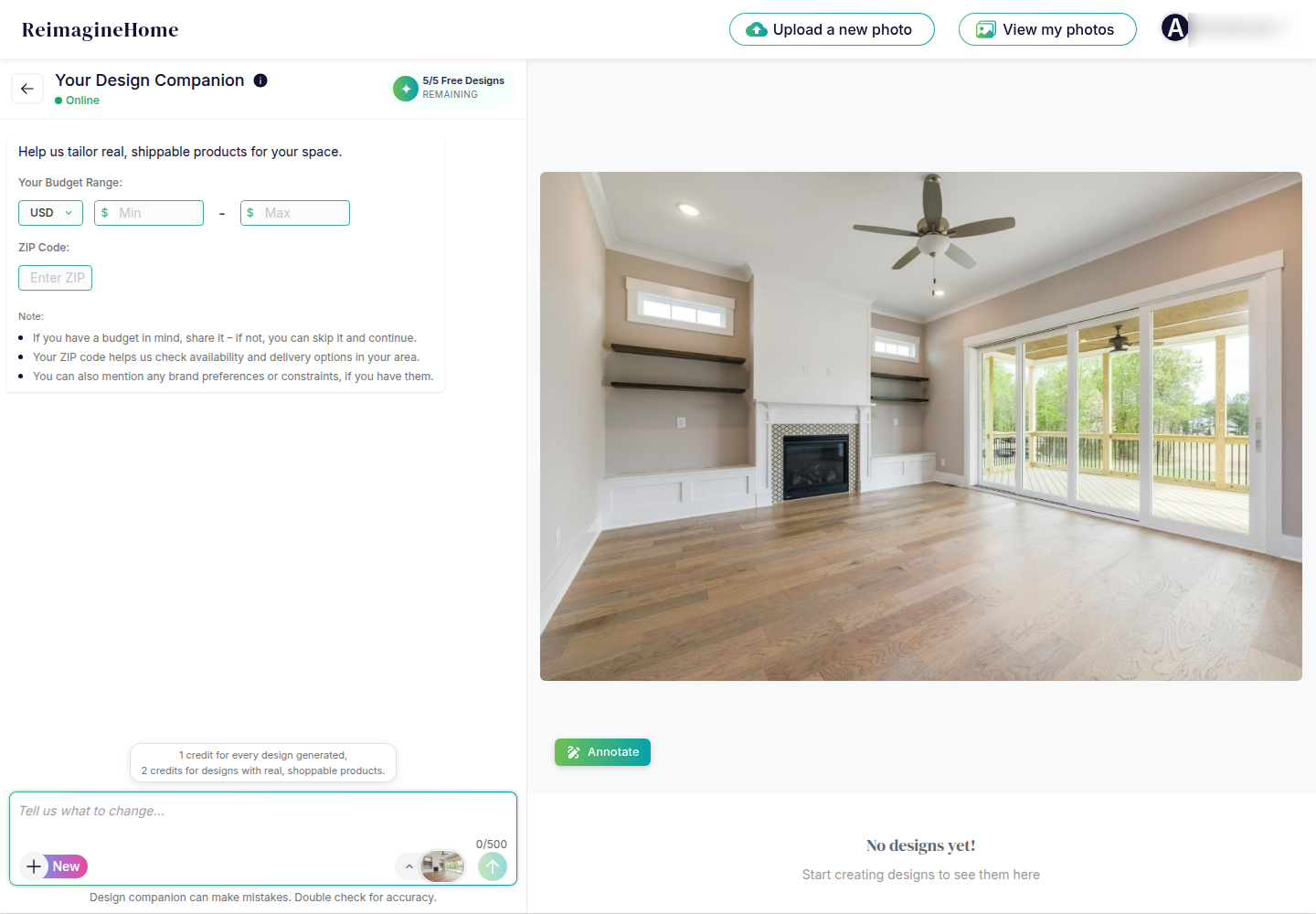
Iteration is the point of the product. Each result opens with Refine this design, an expandable Design reasoning panel, and a Recent designs strip that keeps the original and each version close at hand. Compare makes before-and-after checking easy, which supports faster review before anything gets published.
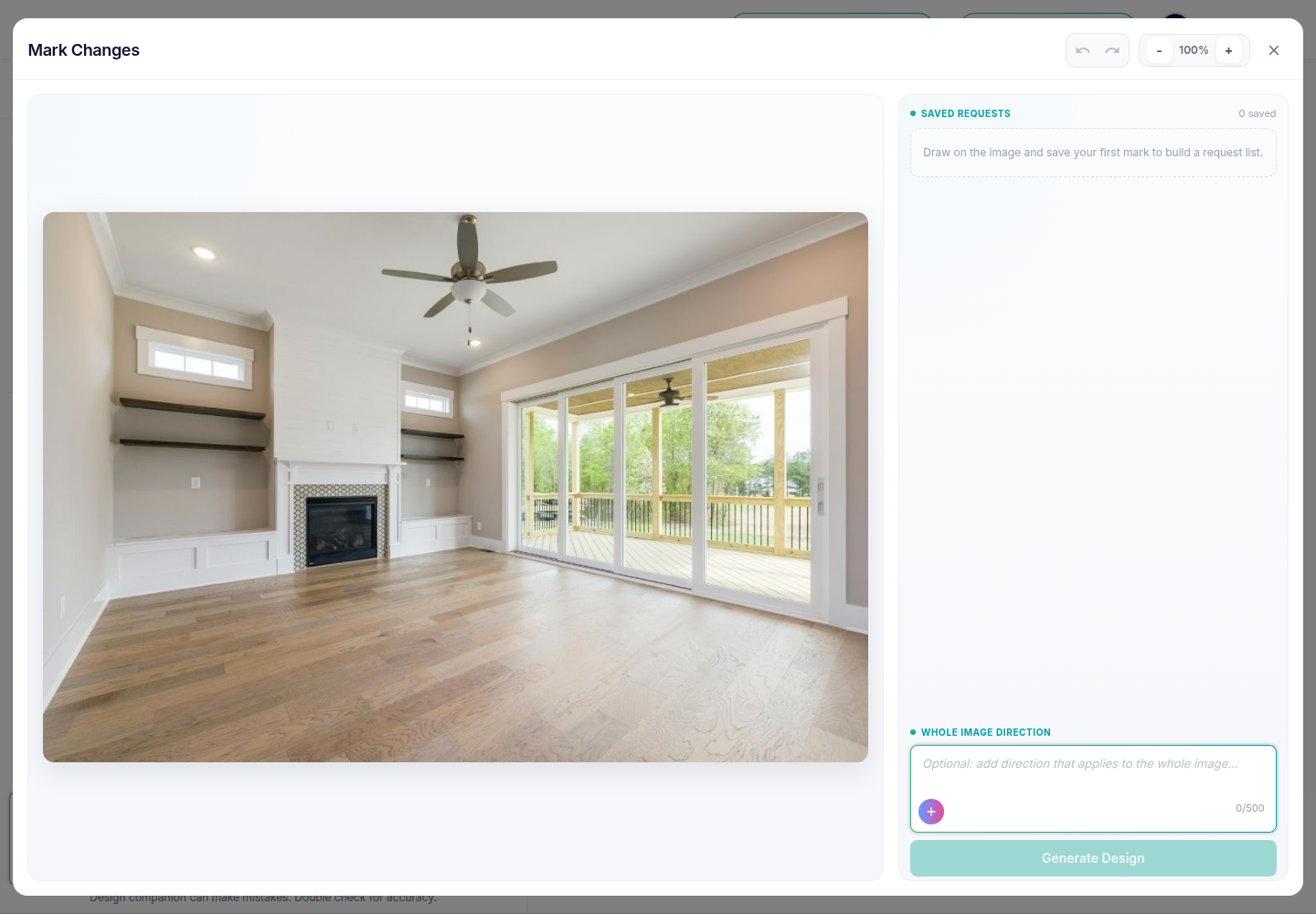
Annotate and Mark Changes is the strongest precision control. It lets teams draw on exact areas, save each mark as a Saved Request, then stack multiple requests and generate one targeted update. That is a better fit than chat alone for “change this wall only” or “remove this object only” edits.
AI HomeDesign Workflow Built for Listing Galleries
AI HomeDesign organizes work around a consistent editor and a catalog of named tools. The left sidebar drives most actions: start a new generation, pick tools from Home and Services, or manage work in Studio. Studio keeps Projects and Single Files separate, so a property can stay grouped as one folder.
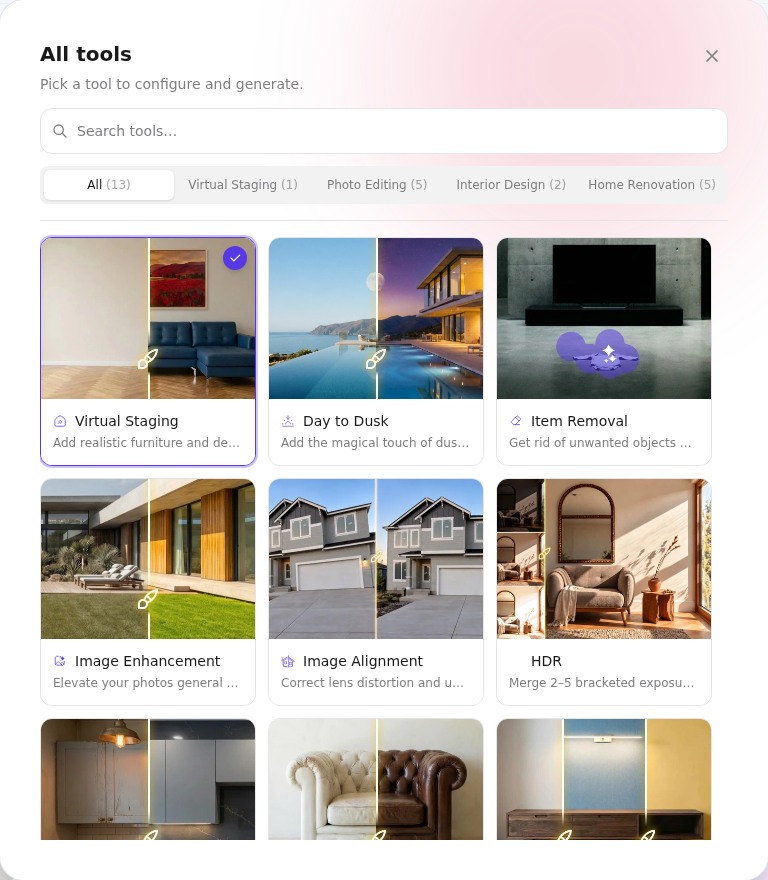
Upload supports batches. The upload screen accepts drag and drop, browsing from device, using existing photos, and importing from Zillow or a pasted listing URL. That matters for teams that need to move quickly from a photo shoot to a complete, sorted deliverable.
Each tool uses the same right-panel option model. Space selection comes first, and the interface locks style and material pickers until a space is chosen. That gate feels strict, but it also keeps scale and layout choices consistent across a full set.
On each generation, AI HomeDesign spends one credit and returns four renders of the same photo. On paid plans, retries do not need to become a new billing event, since the plans list free regenerations and rollover credits. For teams focused on listing delivery, the core workflow starts with AI virtual staging and then chains into the edits a listing set normally needs.
Coverage That Decides Real Listing Deliverables
Both tools cover the jobs most listing teams ask about first: staging, restyling, object removal, photo enhancement, and day-to-dusk. The difference shows up when a listing needs a second or third job on the same image, or when a team needs surface-level renovation previews.
AI HomeDesign documents a toolkit built for chaining. A staged image can move into AI Item Removal, AI Image Enhancement, or AI Day to Dusk from the result screen, without re-uploading. That matters in real delivery, where a room often needs declutter plus brightening plus a style pass.
REimagineHome AI documents broader exterior and outdoor transformations than AI HomeDesign. The capability set lists AI Landscaping, Hardscaping, Add Pool, Seasonal Reset, and Festive Flip. That breadth fits investors and designers who want fast exterior concepts, even when those concepts are not meant to be published as literal property facts.
Renovation depth tilts the other way. AI HomeDesign splits renovation into surface tools, which helps teams show one change at a time, like floors without touching walls. That workflow aligns with virtual renovation for showing a home's potential when a seller needs a clear, scoped visual. For clutter and object edits that support MLS-safe marketing, the comparable job is item removal on listing photos.
Empty Rooms, Furnished Rooms, and Twilight Exteriors
Empty-room staging highlights the workflow gap quickly. In REimagineHome AI, the fastest path starts with a prompt in the Design Companion, then a few refine turns until the room reads right. If one area stays off, Annotate and Mark Changes narrows the edit to the exact zone. That rhythm suits “keep improving this one image” work.
AI HomeDesign takes a different approach. The same photo runs through AI Virtual Staging, with Space chosen first, then Style, plus an optional Remove Furniture toggle when needed. The first generation returns four alternatives. That supports gallery consistency because teams can pick the closest option and keep moving, instead of writing a new prompt each time. Readers new to the workflow can reference our full guide to AI virtual staging.
Furnished-room restyling shows a similar contrast. REimagineHome AI leans on “describe the change” and then refine, which works well for mood shifts. AI HomeDesign uses AI Interior Designer or AI Furniture Restyle when the furniture should change while the room stays recognizable.
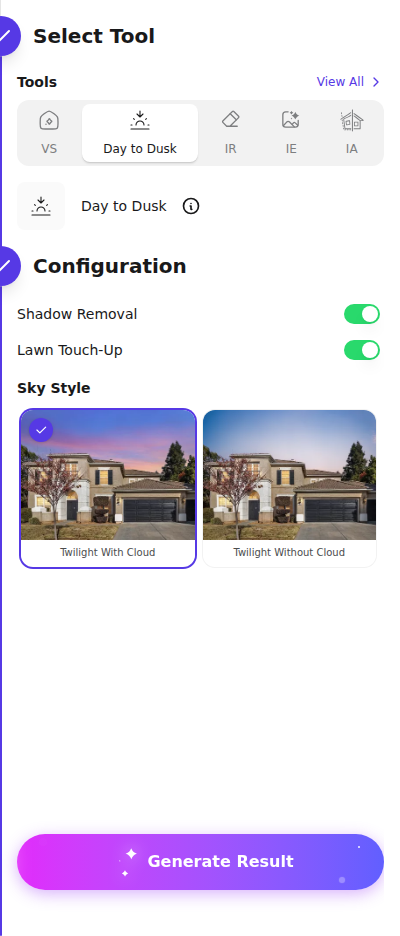
Exteriors and twilight visuals split into two separate needs: a marketing-friendly dusk conversion and broader outdoor reimagination. Both tools offer day-to-dusk. AI HomeDesign adds explicit controls for Sky Style plus optional Shadow Removal and Lawn Touch-Up toggles, which helps teams standardize exterior edits across a set. A deeper breakdown lives in how day-to-dusk conversion actually works.
Pricing Compared for a Full Listing Gallery
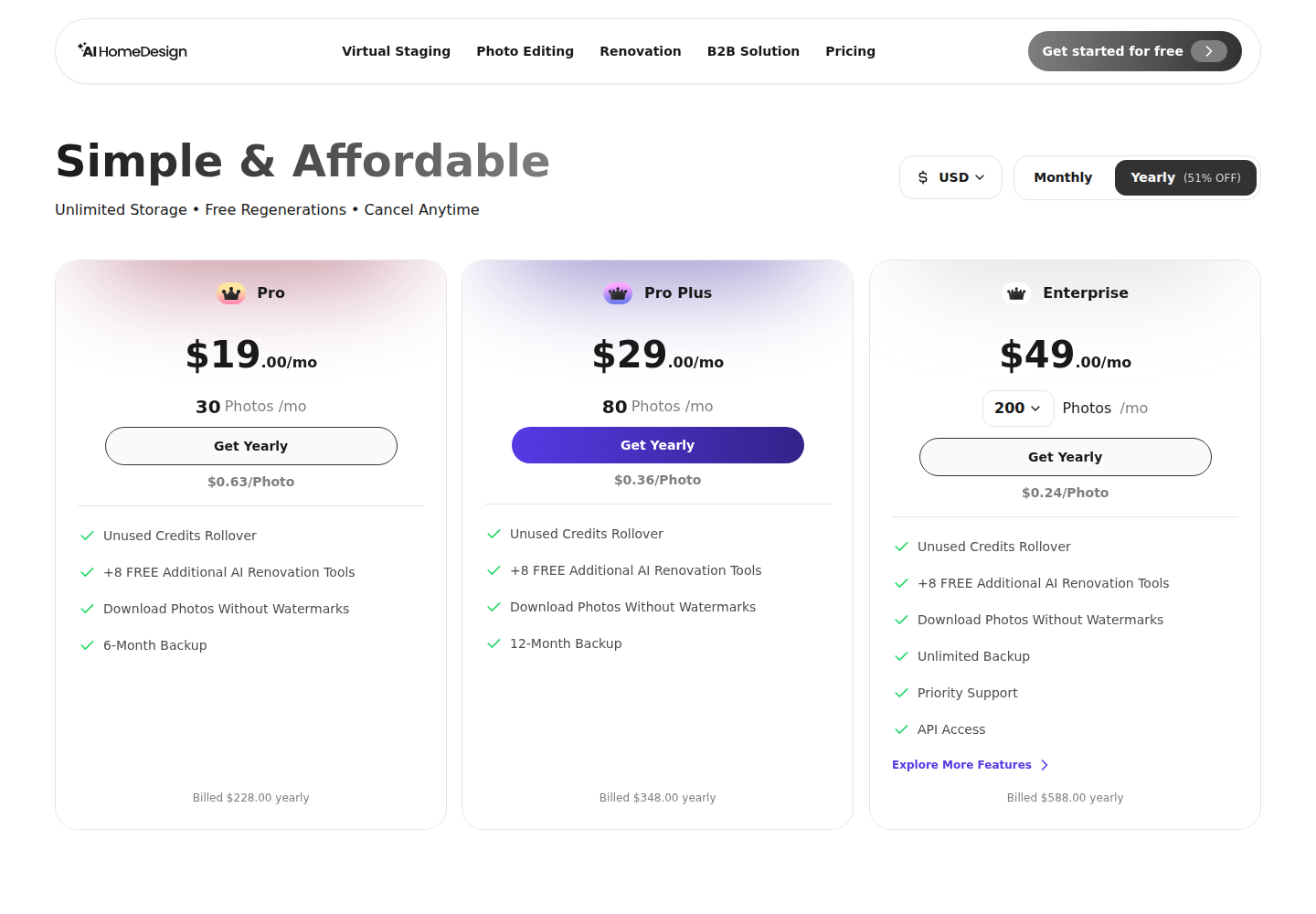
A “credit” is not the same unit across these tools. REimagineHome AI spends credits per design, and each refine or variation consumes credits again. AI HomeDesign spends one credit per generation and returns four renders, then paid plans list free regenerations and credit rollover. Those mechanics decide cost more than the headline monthly price.
REimagineHome AI pricing is built around monthly credit bundles. The paid tiers differ by credit allowance and effective cost per credit, and the manual does not describe capability gating by tier. Shoppable-product mode costs double credits, so it belongs in budgets only when real product matching matters for the job.
AI HomeDesign pricing is built around photos per month, with a lower per-photo rate on higher tiers, especially on yearly billing. The gallery math becomes easier because one generation yields four options. For teams comparing AI to traditional services, a useful benchmark is what virtual staging normally costs per photo.
A practical way to model a single property is to count how many images need multiple passes. When a third of a gallery needs a second attempt, a chat-first tool spends extra credits on each refine. A four-renders-per-generation tool often reduces paid reruns, because it starts with multiple options and then chains edits on the chosen version.
MLS Compliance, Disclosure, and Switching Without Surprises
Neither app removes the compliance job. MLS rules vary by region and MLS, but the risk pattern stays consistent: a virtually staged image can change furniture and decor, but it should not imply structural changes. That includes added windows, new doors, a pool that does not exist, or removed permanent damage. A simple habit helps: review each edited image side by side with the original before export.
A disclosure line also needs to travel with the listing, regardless of tool choice. Teams often use plain language such as: “Virtually staged” or “Image has been digitally altered.” Local rules may require different wording, and some MLSs require a watermark or remarks disclosure.
For teams that want a checklist of what portals and MLSs accept, start with MLS photo specifications. Delivery timelines also matter here. A realistic internal target for an AI-edited, MLS-ready gallery is one business day after the photos are shot, since the work still needs review and disclosure checks.
Switching between the tools is mostly a workflow reset, not a data migration. The same photo set can be reused. The real friction sits in presets and habits: chat prompts and refine threads do not translate into option panels, and option-panel choices do not translate into a chat history. Teams that plan to test beyond these two can scan the wider virtual staging software field and then validate the credit mechanics with a small batch before committing.
The clear pick
Choose AI HomeDesign when
AI HomeDesign fits agents, photographers, and teams who need consistent, MLS-safe listing visuals across a full gallery, with Projects, tool chaining, and four renders per credit.
Choose ReimagineHome AI when
ReimagineHome AI fits teams that think in prompts and want a conversational refine loop, especially for one-off hero images and outdoor concept work like landscaping and pools.
Frequently Asked Questions
Is REimagineHome AI free?
Yes, it starts with a Free Trial that includes 5 free designs and no card requirement. Free exports carry a “Generated using REimagineHome.ai” watermark, so the trial works best for evaluating controls and iteration. Paid plans export full-resolution images without the watermark, which is the practical requirement for listing delivery.
If a design gets refined five times in REimagineHome AI, does it spend five credits?
Refines and variations spend credits because each new generated design counts as a generation. The manual frames credits as “one design is one generation,” with shoppable-product designs costing 2 credits. The safest budgeting approach assumes each refine that triggers a new generation consumes another credit.
How many options does one credit generate in AI HomeDesign?
One generation costs one credit and returns four renders of the same photo. That lets teams pick among multiple alternatives before running another generation. Paid plans also list free regenerations, which reduces the risk that a rejected version turns into a separate paid event.
Do the free plans produce listing-ready images?
No. Both tools watermark free-plan output, so the free tiers are evaluation modes. The clean, downloadable exports that fit MLS-facing marketing come from paid plans. For a fair test, teams usually compare control, consistency across a small set, and how much iteration is needed to reach a usable result.
Which tool fits exterior-heavy work like landscaping and pools?
REimagineHome AI documents a broader exterior and outdoor capability list, including AI Landscaping, Hardscaping, Add Pool, and seasonal and festive transforms. AI HomeDesign focuses exterior work on listing-photo tasks such as AI Day to Dusk, plus optional toggles like lawn touch-up, rather than a full landscaping suite.
Does either tool offer an API for automation?
AI HomeDesign documents REST API access on its Enterprise plan, plus an MCP server that makes the toolbox callable from assistants such as Claude, ChatGPT, Gemini, Cursor, or Copilot. REimagineHome AI’s documented surface is the web product and its in-app workflows, with no API described in the provided manual.