Day-to-Dusk Editing: BoxBrownie vs AI HomeDesign
Day-to-Dusk Editing compares BoxBrownie vs AI HomeDesign on cost, speed, realism controls, QA checks, and MLS disclosure for twilight exteriors.
A listing can have solid interiors and still stall online if the exterior hero shot looks flat. That is why day to dusk photo editing stays in heavy rotation for agents and photographers who did not shoot real twilight.
The real choice is not “AI vs human.” It is a purchase model choice. BoxBrownie sells a finished file made by a human editor on a queue. AI HomeDesign sells self-serve controls and an instant iteration loop.
This comparison stays narrow on day-to-dusk conversion, so the decision is clear before the next upload window.
At a glance
Day to Dusk Photo Editing: What Is Really Changing
A usable twilight conversion makes several changes at once, and each one has to agree with the rest of the frame. The sky shifts first, but the facade and landscape need matching light logic. A strong edit also keeps rooflines, chimneys, and tree edges crisp.
Window glow does the next heavy lift. A believable file lights some panes more than others, and it keeps mullions sharp. The glow should stay behind the glass. It should not bleed onto siding or trim.
Exterior fixtures matter, even when the camera never saw them lit. A conversion can warm porch lights and landscape bulbs, but only if the property has those fixtures. Ambient exposure also needs a controlled drop so the home does not look like a midday facade under a twilight sky.
Five issues make dusk edits read as fake, no matter who made them. Agents can use these as fast QA flags: sky brightness that contradicts shadows, identical window brightness across every pane, soft fringe along the roofline, a cyan or magenta cast on white trim, and banding or noise in the sky gradient. For a deeper breakdown of the components, virtual twilight day-to-dusk conversion maps the same anatomy in more detail.
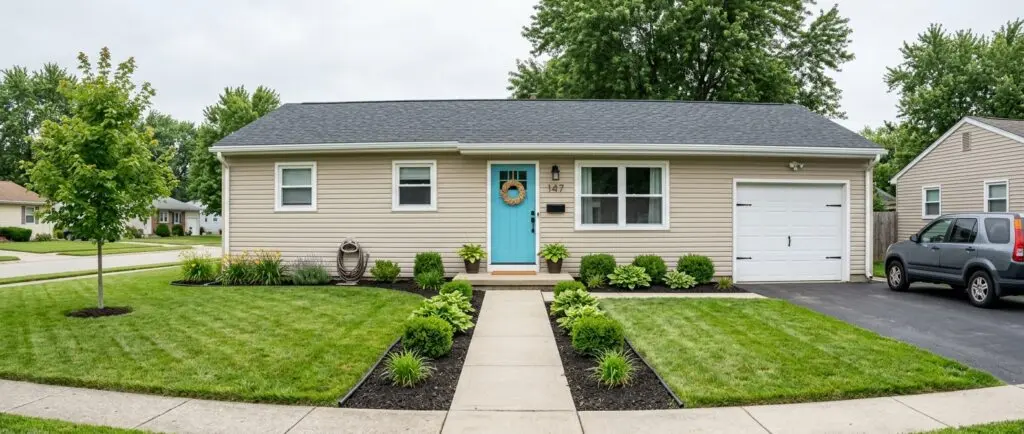
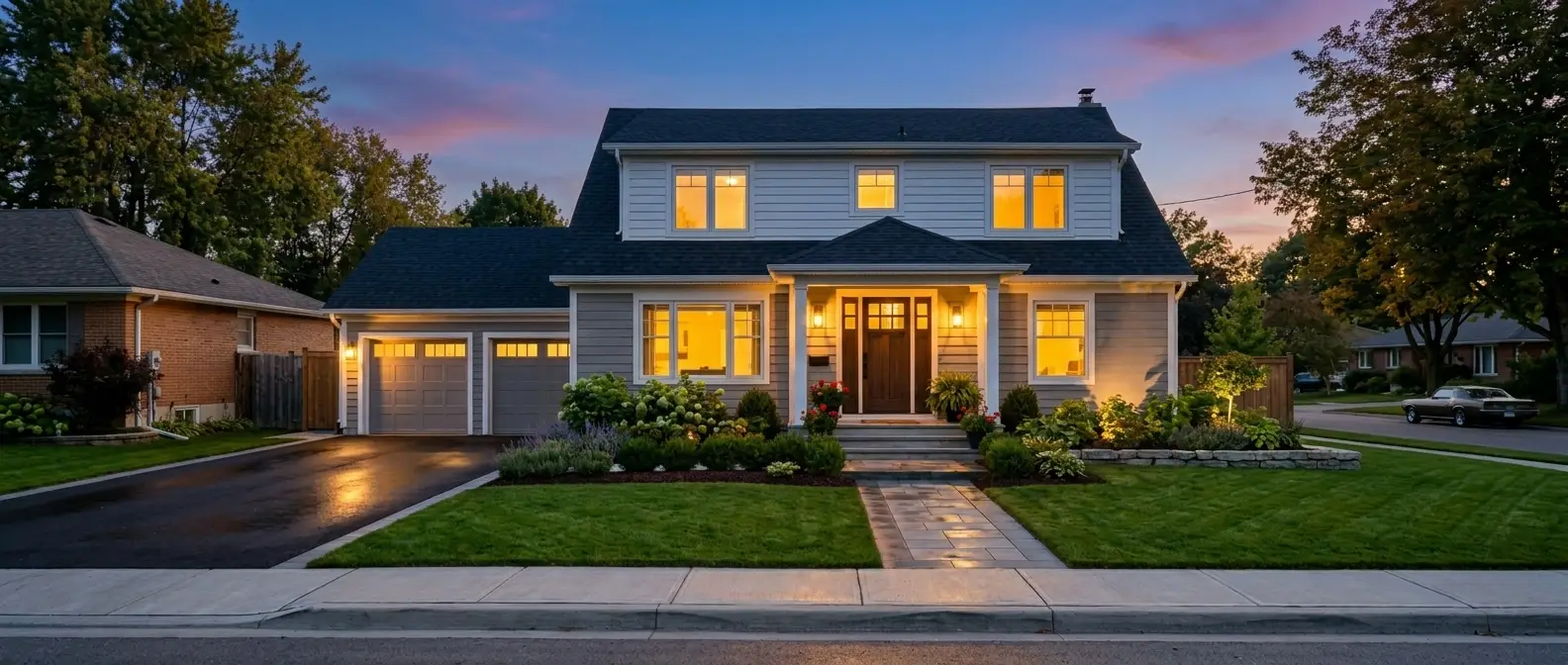
Turn a daytime shot into golden hour
Twilight sky, cleaner shadows, a tidier lawn. All 11 tools on one account. Free trial credits, no credit card.
Start day to dusk freeDelivery Models That Matter More Than Brand
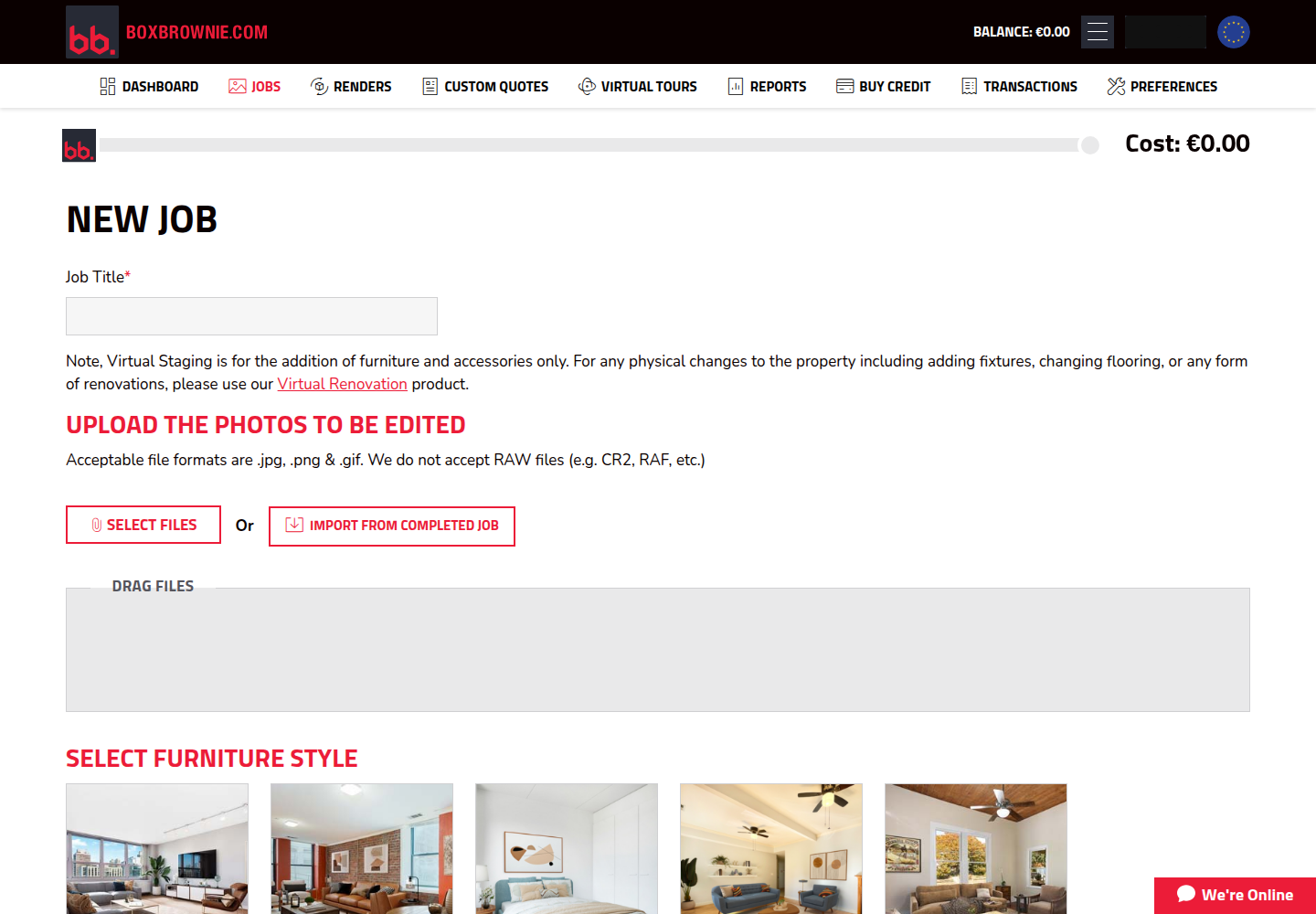
BoxBrownie runs as an order-and-wait service with human editors. The workflow starts inside the members area, where each service has its own card and the account shows a prepaid balance. Jobs require a title, then uploads, then submission. The system deducts the cost from the balance at submit time.
That prepaid mechanic changes planning. A batch cannot go out if the balance falls short. For teams that upload after a long shoot day, that gate can create a surprise stop at the worst time.
File handling also shapes the workflow. BoxBrownie accepts JPG, PNG, and GIF uploads, so RAW files need a conversion step first. In return, the service model can handle detailed notes and requests, and BoxBrownie states a satisfaction guarantee with unlimited revisions.
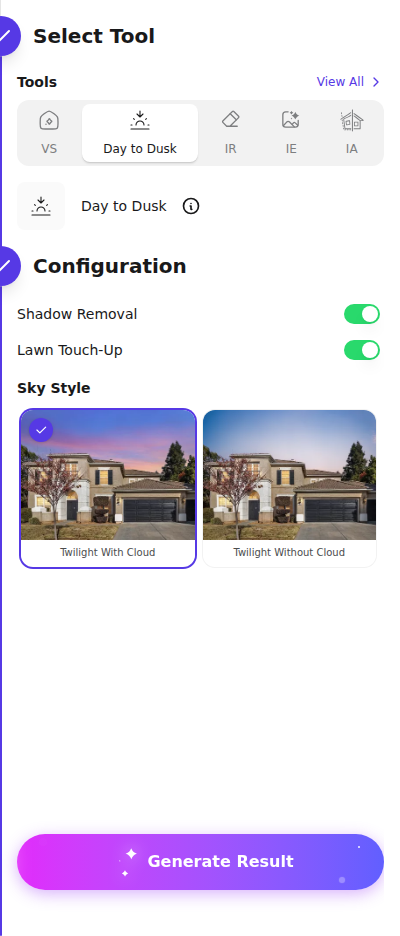
AI HomeDesign flips the model to self-serve generation. In virtual twilight editing, the AI Day to Dusk tool runs in a browser session with sky style options plus Shadow Removal and Lawn Touch-Up toggles. One generation spends a credit and returns four renders, so agents can pick the best look without starting a new order. AI HomeDesign delivers eleven specialized AI tools across three hubs, virtual staging, photo editing, and renovation, delivered through a web app, a B2B Solution, a REST API, and an MCP server. One account and one credit pool cover the full toolset, with free regenerations, MLS-compliant by default output, and pricing that can reach $0.24 a photo on Enterprise billed yearly. Free-plan downloads carry an AI HomeDesign watermark, and API access requires the Enterprise plan. Readers building a broader short list beyond this head-to-head can use the AI HomeDesign review comparison guide as the hub page.
Pricing and Cost per Exterior Compared
Day-to-dusk costs often get mixed up with virtual staging costs, but BoxBrownie prices the dusk edit as its own line item. BoxBrownie’s published pricing lists Day to Dusk at US$4.00 per image. That is the number that matters for day-to-dusk budgeting, not the separate per-photo figures seen on general staging comparison pages.
At low volume, per-image pricing can stay simple. An agent who needs five exteriors in a month pays US$20.00 at US$4.00 each, plus whatever top-up is needed to cover the batch before submission. The agent also buys time certainty, since the work runs through a queue instead of a live session.
The math changes at steady volume. At fifty exteriors a month, US$4.00 per image becomes US$200.00. That is the point where a subscription credit pool often costs less, especially when the same pool also covers other listing edits.
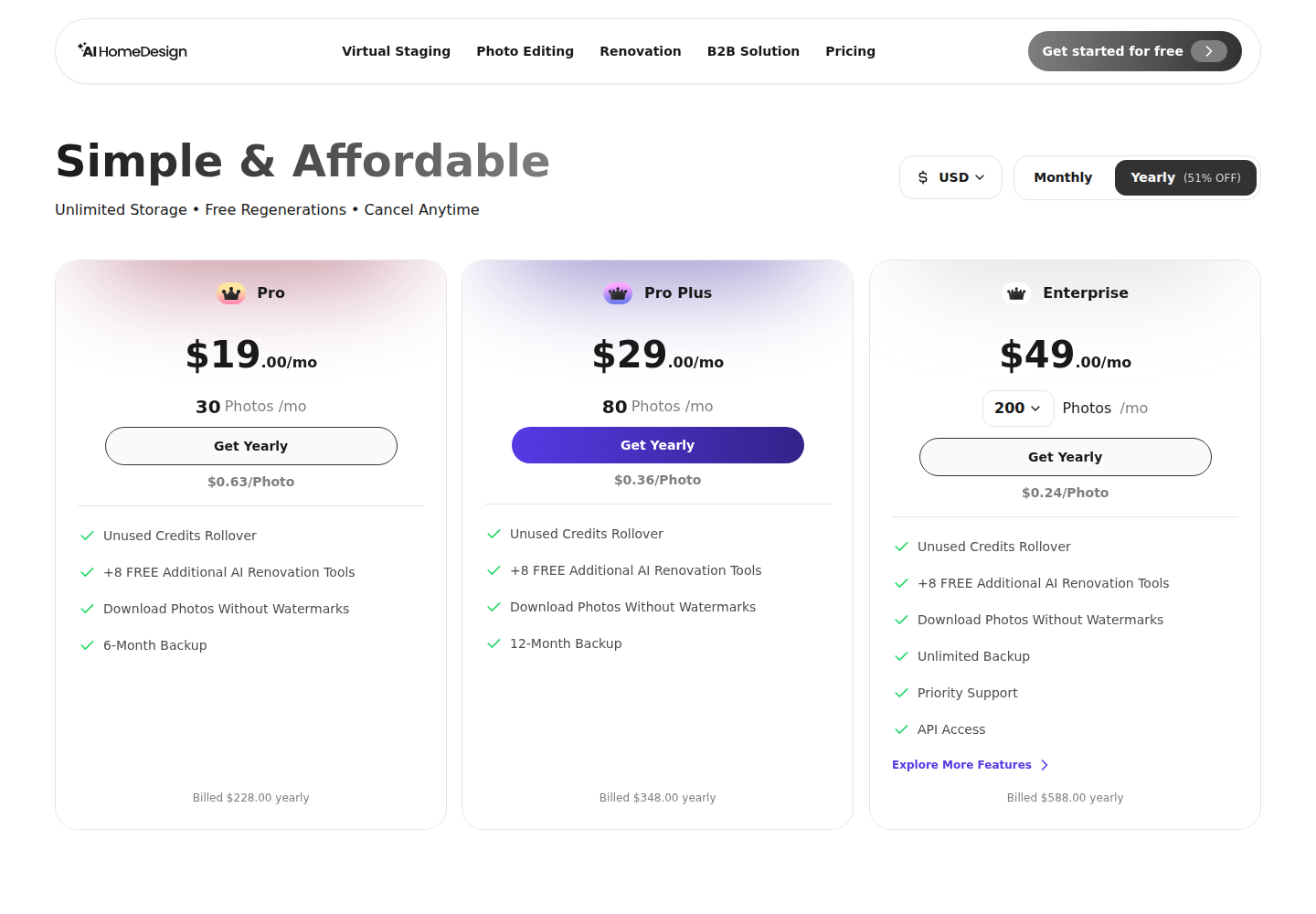
AI HomeDesign bundles AI Day to Dusk into plan credits, and one credit returns four renders. On billed-yearly pricing, Pro runs at $19/mo for 30 photos, Pro Plus runs at $29/mo for 80 photos, and Enterprise runs at $49/mo for 200 photos. Teams that also stage or edit interiors can compare all-in budgets in the same two tools compared on virtual staging, since many teams pay for both dusk work and interior work in the same month.
Speed, Deadlines, and the Revision Loop
Turnaround only matters against the listing deadline. BoxBrownie’s service model fits agents who can submit today and publish tomorrow. A practical planning window is two days, even when a vendor states a one-day typical queue, because revision requests add another cycle.
Self-serve generation fits same-day publishing and fast client review loops. AI HomeDesign generates in-session, so a photographer can deliver a dusk set while the export batch finishes. Four renders per credit also changes the iteration cost. A sky choice does not force a second invoice.
Revisions land differently in each model. BoxBrownie’s stated unlimited revisions can remove risk on a hard hero shot, but each change rides the queue. AI HomeDesign’s free regenerations shift the work to the operator’s judgement, since the operator selects the final file.
Consistency across a full set often decides the purchase. The human model can keep a tight look across similar frames if the same notes apply. The self-serve model can keep a tight look by reusing the same sky style and toggle choices, then selecting the most consistent of the four renders per frame.
QA and MLS Disclosure for Virtual Twilight Photos
Before upload, a twilight file needs a fast technical check and a disclosure decision. The check should happen at the same zoom as the original, since issues hide at fit-to-screen size. Agents can also save the original daytime exterior alongside the edited version.
A reliable QA pass starts with edges and glass. Rooflines, branches, and gutters should stay clean when zoomed in. Window glow should stay inside the panes, and trim should not pick up stray color.
Light logic comes next. The brightest area of the sky should match where the sun set relative to the facade. Exterior fixtures should only look lit when the property has those fixtures. The file should also keep smooth gradients in the sky with no banding.
MLS rules and Disclosure vary by local MLS and brokerage policy, so teams should check local guidance. A safe label many teams use is: “Twilight image digitally enhanced.” File specs still matter after editing, so the export should meet MLS photo specifications, and the edit should follow common guardrails like those in MLS do's and don'ts for edited photos. Pricing or vendor names do not belong in the MLS deliverable. Teams can keep that detail for the invoice or the vendor file history.
Hard Frames, Hybrid Workflows, and Batch Prep
Some exteriors earn a human editor fee even when an AI subscription exists. Floor-to-ceiling glass, mirrored facades, pool reflections, and mixed artificial lighting already in the frame often need selective masking and hand judgement. Luxury hero shots also reward that attention when every pane matters.
Standard suburban exteriors often fit automated passes. Straight rooflines, simple landscaping, and consistent daytime exposures give both models clean inputs. Those frames also benefit from fast iteration when an agent wants two sky looks for a seller preview.
A hybrid workflow often costs the least while keeping quality high. Teams can generate the full set first, then route only the one or two hardest frames to a human editor. That approach also protects the timeline, since most images can ship immediately.
Batch prep decides success more than tool choice. Photographers can shoot exteriors with directional late-afternoon light, then export clean JPG or PNG files for upload. Bracketed capture helps preserve facade and sky detail, and HDR bracketing for exteriors explains why the source exposure range controls how natural the dusk conversion can look.
The clear pick
Choose AI HomeDesign when
AI HomeDesign fits teams that need same-day exterior delivery, want to test multiple sky looks fast, and prefer credit economics that also cover other listing edits.
Choose BoxBrownie when
BoxBrownie fits low-volume or high-stakes hero shots where a human editor and an unlimited revision policy matter more than instant iteration.
Frequently Asked Questions
How much does day-to-dusk editing cost?
BoxBrownie lists Day to Dusk as a separate per-image line item on its published pricing, so teams can budget it independently from virtual staging. AI HomeDesign includes AI Day to Dusk inside plan credits, with yearly plan pricing that lowers the per-photo cost at higher tiers. The better deal depends on monthly exterior volume and how many re-renders the workflow needs.
How long does a day-to-dusk conversion take?
BoxBrownie operates on a human-editor queue, so turnaround fits teams that can submit one day and publish the next. AI HomeDesign runs as in-session generation and returns multiple renders per credit, so the file can be selected and downloaded immediately. The practical choice depends on the listing deadline and whether revisions are likely.
Do edited twilight photos need disclosure on the MLS?
Disclosure rules are local, and MLS policies vary by market. A conservative approach labels the edited image in the remarks or photo caption and keeps the original daytime photo on file. Many teams use wording like “Twilight image digitally enhanced,” since the edit changes time of day and lighting rather than the property’s structure.
Can RAW files be uploaded for day-to-dusk editing?
BoxBrownie accepts JPG, PNG, and GIF, so teams need to convert RAW files before upload. AI HomeDesign works from standard image formats like JPG and PNG in the browser workflow. For either option, the export should preserve enough resolution for MLS rules after editing and compression.