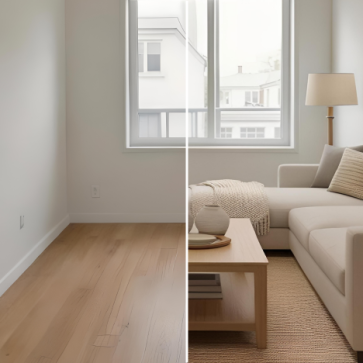
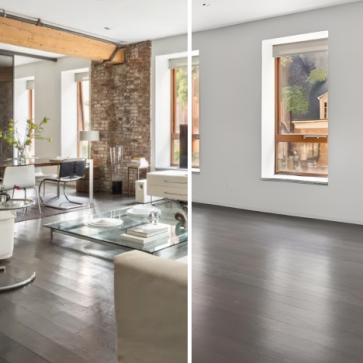
AI virtual staging now sits inside listing production as a defined operational step. Real estate teams that treat staging as an isolated action often experience uneven styles, repeated revisions, and delayed MLS uploads.
In contrast, teams that integrate staging into a structured real estate photo workflow gain predictable delivery timelines, consistent review cycles, and uniform presentation across multiple listings. Inconsistent staging across listings is rarely a software limitation. It is usually a workflow design gap.
This blog outlines a scalable production framework for brokerage teams and defines how AI virtual staging fits into a repeatable systemized listing workflow.
Tool Usage vs Workflow Design
Running AI virtual staging on a few photos may work for a single agent or a homeowner testing a layout concept. Brokerages manage parallel listings, shared marketing staff, and fixed launch windows, which means staging must follow defined inputs, scheduled handoffs, review checkpoints, and a single approved output per room.
Teams also need clear ownership of decisions so agents, editors, and marketing staff do not rework the same photos in separate threads. A workflow turns staging into a controlled production step that supports consistent delivery across listings and channels.
The Hybrid Production Model
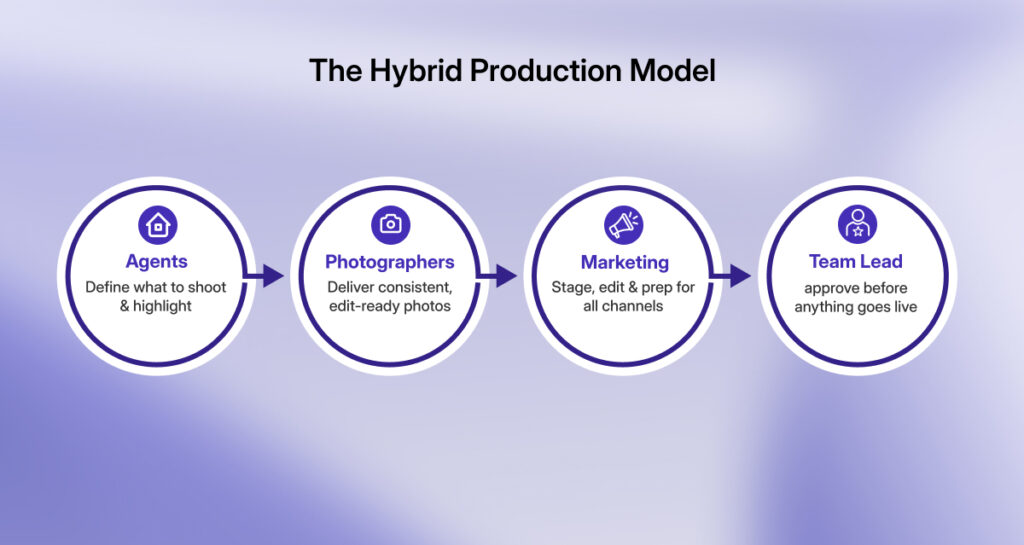
Most teams operate with agents, photographers, and a central marketing unit. The workflow therefore requires clear handoff rules to prevent duplicate edits and conflicting versions across MLS and marketing channels. A workable structure assigns:
- Agents: property brief and room priorities
- Photographers: source photo standards
- Marketing: staging execution and review
- Team lead: final MLS approval
This model supports shared responsibility without creating version conflicts because the handoffs are explicit and role-defined. Agents set the briefs, production editors prepare the staged photo set, and designated reviewers approve the final photos before distribution to MLS and marketing channels.
A 6-Stage Real Estate Photo Workflow for AI Virtual Staging
Stage 1: Imaging Standards
Accurate geometry and balanced exposure determine how believable staged furniture appear in the final photo. Most staging issues trace back to capture quality, so this step reduces downstream fixes and shortens the review cycle.
Inputs: professionally captured property photos
Controls: geometry check (verticals), exposure/white-balance check, and a pass/fail decision (stage now vs. fix first vs. re-shoot)
Outputs: MLS-ready base photos
A documented process for how to shoot a property for virtual staging keeps inputs stable and shortens the first review pass. Staging output reflects the structure and lighting of the original photo. A brief real estate photo preparation checklist keeps inputs production-ready.
Stage 2: Base Photo Conditioning
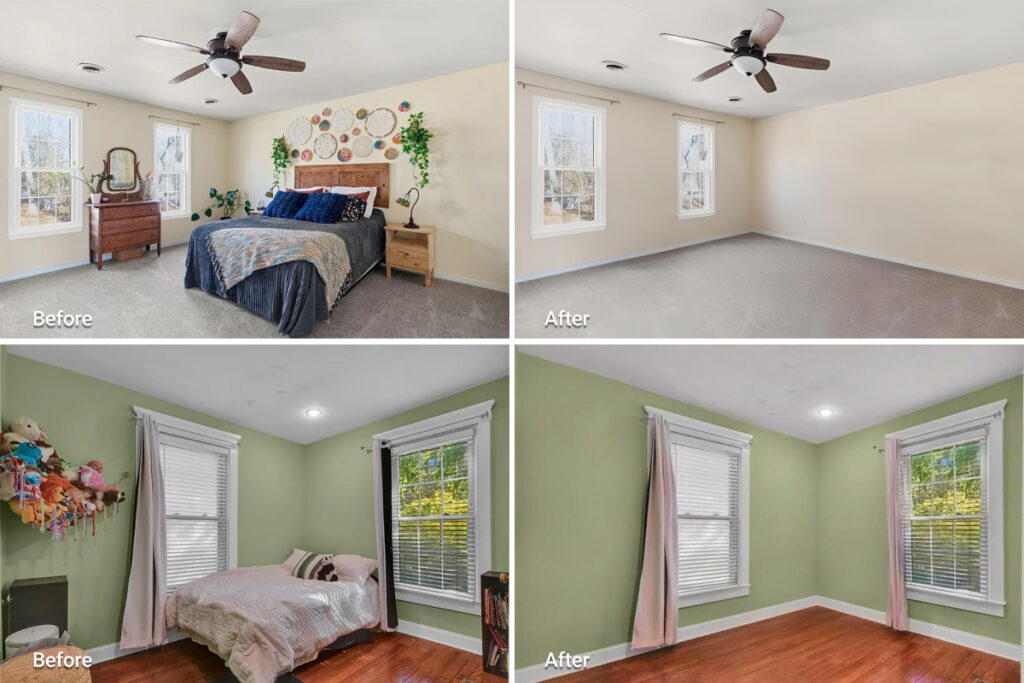
This step standardizes color, perspective, and noise levels so staged objects sit naturally in the room. It also separates photo correction work from staging decisions, which keeps the review process focused and efficient.
Inputs: approved base photos
Controls: image enhancement, perspective correction, clutter removal
Outputs: clean staging-ready photos
Run AI Item Removal before staging when personal objects or extra furniture appear in the photo. Staging on uncleaned photos leads to scale errors and additional review rounds. This conditioning step often sits inside broader AI real estate photo editing services that prepare photos for AI virtual staging and MLS submission.
Stage 3: Staging Brief
The brief sets the visual direction before any photos enter the staging phase, preventing style changes and conflicting layout choices during review. It also gives every role the same reference point, so room function, buyer positioning, and layout decisions stay consistent across the listing.
Inputs: agent property notes
Controls: price band, buyer profile, approved style set, room priority list
Outputs: written staging brief stored with the listing
This document governs style decisions across all rooms and prevents ad hoc choices by different team members, keeping the listing visually uniform from the first photo to the last.
Stage 4: Controlled Version Creation
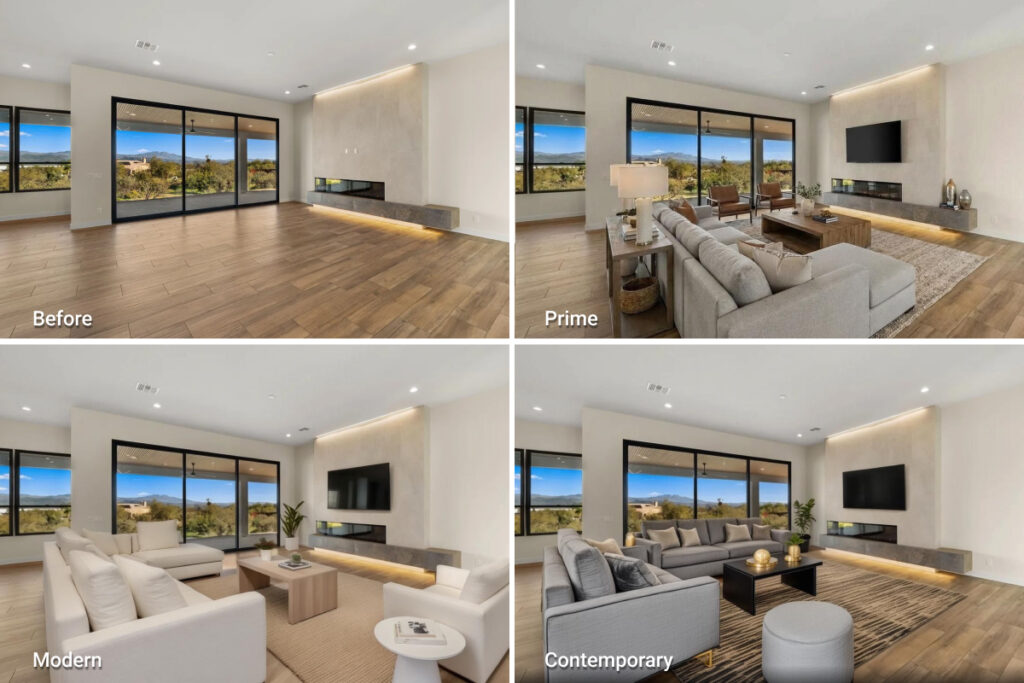
Version limits keep approvals trackable. Each room should have a clearly labeled primary option so agents do not compare multiple styles across email threads.
Alternate versions are created only when positioning requires them. Version limits also keep staging volume predictable, which helps when teams plan AI virtual staging cost across multiple listings.
Inputs: staging brief + conditioned photos
Controls: one primary version per room, two alternates only when positioning differs
Outputs: labeled staging set with version IDs
AI virtual staging can deliver results in about 30 seconds per photo. That speed supports batch processing, but teams still need version limits to prevent internal review delays.
Stage 5: Quality Control Gate
This gate verifies scale, light direction, and surface boundaries. It also checks that room function matches the listing description and MLS entry. Files that fail return with one consolidated revision note.
Inputs: staged photo set
Controls: realism audit + MLS compliance check
Outputs: approved final set
Team Audit Checklist
Realism
- Furniture scale matches room dimensions
- Light direction matches window position
- Shadows appear anchored
- No distortion around walls or floors
MLS Readiness
- Room function remains accurate
- Structural elements remain unchanged
- Disclosure is applied according to office policy
Stage 6: Output Lock and Distribution
The approved set becomes the only version used for MLS, property sites, and marketing materials. A single shared folder with restricted edit access prevents outdated photos from reappearing in later updates.
Inputs: approved staging set
Controls: version lock, archive alternates, single source of truth folder
Outputs: MLS upload set + marketing assets
Marketing staff distribute only the locked set to MLS, listing pages, and brochures. This step prevents mixed versions across channels.
Each file should carry a final approval tag so teams can verify status without reopening the review. Any later change should trigger a new version cycle rather than replacing the locked set directly.
Version Governance
Each room receives:
- A version ID
- An approval timestamp
- A designated owner
Agents submit feedback within a defined window. After approval, teams avoid reopening staging unless a factual error appears.
Variation Strategy for Brokerage Teams
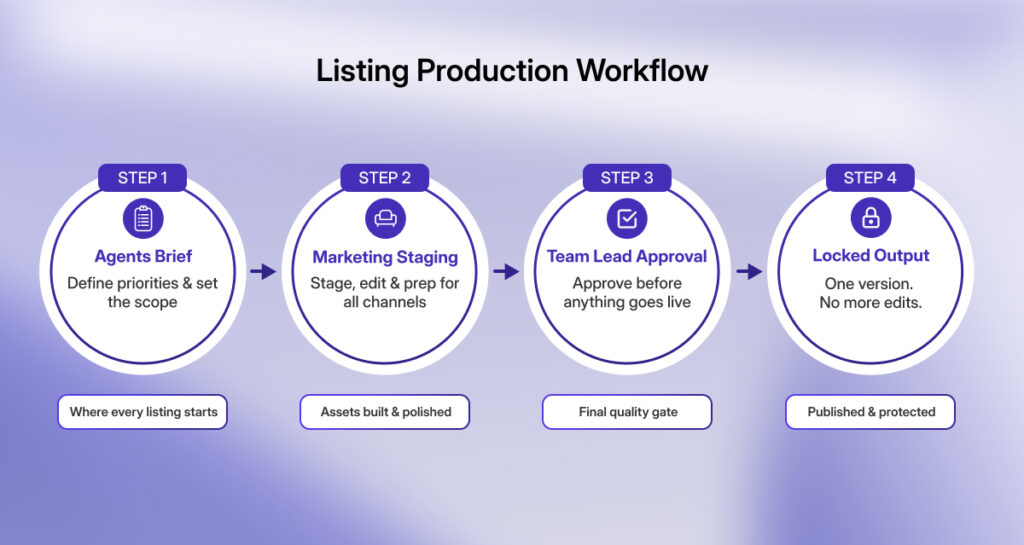
Staging options should follow the agent brief rather than personal preference during production. A second layout makes sense only when a flex room has two valid functions or when the property targets distinct buyer groups with different space expectations.
Coordination Across Multiple Listings
Parallel listings work best when teams use shared standards instead of deciding style and room order case by case. A shared style library and standard room priority rules keep outputs uniform across agents and property types.
Fixed review slots and batch windows maintain predictable cycles. These controls prevent visual drift across listings.
Turnaround Predictability
AI virtual staging runs fast per photo, but timelines depend on structured handoffs. A defined photography upload cutoff followed by a conditioning window, a staging batch window, and a set review deadline before the MLS submission slot keeps production aligned.
This cadence protects launch dates and prevents late-stage rework.
Integration With the Listing Production System
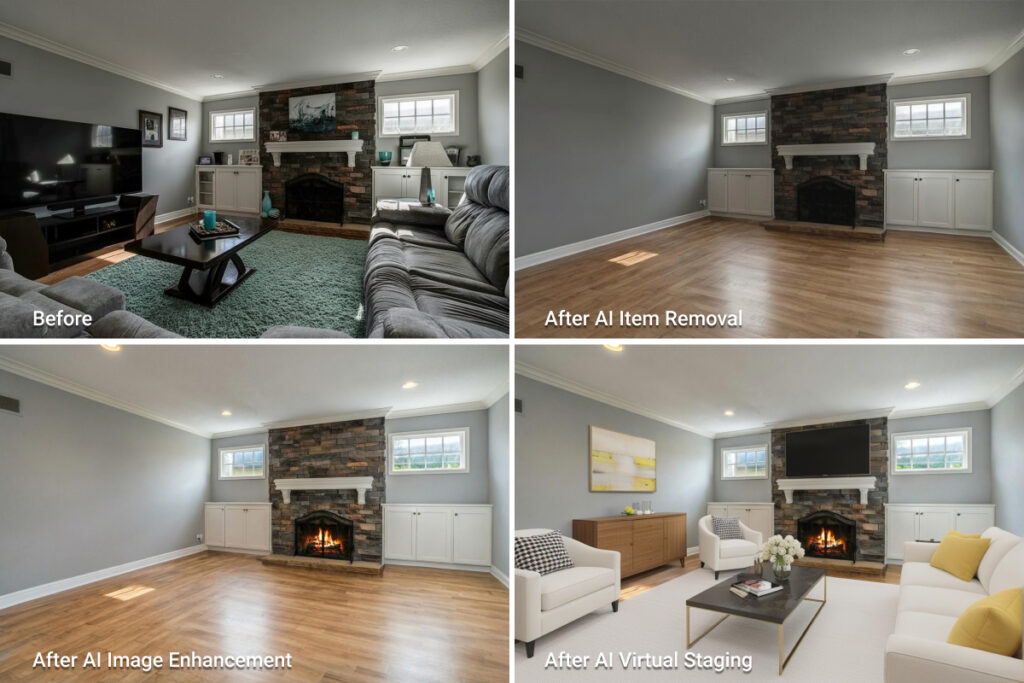
AI virtual staging works best when placed inside the full listing production sequence rather than treated as a one-off task.
Upstream steps such as image enhancement, item removal, and exposure or geometry correction prepare files so staged objects match the room and pass review on the first cycle.
Downstream, the staged set should match the listing description and the room labels used in MLS entry. Marketing materials should pull from the same locked set used for MLS so teams do not circulate conflicting versions across channels.
When image enhancement, item removal, day-to-dusk conversion, and AI virtual staging are managed within the same production workspace, visual preparation remains consistent before files move into internal review and MLS submission.
Centralizing these preparation stages reduces fragmentation across tools and helps teams standardize image readiness before approval and distribution. AI HomeDesign reflects this structured preparation layer by bringing these core visual production steps into a single environment, supporting consistency at the pre-MLS stage of the listing workflow.
Standardization Across Teams
Standardization only works when teams document these rules and apply them across every listing. Brokerages that define:
- Approved style sets
- Room priority rules
- Version limits
- Review checkpoints
maintain uniform listing presentation across agents and property types. This structure supports brand coherence and predictable production timelines.
Within such a system, teams may run image enhancement or item removal before AI virtual staging when a photo needs correction, and AI HomeDesign provides these as integrated steps within the same workspace.
Common Operational Failures Without a Workflow
Teams without a defined real estate photo workflow often end up with inconsistent styles across rooms, repeated revision requests, and delays tied to MLS compliance checks. They also circulate conflicting photo versions across MLS, listing pages, and marketing materials.
These problems usually stem from unclear ownership, missing review checkpoints, and weak version control. The staging tool is rarely the core issue; the surrounding process is.
Final Thoughts
AI virtual staging delivers the most operational value when placed inside a structured real estate photo workflow with clear inputs, controlled variation, review gates, and locked outputs. This structure makes staging predictable across multiple listings and keeps teams aligned on what “final” means.
Brokerage teams gain steadier staging schedules, fewer internal revisions, more uniform listing presentation across agents, and cleaner MLS submission timelines. When embedded within a structured real estate photo workflow, AI virtual staging stops being a design add-on and becomes production infrastructure; a controlled and standardized layer inside listing operations that supports scale and credibility.
A practical sequence starts with capture standards, then image preparation if needed, followed by a written staging brief. Production creates a limited set of staged options, a reviewer approves one version per room, and the approved set moves to MLS and marketing from a single source.
Photos should have straight vertical lines, balanced exposure, and neutral color. Personal items or excess furniture should be removed before staging so added objects match the room scale and lighting.
AI-staged elements must appear realistic in scale and lighting, match the room’s actual function, and avoid altering permanent structural features. US MLS rules prohibit material misrepresentation, and many boards require clear disclosure of virtual staging. Always follow local MLS and brokerage guidelines.