Virtual staging trends in 2026 are moving away from catalog-perfect rooms and toward listing photos that feel realistic, useful, and easy to understand. Buyers want to see how a space works, not just how stylish it can look.
That shift matters for agents choosing a virtual staging approach. The right style should match the property type, price point, buyer profile, and disclosure requirements. A starter condo, a luxury home, and a short-term rental do not need the same staging logic.
Buyers now move through listings quickly, often comparing several homes in a few minutes. Generic furniture, unrealistic textures, awkward scale, or overdesigned rooms can make a staged image feel less trustworthy.
The goal for 2026 is clear: staging should help buyers understand the space faster without making the photo feel artificial.
Why Virtual Staging Belongs in the Listing Strategy
Many buyers meet a property for the first time through listing photos. That makes staging more than a design choice. It can affect whether a room feels clear, usable, and worth a closer look.
NAR’s 2025 Profile of Home Staging supports this point: 83% of buyers’ agents said staging made it easier for buyers to visualize a property as a future home. That does not mean every listing needs heavy staging, but it does show why room presentation matters.
Virtual staging can help when empty or under-furnished rooms make scale and function harder to read online. A vacant room may be accurate, but it does not always help buyers understand how the space could work.
For agents and brokers, the staging decision should fit the broader listing strategy. The right approach depends on property type, price point, buyer profile, photo quality, and disclosure rules.
Good virtual staging should help buyers read the space faster without making the image feel artificial or misleading.
As buyer behavior and listing competition shift, staging decisions should sit within broader real estate industry insights for 2026, alongside pricing, marketing, and showing strategy.
What Buyers Actually Expect From Listing Photos
Buyers rely heavily on listing photos when comparing homes online. NAR reported that 81% of buyers rated photos as a very useful feature during their online home search. That makes listing photos more than decoration. Staged images need to help buyers understand the space, not just admire the design.
When buyers scroll through listings on a phone, they are not only looking at furniture. They are judging layout, room function, scale, light, and whether the home fits their daily life. Strong virtual staging should make those questions easier to answer.
That is why spatial clarity matters. A staged room should show where the sofa fits, how the dining area works, how traffic moves through the room, and what each space is meant to do.
Warmer, More Livable Design Replaces High-Gloss Perfection
Overdesigned rooms can create a trust problem. If a staged photo looks too perfect, too glossy, or too disconnected from the actual property, buyers may feel disappointed when they see the home in person.
Current 2026 interior trend coverage points toward warmer, more lived-in spaces: natural materials, earthy palettes, tactile surfaces, soft shapes, and interiors that feel personal rather than sterile.
For virtual staging, that means restraint matters. Warm wood, textured fabrics, simple greenery, matte finishes, and realistic furniture scale can make a staged room feel more believable.
The goal is not to create a fantasy version of the home. The goal is to help buyers understand the space and trust what they are seeing.
Design Trends Shaping Virtual Staging in 2026
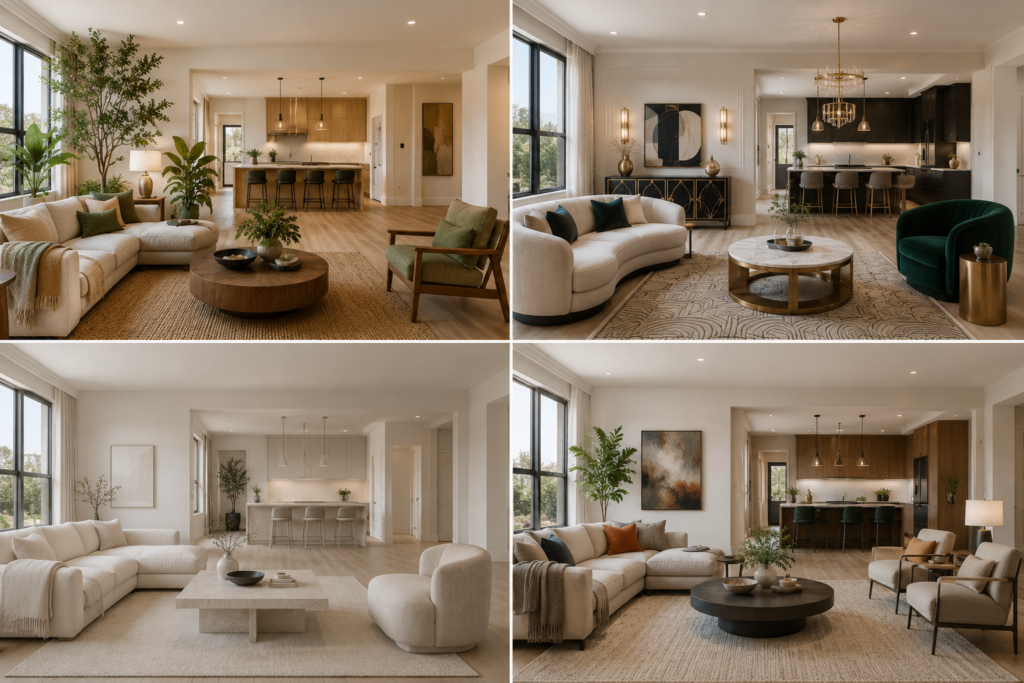
Virtual staging in 2026 is moving away from overly polished, catalog-style rooms. Buyers still want attractive interiors, but the staging needs to feel believable for the property. Matching furniture sets, glossy finishes, and perfectly symmetrical layouts can make a room feel generic if they do not fit the home’s architecture or price point.
Current interior design trends point toward warmer, more tactile spaces. Natural materials, earthy palettes, soft shapes, sculptural furniture, and layered textures are appearing more often in 2026 trend coverage. For virtual staging, this means agents should brief the design style with more precision instead of choosing a broad label such as “modern” or “contemporary.”
Biophilic Design: Natural, Warm, and Grounded
Biophilic design continues to influence interiors in 2026. In virtual staging, this does not mean adding plants everywhere. It means using nature-connected details in a controlled way: warm wood, stone surfaces, soft daylight, organic shapes, woven textures, and simple greenery.
For listing photos, biophilic staging can make a room feel calmer and more livable. Agents briefing an AI staging tool should be specific. Instead of “modern living room,” use prompts such as “warm wood tones, stone-veined coffee table, linen upholstery, and sculptural greenery.” This helps the final image feel designed rather than generic.
Neo-Deco Geometry and Sensory Minimalism
Neo-Deco is bringing softer geometry into 2026 interiors. Curved ottomans, rounded seating, scalloped details, brushed brass, and refined geometric accents can add structure without making a room feel stiff.
At the same time, sensory minimalism is changing how staged rooms should feel. Ultra-matte textures, limewash-style walls, linen upholstery, warm wood, and tactile surfaces can make a staged image feel calmer and more livable than a glossy, overdesigned room.
For virtual staging, the lesson is practical: do not rely only on broad style labels. A prompt like “limewash-style wall, matte linen sofa, rounded coffee table, brushed brass hardware, warm wood accents” gives the staging tool clearer design direction than simply asking for “modern luxury.”
The goal is not to fill the room with trends. The goal is to use a few specific materials, shapes, and finishes that make the space feel intentional, realistic, and aligned with the property.
A Simple Framework for Choosing a Virtual Staging Approach
Staging mistakes often start before editing begins. Agents may reuse the same tool, style, or workflow from the last listing without asking whether it fits the current property.
A better approach is to choose the staging method based on three factors: the property’s condition, price point, and marketing timeline.
1. Property Condition
Vacant homes usually give virtual staging tools the cleanest starting point. With no furniture in the way, the room can be staged around its actual layout, windows, walls, and floor area.
Occupied homes need more caution. If the room already has furniture, a full redesign can confuse buyers or make the image feel less tied to the actual property. In those cases, selective editing may work better: remove temporary clutter, replace only distracting furniture where appropriate, and keep architectural details intact.
The goal is to help buyers understand the room without changing the home’s real structure, scale, or condition.
2. Price Point
The listing’s price point should shape the level of staging detail.
Entry-level and mid-market listings may benefit from fast AI staging when the goal is to show layout and room function quickly. These listings usually need clean, believable visuals more than highly customized design.
Higher-end listings often need more control. Luxury properties may require manual review, custom styling, or a more restrained design approach. At that level, unrealistic furniture, weak shadows, or mismatched materials can hurt the listing more than an empty room would.
3. Marketing Timeline
Timeline also matters. A quick-turnaround listing may need a staging tool that can produce usable options fast. A premium campaign may allow more time for testing several design directions before choosing the final look.
For example, an agent may compare a warm biophilic style with a softer Neo-Deco layout for the same room. The goal is not to chase trends. It is to choose the design direction that best fits the property and target buyer.
Precision Over Total Refresh
Not every room needs a full visual reset. In many cases, the best staging approach is the one that changes the least while making the room easier to understand.
Full redesign tools can sometimes alter details that should stay fixed, such as window proportions, ceiling height, floor patterns, or built-in features. More targeted editing helps preserve those architectural anchors and reduces the risk of misleading buyers.
For tool selection, a guide to the best virtual staging software for real estate can help agents compare current options by speed, cost, realism, and control. Agents who want a lower-cost starting point can also review diy virtual staging with ai workflows before choosing a provider.
AI Generative Staging vs. Manual Professional Editing: Honest Trade-Offs
Cost, speed, volume, and listing type all shape the right staging choice. AI-first tools can be useful when agents need fast results across standard residential listings.
Many AI staging platforms now generate images in seconds or minutes, which makes them practical for vacant rooms, quick listing launches, and high-volume workflows.
Manual professional editing still has a place. Designer-led or hybrid services usually take longer. Many providers work within 24–48 hour windows, depending on the service and revision process. In return, they can offer more control over realism, consistency, and custom styling.
That matters for luxury listings, complex architecture, unusual lighting, or rooms where small visual mistakes can weaken trust.
The cost gap also matters. AI-based platforms can start at much lower per-image prices, while designer-led virtual staging and traditional staging usually cost more.
That makes Virtual staging cost and roi an important part of the decision, especially for agents managing multiple listings or staging several rooms at once.
The practical answer is not “AI or manual” for every listing. AI works well for routine staging when the room is vacant, clear, and easy to interpret.
Manual editing is stronger when the property needs custom design judgment, higher realism, or careful visual control. The best workflow matches the staging method to the property, not the other way around.
Hybrid Staging: Bridging Online Photos and Showings
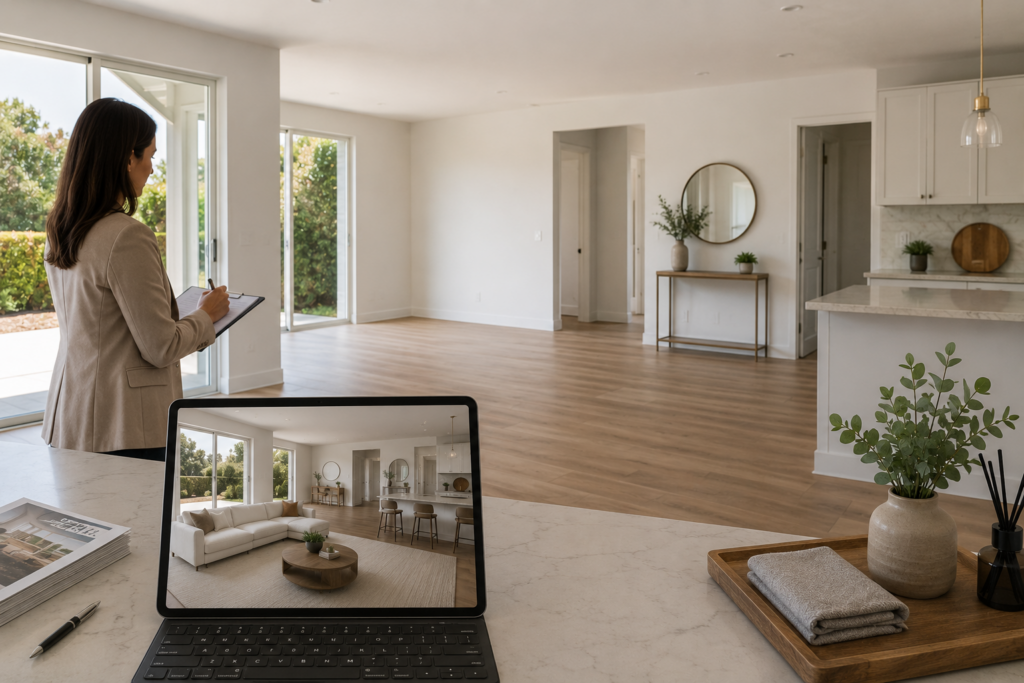
Virtual staging can help buyers understand an empty room before they visit. But if the property is completely bare during the showing, the in-person experience may feel less connected to the online presentation.
A hybrid staging strategy can reduce that gap. The listing photos use virtual staging to show layout, scale, and room function. The physical property then uses a small number of real touches at key points, such as an entry table, simple bed linens, fresh towels, or kitchen accessories.
This is not full physical staging. It is a lighter approach that gives buyers some visual and sensory cues during the showing while keeping costs and logistics lower than furnishing the whole home.
For agents comparing virtual staging vs traditional staging, this middle path can be useful when the online listing needs strong visuals but the showing still needs a sense of warmth and intention. The goal is consistency: the buyer should feel that the staged photos and the real property belong to the same story.
Where to Focus Light Physical Staging
Three rooms carry the most weight: the entry, the primary bedroom, and the kitchen. The entry sets the emotional tone within seconds of arrival. The primary bedroom anchors the lifestyle promise buyers formed online. The kitchen is where buyers linger longest during showings. Concentrating physical props in these three spaces keeps costs manageable while protecting the moments that shape buyer perception most.
Keeping Virtual and Physical Elements Visually Consistent
Share the virtual staging style guide, color palette, texture references, and furniture silhouettes, with the photographer before the shoot. Physical props should echo the same sensory minimalism or biophilic tones used in the digital renders. Mismatched aesthetics break the visual thread buyers follow from screen to showing. A brief with a few reference images is usually enough to align the photographer’s eye with the virtual staging direction.
Legal Compliance and Disclosure Rules Agents Must Know
Virtual staging needs clear disclosure. NAR’s Article 12 requires REALTORS® to be honest and truthful in real estate communications and to present a “true picture” in advertising, marketing, and other representations. NAR’s guidance on virtual staging follows that principle: listing photos that have been virtually staged should be clearly labeled as such.
State and MLS rules are also becoming more specific. In Wisconsin, for example, 2025 Wisconsin Act 69 adds disclosure requirements for real estate advertising altered or enhanced by technology. Metro MLS notes that failure to disclose digital modifications could become a statutory violation once the Act takes effect in 2027.
Agents should treat disclosure as part of the listing workflow, not a last-minute caption. A clear label such as “virtually staged” in the photo caption, image note, or required MLS field is usually the safest approach, but agents should still follow their local MLS, brokerage, and state rules.
Fair Housing and Structural Edits
Virtual staging should focus on furniture, decor, rugs, and artwork. Metro MLS specifically says virtual staging is meant to show furnishings and decor, while adding people, pets, lifestyle scenes, human figures, or signage is not allowed in its guidance. It also warns that people in listing photos may create Fair Housing risks if the image suggests a preference related to protected classes.
The structural boundary matters just as much. Adding furniture is different from removing walls, changing windows, hiding damage, or altering permanent features. Those edits can move a photo from staging into misrepresentation.
Agents who want a deeper framework should review virtual staging legality before selecting any staging method. The safest rule is simple: disclose what is digitally changed, and never use staging to change what the property actually is.
Red Flags: When Virtual Staging May Not Be the Best Fit
Virtual staging works well for many listings, but it should not be the default choice for every property. Some homes need a lighter edit, a manual review, or physical staging instead.
Luxury or High-Scrutiny Listings
Luxury properties often need a higher level of visual control. If the staging looks generic, overdesigned, or slightly unrealistic, buyers may question the quality of the presentation. For these listings, manual professional editing, designer-led virtual staging, or selective physical staging may be a better fit.
Distressed or Deferred-Maintenance Properties
Virtual staging should not be used to distract from condition issues. If a property has visible damage, outdated finishes, or structural concerns, staging should not make the home look cleaner, newer, or more finished than it is.
A beautifully staged distressed room can create a bigger gap between the online image and the showing experience. In these cases, honest photography with light cleanup is often safer than a polished staging treatment.
Occupied or Heavily Furnished Homes
Occupied homes need caution. If the room already has strong existing furniture, staging over it can look messy or misleading. The better approach may be physical decluttering, minor item removal, and accurate photography.
Virtual staging can still work in some occupied homes, but only when the edit preserves the room’s real structure, scale, and condition.
Compliance-Heavy Markets
Disclosure rules vary by state, MLS, and brokerage. In Wisconsin, for example, 2025 Wisconsin Act 69 adds disclosure requirements for real estate advertising altered or enhanced by technology, with Metro MLS noting that failure to disclose digital modifications could become a statutory violation once the Act takes effect in 2027.
In markets with more specific disclosure rules, agents should plan for extra review before publishing staged images. That does not make virtual staging unusable, but it does make documentation and labeling more important.
Character-Rich or Highly Unique Homes
Some homes sell because of their original architecture, unusual layout, or historic character. A full visual redesign can weaken those selling points if it changes the feel of the property.
For character-rich homes, a selective approach is safer. Keep original features visible, preserve materials and proportions, and use staging only to clarify function. The goal is to support the home’s identity, not replace it.
How to Choose the Right Virtual Staging Approach: A Decision Checklist
The Five Decision Gates
Property Condition
Price Point
Target Buyer
Timeline
Disclosure Rules
A five-step filter for choosing the right virtual staging approach before editing begins.
Many virtual staging problems start before editing begins. The wrong method gets chosen for the wrong property type, and the final image either feels weak, unrealistic, or risky from a disclosure standpoint.
A simple decision checklist helps agents choose the right staging approach before they send a photo for editing.
The Five Decision Gates
Gate 1: Is the property vacant or occupied?
Vacant properties are usually the clearest fit for AI virtual staging because the room is empty and easier to furnish digitally. Occupied listings need more caution.
If existing furniture fills the room, the better approach may be light cleanup, item removal, or selective editing rather than a full visual redesign.
Gate 2: What is the price point?
Standard listings may only need fast, believable staging that shows room function clearly. Higher-end listings often need more control over furniture quality, lighting, scale, and architectural details.
In those cases, AI staging may still help, but manual review or designer-led staging can reduce the risk of generic-looking results.
Gate 3: Who is the target buyer?
The staging style should match the buyer, not the agent’s personal taste. First-time buyers may need clear room function and simple layouts.
Luxury buyers may expect more refined materials and restrained design. Short-term rental guests may respond more to warmth and atmosphere. The goal is to make the space easier for that specific audience to understand.
Gate 4: How fast does the listing need to go live?
A tight timeline may favor AI staging because it can return usable options quickly. If the timeline allows more review, agents can test several design directions.
They can also use a hybrid approach: virtual staging for online photos and light physical staging for showings.
Gate 5: What are the disclosure rules?
Disclosure requirements vary by MLS, brokerage, platform, and local law. NAR’s Article 12 supports the broader “true picture” principle in real estate advertising.
Agents should still confirm the specific rules for staged or digitally altered images in their own market.Some areas are becoming more explicit about digital alteration disclosure, so local review matters before publishing.
Pre-Staging: Photo Editing as the Foundation
Before any staging method is applied, the base image needs to be ready. real estate photo editing handles that groundwork through exposure correction, color balance, perspective fixes, item removal, and other cleanup steps.
This order matters. Staging over a dark, cluttered, tilted, or poorly corrected image can create new problems instead of solving the original ones.
A cleaner base helps virtual staging look more natural and reduces the amount of rework later.
Using the Checklist as a Starting Point
This checklist helps agents match the staging method to the listing. It does not replace local MLS rules, broker guidance, or professional judgment.
The right approach is the one that fits the property, protects accuracy, supports the buyer’s decision, and keeps the final image believable.
Final Thought
Virtual staging is now part of listing strategy, not just a cheaper staging option. The right approach depends on the property, buyer profile, timeline, and disclosure rules.
For vacant homes, AI virtual staging can help buyers understand scale and room function quickly. For higher-end or unusual properties, manual review or light physical staging may still be needed to protect realism.
Design choices should feel current but not trendy for the sake of it. Biophilic details, soft geometry, tactile materials, and warmer minimalist styles work best when they fit the property.
Compliance also matters. Agents should follow MLS, brokerage, platform, and local disclosure rules, and avoid edits that change the property’s real condition or structure.
The practical next step is simple: review the current listing photo workflow and decide where virtual staging saves time, where physical staging still adds value, and where disclosure needs to be clearer.
FAQs
Can virtual staging be used for off-market or pocket listings?
Yes, but disclosure still matters. Off-market listings may not go through the same MLS review process, but agents still need truthful advertising, brokerage compliance, and local legal review. If a photo is virtually staged, label it clearly so buyers understand what has been digitally added.
What if a buyer feels misled after seeing a virtually staged photo?
The risk is highest when staging changes or hides the property’s real condition. Adding furniture to an empty room is different from hiding damaged flooring, covering structural issues, changing views, or altering permanent features. Clear disclosure and accurate staging reduce that risk.
Can agents use different staging styles for the same room?
They can, but it should be handled carefully. Multiple design versions may help test buyer response, but the room’s structure, scale, condition, and permanent features should stay consistent. Avoid staging choices that imply a preference for a specific type of buyer or household.
Does partial AI staging still need disclosure?
Usually, yes, where disclosure is required. Swapping furniture, removing objects, or digitally changing part of a room can still affect how buyers understand the property. Agents should follow local MLS, brokerage, platform, and state rules for digitally altered listing images.
How should agents handle disclosure on third-party portals?
Do not assume one disclosure in the MLS description will appear everywhere. Portals, MLS feeds, and brokerage sites may display captions and remarks differently. Add disclosure where the platform allows it, keep records of original images, and check local MLS or brokerage guidance before syndicating staged photos.