Real Estate Flyers: Free Templates and Design Tips
Real estate flyers can still generate leads in 2026. Use free templates, clean photo hierarchy, correct print and digital specs, plus tracking and compliance rules.
In short
- Start with hierarchy: one hero photo, one message, and one call to action beat clutter.
- Export like a pro: keep separate print and digital files so output stays crisp.
- Track and disclose: QR links, UTMs, and clear disclosure protect results and compliance.
Flyers still pull weight at open houses, on sign riders, and in local coffee shops. A solid real estate flyer also becomes a fast digital asset for email and social, without building a new post from scratch.
A free template helps, but the template is the easy part. The repeatable system matters more: photo order, hierarchy, export settings, tracking, and compliance. That system fits inside a broader real estate marketing strategy and keeps flyer production from turning into a last-minute scramble.
The sections below cover what to include, where to get templates, how to build fast, and how to measure results.
Why Flyers Still Work in 2026
A flyer reaches people in moments when scrolling stops. Open house visitors still grab a sheet to share with a spouse. Neighbors still pin a page to a fridge. Buyers still walk past a sign rider and scan a code. That physical-to-digital bridge gives flyers a job that a feed post does not.
A practical workflow starts with one decision: what the flyer must do. Some flyers support a single showing. Others support a neighborhood campaign. Others act as a listing handout for buyer agents. That purpose drives the layout, the call to action, and even the paper choice.
Flyers also help with consistency. A team that uses the same layout and copy blocks across listings builds recognition. The layout becomes a brand cue, even when the listing style changes.
Flyers work best as a measurable campaign asset, not a one-off design task. Agents can treat every flyer as a small test that feeds a bigger marketing plan, then improve the next version with real feedback.
Real Estate Flyer Design That Converts
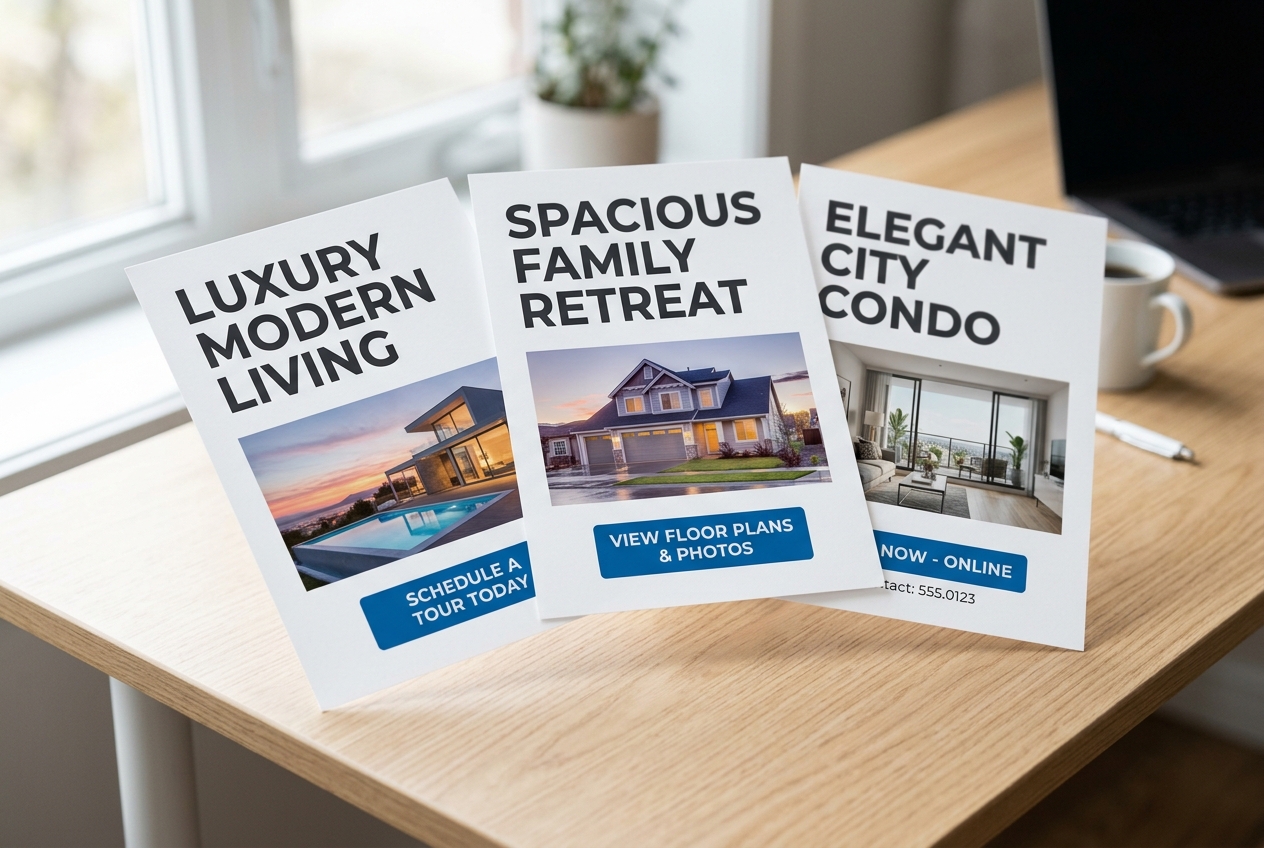
High conversion rarely comes from more design elements. It comes from clear hierarchy. The strongest flyers behave like a sign: one main message, one main photo, and one next step. Everything else supports those three.
Start with the “above the fold” block. Place the hero photo first, then the hook line, then the price or offer framing. If the flyer is for lead capture rather than a specific listing, replace price with a single benefit, such as “Get weekly off-market updates in this neighborhood.”
Keep the body scannable. Use three to five features in short lines, not paragraphs. A dense paragraph looks like legal text and gets skipped. For a longer description, pull one sentence from the longer MLS remarks and keep the rest for follow-up. Agents who want a tighter writing process can borrow the same structure used for writing effective listing descriptions.
Treat the call to action as a single choice. Pick one action: scan for photos, text for a showing, or RSVP for an open house. Adding two actions splits attention. For open houses, pair the flyer with a sign-in flow and the in-person plan from open house ideas that bring in buyers.
Free Template Libraries Worth Using
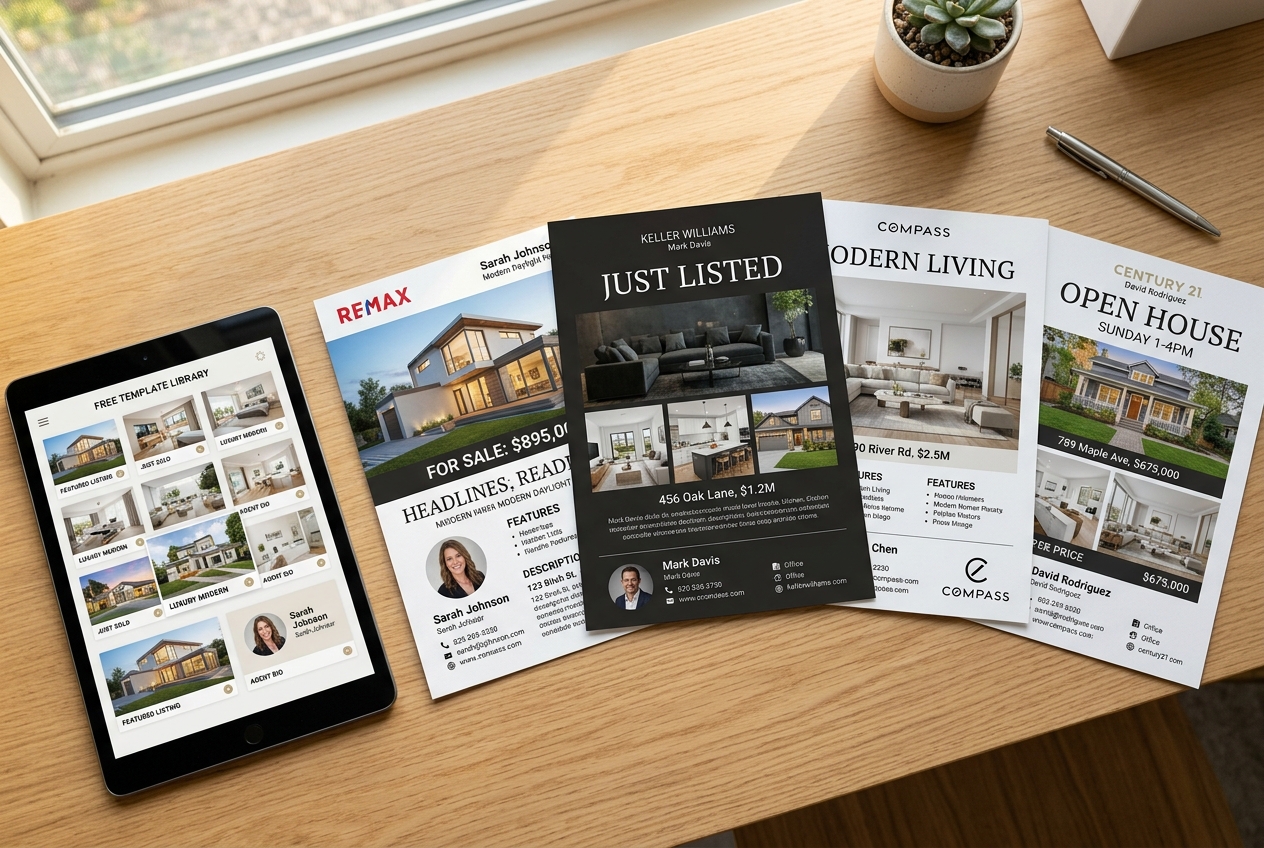
A free template saves time, but only if the platform makes export easy and keeps the typography clean. The best template libraries also reduce decision fatigue by offering a few strong “agent layouts” that work for most properties.
The sources below offer templates that agents can edit and reuse. Each has a different strength: some focus on listing guidance, while others focus on speed and volume.
| Template source | Pricing | Free tier | Speed | Key features |
|---|---|---|---|---|
| Zillow listing flyer templates | Free (downloadable real estate flyer templates) | Yes (templates provided at no cost) | DIY, varies (depends on editing and distribution method) | Actionable flyer best practices, distribution guidance, and clear content prompts |
| Canva real estate flyers | Freemium (robust free tier; paid Pro plan for premium assets) | Yes (free templates and editor; some assets are Pro-only) | Instant template editing and export | Drag-and-drop editor, large template library, print and digital export, “Styles” for brand consistency |
| Adobe Express | Freemium (free templates; paid subscription for premium features/templates mentioned in roundup) | Yes (free template selection) | Instant template editing and export | Polished designs, quick customization, easy resizing, exports to PNG/JPG/PDF, photo tools like background removal |
| PosterMyWall real estate flyers | Freemium (23.1K+ free real estate flyer templates; paid options not detailed on scraped page) | Yes (free templates available) | Instant template editing; download/share after customization | Massive template volume, fast customization, AI-assisted design prompts, strong digital-sharing workflows |
Comparison of free-template sources by workflow fit and export flexibility.
Agents can keep two base designs on hand: a listing flyer and a lead-gen flyer. That small library covers open houses, just listed announcements, rentals, and buyer events without redesigning every time.
Step-by-Step: Build a Flyer From a Template
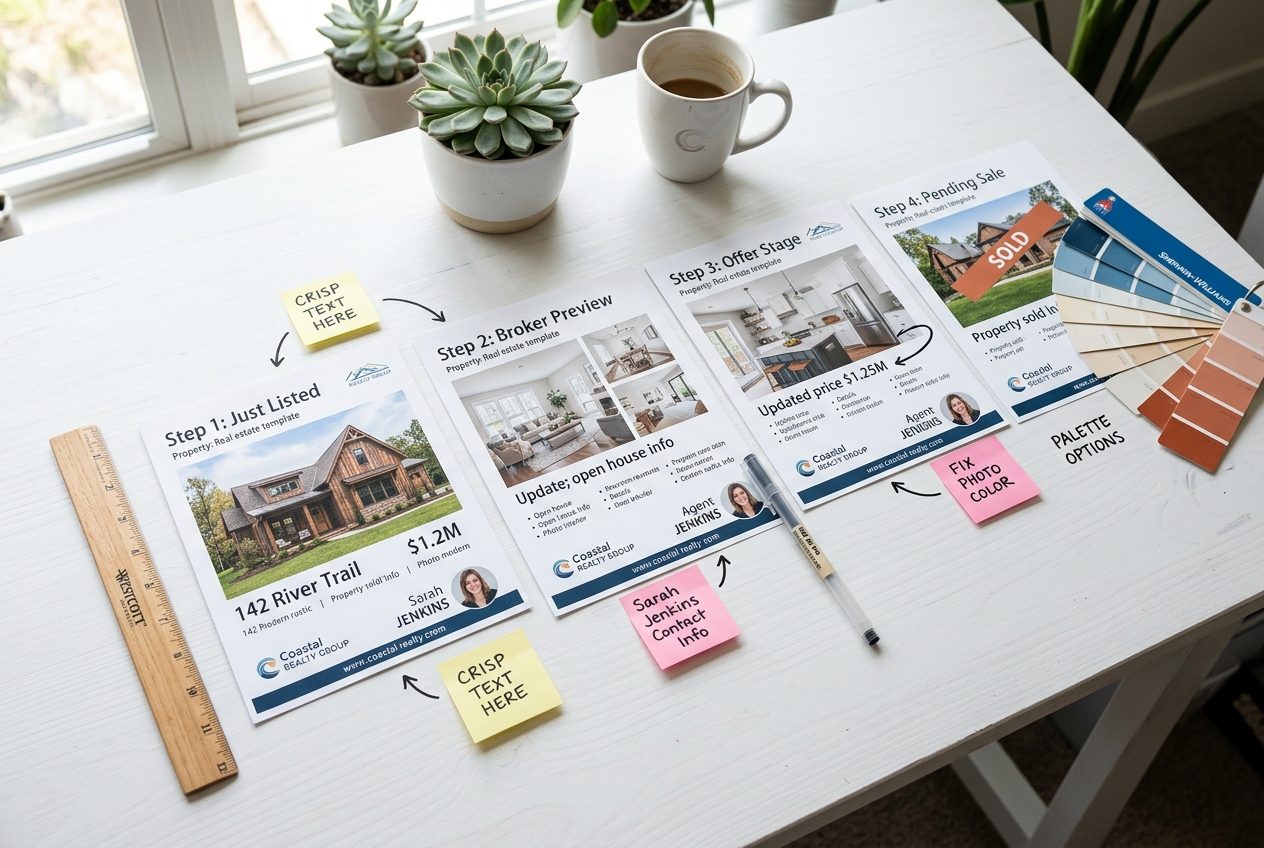
Speed comes from a repeatable build order. A good template still breaks down if the photo order changes each time, the copy blocks drift, or the export settings vary by device. A consistent sequence also makes it easier for assistants or marketing coordinators to produce on brand.
For print, a practical target is to lock the final flyer three days before an event. That window gives time for broker review, print turnaround, and a reprint if the first proof shows a typo. For digital-only distribution, a one-day turnaround can work, but only if the photo set and copy blocks are ready.
Choose a layout that matches the goal
Pick a listing flyer template for property marketing, or a lead-gen template for farming. Lock the goal before editing anything.
Place photos in a fixed order
Start with one hero photo, then add two or three supporting shots. Keep the same order across campaigns so buyers learn where to look.
Write the copy blocks, then cut
Draft a one-line hook, three to five features, and a single call to action. Remove any sentence that repeats what the photos already show.
Set the hierarchy for price and call to action
Increase contrast and size on the one line that must be remembered. Make the contact method readable from arm’s length.
Add branding and required identifiers
Place headshot, name, license details as required, and brokerage marks in the same corner every time. Keep social handles secondary.
Add tracking before exporting
Generate a QR code tied to a dedicated landing page. Use a campaign-specific link slug and a unique phone route if available.
Run a final quality pass
Check spelling, photo resolution, and disclosure text. Test-scan the QR code on two phones before printing.
Use the checklist below as the “handoff standard” for every flyer, especially on teams.
Photos That Make Templates Look Professional
A flyer can hide weak design, but it cannot hide weak photos. Grainy interiors, mixed color temperature, and crooked vertical lines signal “rushed.” That signal matters more than font choice.
Agents can improve flyer photos with a simple rule: one bright, wide hero shot wins, even if the flyer includes other images. Choose the living room or main great room when possible. Use the kitchen when the home sells on finishes. For condos, highlight the view or the best natural light.
When a listing needs help, teams often blend capture and post-production. Basic cleanup such as straightening, brightness balance, and item removal helps, as long as the edits stay honest. MLS and portal policies also vary, so agents can keep edits aligned with MLS photo specifications and the broader guidance in visual marketing and staging.
A quick decision point helps when choosing between manual work and AI tooling for flyer visuals.
DIY photo cleanup: best for small fixes when the room already shows well.
Virtual staging: best for empty rooms, dated furniture, or a layout that needs context.
AI HomeDesign: one option for teams that want virtual staging, photo editing, and renovation visuals in one place across web, B2B workflows, REST API, and an MCP server, with MLS-compliant-by-default output and free regenerations.
Print vs. Digital Specs and Export Settings
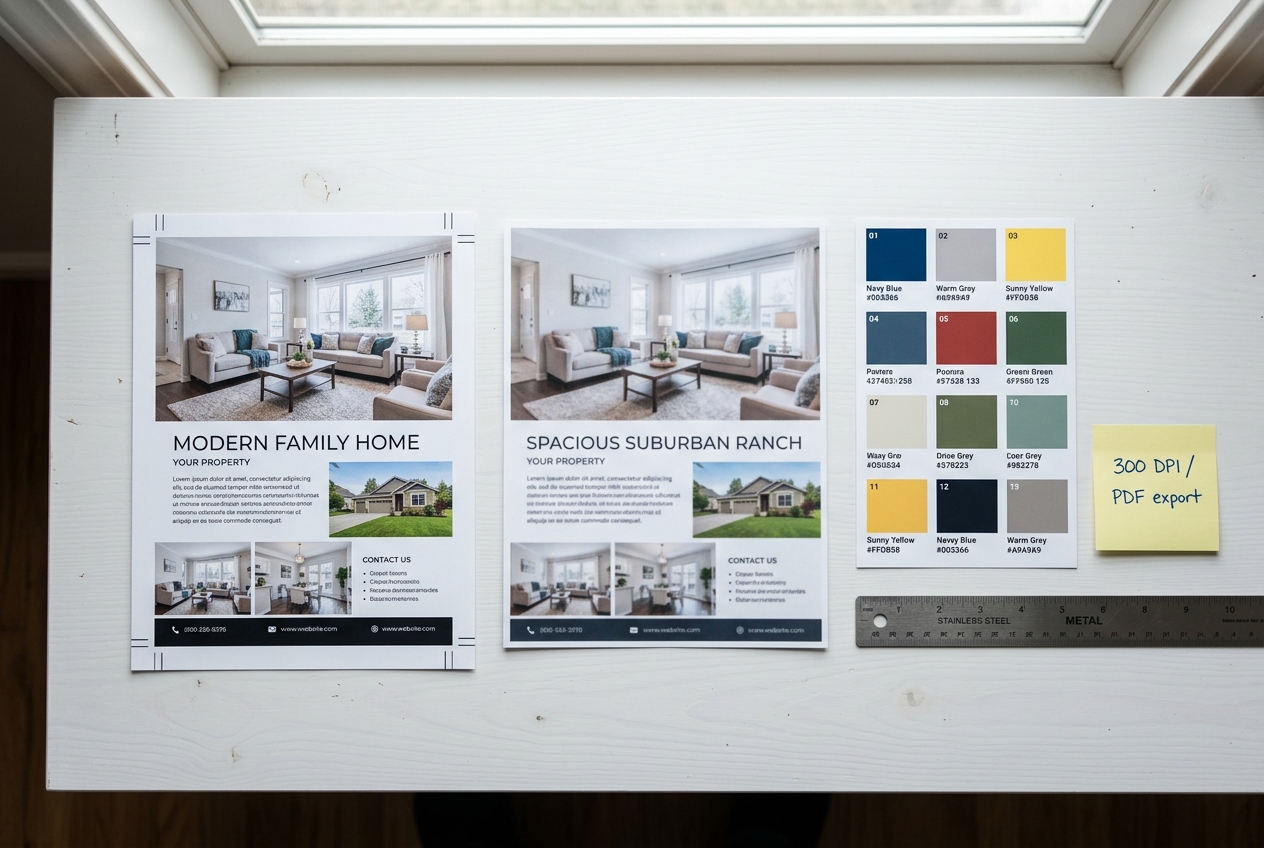
Most flyers fail in production, not design. A clean layout still prints soft if the file exports at the wrong resolution. Digital flyers also look off when a platform auto-crops the margins.
Print calls for predictability. Use a single-page format for open houses, sign riders, and leave-behinds. Use a feature sheet for buyer-agent packets, listings with many upgrades, or new construction where buyers compare models. If a campaign overlaps with direct mail, postcards may fit better for some routes. That is where real estate postcard templates can complement flyers.
Export two files every time: a print-ready PDF and a digital image file for quick sharing. Store both versions in the listing’s marketing folder so the team stops rebuilding assets.
| Use case | Format | Build specs | Export setting |
|---|---|---|---|
| Standard print flyer | US letter or A4 | full-bleed with bleed and a safe margin; images placed at print resolution | print-ready PDF, high quality, fonts embedded |
| Feature sheet | larger or double-sided | more white space and stronger section headers for scanability | print-ready PDF, high quality |
| Digital share in text and email | single-page layout | strong contrast and larger type to survive compression | JPG or PNG, web-optimized, keep file size reasonable |
| Social posting version | cropped layout | simplified copy blocks and a single call to action | JPG or PNG sized to the target platform |
Quick specs guide for print and digital flyer deliverables.
Flyers also benefit from channel planning. A print flyer supports local distribution, while a digital flyer extends the same campaign through real estate advertising channels and costs.
Tracking, Compliance, and Brand Consistency
A flyer that cannot be measured becomes a habit, not a strategy. Tracking does not require complex tech, but it does require consistency across campaigns. Without it, the team cannot tell whether an open house flyer, a farming drop, or a buyer seminar handout produced the calls.
Tracking starts with one destination per flyer. Link the QR code to a dedicated landing page for that property or event. Add UTMs so analytics shows source and medium. For calls, route the flyer to a unique number or extension when available. Small teams can keep one “flyer line” and swap the destination routing per campaign.
Compliance matters because flyers reach the public. Fair Housing compliance calls for property-focused language, not buyer-focused preferences. Agents can also keep brokerage and MLS rules in mind, including logo use, license details, and required disclosures. The safest starting point is the brokerage compliance checklist plus the market-level guidance in do’s and don’ts of the MLS.
Use clear disclosure language when visuals include virtual staging or AI edits. A simple line works in most layouts: “Virtually staged. Furniture and decor are digital.” Some markets also require that disclosures sit near the image, not only in fine print.
A brand system keeps flyers from looking like five different agents. Set one font pair, one accent color, one button style for the call to action, and one headshot crop. Then lock those into templates for just listed, open house, rental, and farming.
The standard flyer approach also shifts in a few scenarios. Rentals often need different calls to action and different compliance rules. Pocket listings may require limited distribution. Distressed sales may need softer messaging and fewer superlatives. Rural and acreage properties often need a map-first layout. New construction may need model and timeline language instead of “move-in” framing.
Tracking ties it all back to pipeline. Flyers work best when they feed follow-up sequences and the broader set of real estate lead generation tactics.
Frequently Asked Questions
Are there truly free real estate flyer templates?
Yes. Some sources offer downloadable flyer layouts at no cost, and most design platforms include a free tier with editable templates. The trade-off is usually access to premium photos, icons, or fonts. Agents can still produce a complete flyer for a listing by using free assets, a personal photo set, and a consistent brand header.
What size should a real estate flyer be?
A single-page flyer in standard letter or A4 size fits most open houses and handouts. Feature sheets often run larger or use two sides when a property needs more details. Print pieces need bleed, safe margins, and a print-ready PDF export. Digital sharing usually works best as a web-optimized JPG or PNG.
What should be included on a real estate flyer?
A strong hero photo, a clear headline or hook, a short list of key features, and one clear call to action form the core. Most flyers also need agent contact details, brokerage branding, and required license identifiers. If photos include virtual staging or heavy edits, add a plain disclosure line near the image or in the footer.
How can flyer leads be tracked without expensive software?
Agents can track with a dedicated landing page, a QR code that points to that page, and UTM tags so analytics shows traffic source. For calls, a routed number or extension helps attribution. Simple discipline matters more than tools: one flyer should map to one destination, then follow-up should reference that exact offer.
Do virtually staged or AI-edited photos need disclosure on a flyer?
In many markets, yes, and it is also an ethical best practice. Disclosures help avoid confusion and reduce complaints. Use plain language such as “virtually staged” and avoid edits that change permanent features. If local MLS rules or brokerage policies set stricter requirements, follow those and keep the disclosure placement consistent across campaigns.
Should commission or fee figures be printed on consumer-facing flyers?
Most teams keep commission discussions out of consumer flyers. Fee and commission structures often involve context, negotiation, and brokerage rules, and a flyer rarely has space for proper explanation. A consumer flyer performs better when it stays focused on the property, the event, and the next step, while the agent covers compensation details in a direct conversation.